warning CHEVROLET EXPRESS CARGO VAN 2009 1.G User Guide
[x] Cancel search | Manufacturer: CHEVROLET, Model Year: 2009, Model line: EXPRESS CARGO VAN, Model: CHEVROLET EXPRESS CARGO VAN 2009 1.GPages: 408, PDF Size: 2.36 MB
Page 123 of 408
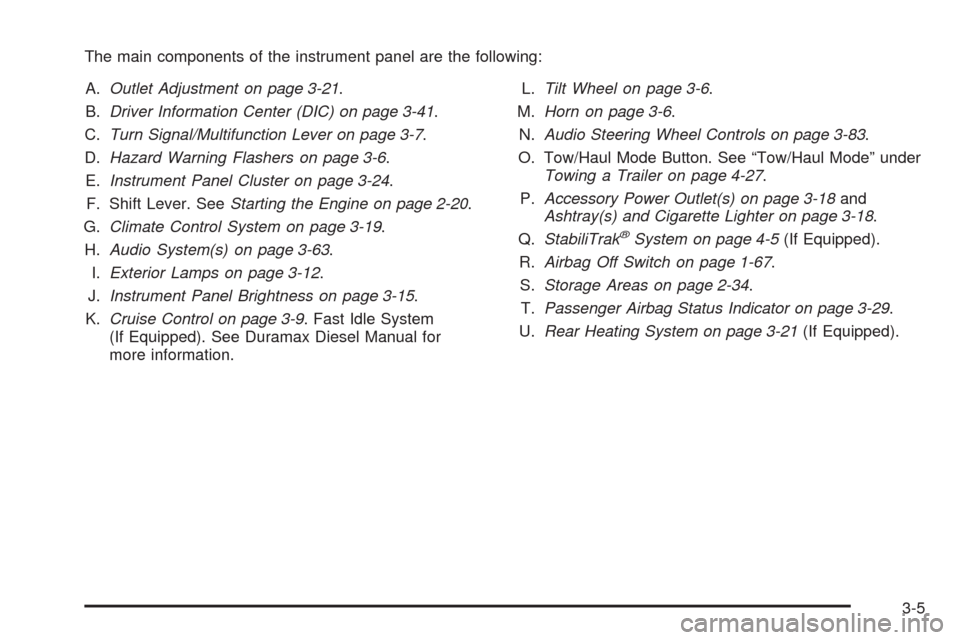
The main components of the instrument panel are the following:
A.Outlet Adjustment on page 3-21.
B.Driver Information Center (DIC) on page 3-41.
C.Turn Signal/Multifunction Lever on page 3-7.
D.Hazard Warning Flashers on page 3-6.
E.Instrument Panel Cluster on page 3-24.
F. Shift Lever. SeeStarting the Engine on page 2-20.
G.Climate Control System on page 3-19.
H.Audio System(s) on page 3-63.
I.Exterior Lamps on page 3-12.
J.Instrument Panel Brightness on page 3-15.
K.Cruise Control on page 3-9. Fast Idle System
(If Equipped). See Duramax Diesel Manual for
more information.L.Tilt Wheel on page 3-6.
M.Horn on page 3-6.
N.Audio Steering Wheel Controls on page 3-83.
O. Tow/Haul Mode Button. See “Tow/Haul Mode” under
Towing a Trailer on page 4-27.
P.Accessory Power Outlet(s) on page 3-18and
Ashtray(s) and Cigarette Lighter on page 3-18.
Q.StabiliTrak
®System on page 4-5(If Equipped).
R.Airbag Off Switch on page 1-67.
S.Storage Areas on page 2-34.
T.Passenger Airbag Status Indicator on page 3-29.
U.Rear Heating System on page 3-21(If Equipped).
3-5
Page 124 of 408
Hazard Warning Flashers
|(Hazard Warning Flasher):Press this button
located on top of the steering column, to make the front
and rear turn signal lamps flash on and off. This warns
others that you are having trouble. Press again to turn
the flashers off.
When the hazard warning flashers are on, the vehicle’s
turn signals will not work.
Horn
Press the horn symbol in the middle of the steering
wheel to sound the horn.
Tilt Wheel
For vehicles with a tilt wheel, it lets the steering wheel
position be adjusted.
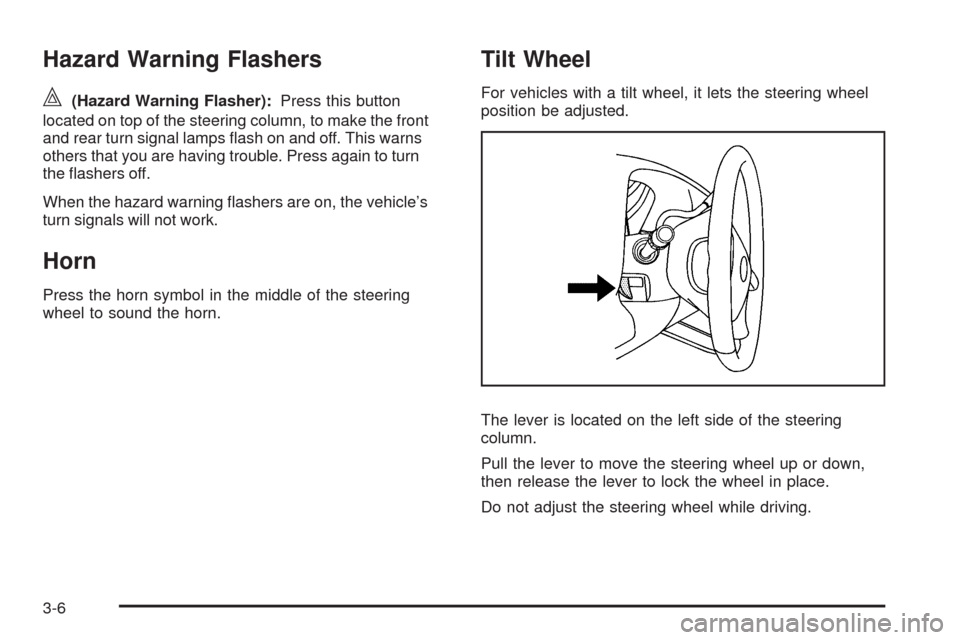
The lever is located on the left side of the steering
column.
Pull the lever to move the steering wheel up or down,
then release the lever to lock the wheel in place.
Do not adjust the steering wheel while driving.
3-6
Page 125 of 408
Turn Signal/Multifunction Lever
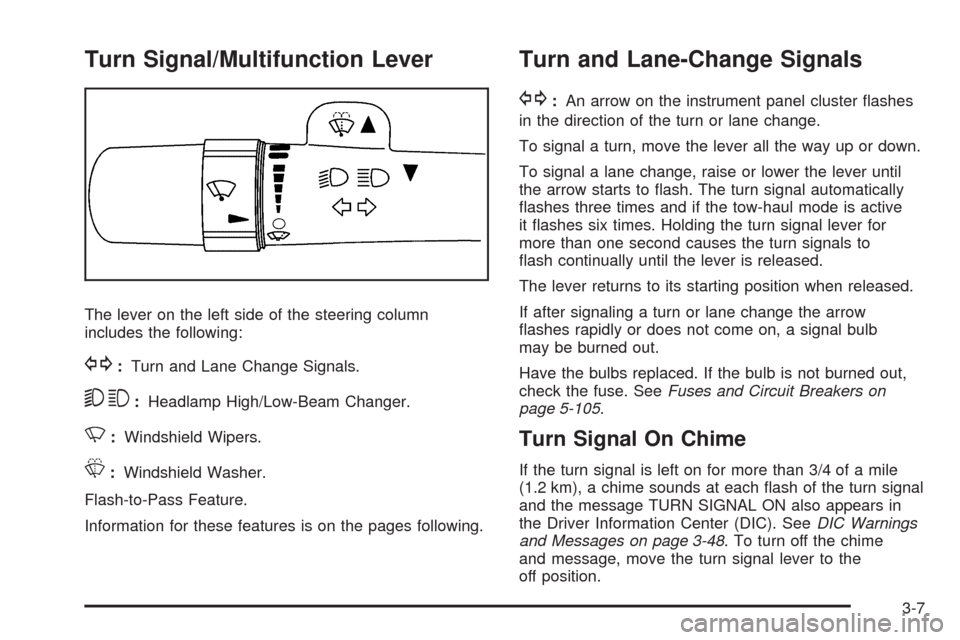
The lever on the left side of the steering column
includes the following:
G:Turn and Lane Change Signals.
53:Headlamp High/Low-Beam Changer.
N:Windshield Wipers.
L:Windshield Washer.
Flash-to-Pass Feature.
Information for these features is on the pages following.
Turn and Lane-Change Signals
G:An arrow on the instrument panel cluster flashes
in the direction of the turn or lane change.
To signal a turn, move the lever all the way up or down.
To signal a lane change, raise or lower the lever until
the arrow starts to flash. The turn signal automatically
flashes three times and if the tow-haul mode is active
it flashes six times. Holding the turn signal lever for
more than one second causes the turn signals to
flash continually until the lever is released.
The lever returns to its starting position when released.
If after signaling a turn or lane change the arrow
flashes rapidly or does not come on, a signal bulb
may be burned out.
Have the bulbs replaced. If the bulb is not burned out,
check the fuse. SeeFuses and Circuit Breakers on
page 5-105.
Turn Signal On Chime
If the turn signal is left on for more than 3/4 of a mile
(1.2 km), a chime sounds at each flash of the turn signal
and the message TURN SIGNAL ON also appears in
the Driver Information Center (DIC). SeeDIC Warnings
and Messages on page 3-48. To turn off the chime
and message, move the turn signal lever to the
off position.
3-7
Page 131 of 408
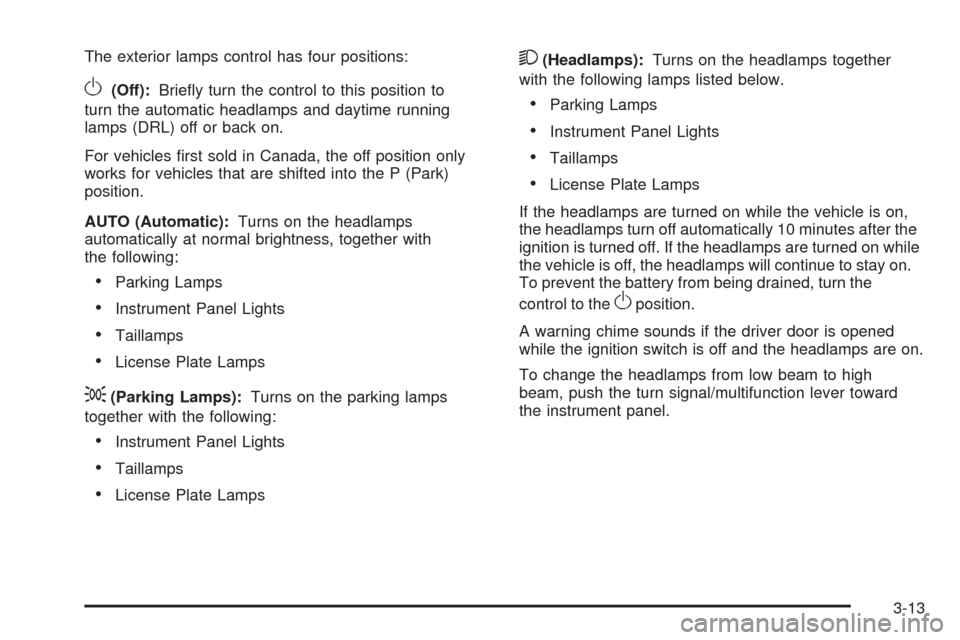
The exterior lamps control has four positions:
O(Off):Briefly turn the control to this position to
turn the automatic headlamps and daytime running
lamps (DRL) off or back on.
For vehicles first sold in Canada, the off position only
works for vehicles that are shifted into the P (Park)
position.
AUTO (Automatic):Turns on the headlamps
automatically at normal brightness, together with
the following:
•Parking Lamps
•Instrument Panel Lights
•Taillamps
•License Plate Lamps
;(Parking Lamps):Turns on the parking lamps
together with the following:
•Instrument Panel Lights
•Taillamps
•License Plate Lamps
2(Headlamps):Turns on the headlamps together
with the following lamps listed below.
•Parking Lamps
•Instrument Panel Lights
•Taillamps
•License Plate Lamps
If the headlamps are turned on while the vehicle is on,
the headlamps turn off automatically 10 minutes after the
ignition is turned off. If the headlamps are turned on while
the vehicle is off, the headlamps will continue to stay on.
To prevent the battery from being drained, turn the
control to the
Oposition.
A warning chime sounds if the driver door is opened
while the ignition switch is off and the headlamps are on.
To change the headlamps from low beam to high
beam, push the turn signal/multifunction lever toward
the instrument panel.
3-13
Page 141 of 408
9(Fan Control):Turn clockwise or counterclockwise
to increase or decrease the fan speed in the
rear-seating area.
Temperature Control:Turn clockwise or
counterclockwise to increase or decrease the
temperature in the rear-seating area.
The air-conditioning system on the main climate control
panel must be turned on to direct cooled air to the
rear of the vehicle. If it is not on, then the temperature
in the rear of the vehicle remains at cabin temperature.
Air Delivery Mode Control:Turn clockwise or
counterclockwise to change the direction of the airflow
in the rear seating area.
To change the current mode, select one of the following:
H(Vent):Air is directed to the upper outlets, with
some directed to the floor outlets.
2(Floor):Air is directed to the floor outlets.
Be sure to keep the area under the front seats clear of
any objects so that the air inside of the vehicle can
circulate effectively.
For information on how to use the main climate control
system, seeClimate Control System on page 3-19.
For information on ventilation, seeOutlet Adjustment
on page 3-21.
Warning Lights, Gages, and
Indicators
Warning lights and gages can signal that something is
wrong before it becomes serious enough to cause an
expensive repair or replacement. Paying attention to
the warning lights and gages could prevent injury.
Warning lights come on when there may be or is a
problem with one of the vehicle’s functions. Some
warning lights come on briefly when the engine is
started to indicate they are working.
Gages can indicate when there may be or is a problem
with one of the vehicle’s functions. Often gages and
warning lights work together to indicate a problem with
the vehicle.
When one of the warning lights comes on and stays on
while driving, or when one of the gages shows there may
be a problem, check the section that explains what to do.
Follow this manual’s advice. Waiting to do repairs can be
costly and even dangerous.
3-23
Page 145 of 408
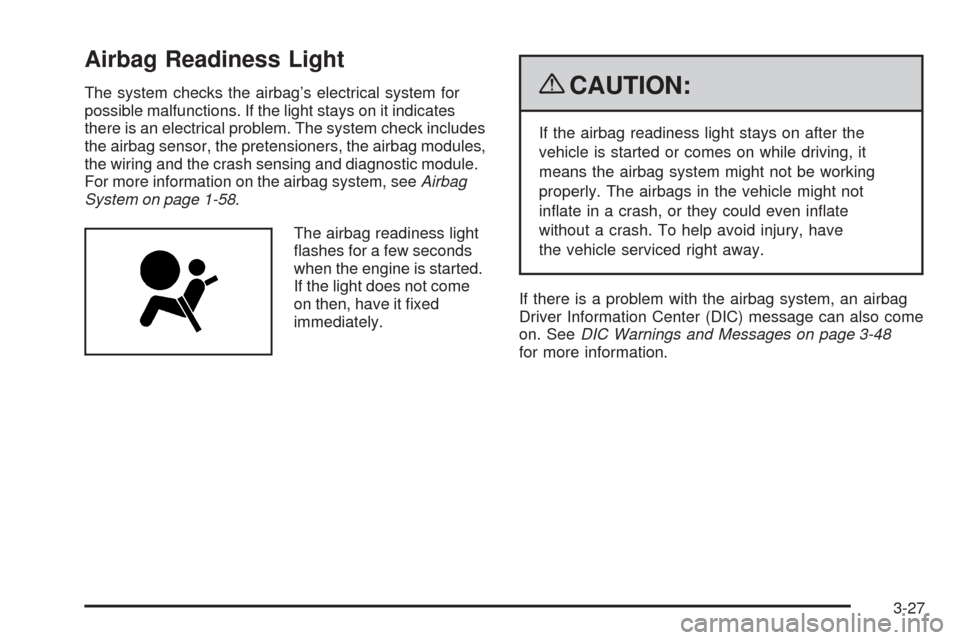
Airbag Readiness Light
The system checks the airbag’s electrical system for
possible malfunctions. If the light stays on it indicates
there is an electrical problem. The system check includes
the airbag sensor, the pretensioners, the airbag modules,
the wiring and the crash sensing and diagnostic module.
For more information on the airbag system, seeAirbag
System on page 1-58.
The airbag readiness light
flashes for a few seconds
when the engine is started.
If the light does not come
on then, have it fixed
immediately.{CAUTION:
If the airbag readiness light stays on after the
vehicle is started or comes on while driving, it
means the airbag system might not be working
properly. The airbags in the vehicle might not
inflate in a crash, or they could even inflate
without a crash. To help avoid injury, have
the vehicle serviced right away.
If there is a problem with the airbag system, an airbag
Driver Information Center (DIC) message can also come
on. SeeDIC Warnings and Messages on page 3-48
for more information.
3-27
Page 148 of 408
If the word ON or the on symbol is lit on the passenger
airbag status indicator, it means that the right front
passenger frontal airbag is enabled (may inflate).
If the word OFF or the off symbol is lit on the airbag
status indicator, it means that the passenger sensing
system has turned off the right front passenger
frontal airbag.
If, after several seconds, both status indicator lights
remain on, or if there are no lights at all, there may
be a problem with the lights or the passenger sensing
system. See your dealer/retailer for service.
{CAUTION:
If the airbag readiness light ever comes on and
stays on, it means that something may be wrong
with the airbag system. To help avoid injury to
yourself or others, have the vehicle serviced right
away. SeeAirbag Readiness Light on page 3-27
for more information, including important safety
information.
Charging System Light
This light comes on briefly
when the ignition key is
turned to START, but the
engine is not running, as a
check to show it is working.
If it does not, have the vehicle serviced by your
dealer/retailer.
The light should go out once the engine starts. If it stays
on, or comes on while driving, there could be a problem
with the charging system. A charging system message
in the Driver Information Center (DIC) can also appear.
SeeDIC Warnings and Messages on page 3-48for more
information. This light could indicate that there are
problems with a generator drive belt, or that there is an
electrical problem. Have it checked right away. If the
vehicle must be driven a short distance with the light
on, turn off accessories, such as the radio and air
conditioner.
3-30
Page 149 of 408
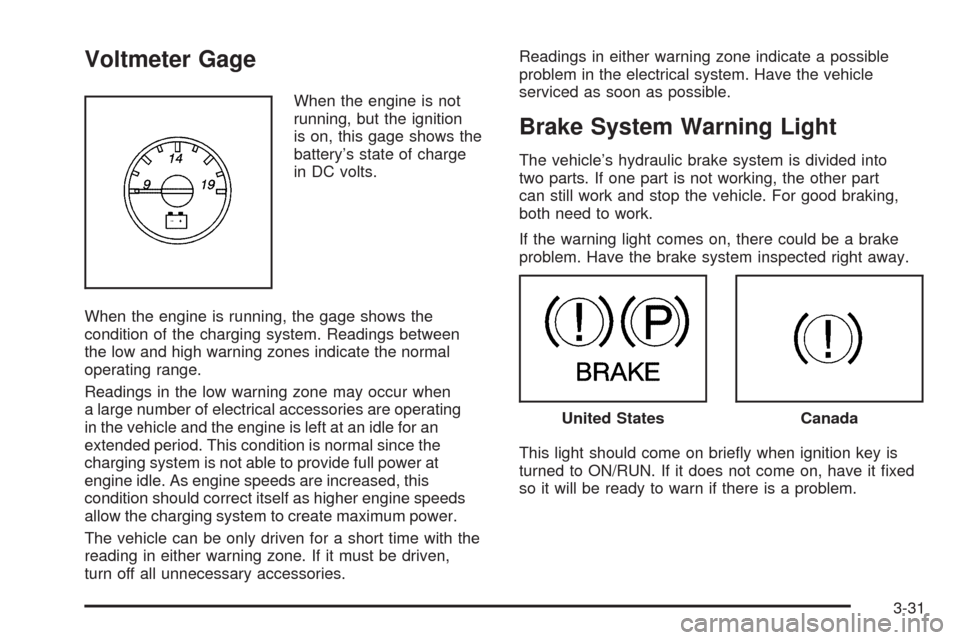
Voltmeter Gage
When the engine is not
running, but the ignition
is on, this gage shows the
battery’s state of charge
in DC volts.
When the engine is running, the gage shows the
condition of the charging system. Readings between
the low and high warning zones indicate the normal
operating range.
Readings in the low warning zone may occur when
a large number of electrical accessories are operating
in the vehicle and the engine is left at an idle for an
extended period. This condition is normal since the
charging system is not able to provide full power at
engine idle. As engine speeds are increased, this
condition should correct itself as higher engine speeds
allow the charging system to create maximum power.
The vehicle can be only driven for a short time with the
reading in either warning zone. If it must be driven,
turn off all unnecessary accessories.Readings in either warning zone indicate a possible
problem in the electrical system. Have the vehicle
serviced as soon as possible.
Brake System Warning Light
The vehicle’s hydraulic brake system is divided into
two parts. If one part is not working, the other part
can still work and stop the vehicle. For good braking,
both need to work.
If the warning light comes on, there could be a brake
problem. Have the brake system inspected right away.
This light should come on briefly when ignition key is
turned to ON/RUN. If it does not come on, have it fixed
so it will be ready to warn if there is a problem.
United StatesCanada
3-31
Page 150 of 408
When the ignition is on, the brake system warning
light also comes on when the parking brake is set.
SeeParking Brake on page 2-26for more information.
The light stays on if the parking brake does not fully
release. If it stays on after the parking brake is fully
released, it means the vehicle has a brake problem.
If the light comes on while driving, pull off the road and
stop carefully. The pedal might be harder to push, or
the pedal might go closer to the floor. It could take
longer to stop. If the light is still on, have the vehicle
towed for service. SeeTowing Your Vehicle on
page 4-25.
{CAUTION:
The brake system might not be working properly if
the brake system warning light is on. Driving with
the brake system warning light on can lead to a
crash. If the light is still on after the vehicle has
been pulled off the road and carefully stopped,
have the vehicle towed for service.
Antilock Brake System (ABS)
Warning Light
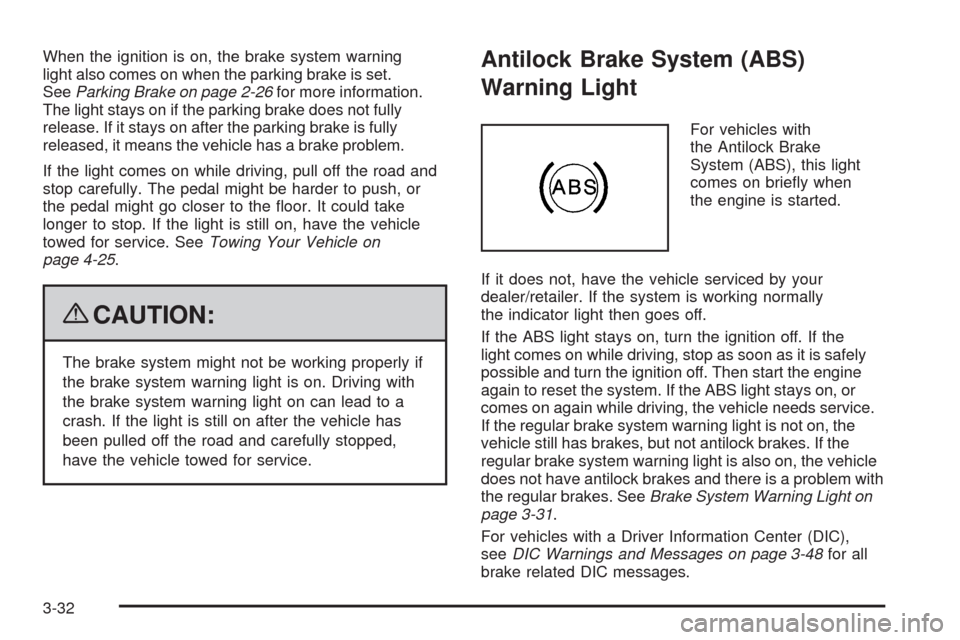
For vehicles with
the Antilock Brake
System (ABS), this light
comes on briefly when
the engine is started.
If it does not, have the vehicle serviced by your
dealer/retailer. If the system is working normally
the indicator light then goes off.
If the ABS light stays on, turn the ignition off. If the
light comes on while driving, stop as soon as it is safely
possible and turn the ignition off. Then start the engine
again to reset the system. If the ABS light stays on, or
comes on again while driving, the vehicle needs service.
If the regular brake system warning light is not on, the
vehicle still has brakes, but not antilock brakes. If the
regular brake system warning light is also on, the vehicle
does not have antilock brakes and there is a problem with
the regular brakes. SeeBrake System Warning Light on
page 3-31.
For vehicles with a Driver Information Center (DIC),
seeDIC Warnings and Messages on page 3-48for all
brake related DIC messages.
3-32
Page 152 of 408
Tire Pressure Light
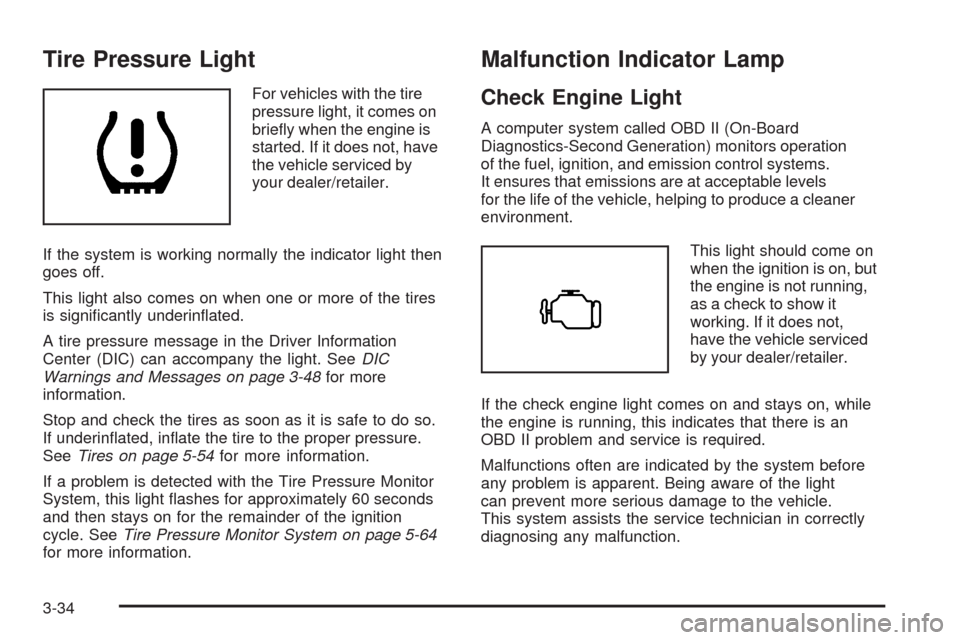
For vehicles with the tire
pressure light, it comes on
briefly when the engine is
started. If it does not, have
the vehicle serviced by
your dealer/retailer.
If the system is working normally the indicator light then
goes off.
This light also comes on when one or more of the tires
is significantly underinflated.
A tire pressure message in the Driver Information
Center (DIC) can accompany the light. SeeDIC
Warnings and Messages on page 3-48for more
information.
Stop and check the tires as soon as it is safe to do so.
If underinflated, inflate the tire to the proper pressure.
SeeTires on page 5-54for more information.
If a problem is detected with the Tire Pressure Monitor
System, this light flashes for approximately 60 seconds
and then stays on for the remainder of the ignition
cycle. SeeTire Pressure Monitor System on page 5-64
for more information.
Malfunction Indicator Lamp
Check Engine Light
A computer system called OBD II (On-Board
Diagnostics-Second Generation) monitors operation
of the fuel, ignition, and emission control systems.
It ensures that emissions are at acceptable levels
for the life of the vehicle, helping to produce a cleaner
environment.
This light should come on
when the ignition is on, but
the engine is not running,
as a check to show it
working. If it does not,
have the vehicle serviced
by your dealer/retailer.
If the check engine light comes on and stays on, while
the engine is running, this indicates that there is an
OBD II problem and service is required.
Malfunctions often are indicated by the system before
any problem is apparent. Being aware of the light
can prevent more serious damage to the vehicle.
This system assists the service technician in correctly
diagnosing any malfunction.
3-34