light CHEVROLET EXPRESS CARGO VAN 2017 1.G Owner's Manual
[x] Cancel search | Manufacturer: CHEVROLET, Model Year: 2017, Model line: EXPRESS CARGO VAN, Model: CHEVROLET EXPRESS CARGO VAN 2017 1.GPages: 346, PDF Size: 6.54 MB
Page 66 of 346
Chevrolet Express Owner Manual (GMNA-Localizing-U.S./Canada/Mexico-9967827) - 2017 - crc - 5/2/16
Seats and Restraints 65
Servicing the
Airbag-Equipped Vehicle
Airbags affect how the vehicleshould be serviced. There are partsof the airbag system in severalplaces around the vehicle. Yourdealer and the service manual haveinformation about servicing thevehicle and the airbag system. Topurchase a service manual, seeService Publications OrderingInformation0321.
{Warning
For up to 10 seconds after the
vehicle is turned off and the
battery is disconnected, an airbag
can still inflate during improper
service. You can be injured if you
are close to an airbag when it
inflates. Avoid yellow connectors.
They are probably part of the
airbag system. Be sure to follow
proper service procedures, and
make sure the person performing
work for you is qualified to do so.
Adding Equipment to the
Airbag-Equipped Vehicle
Adding accessories that change thevehicle's frame, bumper system,height, front end, or side sheetmetal, may keep the airbag systemfrom working properly. Theoperation of the airbag system canalso be affected by changing anyparts of the front seats, safety belts,the airbag sensing and diagnosticmodule, steering wheel, instrumentpanel, any of the airbag modules,ceiling or pillar garnish trim, frontsensors, or airbag wiring.
Yo u r d e a l e r a n d t h e s e r v i c e m a n u a lhave information about the locationof the airbag sensors, sensing anddiagnostic module, and airbagwiring.
If the vehicle has rollover roof-railairbags, seeDifferent Size Tiresand Wheels0269for additionalimportant information.
If you have to modify your vehiclebecause you have a disability andyou have questions about whetherthe modifications will affect the
vehicle's airbag system, or if youhave questions about whether theairbag system will be affected if thevehicle is modified for any otherreason, call Customer Assistance.SeeCustomer AssistanceOffices0314.
Airbag System Check
The airbag system does not needregularly scheduled maintenance orreplacement. Make sure the airbagreadiness light is working. SeeAirbag Readiness Light099.
Caution
If an airbag covering is damaged,
opened, or broken, the airbag
may not work properly. Do not
open or break the airbag
coverings. If there are any
opened or broken airbag
coverings, have the airbag
covering and/or airbag module
replaced. For the location of the
airbags, seeWhere Are the
Airbags?057.Seeyourdealer
for service.
Page 67 of 346
Chevrolet Express Owner Manual (GMNA-Localizing-U.S./Canada/Mexico-9967827) - 2017 - crc - 5/2/16
66 Seats and Restraints
Replacing Airbag System
Parts after a Crash
{Warning
Acrashcandamagetheairbag
systems in the vehicle.
Adamagedairbagsystemmay
not properly protect you and your
passenger(s) in a crash, resulting
in serious injury or even death. To
help make sure the airbag
systems are working properly
after a crash, have them
inspected and any necessary
replacements made as soon as
possible.
If an airbag inflates, you will need toreplace airbag system parts. Seeyour dealer for service.
If the airbag readiness light stays onafter the vehicle is started or comeson when you are driving, the airbagsystem may not work properly. Havethe vehicle serviced right away. SeeAirbag Readiness Light099.
Child Restraints
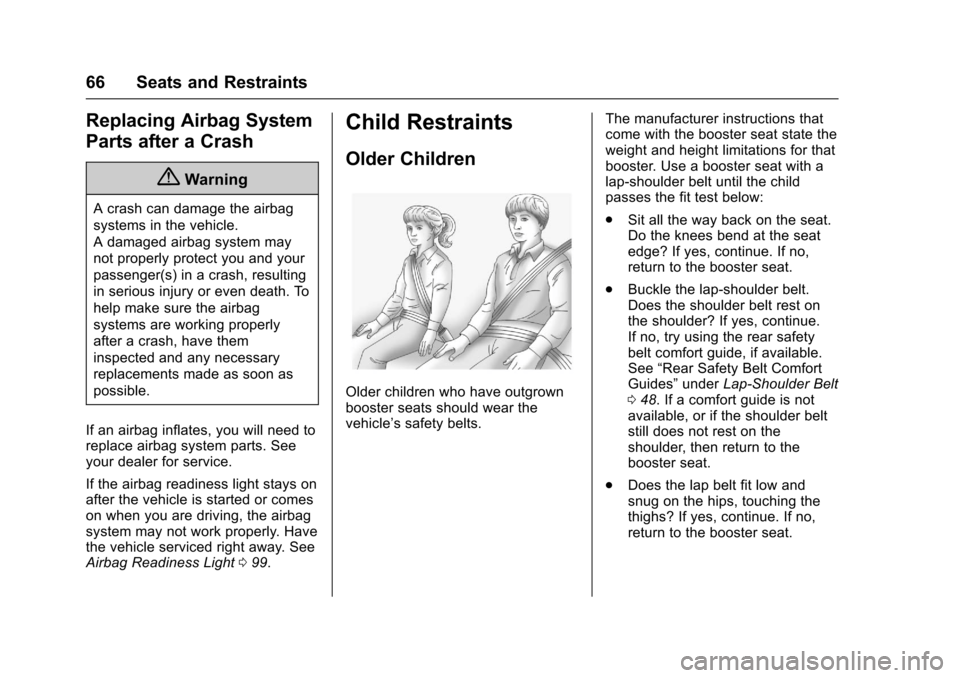
Older Children
Older children who have outgrownbooster seats should wear thevehicle’ssafetybelts.
The manufacturer instructions thatcome with the booster seat state theweight and height limitations for thatbooster. Use a booster seat with alap-shoulder belt until the childpasses the fit test below:
.Sit all the way back on the seat.Do the knees bend at the seatedge? If yes, continue. If no,return to the booster seat.
.Buckle the lap-shoulder belt.Does the shoulder belt rest onthe shoulder? If yes, continue.If no, try using the rear safetybelt comfort guide, if available.See“Rear Safety Belt ComfortGuides”underLap-Shoulder Belt048.Ifacomfortguideisnotavailable, or if the shoulder beltstill does not rest on theshoulder, then return to thebooster seat.
.Does the lap belt fit low andsnug on the hips, touching thethighs? If yes, continue. If no,return to the booster seat.
Page 83 of 346
Chevrolet Express Owner Manual (GMNA-Localizing-U.S./Canada/Mexico-9967827) - 2017 - crc - 5/2/16
82 Seats and Restraints
Warning (Continued)
rear-facing child restraint would
be very close to the inflating
airbag. A child in a forward-facing
child restraint can be seriously
injured or killed if the front
outboard passenger airbag
inflates and the passenger seat is
in a forward position.
Even if the airbag switch has
turned off the front outboard
passenger frontal airbag, no
system is fail-safe. No one can
guarantee that an airbag will not
deploy under some unusual
circumstance, even though it is
turned off.
Secure rear-facing child restraints
in a rear seat, even if the airbag
is off. If you secure a
forward-facing child restraint in
the front outboard passenger
seat, always move the seat as far
back as it will go. It is better to
secure the child restraint in a
rear seat.
{Warning
If the airbag readiness light ever
comes on and stays on, it means
that something may be wrong
with the airbag system. For
example, the front outboard
passenger frontal airbag could
inflate even though the airbag
on-off switch is turned off.
To h e l p a v o i d i n j u r y t o y o u r s e l f o r
others, have the vehicle serviced
right away. SeeAirbag Readiness
Light099for more information,
including important safety
information.
If the vehicle does not have a rearseat that will accommodate arear-facing child restraint, arear-facing child restraint should notbe installed in the vehicle, even ifthe airbag is off.
If the child restraint uses a toptether, seeLower Anchors andTe t h e r s f o r C h i l d r e n ( L AT C HSystem)073for top tether anchorlocations.
Do not secure a child seat in aposition without a top tether anchorif a national or local law requiresthat the top tether be anchored, or ifthe instructions that come with thechild restraint say that the top strapmust be anchored.
In Canada, the law requires thatforward-facing child restraints haveatoptether,andthatthetetherbeattached.
When using the lap-shoulder belt tosecure the child restraint in thisposition, follow the instructions thatcame with the child restraint and thefollowing instructions:
1. Move the seat as far back as itwill go before securing theforward-facing child restraint.Move the seat upward or theseatback to an upright position,if needed, to get a tightinstallation of the childrestraint.
When the airbag off switch hasturned off the front outboardpassenger frontal airbag, theoff indicator in the airbag off
Page 84 of 346
Chevrolet Express Owner Manual (GMNA-Localizing-U.S./Canada/Mexico-9967827) - 2017 - crc - 5/2/16
Seats and Restraints 83
light should light and stay litwhen the vehicle is started.SeeAirbag On-Off Light0100.
2. Put the child restraint onthe seat.
3. Pick up the latch plate, and runthe lap and shoulder portionsof the vehicle safety beltthrough or around the restraint.The child restraint instructionswill show you how.
4. Push the latch plate into thebuckle until it clicks.
Position the release button onthe buckle, away from the childrestraint system, so that thesafety belt could be quicklyunbuckled if necessary.
5. Pull the shoulder belt all theway out of the retractor to setthe lock. When the retractorlock is set, the belt can betightened but not pulled out ofthe retractor.
6. To tighten the belt, push downon the child restraint, pull theshoulder portion of the belt totighten the lap portion of thebelt, and feed the shoulder beltback into the retractor. Wheninstalling a forward-facing childrestraint, it may be helpful touse your knee to push down onthe child restraint as youtighten the belt.
Try to pull the belt out of theretractor to make sure theretractor is locked. If theretractor is not locked, repeatSteps 5 and 6.
Page 88 of 346
Chevrolet Express Owner Manual (GMNA-Localizing-U.S./Canada/Mexico-9967827) - 2017 - crc - 5/2/16
Instruments and Controls 87
Instruments and
Controls
Controls
Steering Wheel Adjustment . . . . 88Steering Wheel Controls . . . . . . . 88Horn . . . . . . . . . . . . . . . . . . . . . . . . . . . 89Windshield Wiper/Washer . . . . . . 89Compass . . . . . . . . . . . . . . . . . . . . . . 90Clock . . . . . . . . . . . . . . . . . . . . . . . . . . 92Power Outlets . . . . . . . . . . . . . . . . . 93Cigarette Lighter . . . . . . . . . . . . . . . 94Ashtrays . . . . . . . . . . . . . . . . . . . . . . . 94
Warning Lights, Gauges, and
Indicators
Warning Lights, Gauges, andIndicators . . . . . . . . . . . . . . . . . . . . 94Instrument Cluster . . . . . . . . . . . . . 95Speedometer . . . . . . . . . . . . . . . . . . 96Odometer . . . . . . . . . . . . . . . . . . . . . . 96Trip Odometer . . . . . . . . . . . . . . . . . 96Fuel Gauge . . . . . . . . . . . . . . . . . . . . 96Engine Oil Pressure Gauge . . . . 97Engine Coolant TemperatureGauge . . . . . . . . . . . . . . . . . . . . . . . . 98Voltmeter Gauge . . . . . . . . . . . . . . . 99Safety Belt Reminders . . . . . . . . . 99Airbag Readiness Light . . . . . . . . 99
Airbag On-Off Light . . . . . . . . . . . 100Charging System Light . . . . . . . 101Malfunction Indicator Lamp(Check Engine Light) . . . . . . . . 102Brake System WarningLight . . . . . . . . . . . . . . . . . . . . . . . . 104Antilock Brake System (ABS)Warning Light . . . . . . . . . . . . . . . 104To w / H a u l M o d e L i g h t . . . . . . . . . 1 0 5StabiliTrak®OFF Light . . . . . . . . 105Traction Control System (TCS)/StabiliTrak®Light . . . . . . . . . . . 105Tire Pressure Light . . . . . . . . . . . 106Engine Oil Pressure Light . . . . 106Low Fuel Warning Light . . . . . . 107Security Light . . . . . . . . . . . . . . . . . 107High-Beam On Light . . . . . . . . . . 107Cruise Control Light . . . . . . . . . . 107
Information Displays
Driver InformationCenter (DIC) . . . . . . . . . . . . . . . . 108
Vehicle Messages
Vehicle Messages . . . . . . . . . . . . 112Battery Voltage and ChargingMessages . . . . . . . . . . . . . . . . . . . 112Brake System Messages . . . . . 112Compass Messages . . . . . . . . . . 113Door Ajar Messages . . . . . . . . . . 113
Engine Cooling SystemMessages . . . . . . . . . . . . . . . . . . . 113Engine Oil Messages . . . . . . . . . 114Engine Power Messages . . . . . 114Fuel System Messages . . . . . . . 115Key and Lock Messages . . . . . . 115Lamp Messages . . . . . . . . . . . . . . 115Object Detection SystemMessages . . . . . . . . . . . . . . . . . . . 115Ride Control SystemMessages . . . . . . . . . . . . . . . . . . . 116Airbag System Messages . . . . . 117Security Messages . . . . . . . . . . . 117Service Vehicle Messages . . . . 117Tire Messages . . . . . . . . . . . . . . . . 118Transmission Messages . . . . . . 118Vehicle ReminderMessages . . . . . . . . . . . . . . . . . . . 119
Vehicle Personalization
Vehicle Personalization . . . . . . . 119
Page 90 of 346
Chevrolet Express Owner Manual (GMNA-Localizing-U.S./Canada/Mexico-9967827) - 2017 - crc - 5/2/16
Instruments and Controls 89
2. Press and releaseworc/
xto scroll up or down the list,
then press and holdw,
or press¨to play the
highlighted track.
Navigating Folders on an iPod orUSB Device
1. Press and holdworc/x
while listening to a song untilthe contents of the currentfolder display on the radiodisplay.
2. Press and holdc/xto go
back to the previous folder list.
3. Press and releaseworc/
xto scroll up or down the list.
.To s e l e c t a f o l d e r , p r e s s
and holdw,orpress¨
when the folder ishighlighted.
.To g o b a c k f u r t h e r i n t h efolder list, press and holdc/x.
b/g:Press to silence the vehiclespeakers only. Press again to turnthe sound on.
For vehicles with Bluetooth orOnStar®systems, press and holdfor longer than two seconds tointeract with those systems. SeeBluetooth0151and OnStar,if equipped.
SRCE :Press to switch betweenthe radio and CD, and for equippedvehicles, the front auxiliary.
¨:Press to go to the next radiostation while in AM, FM,or SiriusXM®(If Equipped).
For vehicles with a CD player orUSB port:
Press¨to go to the next track or
chapter while sourced to the CD.
Press¨to select a track or a folder
when navigating folders on an iPodor USB device.
While listening to a CD, press and
hold¨to quickly move forward
through the tracks. Release to stopon the desired track.
+e:Press to increase volume.
✓e:Press to decrease volume.
Horn
Press the horn symbol in the middleof the steering wheel to soundthe horn.
Windshield Wiper/Washer
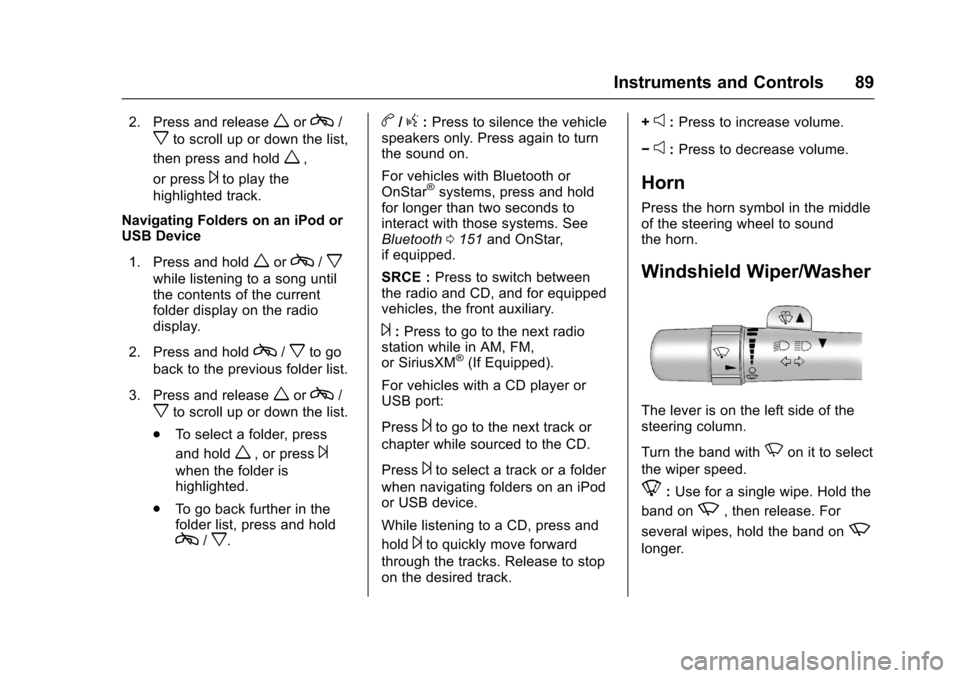
The lever is on the left side of thesteering column.
Turn the band withNon it to select
the wiper speed.
8:Use for a single wipe. Hold the
band onz,thenrelease.For
several wipes, hold the band onz
longer.
Page 92 of 346

Chevrolet Express Owner Manual (GMNA-Localizing-U.S./Canada/Mexico-9967827) - 2017 - crc - 5/2/16
Instruments and Controls 91
2. Find the vehicle's currentlocation and variance zonenumber on the map.
Zones 1 through 15 areavailable.
3. PressVto scroll through and
select the appropriatevariance zone.
4. Press3until the vehicle
heading, for example, N forNorth, is displayed in the DIC.
5. If calibration is necessary,calibrate the compass. See“Compass CalibrationProcedure”following.
Compass Calibration
The compass can be manuallycalibrated. Only calibrate thecompass in a magnetically cleanand safe location, such as an openparking lot, where driving thevehicle in circles is not a danger.It is suggested to calibrate awayfrom tall buildings, utility wires,manhole covers, or other industrialstructures, if possible.
If CAL should ever appear in theDIC display, the compass should becalibrated.
If the DIC display does not show aheading, for example, N for North,or the heading does not changeafter making turns, there may be astrong magnetic field interfering withthe compass. Such interferencemay be caused by a magnetic CB orcell phone antenna mount, amagnetic emergency light, magneticnote pad holder, or any othermagnetic item. Turn off the vehicle,move the magnetic item, then turnon the vehicle and calibrate thecompass.
To c a l i b r a t e t h e c o m p a s s , u s e t h efollowing procedure:
Compass Calibration Procedure
1. Before calibrating the compass,make sure the compass zoneis set to the variance zone inwhich the vehicle is located.See“Compass Variance (Zone)Procedure”earlier in thissection.
Do not operate any switchessuch as window, climatecontrols, seats, etc. during thecalibration procedure.
2. PressTuntil PRESSVTO
CALIBRATE COMPASSdisplays.
3. PressVto start the compass
calibration.
4. The DIC will displayCALIBRATING: DRIVE INCIRCLES. Drive the vehicle intight circles at less than 8 km/h(5 mph) to complete thecalibration. The DIC will displayCALIBRATION COMPLETE forafewsecondswhenthecalibration is complete. TheDIC display will then return to
PRESSVTO CALIBRATE
COMPASS.
Page 94 of 346
Chevrolet Express Owner Manual (GMNA-Localizing-U.S./Canada/Mexico-9967827) - 2017 - crc - 5/2/16
Instruments and Controls 93
Power Outlets
Power Outlets 12 Volt DirectCurrent
The accessory power outlets can beused to plug in electrical equipment,such as a cell phone or an MP3player.
The vehicle may have twoaccessory power outlets on theinstrument panel.
Remove the cover to access andreplace when not in use.
Certain power accessory plugs maynot be compatible to the accessorypower outlet and could overloadvehicle or adapter fuses. If aproblem is experienced, see yourdealer.
{Warning
Power is always supplied to the
outlets. Do not leave electrical
equipment plugged in when the
vehicle is not in use because the
vehicle could catch fire and cause
injury or death.
Caution
Leaving electrical equipment
plugged in for an extended period
of time while the vehicle is off will
drain the battery. Always unplug
electrical equipment when not in
use and do not plug in equipment
that exceeds the maximum
20 amp rating.
When adding electrical equipment,be sure to follow the properinstallation instructions included withthe equipment. SeeAdd-OnElectrical Equipment0212.
Caution
Hanging heavy equipment from
the power outlet can cause
damage not covered by the
vehicle warranty. The power
outlets are designed for
accessory power plugs only, such
as cell phone charge cords.
Power Outlet 110/120 Volt
Alternating Current
This power outlet can be used toplug in electrical equipment thatuses a maximum limit of 150 watts.
The 110/120 volt power outlet is onthe instrument panel.
An indicator light on the outlet turnson to show it is in use. The lightcomes on when the ignition is inON/RUN, equipment requiring lessthan 150 watts is plugged into theoutlet, and no system fault isdetected.
The indicator light does not come onwhen the ignition is in LOCK/OFF orif the equipment is not fully seatedinto the outlet.
If equipment is connected usingmore than 150 watts or a systemfault is detected, a protection circuitshuts off the power supply and theindicator light turns off. To reset thecircuit, unplug the item and plug itback in or turn the RetainedAccessory Power (RAP) off andthen back on. SeeRetainedAccessory Power (RAP)0180.
Page 95 of 346
Chevrolet Express Owner Manual (GMNA-Localizing-U.S./Canada/Mexico-9967827) - 2017 - crc - 5/2/16
94 Instruments and Controls
The power outlet is not designed forthe following, and may not workproperly if they are plugged in:
.Equipment with high initial peakwattage, such ascompressor-driven refrigeratorsand electric power tools.
.Other equipment requiring anextremely stable power supply,such asmicrocomputer-controlledelectric blankets and touchsensor lamps.
.Medical equipment.
Cigarette Lighter
If equipped with a cigarette lighter,to heat push it in all the way and letgo. When it is ready for use, it willpop back out by itself.
Do not use the lighter to plug inaccessory devices. Use the poweroutlets provided.
Caution
Holding a cigarette lighter in while
it is heating does not let the
lighter back away from the
heating element when it is hot.
Damage from overheating can
occur to the lighter or heating
element, or a fuse could be
blown. Do not hold a cigarette
lighter in while it is heating.
Ashtrays
If equipped with a removableashtray, it can be placed into thefront floor console cupholder. Openthe cover to use.
Caution
If papers, pins, or other
flammable items are put in the
ashtray, hot cigarettes or other
smoking materials could ignite
them and possibly damage the
vehicle. Never put flammable
items in the ashtray.
Warning Lights,
Gauges, and
Indicators
Warning lights and gauges cansignal that something is wrongbefore it becomes serious enoughto cause an expensive repair orreplacement. Paying attention to thewarning lights and gauges couldprevent injury.
Some warning lights come on brieflywhen the engine is started toindicate they are working. Whenone of the warning lights comes onand stays on while driving, or whenone of the gauges shows there maybe a problem, check the section thatexplains what to do. Waiting to dorepairs can be costly and evendangerous.
Page 100 of 346
Chevrolet Express Owner Manual (GMNA-Localizing-U.S./Canada/Mexico-9967827) - 2017 - crc - 5/2/16
Instruments and Controls 99
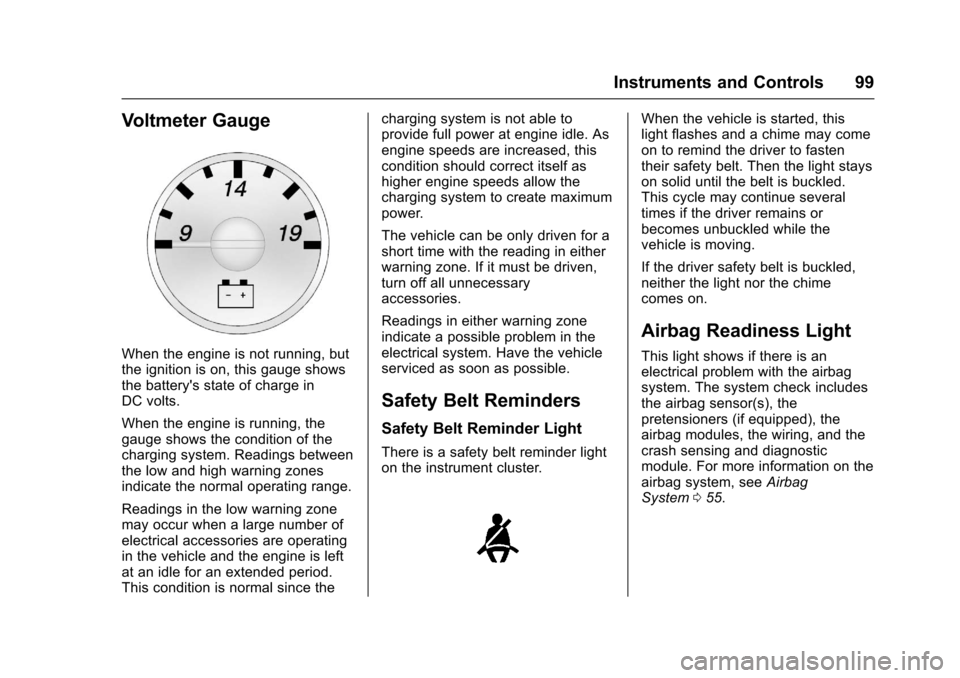
Voltmeter Gauge
When the engine is not running, butthe ignition is on, this gauge showsthe battery's state of charge inDC volts.
When the engine is running, thegauge shows the condition of thecharging system. Readings betweenthe low and high warning zonesindicate the normal operating range.
Readings in the low warning zonemay occur when a large number ofelectrical accessories are operatingin the vehicle and the engine is leftat an idle for an extended period.This condition is normal since the
charging system is not able toprovide full power at engine idle. Asengine speeds are increased, thiscondition should correct itself ashigher engine speeds allow thecharging system to create maximumpower.
The vehicle can be only driven for ashort time with the reading in eitherwarning zone. If it must be driven,turn off all unnecessaryaccessories.
Readings in either warning zoneindicate a possible problem in theelectrical system. Have the vehicleserviced as soon as possible.
Safety Belt Reminders
Safety Belt Reminder Light
There is a safety belt reminder lighton the instrument cluster.
When the vehicle is started, thislight flashes and a chime may comeon to remind the driver to fastentheir safety belt. Then the light stayson solid until the belt is buckled.This cycle may continue severaltimes if the driver remains orbecomes unbuckled while thevehicle is moving.
If the driver safety belt is buckled,neither the light nor the chimecomes on.
Airbag Readiness Light
This light shows if there is anelectrical problem with the airbagsystem. The system check includesthe airbag sensor(s), thepretensioners (if equipped), theairbag modules, the wiring, and thecrash sensing and diagnosticmodule. For more information on theairbag system, seeAirbagSystem055.