display CHEVROLET EXPRESS CARGO VAN 2017 1.G Workshop Manual
[x] Cancel search | Manufacturer: CHEVROLET, Model Year: 2017, Model line: EXPRESS CARGO VAN, Model: CHEVROLET EXPRESS CARGO VAN 2017 1.GPages: 346, PDF Size: 6.54 MB
Page 150 of 346
Chevrolet Express Owner Manual (GMNA-Localizing-U.S./Canada/Mexico-9967827) - 2017 - crc - 5/2/16
Infotainment System 149
j:Press the softkey belowjtopause the track. The tab appearsraised when pause is being used.
Press the softkey belowjagain to
resume playback.
Back :Press the softkey below theBack tab to go back to the maindisplay screen on an iPod, or theroot directory on a USB storagedevice.
c:Press the softkey belowctoview the contents of the currentfolder on the USB drive. To browseand select files:
1. Press the softkey belowc.
2. Turnfto scroll through the list
of folders.
3. Pressfto select the desired
folder. If there is more then onefolder, repeat Steps 1 and 2until the desired folder isreached.
4. Turnfto scroll through the
files in the selected folder.
5. Pressfto select the desired
file to be played.
To s k i p t h r o u g h l a r g e l i s t s , t h e f i v esoftkeys can be used to navigate inthe following order:
.First softkey, first item in the list.
.Second softkey, 1% through thelist each time the softkey ispressed.
.Third softkey, 5% through the listeach time the softkey is pressed.
.Fourth softkey, 10% through thelist each time the softkey ispressed.
.Fifth softkey, end of the list.
h:Press the softkey belowhto view and select a file on an iPod,using the iPod's menu system. Filesare sorted by:
.Playlists
.Artists
.Albums
.Genres
.Songs
.Composers
To s e l e c t f i l e s :
1. Press the softkey belowh.
2. Turnfto scroll through the list
of menus.
3. Pressfto select the
desired menu.
4. Turnfto scroll through the
folders or files in theselected menu.
5. Pressfto select the desired
file to be played.
To s k i p t h r o u g h l a r g e l i s t s , t h e f i v esoftkeys can be used to navigate inthe following order:
.First softkey, first item in the list.
.Second softkey, 1% through thelist each time the softkey ispressed.
.Third softkey, 5% through the listeach time the softkey is pressed.
.Fourth softkey, 10% through thelist each time the softkey ispressed.
.Fifth softkey, end of the list.
Page 178 of 346
Chevrolet Express Owner Manual (GMNA-Localizing-U.S./Canada/Mexico-9967827) - 2017 - crc - 5/6/16
Driving and Operating 177
1(ACC/ACCESSORY):This is theposition in which you can operatethings like the radio and thewindshield wipers when the engineis off.
2(ON/RUN):This position can beused to operate the electricalaccessories and to display someinstrument cluster warning andindicator lights. This position canalso be used for service anddiagnostics, and to verify the properoperation of the malfunctionindicator lamp as may be requiredfor emission inspection purposes.The switch stays in this positionwhen the engine is running.
If you leave the key in the ACC/ACCESSORY or ON/RUN positionwith the engine off, the battery couldbe drained. You may not be able tostart the vehicle if the battery isallowed to drain for an extendedperiod of time.
3(START):This is the position thatstarts the engine. When the enginestarts, release the key. The ignitionswitch returns to ON/RUN fordriving.
Awarningtonewillsoundwhenthedriver door is opened, the ignition isin ACC/ACCESSORY or LOCK/OFFand the key is in the ignition.
Starting the Engine
If the vehicle has a diesel engine,see the Duramax dieselsupplement.
To p l a c e t h e t r a n s m i s s i o n i n t h eproper gear:
Move the shift lever to P (Park) orN(Neutral). The engine will not startin any other position. To restart theengine when the vehicle is alreadymoving, use N (Neutral) only.
Caution
If you add electrical parts or
accessories, you could change
the way the engine operates. Any
resulting damage would not be
covered by the vehicle warranty.
SeeAdd-On Electrical
Equipment0212.
Caution
Do not try to shift to P (Park) if the
vehicle is moving. If you do, you
could damage the transmission.
Shift to P (Park) only when the
vehicle is stopped.
Caution
If the steering wheel is turned
until it reaches the end of its
travel, and is held in that position
while starting the vehicle, damage
may occur to the hydraulic power
steering system and there may be
loss of power steering assist.
Starting Procedure
1. With your foot off theaccelerator pedal, turn theignition key to START. Whenthe engine starts, let go of thekey. The idle speed will godown as your engine getswarm. Do not race the engineimmediately after starting it.
Page 179 of 346
Chevrolet Express Owner Manual (GMNA-Localizing-U.S./Canada/Mexico-9967827) - 2017 - crc - 5/6/16
178 Driving and Operating
Operate the engine andtransmission gently to allow theoil to warm up and lubricate allmoving parts.
When the Low Fuel warninglamp is on and the FUELLEVEL LOW message isdisplayed in the DriverInformation Center (DIC), theComputer-Controlled CrankingSystem is disabled to preventpossible vehicle componentdamage. When this happens,hold the ignition switch in theSTART position to continueengine cranking.
Caution
Cranking the engine for long
periods of time, by returning the
ignition to the START position
immediately after cranking has
ended, can overheat and damage
the cranking motor, and drain the
battery. Wait at least 15 seconds
between each try, to let the
cranking motor cool down.
2. If the engine does not startafter 5-10 seconds, especiallyin very cold weather (below✓18 °C or 0 °F), it could beflooded with too muchgasoline. Try pushing theaccelerator pedal all the way tothe floor and holding it there asyou hold the key in START forup to 15 seconds. Wait at least15 seconds between each try,to allow the cranking motor tocool down. When the enginestarts, let go of the key andaccelerator. If the vehicle startsbriefly but then stops again, dothe same thing. This clears theextra gasoline from the engine.Do not race the engineimmediately after starting it.Operate the engine andtransmission gently until the oilwarms up and lubricates allmoving parts.
Fast Idle System
If equipped, this feature is availableonly with cruise control. The manualfast idle switch is operated using thecruise control buttons on the leftside of the steering wheel.
This system can be used toincrease engine idle speedwhenever the following conditionsare met:
.The parking brake is set.
.The brake pedal is not pressed.
.The vehicle must not be movingand the accelerator must not bepressed.
To c o n t r o l t h e f a s t i d l e :
.To e n a b l e t h e F a s t I d l e S y s t e m ,press and release the cruisecontrol on/off button and ensurethat the switch indicator lightis lit.
.Press and release the cruisecontrol SET- button. Enginespeed will be held atapproximately 1200 rpm.
Page 180 of 346
Chevrolet Express Owner Manual (GMNA-Localizing-U.S./Canada/Mexico-9967827) - 2017 - crc - 5/6/16
Driving and Operating 179
When the fast idle is active, theDriver Information Center (DIC) willdisplay FAST IDLE ON.
One of the following actions will turnoff the fast idle:
.Pressing the brake.
.Selecting the cruise controlcancel button.
.Releasing the parking brake.
.Moving the transmission shiftlever out of P (Park) orN(Neutral).
.Selecting the cruise control on/off button when it waspreviously on.
.Pressing the cruise control SET-button a second time.
.Pressing the accelerator morethan one-quarter of theway down.
.Turning the ignition switch to theLOCK/OFF position.
Engine Heater
If the vehicle has a diesel engine,see the Duramax dieselsupplement.
The engine coolant heater canprovide easier starting and betterfuel economy during enginewarm-up in cold weather conditionsat or below✓18 °C (0 °F). Vehicleswith an engine coolant heatershould be plugged in at least fourhours before starting. An internalthermostat in the plug end of thecord may exist which will preventengine coolant heater operation attemperatures above✓18 °C (0 °F).
To Use the Engine Coolant
Heater
1. Turn off the engine.
2. Open the hood and unwrap theelectrical cord.
The cord for the engine coolantheater is on the driver side ofthe engine compartment and isattached to the hose for thepower steering reservoir.
Check the heater cord fordamage. If it is damaged, donot use it. See your dealer forareplacement.Inspectthecord for damage yearly.
3. Plug it into a normal, grounded11 0 - v o l t A C o u t l e t .
{Warning
Improper use of the heater cord
or an extension cord can damage
the cord and may result in
overheating and fire.
.Plug the cord into athree-prong electrical utilityreceptacle that is protectedby a ground fault detectionfunction. An ungroundedoutlet could cause anelectric shock.
.Use a weatherproof,heavy-duty, 15 amp-ratedextension cord if needed.Failure to use therecommended extensioncord in good operating
(Continued)
Page 187 of 346
Chevrolet Express Owner Manual (GMNA-Localizing-U.S./Canada/Mexico-9967827) - 2017 - crc - 5/6/16
186 Driving and Operating
brakes off and on. See“RangeSelection Mode”underManualMode0186.
If you manually select 2 (Second) inan automatic transmission, thetransmission will start insecond gear. You can use thisfeature for reducing the speed of therear wheels when trying to start thevehicle from a stop on slippery roadsurfaces.
1:This position reduces vehiclespeed without using the brakes.Yo u c a n u s e i t f o r m a j o r / s e v e r edowngrades where the vehiclewould otherwise accelerate due tosteepness of grade. When you shiftto 1 (First) it provides the lowestgear appropriate to current roadspeed and continues to downshiftas the vehicle slows, eventuallydownshifting to 1 (First) gear. Thetransmission can be held in 1 (First)gear using Range Selection Modeor the shift lever. See“RangeSelection Mode”underManualMode0186.
Caution
Spinning the tires or holding the
vehicle in one place on a hill
using only the accelerator pedal
may damage the transmission.
The repair will not be covered by
the vehicle warranty. If you are
stuck, do not spin the tires. When
stopping on a hill, use the brakes
to hold the vehicle in place.
Normal Mode Grade Braking
This mode is enabled when thevehicle is started, but is not enabledin Range Selection Mode. It assistsin maintaining desired vehiclespeeds when driving on downhillgrades by using the engine andtransmission to slow the vehicle.The first time the system activatesfor each ignition key cycle, a DICmessage will be displayed. SeeTr a n s m i s s i o n M e s s a g e s011 8.
To d i s a b l e o r e n a b l e N o r m a l M o d eGrade Braking within the currentignition key cycle, press and holdthe Tow/Haul button for
three seconds. A DIC messagedisplays. SeeTr a n s m i s s i o nMessages011 8.
For other forms of grade braking,seeTo w / H a u l M o d e0187andCruise Control0192.
Manual Mode
Range Selection Mode
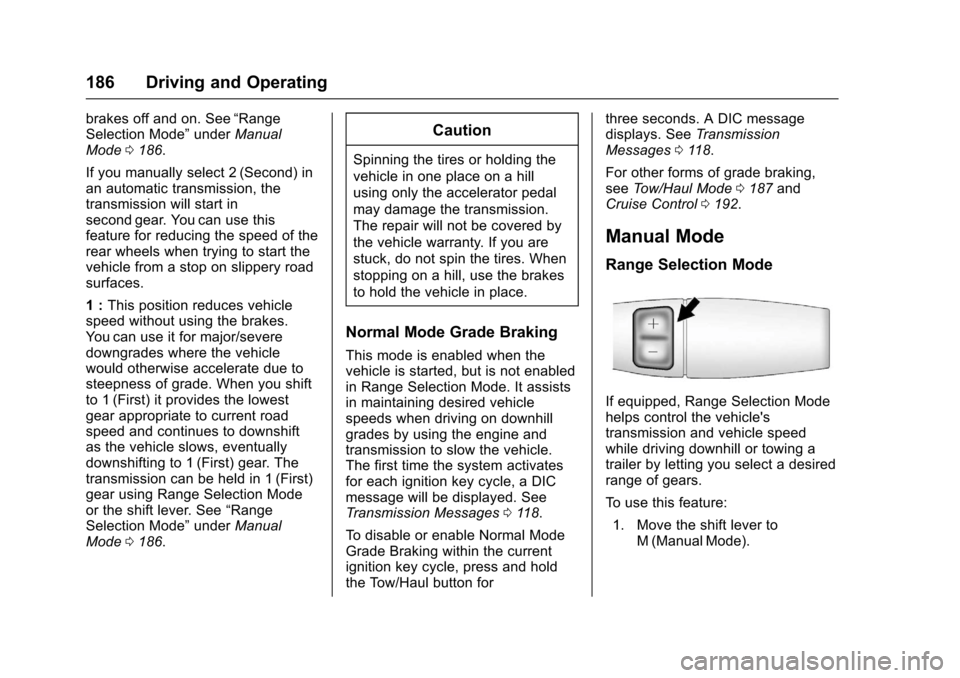
If equipped, Range Selection Modehelps control the vehicle'stransmission and vehicle speedwhile driving downhill or towing atrailer by letting you select a desiredrange of gears.
To u s e t h i s f e a t u r e :
1. Move the shift lever toM(ManualMode).
Page 188 of 346
Chevrolet Express Owner Manual (GMNA-Localizing-U.S./Canada/Mexico-9967827) - 2017 - crc - 5/6/16
Driving and Operating 187
2. Press the +/✓buttons on theshift lever, to select the desiredrange of gears for currentdriving conditions.
When M (Manual Mode) is selectedanumberdisplaysintheDICnexttothe M indicating the current gear.
This number is the highest gear thatcan be used. However, the vehiclecan automatically shift to lowergears as it adjusts to drivingconditions. This means that allgears below that number areavailable. When 5 (Fifth) is selected,1(First) through 5(Fifth) gears areautomatically shifted by the vehicle,but 6 (Sixth) cannot be used untilthe +/✓button on the steeringcolumn lever is used to change tothe gear.
Grade Braking is not available whenRange Selection Mode is active.SeeTo w / H a u l M o d e0187.
While using Range Selection Mode,cruise control and the Tow/HaulMode can be used.
Caution
Spinning the tires or holding the
vehicle in one place on a hill
using only the accelerator pedal
may damage the transmission.
The repair will not be covered by
the vehicle warranty. If you are
stuck, do not spin the tires. When
stopping on a hill, use the brakes
to hold the vehicle in place.
Low Traction Mode
Low Traction Mode can assist invehicle acceleration when roadconditions are slippery. While thevehicle is at a stop, select thesecond gear range using RangeSelection Mode. This will limittorque to the wheels after it detectswheel slip, preventing the tires fromspinning.
Tow/Haul Mode
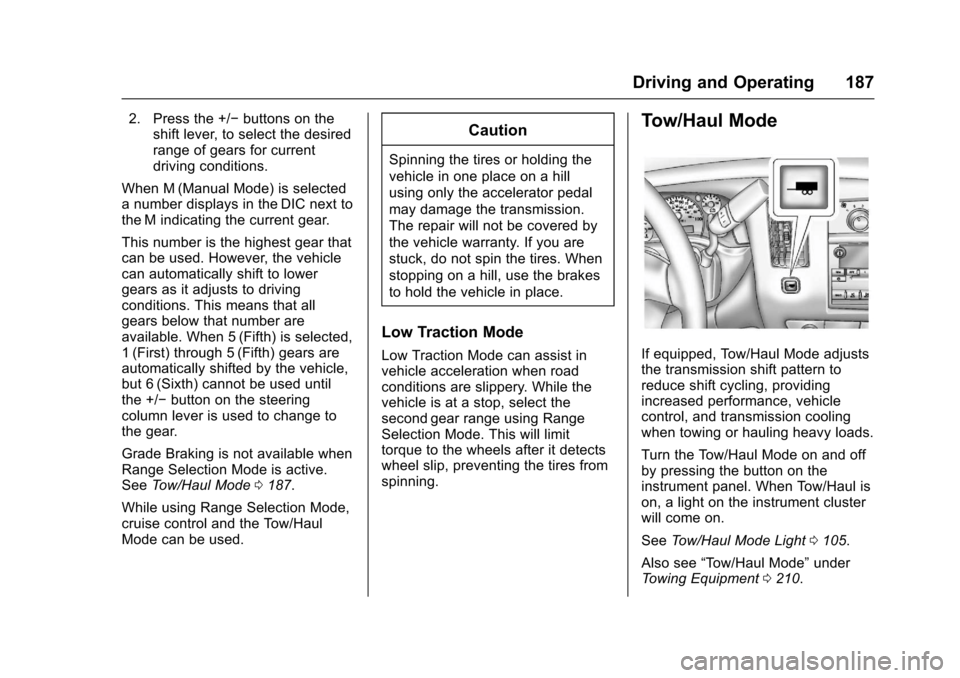
If equipped, Tow/Haul Mode adjuststhe transmission shift pattern toreduce shift cycling, providingincreased performance, vehiclecontrol, and transmission coolingwhen towing or hauling heavy loads.
Turn the Tow/Haul Mode on and offby pressing the button on theinstrument panel. When Tow/Haul ison, a light on the instrument clusterwill come on.
SeeTo w / H a u l M o d e L i g h t0105.
Also see“To w / H a u l M o d e”underTo w i n g E q u i p m e n t0210.
Page 189 of 346
Chevrolet Express Owner Manual (GMNA-Localizing-U.S./Canada/Mexico-9967827) - 2017 - crc - 5/6/16
188 Driving and Operating
Tow/Haul Mode Grade Braking
To w / H a u l M o d e G r a d e B r a k i n g i sonly enabled while the Tow/HaulMode is selected and the vehicle isnot in the Range Selection Mode.See“To w / H a u l M o d e”listedpreviously andManual Mode0186.To w / H a u l M o d e G r a d e B r a k i n gassists in maintaining desiredvehicle speeds when driving ondownhill grades by using the engineand transmission to slow thevehicle.
To d i s a b l e o r e n a b l e To w / H a u l M o d eGrade Braking within the currentignition key cycle, press and holdthe Tow/Haul button forthree seconds. A DIC message willbe displayed. SeeTr a n s m i s s i o nMessages011 8.
SeeTo w i n g E q u i p m e n t0210.
For other forms of grade braking,seeAutomatic Transmission0183andCruise Control0192.
Brakes
Antilock Brake
System (ABS)
This vehicle has an Antilock BrakeSystem (ABS), an advancedelectronic braking system that helpsprevent a braking skid.
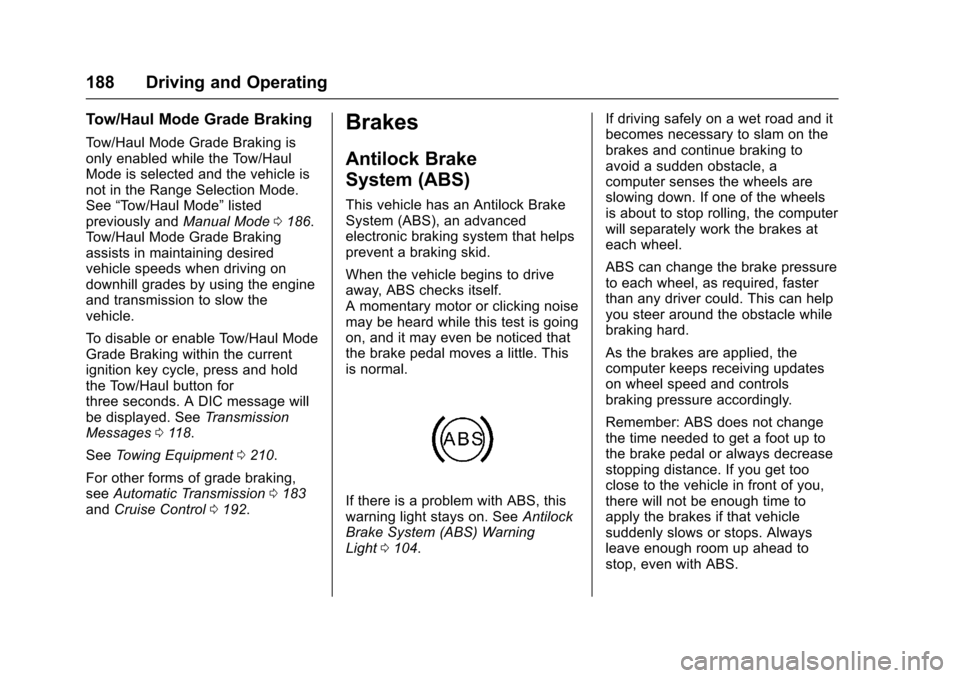
When the vehicle begins to driveaway, ABS checks itself.Amomentarymotororclickingnoisemay be heard while this test is goingon, and it may even be noticed thatthe brake pedal moves a little. Thisis normal.
If there is a problem with ABS, thiswarning light stays on. SeeAntilockBrake System (ABS) WarningLight0104.
If driving safely on a wet road and itbecomes necessary to slam on thebrakes and continue braking toavoid a sudden obstacle, acomputer senses the wheels areslowing down. If one of the wheelsis about to stop rolling, the computerwill separately work the brakes ateach wheel.
ABS can change the brake pressureto each wheel, as required, fasterthan any driver could. This can helpyou steer around the obstacle whilebraking hard.
As the brakes are applied, thecomputer keeps receiving updateson wheel speed and controlsbraking pressure accordingly.
Remember: ABS does not changethe time needed to get a foot up tothe brake pedal or always decreasestopping distance. If you get tooclose to the vehicle in front of you,there will not be enough time toapply the brakes if that vehiclesuddenly slows or stops. Alwaysleave enough room up ahead tostop, even with ABS.
Page 191 of 346
Chevrolet Express Owner Manual (GMNA-Localizing-U.S./Canada/Mexico-9967827) - 2017 - crc - 5/6/16
190 Driving and Operating
Ride Control Systems
Traction Control/
Electronic Stability
Control
The vehicle may have a vehiclestability enhancement system calledStabiliTrak. It is an advancedcomputer controlled system thatassists the driver with directionalcontrol of the vehicle in difficultdriving conditions.
StabiliTrak activates when thecomputer senses a discrepancybetween the intended path and thedirection the vehicle is actuallytraveling. StabiliTrak selectivelyapplies braking pressure at any oneof the vehicle's brakes to assist thedriver with keeping the vehicle onthe intended path.
When the vehicle is started andbegins to move, the systemperforms several diagnostic checksto ensure there are no problems.The system may be heard or feltwhile it is working. This is normaland does not mean there is a
problem with the vehicle. Thesystem should initialize before thevehicle reaches 40 km/h (25 mph).In some cases, it may takeapproximately 3.2 km (2 mi) ofdriving before the system initializes.
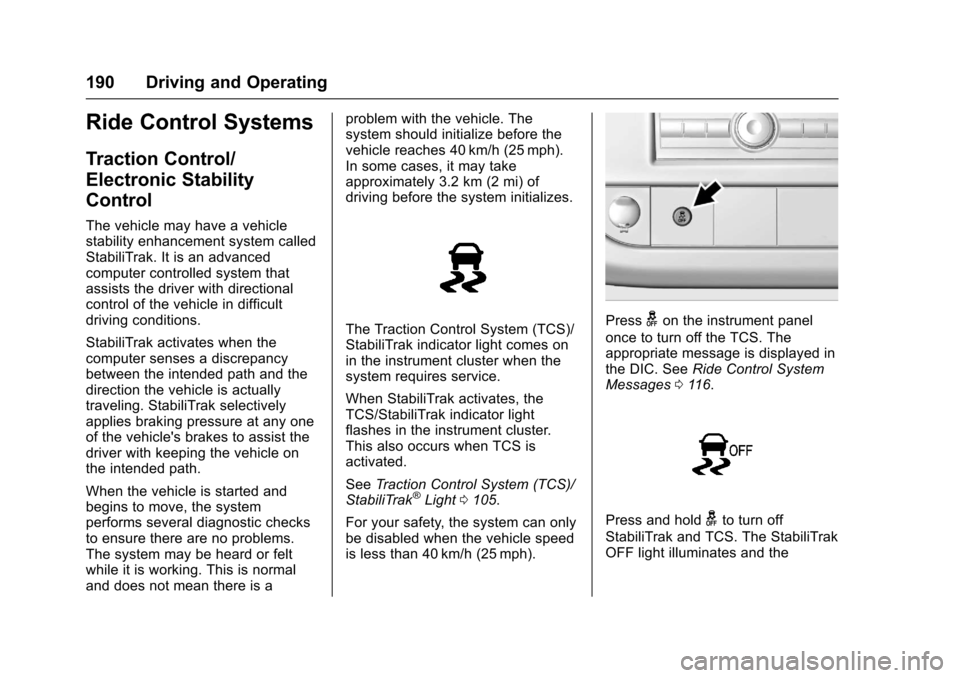
The Traction Control System (TCS)/StabiliTrak indicator light comes onin the instrument cluster when thesystem requires service.
When StabiliTrak activates, theTCS/StabiliTrak indicator lightflashes in the instrument cluster.This also occurs when TCS isactivated.
SeeTr a c t i o n C o n t r o l S y s t e m ( T C S ) /StabiliTrak®Light0105.
For your safety, the system can onlybe disabled when the vehicle speedis less than 40 km/h (25 mph).
Pressgon the instrument panel
once to turn off the TCS. Theappropriate message is displayed inthe DIC. SeeRide Control SystemMessages011 6.
Press and holdgto turn off
StabiliTrak and TCS. The StabiliTrakOFF light illuminates and the
Page 192 of 346
Chevrolet Express Owner Manual (GMNA-Localizing-U.S./Canada/Mexico-9967827) - 2017 - crc - 5/6/16
Driving and Operating 191
appropriate messages will bedisplayed in the DIC. SeeRideControl System Messages011 6.
To t u r n S t a b i l i T r a k a n d T C S b a c k
on, pressgagain. StabiliTrak will
automatically turn back on when thevehicle speed exceeds 40 km/h(25 mph).
When the StabiliTrak system hasbeen turned off, system noises maystill be heard as a result of thebrake-traction control coming on.
It is recommended to leave thesystem on for normal drivingconditions, but it may be necessaryto turn the system off if the vehicleis stuck in sand, mud, ice, or snow,and you want to“rock”the vehicle toattempt to free it. SeeIf the VehicleIs Stuck0171.
StabiliTrak System Operation
The StabiliTrak system is normallyon, except when the system isinitializing or has been disabled withthe StabiliTrak button. TheStabiliTrak system will automaticallyactivate to assist the driver inmaintaining vehicle directional
control in most driving conditions.When activated, the StabiliTraksystem may reduce engine power tothe wheels and apply braking toindividual wheels as necessary toassist the driver with vehicledirectional control. If cruise controlis being used when StabiliTrakactivates, the cruise controlautomatically disengages. Thecruise control can be re-engagedwhen road conditions allow. SeeCruise Control0192.
The StabiliTrak system may alsoturn off automatically if it determinesthat a problem exists with thesystem. If the problem does notclear itself after restarting thevehicle, see your dealer for service.
Traction Control Operation
TCS is part of the StabiliTraksystem. TCS limits wheel spin byreducing engine power to thewheels and by applying brakes toeach individual wheel as necessary.
If the brake-traction control systemactivates constantly or if the brakeshave heated up due to high speedbraking, the brake-traction control
will be automatically disabled. Thesystem will come back on after thebrakes have cooled. This can takeup to two minutes or longerdepending on brake usage.
TCS may activate on dry or roughroads or under conditions such asheavy acceleration while turning orabrupt upshifts/downshifts of thetransmission. When this reduction inacceleration occurs, it may benoticed, or a noise or vibration maybe heard. This is normal.
Adding non-dealer accessories canaffect the vehicle's performance.SeeAccessories andModifications0216.
Locking Rear Axle
Vehicles with a locking rear axle cangive more traction on snow, mud,ice, sand, or gravel. It works like astandard axle most of the time, butwhen traction is low, this feature willallow the rear wheel with the mosttraction to move the vehicle.
Page 194 of 346
Chevrolet Express Owner Manual (GMNA-Localizing-U.S./Canada/Mexico-9967827) - 2017 - crc - 5/6/16
Driving and Operating 193
The cruise control indicator on theinstrument cluster turns green aftercruise control has been set to thedesired speed. SeeInstrumentCluster095.
Resuming a Set Speed
If the cruise control is set at adesired speed and then the brakesare applied, the cruise control isdisengaged without erasing the setspeed from memory.
Once the vehicle speed reachesabout 40 km/h (25 mph) or more,briefly press +RES. The vehiclereturns to the previous set speed.
Increasing Speed While UsingCruise Control
If the cruise control system isalready activated:
.Press and hold +RES until thedesired speed is reached, thenrelease it.
.To i n c r e a s e v e h i c l e s p e e d i nsmall increments, briefly press+RES. For each press, thevehicle goes about 1.6 km/h(1 mph) faster.
The speedometer reading can bedisplayed in either English or metricunits. SeeDriver Information Center(DIC)0108.Theincrementvalueused depends on the unitsdisplayed.
Reducing Speed While UsingCruise Control
If the cruise control system isalready activated:
.Press and hold SET–until thedesired lower speed is reached,then release it.
.To d e c r e a s e t h e v e h i c l e s p e e d i nsmall increments, briefly pressSET–.Foreachpress,thevehicle goes about 1.6 km/h(1 mph) slower.
The speedometer reading can bedisplayed in either English or metricunits. SeeDriver Information Center(DIC)0108.Theincrementvalueused depends on the unitsdisplayed.
Passing Another Vehicle WhileUsing Cruise Control
Use the accelerator pedal toincrease the vehicle speed. Whenyou take your foot off the pedal, thevehicle will slow down to theprevious set cruise speed. Whilepressing the accelerator pedal orshortly following the release tooverride cruise control, brieflypressing SET–will result in cruiseset to the current vehicle speed.
Using Cruise Control on Hills
How well cruise control works onhills depends on the vehicle speed,load, and the steepness of the hills.When going up steep hills, youmight have to step on theaccelerator pedal to maintain yourspeed.
While going downhill:
.Vehicles with a 4-speedautomatic transmission mayneed to have the brakes appliedor the transmission shifted to alower gear to help maintaindriver selected speed.