radio CHEVROLET EXPRESS CARGO VAN 2017 1.G Owners Manual
[x] Cancel search | Manufacturer: CHEVROLET, Model Year: 2017, Model line: EXPRESS CARGO VAN, Model: CHEVROLET EXPRESS CARGO VAN 2017 1.GPages: 346, PDF Size: 6.54 MB
Page 6 of 346
Chevrolet Express Owner Manual (GMNA-Localizing-U.S./Canada/Mexico-9967827) - 2017 - crc - 5/2/16
In Brief 5
In Brief
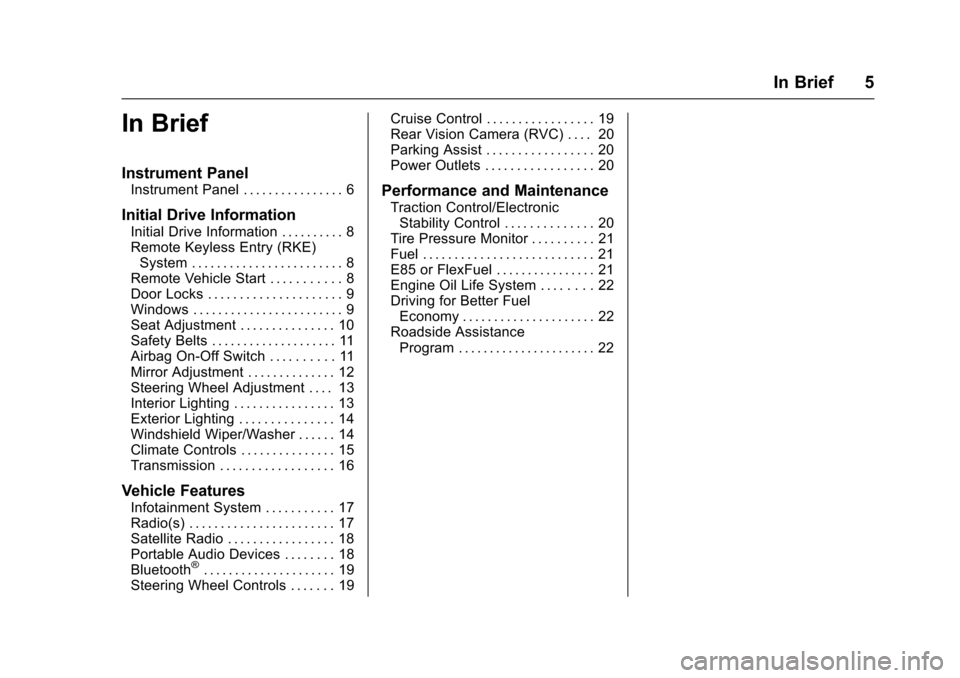
Instrument Panel
Instrument Panel . . . . . . . . . . . . . . . . 6
Initial Drive Information
Initial Drive Information . . . . . . . . . . 8Remote Keyless Entry (RKE)System . . . . . . . . . . . . . . . . . . . . . . . . 8Remote Vehicle Start . . . . . . . . . . . 8Door Locks . . . . . . . . . . . . . . . . . . . . . 9Windows . . . . . . . . . . . . . . . . . . . . . . . . 9Seat Adjustment . . . . . . . . . . . . . . . 10Safety Belts . . . . . . . . . . . . . . . . . . . . 11Airbag On-Off Switch . . . . . . . . . . 11Mirror Adjustment . . . . . . . . . . . . . . 12Steering Wheel Adjustment . . . . 13Interior Lighting . . . . . . . . . . . . . . . . 13Exterior Lighting . . . . . . . . . . . . . . . 14Windshield Wiper/Washer . . . . . . 14Climate Controls . . . . . . . . . . . . . . . 15Transmission . . . . . . . . . . . . . . . . . . 16
Vehicle Features
Infotainment System . . . . . . . . . . . 17Radio(s) . . . . . . . . . . . . . . . . . . . . . . . 17Satellite Radio . . . . . . . . . . . . . . . . . 18Portable Audio Devices . . . . . . . . 18Bluetooth®..................... 19Steering Wheel Controls . . . . . . . 19
Cruise Control . . . . . . . . . . . . . . . . . 19Rear Vision Camera (RVC) . . . . 20Parking Assist . . . . . . . . . . . . . . . . . 20Power Outlets . . . . . . . . . . . . . . . . . 20
Performance and Maintenance
Traction Control/ElectronicStability Control . . . . . . . . . . . . . . 20Tire Pressure Monitor . . . . . . . . . . 21Fuel . . . . . . . . . . . . . . . . . . . . . . . . . . . 21E85 or FlexFuel . . . . . . . . . . . . . . . . 21Engine Oil Life System . . . . . . . . 22Driving for Better FuelEconomy . . . . . . . . . . . . . . . . . . . . . 22Roadside AssistanceProgram . . . . . . . . . . . . . . . . . . . . . . 22
Page 18 of 346
Chevrolet Express Owner Manual (GMNA-Localizing-U.S./Canada/Mexico-9967827) - 2017 - crc - 5/2/16
In Brief 17
Vehicle Features
Infotainment System
If the vehicle has a base radio it isincluded in this manual. See theseparate infotainment manual forinformation on the connected radios,audio players, phone, navigationsystem, and voice or speechrecognition. There is alsoinformation on settings anddownloadable applications(if equipped).
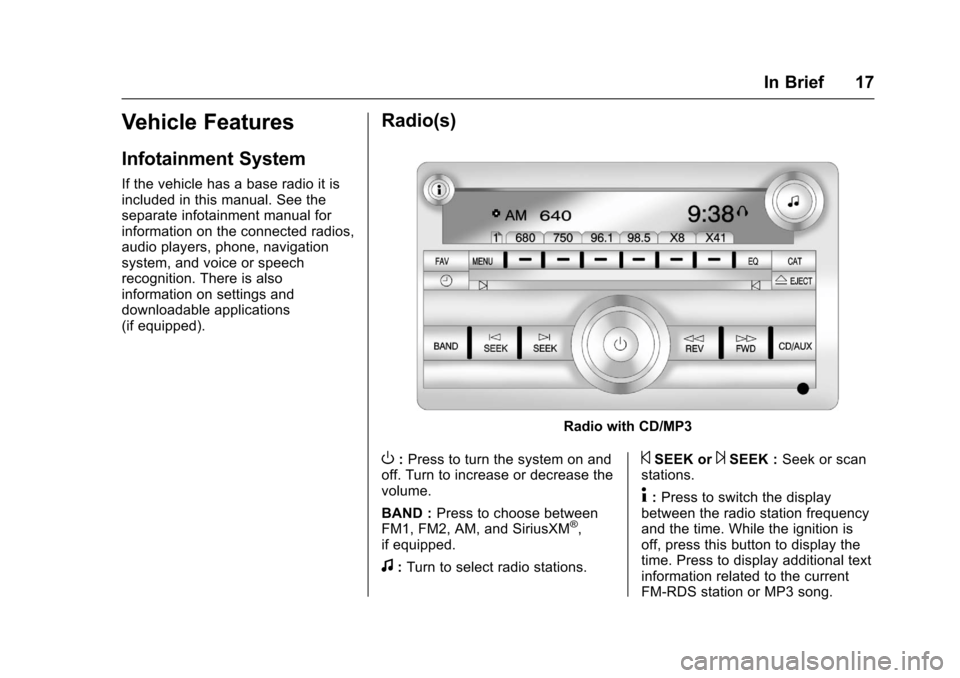
Radio(s)
Radio with CD/MP3
O:Press to turn the system on andoff. Turn to increase or decrease thevolume.
BAND :Press to choose betweenFM1, FM2, AM, and SiriusXM®,if equipped.
f:Turn to select radio stations.
©SEEK or¨SEEK :Seek or scanstations.
4:Press to switch the displaybetween the radio station frequencyand the time. While the ignition isoff, press this button to display thetime. Press to display additional textinformation related to the currentFM-RDS station or MP3 song.
Page 19 of 346
Chevrolet Express Owner Manual (GMNA-Localizing-U.S./Canada/Mexico-9967827) - 2017 - crc - 5/2/16
18 In Brief
Achoiceofadditionalinformationsuch as Channel, Song, Artist, andCAT (category) can display.Continue pressing to highlight thedesired tab, or press the softkeylocated under any one of the tabsand the information about that tabdisplays.
For more information about theseand other radio features, seeInfotainment0132.
Storing a Favorite Station
Depending on which radio thevehicle has, radio stations arestored as either favorites or presets.
For vehicles with a FAV button, amaximum of 36 stations can bestored as favorites using the sixsoftkeys below the radio stationfrequency tabs and by using theradio FAV button. Press FAV to gothrough up to six pages of favorites,each having six favorite stationsavailable per page. Each page offavorites can contain anycombination of AM and FM stations.
For more information on storing afavorite station, seeOperation0136.
Setting the Clock
To s e t t h e t i m e a n d d a t e f o r t h eRadio with CD/MP3:
1. PressHand the HR, MIN, MM,
DD, and YYYY (hour, minute,month, day, and year) display.
2. Press the softkey under anyone of the tabs to be changed.
3. Press©SEEK or¨SEEK,s
REV or\FWD, or turnf
clockwise or counterclockwiseto increase or decrease thetime or date.
For detailed instructions on settingthe clock for your specific audiosystem, seeClock092.
Satellite Radio
SiriusXM®is a satellite radio servicebased in the 48 contiguous UnitedStates and 10 Canadian provinces.SiriusXM satellite radio has a wide
variety of programming andcommercial-free music, coast tocoast, and in digital-quality sound.
AfeeisrequiredtoreceivetheSiriusXM service.
For more information, refer to:
.www.siriusxm.com or call1-888-601-6296 (U.S.)
.www.siriusxm.ca or call1-877-438-9677 (Canada)
SeeSatellite Radio0139.
Portable Audio Devices
This vehicle may have an auxiliaryinput on the radio faceplate and aUSB port on the instrument panel.External devices such as an iPod®,laptop computer, MP3 player,or USB storage device can beconnected to the auxiliary port usinga3.5mm(1/8in)inputcableortheUSB port depending on the audiosystem.
See "Using the Auxiliary Input Jack"and "Using the USB Port" inAuxiliary Devices0146.
Page 20 of 346
Chevrolet Express Owner Manual (GMNA-Localizing-U.S./Canada/Mexico-9967827) - 2017 - crc - 5/2/16
In Brief 19
Bluetooth®
If equipped with a Bluetooth system,it allows users with aBluetooth-enabled cell phone tomake and receive hands-free callsusing the vehicle’saudiosystemand controls.
The Bluetooth-enabled cell phonemust be paired with the Bluetoothsystem before it can be used in thevehicle. Not all phones will supportall functions. For more information,see www.gm.com/bluetooth andBluetooth0151.
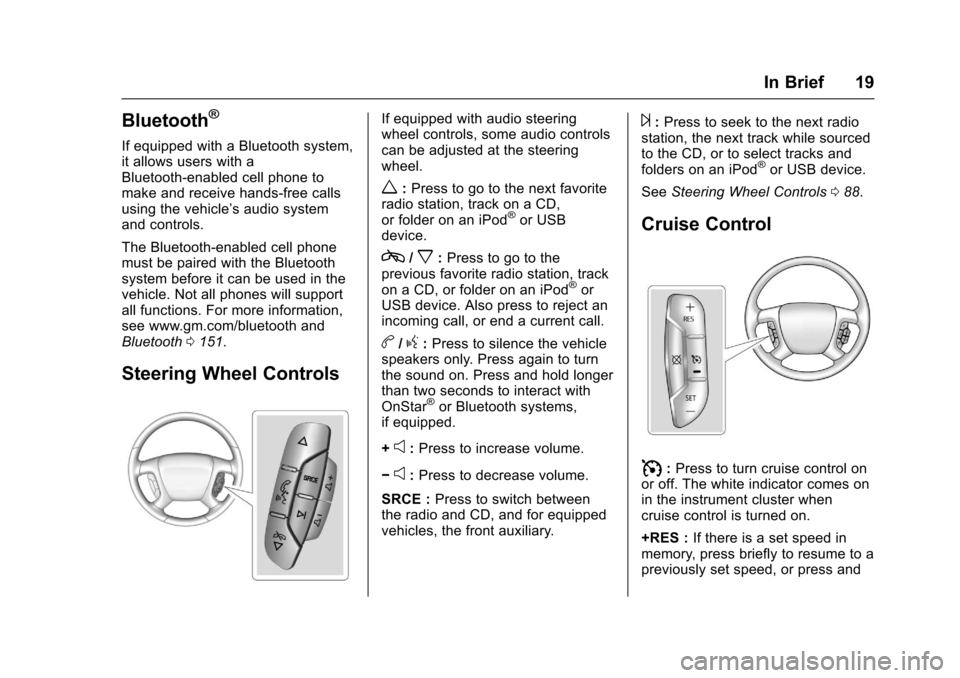
Steering Wheel Controls
If equipped with audio steeringwheel controls, some audio controlscan be adjusted at the steeringwheel.
w:Press to go to the next favoriteradio station, track on a CD,or folder on an iPod®or USBdevice.
c/x:Press to go to theprevious favorite radio station, trackon a CD, or folder on an iPod®orUSB device. Also press to reject anincoming call, or end a current call.
b/g:Press to silence the vehiclespeakers only. Press again to turnthe sound on. Press and hold longerthan two seconds to interact withOnStar®or Bluetooth systems,if equipped.
+e:Press to increase volume.
✓e:Press to decrease volume.
SRCE :Press to switch betweenthe radio and CD, and for equippedvehicles, the front auxiliary.
¨:Press to seek to the next radiostation, the next track while sourcedto the CD, or to select tracks andfolders on an iPod®or USB device.
SeeSteering Wheel Controls088.
Cruise Control
I:Press to turn cruise control onor off. The white indicator comes onin the instrument cluster whencruise control is turned on.
+RES :If there is a set speed inmemory, press briefly to resume to apreviously set speed, or press and
Page 26 of 346
Chevrolet Express Owner Manual (GMNA-Localizing-U.S./Canada/Mexico-9967827) - 2017 - crc - 5/2/16
Keys, Doors, and Windows 25
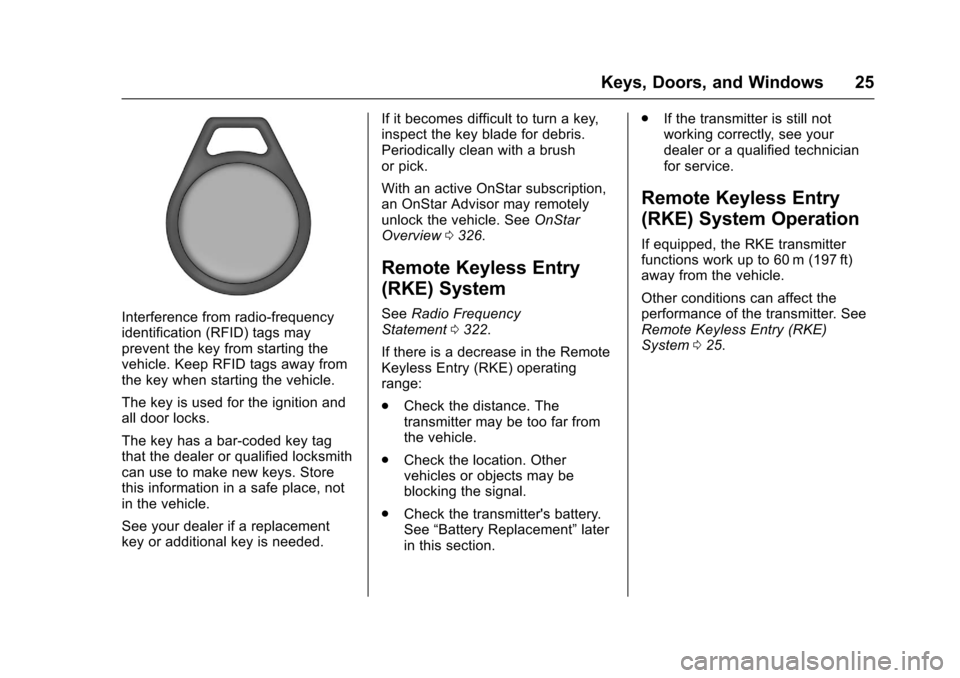
Interference from radio-frequencyidentification (RFID) tags mayprevent the key from starting thevehicle. Keep RFID tags away fromthe key when starting the vehicle.
The key is used for the ignition andall door locks.
The key has a bar-coded key tagthat the dealer or qualified locksmithcan use to make new keys. Storethis information in a safe place, notin the vehicle.
See your dealer if a replacementkey or additional key is needed.
If it becomes difficult to turn a key,inspect the key blade for debris.Periodically clean with a brushor pick.
With an active OnStar subscription,an OnStar Advisor may remotelyunlock the vehicle. SeeOnStarOverview0326.
Remote Keyless Entry
(RKE) System
SeeRadio FrequencyStatement0322.
If there is a decrease in the RemoteKeyless Entry (RKE) operatingrange:
.Check the distance. Thetransmitter may be too far fromthe vehicle.
.Check the location. Othervehicles or objects may beblocking the signal.
.Check the transmitter's battery.See“Battery Replacement”laterin this section.
.If the transmitter is still notworking correctly, see yourdealer or a qualified technicianfor service.
Remote Keyless Entry
(RKE) System Operation
If equipped, the RKE transmitterfunctions work up to 60 m (197 ft)away from the vehicle.
Other conditions can affect theperformance of the transmitter. SeeRemote Keyless Entry (RKE)System025.
Page 34 of 346
Chevrolet Express Owner Manual (GMNA-Localizing-U.S./Canada/Mexico-9967827) - 2017 - crc - 5/2/16
Keys, Doors, and Windows 33
Warning (Continued)
death from heat stroke.Always lock the vehiclewhenever leaving it.
.Outsiders can easily enterthrough an unlocked doorwhen you slow down or stopthe vehicle. Locking thedoors can help prevent thisfrom happening.
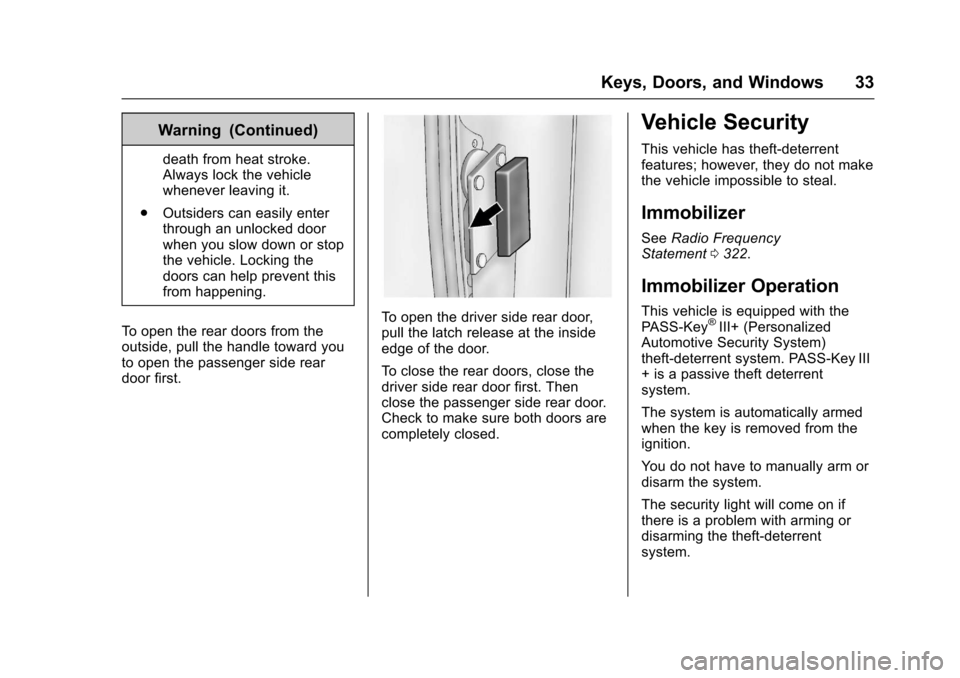
To o p e n t h e r e a r d o o r s f r o m t h eoutside, pull the handle toward youto open the passenger side reardoor first.
To o p e n t h e d r i v e r s i d e r e a r d o o r,pull the latch release at the insideedge of the door.
To c l o s e t h e r e a r d o o r s , c l o s e t h edriver side rear door first. Thenclose the passenger side rear door.Check to make sure both doors arecompletely closed.
Vehicle Security
This vehicle has theft-deterrentfeatures; however, they do not makethe vehicle impossible to steal.
Immobilizer
SeeRadio FrequencyStatement0322.
Immobilizer Operation
This vehicle is equipped with thePA S S - K e y®III+ (PersonalizedAutomotive Security System)theft-deterrent system. PASS-Key III+isapassivetheftdeterrentsystem.
The system is automatically armedwhen the key is removed from theignition.
Yo u d o n o t h a v e t o m a n u a l l y a r m o rdisarm the system.
The security light will come on ifthere is a problem with arming ordisarming the theft-deterrentsystem.
Page 89 of 346
Chevrolet Express Owner Manual (GMNA-Localizing-U.S./Canada/Mexico-9967827) - 2017 - crc - 5/2/16
88 Instruments and Controls
Controls
Steering Wheel
Adjustment
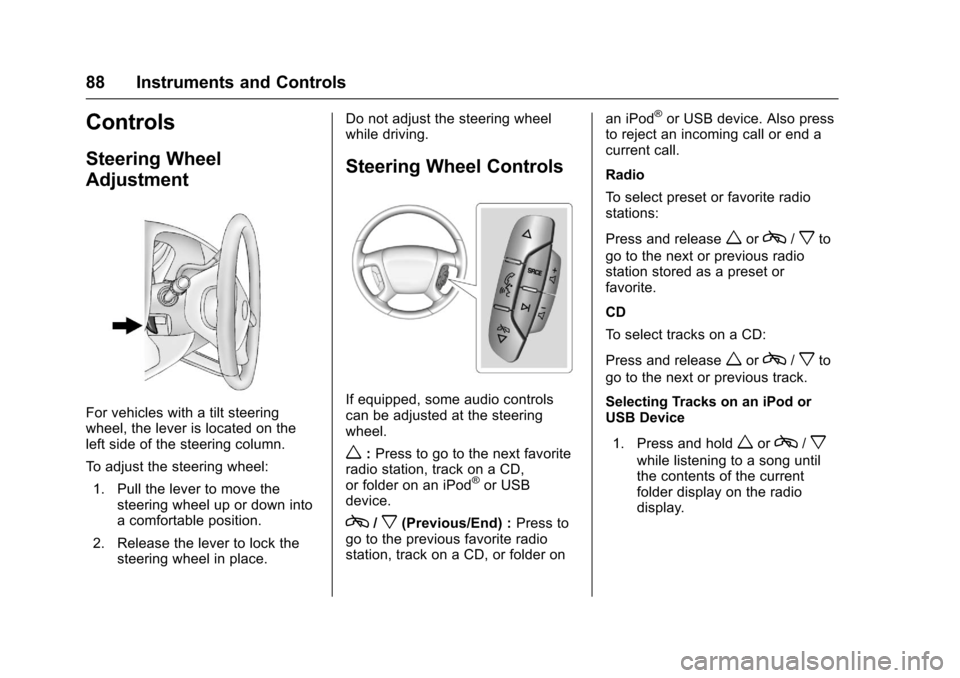
For vehicles with a tilt steeringwheel, the lever is located on theleft side of the steering column.
To a d j u s t t h e s t e e r i n g w h e e l :
1. Pull the lever to move thesteering wheel up or down intoacomfortableposition.
2. Release the lever to lock thesteering wheel in place.
Do not adjust the steering wheelwhile driving.
Steering Wheel Controls
If equipped, some audio controlscan be adjusted at the steeringwheel.
w:Press to go to the next favoriteradio station, track on a CD,or folder on an iPod®or USBdevice.
c/x(Previous/End) :Press togo to the previous favorite radiostation, track on a CD, or folder on
an iPod®or USB device. Also pressto reject an incoming call or end acurrent call.
Radio
To s e l e c t p r e s e t o r f a v o r i t e r a d i ostations:
Press and releaseworc/xto
go to the next or previous radiostation stored as a preset orfavorite.
CD
To s e l e c t t r a c k s o n a C D :
Press and releaseworc/xto
go to the next or previous track.
Selecting Tracks on an iPod orUSB Device
1. Press and holdworc/x
while listening to a song untilthe contents of the currentfolder display on the radiodisplay.
Page 90 of 346
Chevrolet Express Owner Manual (GMNA-Localizing-U.S./Canada/Mexico-9967827) - 2017 - crc - 5/2/16
Instruments and Controls 89
2. Press and releaseworc/
xto scroll up or down the list,
then press and holdw,
or press¨to play the
highlighted track.
Navigating Folders on an iPod orUSB Device
1. Press and holdworc/x
while listening to a song untilthe contents of the currentfolder display on the radiodisplay.
2. Press and holdc/xto go
back to the previous folder list.
3. Press and releaseworc/
xto scroll up or down the list.
.To s e l e c t a f o l d e r , p r e s s
and holdw,orpress¨
when the folder ishighlighted.
.To g o b a c k f u r t h e r i n t h efolder list, press and holdc/x.
b/g:Press to silence the vehiclespeakers only. Press again to turnthe sound on.
For vehicles with Bluetooth orOnStar®systems, press and holdfor longer than two seconds tointeract with those systems. SeeBluetooth0151and OnStar,if equipped.
SRCE :Press to switch betweenthe radio and CD, and for equippedvehicles, the front auxiliary.
¨:Press to go to the next radiostation while in AM, FM,or SiriusXM®(If Equipped).
For vehicles with a CD player orUSB port:
Press¨to go to the next track or
chapter while sourced to the CD.
Press¨to select a track or a folder
when navigating folders on an iPodor USB device.
While listening to a CD, press and
hold¨to quickly move forward
through the tracks. Release to stopon the desired track.
+e:Press to increase volume.
✓e:Press to decrease volume.
Horn
Press the horn symbol in the middleof the steering wheel to soundthe horn.
Windshield Wiper/Washer
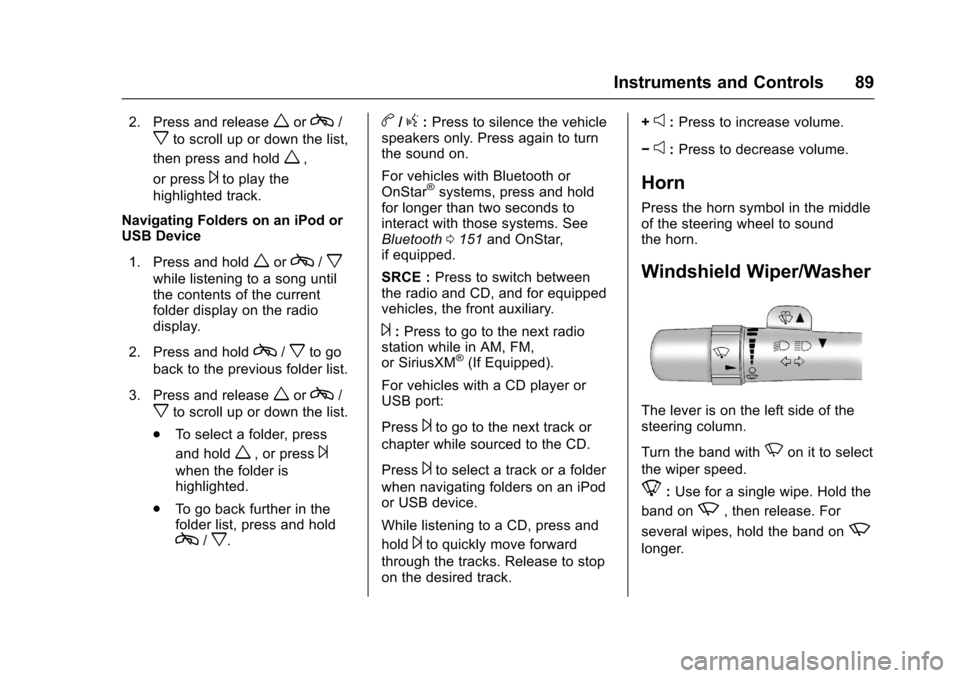
The lever is on the left side of thesteering column.
Turn the band withNon it to select
the wiper speed.
8:Use for a single wipe. Hold the
band onz,thenrelease.For
several wipes, hold the band onz
longer.
Page 93 of 346
Chevrolet Express Owner Manual (GMNA-Localizing-U.S./Canada/Mexico-9967827) - 2017 - crc - 5/2/16
92 Instruments and Controls
Clock
The clock can be set with either theradio turned on or off.
AM-FM Radio
To s e t t h e t i m e :
1. PressHuntil the hour begins
flashing on the display. Pressthis button a second time andthe minutes begin flashing ondisplay.
PressHathirdtimeandthe
12HR or 24HR time formatbegins flashing.
2. While either the hour or the
minutes are flashing, turn thef
knob, on the upper right side ofthe radio, clockwise orcounterclockwise to increase ordecrease the time. While the12HR or 24HR time format is
flashing, turn thefknob
clockwise or counterclockwiseto select the default timesettings.
3. PressHagain until the clock
display stops flashing to set thecurrently displayed time;otherwise, the flashing stopsafter five seconds and thecurrent time displayed isautomatically set.
Radio with CD/MP3
To s e t t h e t i m e a n d d a t e :
1. PressHand the HR, MIN, MM,
DD, and YYYY (hour, minute,month, day, and year) display.
2. Press the softkey under anyone of the tabs to be changed.Every time the softkey ispressed again, the time or thedate if selected, increasesby one.
Another way to increase the
time or date is to press¨
SEEK or\FWD (forward).
3. To decrease, press©SEEK or
sREV. Turn thefknob, onthe upper right side of theradio, to adjust the selectedsetting.
Changing the Time and DateDefault Settings
To c h a n g e t h e t i m e o r d a t e d e f a u l tsettings:
1. PressHand then the softkey
under the forward arrow that iscurrently displayed on the radioscreen until the time 12H(hour) and 24H (hour), and thedate MM/DD (month and day)and DD/MM (day and month)are displayed.
2. Press the softkey under thedesired option.
3. PressHagain to apply the
selected default, or let thescreen time out.
Page 103 of 346
Chevrolet Express Owner Manual (GMNA-Localizing-U.S./Canada/Mexico-9967827) - 2017 - crc - 5/2/16
102 Instruments and Controls
Center (DIC) can also appear. SeeBattery Voltage and ChargingMessages011 2for moreinformation. This light could indicatethat there are problems with agenerator drive belt, or that there isan electrical problem. Have itchecked right away. If the vehiclemust be driven a short distance withthe light on, turn off accessories,such as the radio and airconditioner.
Malfunction Indicator
Lamp (Check Engine
Light)
This light is part of the vehicle’semission control on-boarddiagnostic system. If this light is onwhile the engine is running, amalfunction has been detected andthe vehicle may require service. Thelight should come on to show that itis working when the ignition is inON/RUN and the engine is notrunning. SeeIgnitionPositions0176.
Malfunctions are often indicated bythe system before any problem isnoticeable. Being aware of the lightand seeking service promptly whenit comes on may prevent damage.
Caution
If the vehicle is driven continually
with this light on, the emission
control system may not work as
well, the fuel economy may be
lower, and the vehicle may not
run smoothly. This could lead to
costly repairs that might not be
covered by the vehicle warranty.
Caution
Modifications to the engine,
transmission, exhaust, intake,
or fuel system, or the use of
replacement tires that do not
meet the original tire
specifications, can cause this light
to come on. This could lead to
costly repairs not covered by the
vehicle warranty. This could also
affect the vehicle’sabilitytopass
an Emissions Inspection/
Maintenance test. See
Accessories and
Modifications0216.
If the light is flashing :Amalfunction has been detected thatcould damage the emission controlsystem and increase vehicleemissions. Diagnosis and servicemay be required.
To h e l p p r e v e n t d a m a g e , r e d u c evehicle speed and avoid hardaccelerations and uphill grades.