engine CHEVROLET HHR 2006 1.G Owner's Guide
[x] Cancel search | Manufacturer: CHEVROLET, Model Year: 2006, Model line: HHR, Model: CHEVROLET HHR 2006 1.GPages: 394, PDF Size: 2.33 MB
Page 168 of 394
Notice:Modications made to the engine,
transaxle, exhaust, intake, or fuel system of your
vehicle or the replacement of the original tires with
other than those of the same Tire Performance
Criteria (TPC) can affect your vehicle’s emission
controls and may cause this light to come on.
Modications to these systems could lead to costly
repairs not covered by your warranty. This may
also result in a failure to pass a required Emission
Inspection/Maintenance test. SeeAccessories
and Modifications on page 5-3.
This light should come on, as a check to show you it is
working, when the ignition is on and the engine is
not running. If the light does not come on, have it
repaired. This light will also come on during a
malfunction in one of two ways:
Light Flashing— A misre condition has been
detected. A misre increases vehicle emissions
and may damage the emission control system on
your vehicle. Diagnosis and service may be
required.
Light On Steady— An emission control system
malfunction has been detected on your vehicle.
Diagnosis and service may be required.
If the Light is Flashing
The following may prevent more serious damage to
your vehicle:
Reducing vehicle speed
Avoiding hard accelerations
Avoiding steep uphill grades
If you are towing a trailer, reduce the amount of
cargo being hauled as soon as it is possible
If the light stops ashing and remains on steady,
see “If the Light Is On Steady” following.
If the light continues to ash, when it is safe to do so,
stop the vehicle. Find a safe place to park your vehicle.
Turn the key off, wait at least 10 seconds and restart
the engine. If the light remains on steady, see “If the
Light Is On Steady” following. If the light is still ashing,
follow the previous steps, and see your dealer for
service as soon as possible.
3-36
Page 169 of 394
If the Light Is On Steady
You may be able to correct the emission system
malfunction by considering the following:
Did you recently put fuel into your vehicle?
If so, reinstall the fuel cap, making sure to fully install
the cap. SeeFilling the Tank on page 5-8. The
diagnostic system can determine if the fuel cap has
been left off or improperly installed. A loose or missing
fuel cap will allow fuel to evaporate into the atmosphere.
A few driving trips with the cap properly installed
should turn the light off.
Did you just drive through a deep puddle of water?
If so, your electrical system may be wet. The condition
will usually be corrected when the electrical system
dries out. A few driving trips should turn the light off.Have you recently changed brands of fuel?
If so, be sure to fuel your vehicle with quality fuel.
SeeGasoline Octane on page 5-5. Poor fuel quality will
cause your engine not to run as efficiently as designed.
You may notice this as stalling after start-up, stalling
when you put the vehicle into gear, misring, hesitation
on acceleration, or stumbling on acceleration. (These
conditions may go away once the engine is warmed up.)
This will be detected by the system and cause the
light to turn on.
If you experience one or more of these conditions,
change the fuel brand you use. It will require at least
one full tank of the proper fuel to turn the light off.
If none of the above steps have made the light turn off,
your dealer can check the vehicle. Your dealer has
the proper test equipment and diagnostic tools to x any
mechanical or electrical problems that may have
developed.
3-37
Page 170 of 394
Emissions Inspection and
Maintenance Programs
Some state/provincial and local governments have or
may begin programs to inspect the emission control
equipment on your vehicle. Failure to pass this
inspection could prevent you from getting a vehicle
registration.
Here are some things you need to know to help your
vehicle pass an inspection:
Your vehicle will not pass this inspection if the check
engine light is on or not working properly.
Your vehicle will not pass this inspection if the OBD
(on-board diagnostic) system determines that critical
emission control systems have not been completely
diagnosed by the system. The vehicle would be
considered not ready for inspection. This can happen if
you have recently replaced your battery or if your
battery has run down. The diagnostic system is
designed to evaluate critical emission control systems
during normal driving. This may take several days
of routine driving. If you have done this and your vehicle
still does not pass the inspection for lack of OBD
system readiness, your GM dealer can prepare the
vehicle for inspection.
Oil Pressure Light
If you have a low engine
oil pressure problem, this
light will stay on after
you start your engine, or
come on when you
are driving. This indicates
that your engine is not
receiving enough oil.
The engine could be low on oil, or could have some
other oil problem. Have it xed immediately.
The oil light could also come on in three other situations:
When the ignition is on but the engine is not
running, the light will come on as a test to show you
it is working, but the light will go out when you
turn the ignition to START. If it does not come on
with the ignition on, you may have a problem
with the fuse or bulb. Have it xed right away.
If you are idling at a stop sign, the light may blink
on and then off.
If you make a hard stop, the light may come on for
a moment. This is normal.
3-38
Page 171 of 394
{CAUTION:
Do not keep driving if the oil pressure is low.
If you do, your engine can become so hot that
it catches re. You or others could be burned.
Check your oil as soon as possible and have
your vehicle serviced.
Notice:Lack of proper engine oil maintenance may
damage the engine. The repairs would not be
covered by your warranty. Always follow the
maintenance schedule in this manual for changing
engine oil.
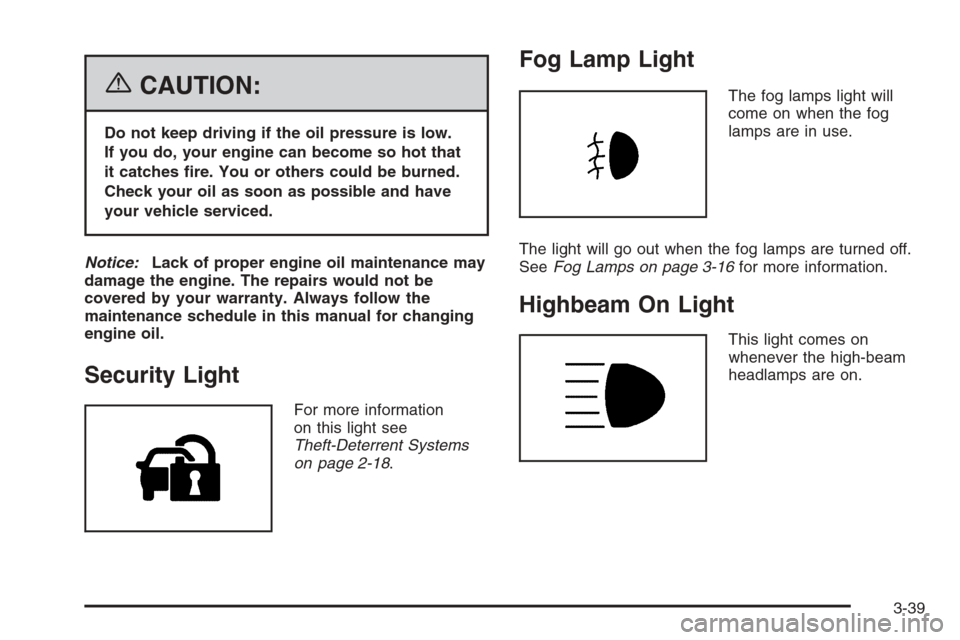
Security Light
For more information
on this light see
Theft-Deterrent Systems
on page 2-18.
Fog Lamp Light
The fog lamps light will
come on when the fog
lamps are in use.
The light will go out when the fog lamps are turned off.
SeeFog Lamps on page 3-16for more information.
Highbeam On Light
This light comes on
whenever the high-beam
headlamps are on.
3-39
Page 174 of 394
ECON (Economy)
Press the information button until ECON is displayed.
This mode shows how many miles per gallon (mpg)
or liters per 100 kilometers (L/100 km) your vehicle is
getting based on current and past driving conditions.
Press and hold the reset button while ECON is displayed
to reset the average fuel economy. Average fuel
economy will then be calculated starting from that point.
If the average fuel economy is not reset, it will be
continually updated each time you drive.
AV (Average) SPEED
Press the information button until AV SPEED is
displayed. This mode shows the vehicle’s average
speed in miles per hour (mph) or kilometers per
hour (km/h).
Press and hold the reset button while AV SPEED is
displayed to reset the average vehicle speed.
OIL LIFE
Press the information button until OIL LIFE is displayed.
The engine oil life system shows an estimate of the
oil’s remaining useful life. It will show 100% when the
system is reset after an oil change. It will alert you
to change your oil on a schedule consistent with your
driving conditions.
In addition to the engine oil life system monitoring the
oil life, additional maintenance is recommended in
the Maintenance Schedule in this manual. SeeEngine
Oil on page 5-13andScheduled Maintenance on
page 6-4.
Always reset the engine oil life system after an oil
change. See “How to Reset the Engine Oil Life System”
underEngine Oil Life System on page 5-16.
COOLANT
Press the information button until COOLANT is
displayed. This mode shows the temperature of the
engine coolant in either degrees Fahrenheit (°F)
or degrees Celsius (°C).
3-42
Page 175 of 394
DIC Warnings and Messages
These warning messages will appear in the DIC display
if there is a problem detected in one of your vehicle’s
systems. With most messages, a warning chime
will sound when the message is displayed.
The messages will clear from the display when the
condition no longer exists. You can also acknowledge
and clear some messages from the display by pressing
and holding either the reset or information buttons.
The message will come back on the next time the
vehicle is turned off and back on if the condition still
exists. Your vehicle may have other warning messages.
AUTO (Automatic) LIGHTS OFF
This message will display if the automatic headlamp
system is disabled with the headlamp switch.
SeeAutomatic Headlamp System on page 3-15for
more information.
AUTO (Automatic) LIGHTS ON
This message will display if the automatic headlamp
system is enabled with the headlamp switch.
SeeAutomatic Headlamp System on page 3-15for
more information.
BRAKE FLUID
This message will display to inform the driver that the
brake uid level is low while the ignition is on. Have the
brake system serviced by your GM dealer as soon
as possible.
CHANGE OIL SOON
This message will display when the life of the engine oil
has expired and it should be changed.
When you acknowledge the CHANGE OIL SOON
message by clearing it from the display, you still must
reset the engine oil life system separately. SeeEngine
Oil Life System on page 5-16andScheduled
Maintenance on page 6-4for more information.
CHECK GAS CAP
This message will display if the gas cap has not been
fully tightened. You should recheck your gas cap to
make sure that it is on properly. A few driving trips with
the cap properly installed should turn the message off.
CRUISE ENGAGED
This message will display when the cruise control
system is active. SeeCruise Control on page 3-11for
more information.
3-43
Page 176 of 394
DOOR AJAR
This message will display if one or more of the vehicle’s
doors are not closed properly. When this message
appears, you should make sure that the door(s)
are closed completely.
ENGINE DISABLED
This message will display if the starting of the engine is
disabled. Have your vehicle serviced immediately by
your GM dealer.
ENG (Engine) PWR (Power) REDUCED
This message will display to inform you that the vehicle
has reduced engine power to avoid damaging the
engine. Reduced engine power can affect the vehicle’s
ability to accelerate. If this message is on, but there
is no reduction in performance, proceed to your
destination. The performance may be reduced the next
time the vehicle is driven. The vehicle may be driven
at a reduced speed while this message is on, but
acceleration and speed may be reduced. Anytime this
message stays on, the vehicle should be taken to
your GM dealer for service as soon as possible.
GATE AJAR
This message will display when the liftgate of your
vehicle is not closed completely. You should make sure
that the liftgate is closed completely. SeeLiftgate on
page 2-13for more information.
ICE POSSIBLE
This message will display when the outside air
temperature is cold enough to create icy road conditions.
Adjust your driving accordingly.
KEY FOB BATT (Battery) LOW
This message will display if the remote keyless entry
transmitter battery is low. You should replace the battery
in the transmitter. See “Battery Replacement” under
Remote Keyless Entry System Operation on page 2-5.
LOW FUEL
This message will display when your vehicle is low on
fuel. You should rell the fuel tank as soon as possible.
SeeFuel Gage on page 3-40,Filling the Tank on
page 5-8, andFuel on page 5-5for more information.
3-44
Page 177 of 394
LOW TRACTION
This message will display when the Enhanced Traction
System (ETS) is actively limiting wheel spin. Slippery
road conditions may exist if this message is displayed,
so adjust your driving accordingly. SeeEnhanced
Traction System (ETS) on page 4-10for more
information.
PARKING BRAKE
This message will display if the parking brake is left
engaged. SeeParking Brake on page 2-32for
more information.
POWER STEERING
This message will display if a problem has been
detected with the electric power steering. Have your
vehicle serviced immediately by your GM dealer.
SERVICE AIR BAG
This message will display when there is a problem with
the airbag system. Have your vehicle serviced
immediately by your GM dealer.
TRAILER SHIFT ON
On some models, if towing a trailer, this message will
display when the vehicle is changing shifting patterns so
that the engine oil does not heat up above the proper
engine operating temperature.
DIC Vehicle Personalization
Your vehicle has personalization capabilities that allow
you to program certain features to a preferred setting.
All of the features listed may not be available on
your vehicle. Only the features available will be
displayed on your DIC.
The default settings for the features were set when your
vehicle left the factory, but may have been changed
from their default state since that time.
To change feature settings, use the following procedure:
Entering Personalization Menu
1. Turn the ignition on while the vehicle is stopped.
2. Press and hold the information and reset buttons at
the same time for one second, then release to enter
the personalization menu.
If the vehicle speed is greater than 2 mph (3 km/h),
only the UNITS menu will be accessible.
3. Press the information button to scroll through the
available personalization menu modes.
Press the reset button to scroll through the available
settings for each mode.
If you do not make a selection within ten seconds,
the display will go back to the previous information
displayed.
3-45
Page 178 of 394
Personalization Menu Modes
UNITS
This feature allows you to select the units of
measurement in which the DIC will display the vehicle
information. When UNITS appears on the display, press
and hold the reset button for at least one second to
scroll through the available settings:
ENGLISH (default in United States):All information
will be displayed in English units. For example, distance
will be shown in miles (mi) and fuel economy in miles
per gallon (mpg).
METRIC (default in Canada):All information will be
displayed in metric units. For example, distance will be
shown in kilometers (km) and fuel economy in liters
per 100 kilometers (L/100 km).
Choose one of the available settings and press the
information button to select it and move on to the next
feature.
OIL-LIFE RESET
When this feature is displayed, you can reset the engine
oil life system. To reset the system, seeEngine Oil
Life System on page 5-16. See “OIL LIFE” underDIC
Operation and Displays on page 3-41for more
information.
REMOTE START
If your vehicle has remote start, this feature allows
remote start to be turned OFF or ON. Remote start
allows you to start the engine from outside of the vehicle
using your remote keyless entry transmitter. When
REMOTE START appears on the display, press and
hold the reset button for at least one second to
scroll through the available settings:
OFF:The remote start feature will be disabled.
ON (default):The remote start feature will be enabled.
See “Remote Vehicle Start” underRemote Keyless Entry
System Operation on page 2-5for more information.
Choose one of the available settings and press the
information button to select it and move on to the next
feature.
3-46
Page 184 of 394
Here are some ways in which you can help avoid
distraction while driving.
While your vehicle is parked:
Familiarize yourself with all of its controls.
Familiarize yourself with its operation.
Set up your audio system by presetting your
favorite radio stations, setting the tone, and
adjusting the speakers. Then, when driving
conditions permit, you can tune to your favorite
radio stations using the presets and steering wheel
controls if the vehicle has them.
Notice:Before adding any sound equipment to
your vehicle, such as an audio system, CD player,
CB radio, mobile telephone, or two-way radio, make
sure that it can be added by checking with your
dealer. Also, check federal rules covering mobile
radio and telephone units. If sound equipment can
be added, it is very important to do it properly.Added sound equipment may interfere with the
operation of your vehicle’s engine, radio, or other
systems, and even damage them. Your vehicle’s
systems may interfere with the operation of sound
equipment that has been added.
Notice:The chime signals related to safety belts,
parking brake, and other functions of your vehicle
operate through the radio/entertainment system.
If that equipment is replaced or additional equipment
is added to your vehicle, the chimes may not
work. Make sure that replacement or additional
equipment is compatible with your vehicle before
installing it. SeeAccessories and Modifications
on page 5-3.
Your vehicle has a feature called Retained Accessory
Power (RAP). With RAP, the audio system can be
played even after the ignition is turned off. SeeRetained
Accessory Power (RAP) on page 2-24for more
information.
3-52