ignition CHEVROLET HHR 2008 1.G Owner's Manual
[x] Cancel search | Manufacturer: CHEVROLET, Model Year: 2008, Model line: HHR, Model: CHEVROLET HHR 2008 1.GPages: 430, PDF Size: 5.63 MB
Page 114 of 430
Shifting Out of PARK (P) (Automatic
Transmission)
This vehicle is equipped with an electronic shift lock
release system. The shift lock release is designed to:
Prevent ignition key removal unless the shift
lever is in PARK (P) with the shift lever button fully
released, and
Prevent movement of the shift lever out of PARK (P)
unless the ignition is in ON/RUN or
ACC/ACCESSORY and the regular brake pedal is
applied.
The shift lock release is always functional except in the
case of a an uncharged or low voltage (less than 9 volt)
battery.
If your vehicle has an uncharged battery or a battery
with low voltage, try charging or jump starting the
battery. SeeJump Starting on page 5-38for more
information.To shift out of PARK (P):
1. Apply the brake pedal.
2. Then press the shift lever button.
3. Move the shift lever to the desired position.
If you still are unable to shift out of PARK (P):
1. Fully release the shift lever button.
2. While holding down the brake pedal, press the shift
lever button again.
3. Move the shift lever to the desired position.
If you still cannot move the shift lever from PARK (P),
consult your dealer or a professional towing service.
Parking Your Vehicle (Manual
Transmission)
Before leaving your vehicle, fully press the clutch pedal
down, move the shift lever into REVERSE (R), and
rmly apply the parking brake. Once the shift lever has
been placed in REVERSE (R) with the clutch pedal
pressed down, you can turn the ignition key to LOCK,
remove the key and release the clutch pedal. See
Manual Transmission Operation on page 2-31.
2-36
Page 117 of 430
Mirrors
Manual Rearview Mirror
When you are sitting in a comfortable driving position,
adjust the mirror so you can see clearly behind your
vehicle. Grip the mirror in the center to move it up
or down and side to side. The day/night adjustment
allows you to adjust the mirror to avoid glare from the
lamps behind you. Push the tab forward for daytime use
and pull it for nighttime use.
The mirror may have lights located on the bottom of the
mirror. Press the button next to each light to turn it
on or off.
Automatic Dimming Rearview Mirror
with OnStar
®and Compass
Your vehicle may have an automatic dimming rearview
mirror with OnStar®, compass, and map lights. The
compass automatically calibrates, or sets the driving
direction, as the vehicle is driven. The automatic
dimming feature enables the rearview mirror to sense
nighttime glare from vehicle headlamps from behind and
automatically dim to reduce the glare to a safe level.
The automatic dimming feature turns on each time the
vehicle is started.Press the buttons located at the bottom of the mirror to
turn the map lights on or off.
There are three additional buttons for the OnStar
®
system. See your dealer/retailer for more information on
the system and how to subscribe to OnStar®. See
OnStar®in the Index for more information.
O(On/Off):This is the on/off button for the automatic
dimming feature.
Automatic Dimming Mirror Operation
The automatic dimming mirror function is turned
on automatically each time the ignition is started. To
operate the automatic dimming mirror, do the following:
1. Make sure the green indicator light, located to
the left of the on/off button, is on. If it is not,
press and hold the on/off button until the green light
comes on.
2. Turn off the automatic dimming mirror function by
pressing and holding the on/off button until the
green indicator light turns off.
Compass Operation
Press the on/off button to turn the compass on or off.
The direction the vehicle is facing appears on the mirror.
2-39
Page 119 of 430
Cleaning the Mirror
While cleaning the mirror, use a paper towel or similar
material dampened with glass cleaner. Do not spray
glass cleaner directly on the mirror as that may cause
the liquid cleaner to enter the mirror housing.
Automatic Dimming Rearview Mirror
with Compass
Your vehicle may have an automatic dimming rearview
mirror with a compass and map lights. The compass
feature enables the mirror to sense nighttime glare from
vehicle headlamps from behind and automatically
dim to reduce the glare to a safe level. The automatic
dimming feature turns on each time the vehicle is
started. Press the buttons located at the bottom of the
mirror to turn the map lights on or off.
O(On/Off):This is the on/off button for the automatic
dimming feature.
Automatic Dimming Mirror Operation
The automatic dimming mirror function is turned
on automatically each time the ignition is started. To
operate the automatic dimming mirror, do the following:
1. Make sure the green indicator light, located to the left
of the on/off button, is on. If it’s not, press the on/off
button until the green light comes on, indicating that
the mirror is in automatic dimming mode.
2. Turn off the automatic dimming mirror function by
pressing the on/off button until the green indicator
light turns off.
Compass Operation
Y
:This is the on/off button for the compass feature.
Press this button once to turn the compass on or off.
When the ignition and the compass feature are on, the
compass will show two character boxes for a few
seconds. After a few seconds, the mirror will display the
current compass direction.
2-41
Page 130 of 430
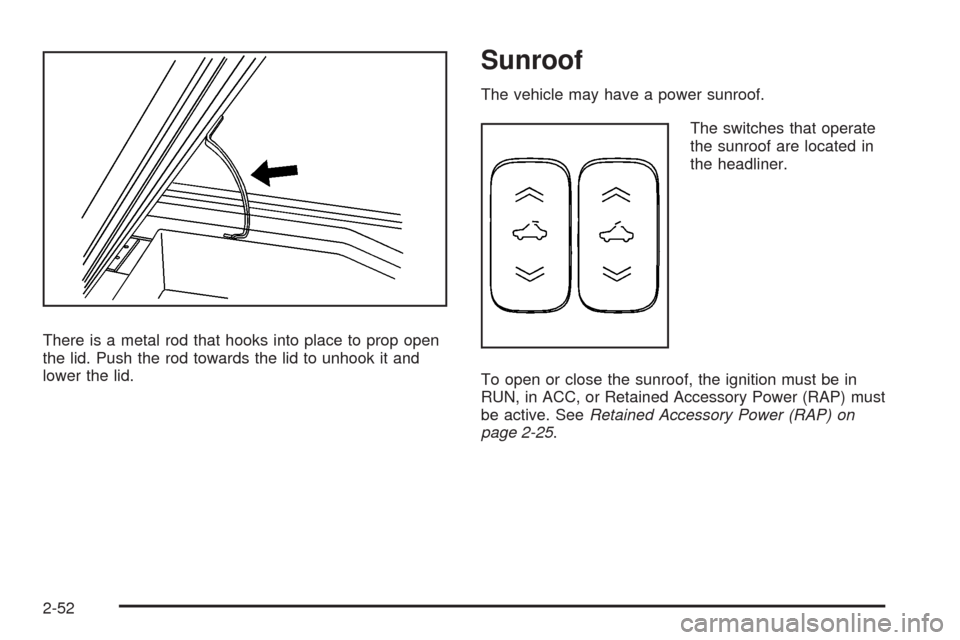
There is a metal rod that hooks into place to prop open
the lid. Push the rod towards the lid to unhook it and
lower the lid.
Sunroof
The vehicle may have a power sunroof.
The switches that operate
the sunroof are located in
the headliner.
To open or close the sunroof, the ignition must be in
RUN, in ACC, or Retained Accessory Power (RAP) must
be active. SeeRetained Accessory Power (RAP) on
page 2-25.
2-52
Page 138 of 430
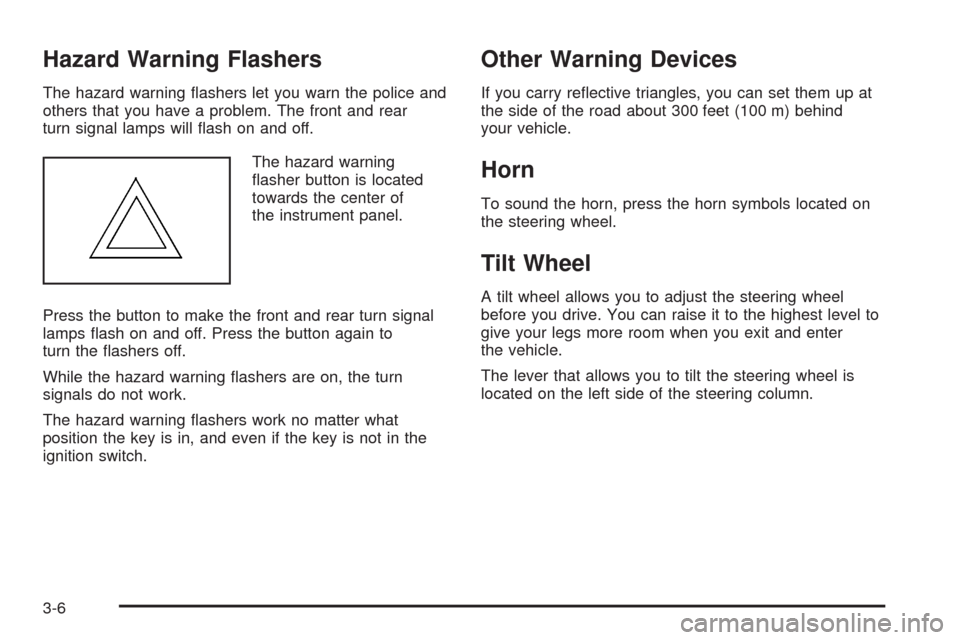
Hazard Warning Flashers
The hazard warning ashers let you warn the police and
others that you have a problem. The front and rear
turn signal lamps will ash on and off.
The hazard warning
asher button is located
towards the center of
the instrument panel.
Press the button to make the front and rear turn signal
lamps ash on and off. Press the button again to
turn the ashers off.
While the hazard warning ashers are on, the turn
signals do not work.
The hazard warning ashers work no matter what
position the key is in, and even if the key is not in the
ignition switch.
Other Warning Devices
If you carry reective triangles, you can set them up at
the side of the road about 300 feet (100 m) behind
your vehicle.
Horn
To sound the horn, press the horn symbols located on
the steering wheel.
Tilt Wheel
A tilt wheel allows you to adjust the steering wheel
before you drive. You can raise it to the highest level to
give your legs more room when you exit and enter
the vehicle.
The lever that allows you to tilt the steering wheel is
located on the left side of the steering column.
3-6
Page 146 of 430
Reducing Speed While Using Cruise
Control
If the cruise control system is already engaged,
Push and hold the SET−button until the lower
speed desired is reached, then release it.
To slow down in very small amounts, push the
SET−button briey. Each time this is done,
the vehicle goes about 1 mph (1.6 km/h) slower.
Passing Another Vehicle While Using
Cruise Control
Use the accelerator pedal to increase the vehicle speed.
When you take your foot off the pedal, the vehicle
slows down to the cruise control speed you set earlier.
Using Cruise Control on Hills
How well your cruise control will work on hills depends
upon the vehicle speed, load and the steepness of
the hills. When going up steep hills, you might have to
step on the accelerator pedal to maintain the vehicle
speed. When going downhill, you might have to brake or
shift to a lower gear to keep the vehicle speed down.
When the brakes are applied the cruise control turns off.
Many drivers nd this to be too much trouble and do
not use cruise control on steep hills.
Ending Cruise Control
To end cruise control, step lightly on the brake pedal or
the clutch pedal if your vehicle has a manual
transmission.
Stepping on the brake pedal or clutch pedal will only end
the current cruise control session. Press the cruise
control on/off button to turn the system completely off.
Erasing Speed Memory
The cruise control set speed memory is erased when
the cruise control or the ignition is turned off.
3-14
Page 147 of 430
Headlamps
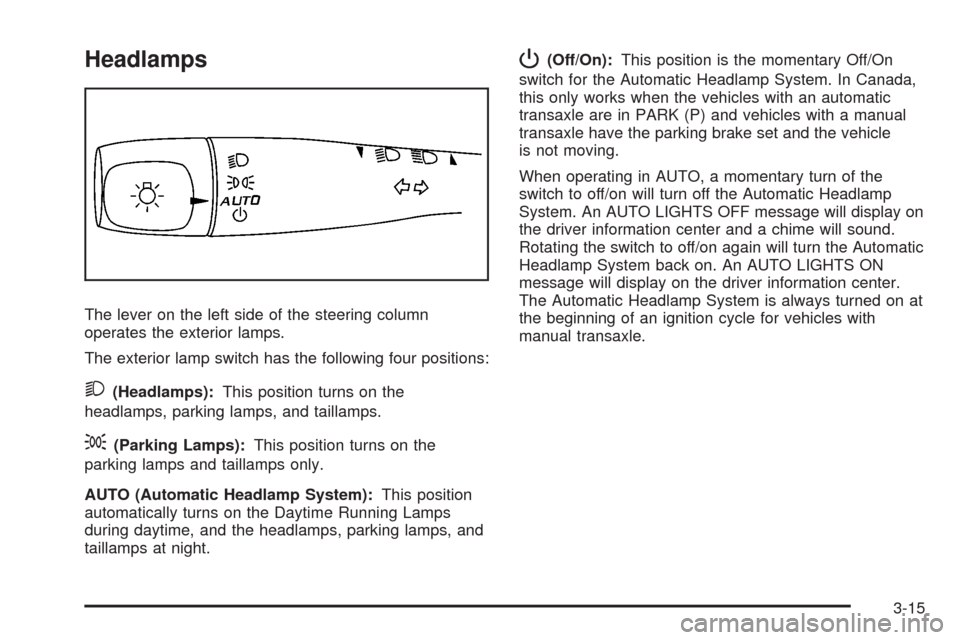
The lever on the left side of the steering column
operates the exterior lamps.
The exterior lamp switch has the following four positions:
2(Headlamps):This position turns on the
headlamps, parking lamps, and taillamps.
;(Parking Lamps):This position turns on the
parking lamps and taillamps only.
AUTO (Automatic Headlamp System):This position
automatically turns on the Daytime Running Lamps
during daytime, and the headlamps, parking lamps, and
taillamps at night.
P(Off/On):This position is the momentary Off/On
switch for the Automatic Headlamp System. In Canada,
this only works when the vehicles with an automatic
transaxle are in PARK (P) and vehicles with a manual
transaxle have the parking brake set and the vehicle
is not moving.
When operating in AUTO, a momentary turn of the
switch to off/on will turn off the Automatic Headlamp
System. An AUTO LIGHTS OFF message will display on
the driver information center and a chime will sound.
Rotating the switch to off/on again will turn the Automatic
Headlamp System back on. An AUTO LIGHTS ON
message will display on the driver information center.
The Automatic Headlamp System is always turned on at
the beginning of an ignition cycle for vehicles with
manual transaxle.
3-15
Page 148 of 430
Wiper Activated Headlamps
This feature activates the headlamps and parking lamps
after the windshield wipers are turned on. For this
feature to work, automatic lighting must be enabled. See
Headlamps on page 3-15for additional information.
When the ignition is turned off, the wiper-activated
headlamps will immediately turn off. They will also turn
off 15 seconds after the windshield wiper control is
turned off.
Headlamps on Reminder
If the driver’s door is opened with the ignition off and
the lamps on, a warning chime will sound. This lets you
know that the headlamps are still on.
Daytime Running Lamps (DRL)
Daytime Running Lamps (DRL) can make it easier for
others to see the front of your vehicle during the
day. DRL can be helpful in many different driving
conditions, but they can be especially helpful in the short
periods after dawn and before sunset. Fully functional
daytime running lamps are required on all vehicles
rst sold in Canada.Your vehicle has a light sensor on top of the instrument
panel. Make sure it is not covered or the headlamps
will come on when you do not need them.
The DRL system will make the headlamps come on at
reduced brightness when the following conditions
are met:
The ignition is on.
The exterior lamp control is turned to AUTO.
The light sensor detects daytime light.
The shift lever is not in PARK (P).
While the DRL system is on, the taillamps, sidemarker
lamps, and instrument panel lights will not be
illuminated.
The DRL system will be off any time your vehicle is in
PARK (P). The DRL system on U.S. vehicles can
also be turned off by using the off/on switch for one
ignition cycle.
As with any vehicle, you should turn on the regular
headlamp system when you need it.
3-16
Page 149 of 430
Automatic Headlamp System
When it is dark enough outside, your automatic system
will turn on your headlamps at the normal brightness
along with other lamps such as the taillamps,
sidemarker, parking lamps, instrument panel lights, and
interior switch backlighting.
Your vehicle has a light sensor on top of the instrument
panel. Make sure it is not covered, or the headlamps
may remain on when you do not need them.
The system may also be on when driving through a
parking garage, heavy overcast weather or a tunnel.
This is normal.
There is a delay in the transition between the daytime
and nighttime operation of the automatic lamp control
system so that driving under bridges or bright overhead
street lights does not affect the system. The automatic
lamp control system will only be affected when the light
sensor sees a change in lighting lasting longer than
this delay.If you start your vehicle in a dark garage, the automatic
lamp system will come on immediately. Once you
leave the garage, it will take about 20 seconds for the
automatic lamp system to change to DRL if it is
light outside. During that delay, the instrument panel
cluster may not be as bright as usual. Make sure
the instrument panel brightness control is in the full
bright position. SeeInstrument Panel Brightness
on page 3-18.
To idle your vehicle with the system off, turn the ignition
on and turn the exterior light switch to the off/on
position. For Canadian vehicles, the transaxle must stay
in PARK (P) for this function or the parking brake
must be set for vehicles with manual transaxles.
As with any vehicle, you should turn on the regular
headlamps when you need them.
3-17
Page 150 of 430
Fog Lamps
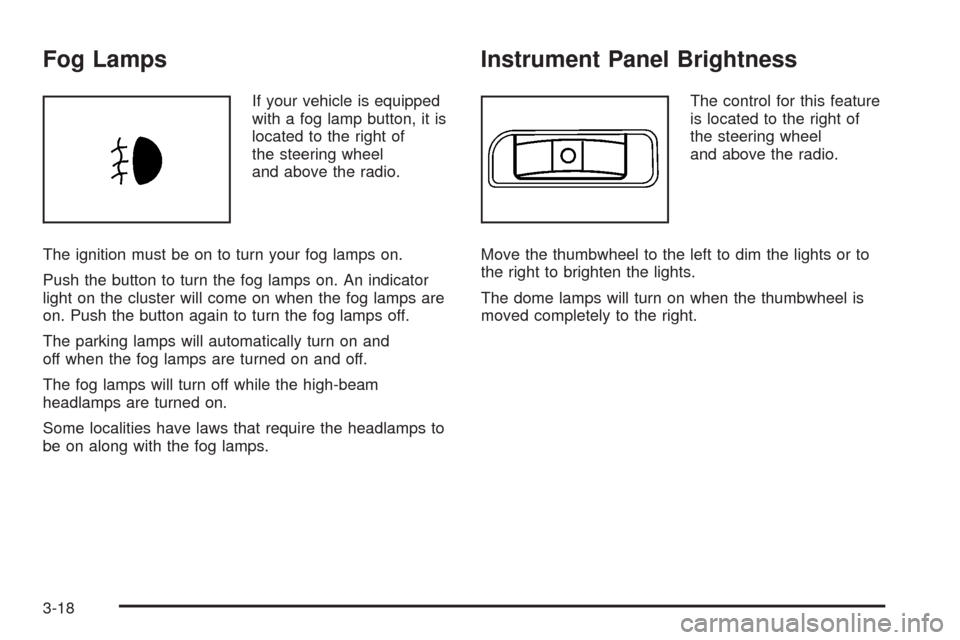
If your vehicle is equipped
with a fog lamp button, it is
located to the right of
the steering wheel
and above the radio.
The ignition must be on to turn your fog lamps on.
Push the button to turn the fog lamps on. An indicator
light on the cluster will come on when the fog lamps are
on. Push the button again to turn the fog lamps off.
The parking lamps will automatically turn on and
off when the fog lamps are turned on and off.
The fog lamps will turn off while the high-beam
headlamps are turned on.
Some localities have laws that require the headlamps to
be on along with the fog lamps.
Instrument Panel Brightness
The control for this feature
is located to the right of
the steering wheel
and above the radio.
Move the thumbwheel to the left to dim the lights or to
the right to brighten the lights.
The dome lamps will turn on when the thumbwheel is
moved completely to the right.
3-18