lock CHEVROLET HHR 2009 1.G Workshop Manual
[x] Cancel search | Manufacturer: CHEVROLET, Model Year: 2009, Model line: HHR, Model: CHEVROLET HHR 2009 1.GPages: 450, PDF Size: 2.49 MB
Page 157 of 450
Instrument Panel Brightness
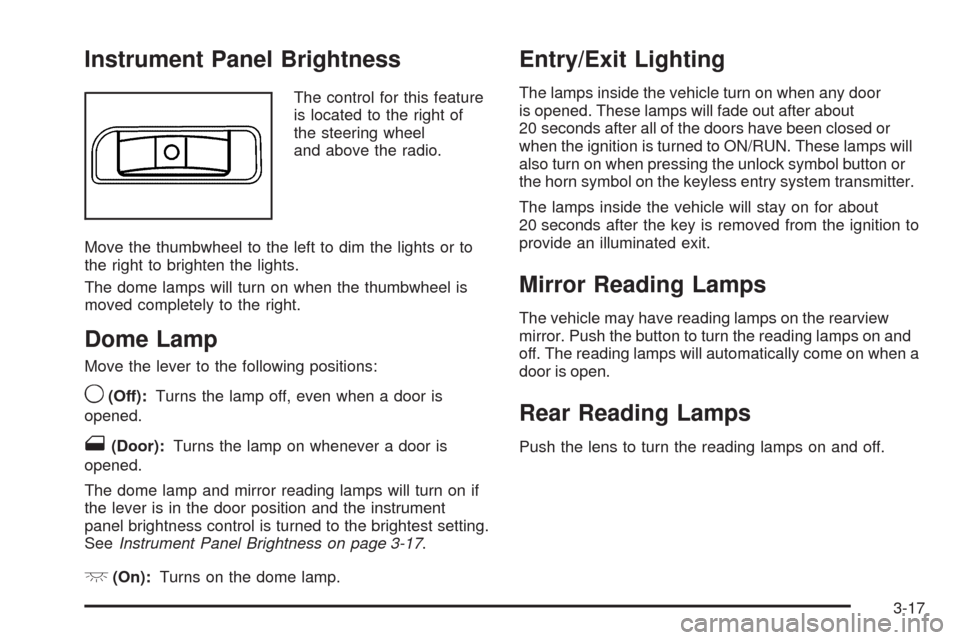
The control for this feature
is located to the right of
the steering wheel
and above the radio.
Move the thumbwheel to the left to dim the lights or to
the right to brighten the lights.
The dome lamps will turn on when the thumbwheel is
moved completely to the right.
Dome Lamp
Move the lever to the following positions:
9(Off):Turns the lamp off, even when a door is
opened.
1(Door):Turns the lamp on whenever a door is
opened.
The dome lamp and mirror reading lamps will turn on if
the lever is in the door position and the instrument
panel brightness control is turned to the brightest setting.
SeeInstrument Panel Brightness on page 3-17.
+(On):Turns on the dome lamp.
Entry/Exit Lighting
The lamps inside the vehicle turn on when any door
is opened. These lamps will fade out after about
20 seconds after all of the doors have been closed or
when the ignition is turned to ON/RUN. These lamps will
also turn on when pressing the unlock symbol button or
the horn symbol on the keyless entry system transmitter.
The lamps inside the vehicle will stay on for about
20 seconds after the key is removed from the ignition to
provide an illuminated exit.
Mirror Reading Lamps
The vehicle may have reading lamps on the rearview
mirror. Push the button to turn the reading lamps on and
off. The reading lamps will automatically come on when a
door is open.
Rear Reading Lamps
Push the lens to turn the reading lamps on and off.
3-17
Page 162 of 450
9(Off):Turn the fan control to this position to turn the
fan off.
Temperature Control:Turn clockwise or
counterclockwise to increase or decrease the
temperature.
9(Fan):Turn clockwise or counterclockwise to
increase or decrease the fan speed. In any setting other
than off, the fan runs continuously with the ignition on.
The fan must be turned on to run the air conditioning (AC)
compressor.
Air Delivery Mode Control:Turn clockwise or
counterclockwise to change the direction of the airow
inside the vehicle.
To change the current mode, select one of the following:
H(Vent):Air is directed to the instrument panel
outlets.
)(Bi-Level):Air is divided between the instrument
panel outlets and the oor outlets.
6(Floor):Air is directed to the oor outlets, with
some air directed to the windshield and side windows.
-(Defog):This mode clears the windows of fog or
moisture. Air is directed to the windshield, side window,
and oor outlets. In this mode, the system runs the air
conditioning compressor. To defog the windows faster,
turn the temperature control knob clockwise to the
warmest setting.
0(Defrost):This mode removes fog or frost from
the windshield more quickly. Air is directed to the
windshield, with some air directed to the side window
and oor outlets. In this mode, the system runs the
air conditioning compressor. To defrost the windows
faster, turn the temperature control knob clockwise
to the warmest setting.
#(Air Conditioning):Press to turn the air conditioning
system on or off. An indicator light comes on to show
that the air conditioning is on.
On hot days, open the windows to let hot inside air
escape; then close them. This helps to reduce the time
it takes for your vehicle to cool down. It also helps
the system to operate more efficiently.
3-22
Page 164 of 450
If the vehicle speed is greater than 50 mph (80 km/h)
and the rear defogger is on, it remains on as long as the
speed is greater than 50 mph (80 km/h). The defogger
can also be turned off by turning off the engine.
For vehicles with the remote start feature, the rear
defogger automatically turns on if it is cold outside. When
the vehicle transitions out of the remote start mode, the
rear defogger turns off. SeeRemote Keyless Entry (RKE)
System Operation on page 2-4
Notice:Do not use anything sharp on the inside
of the rear window. If you do, you could cut or
damage the warming grid, and the repairs would not
be covered by the vehicle warranty. Do not attach a
temporary vehicle license, tape, a decal or anything
similar to the defogger grid.
Outlet Adjustment
Turn the outlets and move the outlet vanes to change
the direction of the airow and to open and close
the outlets.
Operation Tips
Clear away any ice, snow or leaves from the air
inlets at the base of the windshield that may
block the ow of air into the vehicle.
Use of non-GM approved hood deectors may
adversely affect the performance of the system.
Keep the path under the front seats clear of objects
to help circulate the air inside of the vehicle more
effectively.
Passenger Compartment Air Filter
The lter removes dust and pollen from the air which is
drawn into the vehicle. Airow reduction is an indication
that the lter needs to be replaced.
The lter should be replaced as part of routine scheduled
maintenance. SeeScheduled Maintenance on page 6-4
for replacement intervals. To nd out what type of lter to
use, seeMaintenance Replacement Parts on page 6-16.
3-24
Page 174 of 450
Antilock Brake System (ABS)
Warning Light
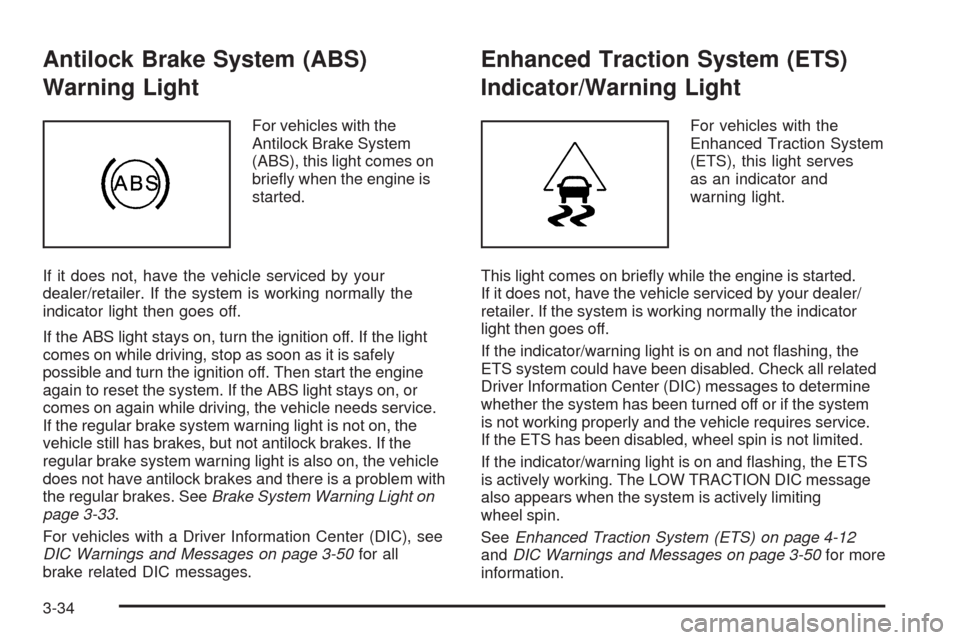
For vehicles with the
Antilock Brake System
(ABS), this light comes on
briey when the engine is
started.
If it does not, have the vehicle serviced by your
dealer/retailer. If the system is working normally the
indicator light then goes off.
If the ABS light stays on, turn the ignition off. If the light
comes on while driving, stop as soon as it is safely
possible and turn the ignition off. Then start the engine
again to reset the system. If the ABS light stays on, or
comes on again while driving, the vehicle needs service.
If the regular brake system warning light is not on, the
vehicle still has brakes, but not antilock brakes. If the
regular brake system warning light is also on, the vehicle
does not have antilock brakes and there is a problem with
the regular brakes. SeeBrake System Warning Light on
page 3-33.
For vehicles with a Driver Information Center (DIC), see
DIC Warnings and Messages on page 3-50for all
brake related DIC messages.
Enhanced Traction System (ETS)
Indicator/Warning Light
For vehicles with the
Enhanced Traction System
(ETS), this light serves
as an indicator and
warning light.
This light comes on briey while the engine is started.
If it does not, have the vehicle serviced by your dealer/
retailer. If the system is working normally the indicator
light then goes off.
If the indicator/warning light is on and not ashing, the
ETS system could have been disabled. Check all related
Driver Information Center (DIC) messages to determine
whether the system has been turned off or if the system
is not working properly and the vehicle requires service.
If the ETS has been disabled, wheel spin is not limited.
If the indicator/warning light is on and ashing, the ETS
is actively working. The LOW TRACTION DIC message
also appears when the system is actively limiting
wheel spin.
SeeEnhanced Traction System (ETS) on page 4-12
andDIC Warnings and Messages on page 3-50for more
information.
3-34
Page 184 of 450
Region A Gage and Speedometer
Displays
Change the information displayed in Region A by
turning the knob either clockwise or counterclockwise.
The available gages are:
BOOST:Displays positive boost pressure as
determined by the manifold air pressure (MAP) sensor.
AIR/FUEL RATIO:Displays the mass ratio of air
to fuel.
CAM PHASER ANGLES:Displays orientation of the
intake and exhaust cam shafts relative to their park
positions as commanded by the engine control module.
OVERLAP represents the total distance the intake and
exhaust cam shafts have phased.
SPARK ADVANCE/ KNOCK RETARD:The spark
advance gage displays ignition timing. Knock retard
indicates the amount of ignition delay to reduce spark
knock.
ENGINE POWER & TORQUE:Displayed engine power
and torque are engine ywheel output values calculated
by the engine control module. These values are
approximate and may change with the air conditioning
load, generator output, air temperature, air pressure, and
fuel octane.SPEEDOMETER&GFORCE:The G FORCE meter
displays lateral acceleration. While turning right, G forces
are felt on the left, and vice versa. PEAK values are
stored indenitely, and can be reset with a press and hold
of the RPD knob while viewing the G FORCE meter.
SETUP MENU:Press the RPD knob to enter this menu.
The vehicle should be stopped while conguring the
setup menu selections.
SCREEN OFF:Turns the screen off.
Region B Readout Displays
Press the RPD knob to highlight Region B. The
information displayed can be changed by turning
the RPD knob either clockwise or counterclockwise.
Press the RPD knob again, to store the selection.
The selection will also be stored after a few seconds
of no activity. Available modes are:
Readouts #1
SHIFT LIGHTS/GEAR INDICATION:The shift lights
provide visual identication of engine speed for a
transmission gear. Shift light minimum and maximum
RPM settings can be viewed and congured in the
SETUP screen.
3-44
Page 187 of 450
SETUP MENU Options
GAUGE APPEARANCE:While the gage is highlighted,
press the RPD knob. Then turn the knob to choose
the background color for a gage. Press the knob again
when gage color is chosen.
SHIFT LIGHT SETUP:This screen establishes a RPM
range where the shift light comes on for each gear.
Turn the RPD knob to highlight a shift light setting.
Press the knob to allow adjustment of the highlighted
setting. Turn the knob to adjust the value up or down,
then press the knob again to allow the selection of
another item. The number above each gear shows
the highest RPM the light comes on for a gear range.
The number below each gear indicates the lowest
RPM the light comes on for a gear range.
INDICATORS ON/OFF:Select on or off for each
indicator by turning the RPD knob to highlight ON or OFF.
Press and Release the RPD knob to apply the choice.
The actual Traction Control, StabiliTrak
®, Competitive
Mode, Launch Control functions and instrument panel
cluster telltales are not enabled or disabled by these
indicators.SCREEN ORDER:While the screen order is highlighted,
press the knob to allow adjustment. Turn the knob to
reverse the displayed order of Region A and Region B.
Press the knob again once the screen is chosen.
CONTRAST:While the contrast slider is highlighted,
press the knob to allow adjustment. Turn the knob
to adjust the contrast of the screen. Press the knob
again when the desired contrast is reached.
RESTORE DEFAULTS:Restores the original factory
screen defaults.
Applying a SETUP MENU Option
After each screen is customized, use this procedure to
apply the change and return to the SETUP MENU.
SET:Applies the changes to the display.
1. Turn until SET is highlighted.
2. Press and release while SET is highlighted to lock
in the setting and return to the previous screen.
RETURN /RET:Returns the display to the previous
screen without saving changes.
1. Turn to highlight the RETURN/RET option.
2. Press and release knob to return to the
previous menu.
3-47
Page 197 of 450
UNITS
This feature allows you to select the units of
measurement in which the DIC will display the vehicle
information. When UNITS appears on the display, press
and hold the reset button for at least one second to
scroll through the available settings:
ENGLISH (default in United States):All information
will be displayed in English units.
METRIC (default in Canada):All information will be
displayed in metric units.
To select a setting and move on to the next feature,
press the information button while the desired setting is
displayed on the DIC.
REMOTE START
If your vehicle has remote start, this feature allows
remote start to be turned off or on. Remote start allows
you to start the engine from outside of the vehicle
using your Remote Keyless Entry (RKE) transmitter.
When REMOTE START appears on the display, press
and hold the reset button for at least one second to
scroll through the available settings:
OFF:The remote start feature will be disabled.
ON (default):The remote start feature will be enabled.SeeRemote Vehicle Start on page 2-7for more
information.
To select a setting and move on to the next feature,
press the information button while the desired setting is
displayed on the DIC.
LOCK HORN
This feature, which allows the vehicle’s horn to chirp
every time the lock button on the Remote Keyless Entry
(RKE) transmitter is pressed, can be enabled or disabled.
When LOCK HORN appears on the display, press and
hold the reset button for at least one second to scroll
through the available settings:
OFF (default):The horn will not chirp on the rst press
of the lock button on the RKE transmitter. The horn will
still chirp on the second press.
ON:The horn will chirp on the rst press of the lock
button on the RKE transmitter.
SeeRemote Keyless Entry (RKE) System Operation on
page 2-4for more information.
To select a setting and move on to the next feature,
press the information button while the desired setting is
displayed on the DIC.
3-57
Page 198 of 450
UNLOCK HORN
This feature, which allows the vehicle’s horn to chirp on
the rst press of the unlock button on the Remote Keyless
Entry (RKE) transmitter, can be enabled or disabled.
When UNLOCK HORN appears on the display, press and
hold the reset button for at least one second to scroll
through the available settings:
OFF (default):The horn will not chirp when the unlock
button on the RKE transmitter is pressed.
ON:The horn will chirp on the rst press of the unlock
button on the RKE transmitter.
SeeRemote Keyless Entry (RKE) System Operation on
page 2-4for more information.
To select a setting and move on to the next feature,
press the information button while the desired setting is
displayed on the DIC.
LIGHT FLASH
This feature, which allows the vehicle’s exterior
hazard/turn signal lighting to ash every time the lock or
unlock button on the Remote Keyless Entry (RKE)
transmitter is pressed, can be enabled or disabled.When LIGHT FLASH appears on the display, press and
hold the reset button for at least one second to scroll
through the available settings:
OFF:The exterior hazard/turn signal lighting will not
ash when the lock or unlock button on the RKE
transmitter is pressed.
ON (default):The exterior hazard/turn signal lighting
will ash when the lock or unlock button on the RKE
transmitter is pressed.
SeeRemote Keyless Entry (RKE) System Operation on
page 2-4for more information.
To select a setting and move on to the next feature,
press the information button while the desired setting is
displayed on the DIC.
DELAY LOCK
This feature, which delays the actual locking of the
vehicle, can be enabled or disabled. When DELAY LOCK
appears on the display, press and hold the reset button
for at least one second to scroll through the available
settings:
ON (default):The doors will not lock until ve seconds
after the last door is closed. You can temporarily override
delayed locking by pressing the power lock switch or
the lock button on the Remote Keyless Entry (RKE)
transmitter a second time.
3-58
Page 199 of 450
OFF:The doors will lock immediately when pressing
the power lock switch or the lock button on the
RKE transmitter.
SeePower Door Locks on page 2-9,Delayed Locking
on page 2-10, andRemote Keyless Entry (RKE) System
Operation on page 2-4for more information.
To select a setting and move on to the next feature,
press the information button while the desired setting is
displayed on the DIC.
AUTO UNLK (Unlock)
This feature, which allows the vehicle to automatically
unlock certain doors, can be enabled or disabled. When
AUTO UNLK appears on the display, press and hold
the reset button for at least one second to scroll through
the available settings:
ALL (default):All of the doors will automatically unlock.
DRIVER:The driver’s door will automatically unlock.
NONE:None of the doors will automatically unlock.
You will need to manually unlock the doors.
If you have a manual transmission vehicle, the door(s)
will automatically unlock when the key is turned off.
If you have an automatic transmission vehicle, you
can select when the automatic unlocking will occur.
See “UNLK (Unlock) (Automatic Transmission Only)”
following.SeeProgrammable Automatic Door Unlock on page 2-10
for more information.
To select a setting and move on to the next feature,
press the information button while the desired setting is
displayed on the DIC.
UNLK (Unlock) (Automatic
Transmission Only)
This screen displays only if your vehicle has an automatic
transmission and DRIVER or ALL is selected for the
AUTO UNLK feature. This feature determines when the
automatic door unlocking will occur. When UNLK appears
on the display, press and hold the reset button for at least
one second to scroll through the available settings:
KEY OFF:The door(s) will unlock when the key is
turned off.
SHIFT TO P (Park) (default):The door(s) will unlock
when the vehicle is shifted into P (Park).
SeeProgrammable Automatic Door Unlock on
page 2-10for more information.
To select a setting and move on to the next feature,
press the information button while the desired setting is
displayed on the DIC.
3-59
Page 200 of 450
EXT (Exterior) LIGHTS
This feature, which allows the vehicle’s exterior perimeter
lighting to turn on each time the unlock button on the
Remote Keyless Entry (RKE) transmitter is pressed, can
be enabled or disabled. When EXT LIGHTS appears on
the display, press and hold the reset button for at least
one second to scroll through the available settings:
OFF:The exterior perimeter lighting will not turn on
when the unlock button on the RKE transmitter is
pressed.
ON (default):The exterior perimeter lighting will turn
on when the unlock button on the RKE transmitter
is pressed.
SeeRemote Keyless Entry (RKE) System Operation on
page 2-4for more information.
To select a setting and move on to the next feature,
press the information button while the desired setting is
displayed on the DIC.
LANGUAGE
This feature allows you to select the language in which
the DIC will display. When LANGUAGE appears on
the display, press and hold the reset button for at least
one second to scroll through the available settings:
ENGLISH (default):All messages will appear in
English.
FRENCH:All messages will appear in French.
SPANISH:All messages will appear in Spanish.
GERMAN:All messages will appear in German.
To select a setting and exit out of the personalization
menu mode, press the information button while the
desired setting is displayed on the DIC.
Exiting Personalization Menu
The personalization menu will be exited when any of the
following conditions occur:
A ten second time period has elapsed.
The ignition is turned off.
The end of the personalization menu list is reached.
3-60