traction control CHEVROLET HHR 2010 1.G User Guide
[x] Cancel search | Manufacturer: CHEVROLET, Model Year: 2010, Model line: HHR, Model: CHEVROLET HHR 2010 1.GPages: 480, PDF Size: 5.25 MB
Page 215 of 480
AUTO (Automatic) LIGHTS OFF
This message displays if the automatic headlamp
system is disabled with the headlamp switch. See
Automatic Headlamp System
on page 4‑12for more
information.
AUTO (Automatic) LIGHTS ON
This message displays if the automatic headlamp
system is enabled with the headlamp switch. See
Automatic Headlamp System
on page 4‑12for more
information.
BRAKE FLUID
This message displays, while the ignition is on, when
the brake fluid level is low. The brake system warning
light on the instrument panel cluster also comes on.
See Brake System Warning Light
on page 4‑30for
more information. Have the brake system serviced by
your dealer/retailer as soon as possible.
CHANGE OIL SOON
This message displays when the life of the engine oil
has expired and it should be changed.
When this message is acknowledged and cleared from
the display, the engine oil life system must still be reset
separately. See Engine Oil Life System
on page 6‑23andScheduled Maintenanceon page 7‑3for more
information.
CHECK GAS CAP
This message displays if the fuel cap has not been fully
tightened. Recheck the fuel cap to make sure that it is
on properly. A few driving trips with the cap properly
installed should turn the message off.
COMPETITIVE MODE
If your vehicle has this feature, this message displays
when the Competitive Driving mode is selected. The
Traction Control System (TCS) will not be operating
while in the Competitive Driving mode and the ESC/
TCS light on the instrument panel cluster will be on
solid. Adjust your driving accordingly. See Traction
Control System (TCS)
on page 5‑9, Electronic
Stability Control (ESC)on page 5‑6, and Electronic
Stability Control (ESC)/Traction Control System (TCS)
Indicator/Warning Light
on page 4‑33for more
information.
COOLING MODE ON
This message may display on some vehicles. Under
severe conditions, hot ambient temperatures, steep
grades, and towing, your vehicle may experience more
transmission shifting. This is temporary and normal
under these conditions. This does not require engine or
transmission service.
4-49
Page 216 of 480
CRUISE ENGAGED
This message displays when the cruise control system
is active. SeeCruise Controlon page 4‑8for more
information.
DOOR AJAR
This message displays if one or more of the vehicle's
doors are open. Make sure that the door(s) are closed
completely.
ENGINE DISABLED
This message displays if the starting of the engine is
disabled. Have your vehicle serviced by your dealer/
retailer immediately.
ENG (Engine) PWR (Power) REDUCED
This message displays to inform you that the vehicle
has reduced engine power to avoid damaging the
engine. Reduced engine power can affect the vehicle's
ability to accelerate. If this message is on, but there
is no reduction in performance, proceed to your
destination. The performance may be reduced the
next time the vehicle is driven. The vehicle may be
driven at a reduced speed while this message is on,
but acceleration and speed may be reduced. Anytime
this message stays on, the vehicle should be taken to
your dealer/retailer for service as soon as possible.
ESC (Electronic Stability Control) ACTIVE
If your vehicle has Electronic Stability Control (ESC),
this message displays and the ESC/TCS light on the
instrument panel cluster flashes when ESC is assisting
you with directional control of the vehicle. You may
feel or hear the system working and see this message
displayed in the DIC. Slippery road conditions may exist
when this message is displayed, so adjust your driving
accordingly. This message may stay on for a few
seconds after ESC stops assisting you with directional
control of the vehicle. This is normal when the system
is operating. See Electronic Stability Control (ESC)
on
page 5‑6and Electronic Stability Control (ESC)/
Traction Control System (TCS) Indicator/Warning Light
on page 4‑33for more information.
ESC (Electronic Stability Control)
NOT READY
If your vehicle has Electronic Stability Control (ESC),
this message may display briefly after starting the
vehicle if the system's sensors are not yet calibrated.
The system is not functional until the message stops
displaying. Adjust your driving accordingly. When
the message is no longer displayed, the system is
functional. See Electronic Stability Control (ESC)
on
page 5‑6for more information.
4-50
Page 217 of 480
ESC (Electronic Stability Control) OFF
If your vehicle has Electronic Stability Control (ESC),
this message displays and the ESC/TCS light on the
instrument panel cluster comes on solid when ESC
is turned off. Adjust your driving accordingly. See
Electronic Stability Control (ESC)
on page 5‑6and
Electronic Stability Control (ESC)/Traction Control
System (TCS) Indicator/Warning Light
on page 4‑33for more information.
GATE AJAR
This message displays when the liftgate is open. Make
sure that the liftgate is closed completely. See Liftgate
on page 3‑13for more information.
ICE POSSIBLE
This message displays when the outside air
temperature is cold enough to create icy road
conditions. Adjust your driving accordingly.
KEY FOB BATT (Battery) LOW
This message displays if the Remote Keyless Entry
(RKE) transmitter battery is low. Replace the battery in
the transmitter. See“Battery Replacement” under
Remote Keyless Entry (RKE) System Operation
on
page 3‑4.
LAUNCH CONTROL
If your vehicle has this feature, this message displays
after the COMPETITIVE MODE message when the
vehicle is stopped. Launch control is a form of traction
control to control wheel spin while launching the vehicle
during closed track events and competitive driving
venues. The system will exit to COMPETITIVE MODE
after the vehicle is launched. See “COMPETITIVE
MODE” earlier in this section. See “Launch Control”
under Electronic Stability Control (ESC)
on page 5‑6for more information.
LOW FUEL
This message displays when your vehicle is low on fuel.
Refill the fuel tank as soon as possible. See Fuel
Gauge
on page 4‑40, Fuelon page 6‑5, and Filling
the Tankon page 6‑10for more information.
4-51
Page 218 of 480
LOW TRACTION
If your vehicle has the Enhanced Traction System
(ETS) or Traction Control System (TCS), this message
displays and the ETS light or the ESC/TCS light on the
instrument panel cluster flashes when the system is
actively limiting wheel spin. Slippery road conditions
may exist if this message is displayed, so adjust your
driving accordingly. This message stays on for a few
seconds after the system stops limiting wheel spin.
SeeEnhanced Traction System (ETS)
on page 5‑11orTraction Control System (TCS)on page 5‑9and
Enhanced Traction System (ETS) Indicator/Warning
Light
on page 4‑32or Electronic Stability Control
(ESC)/Traction Control System (TCS) Indicator/Warning
Light
on page 4‑33for more information.
PARKING BRAKE
This message displays if the parking brake is left
engaged. See Parking Brakeon page 3‑34for
more information.
POWER STEERING
This message displays if a problem has been detected
with the electric power steering. Have your vehicle
serviced by your dealer/retailer immediately.
SERVICE AIR BAG
This message displays when there is a problem with
the airbag system. Have your vehicle serviced by your
dealer/retailer immediately.
SERVICE ESC (ELECTRONIC STABILITY
CONTROL)
If your vehicle has Electronic Stability Control (ESC),
this message displays and a chime sounds if there has
been a problem detected with ESC. The ESC/TCS light
also appears on the instrument panel cluster. This light
stays on solid as long as the detected problem remains
present. When this message displays, the system is not
working. Adjust your driving accordingly. See Electronic
Stability Control (ESC)
on page 5‑6and Electronic
Stability Control (ESC)/Traction Control System (TCS)
Indicator/Warning Light
on page 4‑33for more
information.
If this message turns on while you are driving, pull off
the road as soon as possible and stop carefully. Try
resetting the system by turning the ignition off and then
back on. If this message still stays on or turns back on
again while you are driving, your vehicle needs service.
Have the ESC inspected by your dealer/retailer as soon
as possible.
4-52
Page 219 of 480
SERVICE TRACTION
If your vehicle has the Enhanced Traction System
(ETS) or Traction Control System (TCS), this message
displays and a chime sounds when the system is not
functioning properly. The ETS light or the ESC/TCS light
also appears on the instrument panel cluster. This light
stays on solid as long as the detected problem remains
present. When this message displays, the system is not
working. Adjust your driving accordingly. SeeEnhanced
Traction System (ETS)
on page 5‑11or Traction
Control System (TCS)on page 5‑9and Enhanced
Traction System (ETS) Indicator/Warning Lighton
page 4‑32or Electronic Stability Control (ESC)/Traction
Control System (TCS) Indicator/Warning Lighton
page 4‑33for more information. Have the system
serviced by your dealer/retailer as soon as possible.
SVC (Service) BRAKE SYSTEM
This message may display if you have a turbocharged
vehicle with Electronic Stability Control (ESC) and if the
hydraulic brake boost is not working or is working
improperly. Have the brake system serviced by your
dealer/retailer as soon as possible.
SVC (Service) TIRE MONITOR
If your vehicle has a Tire Pressure Monitor System
(TPMS), this message displays if a part on the TPMS is
not working properly. The tire pressure light also flashes
and then remains on during the same ignition cycle.
See Tire Pressure Light
on page 4‑35. Several
conditions may cause this message to appear. See
Tire Pressure Monitor Operation
on page 6‑65for
more information. If the warning comes on and stays
on, there may be a problem with the TPMS. See your
dealer/retailer.
TIRE LOW ADD AIR
If your vehicle has a Tire Pressure Monitor System
(TPMS), this message displays when the pressure in
one or more of the vehicle's tires is low. The low tire
pressure warning light will also come on. See Tire
Pressure Light
on page 4‑35. If a tire pressure
message appears on the DIC, stop as soon as you can.
Have the tire pressures checked and set to those
shown on the Tire Loading Information label. See Tires
on page 6‑54,Loading the Vehicleon page 5‑24, and
Inflation - Tire Pressureon page 6‑63. The DIC also
shows the tire pressure values. See DIC Operation and
Displays
on page 4‑46.
4-53
Page 220 of 480
TRACTION OFF
If your vehicle has the Enhanced Traction System
(ETS) or Traction Control System (TCS), this message
displays and the ETS light or the ESC/TCS light on the
instrument panel cluster comes on solid when the
system is turned off. Adjust your driving accordingly.
SeeEnhanced Traction System (ETS)
on page 5‑11or
Traction Control System (TCS)on page 5‑9and
Enhanced Traction System (ETS) Indicator/Warning
Light
on page 4‑32or Electronic Stability Control
(ESC)/Traction Control System (TCS) Indicator/Warning
Light
on page 4‑33for more information.
DIC Vehicle Personalization
Your vehicle has personalization capabilities that allow
you to program certain features to a preferred setting.
All of the features listed may not be available on your
vehicle. Only the features available will be displayed on
the DIC.
The default settings for the features were set when your
vehicle left the factory, but may have been changed
from their default state since that time. To change feature settings, use the following procedure:
Entering Personalization Menu
1. Turn the ignition on while the vehicle is stopped.
To avoid excessive drain on the battery, it is
recommended that the headlamps are turned off.
2. Press and hold the information and reset buttons at the same time for one second, then release to
enter the personalization menu.
If the vehicle speed is greater than 2 mph (3 km/h),
only the UNITS menu will be accessible.
3. Press the information button to scroll through the available personalization menu modes.
Press the reset button to scroll through the
available settings for each mode.
If you do not make a selection within ten seconds,
the display will go back to the previous information
displayed.
4-54
Page 263 of 480
Section 5 Driving Your Vehicle
Your Driving, the Road, and the Vehicle. . . . . . . . . . 5-2
Defensive Driving . . . . . . . . . . . . . . . . . . . . . . . . . . . . . . . 5-2
Drunk Driving . . . . . . . . . . . . . . . . . . . . . . . . . . . . . . . . . . . 5-2
Control of a Vehicle . . . . . . . . . . . . . . . . . . . . . . . . . . . . . 5-3
Braking . . . . . . . . . . . . . . . . . . . . . . . . . . . . . . . . . . . . . . . . . 5-3
Antilock Brake System (ABS) . . . . . . . . . . . . . . . . . . . 5-4
Braking in Emergencies . . . . . . . . . . . . . . . . . . . . . . . . . 5-5
Electronic Stability Control (ESC) . . . . . . . . . . . . . . . 5-6
Traction Control System (TCS) . . . . . . . . . . . . . . . . . . 5-9
Enhanced Traction System (ETS) . . . . . . . . . . . . . . 5-11
Limited-Slip Differential . . . . . . . . . . . . . . . . . . . . . . . . 5-13
Steering . . . . . . . . . . . . . . . . . . . . . . . . . . . . . . . . . . . . . . . 5-13
Off-Road Recovery . . . . . . . . . . . . . . . . . . . . . . . . . . . . 5-15
Passing . . . . . . . . . . . . . . . . . . . . . . . . . . . . . . . . . . . . . . . . 5-15
Loss of Control . . . . . . . . . . . . . . . . . . . . . . . . . . . . . . . . 5-15
Racing or Other Competitive Driving . . . . . . . . . . . 5-17 Driving at Night . . . . . . . . . . . . . . . . . . . . . . . . . . . . . . . . 5-17
Driving in Rain and on Wet Roads . . . . . . . . . . . . . 5-18
Before Leaving on a Long Trip . . . . . . . . . . . . . . . . . 5-19
Highway Hypnosis . . . . . . . . . . . . . . . . . . . . . . . . . . . . . 5-19
Hill and Mountain Roads . . . . . . . . . . . . . . . . . . . . . . . 5-20
Winter Driving . . . . . . . . . . . . . . . . . . . . . . . . . . . . . . . . . 5-21
If Your Vehicle is Stuck in Sand,
Mud, Ice, or Snow . . . . . . . . . . . . . . . . . . . . . . . . . . 5-23
Rocking Your Vehicle to Get It Out . . . . . . . . . . . . . 5-24
Loading the Vehicle . . . . . . . . . . . . . . . . . . . . . . . . . . . . 5-24
Towing . . . . . . . . . . . . . . . . . . . . . . . . . . . . . . . . . . . . . . . . . . . . 5-29
Towing Your Vehicle . . . . . . . . . . . . . . . . . . . . . . . . . . . 5-29
Recreational Vehicle Towing . . . . . . . . . . . . . . . . . . . 5-30
Towing a Trailer (Automatic Transmission) . . . . . 5-32
Towing a Trailer (Manual Transmission) . . . . . . . . 5-40
5-1
Page 265 of 480
For persons under 21, it is against the law in every
U.S. state to drink alcohol. There are good medical,
psychological, and developmental reasons for
these laws.
The obvious way to eliminate the leading highway
safety problem is for people never to drink alcohol
and then drive.
Medical research shows that alcohol in a person's
system can make crash injuries worse, especially
injuries to the brain, spinal cord, or heart. This means
that when anyone who has been drinking—driver or
passenger —is in a crash, that person's chance of
being killed or permanently disabled is higher than if
the person had not been drinking.
Control of a Vehicle
The following three systems help to control the vehicle
while driving —brakes, steering, and accelerator. At
times, as when driving on snow or ice, it is easy to ask
more of those control systems than the tires and road
can provide. Meaning, you can lose control of the
vehicle. See Traction Control System (TCS)
on
page 5‑9, Enhanced Traction System (ETS)on
page 5‑11, and Electronic Stability Control (ESC)on
page 5‑6.
Adding non‐dealer/non‐retailer accessories can affect
vehicle performance. See Accessories and
Modifications on page 6‑3.
Braking
See Brake System Warning Light on page 4‑30.
Braking action involves perception time and reaction
time. Deciding to push the brake pedal is perception
time. Actually doing it is reaction time.
Average reaction time is about three‐fourths of a
second. But that is only an average. It might be less
with one driver and as long as two or three seconds or
more with another. Age, physical condition, alertness,
coordination, and eyesight all play a part. So do alcohol,
drugs, and frustration. But even in three‐fourths of a
second, a vehicle moving at 100 km/h (60 mph) travels
20 m (66 feet). That could be a lot of distance in an
emergency, so keeping enough space between the
vehicle and others is important.
And, of course, actual stopping distances vary greatly
with the surface of the road, whether it is pavement or
gravel; the condition of the road, whether it is wet, dry,
or icy; tire tread; the condition of the brakes; the weight
of the vehicle; and the amount of brake force applied.
5-3
Page 268 of 480
Brake Assist
If this vehicle has ESC with ABS, it also has a Brake
Assist feature designed to assist the driver in stopping
or decreasing vehicle speed in emergency driving
conditions. This feature uses the stability system
hydraulic brake control module to supplement the power
brake system under conditions where the driver has
quickly and forcefully applied the brake pedal in an
attempt to quickly stop or slow down the vehicle. The
stability system hydraulic brake control module
increases brake pressure at each corner of the vehicle
until the ABS activates. Minor brake pedal pulsations or
pedal movement during this time is normal and the
driver should continue to apply the brake pedal as the
driving situation dictates The Brake Assist feature will
automatically disengage when the brake pedal is
released or brake pedal pressure is quickly decreased.
Electronic Stability Control (ESC)
The vehicle has an Electronic Stability Control (ESC)
system which combines antilock brake, and traction and
stability control systems that help the driver maintain
directional control of the vehicle in most driving
conditions.
When the vehicle is started and begins to move, the
system performs several diagnostic checks to ensure
there are no problems. The system may be heard or felt
while it is working. This is normal and does not mean
there is a problem with the vehicle. The system should
initialize before the vehicle reaches 20 mph (32 km/h).
If the system fails to turn on or activate, the ESC/TCS
light comes on, and the ESC OFF and/or SERVICE
ESC message displays.
For more information, seeDriver Information Center
(DIC)
on page 4‑46and Electronic Stability Control
(ESC)/Traction Control System (TCS) Indicator/Warning
Light on page 4‑33.
5-6
Page 269 of 480
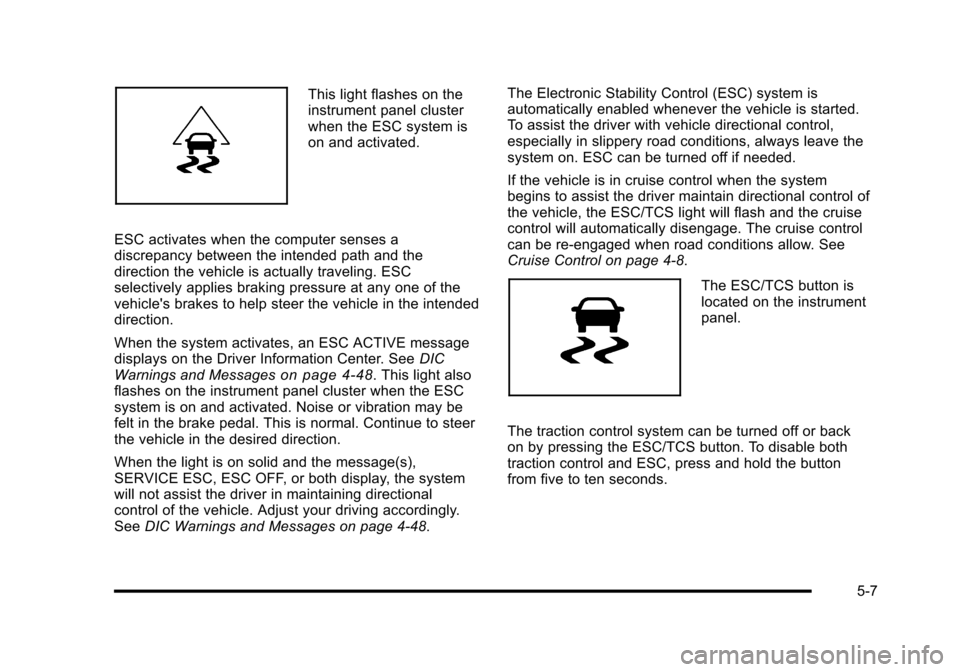
This light flashes on the
instrument panel cluster
when the ESC system is
on and activated.
ESC activates when the computer senses a
discrepancy between the intended path and the
direction the vehicle is actually traveling. ESC
selectively applies braking pressure at any one of the
vehicle's brakes to help steer the vehicle in the intended
direction.
When the system activates, an ESC ACTIVE message
displays on the Driver Information Center. See DIC
Warnings and Messages
on page 4‑48. This light also
flashes on the instrument panel cluster when the ESC
system is on and activated. Noise or vibration may be
felt in the brake pedal. This is normal. Continue to steer
the vehicle in the desired direction.
When the light is on solid and the message(s),
SERVICE ESC, ESC OFF, or both display, the system
will not assist the driver in maintaining directional
control of the vehicle. Adjust your driving accordingly.
See DIC Warnings and Messages on page 4‑48. The Electronic Stability Control (ESC) system is
automatically enabled whenever the vehicle is started.
To assist the driver with vehicle directional control,
especially in slippery road conditions, always leave the
system on. ESC can be turned off if needed.
If the vehicle is in cruise control when the system
begins to assist the driver maintain directional control of
the vehicle, the ESC/TCS light will flash and the cruise
control will automatically disengage. The cruise control
can be re-engaged when road conditions allow. See
Cruise Control on page 4‑8.
The ESC/TCS button is
located on the instrument
panel.
The traction control system can be turned off or back
on by pressing the ESC/TCS button. To disable both
traction control and ESC, press and hold the button
from five to ten seconds.
5-7