fuel CHEVROLET IMPALA 2003 8.G User Guide
[x] Cancel search | Manufacturer: CHEVROLET, Model Year: 2003, Model line: IMPALA, Model: CHEVROLET IMPALA 2003 8.GPages: 408, PDF Size: 2.75 MB
Page 169 of 408

Low Fuel Warning Message
This message is displayed when your vehicle is low on
fuel. Four chimes will also sound.
Refer to the fuel gage for a better indication of the
amount of fuel remaining in the fuel tank.
Low Brake Fluid Warning Message
This message will be displayed when your vehicle has a
brake problem. The brake system warning light will
also be illuminated.
If this message appears, the brakes aren't working
properly. You should have your vehicle serviced
immediately. See
Brake System Warning Light on
page 3-34for more information. United States
CanadaUnited StatesCanada
3-47
Page 171 of 408
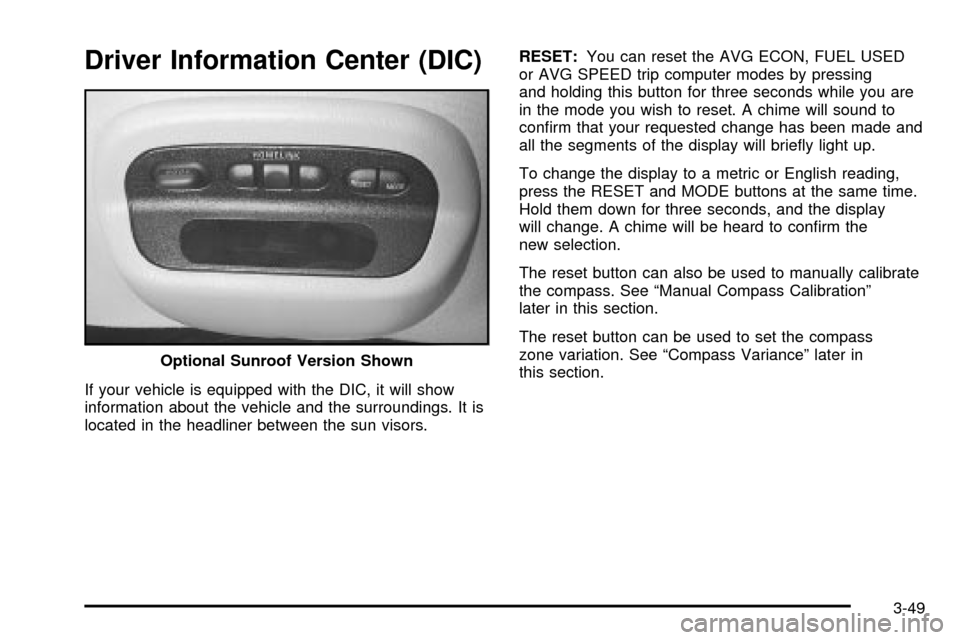
Driver Information Center (DIC)
If your vehicle is equipped with the DIC, it will show
information about the vehicle and the surroundings. It is
located in the headliner between the sun visors.RESET:You can reset the AVG ECON, FUEL USED
or AVG SPEED trip computer modes by pressing
and holding this button for three seconds while you are
in the mode you wish to reset. A chime will sound to
con®rm that your requested change has been made and
all the segments of the display will brie¯y light up.
To change the display to a metric or English reading,
press the RESET and MODE buttons at the same time.
Hold them down for three seconds, and the display
will change. A chime will be heard to con®rm the
new selection.
The reset button can also be used to manually calibrate
the compass. See ªManual Compass Calibrationº
later in this section.
The reset button can be used to set the compass
zone variation. See ªCompass Varianceº later in
this section. Optional Sunroof Version Shown
3-49
Page 173 of 408

All the display segments will be illuminated brie¯y to
acknowledge the change in zone number. A chime will
sound to con®rm that the new zone number has
been set.
Automatic Compass Calibration
The compass is self-calibrating, which eliminates the
need to manually set the compass. When the vehicle is
new, the calibration process may not be complete. In
these cases CAL will be displayed, and all segments of
the compass will be illuminated where the compass
reading is normally displayed.
To calibrate the compass, in an area free from large
metal objects, make one to two 360É turns. The
calibration symbol will turn off and the compass reading
will be displayed.
Manual Compass Calibration
If the compass appears erratic and the calibration
symbol does not appear, you must manually put the
compass into the calibration mode.
Turn the ignition on and cycle the DIC to the
Compass/Temperature mode. Press the RESET button
for at least 10 seconds until the calibration symbol
appears and all segments of the compass display are
illuminated. A chime will sound to con®rm that the
calibration mode is active. Release the button and
complete two or three 360É turns in an area free from
large metal objects. The calibration symbol will turn
off and the compass reading will be displayed. A chime
will sound to verify that the calibration is complete.
Error Displays
·
An error of the speed sensor or fuel sender will
cause -E- to be displayed.
·In the absence of vehicle communications, a
dash Ð is displayed.
If one of these error messages appear, see your dealer.
3-51
Page 174 of 408

Trip Computer
There are ®ve trip computer displays which may be
stepped through by pushing the MODE button.
The information will appear in the following order:
AVG ECON (Average Fuel Economy):This shows the
average fuel economy since the last reset.
INST ECON (Instantaneous Fuel Economy):This
shows fuel economy for the most recent second
of driving.
RANGE (Trip Range):This shows the estimated
distance that can be traveled with the remaining fuel.
The fuel economy used to calculate range is based
on the last few hours of driving. When in a low
fuel condition, LO is displayed.FUEL USED (Trip Fuel Used):This shows the
accumulated fuel used since the last reset.
AVG SPEED (Average Speed):This shows the
average speed since the last reset.
Resetting the Trip Computer
Press and hold the RESET button for at least three
seconds. The reset is acknowledged with all segments
of the display lit brie¯y and a chime. A reset can
only be done in AVG ECON, FUEL USED and AVG
SPEED displays. Each setting must be reset individually.
3-52
Page 238 of 408

The exit ramp can be curved, sometimes quite sharply.
The exit speed is usually posted. Reduce your speed
according to your speedometer, not to your sense
of motion. After driving for any distance at higher
speeds, you may tend to think you are going slower
than you actually are.
Before Leaving on a Long Trip
Make sure you're ready. Try to be well rested. If you
must start when you're not fresh Ð such as after a day's
work Ð don't plan to make too many miles that ®rst
part of the journey. Wear comfortable clothing and shoes
you can easily drive in.
Is your vehicle ready for a long trip? If you keep it
serviced and maintained, it's ready to go. If it needs
service, have it done before starting out. Of course,
you'll ®nd experienced and able service experts in GM
dealerships all across North America. They'll be
ready and willing to help if you need it.Here are some things you can check before a trip:
·Windshield Washer Fluid:Is the reservoir full? Are
all windows clean inside and outside?
·Wiper Blades:Are they in good shape?
·Fuel, Engine Oil, Other Fluids:Have you checked
all levels?
·Lamps:Are they all working? Are the lenses clean?
·Tires:They are vitally important to a safe,
trouble-free trip. Is the tread good enough for
long-distance driving? Are the tires all in¯ated to the
recommended pressure?
·Weather Forecasts:What's the weather outlook
along your route? Should you delay your trip a
short time to avoid a major storm system?
·Maps:Do you have up-to-date maps?
4-22
Page 245 of 408
You can run the engine to keep warm, but be careful.
{CAUTION:
Snow can trap exhaust gases under your
vehicle. This can cause deadly CO (carbon
monoxide) gas to get inside. CO could
overcome you and kill you. You can't see it or
smell it, so you might not know it is in your
vehicle. Clear away snow from around the
base of your vehicle, especially any that is
blocking your exhaust pipe. And check around
again from time to time to be sure snow
doesn't collect there.
Open a window just a little on the side of the
vehicle that's away from the wind. This will
help keep CO out.Run your engine only as long as you must. This saves
fuel. When you run the engine, make it go a little
faster than just idle. That is, push the accelerator
slightly. This uses less fuel for the heat that you get and
it keeps the battery charged. You will need a
well-charged battery to restart the vehicle, and possibly
for signaling later on with your headlamps. Let the
heater run for a while.
Then, shut the engine off and close the window almost
all the way to preserve the heat. Start the engine
again and repeat this only when you feel really
uncomfortable from the cold. But do it as little as
possible. Preserve the fuel as long as you can. To help
keep warm, you can get out of the vehicle and do
some fairly vigorous exercises every half hour or so until
help comes.
4-29
Page 249 of 408
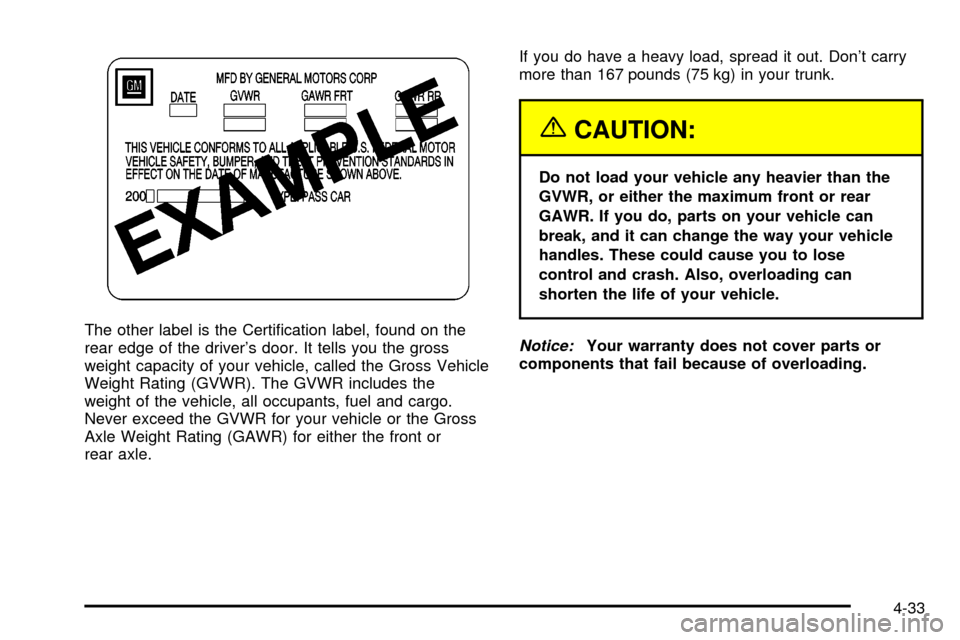
The other label is the Certi®cation label, found on the
rear edge of the driver's door. It tells you the gross
weight capacity of your vehicle, called the Gross Vehicle
Weight Rating (GVWR). The GVWR includes the
weight of the vehicle, all occupants, fuel and cargo.
Never exceed the GVWR for your vehicle or the Gross
Axle Weight Rating (GAWR) for either the front or
rear axle.If you do have a heavy load, spread it out. Don't carry
more than 167 pounds (75 kg) in your trunk.
{CAUTION:
Do not load your vehicle any heavier than the
GVWR, or either the maximum front or rear
GAWR. If you do, parts on your vehicle can
break, and it can change the way your vehicle
handles. These could cause you to lose
control and crash. Also, overloading can
shorten the life of your vehicle.
Notice:Your warranty does not cover parts or
components that fail because of overloading.
4-33
Page 250 of 408
If you put things inside your vehicle Ð like suitcases,
tools, packages or anything else Ð they will go as fast
as the vehicle goes. If you have to stop or turn
quickly, or if there is a crash, they'll keep going.
{CAUTION:
Things you put inside your vehicle can strike
and injure people in a sudden stop or turn, or
in a crash.
·Put things in the trunk of your vehicle. In a
trunk, put them as far forward as you can.
Try to spread the weight evenly.
·Never stack heavier things, like suitcases,
inside the vehicle so that some of them
are above the tops of the seats.
·Don't leave an unsecured child restraint in
your vehicle.
·When you carry something inside the
vehicle, secure it whenever you can.
·Don't leave a seat folded down unless you
need to.
Towing a Trailer
{CAUTION:
If you don't use the correct equipment and
drive properly, you can lose control when you
pull a trailer. For example, if the trailer is too
heavy, the brakes may not work well Ð or
even at all. You and your passengers could be
seriously injured. You may also damage your
vehicle; the resulting repairs would not be
covered by your warranty. Pull a trailer only if
you have followed all the steps in this section.
Ask your dealer for advice and information
about towing a trailer with your vehicle.
Your vehicle can tow a trailer if it is equipped with the
proper trailer towing equipment. To identify what
the vehicle trailering capacity is for your vehicle, you
should read the information inºWeight of the Trailerº that
appears later in this section. But trailering is different
than just driving your vehicle by itself. Trailering means
changes in handling, durability and fuel economy.
Successful, safe trailering takes correct equipment, and
it has to be used properly.
4-34
Page 257 of 408

Service............................................................5-3
Doing Your Own Service Work.........................5-4
Adding Equipment to the Outside of Your
Vehicle......................................................5-4
Fuel................................................................5-5
Gasoline Octane............................................5-5
Gasoline Speci®cations....................................5-5
California Fuel...............................................5-6
Additives.......................................................5-6
Fuels in Foreign Countries...............................5-6
Filling Your Tank............................................5-7
Filling a Portable Fuel Container.......................5-9
Checking Things Under the Hood....................5-10
Hood Release..............................................5-10
Engine Compartment Overview.......................5-12
Engine Oil...................................................5-16
Engine Air Cleaner/Filter................................5-22
Automatic Transaxle Fluid..............................5-24
Engine Coolant.............................................5-27
Radiator Pressure Cap..................................5-30
Engine Overheating.......................................5-30
Cooling System............................................5-33
Power Steering Fluid.....................................5-43
Windshield Washer Fluid................................5-44
Brakes........................................................5-45Battery........................................................5-48
Jump Starting...............................................5-49
Headlamp Aiming...........................................5-55
Bulb Replacement..........................................5-56
Halogen Bulbs..............................................5-56
Headlamps, Front Turn Signal, and Parking
Lamps.....................................................5-56
Taillamps, Turn Signal, Stoplamps and
Sidemarker Lamps.....................................5-58
Back-Up Lamps............................................5-59
Replacement Bulbs.......................................5-59
Windshield Wiper Blade Replacement..............5-60
Tires..............................................................5-61
In¯ation -- Tire Pressure................................5-62
Tire Pressure Monitor System.........................5-63
Tire Inspection and Rotation...........................5-65
When It Is Time for New Tires.......................5-66
Buying New Tires.........................................5-67
Uniform Tire Quality Grading..........................5-68
Wheel Alignment and Tire Balance..................5-69
Wheel Replacement......................................5-69
Tire Chains..................................................5-71
If a Tire Goes Flat........................................5-71
Changing a Flat Tire.....................................5-72
Compact Spare Tire......................................5-84
Section 5 Service and Appearance Care
5-1
Page 261 of 408
Fuel
Use of the recommended fuel is an important part of the
proper maintenance of your vehicle.
Gasoline Octane
Use regular unleaded gasoline with a posted octane
of 87 or higher. If the octane is less than 87, you may
get a heavy knocking noise when you drive. If this
occurs, use a gasoline rated at 87 octane or higher as
soon as possible. Otherwise, you might damage
your engine. A little pinging noise when you accelerate
or drive uphill is considered normal. This does not
indicate a problem exists or that a higher-octane fuel is
necessary. If you are using 87 octane or higher-octane
fuel and hear heavy knocking, your engine needs service.
Gasoline Speci®cations
It is recommended that gasoline meet speci®cations
which were developed by the American Automobile
Manufacturers Association and endorsed by the
Canadian Vehicle Manufacturers Association for better
vehicle performance and engine protection. Gasoline
meeting these speci®cations could provide improved
driveability and emission control system performance
compared to other gasoline.
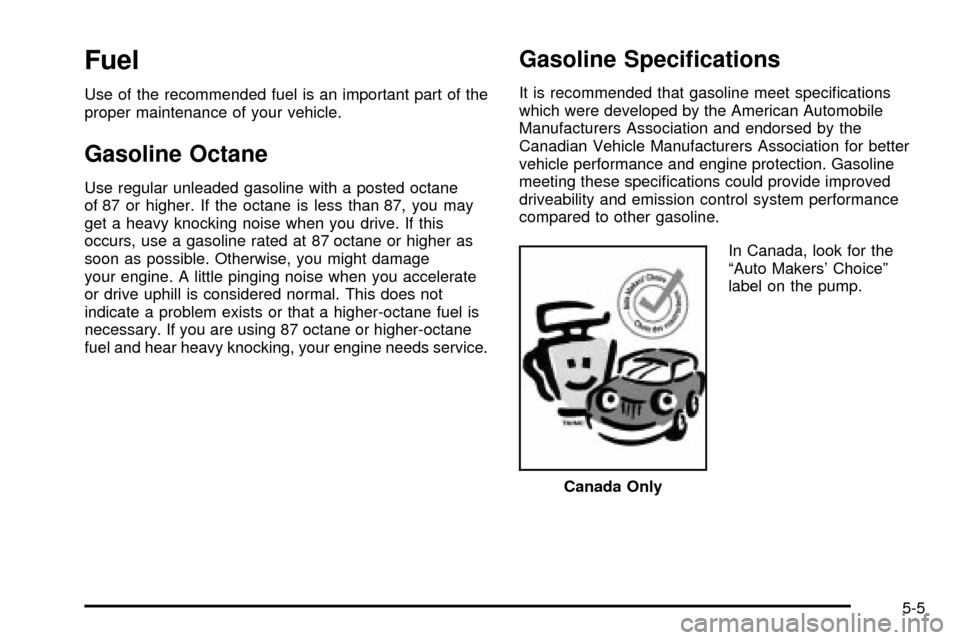
In Canada, look for the
ªAuto Makers' Choiceº
label on the pump.
Canada Only
5-5