tow CHEVROLET IMPALA 2005 8.G User Guide
[x] Cancel search | Manufacturer: CHEVROLET, Model Year: 2005, Model line: IMPALA, Model: CHEVROLET IMPALA 2005 8.GPages: 398, PDF Size: 10.04 MB
Page 88 of 398

THIRD (3):This position is also used for normal driving,
but it offers more power and lower fuel economy than
AUTOMATIC OVERDRIVE (D).
Here are some times you might choose THIRD (3)
instead of AUTOMATIC OVERDRIVE (D):
When driving on hilly, winding roads
When towing a trailer, so there is less shifting
between gears
When going down a steep hill
When driving in non-highway scenarios (i.e. city
streets, etc.)
SECOND (2):This position gives you more power but
lower fuel economy than THIRD (3). You can use
SECOND (2) on hills. It can help control your speed as
you go down steep mountain roads, but then you
would also want to use your brakes off and on.
Notice:Driving in SECOND (2) for more than
25 miles (40 km) or at speeds over 55 mph (90 km/h)
may damage the transaxle. Also, shifting into
SECOND (2) at speeds above 65 mph (105 km/h) can
cause damage. Drive in THIRD (3) or AUTOMATIC
OVERDRIVE (D) instead of SECOND (2).FIRST (1):This position gives you even more power,
but lower fuel economy than SECOND (2). You can use
it on very steep hills, or in deep snow or mud. If the
shift lever is in FIRST (1), the transaxle will not shift into
rst gear until the vehicle is going slowly enough.
Notice:Spinning the tires or holding the vehicle in
one place on a hill using only the accelerator
pedal may damage the transaxle. If you are stuck,
do not spin the tires. When stopping on a hill,
use the brakes to hold the vehicle in place.Parking Brake
The parking brake is
located to the left of the
brake pedal, near the
driver’s door.
To set the parking brake, hold the brake pedal down
with your right foot. Push down the parking brake pedal
with your left foot.
2-22
Page 89 of 398

To release the parking brake, hold the brake pedal
down with your right foot and push the parking brake
pedal with your left foot. When you lift your left foot,
the parking brake pedal will follow it to the released
position.
A warning chime will sound if the parking brake is set,
the ignition is on and the shift lever is not in PARK (P).
Notice:Driving with the parking brake on can
overheat the brake system and cause premature
wear or damage to brake system parts. Verify that
the parking brake is fully released and the brake
warning light is off before driving.
If you are towing a trailer and parking on any hill, see
Towing a Trailer on page 4-37. That section shows what
to do rst to keep the trailer from moving.Shifting Into Park (P)
{CAUTION:
It is dangerous to get out of your vehicle if the
shift lever is not fully in PARK (P) with the
parking brake rmly set. Your vehicle can roll.
Do not leave your vehicle when the engine is
running unless you have to. If you have left
the engine running, the vehicle can move
suddenly. You or others could be injured.
To be sure your vehicle will not move, even
when you are on fairly level ground, always set
your parking brake and move the shift lever to
PARK (P). SeeShifting Into Park (P) on
page 2-23. If you are pulling a trailer, see
Towing a Trailer on page 4-37.
2-23
Page 90 of 398

Steering Column Shift Lever
1. Hold the brake pedal down with your right foot and
set the parking brake.
2. Move the shift lever into PARK (P) by pulling the
shift lever toward you and moving it up as far as it
will go.
3. Turn the ignition key to OFF.
4. Remove the key and take it with you. If you can
leave your vehicle with the ignition key in your
hand, your vehicle is in PARK (P).
Console Shift Lever
1. Hold the brake pedal down with your right foot and
set the parking brake.
2. Move the shift lever into PARK (P) by holding in the
button on the shift lever and pushing the lever all
the way toward the front of the vehicle.
3. Turn the ignition key to OFF.
4. Remove the key and take it with you. If you can
leave your vehicle with the ignition key in your
hand, your vehicle is in PARK (P).
Leaving Your Vehicle With the Engine
Running
{CAUTION:
It can be dangerous to leave your vehicle with
the engine running. Your vehicle could move
suddenly if the shift lever is not fully in
PARK (P) with the parking brake rmly set.
And, if you leave the vehicle with the engine
running, it could overheat and even catch re.
You or others could be injured. Do not leave
your vehicle with the engine running.
If you have to leave your vehicle with the engine
running, be sure your vehicle is in PARK (P) and your
parking brake is rmly set before you leave it. After you
have moved the shift lever into the PARK (P) position,
hold the regular brake pedal down. Then, see if you can
move the shift lever away from PARK (P) without rst
pulling it toward you or if you have the console shift
lever, without rst pushing the button. If you can,
it means that the shift lever was not fully locked into
PARK (P).
2-24
Page 93 of 398
Running the Engine While Parked
It is better not to park with the engine running. But if you
ever have to, here are some things to know.
{CAUTION:
Idling the engine with the climate control
system off could allow dangerous exhaust into
your vehicle. See the earlier caution under
Engine Exhaust on page 2-26.
Also, idling in a closed-in place can let deadly
carbon monoxide (CO) into your vehicle even if
the climate control fan is at the highest setting.
One place this can happen is a garage.
Exhaust — with CO — can come in easily.
NEVER park in a garage with the engine
running.
Another closed-in place can be a blizzard.
SeeWinter Driving on page 4-25.
{CAUTION:
It can be dangerous to get out of your vehicle
if the shift lever is not fully in PARK (P) with
the parking brake rmly set. Your vehicle can
roll. Do not leave your vehicle when the engine
is running unless you have to. If you have left
the engine running, the vehicle can move
suddenly. You or others could be injured.
To be sure your vehicle will not move, even
when you are on fairly level ground, always set
your parking brake and move the shift lever to
PARK (P).
Follow the proper steps to be sure your vehicle will not
move. SeeShifting Into Park (P) on page 2-23.
If you are parking on a hill and if you are pulling a
trailer, also seeTowing a Trailer on page 4-37.
2-27
Page 94 of 398

Mirrors
Manual Rearview Mirror
Adjust all the mirrors so you can see clearly when you
are sitting in a comfortable driving position.
To reduce glare from headlamps behind you, pull the
lever at the bottom of the mirror toward you (to the night
position). To return the mirror back to the day position,
push the lever away from you.
There are two lamps located on the bottom of the
mirror. Press the button next to each lamp to turn it on
and off.
Manual Rearview Mirror with
OnStar
®
If the vehicle has this mirror, it has a lever located at
the bottom of the mirror between the two lamps.
The lever is used to change the mirror from the day to
the night position. To reduce glare from headlamps
behind you while driving at night, pull the lever toward
you. To return the mirror to the day position, return
the lever to its original position.
There are two map lamps located on the bottom of the
mirror. Press the button next to each lamp to turn it
on and off.There are also OnStar
®buttons located at the bottom of
the mirror face. See your dealer for more information
on the system and how to subscribe to OnStar
®.
SeeOnStar®System on page 2-30for more information
about the services OnStar®provides.
Automatic Dimming Rearview Mirror
The vehicle may be equipped with an automatic
dimming rearview mirror. Push the center button on the
bottom of the mirror to turn this feature on. The mirror
will darken gradually to reduce glare from headlamps
behind you. This may take a few moments. The mirror
will lighten whenever you shift to REVERSE (R).
There are two lamps located on the bottom of the mirror.
Press the button next to each lamp to turn it on and off.
2-28
Page 95 of 398

One photocell on the front of the mirror senses when it
is becoming dark outside. Another photocell, facing
rearward, senses headlamps behind you. To turn the
automatic dimming feature off, press the center
button again.
To keep the photocells operating well, occasionally
clean them with a cotton swab and glass cleaner.
Automatic Dimming Rearview Mirror
with OnStar
®
The vehicle may have an automatic dimming rearview
mirror with the OnStar®System.
Press the button located below the mirror, on the far
left, for up to three seconds to turn the automatic
dimming feature off and on. While turned on, this mirror
functions exactly like the automatic dimming mirror
described previously.
There are two lamps located on the bottom of the
mirror. Press the button next to each lamp to turn it on
and off.
There are also OnStar
®buttons located at the bottom of
the mirror. See your dealer for more information on
the system and how to subscribe to OnStar
®. See
OnStar®System on page 2-30for more information
about the service OnStar®provides.
Outside Power Mirrors
The outside power mirror
controls are located near
the driver’s side window,
on the armrest.
Use the selector switch located above the four-way
control panel to choose either the left or right outside
mirror. Then press any of the four arrows located on the
control pad to move each mirror in the desired
direction.
Adjust each mirror so you can see the side of your
vehicle and the area beside and behind your vehicle.
The mirrors can be manually folded toward the vehicle
when going through car washes or conned spaces.
2-29
Page 102 of 398

Reprogramming a Single HomeLink®
Button
To program a device to HomeLink®using a HomeLink®
button previously trained, follow these steps:
1. Press and hold the desired HomeLink
®button.
Do not release the button.
2. The indicator light will begin to ash after
20 seconds. While still holding the HomeLink
®
button, proceed with Step 2 under “Programming
HomeLink®” shown earlier in this section.
Resetting Defaults
To reset HomeLink®to default settings do the following:
1. Hold down the two outside buttons for about
20 seconds until the indicator light begins to ash.
2. Continue to hold both buttons until the HomeLink
®
indicator light turns off.
3. Release both buttons.
For questions or comments, contact HomeLink
®at
1-800-355-3515, or on the Internet at
www.homelink.com.
Storage Areas
Glove Box
To open the glove box, lift up on the lever. The glove
box has a light inside.
Front Storage Area
To use the storage area, fold down the armrest located
in the center front seat. Press the latch on the front
edge and pull up to access the storage area.
Center Console Storage Area
Your vehicle may be equipped with a center console.
It has cupholders and a storage area. To open the
console’s storage area, pull up on the latch located in
the front of the console lid.
Rear Storage Area
If your vehicle has the split folding rear seat, there will
be two cupholders in the rear seat armrest. To access
them, pull down on the cloth strap located toward the top
of your center back seat cushion.
2-36
Page 120 of 398

Turn and Lane-Change Signals
The turn signal has two upward (for right) and
two downward (for left) positions. These positions
allow you to signal a turn or a lane change.
To signal a turn, move the lever all the way up or down.
When the turn is nished, the lever will return
automatically.
An arrow on the instrument
panel cluster will ash in
the direction of the
turn or lane change.
To signal a lane change, just raise or lower the lever
until the arrow starts to ash. Hold it there until you
complete your lane change. The lever will return by itself
when you release it.
If the arrow ashes faster than normal as you signal a
turn or a lane change, a signal bulb may be burned
out and other drivers won’t see your turn signal.
If a bulb is burned out, replace it to help avoid an
accident. If the arrows don’t go on at all when you signal
a turn, check for burned-out bulbs and then check the
fuse. SeeFuses and Circuit Breakers on page 5-99.
Turn Signal On Chime
If you leave either one of your turn signals on and drive
more than 3/4 mile (1.2 km), a chime will sound to
alert you.
Headlamp High/Low-Beam Changer
To change your headlamps from low beams to high
beams, or high to low, pull the multifunction lever all the
way toward you. Then release it.
While the high beams are
on, this light on the
instrument panel cluster
also will be on.
This light works only while the ignition key is in the
ON position, and your fog lamps (if equipped) will not
be illuminated when your high beams are on.
3-8
Page 121 of 398

Flash-to-Pass
With the turn signal lever in the low-beam position, pull
the lever toward you momentarily to switch to
high-beams (to signal that you are going to pass).
If you have the headlamps on, they will return to
low-beams when you release the lever.
This feature operates even when the headlamps are off.
Windshield Wipers
The windshield wipers will operate with the ignition in
ACC or ON.
WIPER:To operate the windshield wipers, turn the
band labeled WIPER, located on the multifunction lever,
upward or downward.
OFF:To stop the wipers turn the band to OFF.
The ve marks between OFF and LO are delay settings.
For a longer delay between wiping cycles, turn the
band downward. For a shorter delay between wiping
cycles turn the band upward.LO (Low Speed):Turn the band up to LO for a steady
wiping at a low speed.
HI (High Speed):Turn the band up to HI for a steady
wiping at a high speed.
MIST:Turn the band downward to MIST for a single
wiping cycle. Hold the band at this setting until the
windshield wipers start, then release it. The windshield
wipers will stop after one wipe. If additional cycles
are needed, hold the band on MIST longer.
Be sure to clear ice and snow from the wiper blades
before using them. Hold the band at this setting until the
windshield wipers start, then release it. The windshield
wipers will stop after one wipe. If additional cycles
are needed, hold the band on MIST longer.
Heavy snow or ice can overload your wipers. A circuit
breaker will stop them until the motor cools. Clear away
snow or ice to prevent an overload. If your blades
become damaged, get new blades or blade inserts.
SeeWindshield Wiper Blade Replacement on page 5-59
for more information.
3-9
Page 144 of 398
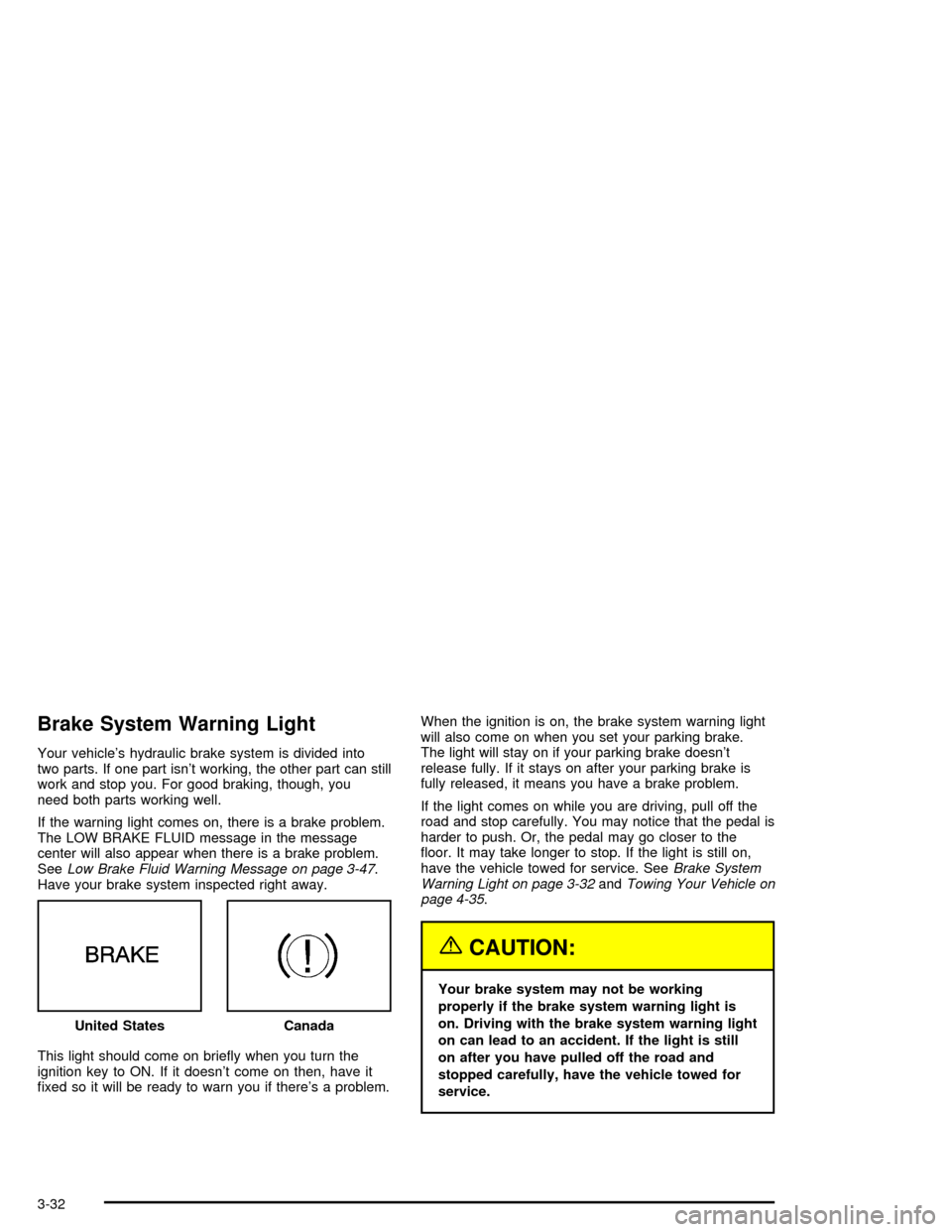
Brake System Warning Light
Your vehicle’s hydraulic brake system is divided into
two parts. If one part isn’t working, the other part can still
work and stop you. For good braking, though, you
need both parts working well.
If the warning light comes on, there is a brake problem.
The LOW BRAKE FLUID message in the message
center will also appear when there is a brake problem.
SeeLow Brake Fluid Warning Message on page 3-47.
Have your brake system inspected right away.
This light should come on briey when you turn the
ignition key to ON. If it doesn’t come on then, have it
xed so it will be ready to warn you if there’s a problem.When the ignition is on, the brake system warning light
will also come on when you set your parking brake.
The light will stay on if your parking brake doesn’t
release fully. If it stays on after your parking brake is
fully released, it means you have a brake problem.
If the light comes on while you are driving, pull off the
road and stop carefully. You may notice that the pedal is
harder to push. Or, the pedal may go closer to the
oor. It may take longer to stop. If the light is still on,
have the vehicle towed for service. SeeBrake System
Warning Light on page 3-32andTowing Your Vehicle on
page 4-35.
{CAUTION:
Your brake system may not be working
properly if the brake system warning light is
on. Driving with the brake system warning light
on can lead to an accident. If the light is still
on after you have pulled off the road and
stopped carefully, have the vehicle towed for
service. United States
Canada
3-32