remote control CHEVROLET IMPALA 2008 9.G User Guide
[x] Cancel search | Manufacturer: CHEVROLET, Model Year: 2008, Model line: IMPALA, Model: CHEVROLET IMPALA 2008 9.GPages: 400, PDF Size: 5.37 MB
Page 121 of 400
5. After entering all of the switch positions, again,
rmly press and release all three buttons at the
same time. The indicator lights will turn on.
6. Press and hold the button you would like to use to
control the garage door until the garage door
moves. The indicator light above the selected button
should slowly blink. You may need to hold the
button from ve to 55 seconds.
7. Immediately release the button when the garage
door moves. The indicator light will blink rapidly
until programming is complete.
8. Press and release the same button again.
The garage door should move, conrming
that programming is successful and complete.
To program another Fixed Code device such as an
additional garage door opener, a security device,
or home automation device, repeat Steps 1-8, choosing
a different button in Step 6 than what you used for
the garage door opener.
Using Universal Home Remote
Press and hold the appropriate button for at least half of
a second. The indicator light will come on while the
signal is being transmitted.
Reprogramming Universal Home
Remote Buttons
You can reprogram any of the three buttons by repeating
the instructions.
Erasing Universal Home Remote
Buttons
You should erase the programmed buttons when you
sell or terminate your lease.
To erase either Rolling Code or Fixed Code on the
Universal Home Remote device:
1. Press and hold the two outside buttons at the same
time for approximately 20 seconds, until the
indicator lights, located directly above the buttons,
begin to blink rapidly.
2. Once the indicator lights begin to blink, release both
buttons. The codes from all buttons will be erased.
For help or information on the Universal Home Remote
System, call the customer assistance phone number
underCustomer Assistance Offices on page 7-5.
2-47
Page 129 of 400
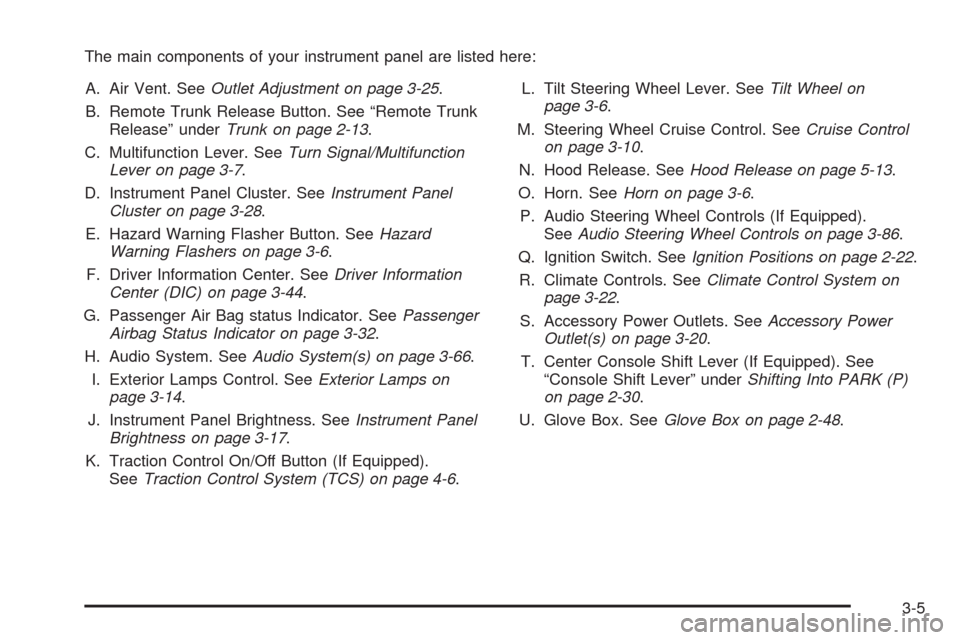
The main components of your instrument panel are listed here:
A. Air Vent. SeeOutlet Adjustment on page 3-25.
B. Remote Trunk Release Button. See “Remote Trunk
Release” underTrunk on page 2-13.
C. Multifunction Lever. SeeTurn Signal/Multifunction
Lever on page 3-7.
D. Instrument Panel Cluster. SeeInstrument Panel
Cluster on page 3-28.
E. Hazard Warning Flasher Button. SeeHazard
Warning Flashers on page 3-6.
F. Driver Information Center. SeeDriver Information
Center (DIC) on page 3-44.
G. Passenger Air Bag status Indicator. SeePassenger
Airbag Status Indicator on page 3-32.
H. Audio System. SeeAudio System(s) on page 3-66.
I. Exterior Lamps Control. SeeExterior Lamps on
page 3-14.
J. Instrument Panel Brightness. SeeInstrument Panel
Brightness on page 3-17.
K. Traction Control On/Off Button (If Equipped).
SeeTraction Control System (TCS) on page 4-6.L. Tilt Steering Wheel Lever. SeeTilt Wheel on
page 3-6.
M. Steering Wheel Cruise Control. SeeCruise Control
on page 3-10.
N. Hood Release. SeeHood Release on page 5-13.
O. Horn. SeeHorn on page 3-6.
P. Audio Steering Wheel Controls (If Equipped).
SeeAudio Steering Wheel Controls on page 3-86.
Q. Ignition Switch. SeeIgnition Positions on page 2-22.
R. Climate Controls. SeeClimate Control System on
page 3-22.
S. Accessory Power Outlets. SeeAccessory Power
Outlet(s) on page 3-20.
T. Center Console Shift Lever (If Equipped). See
“Console Shift Lever” underShifting Into PARK (P)
on page 2-30.
U. Glove Box. SeeGlove Box on page 2-48.
3-5
Page 141 of 400
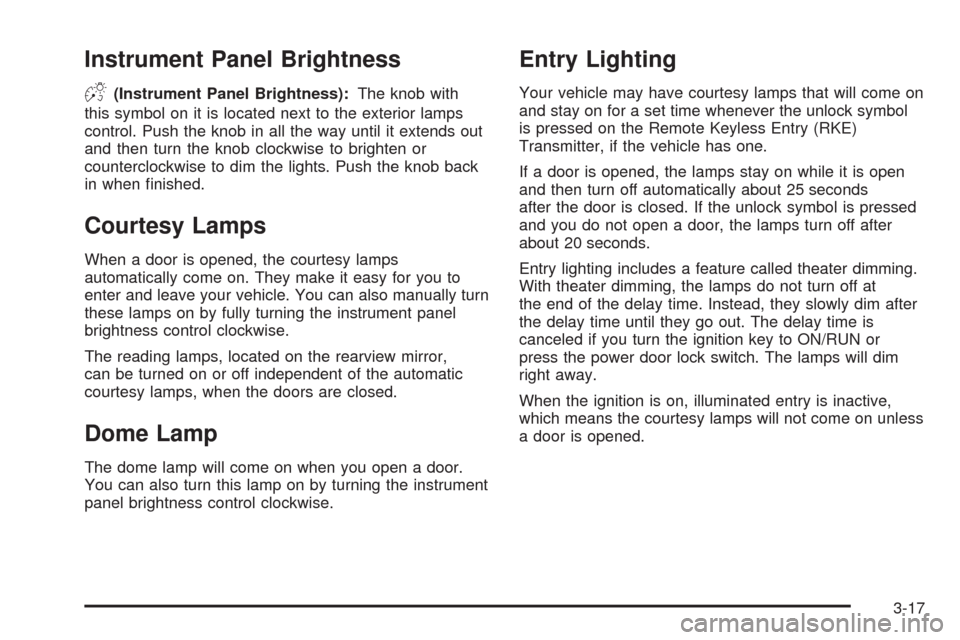
Instrument Panel Brightness
D(Instrument Panel Brightness):The knob with
this symbol on it is located next to the exterior lamps
control. Push the knob in all the way until it extends out
and then turn the knob clockwise to brighten or
counterclockwise to dim the lights. Push the knob back
in when nished.
Courtesy Lamps
When a door is opened, the courtesy lamps
automatically come on. They make it easy for you to
enter and leave your vehicle. You can also manually turn
these lamps on by fully turning the instrument panel
brightness control clockwise.
The reading lamps, located on the rearview mirror,
can be turned on or off independent of the automatic
courtesy lamps, when the doors are closed.
Dome Lamp
The dome lamp will come on when you open a door.
You can also turn this lamp on by turning the instrument
panel brightness control clockwise.
Entry Lighting
Your vehicle may have courtesy lamps that will come on
and stay on for a set time whenever the unlock symbol
is pressed on the Remote Keyless Entry (RKE)
Transmitter, if the vehicle has one.
If a door is opened, the lamps stay on while it is open
and then turn off automatically about 25 seconds
after the door is closed. If the unlock symbol is pressed
and you do not open a door, the lamps turn off after
about 20 seconds.
Entry lighting includes a feature called theater dimming.
With theater dimming, the lamps do not turn off at
the end of the delay time. Instead, they slowly dim after
the delay time until they go out. The delay time is
canceled if you turn the ignition key to ON/RUN or
press the power door lock switch. The lamps will dim
right away.
When the ignition is on, illuminated entry is inactive,
which means the courtesy lamps will not come on unless
a door is opened.
3-17
Page 168 of 400
Driver Information Center (DIC)
Your vehicle has a Driver Information Center (DIC).
All messages will appear in the DIC display located
below the speedometer in the instrument panel cluster.
The DIC buttons are located on the instrument panel,
to the right of the instrument panel cluster.
The DIC comes on when the ignition is on. After a short
delay, the DIC will display the information that was
last displayed before the engine was turned off.
The DIC displays trip, fuel, and vehicle system
information, and warning messages if a system problem
is detected. The bottom line of the DIC shows the shift
lever position indicator. SeeAutomatic Transmission
Operation on page 2-26for more information.
If your vehicle has these features, the DIC also displays
the compass direction and the outside air temperature
when viewing the trip and fuel information. The compass
direction appears on the top right corner of the DIC
display. The outside air temperature automatically
appears in the bottom right corner of the DIC display.
If there is a problem with the system that controls
the temperature display, the numbers will be replaced
with dashes. If this occurs, have the vehicle serviced by
your dealer/retailer.
The DIC also allows some features to be customized.
SeeDIC Vehicle Customization on page 3-60for
more information.
DIC Operation and Displays
The DIC has different displays which can be accessed
by pressing the DIC buttons located on the instrument
panel, to the right of the instrument panel cluster.
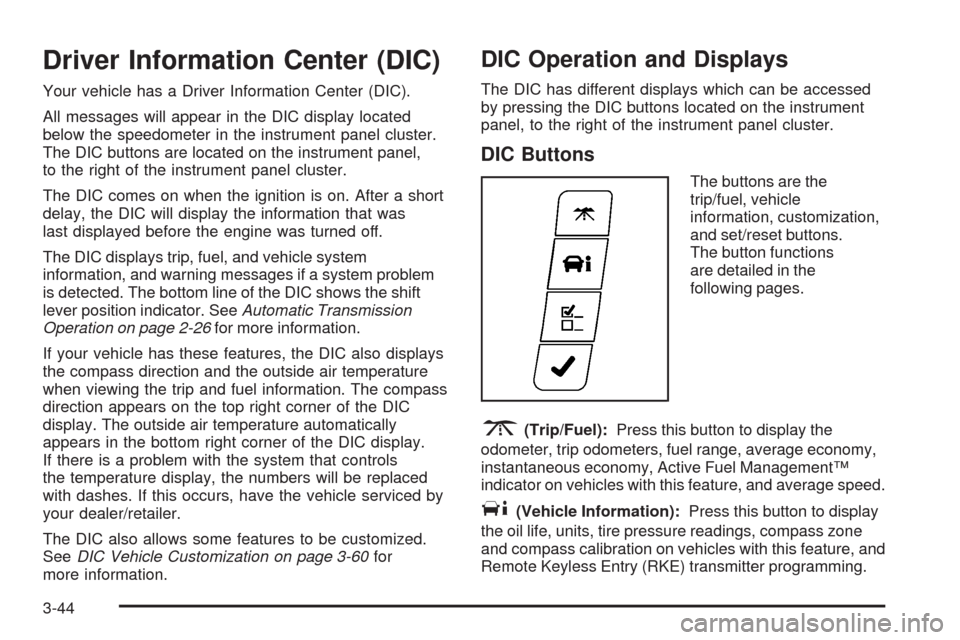
DIC Buttons
The buttons are the
trip/fuel, vehicle
information, customization,
and set/reset buttons.
The button functions
are detailed in the
following pages.
3(Trip/Fuel):Press this button to display the
odometer, trip odometers, fuel range, average economy,
instantaneous economy, Active Fuel Management™
indicator on vehicles with this feature, and average speed.
T(Vehicle Information):Press this button to display
the oil life, units, tire pressure readings, compass zone
and compass calibration on vehicles with this feature, and
Remote Keyless Entry (RKE) transmitter programming.
3-44
Page 397 of 400
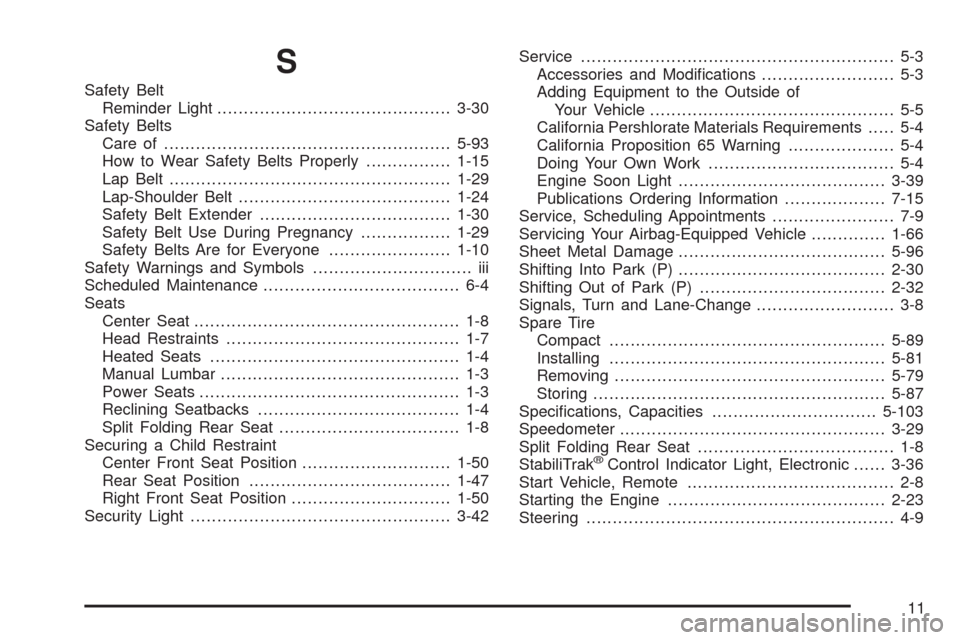
S
Safety Belt
Reminder Light............................................3-30
Safety Belts
Care of......................................................5-93
How to Wear Safety Belts Properly................1-15
Lap Belt.....................................................1-29
Lap-Shoulder Belt........................................1-24
Safety Belt Extender....................................1-30
Safety Belt Use During Pregnancy.................1-29
Safety Belts Are for Everyone.......................1-10
Safety Warnings and Symbols.............................. iii
Scheduled Maintenance..................................... 6-4
Seats
Center Seat.................................................. 1-8
Head Restraints............................................ 1-7
Heated Seats............................................... 1-4
Manual Lumbar............................................. 1-3
Power Seats................................................. 1-3
Reclining Seatbacks...................................... 1-4
Split Folding Rear Seat.................................. 1-8
Securing a Child Restraint
Center Front Seat Position............................1-50
Rear Seat Position......................................1-47
Right Front Seat Position..............................1-50
Security Light.................................................3-42Service........................................................... 5-3
Accessories and Modications......................... 5-3
Adding Equipment to the Outside of
Your Vehicle.............................................. 5-5
California Pershlorate Materials Requirements..... 5-4
California Proposition 65 Warning.................... 5-4
Doing Your Own Work................................... 5-4
Engine Soon Light.......................................3-39
Publications Ordering Information...................7-15
Service, Scheduling Appointments....................... 7-9
Servicing Your Airbag-Equipped Vehicle..............1-66
Sheet Metal Damage.......................................5-96
Shifting Into Park (P).......................................2-30
Shifting Out of Park (P)...................................2-32
Signals, Turn and Lane-Change.......................... 3-8
Spare Tire
Compact....................................................5-89
Installing....................................................5-81
Removing
...................................................5-79
Storing.......................................................5-87
Specications, Capacities...............................5-103
Speedometer..................................................3-29
Split Folding Rear Seat..................................... 1-8
StabiliTrak
®Control Indicator Light, Electronic......3-36
Start Vehicle, Remote....................................... 2-8
Starting the Engine.........................................2-23
Steering.......................................................... 4-9
11
Page 399 of 400
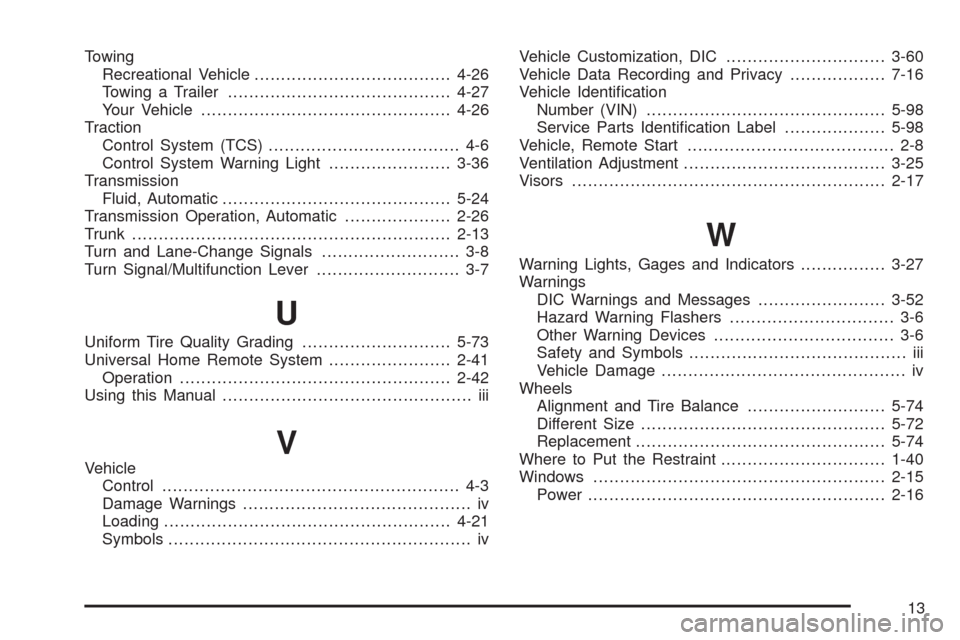
Towing
Recreational Vehicle.....................................4-26
Towing a Trailer..........................................4-27
Your Vehicle...............................................4-26
Traction
Control System (TCS).................................... 4-6
Control System Warning Light.......................3-36
Transmission
Fluid, Automatic...........................................5-24
Transmission Operation, Automatic....................2-26
Trunk............................................................2-13
Turn and Lane-Change Signals.......................... 3-8
Turn Signal/Multifunction Lever........................... 3-7
U
Uniform Tire Quality Grading............................5-73
Universal Home Remote System.......................2-41
Operation...................................................2-42
Using this Manual............................................... iii
V
Vehicle
Control........................................................ 4-3
Damage Warnings........................................... iv
Loading......................................................4-21
Symbols......................................................... ivVehicle Customization, DIC..............................3-60
Vehicle Data Recording and Privacy..................7-16
Vehicle Identication
Number (VIN).............................................5-98
Service Parts Identication Label...................5-98
Vehicle, Remote Start....................................... 2-8
Ventilation Adjustment......................................3-25
Visors...........................................................2-17
W
Warning Lights, Gages and Indicators................3-27
Warnings
DIC Warnings and Messages........................3-52
Hazard Warning Flashers............................... 3-6
Other Warning Devices.................................. 3-6
Safety and Symbols......................................... iii
Vehicle Damage.............................................. iv
Wheels
Alignment and Tire Balance..........................5-74
Different Size..............................................5-72
Replacement...............................................5-74
Where to Put the Restraint...............................1-40
Windows.......................................................2-15
Power........................................................2-16
13