airbag CHEVROLET IMPALA 2009 9.G Owner's Guide
[x] Cancel search | Manufacturer: CHEVROLET, Model Year: 2009, Model line: IMPALA, Model: CHEVROLET IMPALA 2009 9.GPages: 406, PDF Size: 2.25 MB
Page 111 of 406
2. Press one of the four buttons located on the control
pad to move the mirror to the desired direction.
3. Adjust each outside mirror so that a little of the
vehicle and the area behind it can be seen.
Keep the selector switch in the center position when not
adjusting either outside mirror.
Outside Convex Mirror
{CAUTION:
A convex mirror can make things (like other
vehicles) look farther away than they really are. If
you cut too sharply into the right lane, you could hit
a vehicle on the right. Check the inside mirror or
glance over your shoulder before changing lanes.
The passenger side mirror is convex shaped. A convex
mirror’s surface is curved so more can be seen from
the driver seat.
Outside Heated Mirrors
For vehicles with heated mirrors:
=(Rear Window Defogger):Press to heat the
outside rearview mirrors. See “Rear Window Defogger”
underClimate Control System on page 3-20for more
information.
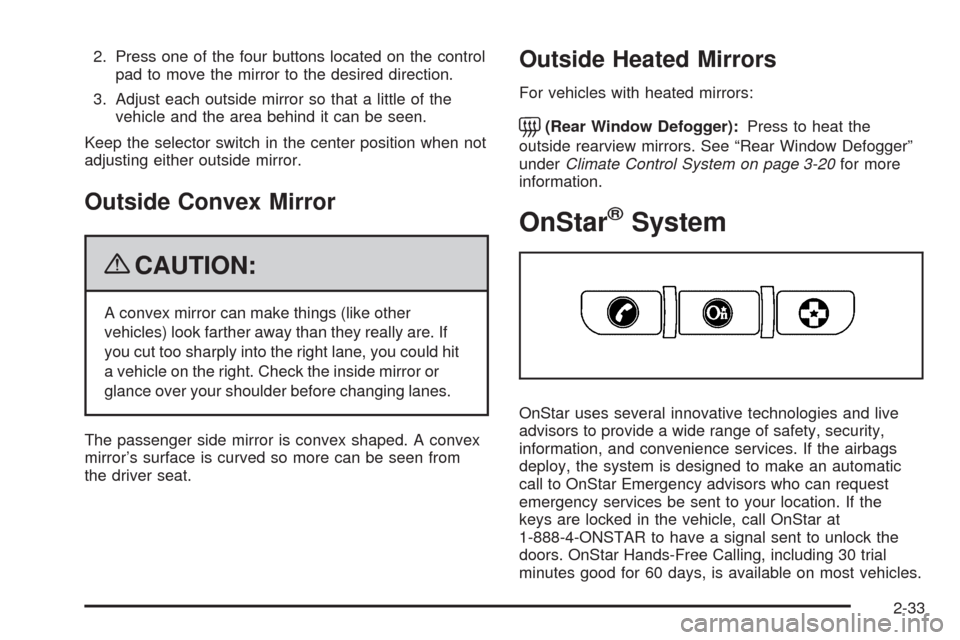
OnStar®System
OnStar uses several innovative technologies and live
advisors to provide a wide range of safety, security,
information, and convenience services. If the airbags
deploy, the system is designed to make an automatic
call to OnStar Emergency advisors who can request
emergency services be sent to your location. If the
keys are locked in the vehicle, call OnStar at
1-888-4-ONSTAR to have a signal sent to unlock the
doors. OnStar Hands-Free Calling, including 30 trial
minutes good for 60 days, is available on most vehicles.
2-33
Page 112 of 406
OnStar Turn-by-Turn Navigation service, with one trial
route, is available on most vehicles. Press the
OnStar button to have an OnStar advisor contact
Roadside Service.
OnStar service is provided subject to the OnStar Terms
and Conditions included in the OnStar Subscriber
glove box literature.
Some services such as Remote Door Unlock or Stolen
Vehicle Location Assistance may not be available
until the owner of the vehicle registers with OnStar.
After the rst prepaid year, contact OnStar to select
a monthly or annual subscription payment plan. If
a payment plan is not selected, the OnStar system and
all services, including airbag notication and emergency
services, may be deactivated and no longer available.
For more information visit onstar.com (U.S.) or onstar.ca
(Canada), or press the OnStar button to speak with
an advisor.
Not all OnStar services are available on all vehicles.
To check if this vehicle is able to provide the services
described below, or for a full description of OnStar
services and system limitations, see the OnStar Owner’s
Guide in the glove box or visit onstar.com (U.S.) or
onstar.ca (Canada), contact OnStar at 1-888-4-ONSTAR
(1-888-466-7827) or TTY 1-877-248-2080, or press
the OnStar button to speak with an OnStar advisor
24 hours a day, 7 days a week.OnStar Services Available with the
Safe & Sound Plan
Automatic Notication of Airbag Deployment
Advanced Automatic Crash Notication (AACN)
(If equipped)
Link to Emergency Services
Roadside Assistance
Stolen Vehicle Location Assistance
Remote Door Unlock/Vehicle Alert
OnStar Vehicle Diagnostic Email
GM Goodwrench On Demand Diagnostics
OnStar Hands-Free Calling with 30 trial minutes
OnStar Virtual Advisor (U.S. Only)
OnStar Services Included with
Directions & Connections Plan
All Safe and Sound Plan Services
OnStar Turn-by-Turn Navigation (If equipped) or
Driving Directions - Advisor delivered
RideAssist
Information and Convenience Services
2-34
Page 113 of 406
OnStar Hands-Free Calling
OnStar Hands-Free Calling allows eligible OnStar
subscribers to make and receive calls using voice
commands. Hands-Free Calling is fully integrated into
the vehicle, and can be used with OnStar Pre-Paid
Minute Packages. Most vehicles include 30 trial minutes
good for 60 days. Hands-Free Calling can also be
linked to a Verizon Wireless service plan in the U.S.
or a Bell Mobility service plan in Canada, depending on
eligibility. To nd out more, refer to the OnStar
Owner’s Guide in the vehicle’s glove box, visit
onstar.com or onstar.ca, or speak with an OnStar
advisor by pressing the OnStar button or calling
1-888-4-ONSTAR (1-888-466-7827).
OnStar Turn-by-Turn Navigation
Vehicles with the OnStar Turn-by-Turn Navigation
system can provide voice-guided driving directions.
Press the OnStar button to have an OnStar advisor
locate a business or address and download driving
directions to the vehicle. Voice-guided directions to the
desired destination will play through the audio system
speakers. See the OnStar Owner’s Guide for more
information.
OnStar Virtual Advisor
OnStar Virtual Advisor is a feature of OnStar
Hands-Free Calling that uses minutes to access
location-based weather, local traffic reports, and stock
quotes. Press the phone button and give a few
simple voice commands to browse through the various
topics. See the OnStar Owner’s Guide for more
information. This feature is only available in the
continental U.S.
OnStar Steering Wheel Controls
This vehicle may have a Talk/Mute button that can be
used to interact with OnStar Hands-Free Calling.
SeeAudio Steering Wheel Controls on page 3-94for
more information.
On some vehicles, the mute button can be used to dial
numbers into voice mail systems, or to dial phone
extensions. See the OnStar Owner’s Guide for more
information.
How OnStar Service Works
The OnStar system can record and transmit vehicle
information. This information is automatically sent to an
OnStar Call Center when the OnStar button is
pressed, the emergency button is pressed, or if the
airbags or AACN system deploy.
2-35
Page 123 of 406
Instrument Panel Overview...............................3-4
Hazard Warning Flashers................................3-6
Horn .............................................................3-6
Tilt Wheel.....................................................3-6
Turn Signal/Multifunction Lever.........................3-7
Turn and Lane-Change Signals........................3-7
Headlamp High/Low-Beam Changer..................3-8
Flash-to-Pass.................................................3-8
Windshield Wipers..........................................3-8
Windshield Washer.........................................3-9
Cruise Control................................................3-9
Exterior Lamps.............................................3-12
Daytime Running Lamps (DRL)/Automatic
Headlamp System......................................3-14
Fog Lamps ..................................................3-14
Instrument Panel Brightness...........................3-15
Courtesy Lamps...........................................3-15
Dome Lamp .................................................3-15
Entry Lighting...............................................3-15
Delayed Entry Lighting...................................3-16
Delayed Exit Lighting.....................................3-16
Parade Dimming...........................................3-16
Reading Lamps............................................3-17
Mirror Reading Lamps...................................3-17
Electric Power Management...........................3-17Battery Run-Down Protection..........................3-18
Accessory Power Outlet(s).............................3-18
Ashtray(s) and Cigarette Lighter......................3-19
Climate Controls............................................3-20
Climate Control System.................................3-20
Outlet Adjustment.........................................3-23
Passenger Compartment Air Filter...................3-23
Warning Lights, Gages, and Indicators............3-24
Instrument Panel Cluster................................3-25
Speedometer and Odometer...........................3-26
Tachometer
.................................................3-26
Safety Belt Reminders...................................3-27
Airbag Readiness Light..................................3-28
Passenger Airbag Status Indicator...................3-29
Charging System Light..................................3-30
Brake System Warning Light..........................3-30
Antilock Brake System (ABS) Warning Light.....3-31
Traction Control System (TCS) Warning
Light........................................................3-32
Electronic Stability Control Indicator Light.........3-33
Engine Coolant Temperature Warning Light......3-34
Engine Coolant Temperature Gage..................3-34
Tire Pressure Light.......................................3-35
Malfunction Indicator Lamp.............................3-36
Section 3 Instrument Panel
3-1
Page 127 of 406

The main components of the instrument panel are listed here:
A.Outlet Adjustment on page 3-23.
B. Remote Trunk Release Button. SeeTrunk on
page 2-12.
C.Turn Signal/Multifunction Lever on page 3-7.
D.Instrument Panel Cluster on page 3-25.
E.Hazard Warning Flashers on page 3-6.
F.Driver Information Center (DIC) on page 3-42.
G.Passenger Airbag Status Indicator on page 3-29.
H.Audio System(s) on page 3-63.
I.Exterior Lamps on page 3-12.
J.Instrument Panel Brightness on page 3-15.
K.Traction Control System (TCS) on page 4-8
(If Equipped).L.Tilt Wheel on page 3-6.
M.Cruise Control on page 3-9.
N.Hood Release on page 5-13.
O.Horn on page 3-6.
P.Audio Steering Wheel Controls on page 3-94
(If Equipped).
Q.Ignition Positions on page 2-20.
R.Climate Control System on page 3-20.
S.Accessory Power Outlet(s) on page 3-18.
T. Center Console Shift Lever (If Equipped).
SeeShifting Into Park on page 2-27.
U.Glove Box on page 2-43.
3-5
Page 149 of 406
Safety Belt Reminders
Safety Belt Reminder Light
When the engine is started, a chime sounds for
several seconds to remind a driver to fasten the safety
belt, unless the driver safety belt is already buckled.
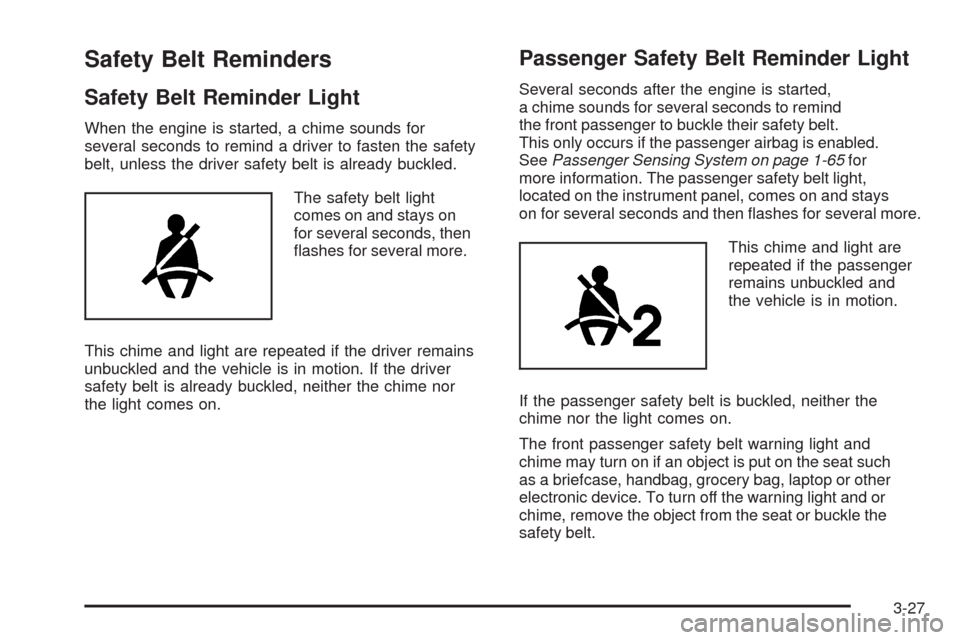
The safety belt light
comes on and stays on
for several seconds, then
ashes for several more.
This chime and light are repeated if the driver remains
unbuckled and the vehicle is in motion. If the driver
safety belt is already buckled, neither the chime nor
the light comes on.
Passenger Safety Belt Reminder Light
Several seconds after the engine is started,
a chime sounds for several seconds to remind
the front passenger to buckle their safety belt.
This only occurs if the passenger airbag is enabled.
SeePassenger Sensing System on page 1-65for
more information. The passenger safety belt light,
located on the instrument panel, comes on and stays
on for several seconds and then ashes for several more.
This chime and light are
repeated if the passenger
remains unbuckled and
the vehicle is in motion.
If the passenger safety belt is buckled, neither the
chime nor the light comes on.
The front passenger safety belt warning light and
chime may turn on if an object is put on the seat such
as a briefcase, handbag, grocery bag, laptop or other
electronic device. To turn off the warning light and or
chime, remove the object from the seat or buckle the
safety belt.
3-27
Page 150 of 406
Airbag Readiness Light
The system checks the airbag’s electrical system for
possible malfunctions. If the light stays on it indicates
there is an electrical problem. The system check includes
the airbag sensor, the pretensioners, the airbag modules,
the wiring and the crash sensing and diagnostic module.
For more information on the airbag system, seeAirbag
System on page 1-57.
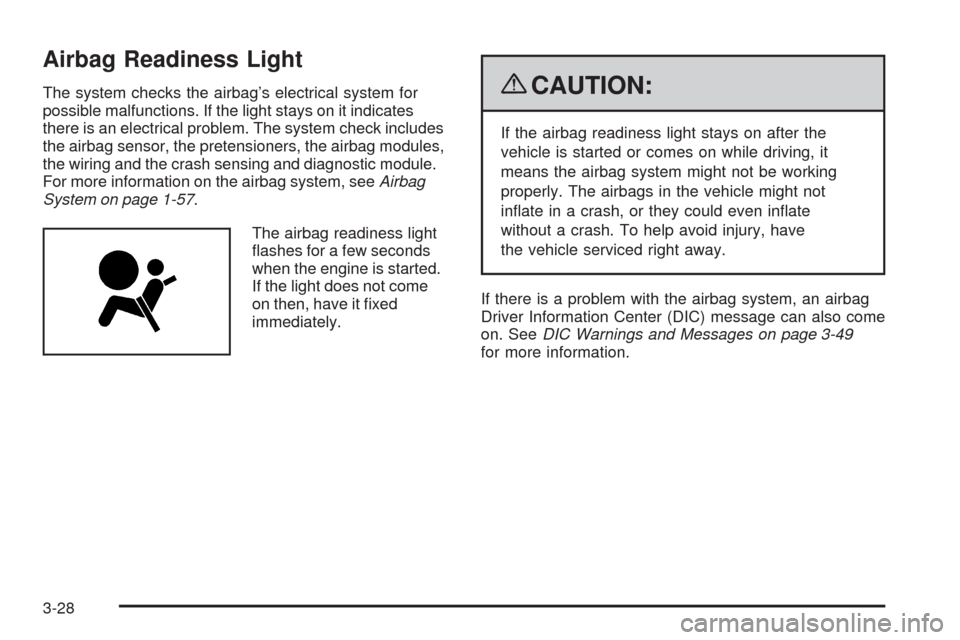
The airbag readiness light
ashes for a few seconds
when the engine is started.
If the light does not come
on then, have it xed
immediately.{CAUTION:
If the airbag readiness light stays on after the
vehicle is started or comes on while driving, it
means the airbag system might not be working
properly. The airbags in the vehicle might not
inate in a crash, or they could even inate
without a crash. To help avoid injury, have
the vehicle serviced right away.
If there is a problem with the airbag system, an airbag
Driver Information Center (DIC) message can also come
on. SeeDIC Warnings and Messages on page 3-49
for more information.
3-28
Page 151 of 406
Passenger Airbag Status Indicator
The vehicle has the passenger sensing system.
SeePassenger Sensing System on page 1-65for
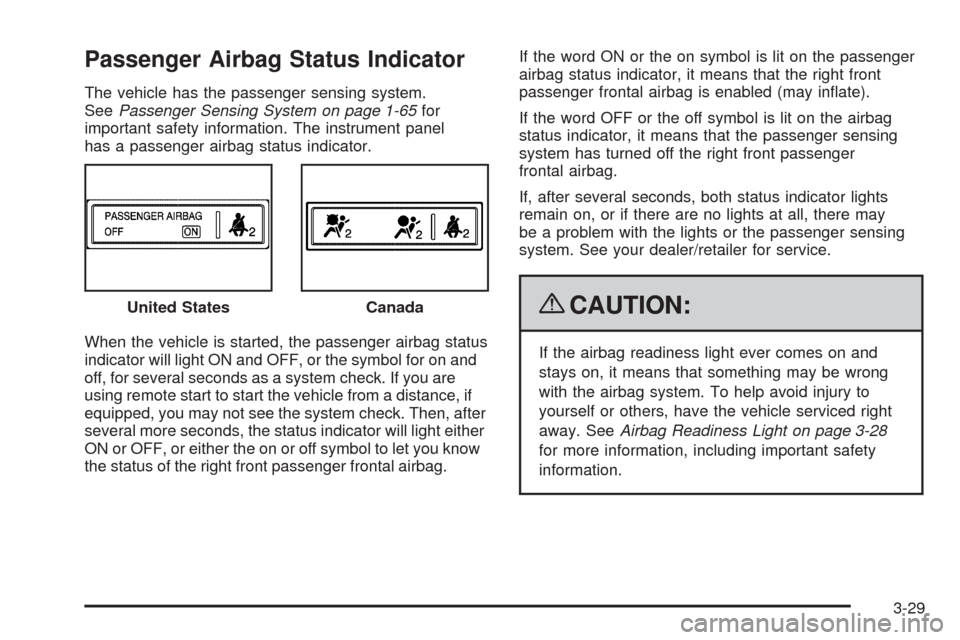
important safety information. The instrument panel
has a passenger airbag status indicator.
When the vehicle is started, the passenger airbag status
indicator will light ON and OFF, or the symbol for on and
off, for several seconds as a system check. If you are
using remote start to start the vehicle from a distance, if
equipped, you may not see the system check. Then, after
several more seconds, the status indicator will light either
ON or OFF, or either the on or off symbol to let you know
the status of the right front passenger frontal airbag.If the word ON or the on symbol is lit on the passenger
airbag status indicator, it means that the right front
passenger frontal airbag is enabled (may inate).
If the word OFF or the off symbol is lit on the airbag
status indicator, it means that the passenger sensing
system has turned off the right front passenger
frontal airbag.
If, after several seconds, both status indicator lights
remain on, or if there are no lights at all, there may
be a problem with the lights or the passenger sensing
system. See your dealer/retailer for service.
{CAUTION:
If the airbag readiness light ever comes on and
stays on, it means that something may be wrong
with the airbag system. To help avoid injury to
yourself or others, have the vehicle serviced right
away. SeeAirbag Readiness Light on page 3-28
for more information, including important safety
information. United States
Canada
3-29
Page 175 of 406
PASSENGER DOOR OPEN
This message displays when the front passenger door
is not closed properly. Make sure that the door is closed
completely.
REMOTE KEY LEARNING ACTIVE
This message displays while you are matching a
Remote Keyless Entry (RKE) transmitter to your vehicle.
See “Matching Transmitter(s) to Your Vehicle” under
Remote Keyless Entry (RKE) System Operation on
page 2-5andDIC Operation and Displays on page 3-42
for more information.
REPLACE BATTERY IN REMOTE KEY
This message displays when the battery in the Remote
Keyless Entry (RKE) transmitter needs to be replaced.
To replace the battery, see “Battery Replacement” under
Remote Keyless Entry (RKE) System Operation on
page 2-5.
RIGHT REAR DOOR OPEN
This message displays when the passenger side rear
door is not closed properly. Make sure that the door
is closed completely.
SERVICE A/C (Air Conditioning)
SYSTEM
This message displays when the electronic sensors that
control the air conditioning and heating systems are no
longer working. Have the climate control system serviced
by your dealer/retailer if you notice a drop in heating and
air conditioning efficiency.
SERVICE AIR BAG
This message displays when there is a problem with
the airbag system. Have your vehicle serviced by your
dealer/retailer immediately. SeeAirbag Readiness
Light on page 3-28for more information.
SERVICE BATTERY CHARGING
SYSTEM
This message displays when there is a problem with the
generator and battery charging systems. Driving with this
problem could drain the battery. Turn off all unnecessary
accessories. Stop and turn off the vehicle as soon as it is
safe to do so. Have the electrical system checked by your
dealer/retailer immediately.
3-53
Page 255 of 406
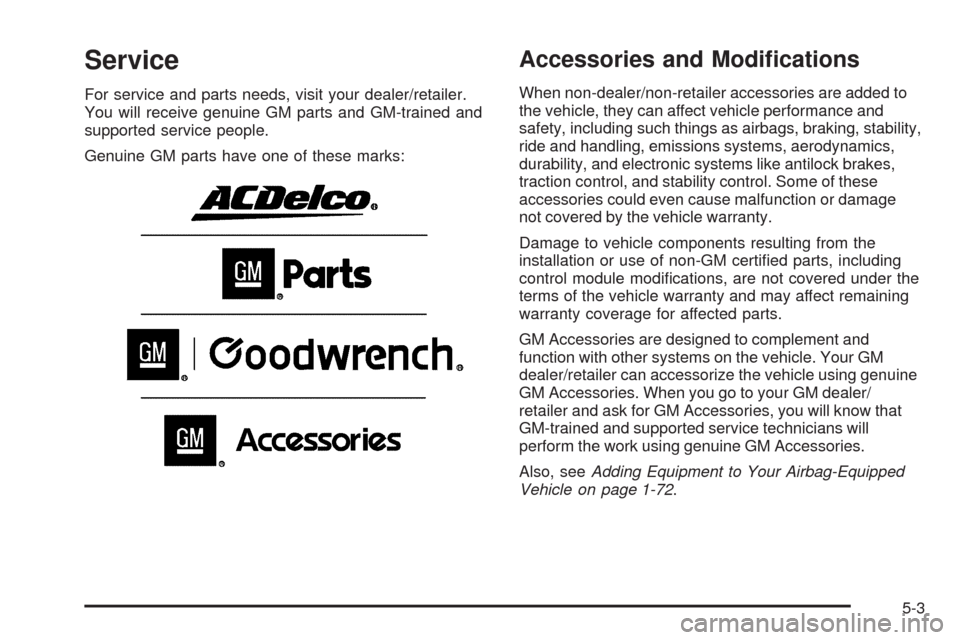
Service
For service and parts needs, visit your dealer/retailer.
You will receive genuine GM parts and GM-trained and
supported service people.
Genuine GM parts have one of these marks:
Accessories and Modications
When non-dealer/non-retailer accessories are added to
the vehicle, they can affect vehicle performance and
safety, including such things as airbags, braking, stability,
ride and handling, emissions systems, aerodynamics,
durability, and electronic systems like antilock brakes,
traction control, and stability control. Some of these
accessories could even cause malfunction or damage
not covered by the vehicle warranty.
Damage to vehicle components resulting from the
installation or use of non-GM certied parts, including
control module modications, are not covered under the
terms of the vehicle warranty and may affect remaining
warranty coverage for affected parts.
GM Accessories are designed to complement and
function with other systems on the vehicle. Your GM
dealer/retailer can accessorize the vehicle using genuine
GM Accessories. When you go to your GM dealer/
retailer and ask for GM Accessories, you will know that
GM-trained and supported service technicians will
perform the work using genuine GM Accessories.
Also, seeAdding Equipment to Your Airbag-Equipped
Vehicle on page 1-72.
5-3