ECU CHEVROLET IMPALA 2010 9.G Owner's Guide
[x] Cancel search | Manufacturer: CHEVROLET, Model Year: 2010, Model line: IMPALA, Model: CHEVROLET IMPALA 2010 9.GPages: 432, PDF Size: 1.89 MB
Page 119 of 432
Trunk ReleaseTo open the trunk from the outside, press the trunk
release button on the RKE transmitter, if equipped.Remote Trunk Release
G
(Remote Trunk Release):Press the button
located next to the exterior lamps control on the left side
of the instrument panel to open the trunk. The shift
lever must be in P (Park).
The trunk can also be opened by lowering the rear seat
and pulling the emergency trunk release handle located
inside the trunk. SeeSplit Folding Rear Seat on
page 2-10and “Emergency Trunk Release Handle”
following.
Emergency Trunk Release HandleNotice:Do not use the emergency trunk release
handle as a tie-down or anchor point when securing
items in the trunk as it could damage the handle.
The emergency trunk release handle is only
intended to aid a person trapped in a latched trunk,
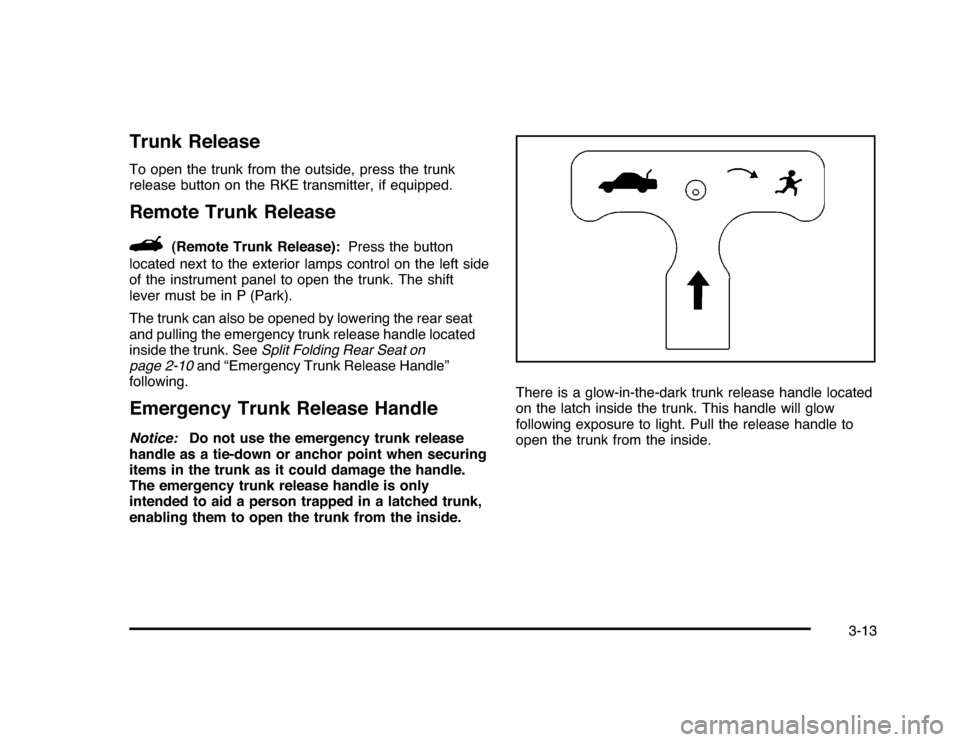
enabling them to open the trunk from the inside.There is a glow-in-the-dark trunk release handle located
on the latch inside the trunk. This handle will glow
following exposure to light. Pull the release handle to
open the trunk from the inside.
3-13
Page 124 of 432
PASS-Key
®
III+ Electronic
Immobilizer
SeeRadio Frequency Statement on page 8-20for
information regarding Part 15 of the Federal
Communications Commission (FCC) Rules and
RSS-210/211 of Industry and Science Canada.PASS-Key
®
III+ Electronic
Immobilizer Operation
Your vehicle has PASS-Key
®III+ (Personalized
Automotive Security System) theft-deterrent system.
PASS-Key
®III+ is a passive theft-deterrent system.
The system is automatically armed when the key
is removed from the ignition.
The system is automatically disarmed when the key is
turned to ON/RUN, ACC/ACCESSORY or START
from the LOCK/OFF position.
You do not have to manually arm or disarm the system.
The security light will come on if there is a problem
with arming or disarming the theft-deterrent system.When the PASS-Key
®III+ system senses that someone
is using the wrong key, it prevents the vehicle from
starting. Anyone using a trial-and-error method to start
the vehicle will be discouraged because of the high
number of electrical key codes.
If the engine does not start and the security light on the
instrument panel cluster comes on when trying to
start the vehicle, there may be a problem with your
theft-deterrent system. Turn the ignition off and try again.
If the engine still does not start, and the key appears
to be undamaged, try another ignition key. At this time,
you may also want to check the fuse, seeFuses
and Circuit Breakers on page 6-96. If the engine still
does not start with the other key, your vehicle needs
service. If your vehicle does start, the first key may be
faulty. See your dealer/retailer who can service the
PASS-Key
®III+ to have a new key made. In an
emergency, contact Roadside Assistance.
It is possible for the PASS-Key
®III+ decoder to learn
the transponder value of a new or replacement key.
Up to 10 keys may be programmed for the vehicle.
The following procedure is for programming additional
keys only. If all the currently programmed keys are
lost or do not operate, you must see your dealer/retailer
or a locksmith who can service PASS-Key
®III+ to
have keys made and programmed to the system.
3-18
Page 125 of 432
See your dealer/retailer or a locksmith who can service
PASS-Key
®III+ to get a new key blank that is cut
exactly as the ignition key that operates the system.
To program the new additional key:
1. Verify that the new key has a
1
stamped on it.
2. Insert the original, already programmed, key in the
ignition and start the engine. If the engine will not
start, see your dealer/retailer for service.
3. After the engine has started, turn the key to
LOCK/OFF, and remove the key.
4. Insert the new key to be programmed and turn it to
the ON/RUN position within five seconds of turning
the ignition to the LOCK/OFF position in Step 3.
The security light will turn off once the key has been
programmed.
5. Repeat Steps 1 through 4 if additional keys are to
be programmed.
If you lose or damage your PASS-Key®III+ key, see
your dealer/retailer or a locksmith who can service
PASS-Key
®III+ to have a new key made.
Do not leave the key or device that disarms or
deactivates the theft deterrent system in the vehicle.
Starting and Operating Your
VehicleNew Vehicle Break-InNotice:The vehicle does not need an elaborate
break-in. But it will perform better in the long run if
you follow these guidelines:•
Do not drive at any one constant speed, fast or
slow, for the first 500 miles (805 km). Do not
make full-throttle starts. Avoid downshifting to
brake or slow the vehicle.
•
Avoid making hard stops for the first 200 miles
(322 km) or so. During this time the new brake
linings are not yet broken in. Hard stops
with new linings can mean premature wear and
earlier replacement. Follow this breaking-in
guideline every time you get new brake linings.
•
Do not tow a trailer during break-in. SeeTowing
a Trailer on page 5-28for the trailer towing
capabilities of your vehicle and more
information.
Following break-in, engine speed and load can be
gradually increased.
3-19
Page 141 of 432
Universal Home Remote
SystemSeeRadio Frequency Statement on page 8-20for
information regarding Part 15 of the Federal
Communications Commission (FCC) Rules and
RSS-210/211 of Industry and Science Canada.Universal Home Remote System
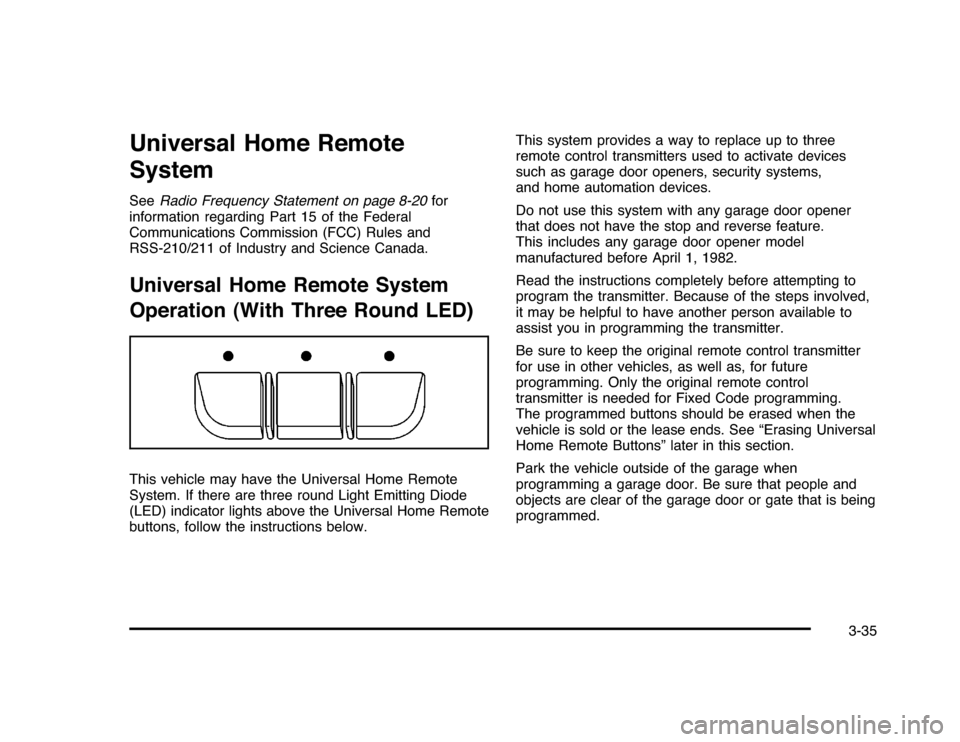
Operation (With Three Round LED)This vehicle may have the Universal Home Remote
System. If there are three round Light Emitting Diode
(LED) indicator lights above the Universal Home Remote
buttons, follow the instructions below.This system provides a way to replace up to three
remote control transmitters used to activate devices
such as garage door openers, security systems,
and home automation devices.
Do not use this system with any garage door opener
that does not have the stop and reverse feature.
This includes any garage door opener model
manufactured before April 1, 1982.
Read the instructions completely before attempting to
program the transmitter. Because of the steps involved,
it may be helpful to have another person available to
assist you in programming the transmitter.
Be sure to keep the original remote control transmitter
for use in other vehicles, as well as, for future
programming. Only the original remote control
transmitter is needed for Fixed Code programming.
The programmed buttons should be erased when the
vehicle is sold or the lease ends. See “Erasing Universal
Home Remote Buttons” later in this section.
Park the vehicle outside of the garage when
programming a garage door. Be sure that people and
objects are clear of the garage door or gate that is being
programmed.
3-35
Page 143 of 432

2. Locate in the garage, the garage door opener
receiver (motor-head unit). Locate the “Learn”
or “Smart” button. It can usually be found where the
hanging antenna wire is attached to the motor-head
unit and may be a colored button. Press this
button. After pressing this button, complete the
following steps in less than 30 seconds.3. Immediately return to the vehicle. Press and hold
the Universal Home Remote button that will be
used to control the garage door until the garage
door moves. The indicator light, above the selected
button, should slowly blink. This button may
need to be held for up to 20 seconds.
4. Immediately, within one second, release the button
when the garage door moves. The indicator light
will blink rapidly until programming is complete.
5. Press and release the same button again.
The garage door should move, confirming
that programming is successful and complete.
To program another Rolling Code device such as an
additional garage door opener, a security device,
or home automation device, repeat Steps 1-5, choosing
a different function button in Step 3 than what was
used for the garage door opener.
If these instructions do not work, the garage door
opener is probably a Fixed Code unit. Follow the
Programming instructions that follow for a Fixed Code
garage door opener.
3-37
Page 147 of 432
5. After entering all of the switch positions, again,
firmly press and release all three buttons at the
same time. The indicator lights will turn on.
6. Press and hold the button that will be used to
control the garage door until the garage door
moves. The indicator light above the selected button
should slowly blink. This button may need to be
held for up to 55 seconds.
7. Immediately release the button when the garage
door moves. The indicator light will blink rapidly
until programming is complete.
8. Press and release the same button again.
The garage door should move, confirming
that programming is successful and complete.
To program another Fixed Code device such as an
additional garage door opener, a security device,
or home automation device, repeat Steps 1-8, choosing
a different button in Step 6 than what was used for
the garage door opener.Using Universal Home RemotePress and hold the appropriate button for at least half of
a second. The indicator light will come on while the
signal is being transmitted.
Reprogramming Universal Home
Remote ButtonsAny of the three buttons can be reprogrammed by
repeating the instructions.Erasing Universal Home Remote
ButtonsThe programmed buttons should be erased when the
vehicle is sold or the lease ends.
To erase either Rolling Code or Fixed Code on the
Universal Home Remote device:
1. Press and hold the two outside buttons at the
same time for approximately 20 seconds, until
the indicator lights, located directly above the
buttons, begin to blink rapidly.
2. Once the indicator lights begin to blink, release both
buttons. The codes from all buttons will be erased.
For help or information on the Universal Home Remote
System, call the customer assistance phone number
underCustomer Assistance Offices on page 8-6.
3-41
Page 152 of 432
Oil Pressure Light.........................................4-34
Security Light . ..............................................4-35
Fog Lamp Light............................................4-35
Cruise Control Light......................................4-35
Highbeam On Light.......................................4-36
Fuel Gage . ..................................................4-36
Driver Information Center (DIC).......................4-37
DIC Operation and Displays . ..........................4-37
DIC Compass . . . . ..........................................4-42
DIC Warnings and Messages.........................4-44
DIC Vehicle Customization . . ...........................4-51Audio System(s).............................................4-57
Setting the Clock..........................................4-58
Radio(s)......................................................4-59
Using an MP3..............................................4-68
XM Radio Messages.....................................4-72
Bluetooth
®
...................................................4-74
Theft-Deterrent Feature..................................4-84
Audio Steering Wheel Controls.......................4-84
Radio Reception...........................................4-85
Backglass Antenna.......................................4-86
XM™ Satellite Radio Antenna System.............4-86
Section 4 Instrument Panel
4-2
Page 185 of 432
This light comes on briefly while starting the engine.
If it does not, have the vehicle serviced by your
dealer/retailer. If the system is working normally the
indicator light then goes off.
If the light comes on and stays on, it means that oil is
not flowing through the engine properly. The vehicle
could be low on oil and it might have some other system
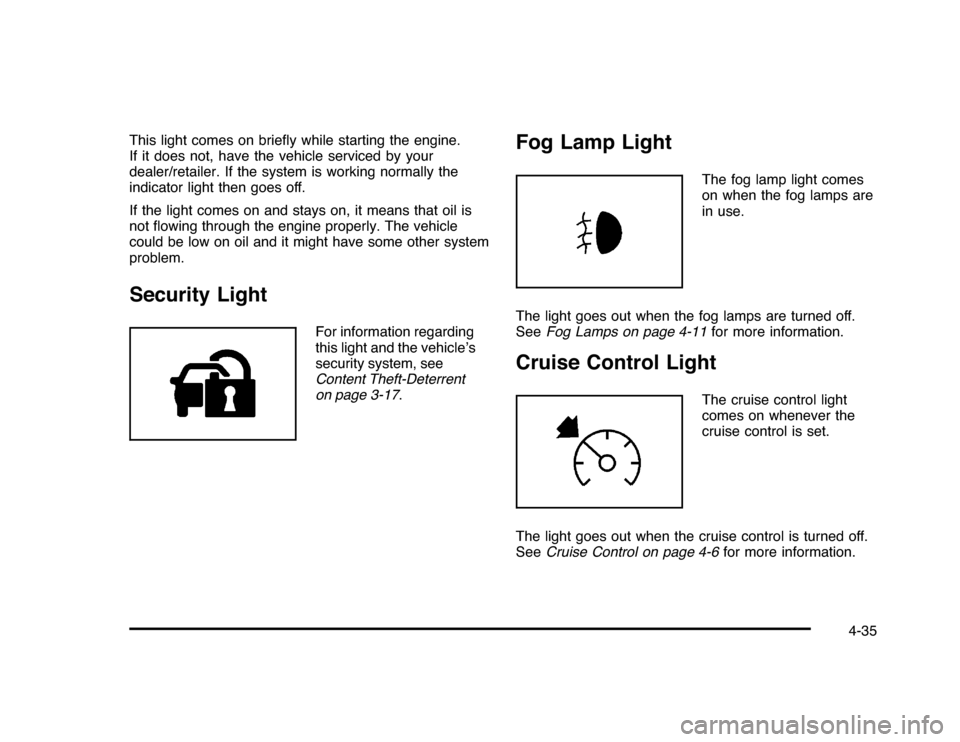
problem.Security Light
For information regarding
this light and the vehicle’s
security system, see
Content Theft-Deterrent
on page 3-17.
Fog Lamp Light
The fog lamp light comes
on when the fog lamps are
in use.
The light goes out when the fog lamps are turned off.
SeeFog Lamps on page 4-11for more information.
Cruise Control Light
The cruise control light
comes on whenever the
cruise control is set.
The light goes out when the cruise control is turned off.
SeeCruise Control on page 4-6for more information.
4-35
Page 223 of 432

Channel Unavail:This previously assigned channel is
no longer assigned. Tune to another station. If this station
was one of the presets, choose another station for that
preset button.
No Artist Info:No artist information is available at this
time on this channel. The system is working properly.
No Title Info:No song title information is available
at this time on this channel. The system is working
properly.
No CAT Info:No category information is available
at this time on this channel. The system is working
properly.
No Information:No text or informational messages are
available at this time on this channel. The system is
working properly.
CAT Not Found:There are no channels available for
the selected category. The system is working properly.XM Theftlocked:The XM receiver in the vehicle
could have previously been in another vehicle.
For security purposes, XM receivers cannot be
swapped between vehicles. If this message is
received after having the vehicle serviced, check
with your dealer/retailer.
XM Radio ID:If tuned to channel 0, this message
alternates with the XM™ Radio 8 digit radio ID label.
This label is needed to activate the service.
Unknown:If this message is received when tuned
to channel 0, there could be a receiver fault. Consult
with your dealer/retailer.
Check Antenna:If this message does not clear within
a short period of time, the receiver or antenna could
have a fault. Consult with your dealer/retailer.
Check XM Receivr:If this message does not clear
within a short period of time, the receiver could have a
fault. Consult with your dealer/retailer.
XM Not Available:If this message does not clear
within a short period of time, the receiver could have a
fault. Consult with your dealer/retailer.
4-73
Page 261 of 432
Never exceed the GVWR for your vehicle or the
Gross Axle Weight Rating (GAWR) for either
the front or rear axle.
If there is a heavy load, it should be spread out.
{
WARNING:
Do not load the vehicle any heavier than the
Gross Vehicle Weight Rating (GVWR), or
either the maximum front or rear Gross Axle
Weight Rating (GAWR). If you do, parts on the
vehicle can break, and it can change the way
your vehicle handles. These could cause you
to lose control and crash. Also, overloading
can shorten the life of the vehicle.
Notice
:
Overloading the vehicle may cause
damage. Repairs would not be covered by the
vehicle warranty. Do not overload the vehicle.
If things like suitcases, tools, packages, or anything
else are put inside the vehicle, they will go as fast
as the vehicle goes. If you have to stop or turn
quickly, or if there is a crash, they will keep going.
{
WARNING:
Things you put inside the vehicle can strike
and injure people in a sudden stop or turn, or
in a crash.
•
Put things in the cargo area of the
vehicle. In the cargo area, put them as
far forward as you can. Try to spread the
weight evenly.
•
Never stack heavier things, like
suitcases, inside the vehicle so that some
of them are above the tops of the seats.
•
Do not leave an unsecured child restraint
in the vehicle.
•
When you carry something inside the
vehicle, secure it whenever you can.
•
Do not leave a seat folded down unless
you need to.
5-25