display CHEVROLET IMPALA 2010 9.G Workshop Manual
[x] Cancel search | Manufacturer: CHEVROLET, Model Year: 2010, Model line: IMPALA, Model: CHEVROLET IMPALA 2010 9.GPages: 432, PDF Size: 1.89 MB
Page 242 of 432
Using ABSDo not pump the brakes. Just hold the brake pedal
down firmly and let antilock work. A slight brake pedal
pulsation might be felt or some noise might be
heard, but this is normal.Braking in EmergenciesABS allows the driver to steer and brake at the same
time. In many emergencies, steering can help more than
even the very best braking.Electronic Stability Control (ESC)Your vehicle may have an Electronic Stability Control
(ESC) system which combines antilock brake, traction
and stability control systems and helps the driver
maintain directional control of the vehicle in most driving
conditions.
When you first start your vehicle and begin to drive
away, the system performs several diagnostic checks to
ensure there are no problems. You may hear or feel
the system working. This is normal and does not mean
there is a problem with your vehicle. The system
should initialize before the vehicle reaches 20 mph
(32 km/h).If the system fails to turn on or activate, the ESC/TCS
light will be on solid, and the SERVICE STABILITRAK
message will be displayed.
For more information, seeDriver Information Center
(DIC) on page 4-37.
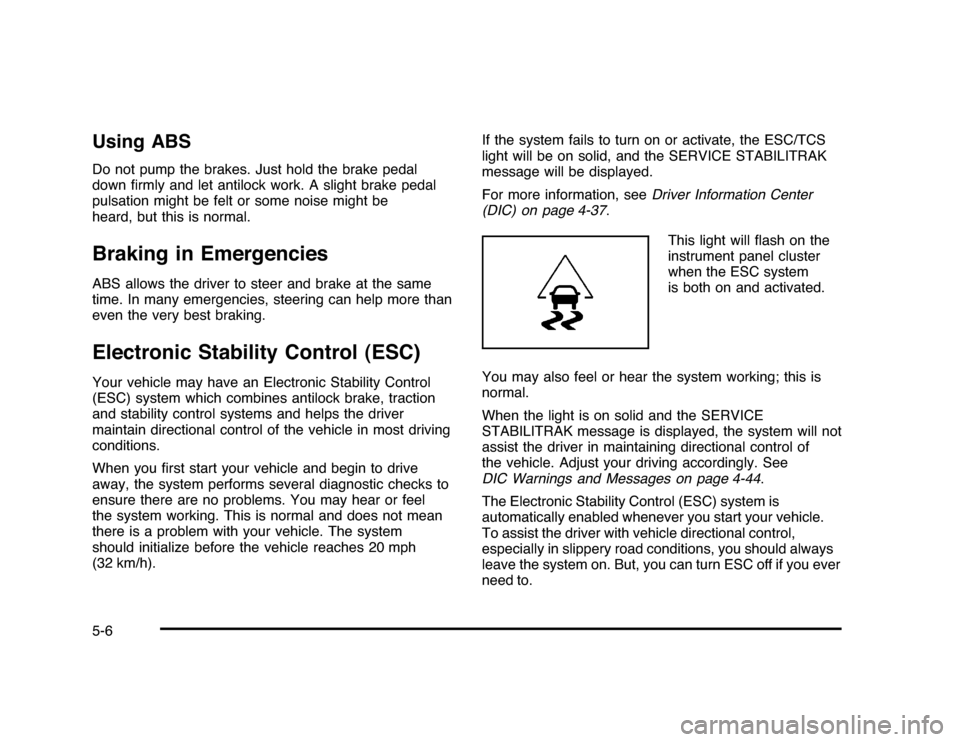
This light will flash on the
instrument panel cluster
when the ESC system
is both on and activated.
You may also feel or hear the system working; this is
normal.
When the light is on solid and the SERVICE
STABILITRAK message is displayed, the system will not
assist the driver in maintaining directional control of
the vehicle. Adjust your driving accordingly. See
DIC Warnings and Messages on page 4-44.
The Electronic Stability Control (ESC) system is
automatically enabled whenever you start your vehicle.
To assist the driver with vehicle directional control,
especially in slippery road conditions, you should always
leave the system on. But, you can turn ESC off if you ever
need to.5-6
Page 281 of 432
{
WARNING:
Fuel can spray out on you if you open the fuel cap
too quickly. If you spill fuel and then something
ignites it, you could be badly burned. This spray
can happen if the tank is nearly full, and is more
likely in hot weather. Open the fuel cap slowly and
wait for any hiss noise to stop. Then unscrew the
cap all the way.
Be careful not to spill fuel. Do not top off or overfill the
tank and wait a few seconds after you have finished
pumping before removing the nozzle. Clean fuel from
painted surfaces as soon as possible. SeeWashing
Your Vehicle on page 6-91.
When replacing the fuel cap, turn it clockwise until it
clicks. Make sure the cap is fully installed. The diagnostic
system can determine if the fuel cap has been left off or
improperly installed. This would allow fuel to evaporate
into the atmosphere. SeeMalfunction Indicator Lamp on
page 4-31.The TIGHTEN GAS CAP message displays on the
Driver Information Center (DIC) if the fuel cap is
not properly installed. SeeDIC Warnings and Messages
on page 4-44for more information.
{
WARNING:
If a fire starts while you are refueling, do not
remove the nozzle. Shut off the flow of fuel by
shutting off the pump or by notifying the station
attendant. Leave the area immediately.
Notice:If you need a new fuel cap, be sure to get
the right type. Your dealer/retailer can get one
for you. If you get the wrong type, it may not fit
properly. This may cause the malfunction indicator
lamp to light and may damage the fuel tank and
emissions system. SeeMalfunction Indicator Lamp
on page 4-31.
6-11
Page 289 of 432

How to Reset the Engine Oil Life
SystemThe Engine Oil Life System calculates when to change
the engine oil and filter based on vehicle use. Whenever
the oil is changed, reset the system so it can calculate
when the next oil change is required. If a situation occurs
where the oil is changed prior to a CHANGE ENGINE OIL
SOON message being turned on, reset the system.
Always reset the engine oil life to 100% after every oil
change. It will not reset itself. To reset the Engine
Oil Life System:
1. Display the OIL LIFE REMAINING on the DIC.
2. Press and hold the SET/RESET button on the DIC
for more than five seconds. The oil life will change
to 100%.
If the CHANGE ENGINE OIL SOON message comes
back on when the vehicle is started, the Engine Oil Life
System has not reset. Repeat the procedure.
What to Do with Used OilUsed engine oil contains certain elements that can be
unhealthy for your skin and could even cause cancer.
Do not let used oil stay on your skin for very long. Clean
your skin and nails with soap and water, or a good
hand cleaner. Wash or properly dispose of clothing or
rags containing used engine oil. See the manufacturer’s
warnings about the use and disposal of oil products.
Used oil can be a threat to the environment. If you
change your own oil, be sure to drain all the oil from the
filter before disposal. Never dispose of oil by putting it
in the trash, pouring it on the ground, into sewers, or into
streams or bodies of water. Recycle it by taking it to a
place that collects used oil.Engine Air Cleaner/FilterThe engine air cleaner/filter is located in the engine
compartment on the driver’s side of the vehicle.
SeeEngine Compartment Overview on page 6-14for
more information on location.
6-19
Page 300 of 432
In addition, you will find an ENGINE OVERHEATED
IDLE ENGINE and an ENGINE OVERHEATED STOP
ENGINE message displayed on the vehicle’s Driver
Information Center (DIC). SeeDIC Warnings and
Messages on page 4-44DIC Warnings and Messages
for more information.
You may decide not to lift the hood when this warning
appears, but instead get service help right away.
SeeRoadside Assistance Program on page 8-7.
If you do decide to lift the hood, make sure the vehicle
is parked on a level surface.
Then check to see if the engine cooling fans are
running. If the engine is overheating, both fans should
be running. If they are not, do not continue to run
the engine and have the vehicle serviced.
Notice:Engine damage from running the engine
without coolant is not covered by the warranty.
Notice:If the engine catches fire while driving with
no coolant, the vehicle can be badly damaged.
The costly repairs would not be covered by
the vehicle warranty. SeeOverheated Engine
Protection Operating Mode on page 6-32for
information on driving to a safe place in an
emergency.
If Steam Is Coming From The Engine
Compartment
{
WARNING:
Steam from an overheated engine can burn you
badly, even if you just open the hood. Stay away
from the engine if you see or hear steam coming
from it. Turn it off and get everyone away from the
vehicle until it cools down. Wait until there is no sign
of steam or coolant before you open the hood.
If you keep driving when the vehicles engine is
overheated, the liquids in it can catch fire. You or
others could be badly burned. Stop the engine if it
overheats, and get out of the vehicle until the
engine is cool.
SeeOverheated Engine Protection Operating Mode
on page 6-32for information on driving to a safe
place in an emergency.
6-30
Page 301 of 432

If No Steam Is Coming From The
Engine CompartmentIf an engine overheat warning is displayed but no steam
can be seen or heard, the problem may not be too
serious. Sometimes the engine can get a little too hot
when the vehicle:•
Climbs a long hill on a hot day.
•
Stops after high-speed driving.
•
Idles for long periods in traffic.
•
Tows a trailer.
If the overheat warning is displayed with no sign of
steam:
1. Turn the air off.
2. Turn the heater on to the highest temperature and
to the highest fan speed. Open the windows as
necessary.3. In heavy traffic, let the engine idle in N (Neutral)
while stopped. If it is safe to do so, pull off the
road, shift to P (Park) or N (Neutral) and let
the engine idle.
If the temperature overheat gage is no longer in the
overheat zone or an overheat warning no longer
displays, the vehicle can be driven. Continue to drive
the vehicle slow for about 10 minutes. Keep a safe
vehicle distance from the car in front of you. If the
warning does not come back on, continue to drive
normally.
If the warning continues, pull over, stop, and park the
vehicle right away.
If there is no sign of steam, idle the engine for
three minutes while parked. If the warning is still
displayed, turn off the engine until it cools down. Also,
see ‘‘Overheated Engine Protection Operating Mode’’
later in this section.
6-31
Page 304 of 432

Adding Washer FluidA WASHER FLUID LOW ADD FLUID message will
be displayed on the Driver Information Center (DIC)
when you need to add windshield washer fluid to your
vehicle. SeeDIC Warnings and Messages on page 4-44
for more information.
Open the cap with the
washer symbol on it.
Add washer fluid until
the tank is full.
SeeEngine Compartment Overview on page 6-14for
more information on location.Notice:
•
When using concentrated washer fluid, follow
the manufacturer’s instructions for adding
water.
•
Do not mix water with ready-to-use washer fluid.
Water can cause the solution to freeze and
damage your washer fluid tank and other parts
of the washer system. Also, water does not
clean as well as washer fluid.
•
Fill the washer fluid tank only three-quarters
full when it is very cold. This allows for fluid
expansion if freezing occurs, which could
damage the tank if it is completely full.
•
Do not use engine coolant (antifreeze) in your
windshield washer. It can damage the vehicle’s
windshield washer system and paint.
6-34
Page 332 of 432

Tire Pressure Monitor OperationThis vehicle may have a Tire Pressure Monitor System
(TPMS). The TPMS is designed to warn the driver when
a low tire pressure condition exists. TPMS sensors are
mounted onto each tire and wheel assembly, excluding
the spare tire and wheel assembly. The TPMS sensors
monitor the air pressure in the vehicle’s tires and
transmits the tire pressure readings to a receiver located
in the vehicle.
When a low tire pressure
condition is detected, the
TPMS illuminates the
low tire pressure warning
light located on the
instrument panel cluster.
At the same time a message to check the pressure in a
specific tire appears on the Driver Information Center
(DIC) display. The low tire pressure warning light and the
DIC warning message come on at each ignition cycle
until the tires are inflated to the correct inflation pressure.
Using the DIC, tire pressure levels can be viewed by the
driver. For additional information and details about the
DIC operation and displays seeDIC Operation and
Displays on page 4-37andDIC Warnings and Messages
on page 4-44.The low tire pressure warning light may come on in
cool weather when the vehicle is first started, and then
turn off as you start to drive. This could be an early
indicator that the air pressure in the tire(s) are getting
low and need to be inflated to the proper pressure.
A Tire and Loading Information label, attached to your
vehicle, shows the size of your vehicle’s original
equipment tires and the correct inflation pressure for
your vehicle’s tires when they are cold. SeeLoading the
Vehicle on page 5-20, for an example of the Tire and
Loading Information label and its location on your
vehicle. Also seeInflation - Tire Pressure on page 6-59.
Your vehicle’s TPMS can warn you about a low tire
pressure condition but it does not replace normal
tire maintenance. SeeTire Inspection and Rotation
on page 6-65andTires on page 6-51.
Notice:Liquid tire sealants could damage the Tire
Pressure Monitor System (TPMS) sensors. Sensor
damage caused by using a tire sealant is not
covered by your warranty. Do not use liquid tire
sealants.6-62
Page 333 of 432

TPMS Malfunction Light and MessageThe TPMS will not function properly if one or more of the
TPMS sensors are missing or inoperable. When the
system detects a malfunction, the low tire warning light
flashes for about one minute and then stays on for
the remainder of the ignition cycle. A DIC warning
message is also displayed. The low tire warning light
and DIC warning message come on at each ignition
cycle until the problem is corrected. Some of the
conditions that can cause the malfunction light and DIC
message to come on are:•
One of the road tires has been replaced with the
spare tire. The spare tire does not have a TPMS
sensor. The TPMS malfunction light and DIC
message should go off once you re-install the road
tire containing the TPMS sensor.
•
The TPMS sensor matching process was started
but not completed or not completed successfully
after rotating the vehicle’s tires. The DIC message
and TPMS malfunction light should go off once
the TPMS sensor matching process is performed
successfully. See “TPMS Sensor Matching Process”
later in this section.
•
One or more TPMS sensors are missing or
damaged. The DIC message and the TPMS
malfunction light should go off when the TPMS
sensors are installed and the sensor matching
process is performed successfully. See your
dealer/retailer for service.
•
Replacement tires or wheels do not match your
vehicle’s original equipment tires or wheels.
Tires and wheels other than those recommended
for your vehicle could prevent the TPMS from
functioning properly. SeeBuying New Tires on
page 6-68.
•
Operating electronic devices or being near facilities
using radio wave frequencies similar to the TPMS
could cause the TPMS sensors to malfunction.
If the TPMS is not functioning it cannot detect or signal
a low tire condition. See your dealer/retailer for
service if the TPMS malfunction light and DIC message
comes on and stays on.
6-63
Page 334 of 432

TPMS Sensor Matching ProcessEach TPMS sensor has a unique identification code.
Any time you rotate your vehicle’s tires or replace one or
more of the TPMS sensors, the identification codes
will need to be matched to the new tire/wheel position.
The sensors are matched to the tire/wheel positions
in the following order: driver side front tire, passenger
side front tire, passenger side rear tire, and driver
side rear tire using a TPMS diagnostic tool. See your
dealer/retailer for service.
The TPMS sensors can also be matched to each
tire/wheel position by increasing or decreasing the tire’s
air pressure. If increasing the tire’s air pressure, do
not exceed the maximum inflation pressure indicated on
the tire’s sidewall.
To decrease air-pressure out of a tire you can use the
pointed end of the valve cap, a pencil-style air pressure
gage, or a key.
You have two minutes to match the first tire/wheel
position, and five minutes overall to match all four
tire/wheel positions. If it takes longer than two minutes, to
match the first tire and wheel, or more than five minutes
to match all four tire and wheel positions the matching
process stops and you need to start over.The TPMS sensor matching process is outlined below:
1. Set the parking brake.
2. Turn the ignition switch to ON/RUN with the
engine off.
3. Press the Remote Keyless Entry (RKE) transmitter’s
lock and unlock buttons at the same time for
approximately five seconds. The horn sounds twice
to signal the receiver is in relearn mode and TIRE
LEARNING ACTIVE message displays on the DIC
screen.
4. Start with the driver side front tire.
5. Remove the valve cap from the valve cap stem.
Activate the TPMS sensor by increasing or
decreasing the tire’s air pressure for five seconds,
or until a horn chirp sounds. The horn chirp,
which may take up to 30 seconds to sound,
confirms that the sensor identification code has
been matched to this tire and wheel position.
6. Proceed to the passenger side front tire, and repeat
the procedure in Step 5.
7. Proceed to the passenger side rear tire, and repeat
the procedure in Step 5.
6-64
Page 335 of 432

8. Proceed to the driver side rear tire, and repeat the
procedure in Step 5. The horn sounds two times to
indicate the sensor identification code has been
matched to the driver side rear tire, and the TPMS
sensor matching process is no longer active.
The TIRE LEARNING ACTIVE message on the
DIC display screen goes off.
9. Turn the ignition switch to LOCK/OFF.
10. Set all four tires to the recommended air pressure
level as indicated on the Tire and Loading
Information label.
11. Put the valve caps back on the valve stems.
Tire Inspection and RotationWe recommend that you regularly inspect your
vehicle’s tires, including the spare tire, for signs of
wear or damage. SeeWhen It Is Time for New
Tires on page 6-67for more information.
Tires should be rotated every 5,000 to 8,000 miles
(8 000 to 13 000 km). SeeScheduled Maintenance
on page 7-3.
The purpose of a regular tire rotation is to
achieve a uniform wear for all tires on the vehicle.
This will ensure that your vehicle continues to
perform most like it did when the tires were new.
Any time you notice unusual wear, rotate the
tires as soon as possible and check wheel
alignment. Also check for damaged tires or wheels.
SeeWhen It Is Time for New Tires on page 6-67
andWheel Replacement on page 6-71.
6-65