display CHEVROLET IMPALA 2010 9.G User Guide
[x] Cancel search | Manufacturer: CHEVROLET, Model Year: 2010, Model line: IMPALA, Model: CHEVROLET IMPALA 2010 9.GPages: 432, PDF Size: 1.89 MB
Page 152 of 432
Oil Pressure Light.........................................4-34
Security Light . ..............................................4-35
Fog Lamp Light............................................4-35
Cruise Control Light......................................4-35
Highbeam On Light.......................................4-36
Fuel Gage . ..................................................4-36
Driver Information Center (DIC).......................4-37
DIC Operation and Displays . ..........................4-37
DIC Compass . . . . ..........................................4-42
DIC Warnings and Messages.........................4-44
DIC Vehicle Customization . . ...........................4-51Audio System(s).............................................4-57
Setting the Clock..........................................4-58
Radio(s)......................................................4-59
Using an MP3..............................................4-68
XM Radio Messages.....................................4-72
Bluetooth
®
...................................................4-74
Theft-Deterrent Feature..................................4-84
Audio Steering Wheel Controls.......................4-84
Radio Reception...........................................4-85
Backglass Antenna.......................................4-86
XM™ Satellite Radio Antenna System.............4-86
Section 4 Instrument Panel
4-2
Page 156 of 432
Windshield WasherAt the top of the multifunction lever, there is a paddle
with
L
on it. Push the paddle to spray washer fluid on
the windshield. The wipers run for several sweeps and
then either stop or return to the preset speed. The ignition
key must be in ACC/ACCESSORY or ON/RUN for this to
work. SeeWindshield Washer Fluid on page 6-33.
{
WARNING:
In freezing weather, do not use your washer until
the windshield is warmed. Otherwise the washer
fluid can form ice on the windshield, blocking your
vision.
When the vehicle is low on washer fluid, the WASHER
FLUID LOW ADD FLUID displays in the Driver
Information Center (DIC) for 60 seconds. When the
ignition is turned off, this message displays again for
three seconds to remind you that the fluid level is low.
Until the fluid reservoir is refilled, every time the vehicle
is started, the WASHER FLUID LOW ADD FLUID
message displays in the Driver Information Center (DIC)
for 60 seconds. SeeDIC Warnings and Messages on
page 4-44.
Cruise ControlWith cruise control, you can maintain a speed of about
40 km/h (25 mph) or more without keeping your foot
on the accelerator. Cruise control does not work
at speeds below about 40 km/h (25 mph).
{
WARNING:
Cruise control can be dangerous where you
cannot drive safely at a steady speed. So, do
not use the cruise control on winding roads or
in heavy traffic.
Cruise control can be dangerous on slippery roads.
On such roads, fast changes in tire traction can
cause excessive wheel slip, and you could lose
control. Do not use cruise control on slippery roads.
If your vehicle has the Traction Control System (TCS)
and the cruise control is on, TCS will begin to limit
wheel spin and the cruise control automatically turns off.
SeeTraction Control System (TCS) on page 5-7. When
road conditions allow you to safely use it again, the cruise
control can be turned back on.
4-6
Page 163 of 432
Delayed Exit LightingThis feature illuminates the interior for a period of time
after the key is removed from the ignition.
The ignition must be off for delayed exit lighting to work.
When the key is removed, interior illumination activates
and remains on until one of the following occurs:•
The ignition is in ON/RUN.
•
The power door locks are activated.
•
An illumination period of 20 seconds has elapsed.
If during the illumination period a door is opened,
the timed illumination period will be canceled and the
interior lamps will remain on because a door is open.
Parade DimmingParade mode automatically prohibits the dimming of
the instrument panel displays during the daylight while
the headlamps are on so that the displays are still
able to be seen.Reading LampsThe vehicle has reading lamps that also act as the
dome lamp. Press the button near each lamp to turn
them on and off.
Map LampsThe vehicle has map lamps on the rearview mirror.
Press the button near each lamp on the mirror to turn
the map lamps on and off.Electric Power ManagementThe vehicle has Electric Power Management (EPM) that
estimates the battery’s temperature and state of charge.
It then adjusts the voltage for best performance and
extended life of the battery.
When the battery’s state of charge is low, the voltage is
raised slightly to quickly bring the charge back up. When
the state of charge is high, the voltage is lowered slightly
to prevent overcharging. If the vehicle has a voltmeter
gage or a voltage display on the Driver Information
Center (DIC), you may see the voltage move up or down.
This is normal. If there is a problem, an alert will be
displayed.
The battery can be discharged at idle if the electrical
loads are very high. This is true for all vehicles. This is
because the generator (alternator) may not be spinning
fast enough at idle to produce all the power that is
needed for very high electrical loads.
4-13
Page 164 of 432

A high electrical load occurs when several of the
following are on, such as: headlamps, high beams,
fog lamps, rear window defogger, climate control fan at
high speed, heated seats, engine cooling fans, trailer
loads, and loads plugged into accessory power outlets.
EPM works to prevent excessive discharge of the battery.
It does this by balancing the generator’s output and the
vehicle’s electrical needs. It can increase engine idle
speed to generate more power, whenever needed.
It can temporarily reduce the power demands of some
accessories.
Normally, these actions occur in steps or levels, without
being noticeable. In rare cases at the highest levels of
corrective action, this action may be noticeable to the
driver. If so, a Driver Information Center (DIC) message
might be displayed, such as BATTERY SAVER ACTIVE,
BATTERY VOLTAGE LOW, or LOW BATTERY. If this
message is displayed, it is recommended that the driver
reduce the electrical loads as much as possible. SeeDIC
Warnings and Messages on page 4-44.
Battery Run-Down ProtectionThis feature helps prevent the battery from being drained,
if the interior courtesy lamps, reading/map lamps, visor
vanity lamps or trunk lamp are accidentally left on. If any
of these lamps are left on, they automatically turn off after
10 minutes, if the ignition is off. The lamps will not come
back on again until one of the following occurs:•
The ignition is turned on.
•
The exterior lamps control is turned off, then on
again.
The headlamps will timeout after 10 minutes, if they are
manually turned on with the ignition on or off.
4-14
Page 173 of 432
Speedometer and OdometerThe speedometer shows the vehicle’s speed in both
miles per hour (mph) and kilometers per hour (km/h).
The odometer shows how far the vehicle has been
driven in either miles (used in the United States) or
in kilometers (used in Canada).
This vehicle has a tamper-resistant odometer. If the
odometer displays ERROR, it probably has been
tampered with and the numbers might not be accurate.
If the vehicle needs a new odometer installed, it
must be set to the mileage total of the old odometer.
If that is not possible, then it will be set at zero and
a label must be put on the driver’s door to show the old
mileage reading of the vehicle when the new odometer
was installed.TachometerThe tachometer displays the engine speed in revolutions
per minute (rpm).
Notice:If the engine is operated with the tachometer
in the shaded warning area, the vehicle could be
damaged, and the damages would not be covered by
the vehicle warranty. Do not operate the engine with
the tachometer in the shaded warning area.
Safety Belt RemindersSafety Belt Reminder LightWhen the engine is started, a chime sounds for
several seconds to remind a driver to fasten the safety
belt, unless the driver safety belt is already buckled.
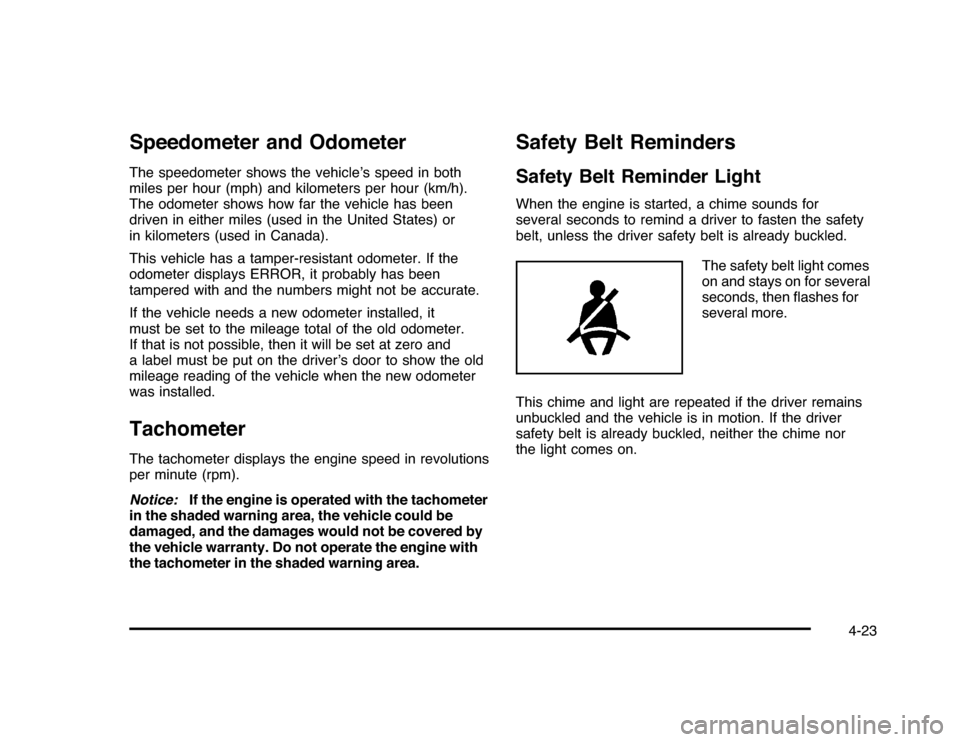
The safety belt light comes
on and stays on for several
seconds, then flashes for
several more.
This chime and light are repeated if the driver remains
unbuckled and the vehicle is in motion. If the driver
safety belt is already buckled, neither the chime nor
the light comes on.
4-23
Page 187 of 432
Driver Information Center (DIC)Your vehicle has a Driver Information Center (DIC).
All messages will appear in the DIC display located
below the speedometer in the instrument panel cluster.
The DIC buttons are located on the instrument panel,
to the right of the instrument panel cluster.
The DIC comes on when the ignition is on. After a short
delay, the DIC will display the information that was
last displayed before the engine was turned off.
The DIC displays trip, fuel, and vehicle system
information, and warning messages if a system problem
is detected. The bottom line of the DIC shows the shift
lever position indicator. SeeAutomatic Transmission
Operation on page 3-24for more information.
If your vehicle has these features, the DIC also displays
the compass direction and the outside air temperature
when viewing the trip and fuel information. The compass
direction appears on the top right corner of the DIC
display. The outside air temperature automatically
appears in the bottom right corner of the DIC display.
If there is a problem with the system that controls the
temperature display, the numbers will be replaced with
dashes. If this occurs, have the vehicle serviced by your
dealer/retailer.
The DIC also allows some features to be customized.
SeeDIC Vehicle Customization on page 4-51for
more information.
DIC Operation and DisplaysThe DIC has different displays which can be accessed
by pressing the DIC buttons located on the instrument
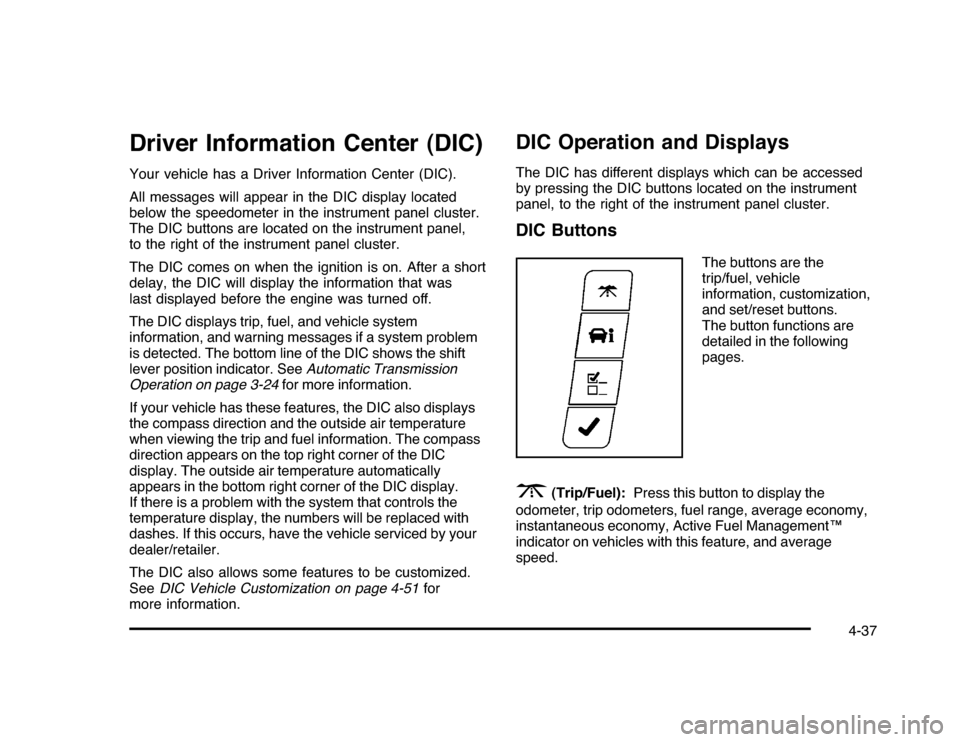
panel, to the right of the instrument panel cluster.DIC Buttons
The buttons are the
trip/fuel, vehicle
information, customization,
and set/reset buttons.
The button functions are
detailed in the following
pages.
3
(Trip/Fuel):Press this button to display the
odometer, trip odometers, fuel range, average economy,
instantaneous economy, Active Fuel Management™
indicator on vehicles with this feature, and average
speed.
4-37
Page 188 of 432

T
(Vehicle Information):Press this button to display
the oil life, units, tire pressure readings, compass
zone and compass calibration on vehicles with this
feature, and Remote Keyless Entry (RKE) transmitter
programming.
U
(Customization):Press this button to customize
the feature settings on your vehicle. SeeDIC Vehicle
Customization on page 4-51for more information.
V
(Set/Reset):Press this button to set or reset certain
functions and to turn off or acknowledge messages
on the DIC.
Trip/Fuel Menu Items
3
(Trip/Fuel):Press this button to scroll through the
following menu items:
OdometerPress the trip/fuel button until ODOMETER displays.
This display shows the distance the vehicle has
been driven in either miles (mi) or kilometers (km).
Trip A and Trip BPress the trip/fuel button until TRIP A or TRIP B
displays. This display shows the current distance
traveled in either miles (mi) or kilometers (km) since the
last reset for each trip odometer. Both trip odometers
can be used at the same time.
Each trip odometer can be reset to zero separately
by pressing the set/reset button while the desired trip
odometer is displayed.
The trip odometer has a feature called the retro-active
reset. This can be used to set the trip odometer to the
number of miles (kilometers) driven since the ignition was
last turned on. This can be used if the trip odometer is not
reset at the beginning of the trip.
To use the retro-active reset feature, press and hold
the set/reset button for at least four seconds. The trip
odometer will display the number of miles (mi) or
kilometers (km) driven since the ignition was last turned
on and the vehicle was moving. Once the vehicle begins
moving, the trip odometer will accumulate mileage.
For example, if the vehicle was driven 5 miles (8 km)
before it is started again, and then the retro-active reset
feature is activated, the display will show 5 miles (8 km).
As the vehicle begins moving, the display will then
increase to 5.1 miles (8.2 km), 5.2 miles (8.4 km), etc.
4-38
Page 189 of 432

If the retro-active reset feature is activated after the
vehicle is started, but before it begins moving, the display
will show the number of miles (mi) or kilometers (km) that
were driven during the last ignition cycle.Fuel RangePress the trip/fuel button until FUEL RANGE displays.
This display shows the approximate number of remaining
miles (mi) or kilometers (km) the vehicle can be driven
without refueling.
The fuel range estimate is based on an average of the
vehicle’s fuel economy over recent driving history and the
amount of fuel remaining in the fuel tank. This estimate
will change if driving conditions change. For example, if
driving in traffic and making frequent stops, this display
may read one number, but if the vehicle is driven on a
freeway, the number may change even though the same
amount of fuel is in the fuel tank. This is because different
driving conditions produce different fuel economies.
Generally, freeway driving produces better fuel economy
than city driving.
If your vehicle is low on fuel, the FUEL LEVEL LOW
message displays. See “FUEL LEVEL LOW” underDIC
Warnings and Messages on page 4-44for more
information.
Average EconomyPress the trip/fuel button until AVG ECONOMY displays.
This display shows the approximate average miles
per gallon (mpg) or liters per 100 kilometers (L/100 km).
This number is calculated based on the number of
mpg (L/100 km) recorded since the last time this menu
item was reset. To reset this display to zero, press
and hold the set/reset button.Instantaneous EconomyPress the trip/fuel button until INST ECONOMY displays.
This display shows the current fuel economy at a
particular moment and will change frequently as driving
conditions change. This display shows the instantaneous
fuel economy in miles per gallon (mpg) or liters per
100 kilometers (L/100 km). Unlike average economy,
this screen cannot be reset.Average SpeedPress the trip/fuel button until AVERAGE SPEED
displays. This display shows the average speed of the
vehicle in miles per hour (mph) or kilometers per hour
(km/h). This average is calculated based on the various
vehicle speeds recorded since the last reset of this value.
To reset the value, press and hold the set/reset button.
The display will return to zero.Blank DisplayThis display shows no information.
4-39
Page 190 of 432

Vehicle Information Menu Items
T
(Vehicle Information):Press this button to scroll
through the following menu items:
Oil LifePress the vehicle information button until OIL LIFE
REMAINING displays. This display shows an estimate of
the oil’s remaining useful life. If you see 99% OIL LIFE
REMAINING on the display, that means 99% of the
current oil life remains. The engine oil life system will alert
you to change the oil on a schedule consistent with your
driving conditions.
When the remaining oil life is low, the CHANGE ENGINE
OIL SOON message will appear on the display. See
“CHANGE ENGINE OIL SOON” underDIC Warnings
and Messages on page 4-44. You should change the
oil as soon as possible. SeeEngine Oil on page 6-15.
In addition to the engine oil life system monitoring the
oil life, additional maintenance is recommended in the
Maintenance Schedule in this manual. SeeScheduled
Maintenance on page 7-3for more information.
Remember, you must reset the OIL LIFE yourself after
each oil change. It will not reset itself. Also, be careful not
to reset the OIL LIFE accidentally at any time other than
when the oil has just been changed. It cannot be reset
accurately until the next oil change. To reset the engine
oil life system, seeEngine Oil Life System on page 6-18.
UnitsPress the vehicle information button until UNITS
displays. This display allows you to select between
English or Metric units of measurement. Once in this
display, press the set/reset button to select between
ENGLISH or METRIC units.Tire PressureOn vehicles with the Tire Pressure Monitor System
(TPMS), the pressure for each tire can be viewed in the
DIC. The tire pressure will be shown in either pounds per
square inch (psi) or kilopascals (kPa). Press the vehicle
information button until the DIC displays FRONT TIRES
PSI (kPa) LEFT ## RIGHT ##. Press the vehicle
information button again until the DIC displays REAR
TIRES PSI (kPa) LEFT ## RIGHT ##.
If a low tire pressure condition is detected by the system
while driving, a message advising you to add air to a
specific tire will appear in the display. SeeInflation - Tire
Pressure on page 6-59andDIC Warnings and Messages
on page 4-44for more information.
If the tire pressure display shows dashes instead of a
value, there may be a problem with your vehicle. If this
consistently occurs, see your dealer/retailer for service.
4-40
Page 191 of 432

Change Compass ZoneYour vehicle may have this feature. To change the
compass zone through the DIC, seeDIC Compass
on page 4-42.Calibrate CompassYour vehicle may have this feature. The compass can
be manually calibrated. To calibrate the compass
through the DIC, seeDIC Compass on page 4-42.Relearn Remote KeyTo access this display, the vehicle must be in P (Park).
This display allows you to match the Remote Keyless
Entry (RKE) transmitter to your vehicle. This procedure
will erase all previously learned transmitters. Therefore,
they must be relearned as additional transmitters.To match an RKE transmitter to your vehicle:
1. Press the vehicle information button until
PRESS
V
TO RELEARN REMOTE KEY displays.
2. Press the set/reset button until REMOTE KEY
LEARNING ACTIVE is displayed.
3. Press and hold the lock and unlock buttons on
the first transmitter at the same time for about
15 seconds.
A chime will sound indicating that the transmitter is
matched.
4. To match additional transmitters at this time, repeat
Step 3.
Each vehicle can have a maximum of eight
transmitters matched to it.
5. To exit the programming mode, you must cycle the
key to LOCK/OFF.
Blank DisplayThis display shows no information.
4-41