ABS CHEVROLET IMPALA 2010 9.G Owners Manual
[x] Cancel search | Manufacturer: CHEVROLET, Model Year: 2010, Model line: IMPALA, Model: CHEVROLET IMPALA 2010 9.GPages: 432, PDF Size: 1.89 MB
Page 5 of 432
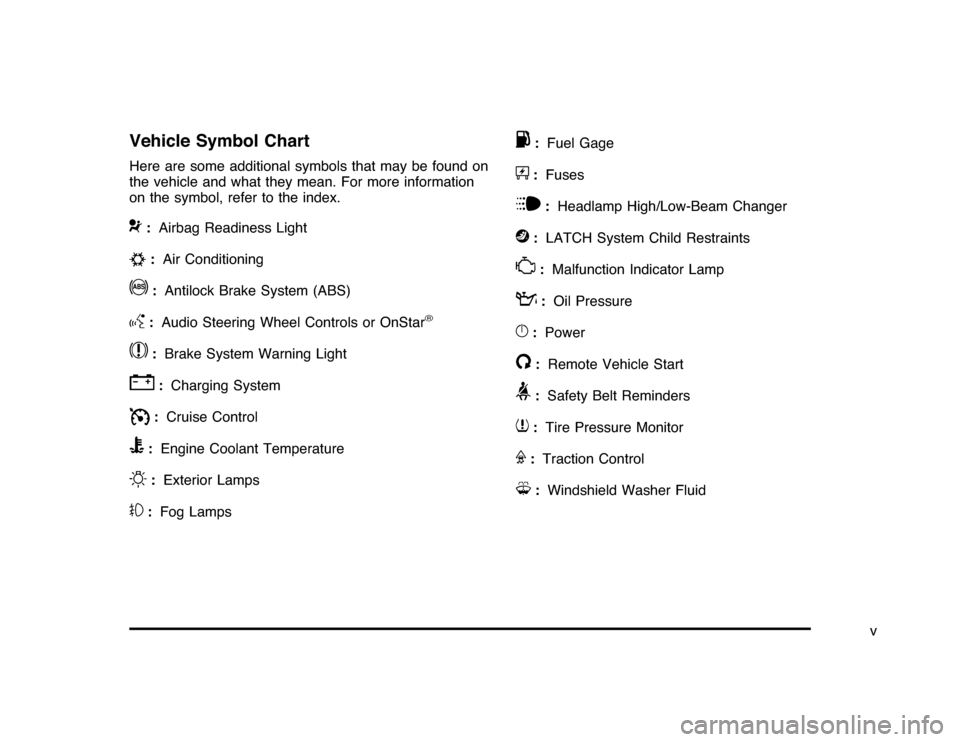
Vehicle Symbol ChartHere are some additional symbols that may be found on
the vehicle and what they mean. For more information
on the symbol, refer to the index.9
:Airbag Readiness Light
#
:Air Conditioning
!
:Antilock Brake System (ABS)
g
:Audio Steering Wheel Controls or OnStar
®
$
:Brake System Warning Light
"
:Charging System
I
:Cruise Control
B
:Engine Coolant Temperature
O
:Exterior Lamps
#
:Fog Lamps
.
:Fuel Gage
+
:Fuses
i
:Headlamp High/Low-Beam Changer
j
:LATCH System Child Restraints
*
:Malfunction Indicator Lamp
:
:Oil Pressure
}
:Power
/
:Remote Vehicle Start
>
:Safety Belt Reminders
7
:Tire Pressure Monitor
F
:Traction Control
M
:Windshield Washer Fluid
v
Page 21 of 432

Vehicle FeaturesRadio(s)O
:Press to turn the system on and off. Turn to
increase or decrease the volume.
BAND:Press to switch between FM1, FM2 and AM on
the Radio with CD. The selection displays. Press to
switch between FM, AM, and XM™ on the Radio with
CD (MP3).
f
:Select radio stations.
©¨
:Seek or scan stations.
4:Press to display additional text information related to
the current FM-RDS or XM station; or CD, MP3 or
WMA song. If information is available during XM, CD,
MP3 or WMA playback, the song title information
displays on the top line of the display and artist
information displays on the bottom line. When
information is not available, “No Info” displays.
For more information about these and other radio
features, seeAudio System(s) on page 4-57.Storing a Favorite StationDepending on which radio the vehicle has, radio
stations are stored as either favorites or presets.
For radios with a FAV button, a maximum of 36 stations
can be stored as favorites using the six softkeys located
below the radio station frequency tabs and by using the
radio FAV button. Press FAV to go through up to six
pages of favorites, each having six favorite stations
available per page. Each page of favorites can contain
any combination of AM, FM, or XM stations.
For radios without a FAV button, up to 18 stations
(six FM1, six FM2, and six AM), can be programmed
on the six numbered buttons.
SeeRadio(s) on page 4-59. Radio with CD (MP3)
1-15
Page 22 of 432
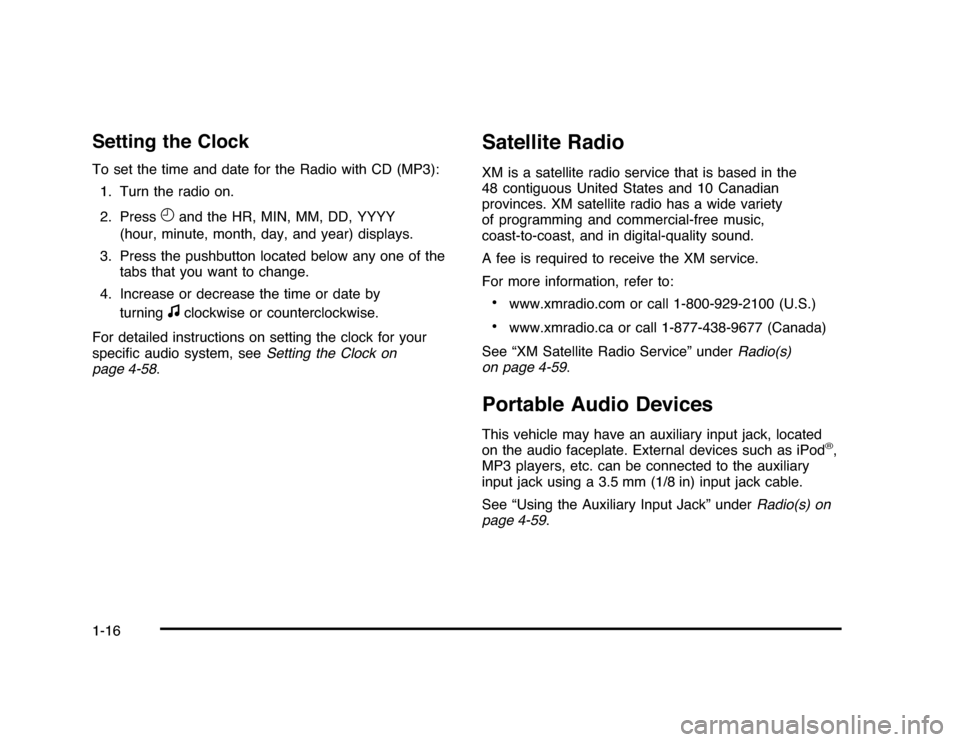
Setting the ClockTo set the time and date for the Radio with CD (MP3):
1. Turn the radio on.
2. Press
H
and the HR, MIN, MM, DD, YYYY
(hour, minute, month, day, and year) displays.
3. Press the pushbutton located below any one of the
tabs that you want to change.
4. Increase or decrease the time or date by
turningf
clockwise or counterclockwise.
For detailed instructions on setting the clock for your
specific audio system, seeSetting the Clock on
page 4-58.
Satellite RadioXM is a satellite radio service that is based in the
48 contiguous United States and 10 Canadian
provinces. XM satellite radio has a wide variety
of programming and commercial-free music,
coast-to-coast, and in digital-quality sound.
A fee is required to receive the XM service.
For more information, refer to:•
www.xmradio.com or call 1-800-929-2100 (U.S.)
•
www.xmradio.ca or call 1-877-438-9677 (Canada)
See “XM Satellite Radio Service” underRadio(s)
on page 4-59.
Portable Audio DevicesThis vehicle may have an auxiliary input jack, located
on the audio faceplate. External devices such as iPod
®,
MP3 players, etc. can be connected to the auxiliary
input jack using a 3.5 mm (1/8 in) input jack cable.
See “Using the Auxiliary Input Jack” underRadio(s) on
page 4-59.
1-16
Page 151 of 432
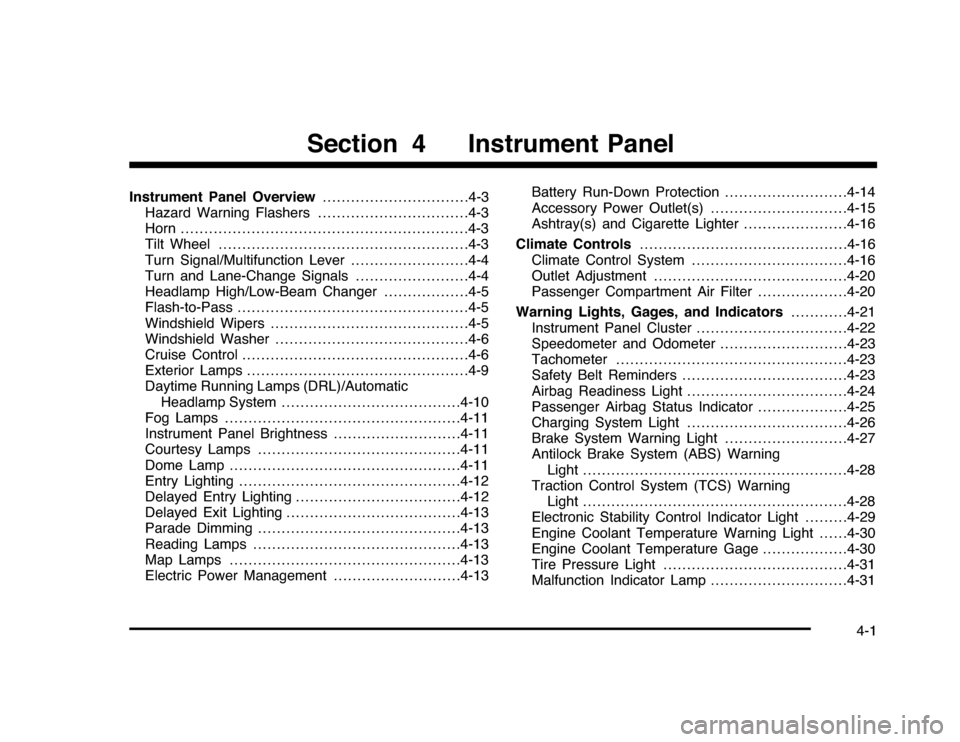
Instrument Panel Overview...............................4-3
Hazard Warning Flashers................................4-3
Horn.............................................................4-3
Tilt Wheel . . . ..................................................4-3
Turn Signal/Multifunction Lever.........................4-4
Turn and Lane-Change Signals........................4-4
Headlamp High/Low-Beam Changer..................4-5
Flash-to-Pass.................................................4-5
Windshield Wipers..........................................4-5
Windshield Washer.........................................4-6
Cruise Control................................................4-6
Exterior Lamps...............................................4-9
Daytime Running Lamps (DRL)/Automatic
Headlamp System......................................4-10
Fog Lamps..................................................4-11
Instrument Panel Brightness...........................4-11
Courtesy Lamps...........................................4-11
Dome Lamp . . ...............................................4-11
Entry Lighting...............................................4-12
Delayed Entry Lighting...................................4-12
Delayed Exit Lighting.....................................4-13
Parade Dimming...........................................4-13
Reading Lamps............................................4-13
Map Lamps . . ...............................................4-13
Electric Power Management...........................4-13Battery Run-Down Protection ..........................4-14
Accessory Power Outlet(s).............................4-15
Ashtray(s) and Cigarette Lighter......................4-16
Climate Controls............................................4-16
Climate Control System.................................4-16
Outlet Adjustment.........................................4-20
Passenger Compartment Air Filter...................4-20
Warning Lights, Gages, and Indicators............4-21
Instrument Panel Cluster . . ..............................4-22
Speedometer and Odometer
...........................4-23
Tachometer.................................................4-23
Safety Belt Reminders . . .................................4-23
Airbag Readiness Light ..................................4-24
Passenger Airbag Status Indicator...................4-25
Charging System Light ..................................4-26
Brake System Warning Light ..........................4-27
Antilock Brake System (ABS) Warning
Light........................................................4-28
Traction Control System (TCS) Warning
Light........................................................4-28
Electronic Stability Control Indicator Light . . . . . . . . .4-29
Engine Coolant Temperature Warning Light . . . . . .4-30
Engine Coolant Temperature Gage..................4-30
Tire Pressure Light.......................................4-31
Malfunction Indicator Lamp.............................4-31
Section 4 Instrument Panel
4-1
Page 178 of 432
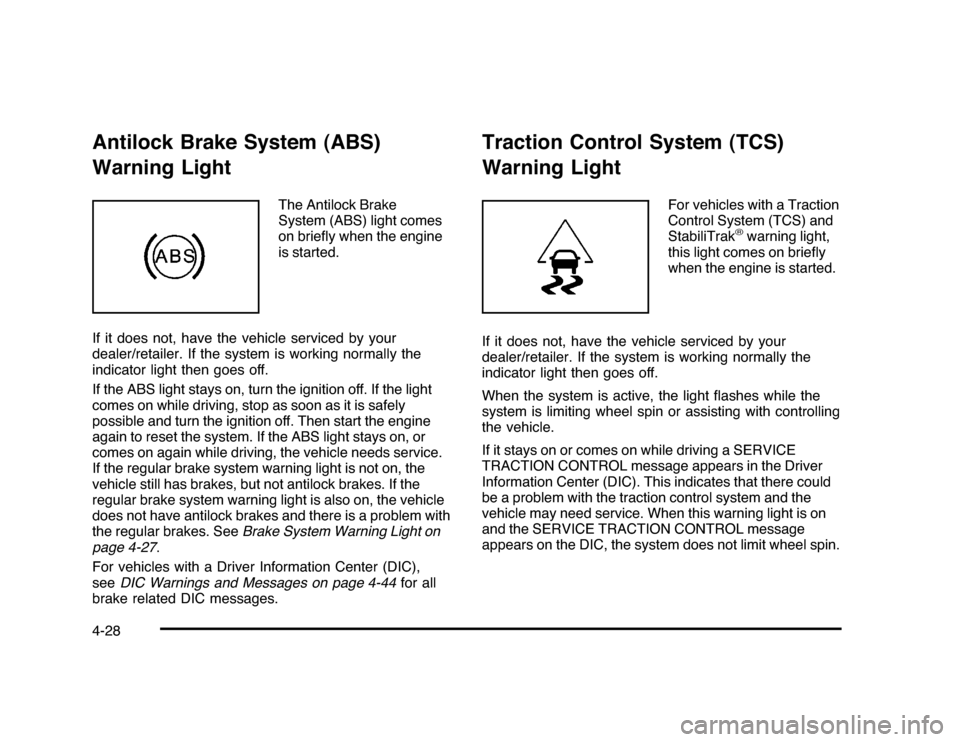
Antilock Brake System (ABS)
Warning Light
The Antilock Brake
System (ABS) light comes
on briefly when the engine
is started.
If it does not, have the vehicle serviced by your
dealer/retailer. If the system is working normally the
indicator light then goes off.
If the ABS light stays on, turn the ignition off. If the light
comes on while driving, stop as soon as it is safely
possible and turn the ignition off. Then start the engine
again to reset the system. If the ABS light stays on, or
comes on again while driving, the vehicle needs service.
If the regular brake system warning light is not on, the
vehicle still has brakes, but not antilock brakes. If the
regular brake system warning light is also on, the vehicle
does not have antilock brakes and there is a problem with
the regular brakes. SeeBrake System Warning Light on
page 4-27.
For vehicles with a Driver Information Center (DIC),
seeDIC Warnings and Messages on page 4-44for all
brake related DIC messages.
Traction Control System (TCS)
Warning Light
For vehicles with a Traction
Control System (TCS) and
StabiliTrak
®warning light,
this light comes on briefly
when the engine is started.
If it does not, have the vehicle serviced by your
dealer/retailer. If the system is working normally the
indicator light then goes off.
When the system is active, the light flashes while the
system is limiting wheel spin or assisting with controlling
the vehicle.
If it stays on or comes on while driving a SERVICE
TRACTION CONTROL message appears in the Driver
Information Center (DIC). This indicates that there could
be a problem with the traction control system and the
vehicle may need service. When this warning light is on
and the SERVICE TRACTION CONTROL message
appears on the DIC, the system does not limit wheel spin.
4-28
Page 208 of 432
Setting the ClockWithout Date DisplayAM/FM Base Radio with a Single CD PlayerThis radio has a
H
button for setting the time.
To set the time:
1. Press the
H
button until the hour begins flashing on
display. PressH
a second time and the minutes
begin flashing on display.
2. To increase or decrease the time, do one of the
following while the hours or minutes are flashing:
•
Turn the
f
knob.
•
Press
¨
SEEK or
©
SEEK.
•
Press
\
FWD or
s
REV.
3. Press the
H
button again until the clock display
stops flashing to set the currently displayed time,
or wait five seconds until the flashing stops and the
current time displayed is automatically set.
To change the time default setting from 12 hour to
24 hour, press theH
button until 12H or 24H is displayed.
Once 12H or 24H is displayed, turn the
f
knob to the
desired option to select the setting. Press the
H
button
again to apply the setting, or let the screen time out.
With Date DisplaySingle CD (MP3) PlayerThis radio has a
H
button for setting the time.
To set the time and date:
1. Turn the radio on.
2. Press the
H
button and the HR, MIN, MM, DD,
YYYY (hour, minute, month, day, and year)
displays.
3. Press the pushbutton located under any one of the
tabs to be changed.
4. To increase the time or date, do one of the
following:
•
Press the pushbutton below the selected tab.
•
Turn the
f
knob clockwise.
•
Press
¨
SEEK.
•
Press
\
FWD.
5. To decrease the time or date, do one of the
following:
•
Turn the
f
knob counter-clockwise.
•
Press
©
SEEK.
•
Press
s
REV.
4-58
Page 212 of 432
Setting Preset Stations (Radio with CD)If the radio does not have XM, up to 18 stations
(six FM1, six FM2, and six AM), can be programmed on
the six numbered pushbuttons. To program presets:
1. Turn the radio on.
2. Press BAND to select FM1, FM2, or AM.
3. Tune in the desired station.
4. Press and hold one of the six numbered
pushbuttons for three seconds until a beep sounds.
When that pushbutton is pressed and released,
the station that was set, returns.
5. Repeat the Steps 2 through 4 for each pushbutton.Storing a Radio Station as a Favorite
(Radio with CD (MP3))Drivers are encouraged to set up their radio station
favorites while the vehicle is in P (Park). Tune to
favorite stations using the presets, favorites button,
and steering wheel controls if the vehicle has this feature.
SeeDefensive Driving on page 5-2.
If the vehicle has XM and has a FAV button, a maximum
of 36 stations can be programmed as favorites using the
six softkeys below the radio station frequency tabs and by
using the radio favorites page button (FAV button).FAV (Favorites):Press to go through up to six pages
of favorites, each having six favorite stations available
per page. Each page of favorites can contain any
combination of AM, FM, or XM stations. To store a
station as a favorite:
1. Tune to the desired radio station.
2. Press the FAV button to display the page where
you want the station stored.
3. Press and hold one of the six softkeys until a beep
sounds. When that softkey is pressed and released,
the station that was set, returns.
4. Repeat the steps for each radio station you want
stored as a favorite.
The number of favorites pages can be setup using the
MENU button. To setup the number of favorites pages:
1. Press the MENU button to display the radio
setup menu.
2. Press the softkey below the FAV 1-6 tab.
3. Select the desired number of favorites pages by
pressing the softkey below the displayed page
numbers.
4. Press the FAV button, or let the menu time out, to
return to the original main radio screen showing the
radio station frequency tabs and to begin the process
of programming favorites for the chosen amount of
numbered pages.
4-62
Page 213 of 432
Setting the Tone
(Bass/Midrange/Treble)BASS/MID/TREB (Bass, Midrange, or Treble):The
radio may display some or all tones, such as BASS, MID,
and TREB. To adjust the tone settings, press the
f
knob
until the tone control tabs display. Press the softkey
under the desired tab, then turn the
f
knob clockwise
or counterclockwise to adjust the highlighted setting.
The highlighted setting can also be adjusted by pressing
either SEEK arrow,
\
FWD, or
s
REV button until the
desired levels are obtained. If a station’s frequency is
weak, or has static, decrease the treble.
The radio may be capable of adjusting bass, midrange, or
treble to the middle position by pressing the softkey under
the BASS, MID (midrange), or TREB (treble) tab for more
than two seconds. The radio beeps once and the level
adjusts to the middle position.
The radio may also be capable of adjusting all tone
and speaker controls to the middle position by pressing
the
f
knob for more than two seconds until the radio
beeps once.
EQ (Equalization):Press to select preset equalization
settings.To return to the manual mode, press until Manual
displays or start to manually adjust the bass and
depending on the radio, midrange, or treble by
pressing the
f
knob.
Adjusting the Speakers (Balance/Fade)
`
BAL/FADE (Balance/Fade):To adjust balance
or fade, press the
`
if the radio has this symbol, or
the
f
knob until the speaker control tabs display.
Continue pressing the
f
knob to highlight the desired
tab, or press the softkey under the desired tab. Turn
the
f
knob clockwise or counterclockwise to adjust the
setting. The setting can also be adjusted by pressing
either SEEK arrow,
\
FWD, or
s
REV until the
desired levels are obtained.
The radio may be capable of adjusting balance or fade to
the middle position by pressing the softkey under the BAL
or FADE tab for more than two seconds. The radio beeps
once and the level adjusts to the middle position.
The radio may also be capable of adjusting all speaker
and tone controls to the middle position by pressing
the
f
knob for more than two seconds until the radio
beeps once.
4-63
Page 214 of 432
Finding a Category (CAT) Station
(XM™ Satellite Radio Service Only)CAT (Category):The radio may have the CAT button
feature. To select and find a desired category:
1. Press the BAND button until the XM frequency
displays. Press the CAT button to display the
category tabs on the radio display. Continue
pressing the CAT button until the desired category
name displays.
2. Press either of the two buttons below the desired
category tab to immediately tune to the first XM
station associated with that category.
3. Turn the
f
knob, press the buttons below the right
or left arrows displayed, or press the SEEK arrows
to go to the previous or to the next XM station
within the selected category.
4. To exit the category search mode, press the FAV
button or BAND button to display favorites again.
Undesired XM categories can be removed through the
setup menu. To remove an undesired category:
1. Press the MENU button to display the radio
setup menu.
2. Press the softkey below the XM CAT tab.3. Turn the
f
knob to display the category to be
removed.
4. Press the softkey located under the Remove tab
until the category name along with the word
Removed displays.
5. Repeat the steps to remove more categories.
Removed categories can be restored by pressing the
softkey under the Add tab when a removed category
displays or by pressing the softkey under the Restore
All tab.
Categories cannot be removed or added while the
vehicle is moving faster than 5 mph (8 km/h).
Radio MessagesCalibration Error:The audio system has been
calibrated for the vehicle from the factory. If Calibration
Error displays, it means that the radio has not been
configured properly for the vehicle and it must be
returned to your dealer/retailer for service.
Loc or Locked:If Loc or Locked displays, it means
the THEFTLOCK
®
system has locked up. Take the
vehicle to your dealer/retailer for service.
If any error occurs repeatedly or if an error cannot be
corrected, contact your dealer/retailer.
4-64
Page 237 of 432
Your Driving, the Road, and the Vehicle............5-2
Defensive Driving...........................................5-2
Drunk Driving.................................................5-2
Control of a Vehicle........................................5-3
Braking . . .......................................................5-4
Antilock Brake System (ABS)...........................5-5
Braking in Emergencies...................................5-6
Electronic Stability Control (ESC)......................5-6
Traction Control System (TCS).........................5-7
Steering........................................................5-9
Off-Road Recovery.......................................5-11
Passing.......................................................5-11
Loss of Control.............................................5-11
Driving at Night............................................5-13Driving in Rain and on Wet Roads..................5-14
Before Leaving on a Long Trip.......................5-15
Highway Hypnosis........................................5-15
Hill and Mountain Roads . . ..............................5-16
Winter Driving..............................................5-17
If Your Vehicle is Stuck in Sand, Mud, Ice,
or Snow...................................................5-19
Rocking Your Vehicle to Get It Out . . . ..............5-20
Loading the Vehicle......................................5-20
Towing..........................................................5-26
Towing Your Vehicle.....................................5-26
Recreational Vehicle Towing...........................5-26
Towing a Trailer...........................................5-28
Section 5 Driving Your Vehicle
5-1