key CHEVROLET IMPALA 2013 9.G Owner's Manual
[x] Cancel search | Manufacturer: CHEVROLET, Model Year: 2013, Model line: IMPALA, Model: CHEVROLET IMPALA 2013 9.GPages: 350, PDF Size: 5.66 MB
Page 41 of 350
Black plate (15,1)Chevrolet Impala Owner Manual - 2013 - crc - 8/27/12
Keys, Doors, and Windows 2-15
Windows
{WARNING
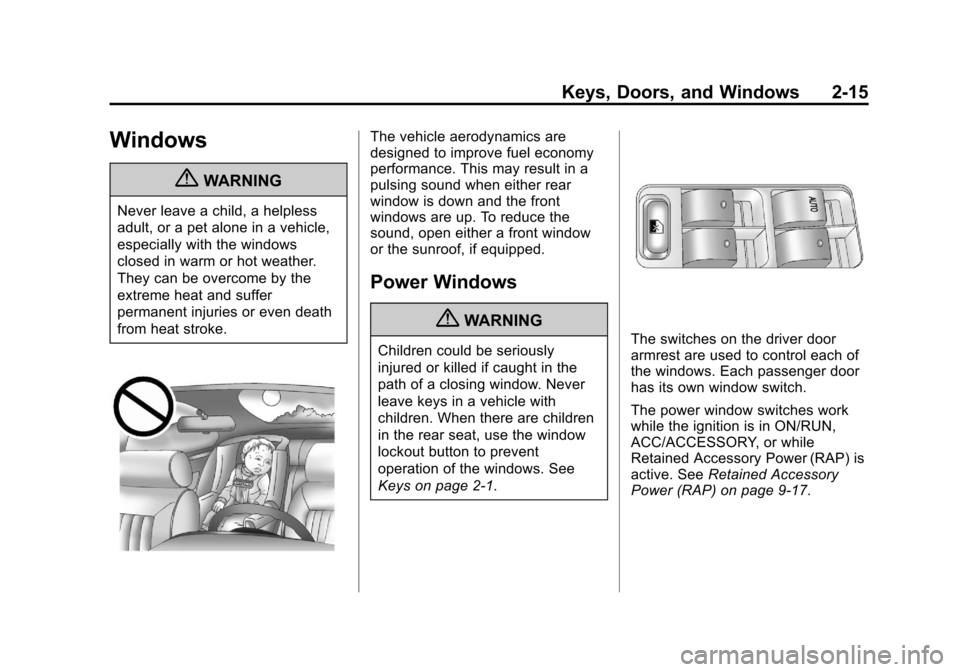
Never leave a child, a helpless
adult, or a pet alone in a vehicle,
especially with the windows
closed in warm or hot weather.
They can be overcome by the
extreme heat and suffer
permanent injuries or even death
from heat stroke.
The vehicle aerodynamics are
designed to improve fuel economy
performance. This may result in a
pulsing sound when either rear
window is down and the front
windows are up. To reduce the
sound, open either a front window
or the sunroof, if equipped.
Power Windows
{WARNING
Children could be seriously
injured or killed if caught in the
path of a closing window. Never
leave keys in a vehicle with
children. When there are children
in the rear seat, use the window
lockout button to prevent
operation of the windows. See
Keys on page 2‑1.The switches on the driver door
armrest are used to control each of
the windows. Each passenger door
has its own window switch.
The power window switches work
while the ignition is in ON/RUN,
ACC/ACCESSORY, or while
Retained Accessory Power (RAP) is
active. SeeRetained Accessory
Power (RAP) on page 9‑17.
Page 42 of 350
Black plate (16,1)Chevrolet Impala Owner Manual - 2013 - crc - 8/27/12
2-16 Keys, Doors, and Windows
To lower the window, press and hold
the front of the switch to the first
position until the window is at the
desired level. To raise the window,
pull up and hold the front of the
switch.
Express-Down Window
The driver window switch has an
express-down feature labeled
AUTO. This lets you lower the
window completely without holding
the switch. Press the front of the
switch to the second position and
release.
To stop the window while it is
lowering, briefly pull up on the
switch.
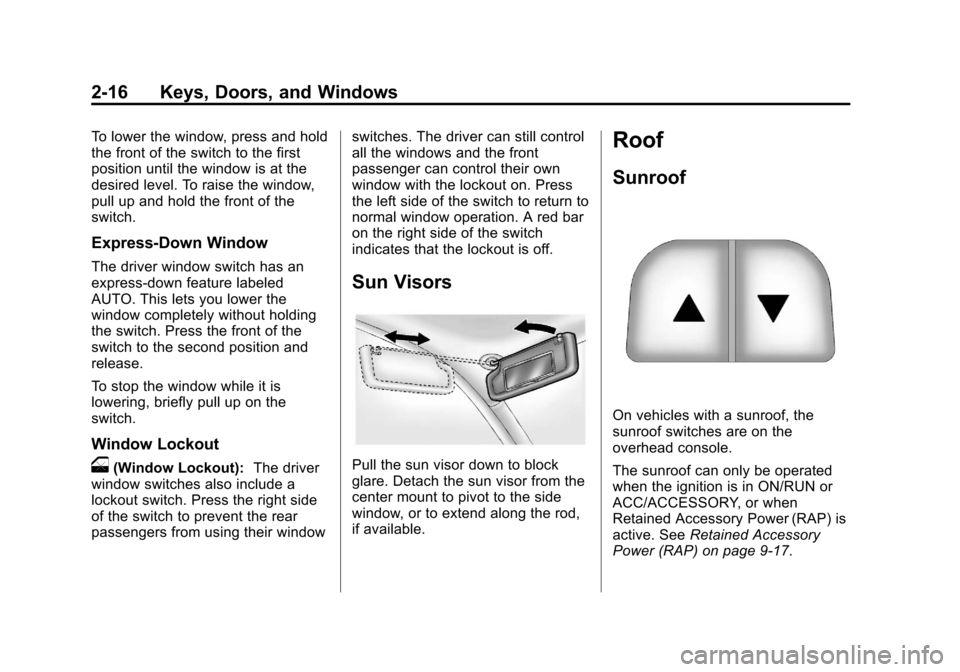
Window Lockout
o(Window Lockout):The driver
window switches also include a
lockout switch. Press the right side
of the switch to prevent the rear
passengers from using their window switches. The driver can still control
all the windows and the front
passenger can control their own
window with the lockout on. Press
the left side of the switch to return to
normal window operation. A red bar
on the right side of the switch
indicates that the lockout is off.
Sun Visors
Pull the sun visor down to block
glare. Detach the sun visor from the
center mount to pivot to the side
window, or to extend along the rod,
if available.
Roof
Sunroof
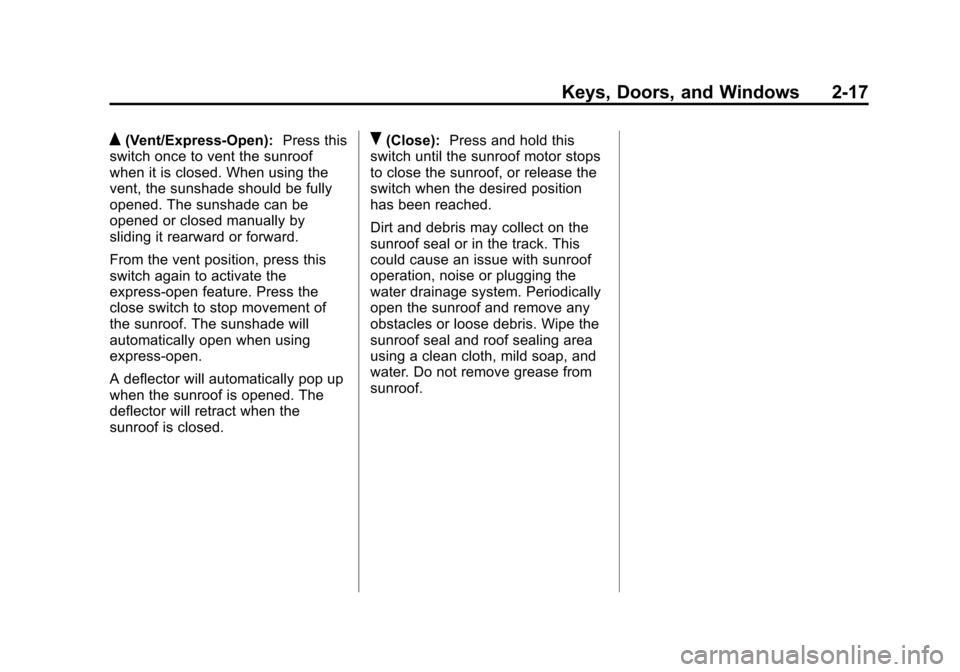
On vehicles with a sunroof, the
sunroof switches are on the
overhead console.
The sunroof can only be operated
when the ignition is in ON/RUN or
ACC/ACCESSORY, or when
Retained Accessory Power (RAP) is
active. See
Retained Accessory
Power (RAP) on page 9‑17.
Page 43 of 350
Black plate (17,1)Chevrolet Impala Owner Manual - 2013 - crc - 8/27/12
Keys, Doors, and Windows 2-17
Q(Vent/Express-Open):Press this
switch once to vent the sunroof
when it is closed. When using the
vent, the sunshade should be fully
opened. The sunshade can be
opened or closed manually by
sliding it rearward or forward.
From the vent position, press this
switch again to activate the
express-open feature. Press the
close switch to stop movement of
the sunroof. The sunshade will
automatically open when using
express‐open.
A deflector will automatically pop up
when the sunroof is opened. The
deflector will retract when the
sunroof is closed.R(Close): Press and hold this
switch until the sunroof motor stops
to close the sunroof, or release the
switch when the desired position
has been reached.
Dirt and debris may collect on the
sunroof seal or in the track. This
could cause an issue with sunroof
operation, noise or plugging the
water drainage system. Periodically
open the sunroof and remove any
obstacles or loose debris. Wipe the
sunroof seal and roof sealing area
using a clean cloth, mild soap, and
water. Do not remove grease from
sunroof.
Page 44 of 350

Black plate (18,1)Chevrolet Impala Owner Manual - 2013 - crc - 8/27/12
2-18 Keys, Doors, and Windows
2NOTES
Page 59 of 350
Black plate (15,1)Chevrolet Impala Owner Manual - 2013 - crc - 8/27/12
Seats and Restraints 3-15
WARNING (Continued)
and across the chest. These parts
of the body are best able to take
belt restraining forces.
4. Buckle, position, and release thesafety belt as described
previously in this section. Make
sure the shoulder portion of the
belt is on the shoulder and not
falling off of it. The belt should
be close to, but not contacting,
the neck. To remove and store the comfort
guide, squeeze the belt edges
together so that the safety belt can
be removed from the guide. Slide
the guide into the storage pocket on
the edge of the seatback.
Safety Belt Use During
Pregnancy
Safety belts work for everyone,
including pregnant women. Like all
occupants, they are more likely to
be seriously injured if they do not
wear safety belts.
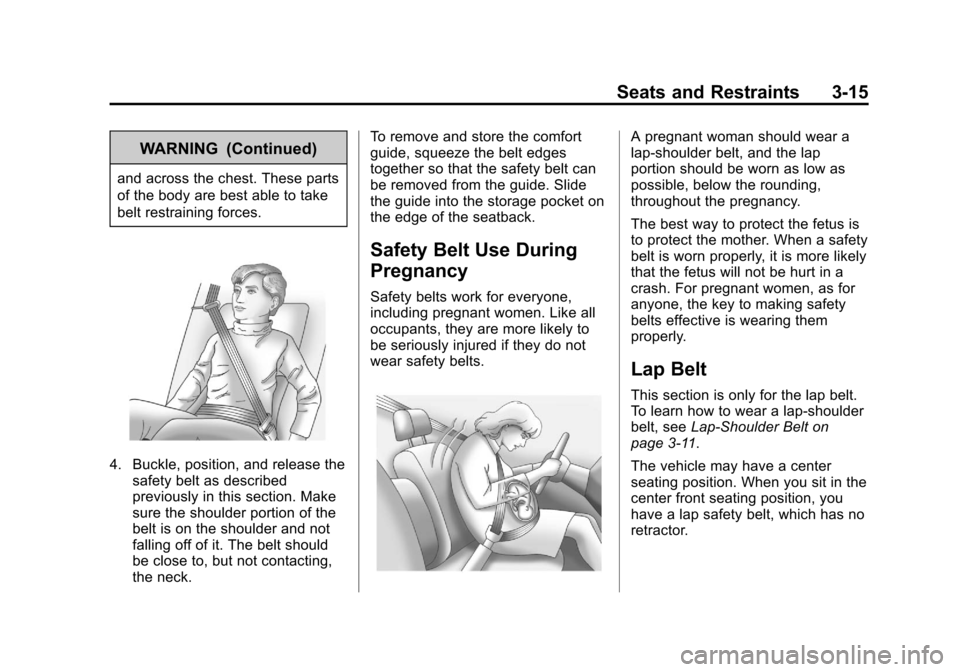
A pregnant woman should wear a
lap-shoulder belt, and the lap
portion should be worn as low as
possible, below the rounding,
throughout the pregnancy.
The best way to protect the fetus is
to protect the mother. When a safety
belt is worn properly, it is more likely
that the fetus will not be hurt in a
crash. For pregnant women, as for
anyone, the key to making safety
belts effective is wearing them
properly.
Lap Belt
This section is only for the lap belt.
To learn how to wear a lap-shoulder
belt, see
Lap-Shoulder Belt on
page 3‑11.
The vehicle may have a center
seating position. When you sit in the
center front seating position, you
have a lap safety belt, which has no
retractor.
Page 97 of 350
Black plate (1,1)Chevrolet Impala Owner Manual - 2013 - crc - 8/27/12
Instruments and Controls 5-1
Instruments and
Controls
Controls
Steering Wheel Adjustment . . . 5-2
Steering Wheel Controls . . . . . . 5-2
Horn . . . . . . . . . . . . . . . . . . . . . . . . . . 5-3
Windshield Wiper/Washer . . . . . 5-3
Compass . . . . . . . . . . . . . . . . . . . . . 5-4
Clock . . . . . . . . . . . . . . . . . . . . . . . . . 5-6
Power Outlets . . . . . . . . . . . . . . . . . 5-7
Cigarette Lighter . . . . . . . . . . . . . . 5-8
Warning Lights, Gauges, and
Indicators
Warning Lights, Gauges, andIndicators . . . . . . . . . . . . . . . . . . . . 5-8
Instrument Cluster . . . . . . . . . . . . 5-9
Speedometer . . . . . . . . . . . . . . . . 5-10
Odometer . . . . . . . . . . . . . . . . . . . . 5-10
Tachometer . . . . . . . . . . . . . . . . . . 5-10
Fuel Gauge . . . . . . . . . . . . . . . . . . 5-10
Engine Coolant Temperature Gauge . . . . . . . . . . . . . . . . . . . . . . 5-11 Safety Belt Reminders . . . . . . . 5-12
Airbag Readiness Light . . . . . . 5-12
Passenger Airbag Status
Indicator . . . . . . . . . . . . . . . . . . . . 5-13
Charging System Light . . . . . . 5-14
Malfunction
Indicator Lamp . . . . . . . . . . . . . 5-14
Brake System Warning Light . . . . . . . . . . . . . . . . . . . . . . . 5-17
Antilock Brake System (ABS) Warning Light . . . . . . . . . . . . . . 5-18
Electronic Stability Control (ESC) Off Light . . . . . . . . . . . . . 5-18
Electronic Stability Control (ESC)/Traction Control
System (TCS) Indicator/
Warning Light . . . . . . . . . . . . . . 5-19
Engine Coolant Temperature Warning Light . . . . . . . . . . . . . . 5-19
Tire Pressure Light . . . . . . . . . . 5-20
Engine Oil Pressure Light . . . . 5-20
Security Light . . . . . . . . . . . . . . . . 5-20
High-Beam On Light . . . . . . . . . 5-21
Front Fog Lamp Light . . . . . . . . 5-21
Cruise Control Light . . . . . . . . . 5-21
Information Displays
Driver Information Center (DIC) . . . . . . . . . . . . . . . 5-22
Vehicle Messages
Vehicle Messages . . . . . . . . . . . 5-26
Battery Voltage and ChargingMessages . . . . . . . . . . . . . . . . . . 5-26
Brake System Messages . . . . 5-26
Door Ajar Messages . . . . . . . . . 5-26
Engine Cooling System Messages . . . . . . . . . . . . . . . . . . 5-27
Engine Oil Messages . . . . . . . . 5-28
Engine Power Messages . . . . 5-29
Fuel System Messages . . . . . . 5-29
Key and Lock Messages . . . . . 5-29
Lamp Messages . . . . . . . . . . . . . 5-29
Ride Control System Messages . . . . . . . . . . . . . . . . . . 5-30
Airbag System Messages . . . . 5-31
Security Messages . . . . . . . . . . 5-31
Service Vehicle Messages . . . 5-31
Tire Messages . . . . . . . . . . . . . . . 5-32
Transmission Messages . . . . . 5-33
Vehicle Reminder Messages . . . . . . . . . . . . . . . . . . 5-33
Washer Fluid Messages . . . . . 5-33
Page 99 of 350
Black plate (3,1)Chevrolet Impala Owner Manual - 2013 - crc - 8/27/12
Instruments and Controls 5-3
c/x(Previous/End):Press to
go to the previous radio station
stored as a favorite, go to the next
track if a CD is playing, reject an
incoming call, or end a current call.
b/g(Mute/Push to Talk): Press
to silence the vehicle speakers only.
Press again to turn the sound on.
For vehicles with OnStar
®or
Bluetooth®systems, press and
hold
b/gfor longer than
two seconds to interact with those
systems. See OnStar Overview on
page 14‑1 andBluetooth on
page 7‑19 for more information.
SRCE (Source): Press to choose
between the radio (AM, FM, XM),
CD, and auxiliary input jack.
+
e−e(Volume): Press to
increase or to decrease the radio
volume.
¨(Seek): Press to go to the next
radio station while in AM, FM,
or XM. Press
¨to go to the next
track or chapter while sourced to
the CD.
Horn
Press near or on the horn symbols
on the steering wheel pad to sound
the horn.
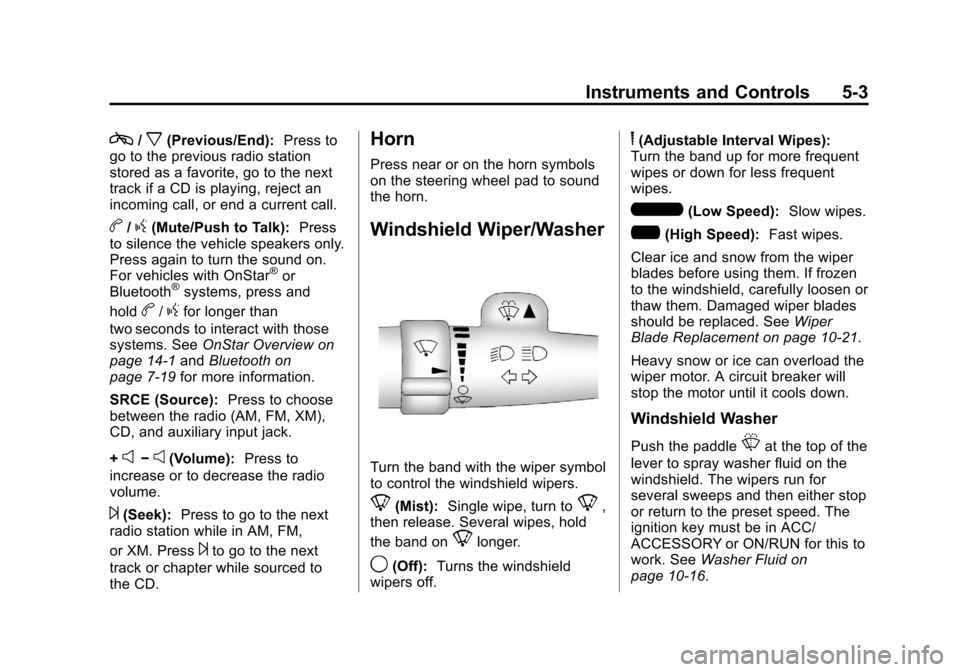
Windshield Wiper/Washer
Turn the band with the wiper symbol
to control the windshield wipers.
8(Mist): Single wipe, turn to8,
then release. Several wipes, hold
the band on
8longer.
9(Off): Turns the windshield
wipers off.
6(Adjustable Interval Wipes):
Turn the band up for more frequent
wipes or down for less frequent
wipes.
6(Low Speed): Slow wipes.
?(High Speed): Fast wipes.
Clear ice and snow from the wiper
blades before using them. If frozen
to the windshield, carefully loosen or
thaw them. Damaged wiper blades
should be replaced. See Wiper
Blade Replacement on page 10‑21.
Heavy snow or ice can overload the
wiper motor. A circuit breaker will
stop the motor until it cools down.
Windshield Washer
Push the paddleLat the top of the
lever to spray washer fluid on the
windshield. The wipers run for
several sweeps and then either stop
or return to the preset speed. The
ignition key must be in ACC/
ACCESSORY or ON/RUN for this to
work. See Washer Fluid on
page 10‑16.
Page 110 of 350
Black plate (14,1)Chevrolet Impala Owner Manual - 2013 - crc - 8/27/12
5-14 Instruments and Controls
If the word OFF or the off symbol is
lit on the airbag status indicator, it
means that the passenger sensing
system has turned off the right front
passenger frontal airbag.
If, after several seconds, both status
indicator lights remain on, or if there
are no lights at all, there may be a
problem with the lights or the
passenger sensing system. See
your dealer for service.
{WARNING
If the airbag readiness light ever
comes on and stays on, it means
that something may be wrong
with the airbag system. To help
avoid injury to yourself or others,
have the vehicle serviced right
away. SeeAirbag Readiness
Light on page 5‑12 for more
information, including important
safety information.
Charging System Light
This light comes on briefly when the
ignition key is turned to START, but
the engine is not running, as a
check to show it is working.
If it does not, have the vehicle
serviced by your dealer.
The light should go out once the
engine starts. If it stays on,
or comes on while driving, there
could be a problem with the
charging system. A charging system
message in the Driver Information
Center (DIC) can also appear. See
Battery Voltage and Charging
Messages on page 5‑26 for more
information. This light could indicate that there are problems with a
generator drive belt, or that there is
an electrical problem. Have it
checked right away. If the vehicle
must be driven a short distance with
the light on, turn off accessories,
such as the radio and air
conditioner.Malfunction
Indicator Lamp
A computer system called OBD II
(On-Board Diagnostics-Second
Generation) monitors the operation
of the vehicle to ensure emissions
are at acceptable levels, helping to
maintain a clean environment. The
malfunction indicator lamp comes
on when the vehicle is placed in
ON/RUN, as a check to show it is
working. If it does not, have the
vehicle serviced by your dealer. See
Ignition Positions on page 9‑13.
Page 125 of 350
Black plate (29,1)Chevrolet Impala Owner Manual - 2013 - crc - 8/27/12
Instruments and Controls 5-29
Engine Power Messages
ENGINE POWER IS REDUCED
This message displays when the
vehicle's engine power is reduced.
Reduced engine power can affect
the vehicle's ability to accelerate.
If this message is on, but there is no
reduction in performance, proceed
to your destination. The
performance may be reduced the
next time the vehicle is driven. The
vehicle may be driven at a reduced
speed while this message is on, but
acceleration and speed may be
reduced. Anytime this message
stays on, the vehicle should be
taken to your dealer for service as
soon as possible.
Fuel System Messages
FUEL LEVEL LOW
This message displays when your
vehicle is low on fuel. Refill the fuel
tank as soon as possible. SeeFuel
Gauge on page 5‑10 andFilling the
Tank on page 9‑34 for more
information.
TIGHTEN GAS CAP
This message may be displayed if
the gas cap is not on, or is not fully
tightened. Check the gas cap to
ensure that it is on properly. See
Filling the Tank on page 9‑34 for
more information.
Key and Lock Messages
REPLACE BATTERY IN
REMOTE KEY
This message displays when the
battery in the Remote Keyless Entry
(RKE) transmitter needs to be
replaced. To replace the battery, see
“Battery Replacement” under
Remote Keyless Entry (RKE)
System Operation on page 2‑2.
Lamp Messages
AUTOMATIC LIGHT
CONTROL OFF
This message displays when the
automatic headlamps are turned off.
See Exterior Lamp Controls on
page 6‑1 for more information.
AUTOMATIC LIGHT
CONTROL ON
This message displays when the
automatic headlamps are turned on.
SeeExterior Lamp Controls on
page 6‑1 for more information.
TURN SIGNAL ON
This message displays as a
reminder to turn off the turn signal
if you drive your vehicle for more
than about 1.2 km (0.75 mile) with a
turn signal on. See Turn and
Lane-Change Signals on page 6‑4.
Page 127 of 350
Black plate (31,1)Chevrolet Impala Owner Manual - 2013 - crc - 8/27/12
Instruments and Controls 5-31
Any of the following conditions may
cause the TCS to turn off:
.The TCS is turned off by
pressing the traction control
button. SeeTraction Control
System (TCS) on page 9‑25 for
more information.
.The battery is low.
TRACTION CONTROL ON
If your vehicle has the Traction
Control System (TCS), this message
displays when the TCS is turned on.
See Traction Control System (TCS)
on page 9‑25 for more information.
Airbag System Messages
SERVICE AIR BAG
This message displays when there
is a problem with the airbag system.
Have your vehicle serviced by your
dealer immediately. See Airbag
Readiness Light on page 5‑12 for
more information.
Security Messages
SERVICE THEFT SYSTEM
This message displays when there
is a problem with the theft-deterrent
system programmed in the key.
A fault has been detected in the
system which means that the
system is disabled and it is not
protecting the vehicle. The vehicle
usually restarts; however, you may
want to take the vehicle to your
dealer before turning off the engine.
See Immobilizer Operation on
page 2‑11 for more information.
THEFT ATTEMPTED
This message displays if the
theft-deterrent system has detected
a break-in attempt while you were
away from your vehicle. See Vehicle
Alarm System on page 2‑10 for
more information.
Service Vehicle Messages
ERROR
This message displays while
viewing the odometer or trip
odometers if there is a problem with
the instrument panel cluster. See
your dealer for service.
SERVICE POWER STEERING
This message displays when a
problem is detected with the power
steering system. When this
message is displayed, you may
notice that the effort required to
steer the vehicle increases or feels
heavier, but you will still be able to
steer the vehicle. Have your vehicle
serviced by your dealer immediately.
SERVICE VEHICLE SOON
This message displays when a
non-emissions related malfunction
occurs. Have the vehicle serviced
by your dealer as soon as possible.