instrument panel CHEVROLET IMPALA 2013 9.G Service Manual
[x] Cancel search | Manufacturer: CHEVROLET, Model Year: 2013, Model line: IMPALA, Model: CHEVROLET IMPALA 2013 9.GPages: 350, PDF Size: 5.66 MB
Page 207 of 350
Black plate (27,1)Chevrolet Impala Owner Manual - 2013 - crc - 8/27/12
Driving and Operating 9-27
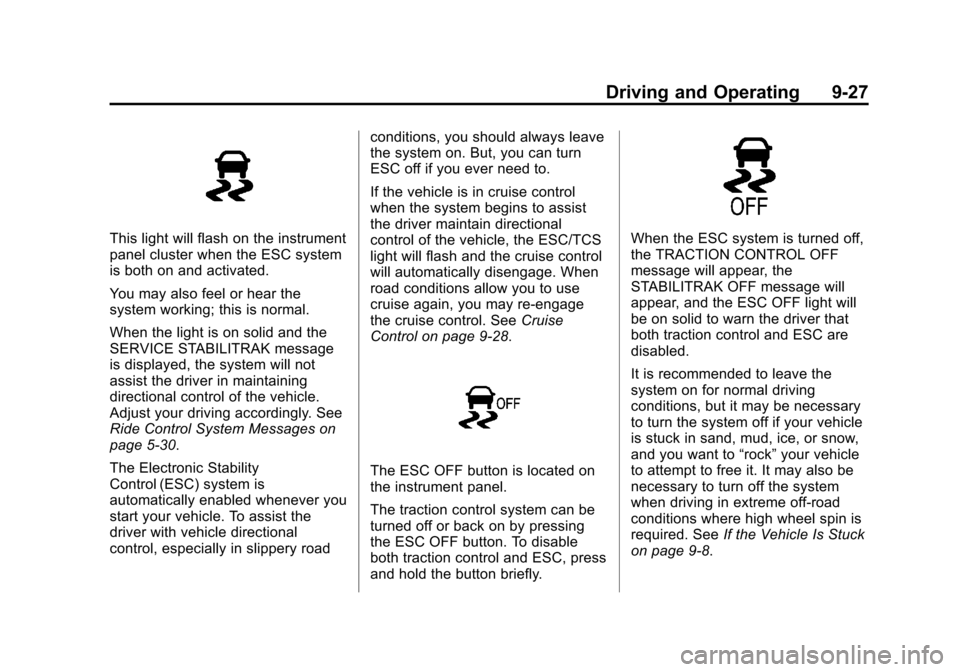
This light will flash on the instrument
panel cluster when the ESC system
is both on and activated.
You may also feel or hear the
system working; this is normal.
When the light is on solid and the
SERVICE STABILITRAK message
is displayed, the system will not
assist the driver in maintaining
directional control of the vehicle.
Adjust your driving accordingly. See
Ride Control System Messages on
page 5‑30.
The Electronic Stability
Control (ESC) system is
automatically enabled whenever you
start your vehicle. To assist the
driver with vehicle directional
control, especially in slippery roadconditions, you should always leave
the system on. But, you can turn
ESC off if you ever need to.
If the vehicle is in cruise control
when the system begins to assist
the driver maintain directional
control of the vehicle, the ESC/TCS
light will flash and the cruise control
will automatically disengage. When
road conditions allow you to use
cruise again, you may re-engage
the cruise control. See
Cruise
Control on page 9‑28.
The ESC OFF button is located on
the instrument panel.
The traction control system can be
turned off or back on by pressing
the ESC OFF button. To disable
both traction control and ESC, press
and hold the button briefly.
When the ESC system is turned off,
the TRACTION CONTROL OFF
message will appear, the
STABILITRAK OFF message will
appear, and the ESC OFF light will
be on solid to warn the driver that
both traction control and ESC are
disabled.
It is recommended to leave the
system on for normal driving
conditions, but it may be necessary
to turn the system off if your vehicle
is stuck in sand, mud, ice, or snow,
and you want to “rock”your vehicle
to attempt to free it. It may also be
necessary to turn off the system
when driving in extreme off-road
conditions where high wheel spin is
required. See If the Vehicle Is Stuck
on page 9‑8.
Page 209 of 350
Black plate (29,1)Chevrolet Impala Owner Manual - 2013 - crc - 8/27/12
Driving and Operating 9-29
T(On/Off):Press to turn cruise
control on and off. The indicator is lit
when cruise control is on.
+RES (Resume/Accelerate):
Press briefly to make the vehicle
resume to a previously set speed,
or press and hold to accelerate.
SET–: Press to set the speed and
activate cruise control or make the
vehicle decelerate.
[(Cancel): Press to disengage
cruise control without erasing the
set speed from memory.
Setting Cruise Control
The cruise control light on the
instrument panel cluster comes on
after the cruise control has been set
to the desired speed. See
Instrument Cluster on page 5‑9. If the cruise button is on when not in
use, it could get bumped and go into
cruise when not desired. Keep the
cruise control switch off when cruise
is not being used.
1. Press the
Tbutton to turn the
cruise system on.
2. Get up to the desired speed.
3. Press and release the SET– button located on the steering
wheel.
4. Take your foot off the accelerator.
Resuming a Set Speed
If cruise control is set at a desired
speed and then the brakes are
applied, the cruise control is
disengaged without erasing the set
speed from memory.
Once the vehicle speed is 40 km/h
(25 mph) or greater, press the +RES
button on the steering wheel. The
vehicle returns to the previously
selected speed and stays there. Increasing Speed While Using
Cruise Control
If the cruise control system is
already activated:
.Press and hold the +RES button
on the steering wheel until the
desired speed is reached, then
release it.
.To increase vehicle speed in
small increments, press the
+RES button. Each time this is
done, the vehicle goes about
1.6 km/h (1 mph) faster.
Reducing Speed While Using
Cruise Control
If the cruise control system is
already activated:
.Press and hold the SET– button
on the steering wheel until the
lower speed desired is reached,
then release it.
Page 216 of 350
Black plate (36,1)Chevrolet Impala Owner Manual - 2013 - crc - 8/27/12
9-36 Driving and Operating
Towing
General Towing
Information
Only use towing equipment that has
been designed for the vehicle.
Contact your dealer or trailering
dealer for assistance with preparing
the vehicle for towing a trailer.
See the following trailer towing
information in this section:
.For information on driving while
towing a trailer, see“Driving
Characteristics and
Towing Tips.”
.For maximum vehicle and trailer
weights, see “Trailer Towing.”
.For information on equipment to
tow a trailer, see “Towing
Equipment.”
For information on towing a disabled
vehicle, see Towing the Vehicle on
page 10‑63. For information on
towing the vehicle behind another vehicle such as a motor home, see
Recreational Vehicle Towing on
page 10‑63.
Driving Characteristics
and Towing Tips
Driving with a Trailer
When towing a trailer:
.Become familiar with the state
and local laws that apply
specifically to trailer towing.
.Do not tow a trailer during the
first 800 km (500 mi), to prevent
damage to the engine, axle or
other parts.
.Then, during the first 800 km
(500 mi) trailer towing, do not
drive over 80 km/h (50 mph) and
do not make starts at full throttle.
.The vehicle can tow in D (Drive)
but M (Manual Mode) is
recommended. See
Manual
Mode on page 9‑22. Use a lower
gear if the transmission shifts
too often.
{WARNING
When towing a trailer, exhaust
gases may collect at the rear of
the vehicle and enter if the
liftgate, trunk/hatch, or rear-most
window is open.
When towing a trailer:
.Do not drive with the liftgate,
trunk/hatch, or rear-most
window open.
.Fully open the air outlets on
or under the instrument
panel.
.Also adjust the Climate
Control system to a setting
that brings in only outside air.
See “Climate Control
Systems” in the Index.
For more information about
Carbon Monoxide, see Engine
Exhaust on page 9‑19.
Page 223 of 350
Black plate (1,1)Chevrolet Impala Owner Manual - 2013 - crc - 8/27/12
Vehicle Care 10-1
Vehicle Care
General Information
General Information . . . . . . . . . . 10-2
California Proposition65 Warning . . . . . . . . . . . . . . . . . 10-2
California Perchlorate Materials Requirements . . . . 10-3
Accessories and Modifications . . . . . . . . . . . . . . . 10-3
Vehicle Checks
Doing Your OwnService Work . . . . . . . . . . . . . . . 10-3
Hood . . . . . . . . . . . . . . . . . . . . . . . . 10-4
Engine Compartment Overview . . . . . . . . . . . . . . . . . . . 10-5
Engine Oil . . . . . . . . . . . . . . . . . . . 10-6
Engine Oil Life System . . . . . . 10-8
Automatic Transmission Fluid . . . . . . . . . . . . . . . . . . . . . . . 10-9
Engine Air Cleaner/Filter . . . . 10-10
Cooling System . . . . . . . . . . . . . 10-11
Engine Coolant . . . . . . . . . . . . . 10-11
Engine Overheating . . . . . . . . 10-14 Overheated Engine
Protection
Operating Mode . . . . . . . . . . . 10-15
Power Steering Fluid . . . . . . . 10-15
Washer Fluid . . . . . . . . . . . . . . . 10-16
Brakes . . . . . . . . . . . . . . . . . . . . . 10-17
Brake Fluid . . . . . . . . . . . . . . . . . 10-18
Battery . . . . . . . . . . . . . . . . . . . . . 10-19
Starter Switch Check . . . . . . . 10-20
Automatic Transmission Shift Lock Control Function
Check . . . . . . . . . . . . . . . . . . . . . 10-20
Ignition Transmission Lock Check . . . . . . . . . . . . . . . . . . . . . 10-20
Park Brake and P (Park) Mechanism Check . . . . . . . . 10-21
Wiper Blade Replacement . . . . . . . . . . . . . . 10-21
Headlamp Aiming
Headlamp Aiming . . . . . . . . . . 10-22
Bulb Replacement
Bulb Replacement . . . . . . . . . . 10-22
Halogen Bulbs . . . . . . . . . . . . . . 10-22
Headlamps, Front TurnSignal, Sidemarker, and
Parking Lamps . . . . . . . . . . . . 10-23 Taillamps, Turn Signal,
Sidemarker, Stoplamps,
and Back-Up Lamps . . . . . . 10-24
License Plate Lamp . . . . . . . . 10-25
Replacement Bulbs . . . . . . . . . 10-26
Electrical System
Electrical System Overload . . . . . . . . . . . . . . . . . . 10-26
Fuses and Circuit Breakers . . . . . . . . . . . . . . . . . . 10-27
Engine Compartment Fuse Block . . . . . . . . . . . . . . . . . . . . . 10-27
Instrument Panel Fuse Block . . . . . . . . . . . . . . . . . . . . . 10-30
Wheels and Tires
Tires . . . . . . . . . . . . . . . . . . . . . . . . 10-31
All-Season Tires . . . . . . . . . . . . 10-32
Winter Tires . . . . . . . . . . . . . . . . 10-32
Summer Tires . . . . . . . . . . . . . . 10-33
Tire Sidewall Labeling . . . . . . 10-33
Tire Designations . . . . . . . . . . . 10-35
Tire Terminology andDefinitions . . . . . . . . . . . . . . . . 10-36
Tire Pressure . . . . . . . . . . . . . . . 10-38
Tire Pressure Monitor System . . . . . . . . . . . . . . . . . . . 10-40
Page 236 of 350
Black plate (14,1)Chevrolet Impala Owner Manual - 2013 - crc - 8/27/12
10-14 Vehicle Care
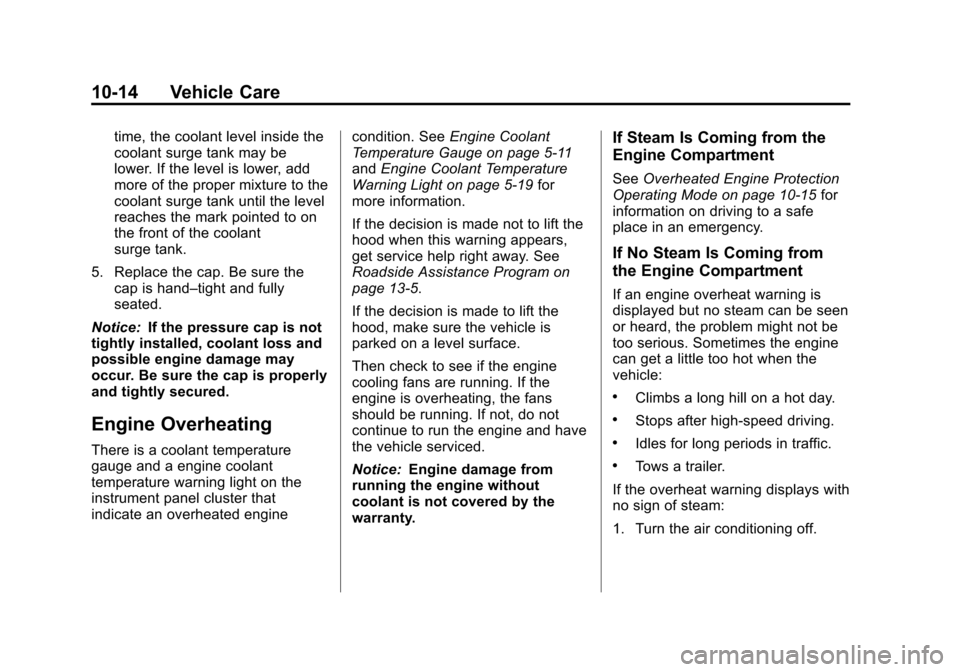
time, the coolant level inside the
coolant surge tank may be
lower. If the level is lower, add
more of the proper mixture to the
coolant surge tank until the level
reaches the mark pointed to on
the front of the coolant
surge tank.
5. Replace the cap. Be sure the cap is hand–tight and fully
seated.
Notice: If the pressure cap is not
tightly installed, coolant loss and
possible engine damage may
occur. Be sure the cap is properly
and tightly secured.
Engine Overheating
There is a coolant temperature
gauge and a engine coolant
temperature warning light on the
instrument panel cluster that
indicate an overheated engine condition. See
Engine Coolant
Temperature Gauge on page 5‑11
and Engine Coolant Temperature
Warning Light on page 5‑19 for
more information.
If the decision is made not to lift the
hood when this warning appears,
get service help right away. See
Roadside Assistance Program on
page 13‑5.
If the decision is made to lift the
hood, make sure the vehicle is
parked on a level surface.
Then check to see if the engine
cooling fans are running. If the
engine is overheating, the fans
should be running. If not, do not
continue to run the engine and have
the vehicle serviced.
Notice: Engine damage from
running the engine without
coolant is not covered by the
warranty.
If Steam Is Coming from the
Engine Compartment
See Overheated Engine Protection
Operating Mode on page 10‑15 for
information on driving to a safe
place in an emergency.
If No Steam Is Coming from
the Engine Compartment
If an engine overheat warning is
displayed but no steam can be seen
or heard, the problem might not be
too serious. Sometimes the engine
can get a little too hot when the
vehicle:
.Climbs a long hill on a hot day.
.Stops after high-speed driving.
.Idles for long periods in traffic.
.Tows a trailer.
If the overheat warning displays with
no sign of steam:
1. Turn the air conditioning off.
Page 251 of 350
Black plate (29,1)Chevrolet Impala Owner Manual - 2013 - crc - 8/27/12
Vehicle Care 10-29
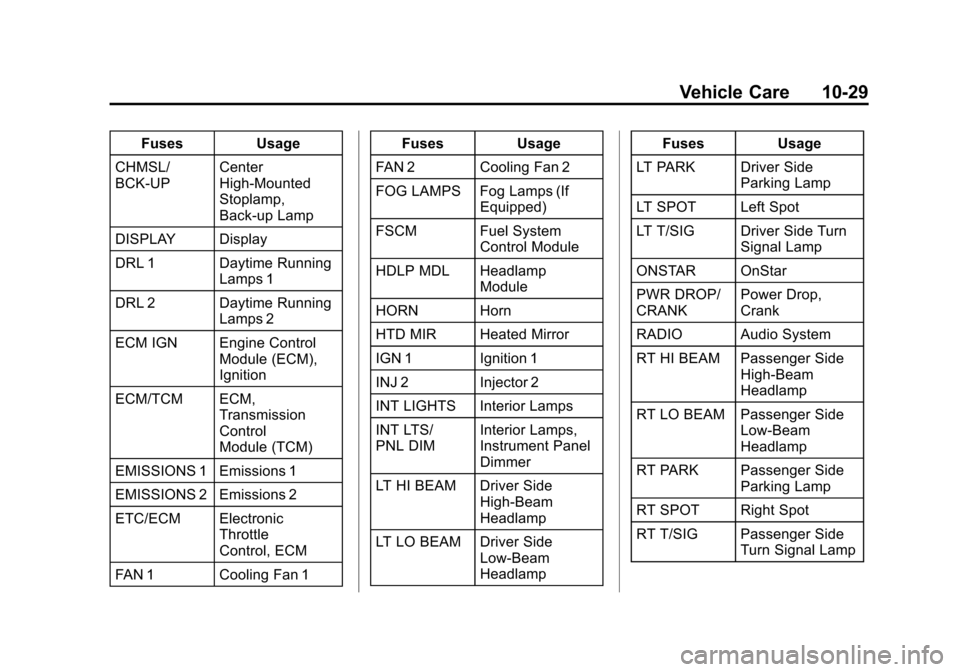
FusesUsage
CHMSL/
BCK-UP Center
High-Mounted
Stoplamp,
Back-up Lamp
DISPLAY Display
DRL 1 Daytime Running Lamps 1
DRL 2 Daytime Running Lamps 2
ECM IGN Engine Control Module (ECM),
Ignition
ECM/TCM ECM, Transmission
Control
Module (TCM)
EMISSIONS 1 Emissions 1
EMISSIONS 2 Emissions 2
ETC/ECM Electronic Throttle
Control, ECM
FAN 1 Cooling Fan 1 Fuses
Usage
FAN 2 Cooling Fan 2
FOG LAMPS Fog Lamps (If Equipped)
FSCM Fuel System Control Module
HDLP MDL Headlamp Module
HORN Horn
HTD MIR Heated Mirror
IGN 1 Ignition 1
INJ 2 Injector 2
INT LIGHTS Interior Lamps
INT LTS/
PNL DIM Interior Lamps,
Instrument Panel
Dimmer
LT HI BEAM Driver Side High-Beam
Headlamp
LT LO BEAM Driver Side Low-Beam
Headlamp Fuses
Usage
LT PARK Driver Side Parking Lamp
LT SPOT Left Spot
LT T/SIG Driver Side Turn Signal Lamp
ONSTAR OnStar
PWR DROP/
CRANK Power Drop,
Crank
RADIO Audio System
RT HI BEAM Passenger Side High-Beam
Headlamp
RT LO BEAM Passenger Side Low-Beam
Headlamp
RT PARK Passenger Side Parking Lamp
RT SPOT Right Spot
RT T/SIG Passenger Side Turn Signal Lamp
Page 252 of 350
Black plate (30,1)Chevrolet Impala Owner Manual - 2013 - crc - 8/27/12
10-30 Vehicle Care
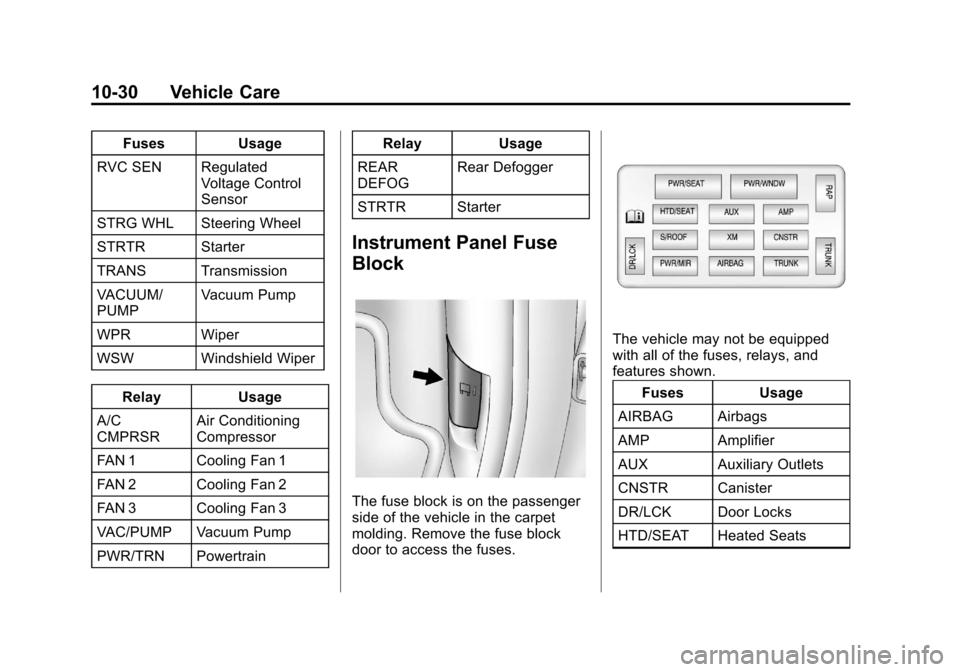
FusesUsage
RVC SEN Regulated Voltage Control
Sensor
STRG WHL Steering Wheel
STRTR Starter
TRANS Transmission
VACUUM/
PUMP Vacuum Pump
WPR Wiper
WSW Windshield Wiper Relay Usage
A/C
CMPRSR Air Conditioning
Compressor
FAN 1 Cooling Fan 1
FAN 2 Cooling Fan 2
FAN 3 Cooling Fan 3
VAC/PUMP Vacuum Pump
PWR/TRN Powertrain Relay
Usage
REAR
DEFOG Rear Defogger
STRTR Starter
Instrument Panel Fuse
Block
The fuse block is on the passenger
side of the vehicle in the carpet
molding. Remove the fuse block
door to access the fuses.
The vehicle may not be equipped
with all of the fuses, relays, and
features shown. Fuses Usage
AIRBAG Airbags
AMP Amplifier
AUX Auxiliary Outlets
CNSTR Canister
DR/LCK Door Locks
HTD/SEAT Heated Seats
Page 292 of 350
Black plate (70,1)Chevrolet Impala Owner Manual - 2013 - crc - 8/27/12
10-70 Vehicle Care
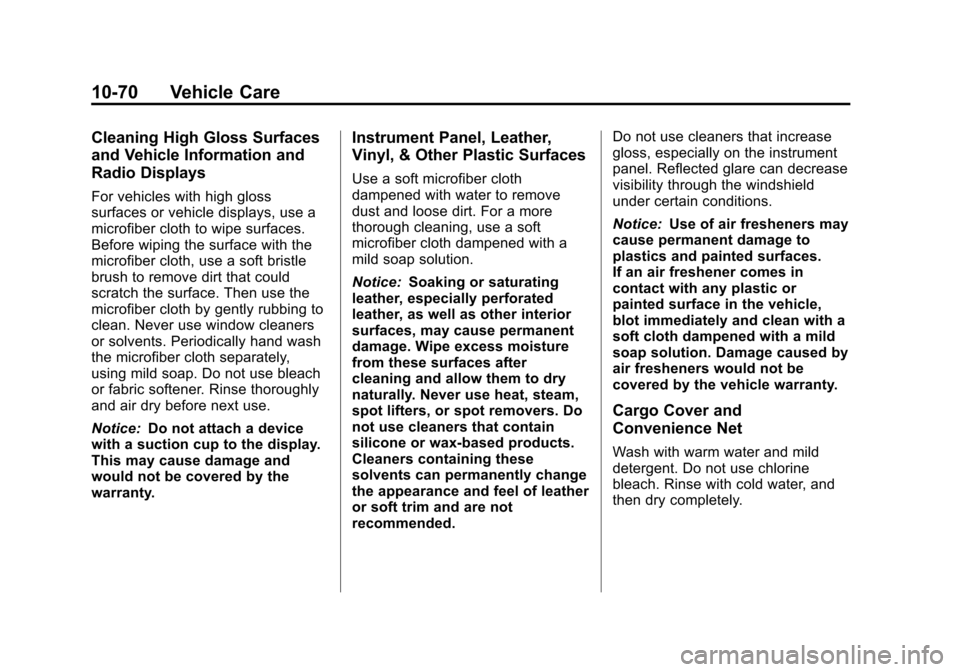
Cleaning High Gloss Surfaces
and Vehicle Information and
Radio Displays
For vehicles with high gloss
surfaces or vehicle displays, use a
microfiber cloth to wipe surfaces.
Before wiping the surface with the
microfiber cloth, use a soft bristle
brush to remove dirt that could
scratch the surface. Then use the
microfiber cloth by gently rubbing to
clean. Never use window cleaners
or solvents. Periodically hand wash
the microfiber cloth separately,
using mild soap. Do not use bleach
or fabric softener. Rinse thoroughly
and air dry before next use.
Notice:Do not attach a device
with a suction cup to the display.
This may cause damage and
would not be covered by the
warranty.
Instrument Panel, Leather,
Vinyl, & Other Plastic Surfaces
Use a soft microfiber cloth
dampened with water to remove
dust and loose dirt. For a more
thorough cleaning, use a soft
microfiber cloth dampened with a
mild soap solution.
Notice: Soaking or saturating
leather, especially perforated
leather, as well as other interior
surfaces, may cause permanent
damage. Wipe excess moisture
from these surfaces after
cleaning and allow them to dry
naturally. Never use heat, steam,
spot lifters, or spot removers. Do
not use cleaners that contain
silicone or wax-based products.
Cleaners containing these
solvents can permanently change
the appearance and feel of leather
or soft trim and are not
recommended. Do not use cleaners that increase
gloss, especially on the instrument
panel. Reflected glare can decrease
visibility through the windshield
under certain conditions.
Notice:
Use of air fresheners may
cause permanent damage to
plastics and painted surfaces.
If an air freshener comes in
contact with any plastic or
painted surface in the vehicle,
blot immediately and clean with a
soft cloth dampened with a mild
soap solution. Damage caused by
air fresheners would not be
covered by the vehicle warranty.
Cargo Cover and
Convenience Net
Wash with warm water and mild
detergent. Do not use chlorine
bleach. Rinse with cold water, and
then dry completely.
Page 311 of 350
Black plate (1,1)Chevrolet Impala Owner Manual - 2013 - crc - 8/27/12
Technical Data 12-1
Technical Data
Vehicle Identification
Vehicle IdentificationNumber (VIN) . . . . . . . . . . . . . . 12-1
Service Parts Identification Label . . . . . . . . . . . . . . . . . . . . . . . 12-1
Vehicle Data
Capacities andSpecifications . . . . . . . . . . . . . . 12-2
Engine Drive Belt Routing . . . 12-4
Vehicle Identification
Vehicle Identification
Number (VIN)
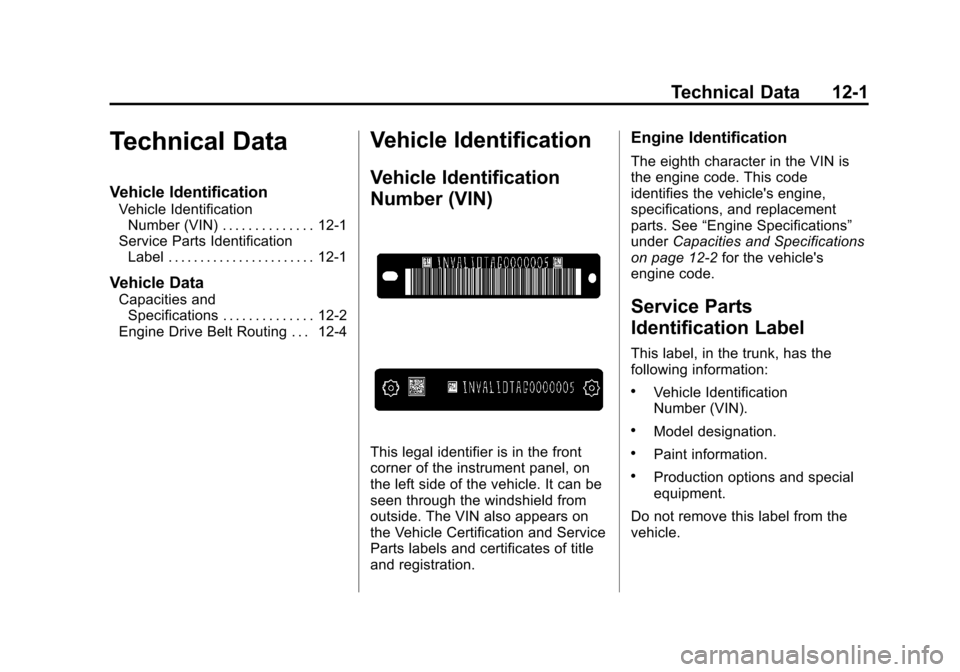
This legal identifier is in the front
corner of the instrument panel, on
the left side of the vehicle. It can be
seen through the windshield from
outside. The VIN also appears on
the Vehicle Certification and Service
Parts labels and certificates of title
and registration.
Engine Identification
The eighth character in the VIN is
the engine code. This code
identifies the vehicle's engine,
specifications, and replacement
parts. See “Engine Specifications”
under Capacities and Specifications
on page 12‑2 for the vehicle's
engine code.
Service Parts
Identification Label
This label, in the trunk, has the
following information:
.Vehicle Identification
Number (VIN).
.Model designation.
.Paint information.
.Production options and special
equipment.
Do not remove this label from the
vehicle.
Page 316 of 350
Black plate (2,1)Chevrolet Impala Owner Manual - 2013 - crc - 8/27/12
13-2 Customer Information
STEP TWO:If after contacting a
member of dealership management,
it appears your concern cannot be
resolved by your dealership without
further help, in the U.S., call the
Chevrolet Customer Assistance
Center at 1-800-222-1020. In
Canada, call General Motors of
Canada Customer Care Centre at
1-800-263-3777 (English),
or 1-800-263-7854 (French).
We encourage you to call the
toll-free number in order to give your
inquiry prompt attention. Have the
following information available to
give the Customer Assistance
representative:
.Vehicle Identification
Number (VIN). This is available
from the vehicle registration or
title, or the plate at the top left of
the instrument panel and visible
through the windshield.
.Dealership name and location.
.Vehicle delivery date and
present mileage. When contacting Chevrolet,
remember that your concern will
likely be resolved at a dealer's
facility. That is why we suggest
following Step One first.
STEP THREE
—U.S. Owners:
Both General Motors and your
dealer are committed to making
sure you are completely satisfied
with the new vehicle. However,
if you continue to remain unsatisfied
after following the procedure
outlined in Steps One and Two, you
can file with the Better Business
Bureau (BBB) Auto Line
®Program
to enforce your rights.
The BBB Auto Line Program is an
out-of-court program administered
by the Council of Better Business
Bureaus to settle automotive
disputes regarding vehicle repairs or
the interpretation of the New Vehicle
Limited Warranty. Although you may
be required to resort to this informal
dispute resolution program prior to
filing a court action, use of the
program is free of charge and your
case will generally be heard within 40 days. If you do not agree with the
decision given in your case, you
may reject it and proceed with any
other venue for relief available
to you.
You may contact the BBB Auto Line
Program using the toll-free
telephone number or write them at
the following address:
BBB Auto Line Program
Council of Better Business
Bureaus, Inc.
4200 Wilson Boulevard
Suite 800
Arlington, VA 22203-1838
Telephone: 1-800-955-5100
www.dr.bbb.org/goauto
This program is available in all
50 states and the District of
Columbia. Eligibility is limited by
vehicle age, mileage, and other
factors. General Motors reserves
the right to change eligibility
limitations and/or discontinue its
participation in this program.