stabilitrak CHEVROLET IMPALA 2018 Owner's Manual
[x] Cancel search | Manufacturer: CHEVROLET, Model Year: 2018, Model line: IMPALA, Model: CHEVROLET IMPALA 2018Pages: 345, PDF Size: 5.81 MB
Page 5 of 345
Chevrolet Impala Owner Manual (GMNA-Localizing-U.S./Canada-11348316) -
2018 - CRC - 8/22/17
4 Introduction
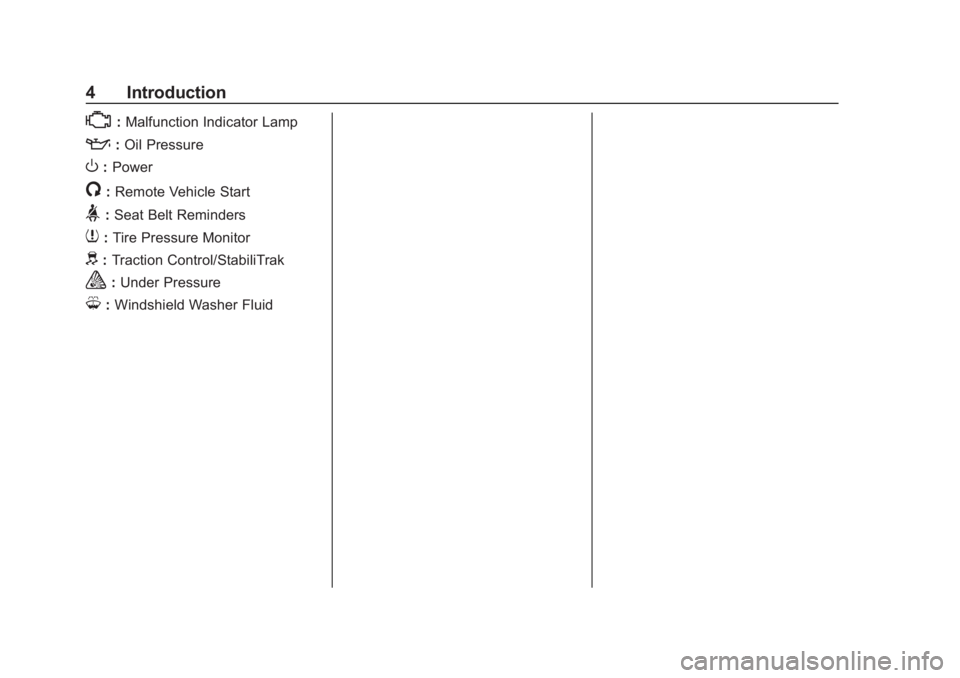
*:Malfunction Indicator Lamp
::Oil Pressure
O:Power
/:Remote Vehicle Start
>:Seat Belt Reminders
7: Tire Pressure Monitor
d:Traction Control/StabiliTrak
a:Under Pressure
M: Windshield Washer Fluid
Page 25 of 345
Chevrolet Impala Owner Manual (GMNA-Localizing-U.S./Canada-11348316) -
2018 - CRC - 8/22/17
24 In Brief
Open/Close (Manual Mode) :
Press and hold the front or rear of
Qto open or close the sunshade.
Release the switch to stop at the
desired position.
The sunroof/sunshade is equipped
with an automatic reversal system.
See Sunroof 047.
Performance and
Maintenance
Traction Control/
Electronic Stability
Control
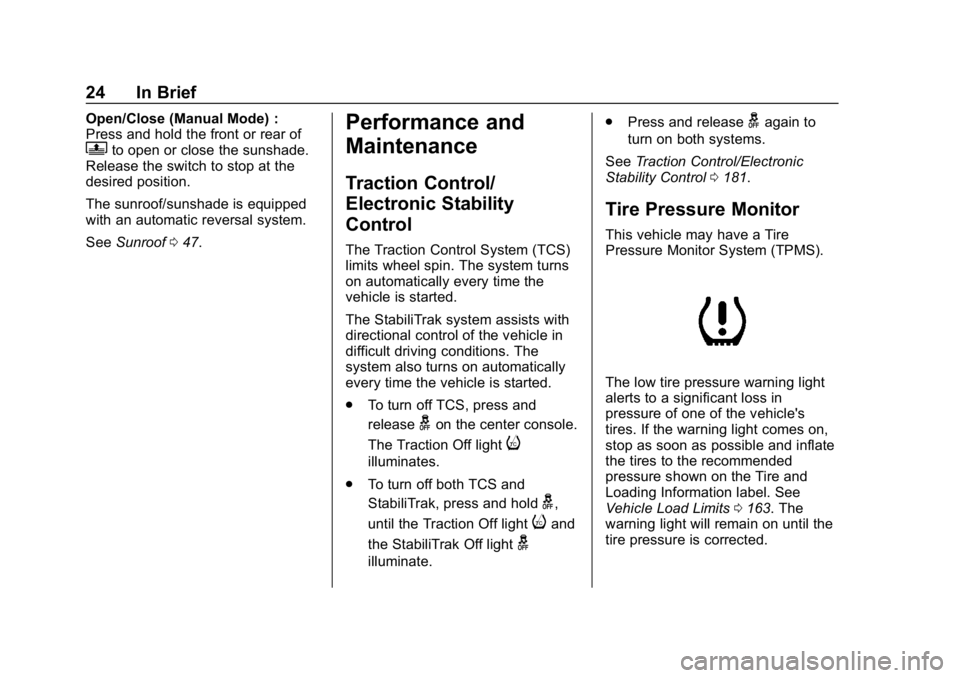
The Traction Control System (TCS)
limits wheel spin. The system turns
on automatically every time the
vehicle is started.
The StabiliTrak system assists with
directional control of the vehicle in
difficult driving conditions. The
system also turns on automatically
every time the vehicle is started.
.
To turn off TCS, press and
release
gon the center console.
The Traction Off light
i
illuminates.
. To turn off both TCS and
StabiliTrak, press and hold
g,
until the Traction Off light
iand
the StabiliTrak Off light
g
illuminate. .
Press and release
gagain to
turn on both systems.
See Traction Control/Electronic
Stability Control 0181.
Tire Pressure Monitor
This vehicle may have a Tire
Pressure Monitor System (TPMS).
The low tire pressure warning light
alerts to a significant loss in
pressure of one of the vehicle's
tires. If the warning light comes on,
stop as soon as possible and inflate
the tires to the recommended
pressure shown on the Tire and
Loading Information label. See
Vehicle Load Limits 0163. The
warning light will remain on until the
tire pressure is corrected.
Page 104 of 345
Chevrolet Impala Owner Manual (GMNA-Localizing-U.S./Canada-11348316) -
2018 - CRC - 8/22/17
Instruments and Controls 103
Instruments and
Controls
Controls
Steering Wheel Adjustment . . . 104
Steering Wheel Controls . . . . . . 104
Heated Steering Wheel . . . . . . . 104
Horn . . . . . . . . . . . . . . . . . . . . . . . . . . 104
Windshield Wiper/Washer . . . . 105
Compass . . . . . . . . . . . . . . . . . . . . . 106
Clock . . . . . . . . . . . . . . . . . . . . . . . . . 106
Power Outlets . . . . . . . . . . . . . . . . 106
Wireless Charging . . . . . . . . . . . . 108
Warning Lights, Gauges, and
Indicators
Warning Lights, Gauges, andIndicators . . . . . . . . . . . . . . . . . . . 109
Instrument Cluster . . . . . . . . . . . . 110
Speedometer . . . . . . . . . . . . . . . . . 113
Odometer . . . . . . . . . . . . . . . . . . . . . 113
Trip Odometer . . . . . . . . . . . . . . . . 113
Tachometer . . . . . . . . . . . . . . . . . . . 113
Fuel Gauge . . . . . . . . . . . . . . . . . . . 114
Engine Coolant Temperature Gauge . . . . . . . . . . . . . . . . . . . . . . 115
Seat Belt Reminders . . . . . . . . . . 115
Airbag Readiness Light . . . . . . . 116 Passenger Airbag Status
Indicator . . . . . . . . . . . . . . . . . . . . . 116
Charging System Light . . . . . . . 117
Malfunction Indicator Lamp (Check Engine Light) . . . . . . . . 118
Brake System Warning Light . . . . . . . . . . . . . . . . . . . . . . . . 119
Electric Parking Brake Light . . . . . . . . . . . . . . . . . . . . . . . . 120
Service Electric Parking Brake Light . . . . . . . . . . . . . . . . . . . . . . . . 120
Antilock Brake System (ABS) Warning Light . . . . . . . . . . . . . . . 121
Lane Departure Warning (LDW) Light . . . . . . . . . . . . . . . . . 121
Vehicle Ahead Indicator . . . . . . 121
Traction Off Light . . . . . . . . . . . . . 121
StabiliTrak OFF Light . . . . . . . . . 122
Traction Control System (TCS)/ StabiliTrak Light . . . . . . . . . . . . . 122
Tire Pressure Light . . . . . . . . . . . 122
Engine Oil Pressure Light . . . . 123
Low Fuel Warning Light . . . . . . 123
Security Light . . . . . . . . . . . . . . . . . 124
High-Beam On Light . . . . . . . . . . 124
Lamps On Reminder . . . . . . . . . 124
Cruise Control Light . . . . . . . . . . 124
Door Ajar Light . . . . . . . . . . . . . . . 125
Information Displays
Driver Information Center (DIC) . . . . . . . . . . . . . . . . 125
Vehicle Messages
Vehicle Messages . . . . . . . . . . . . 127
Engine Power Messages . . . . . 128
Vehicle Speed Messages . . . . . 128
Vehicle Personalization
Vehicle Personalization . . . . . . . 128
Universal Remote System
Universal Remote System . . . . 135
Universal Remote SystemProgramming . . . . . . . . . . . . . . . 135
Universal Remote System Operation . . . . . . . . . . . . . . . . . . . 138
Page 107 of 345
Chevrolet Impala Owner Manual (GMNA-Localizing-U.S./Canada-11348316) -
2018 - CRC - 8/22/17
106 Instruments and Controls
If the ignition is turned off while the
wipers are performing wipes due to
windshield washing, the wipers
continue to run until they reach the
base of the windshield.
Compass
The vehicle may have a compass
display on the Driver Information
Center (DIC). The compass receives
its heading and other information
from the Global Positioning
System (GPS) antenna, StabiliTrak,
and vehicle speed information.
The compass system is designed to
operate for a certain number of
miles or degrees of turn before
needing a signal from the GPS
satellites. When the compass
display shows CAL, drive the
vehicle for a short distance in an
open area where it can receive a
GPS signal. The compass system
will automatically determine when a
GPS signal is restored and provide
a heading again.
Clock
Setting the Time and Date
To set the time:1. Touch SETTINGS on the Home Page, then touch Time
and Date.
2. Touch Set Time, then touch
«
orªto increase or decrease
hours, minutes, and AM or PM.
Touch 12–24 Hr for 12 or
24 hour clock.
3. Touch
Sto go back to the
previous menu.
To turn auto set on and off, touch
Auto set.
An active OnStar sevice plan is
required for auto set. If auto set is
on, the time displayed on the clock
may not update immediately when
driving into a new time zone.
To set the date: 1. Touch SETTINGS on the Home Page, then touch Time
and Date. 2. Touch Set Date, then touch
«
orªto increase or decrease
month, day, or year.
3. Touch
Sto go back to the
previous menu.
To set the clock display:
1. Touch SETTINGS on the Home Page, then touch Time
and Date.
2. Touch Clock Display, then touch Off or On to turn the
clock display off or on.
3. Touch
Sto go back to the
previous menu.
Power Outlets
Power Outlets 12 Volt Direct
Current
The accessory power outlets can be
used to plug in electrical equipment,
such as a cell phone or MP3 player.
There are three accessory power
outlets:
. Inside the front storage area
below the climate control system
Page 123 of 345
Chevrolet Impala Owner Manual (GMNA-Localizing-U.S./Canada-11348316) -
2018 - CRC - 8/22/17
122 Instruments and Controls
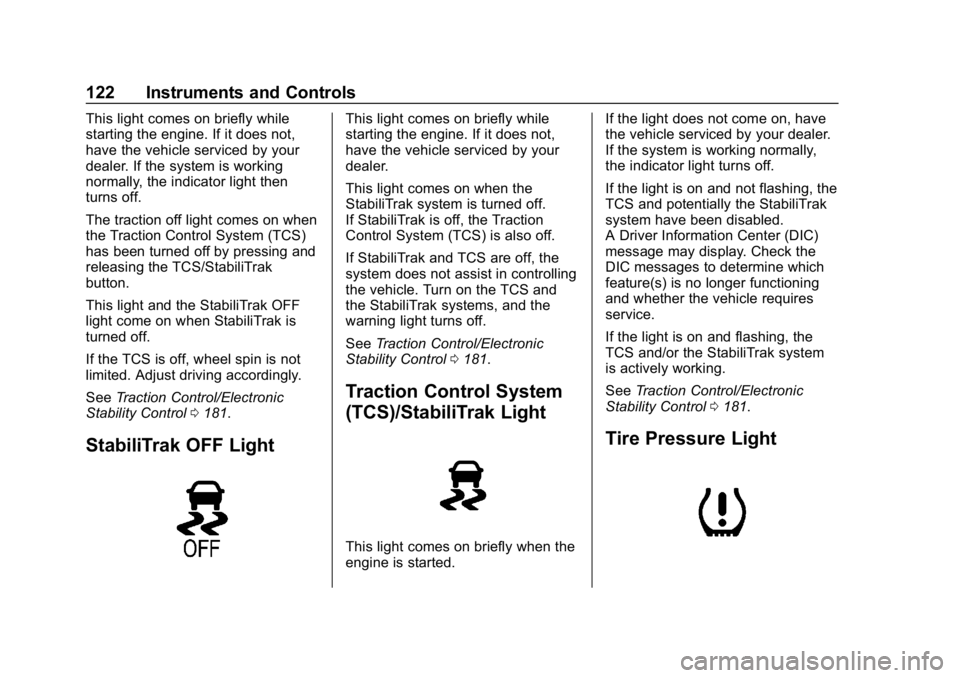
This light comes on briefly while
starting the engine. If it does not,
have the vehicle serviced by your
dealer. If the system is working
normally, the indicator light then
turns off.
The traction off light comes on when
the Traction Control System (TCS)
has been turned off by pressing and
releasing the TCS/StabiliTrak
button.
This light and the StabiliTrak OFF
light come on when StabiliTrak is
turned off.
If the TCS is off, wheel spin is not
limited. Adjust driving accordingly.
SeeTraction Control/Electronic
Stability Control 0181.
StabiliTrak OFF Light
This light comes on briefly while
starting the engine. If it does not,
have the vehicle serviced by your
dealer.
This light comes on when the
StabiliTrak system is turned off.
If StabiliTrak is off, the Traction
Control System (TCS) is also off.
If StabiliTrak and TCS are off, the
system does not assist in controlling
the vehicle. Turn on the TCS and
the StabiliTrak systems, and the
warning light turns off.
See Traction Control/Electronic
Stability Control 0181.
Traction Control System
(TCS)/StabiliTrak Light
This light comes on briefly when the
engine is started. If the light does not come on, have
the vehicle serviced by your dealer.
If the system is working normally,
the indicator light turns off.
If the light is on and not flashing, the
TCS and potentially the StabiliTrak
system have been disabled.
A Driver Information Center (DIC)
message may display. Check the
DIC messages to determine which
feature(s) is no longer functioning
and whether the vehicle requires
service.
If the light is on and flashing, the
TCS and/or the StabiliTrak system
is actively working.
See
Traction Control/Electronic
Stability Control 0181.
Tire Pressure Light
Page 182 of 345
Chevrolet Impala Owner Manual (GMNA-Localizing-U.S./Canada-11348316) -
2018 - CRC - 8/22/17
Driving and Operating 181
Ride Control Systems
Traction Control/
Electronic Stability
Control
System Operation
The vehicle has a Traction Control
System (TCS) and StabiliTrak, an
electronic stability control system.
These systems help limit wheel slip
and assist the driver in maintaining
control, especially on slippery road
conditions.
TCS activates if it senses that any
of the drive wheels are spinning or
beginning to lose traction. When this
happens, TCS applies the brakes to
the spinning wheels and reduces
engine power to limit wheel spin.
StabiliTrak activates when the
vehicle senses a difference between
the intended path and the direction
the vehicle is actually traveling.
StabiliTrak selectively applies
braking pressure to any one of thevehicle wheel brakes to assist the
driver in keeping the vehicle on the
intended path.
If cruise control is being used and
TCS or StabiliTrak begins to limit
wheel spin, cruise control will
disengage. Cruise control may be
turned back on when road
conditions allow.
Both systems come on
automatically when the vehicle is
started and begins to move. The
systems may be heard or felt while
they are operating or while
performing diagnostic checks. This
is normal and does not mean there
is a problem with the vehicle.
It is recommended to leave both
systems on for normal driving
conditions, but it may be necessary
to turn TCS off if the vehicle gets
stuck in sand, mud, ice, or snow.
See
If the Vehicle Is Stuck 0163
and “Turning the Systems Off and
On” later in this section.
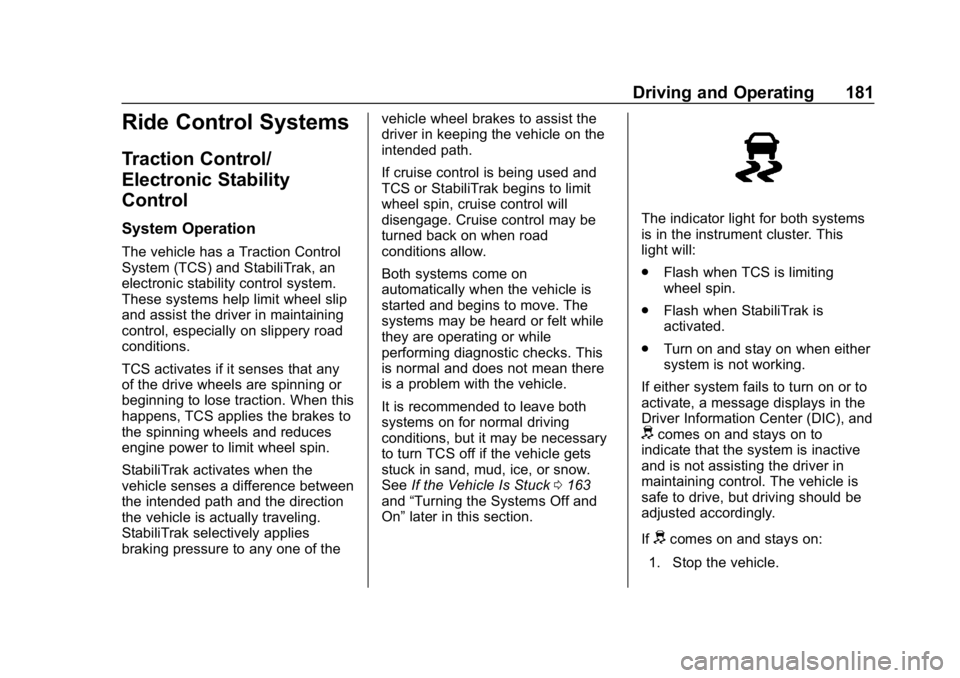
The indicator light for both systems
is in the instrument cluster. This
light will:
.
Flash when TCS is limiting
wheel spin.
. Flash when StabiliTrak is
activated.
. Turn on and stay on when either
system is not working.
If either system fails to turn on or to
activate, a message displays in the
Driver Information Center (DIC), and
dcomes on and stays on to
indicate that the system is inactive
and is not assisting the driver in
maintaining control. The vehicle is
safe to drive, but driving should be
adjusted accordingly.
If
dcomes on and stays on:
1. Stop the vehicle.
Page 183 of 345
Chevrolet Impala Owner Manual (GMNA-Localizing-U.S./Canada-11348316) -
2018 - CRC - 8/22/17
182 Driving and Operating
2. Turn the engine off and wait15 seconds.
3. Start the engine.
Drive the vehicle. If
dcomes on
and stays on, the vehicle may need
more time to diagnose the problem.
If the condition persists, see your
dealer.
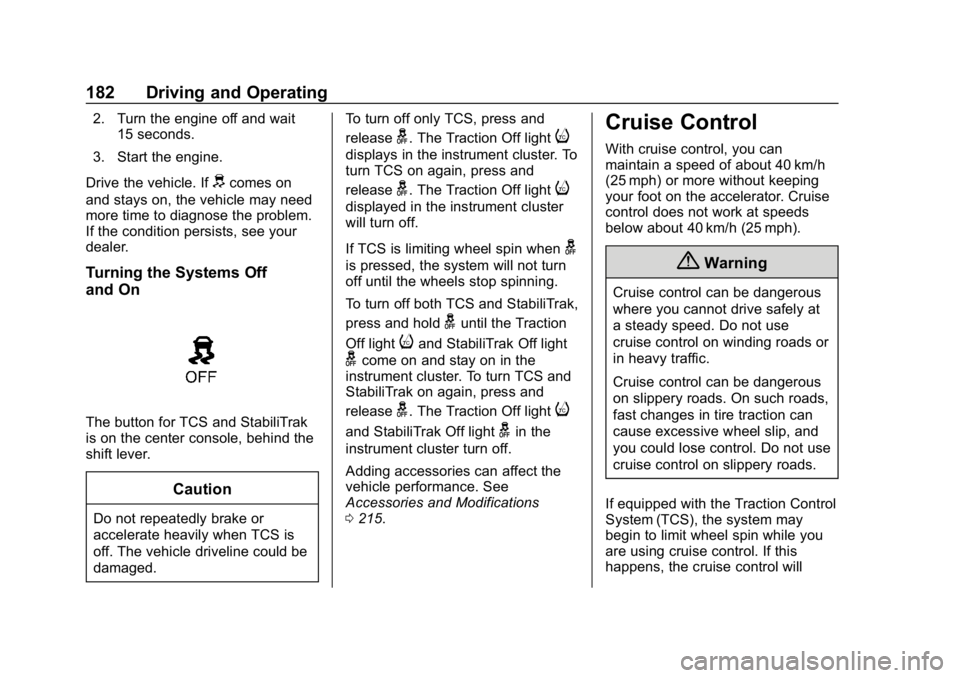
Turning the Systems Off
and On
The button for TCS and StabiliTrak
is on the center console, behind the
shift lever.
Caution
Do not repeatedly brake or
accelerate heavily when TCS is
off. The vehicle driveline could be
damaged. To turn off only TCS, press and
release
g. The Traction Off lighti
displays in the instrument cluster. To
turn TCS on again, press and
release
g. The Traction Off lighti
displayed in the instrument cluster
will turn off.
If TCS is limiting wheel spin when
g
is pressed, the system will not turn
off until the wheels stop spinning.
To turn off both TCS and StabiliTrak,
press and hold
guntil the Traction
Off light
iand StabiliTrak Off light
gcome on and stay on in the
instrument cluster. To turn TCS and
StabiliTrak on again, press and
release
g. The Traction Off lighti
and StabiliTrak Off lightgin the
instrument cluster turn off.
Adding accessories can affect the
vehicle performance. See
Accessories and Modifications
0 215.
Cruise Control
With cruise control, you can
maintain a speed of about 40 km/h
(25 mph) or more without keeping
your foot on the accelerator. Cruise
control does not work at speeds
below about 40 km/h (25 mph).
{Warning
Cruise control can be dangerous
where you cannot drive safely at
a steady speed. Do not use
cruise control on winding roads or
in heavy traffic.
Cruise control can be dangerous
on slippery roads. On such roads,
fast changes in tire traction can
cause excessive wheel slip, and
you could lose control. Do not use
cruise control on slippery roads.
If equipped with the Traction Control
System (TCS), the system may
begin to limit wheel spin while you
are using cruise control. If this
happens, the cruise control will
Page 186 of 345
Chevrolet Impala Owner Manual (GMNA-Localizing-U.S./Canada-11348316) -
2018 - CRC - 8/22/17
Driving and Operating 185
direction. If no vehicle is detected in
your path, ACC works like regular
cruise control. ACC uses a radar
sensor. SeeRadio Frequency
Statement 0317.
If a vehicle is detected in your path,
ACC can apply acceleration or
limited, moderate braking to
maintain the selected following gap.
To disengage ACC, apply the brake.
If ACC is controlling your vehicle
speed when the Traction Control
System (TCS) or StabiliTrak System
activates, the ACC may
automatically disengage. When road
conditions allow ACC to be safely
used, the ACC can be turned back
on. If TCS or StabiliTrak have been
disabled, the ACC will not engage.
See Traction Control/Electronic
Stability Control 0181.
{Warning
ACC has limited braking ability
and may not have time to slow
the vehicle down enough to avoid
a collision with another vehicle
(Continued)
Warning (Continued)
you are following. This can occur
when vehicles suddenly slow or
stop ahead, or enter your lane.
Also see“Alerting the Driver” in
this section. Complete attention is
always required while driving and
you should be ready to take
action and apply the brakes. See
Defensive Driving 0158.
{Warning
ACC will not detect or brake for
children, pedestrians, animals,
or other objects.
Do not use ACC when:
. On winding and hilly roads
or when the sensors are
blocked by snow, ice, or dirt.
The system may not detect
a vehicle ahead. Keep the
entire front of the vehicle
clean.
(Continued)
Warning (Continued)
.Visibility is low, such as in
fog, rain, or snow
conditions. ACC
performance is limited under
these conditions.
. On slippery roads where
fast changes in tire traction
can cause excessive
wheel slip.
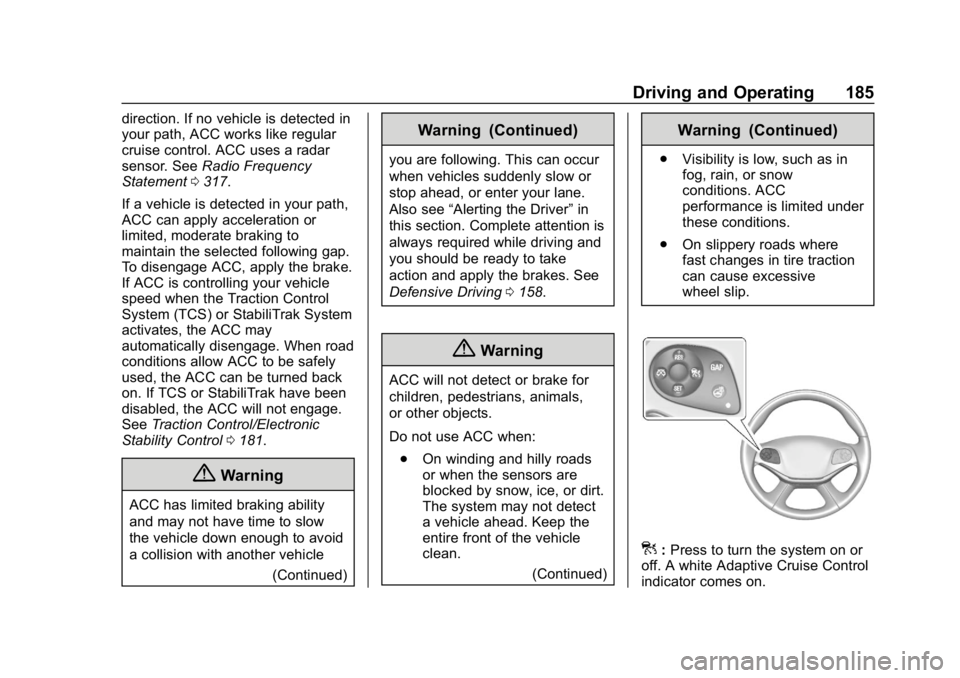
]:Press to turn the system on or
off. A white Adaptive Cruise Control
indicator comes on.
Page 339 of 345

Chevrolet Impala Owner Manual (GMNA-Localizing-U.S./Canada-11348316) -
2018 - CRC - 8/22/17
338 Index
J
Jump Starting - NorthAmerica . . . . . . . . . . . . . . . . . . . . . . . 276
K
Keyless EntryRemote (RKE) System . . . . . . . . . 28
Keys . . . . . . . . . . . . . . . . . . . . . . . . . . . . . 27
L
Labeling, Tire Sidewall . . . . . . . . . . 251
Lamps Courtesy . . . . . . . . . . . . . . . . . . . . . . 142
Daytime Running (DRL) . . . . . . 140
Dome . . . . . . . . . . . . . . . . . . . . . . . . . 143
Exterior Controls . . . . . . . . . . . . . . 139
Exterior Lamps OffReminder . . . . . . . . . . . . . . . . . . . 140
Exterior Lighting Battery Saver . . . . . . . . . . . . . . . . . . . . . . . 145
License Plate . . . . . . . . . . . . . . . . . 241
Malfunction Indicator
(Check Engine) . . . . . . . . . . . . . .118
On Reminder . . . . . . . . . . . . . . . . . 124
Reading . . . . . . . . . . . . . . . . . . . . . . 143
Lane Change Alert (LCA) . . . . . . . 198
Lane Departure Warning (LDW) . . . . . . . . . . . . . . . . 200 Lane Departure Warning
Light . . . . . . . . . . . . . . . . . . . . . . . . . . 121
Lap-Shoulder Belt . . . . . . . . . . . . . . . 64
LATCH System Replacing Parts after aCrash . . . . . . . . . . . . . . . . . . . . . . . . . 93
LATCH, Lower Anchors and
Tethers for Children . . . . . . . . . . . . 87
LED Lighting . . . . . . . . . . . . . . . . . . . . 238
Lighting Entry . . . . . . . . . . . . . . . . . . . . . . . . . 144
Exit . . . . . . . . . . . . . . . . . . . . . . . . . . . 144
Illumination Control . . . . . . . . . . . 142
LED . . . . . . . . . . . . . . . . . . . . . . . . . . 238
Lights Airbag Readiness . . . . . . . . . . . . . .116
Antilock Brake System
(ABS) Warning . . . . . . . . . . . . . . 121
Brake System Warning . . . . . . . .119
Charging System . . . . . . . . . . . . . .117
Check Engine (Malfunction Indicator) . . . . . . . . . . . . . . . . . . . . .118
Cruise Control . . . . . . . . . . . . . . . . 124
Door Ajar . . . . . . . . . . . . . . . . . . . . . 125
Electric Parking Brake . . . . . . . . 120
Engine Oil Pressure . . . . . . . . . . 123
Flash-to-Pass . . . . . . . . . . . . . . . . . 140
High-Beam On . . . . . . . . . . . . . . . . 124 Lights (cont'd)
High/Low Beam Changer . . . . . 140
Lane Departure Warning . . . . . . 121
Low Fuel Warning . . . . . . . . . . . . 123
Seat Belt Reminders . . . . . . . . . . .115
Security . . . . . . . . . . . . . . . . . . . . . . 124
Service Electric Parking
Brake . . . . . . . . . . . . . . . . . . . . . . . 120
StabiliTrak OFF . . . . . . . . . . . . . . . 122
Tire Pressure . . . . . . . . . . . . . . . . . 122
Traction Control System
(TCS)/StabiliTrak . . . . . . . . . . . . 122
Traction Off . . . . . . . . . . . . . . . . . . . 121
Locks
Automatic Door . . . . . . . . . . . . . . . . . 38
Delayed Locking . . . . . . . . . . . . . . . . 38
Door . . . . . . . . . . . . . . . . . . . . . . . . . . . . 35
Lockout Protection . . . . . . . . . . . . . . 38
Power Door . . . . . . . . . . . . . . . . . . . . . 38
Safety . . . . . . . . . . . . . . . . . . . . . . . . . . 39
Loss of Control . . . . . . . . . . . . . . . . . 160
Low Fuel Warning Light . . . . . . . . . 123
Low-Profile Tires . . . . . . . . . . . . . . . . 250
Lower Anchors and Tethers for Children (LATCH
System) . . . . . . . . . . . . . . . . . . . . . . . . 87
Lumbar Adjustment . . . . . . . . . . . . . . 55 Front Seats . . . . . . . . . . . . . . . . . . . . . 55
Page 342 of 345

Chevrolet Impala Owner Manual (GMNA-Localizing-U.S./Canada-11348316) -
2018 - CRC - 8/22/17
Index 341
Seat Belts (cont'd)Reminders . . . . . . . . . . . . . . . . . . . . .115
Replacing after a Crash . . . . . . . . 68
Use During Pregnancy . . . . . . . . . . 66
Seats Adjustment, Front . . . . . . . . . . . . . . . 53
Head Restraints . . . . . . . . . . . . . . . . 50
Heated and Ventilated Front . . . . 59
Lumbar Adjustment, Front . . . . . . 55
Memory . . . . . . . . . . . . . . . . . . . . . . . . . 56
Power Adjustment, Front . . . . . . . 54
Rear . . . . . . . . . . . . . . . . . . . . . . . . . . . . 60
Reclining Seatbacks . . . . . . . . . . . . 55
Securing Child Restraints . . . . 94, 96
Security
Light . . . . . . . . . . . . . . . . . . . . . . . . . . 124
OnStar . . . . . . . . . . . . . . . . . . . . . . . 323
Vehicle . . . . . . . . . . . . . . . . . . . . . . . . . 41
Vehicle Alarm . . . . . . . . . . . . . . . . . . . 41
Service . . . . . . . . . . . . . . . . . . . . . . . . . 155 Accessories andModifications . . . . . . . . . . . . . . . . 215
Climate Control System . . . . . . . 147
Doing Your Own Work . . . . . . . . 215
Maintenance Records . . . . . . . . 303
Maintenance, General
Information . . . . . . . . . . . . . . . . . . 291
Parts Identification Label . . . . . 304 Service (cont'd)
Publications Ordering
Information . . . . . . . . . . . . . . . . . . 316
Scheduling Appointments . . . . . 313
Service Electric Parking Brake Light . . . . . . . . . . . . . . . . . . . . 120
Services Special Application . . . . . . . . . . . 298
Servicing the Airbag . . . . . . . . . . . . . 79
Shift Lock Control Function
Check, Automatic
Transmission . . . . . . . . . . . . . . . . . . 235
Shifting Into Park . . . . . . . . . . . . . . . . . . . . . . 172
Out of Park . . . . . . . . . . . . . . . . . . . 173
Side Blind Zone Alert (SBZA) . . . 198
Signals, Turn and Lane-Change . . . . . . . . . . . . . . . . . 142
Spare Tire Compact . . . . . . . . . . . . . . . . . . . . . . 275
Special Application Services . . . . 298
Specifications and Capacities . . . . . . . . . . . . . . . . . . . . . 305
Speedometer . . . . . . . . . . . . . . . . . . . 113
StabiliTrak OFF Light . . . . . . . . . . . . . . . . . . . . . 122
Start Assist, Hill . . . . . . . . . . . . . . . . . 180
Start Vehicle, Remote . . . . . . . . . . . 34 Starter Switch Check . . . . . . . . . . . 234
Starting the Engine . . . . . . . . . . . . . 169
Steering . . . . . . . . . . . . . . . . . . . . . . . . 159
Heated Wheel . . . . . . . . . . . . . . . . 104
Wheel Adjustment . . . . . . . . . . . . 104
Wheel Controls . . . . . . . . . . . . . . . 104
Stoplamps and Back-up Lamps
Bulb Replacement . . . . . . . . . . . . 240
Storage Areas Cargo ManagementSystem . . . . . . . . . . . . . . . . . . . . . . 101
Center Console . . . . . . . . . . . . . . . 100
Convenience Net . . . . . . . . . . . . . 102
Glove Box . . . . . . . . . . . . . . . . . . . . 100
Instrument Panel . . . . . . . . . . . . . . . 99
Umbrella . . . . . . . . . . . . . . . . . . . . . . 101
Storage Compartments . . . . . . . . . . 99
Struts Gas . . . . . . . . . . . . . . . . . . . . . . . . . . . 236
Stuck Vehicle . . . . . . . . . . . . . . . . . . . 163
Summer Tires . . . . . . . . . . . . . . . . . . 250
Sun Visors . . . . . . . . . . . . . . . . . . . . . . . 47
Sunroof . . . . . . . . . . . . . . . . . . . . . . . . . . 47
Symbols . . . . . . . . . . . . . . . . . . . . . . . . . . 3
System Forward CollisionAlert (FCA) . . . . . . . . . . . . . . . . . . 195
Infotainment . . . . . . . . . . . . . 146, 320