steering CHEVROLET IMPALA 2020 User Guide
[x] Cancel search | Manufacturer: CHEVROLET, Model Year: 2020, Model line: IMPALA, Model: CHEVROLET IMPALA 2020Pages: 328, PDF Size: 5.07 MB
Page 89 of 328
Chevrolet Impala Owner Manual (GMNA-Localizing-U.S./Canada-13688912) -
2020 - CRC - 6/5/19
88 Instruments and Controls
Instruments and
Controls
Controls
Steering Wheel Adjustment . . . . 89
Steering Wheel Controls . . . . . . . 89
Heated Steering Wheel . . . . . . . . 89
Horn . . . . . . . . . . . . . . . . . . . . . . . . . . . 89
Windshield Wiper/Washer . . . . . . 90
Compass . . . . . . . . . . . . . . . . . . . . . . 91
Clock . . . . . . . . . . . . . . . . . . . . . . . . . . 91
Power Outlets . . . . . . . . . . . . . . . . . 92
Wireless Charging . . . . . . . . . . . . . 92
Warning Lights, Gauges, and
Indicators
Warning Lights, Gauges, andIndicators . . . . . . . . . . . . . . . . . . . . 95
Instrument Cluster . . . . . . . . . . . . . 96
Speedometer . . . . . . . . . . . . . . . . . . 98
Odometer . . . . . . . . . . . . . . . . . . . . . . 98
Trip Odometer . . . . . . . . . . . . . . . . . 98
Tachometer . . . . . . . . . . . . . . . . . . . . 98
Fuel Gauge . . . . . . . . . . . . . . . . . . . . 99
Engine Coolant Temperature Gauge . . . . . . . . . . . . . . . . . . . . . . 100
Seat Belt Reminders . . . . . . . . . 100
Airbag Readiness Light . . . . . . . 101 Passenger Airbag Status
Indicator . . . . . . . . . . . . . . . . . . . . 101
Charging System Light . . . . . . . 102
Malfunction Indicator Lamp (Check Engine Light) . . . . . . . . 103
Brake System Warning Light . . . . . . . . . . . . . . . . . . . . . . . . 104
Electric Parking Brake Light . . . . . . . . . . . . . . . . . . . . . . . . 105
Service Electric Parking Brake Light . . . . . . . . . . . . . . . . . . . . . . . . 105
Antilock Brake System (ABS) Warning Light . . . . . . . . . . . . . . . 106
Lane Departure Warning (LDW) Light . . . . . . . . . . . . . . . . . 106
Vehicle Ahead Indicator . . . . . . 106
Traction Off Light . . . . . . . . . . . . . 106
StabiliTrak OFF Light . . . . . . . . . 107
Traction Control System (TCS)/ StabiliTrak Light . . . . . . . . . . . . . 107
Tire Pressure Light . . . . . . . . . . . 108
Engine Oil Pressure Light . . . . 108
Low Fuel Warning Light . . . . . . 108
Security Light . . . . . . . . . . . . . . . . . 109
High-Beam On Light . . . . . . . . . . 109
Lamps On Reminder . . . . . . . . . 109
Cruise Control Light . . . . . . . . . . 109
Door Ajar Light . . . . . . . . . . . . . . . 110
Information Displays
Driver Information Center (DIC) . . . . . . . . . . . . . . . . 110
Vehicle Messages
Vehicle Messages . . . . . . . . . . . . 112
Engine Power Messages . . . . . 113
Vehicle Speed Messages . . . . . 113
Vehicle Personalization
Vehicle Personalization . . . . . . . 113
Universal Remote System
Universal Remote System . . . . 121
Universal Remote SystemProgramming . . . . . . . . . . . . . . . 121
Universal Remote System Operation . . . . . . . . . . . . . . . . . . . 123
Page 90 of 328
Chevrolet Impala Owner Manual (GMNA-Localizing-U.S./Canada-13688912) -
2020 - CRC - 6/5/19
Instruments and Controls 89
Controls
Steering Wheel
Adjustment
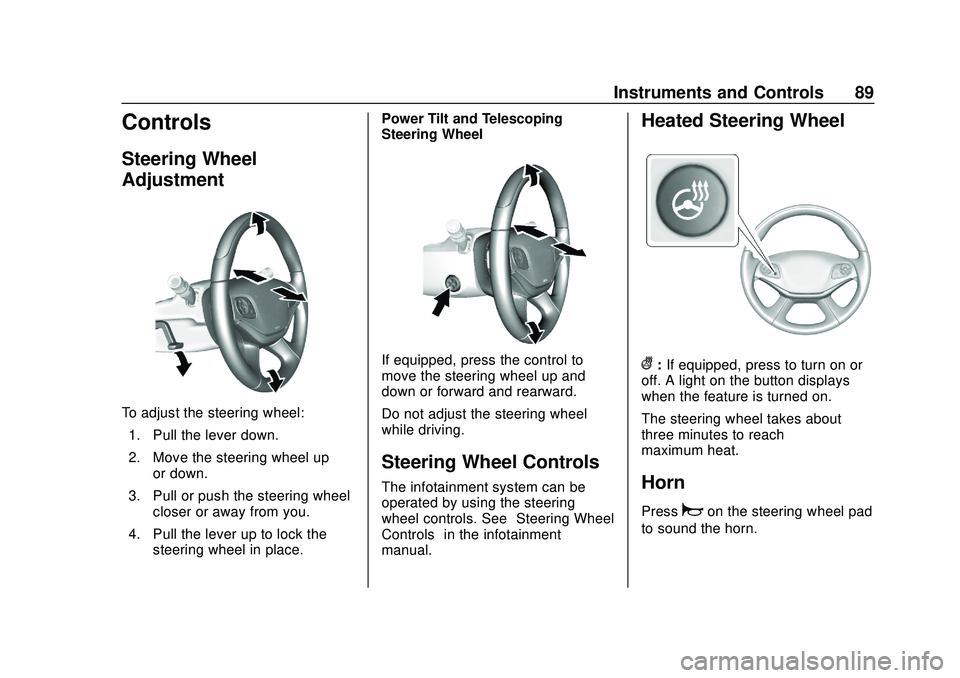
To adjust the steering wheel:1. Pull the lever down.
2. Move the steering wheel up or down.
3. Pull or push the steering wheel closer or away from you.
4. Pull the lever up to lock the steering wheel in place. Power Tilt and Telescoping
Steering Wheel
If equipped, press the control to
move the steering wheel up and
down or forward and rearward.
Do not adjust the steering wheel
while driving.
Steering Wheel Controls
The infotainment system can be
operated by using the steering
wheel controls. See
“Steering Wheel
Controls” in the infotainment
manual.
Heated Steering Wheel
(: If equipped, press to turn on or
off. A light on the button displays
when the feature is turned on.
The steering wheel takes about
three minutes to reach
maximum heat.
Horn
Pressaon the steering wheel pad
to sound the horn.
Page 91 of 328
Chevrolet Impala Owner Manual (GMNA-Localizing-U.S./Canada-13688912) -
2020 - CRC - 6/5/19
90 Instruments and Controls
Windshield Wiper/Washer
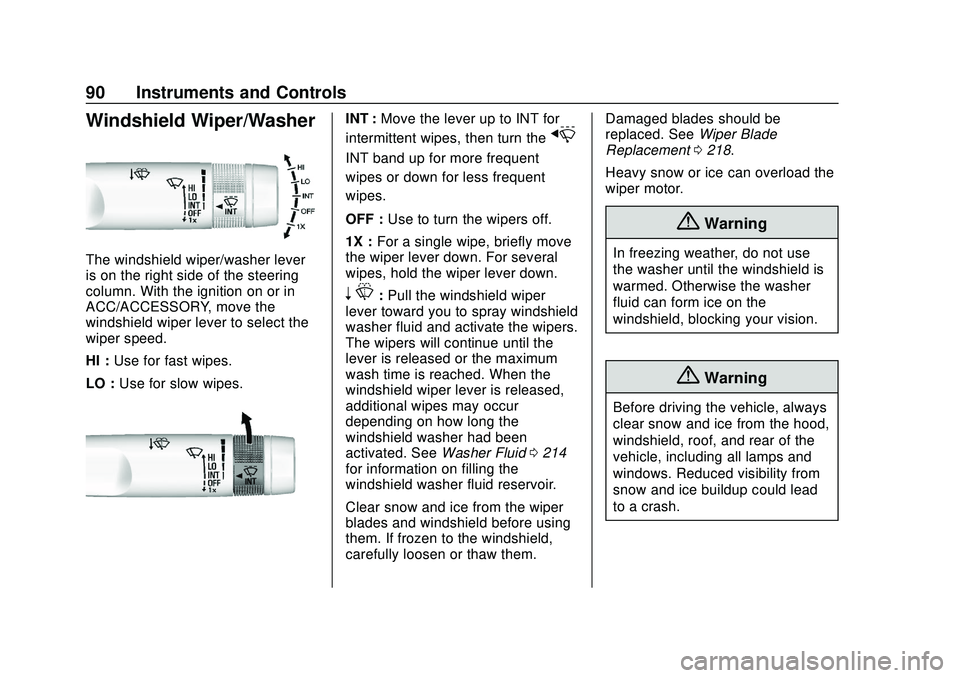
The windshield wiper/washer lever
is on the right side of the steering
column. With the ignition on or in
ACC/ACCESSORY, move the
windshield wiper lever to select the
wiper speed.
HI :Use for fast wipes.
LO : Use for slow wipes.
INT : Move the lever up to INT for
intermittent wipes, then turn the
x
INT band up for more frequent
wipes or down for less frequent
wipes.
OFF : Use to turn the wipers off.
1X : For a single wipe, briefly move
the wiper lever down. For several
wipes, hold the wiper lever down.
n L: Pull the windshield wiper
lever toward you to spray windshield
washer fluid and activate the wipers.
The wipers will continue until the
lever is released or the maximum
wash time is reached. When the
windshield wiper lever is released,
additional wipes may occur
depending on how long the
windshield washer had been
activated. See Washer Fluid0214
for information on filling the
windshield washer fluid reservoir.
Clear snow and ice from the wiper
blades and windshield before using
them. If frozen to the windshield,
carefully loosen or thaw them. Damaged blades should be
replaced. See
Wiper Blade
Replacement 0218.
Heavy snow or ice can overload the
wiper motor.
{Warning
In freezing weather, do not use
the washer until the windshield is
warmed. Otherwise the washer
fluid can form ice on the
windshield, blocking your vision.
{Warning
Before driving the vehicle, always
clear snow and ice from the hood,
windshield, roof, and rear of the
vehicle, including all lamps and
windows. Reduced visibility from
snow and ice buildup could lead
to a crash.
Page 98 of 328
Chevrolet Impala Owner Manual (GMNA-Localizing-U.S./Canada-13688912) -
2020 - CRC - 6/5/19
Instruments and Controls 97
Cluster Menu
There is an interactive display area
in the center of the instrument
cluster.
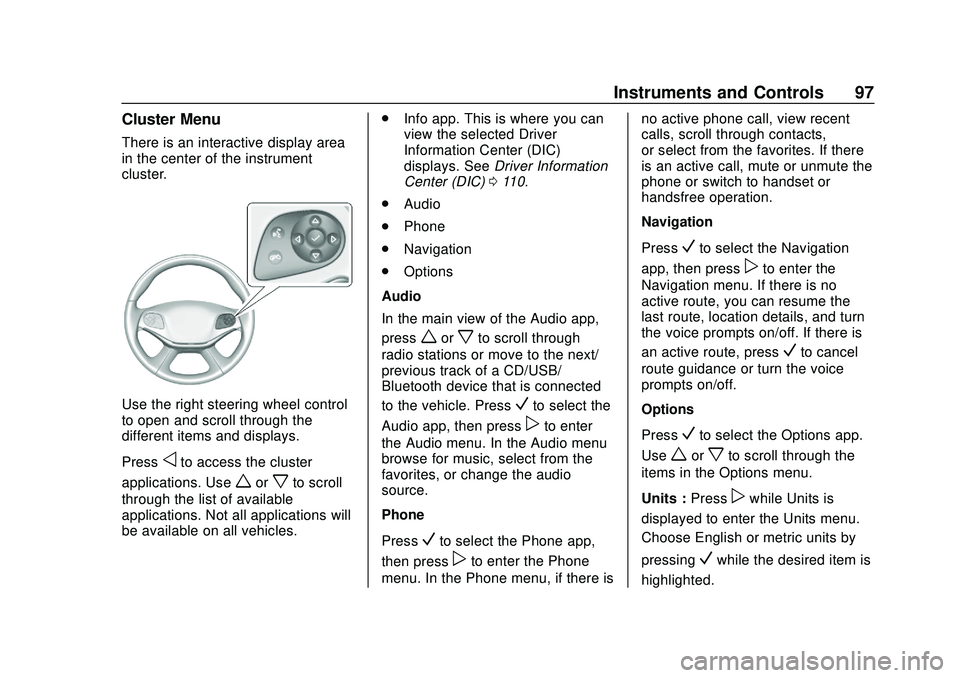
Use the right steering wheel control
to open and scroll through the
different items and displays.
Press
oto access the cluster
applications. Use
worxto scroll
through the list of available
applications. Not all applications will
be available on all vehicles. .
Info app. This is where you can
view the selected Driver
Information Center (DIC)
displays. See Driver Information
Center (DIC) 0110.
. Audio
. Phone
. Navigation
. Options
Audio
In the main view of the Audio app,
press
worxto scroll through
radio stations or move to the next/
previous track of a CD/USB/
Bluetooth device that is connected
to the vehicle. Press
Vto select the
Audio app, then press
pto enter
the Audio menu. In the Audio menu
browse for music, select from the
favorites, or change the audio
source.
Phone
Press
Vto select the Phone app,
then press
pto enter the Phone
menu. In the Phone menu, if there is no active phone call, view recent
calls, scroll through contacts,
or select from the favorites. If there
is an active call, mute or unmute the
phone or switch to handset or
handsfree operation.
Navigation
Press
Vto select the Navigation
app, then press
pto enter the
Navigation menu. If there is no
active route, you can resume the
last route, location details, and turn
the voice prompts on/off. If there is
an active route, press
Vto cancel
route guidance or turn the voice
prompts on/off.
Options
Press
Vto select the Options app.
Use
worxto scroll through the
items in the Options menu.
Units : Press
pwhile Units is
displayed to enter the Units menu.
Choose English or metric units by
pressing
Vwhile the desired item is
highlighted.
Page 105 of 328
Chevrolet Impala Owner Manual (GMNA-Localizing-U.S./Canada-13688912) -
2020 - CRC - 6/5/19
104 Instruments and Controls
previous guidelines and see your
dealer for service as soon as
possible.
If the light is on steady :A
malfunction has been detected.
Diagnosis and service may be
required.
Check the following:
. A loose or missing fuel cap may
cause the light to come on. See
Filling the Tank 0187. A few
driving trips with the cap
properly installed may turn the
light off.
. Poor fuel quality can cause
inefficient engine operation and
poor driveability, which may go
away once the engine is warmed
up. If this occurs, change the
fuel brand. It may require at
least one full tank of the proper
fuel to turn the light off. See
Recommended Fuel 0185.
If the light remains on, see your
dealer.Emissions Inspection and
Maintenance Programs
If the vehicle requires an Emissions
Inspection/Maintenance test, the
test equipment will likely connect to
the vehicle's Data Link
Connector (DLC).
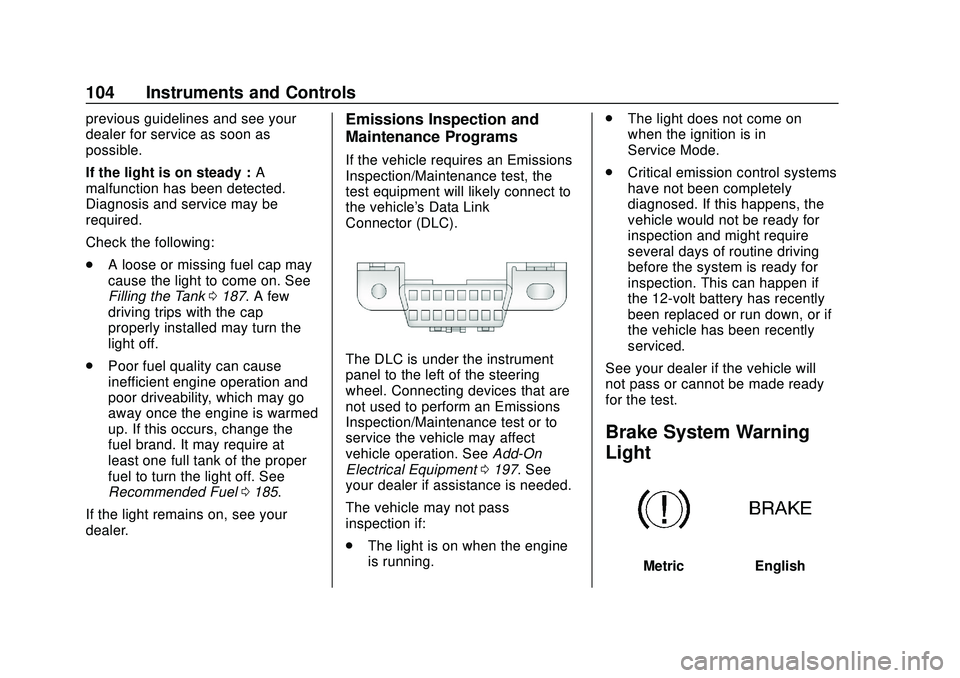
The DLC is under the instrument
panel to the left of the steering
wheel. Connecting devices that are
not used to perform an Emissions
Inspection/Maintenance test or to
service the vehicle may affect
vehicle operation. See Add-On
Electrical Equipment 0197. See
your dealer if assistance is needed.
The vehicle may not pass
inspection if:
. The light is on when the engine
is running. .
The light does not come on
when the ignition is in
Service Mode.
. Critical emission control systems
have not been completely
diagnosed. If this happens, the
vehicle would not be ready for
inspection and might require
several days of routine driving
before the system is ready for
inspection. This can happen if
the 12-volt battery has recently
been replaced or run down, or if
the vehicle has been recently
serviced.
See your dealer if the vehicle will
not pass or cannot be made ready
for the test.
Brake System Warning
Light
MetricEnglish
Page 111 of 328
Chevrolet Impala Owner Manual (GMNA-Localizing-U.S./Canada-13688912) -
2020 - CRC - 6/5/19
110 Instruments and Controls
turns green when the ACC is set
and active. SeeAdaptive Cruise
Control 0167.
Door Ajar Light
This light comes on in the Driver
Information Center (DIC) when a
door is open or not securely latched.
Before driving, check that all doors
are properly closed.
Information Displays
Driver Information
Center (DIC)
The DIC displays are shown in the
center of the instrument cluster in
the Info app. See Instrument Cluster
0 96. The Info app is only available
when the ignition is on. The displays
show the status of many vehicle
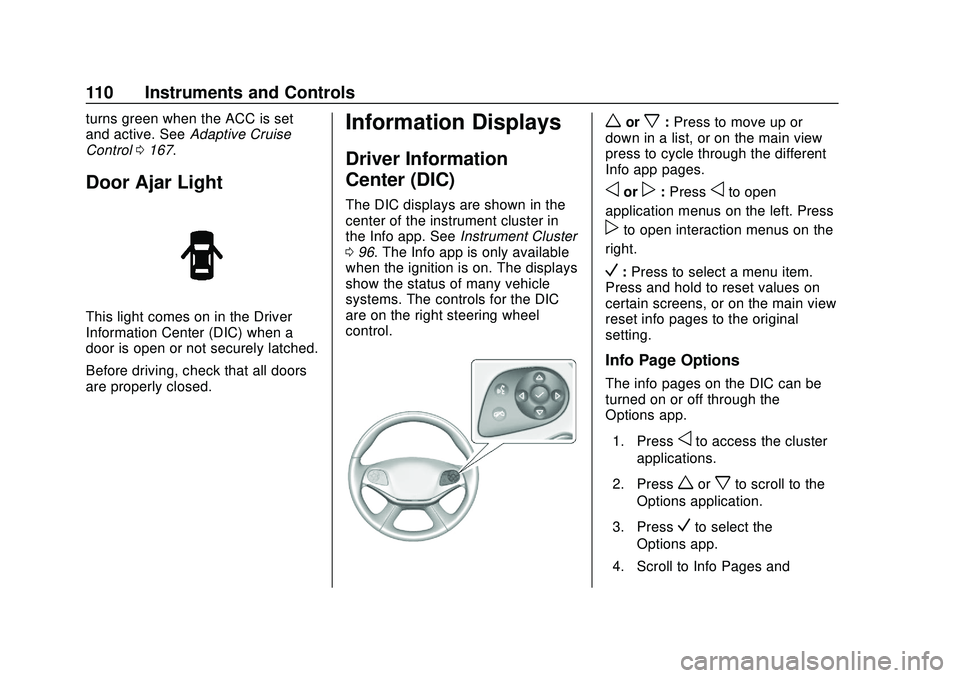
systems. The controls for the DIC
are on the right steering wheel
control.
worx: Press to move up or
down in a list, or on the main view
press to cycle through the different
Info app pages.
oorp: Pressoto open
application menus on the left. Press
pto open interaction menus on the
right.
V: Press to select a menu item.
Press and hold to reset values on
certain screens, or on the main view
reset info pages to the original
setting.
Info Page Options
The info pages on the DIC can be
turned on or off through the
Options app.
1. Press
oto access the cluster
applications.
2. Press
worxto scroll to the
Options application.
3. Press
Vto select the
Options app.
4. Scroll to Info Pages and
Page 114 of 328
Chevrolet Impala Owner Manual (GMNA-Localizing-U.S./Canada-13688912) -
2020 - CRC - 6/5/19
Instruments and Controls 113
.Brakes
. Steering
. Ride Control Systems
. Driver Assistance Systems
. Cruise Control
. Lighting and Bulb Replacement
. Wiper/Washer Systems
. Doors and Windows
. Seat Belts
. Airbag Systems
. Engine and Transmission
. Tire Pressure
. Battery
Engine Power Messages
ENGINE POWER IS REDUCED
This message displays when the
vehicle's propulsion power is
reduced. A reduction in propulsion
power can affect the vehicle's ability
to accelerate. If this message is on,
but there is no observed reduction
in performance, proceed to your
destination. The performance may be reduced the next time the vehicle
is driven. The vehicle may be driven
while this message is on, but
maximum acceleration and speed
may be reduced. Anytime this
message stays on, or displays
repeatedly, the vehicle should be
taken to your dealer for service as
soon as possible.
Under certain operating conditions,
propulsion will be disabled. Try
restarting after the vehicle has been
off for 30 seconds.
Vehicle Speed Messages
SPEED LIMITED TO XXX KM/
H (MPH)
This message shows that the
vehicle speed has been limited to
the speed displayed. The limited
speed is a protection for various
propulsion and vehicle systems,
such as lubrication, thermal, brakes,
suspension, Teen Driver if
equipped, or tires.
Vehicle
Personalization
The audio system controls are used
to access the personalization
menus for customizing vehicle
features.
Infotainment System Audio
System Controls
To access the personalization
menus:
1. Touch SETTINGS on the Home Page on the infotainment
display.
2. Touch the desired feature to display a list of available
options.
3. Touch to select the desired feature setting.
4. Press
qBACK to return to the
previous menu.
Personalization Menus
The following list of features may be
available:
. Time and Date
Page 115 of 328
Chevrolet Impala Owner Manual (GMNA-Localizing-U.S./Canada-13688912) -
2020 - CRC - 6/5/19
114 Instruments and Controls
.Rear Seat Reminder
. Language
. Valet Mode
. Radio
. Vehicle
. Bluetooth
. Apple CarPlay
. Android Auto
. Voice
. Display
. Rear Camera
. Return to Factory Settings
. Software Information
. Wi-Fi
Each menu is detailed in the
following information.
Time and Date
Manually set the time and date. See
Clock 091.
Rear Seat Reminder
This allows for a chime and a
message when the rear door has
been opened before or during
operation of the vehicle.
Select Off or On.
Language
Select Language, then select from
the available language(s).
Valet Mode
This will lock the infotainment
system and steering wheel controls.
It may also limit access to vehicle
storage locations, if equipped.
To enable valet mode:
1. Enter a four-digit code on the keypad.
2. Select Enter to go to the confirmation screen.
3. Re-enter the four-digit code.
Touch LOCK or UNLOCK to lock or
unlock the system. Touch Back to
go back to the previous menu.
Radio
Select and the following may
display:
. Manage Favorites
. Number of Favorites Shown
. Audible Touch Feedback
. Auto Volume
. Maximum Startup Volume
Manage Favorites
This allows favorites to be edited.
See “Manage Favorites” in
“Settings” under“Radio” in the
infotainment manual.
Number of Favorites Shown
Press to set the number of favorites
to display.
Select the desired number or select
Auto and the infotainment system
will automatically adjust the number
of favorites shown.
Audible Touch Feedback
This allows Audible Touch
Feedback to be turned on or off.
Select Off or On.
Page 129 of 328
Chevrolet Impala Owner Manual (GMNA-Localizing-U.S./Canada-13688912) -
2020 - CRC - 6/5/19
128 Lighting
Turn and Lane-Change
Signals
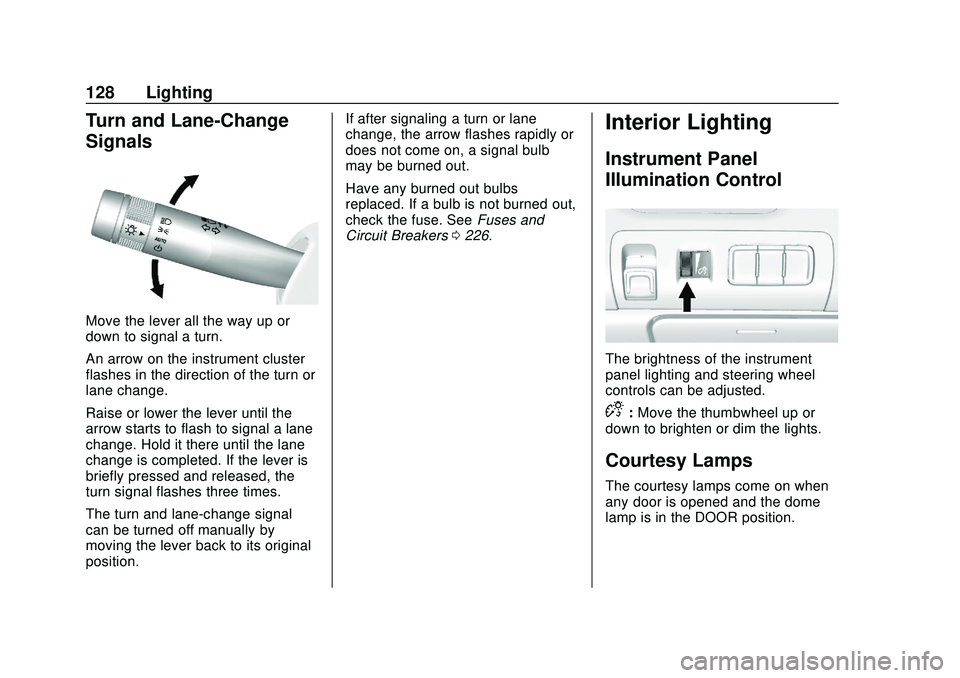
Move the lever all the way up or
down to signal a turn.
An arrow on the instrument cluster
flashes in the direction of the turn or
lane change.
Raise or lower the lever until the
arrow starts to flash to signal a lane
change. Hold it there until the lane
change is completed. If the lever is
briefly pressed and released, the
turn signal flashes three times.
The turn and lane-change signal
can be turned off manually by
moving the lever back to its original
position.If after signaling a turn or lane
change, the arrow flashes rapidly or
does not come on, a signal bulb
may be burned out.
Have any burned out bulbs
replaced. If a bulb is not burned out,
check the fuse. See
Fuses and
Circuit Breakers 0226.
Interior Lighting
Instrument Panel
Illumination Control
The brightness of the instrument
panel lighting and steering wheel
controls can be adjusted.
D:Move the thumbwheel up or
down to brighten or dim the lights.
Courtesy Lamps
The courtesy lamps come on when
any door is opened and the dome
lamp is in the DOOR position.
Page 140 of 328
Chevrolet Impala Owner Manual (GMNA-Localizing-U.S./Canada-13688912) -
2020 - CRC - 6/11/19
Driving and Operating 139
Driving and
Operating
Driving Information
Driving for Better FuelEconomy . . . . . . . . . . . . . . . . . . . . 140
Distracted Driving . . . . . . . . . . . . 140
Defensive Driving . . . . . . . . . . . . . 141
Drunk Driving . . . . . . . . . . . . . . . . . 141
Control of a Vehicle . . . . . . . . . . . 142
Braking . . . . . . . . . . . . . . . . . . . . . . . 142
Steering . . . . . . . . . . . . . . . . . . . . . . 142
Off-Road Recovery . . . . . . . . . . . 143
Loss of Control . . . . . . . . . . . . . . . 143
Driving on Wet Roads . . . . . . . . 144
Hill and Mountain Roads . . . . . 145
Winter Driving . . . . . . . . . . . . . . . . 145
If the Vehicle Is Stuck . . . . . . . . 147
Vehicle Load Limits . . . . . . . . . . . 147
Starting and Operating
New Vehicle Break-In . . . . . . . . . 151
Ignition Positions . . . . . . . . . . . . . 151
Starting the Engine . . . . . . . . . . . 153
Engine Heater . . . . . . . . . . . . . . . . 154
Retained Accessory Power (RAP) . . . . . . . . . . . . . . . . 155
Shifting Into Park . . . . . . . . . . . . . 155 Shifting out of Park . . . . . . . . . . . 156
Parking over Things
That Burn . . . . . . . . . . . . . . . . . . . 156
Extended Parking . . . . . . . . . . . . 157
Engine Exhaust
Engine Exhaust . . . . . . . . . . . . . . 157
Running the Vehicle While Parked . . . . . . . . . . . . . . . . . . . . . . 157
Automatic Transmission
Automatic Transmission . . . . . . 158
Manual Mode . . . . . . . . . . . . . . . . . 160
Brakes
Antilock BrakeSystem (ABS) . . . . . . . . . . . . . . . 161
Electric Parking Brake . . . . . . . . 161
Brake Assist . . . . . . . . . . . . . . . . . . 163
Hill Start Assist (HSA) . . . . . . . . 163
Ride Control Systems
Traction Control/Electronic Stability Control . . . . . . . . . . . . . 163
Cruise Control
Cruise Control . . . . . . . . . . . . . . . . 165
Adaptive Cruise Control . . . . . . 167
Driver Assistance Systems
Driver Assistance Systems . . . 174 Assistance Systems for
Parking or Backing . . . . . . . . . . 176
Assistance Systems for Driving . . . . . . . . . . . . . . . . . . . . . . 178
Forward Collision Alert (FCA)
System . . . . . . . . . . . . . . . . . . . . . . 178
Automatic Emergency Braking (AEB) . . . . . . . . . . . . . . . 180
Side Blind Zone Alert (SBZA) . . . . . . . . . . . . . . . . 181
Lane Change Alert (LCA) . . . . . 182
Lane Departure Warning (LDW) . . . . . . . . . . . . . 184
Fuel
Top Tier Fuel . . . . . . . . . . . . . . . . . 185
Recommended Fuel . . . . . . . . . . 185
Prohibited Fuels . . . . . . . . . . . . . . 186
Fuels in Foreign Countries . . . 186
Fuel Additives . . . . . . . . . . . . . . . . 186
E85 or FlexFuel . . . . . . . . . . . . . . 186
Filling the Tank . . . . . . . . . . . . . . . 187
Filling a Portable FuelContainer . . . . . . . . . . . . . . . . . . . 189
Trailer Towing
General TowingInformation . . . . . . . . . . . . . . . . . . 189
Driving Characteristics and
Towing Tips . . . . . . . . . . . . . . . . . 189
Trailer Towing . . . . . . . . . . . . . . . . 193