ECO mode CHEVROLET KODIAK 2004 User Guide
[x] Cancel search | Manufacturer: CHEVROLET, Model Year: 2004, Model line: KODIAK, Model: CHEVROLET KODIAK 2004Pages: 366, PDF Size: 6.87 MB
Page 161 of 366
If an error appears on the display, see “Cassette Tape
Messages” later in this section.
1 PREV (Previous):Your tape must have at least three
seconds of silence between each selection for previous
to work. Press this pushbutton to go to the previous
selection on the tape if the current selection has been
playing for less than 3 seconds. If pressed when
the current selection has been playing from 3 to
13 seconds, it will go to the beginning of the previous
selection or the beginning of the current selection,
depending on the position on the tape. If pressed when
the current selection has been playing for more than
13 seconds, it will go to the beginning of the current
selection. Pressing this pushbutton multiple times will
increase the number of selections to be searched back,
up to -9. Pressing the NEXT pushbutton will cancel
the selections.
2 NEXT:Your tape must have at least three seconds of
silence between each selection for next to work.
Press this pushbutton to go to the next selection on the
tape. Pressing this pushbutton multiple times in the
next mode will increase the number of selections
to searched forward. Pressing the PREV pushbutton will
cancel the selections.3 REV (Reverse):Press this pushbutton to reverse the
tape rapidly. FR will appear on the display. Press it
again to return to playing the tape. The radio will play
while the tape reverses. You may select stations during
reverse operation by using the TUNE or SEEK
controls or by using the scan or preset scan features.
4 FWD (Forward):Press this pushbutton to advance
quickly to another part of the tape. FF will appear on the
display. Press this pushbutton again to return to
playing the tape. The radio will play while the tape
advances. You may select stations during forward
operation by using the TUNE or SEEK controls or by
using the scan or preset scan features.
5 SIDE:Press this pushbutton to play the other side of
the tape.
6 RPT (Repeat):Your tape must have at least three
seconds of silence between each selection for repeat to
work. Press this pushbutton once to hear a selection
over again. RPT will appear on the display. Press
this button again to turn off repeated play. OFF will
appear on the display.
3-51
Page 164 of 366
Setting Preset Stations
The six numbered pushbuttons let you return to
your favorite stations. You can set up to 18 stations
(six AM, six FM1 and six FM2) by performing the
following steps:
1. Turn the radio on.
2. Press AM FM to select AM, FM1 or FM2.
3. Tune in the desired station.
4. Press and hold one of the six numbered
pushbuttons until you hear a beep. Whenever you
press that numbered pushbutton, the station
you set will return.
5. Repeat the steps for each pushbutton.
Setting the Tone (Bass/Treble)
AUDIO:To adjust the bass and treble, press and
release AUDIO until BAS or TRE appears on the
display. Then press and hold the up or the down arrow
to increase or to decrease. If a station is weak or
noisy, you may want to decrease the treble.
To adjust bass or treble to the middle position, select
BAS or TRE. Then press and hold AUDIO for more than
two seconds until you hear a beep. B and a zero or
T and a zero will appear on the display.To adjust both tone controls and both speaker controls
to the middle position, end out of audio mode by
waiting for the display to change to the time display.
Then press and hold AUDIO for more than two seconds
until you hear a beep. CEN will appear on the display.
Adjusting the Speakers (Balance/Fade)
AUDIO:To adjust the balance between the right
and the left speakers, press and release AUDIO until
BAL appears on the display. Then press and hold the up
or the down arrow to move the sound toward the right
or the left speakers.
To adjust the fade between the front and rear speakers,
press and release AUDIO until FAD appears on the
display. Then press and hold the up or the down arrow to
move the sound toward the front or the rear speakers.
To adjust balance or fade to the middle position, select
BAL or FAD. Then press and hold AUDIO for more than
two seconds until you hear a beep. L and a zero or F and
a zero will appear on the display.
To adjust both tone controls and both speaker controls to
the middle position, end out of audio mode by waiting for
the display to change to the time display. Then press and
hold AUDIO for more than two seconds until you hear a
beep. CEN will appear on the display.
Fade may not be available if you have a regular
cab model.
3-54
Page 171 of 366
Your Driving, the Road, and Your Vehicle..........4-2
Defensive Driving...........................................4-2
Drunken Driving.............................................4-2
Control of a Vehicle........................................4-5
Braking.........................................................4-6
Trailer Brake Hand Control Valve......................4-9
Inter-Axle Differential Lock Control...................4-10
Rear Axle Differential Lock Control..................4-10
Traction Control System (TCS).......................4-11
Steering......................................................4-12
Off-Road Recovery.......................................4-14
Passing.......................................................4-14
Loss of Control.............................................4-16
Driving at Night............................................4-17Driving in Rain and on Wet Roads..................4-18
City Driving..................................................4-21
Freeway Driving...........................................4-22
Highway Hypnosis........................................4-23
Hill and Mountain Roads................................4-23
Winter Driving..............................................4-25
If You Are Stuck: In Sand, Mud,
Ice or Snow..............................................4-29
Towing..........................................................4-31
Towing Your Vehicle.....................................4-31
Loading Your Vehicle....................................4-33
Trailer Connections (C4/C5 Models Only).........4-35
Power Take-Off (PTO)...................................4-36
Section 4 Driving Your Vehicle
4-1
Page 200 of 366
Rocking Your Vehicle To Get It Out
First, turn your steering wheel left and right. That will
clear the area around your front wheels. If your vehicle
has traction control, you should turn the traction
control system off. SeeTraction Control System (TCS)
on page 4-11. Then shift back and forth between
REVERSE (R) and a forward gear (or with a manual
transmission, between FIRST (1) or SECOND (2)
and REVERSE (R)), spinning the wheels as little as
possible. Release the accelerator pedal while you shift,
and press lightly on the accelerator pedal when the
transmission is in gear. By slowly spinning your wheels
in the forward and reverse directions, you will cause
a rocking motion that may free your vehicle. If that does
not get you out after a few tries, you may need to be
towed out. If you do need to be towed out, seeTowing
Your Vehicle on page 4-31.
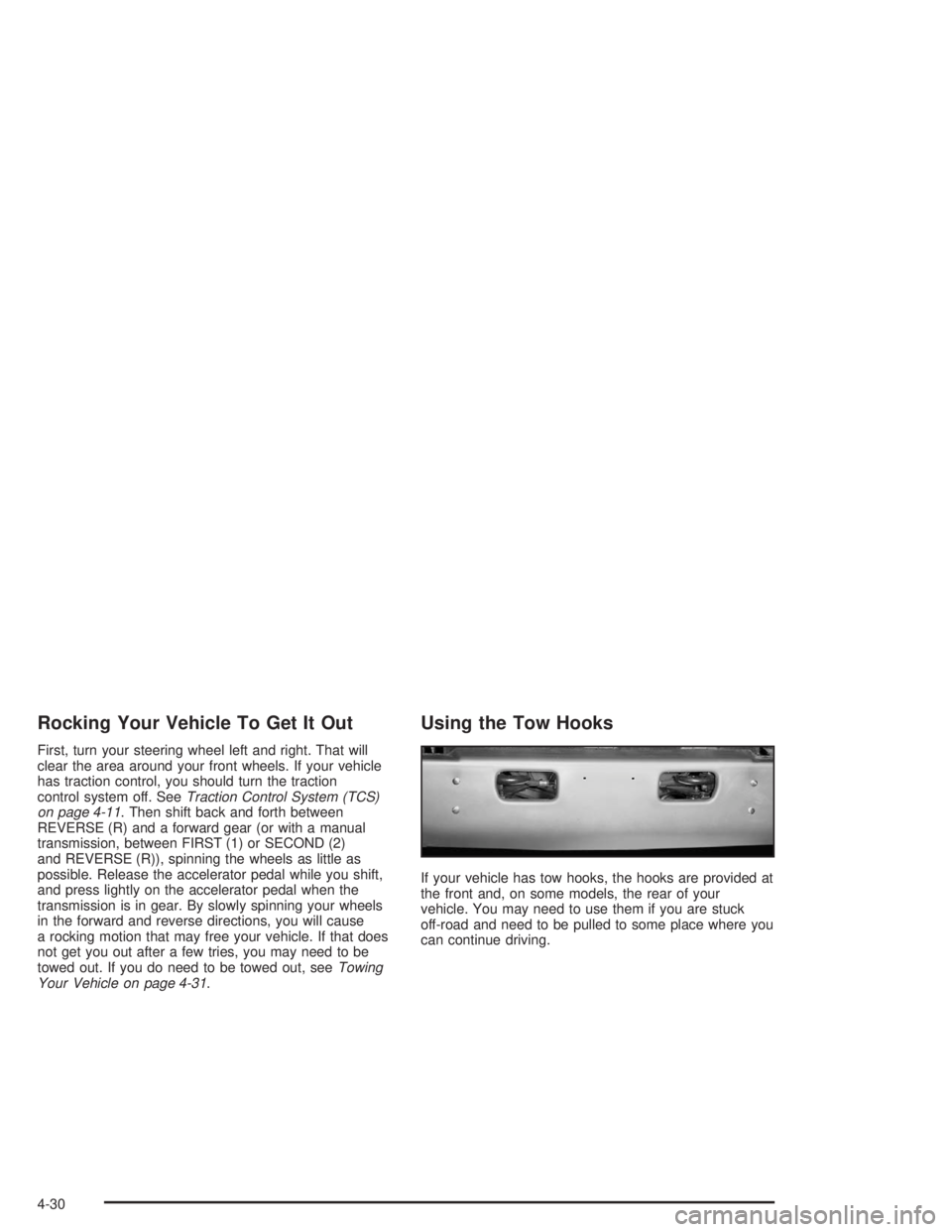
Using the Tow Hooks
If your vehicle has tow hooks, the hooks are provided at
the front and, on some models, the rear of your
vehicle. You may need to use them if you are stuck
off-road and need to be pulled to some place where you
can continue driving.
4-30
Page 300 of 366
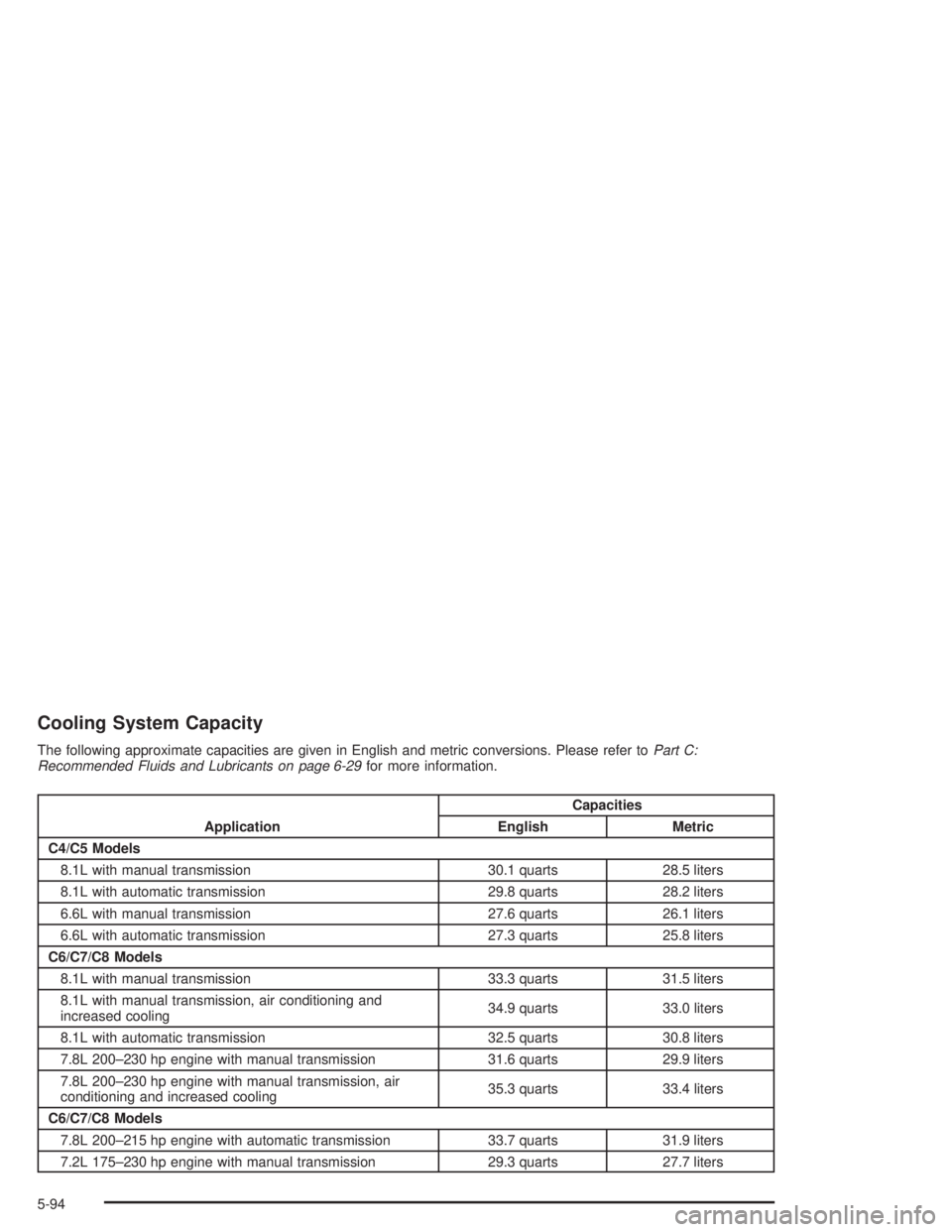
Cooling System Capacity
The following approximate capacities are given in English and metric conversions. Please refer toPart C:
Recommended Fluids and Lubricants on page 6-29for more information.
ApplicationCapacities
English Metric
C4/C5 Models
8.1L with manual transmission 30.1 quarts 28.5 liters
8.1L with automatic transmission 29.8 quarts 28.2 liters
6.6L with manual transmission 27.6 quarts 26.1 liters
6.6L with automatic transmission 27.3 quarts 25.8 liters
C6/C7/C8 Models
8.1L with manual transmission 33.3 quarts 31.5 liters
8.1L with manual transmission, air conditioning and
increased cooling34.9 quarts 33.0 liters
8.1L with automatic transmission 32.5 quarts 30.8 liters
7.8L 200–230 hp engine with manual transmission 31.6 quarts 29.9 liters
7.8L 200–230 hp engine with manual transmission, air
conditioning and increased cooling35.3 quarts 33.4 liters
C6/C7/C8 Models
7.8L 200–215 hp engine with automatic transmission 33.7 quarts 31.9 liters
7.2L 175–230 hp engine with manual transmission 29.3 quarts 27.7 liters
5-94
Page 308 of 366
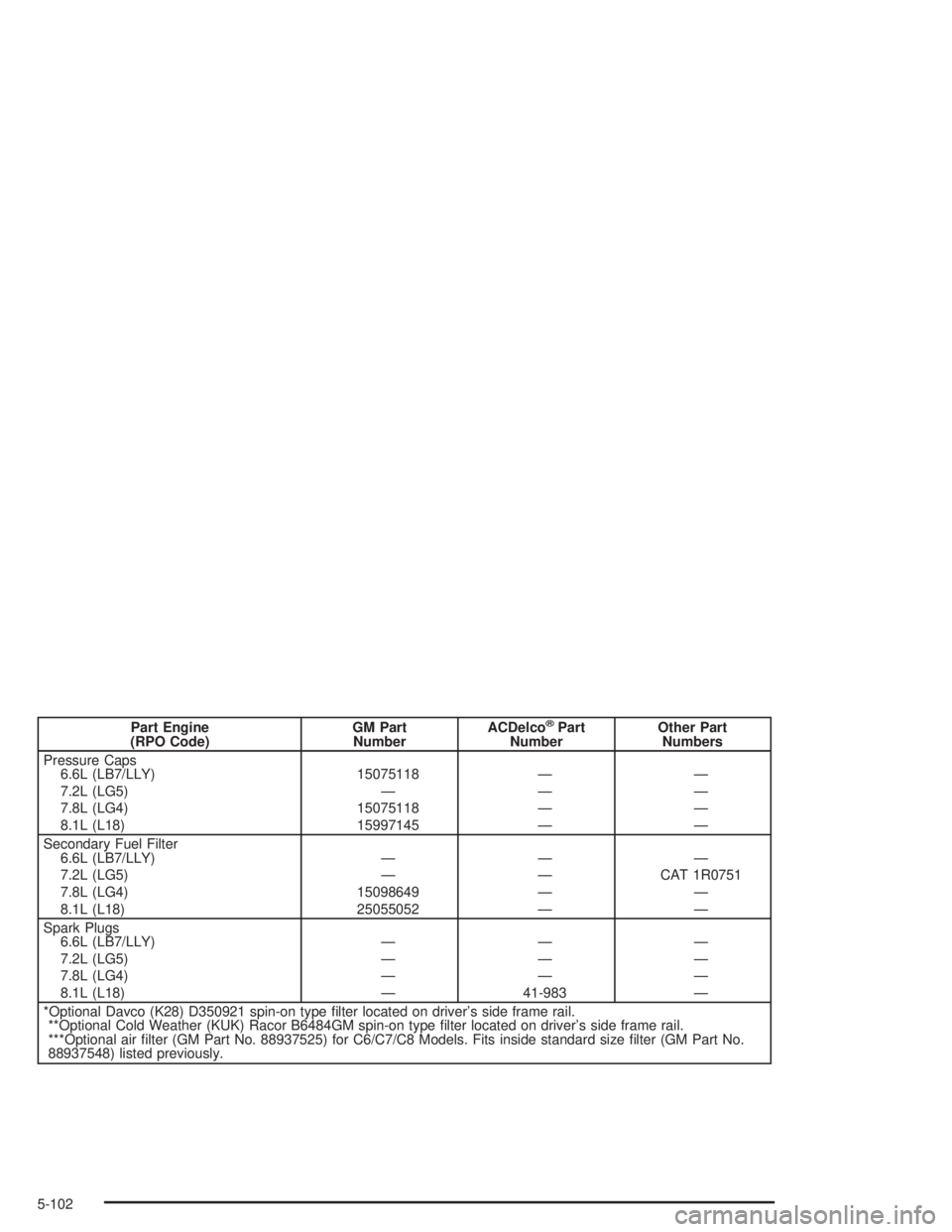
Part Engine
(RPO Code)GM Part
NumberACDelco®Part
NumberOther Part
Numbers
Pressure Caps
6.6L (LB7/LLY)
7.2L (LG5)
7.8L (LG4)
8.1L (L18)15075118
—
15075118
15997145—
—
—
——
—
—
—
Secondary Fuel Filter
6.6L (LB7/LLY)
7.2L (LG5)
7.8L (LG4)
8.1L (L18)—
—
15098649
25055052—
—
—
——
CAT 1R0751
—
—
Spark Plugs
6.6L (LB7/LLY)
7.2L (LG5)
7.8L (LG4)
8.1L (L18)—
—
—
——
—
—
41-983—
—
—
—
*Optional Davco (K28) D350921 spin-on type filter located on driver’s side frame rail.
**Optional Cold Weather (KUK) Racor B6484GM spin-on type filter located on driver’s side frame rail.
***Optional air filter (GM Part No. 88937525) for C6/C7/C8 Models. Fits inside standard size filter (GM Part No.
88937548) listed previously.
5-102
Page 338 of 366
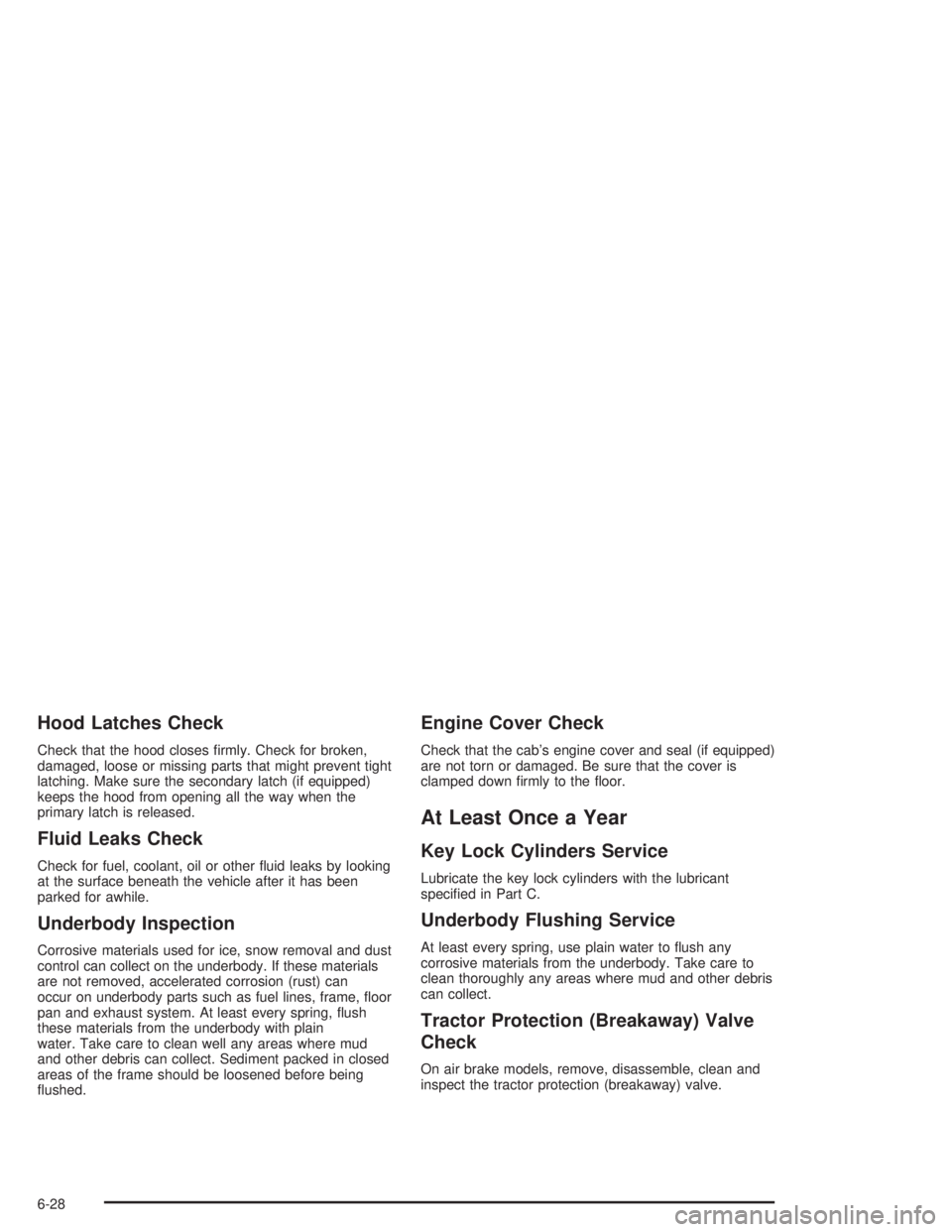
Hood Latches Check
Check that the hood closes firmly. Check for broken,
damaged, loose or missing parts that might prevent tight
latching. Make sure the secondary latch (if equipped)
keeps the hood from opening all the way when the
primary latch is released.
Fluid Leaks Check
Check for fuel, coolant, oil or other fluid leaks by looking
at the surface beneath the vehicle after it has been
parked for awhile.
Underbody Inspection
Corrosive materials used for ice, snow removal and dust
control can collect on the underbody. If these materials
are not removed, accelerated corrosion (rust) can
occur on underbody parts such as fuel lines, frame, floor
pan and exhaust system. At least every spring, flush
these materials from the underbody with plain
water. Take care to clean well any areas where mud
and other debris can collect. Sediment packed in closed
areas of the frame should be loosened before being
flushed.
Engine Cover Check
Check that the cab’s engine cover and seal (if equipped)
are not torn or damaged. Be sure that the cover is
clamped down firmly to the floor.
At Least Once a Year
Key Lock Cylinders Service
Lubricate the key lock cylinders with the lubricant
specified in Part C.
Underbody Flushing Service
At least every spring, use plain water to flush any
corrosive materials from the underbody. Take care to
clean thoroughly any areas where mud and other debris
can collect.
Tractor Protection (Breakaway) Valve
Check
On air brake models, remove, disassemble, clean and
inspect the tractor protection (breakaway) valve.
6-28
Page 347 of 366

Just dial GM Medium Duty Truck Roadside Assistance
at 1-800-862-4389 to reach a qualified representative
who can assist you in a repair or arrange a tow. We also
provide dealer information at no charge, such as
location of the nearest authorized medium duty
GM Truck dealer and their hours of operation.
Roadside Assistance is available 24 hours a day,
7 days a week, 365 days a year, including weekends
and holidays. Should you have any questions about
Roadside Assistance, call the GM Medium Duty Truck
Roadside Assistance Center or contact your dealer.
Vehicle Data Collection and
Event Data Records
Your vehicle, like other modern motor vehicles, has a
number of sophisticated computer systems that monitor
and control several aspects of the vehicle’s
performance. Your vehicle uses on-board vehicle
computers to monitor emission control components to
optimize fuel economy, to monitor conditions for air bag
deployment and, if so equipped, to provide anti-lock
braking and to help the driver control the vehicle
in difficult driving situations. Some information may be
stored during regular operations to facilitate repair
of detected malfunctions; other information is stored only
in a crash or near crash event by computer systems
commonly called event data recorders (EDR).In a crash or near crash event, computer systems, such
as the Air Bag Sensing and Diagnostic Module (SDM)
in your vehicle may record information about the
condition of the vehicle and how it was operated, such
as engine speed, brake applications, throttle position,
vehicle speed, safety belt usage, air bag readiness, air
bag performance data, and the severity of a collision.
This information has been used to improve vehicle crash
performance and may be used to improve crash
performance of future vehicles and driving safety. Unlike
the data recorders on many airplanes, these on-board
systems do not record sounds, such as conversation of
vehicle occupants.
To read this information, special equipment is needed
and access to the vehicle or the SDM is required.
GM will not access information about a crash event or
share it with others other than
•with the consent of the vehicle owner or, if the
vehicle is leased, with the consent of the lessee,
•in response to an official request of police or similar
government office,
•as part of GM’s defense of litigation through the
discovery process, or
•as required by law.
7-5
Page 360 of 366
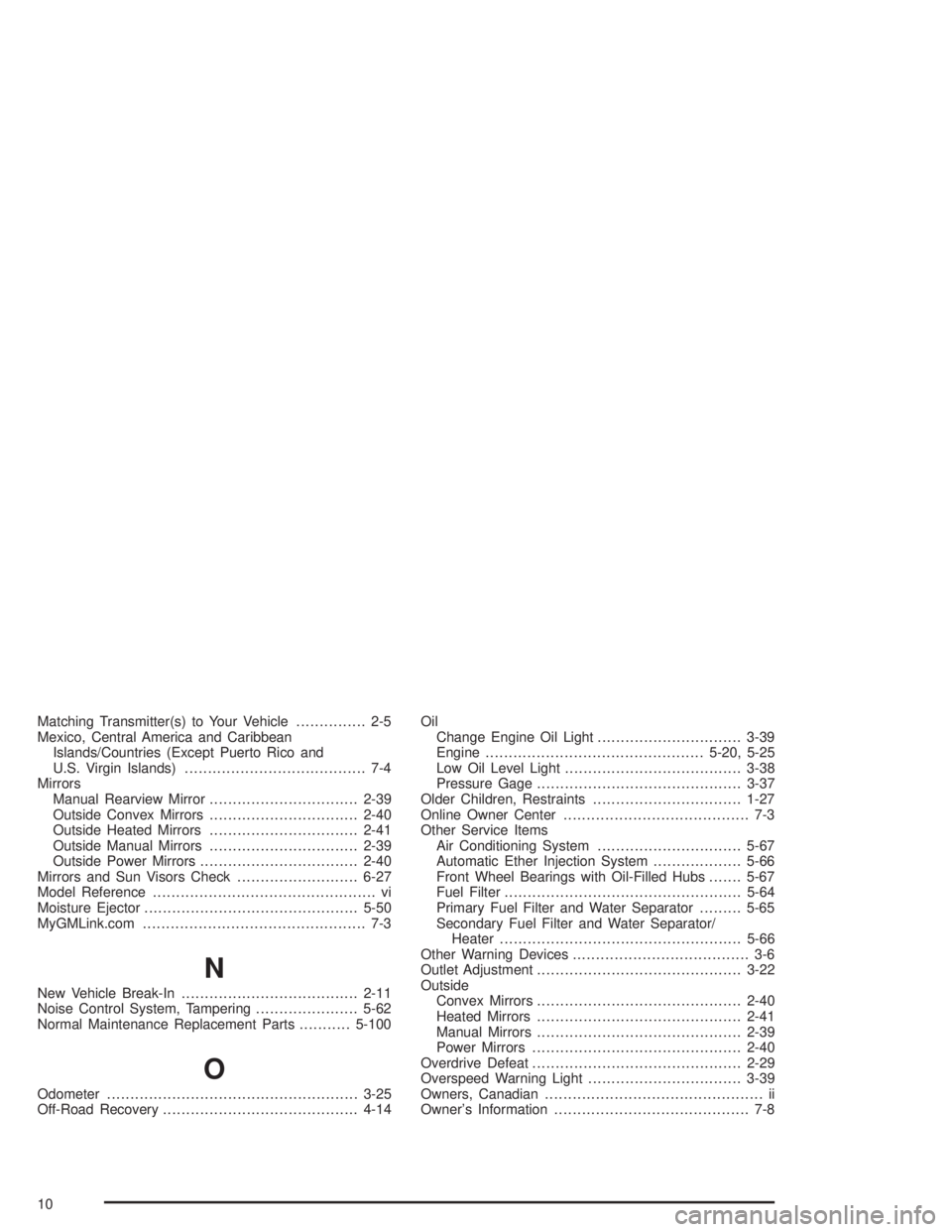
Matching Transmitter(s) to Your Vehicle............... 2-5
Mexico, Central America and Caribbean
Islands/Countries (Except Puerto Rico and
U.S. Virgin Islands)....................................... 7-4
Mirrors
Manual Rearview Mirror................................2-39
Outside Convex Mirrors................................2-40
Outside Heated Mirrors................................2-41
Outside Manual Mirrors................................2-39
Outside Power Mirrors..................................2-40
Mirrors and Sun Visors Check..........................6-27
Model Reference................................................ vi
Moisture Ejector..............................................5-50
MyGMLink.com................................................ 7-3
N
New Vehicle Break-In......................................2-11
Noise Control System, Tampering......................5-62
Normal Maintenance Replacement Parts...........5-100
O
Odometer......................................................3-25
Off-Road Recovery..........................................4-14Oil
Change Engine Oil Light...............................3-39
Engine...............................................5-20, 5-25
Low Oil Level Light......................................3-38
Pressure Gage............................................3-37
Older Children, Restraints................................1-27
Online Owner Center........................................ 7-3
Other Service Items
Air Conditioning System...............................5-67
Automatic Ether Injection System...................5-66
Front Wheel Bearings with Oil-Filled Hubs.......5-67
Fuel Filter...................................................5-64
Primary Fuel Filter and Water Separator.........5-65
Secondary Fuel Filter and Water Separator/
Heater....................................................5-66
Other Warning Devices...................................... 3-6
Outlet Adjustment............................................3-22
Outside
Convex Mirrors............................................2-40
Heated Mirrors............................................2-41
Manual Mirrors............................................2-39
Power Mirrors.............................................2-40
Overdrive Defeat.............................................2-29
Overspeed Warning Light.................................3-39
Owners, Canadian............................................... ii
Owner’s Information.......................................... 7-8
10