audio CHEVROLET KODIAK 2005 User Guide
[x] Cancel search | Manufacturer: CHEVROLET, Model Year: 2005, Model line: KODIAK, Model: CHEVROLET KODIAK 2005Pages: 374, PDF Size: 5.46 MB
Page 168 of 374
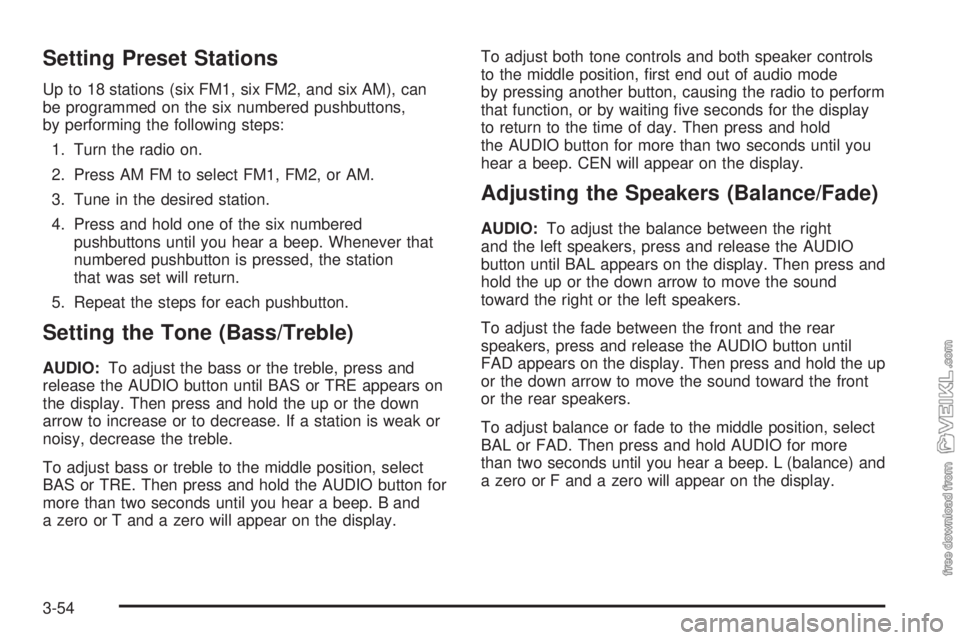
Setting Preset Stations
Up to 18 stations (six FM1, six FM2, and six AM), can
be programmed on the six numbered pushbuttons,
by performing the following steps:
1. Turn the radio on.
2. Press AM FM to select FM1, FM2, or AM.
3. Tune in the desired station.
4. Press and hold one of the six numbered
pushbuttons until you hear a beep. Whenever that
numbered pushbutton is pressed, the station
that was set will return.
5. Repeat the steps for each pushbutton.
Setting the Tone (Bass/Treble)
AUDIO:To adjust the bass or the treble, press and
release the AUDIO button until BAS or TRE appears on
the display. Then press and hold the up or the down
arrow to increase or to decrease. If a station is weak or
noisy, decrease the treble.
To adjust bass or treble to the middle position, select
BAS or TRE. Then press and hold the AUDIO button for
more than two seconds until you hear a beep. B and
a zero or T and a zero will appear on the display.To adjust both tone controls and both speaker controls
to the middle position, first end out of audio mode
by pressing another button, causing the radio to perform
that function, or by waiting five seconds for the display
to return to the time of day. Then press and hold
the AUDIO button for more than two seconds until you
hear a beep. CEN will appear on the display.
Adjusting the Speakers (Balance/Fade)
AUDIO:To adjust the balance between the right
and the left speakers, press and release the AUDIO
button until BAL appears on the display. Then press and
hold the up or the down arrow to move the sound
toward the right or the left speakers.
To adjust the fade between the front and the rear
speakers, press and release the AUDIO button until
FAD appears on the display. Then press and hold the up
or the down arrow to move the sound toward the front
or the rear speakers.
To adjust balance or fade to the middle position, select
BAL or FAD. Then press and hold AUDIO for more
than two seconds until you hear a beep. L (balance) and
a zero or F and a zero will appear on the display.
3-54
Page 169 of 374
To adjust both tone controls and both speaker controls
to the middle position, first end out of audio mode
by pressing another button, causing the radio to perform
that function, or by waiting five seconds for the display
to return to the time of day. Then press and hold
the AUDIO button for more than two seconds until you
hear a beep. CEN will appear on the display.
Fade may not be available if the vehicle is a regular
cab model.
Radio Messages
CAL (Calibration):The audio system has been
calibrated for your vehicle from the factory. If CAL
appears on the display it means that the radio has not
been configured properly for your vehicle and must
be returned to your GM dealer for service.
LOC (Locked):This message is displayed when the
THEFTLOCK
®system has locked up. Take the vehicle
to your GM dealer for service.
If any error occurs repeatedly or cannot be corrected,
contact your GM dealer.
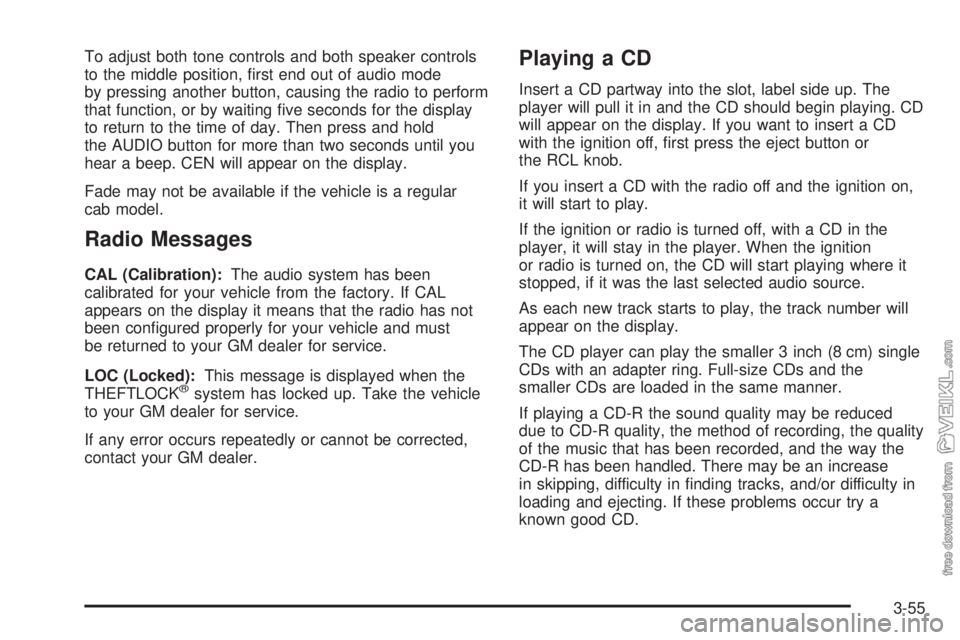
Playing a CD
Insert a CD partway into the slot, label side up. The
player will pull it in and the CD should begin playing. CD
will appear on the display. If you want to insert a CD
with the ignition off, first press the eject button or
the RCL knob.
If you insert a CD with the radio off and the ignition on,
it will start to play.
If the ignition or radio is turned off, with a CD in the
player, it will stay in the player. When the ignition
or radio is turned on, the CD will start playing where it
stopped, if it was the last selected audio source.
As each new track starts to play, the track number will
appear on the display.
The CD player can play the smaller 3 inch (8 cm) single
CDs with an adapter ring. Full-size CDs and the
smaller CDs are loaded in the same manner.
If playing a CD-R the sound quality may be reduced
due to CD-R quality, the method of recording, the quality
of the music that has been recorded, and the way the
CD-R has been handled. There may be an increase
in skipping, difficulty in finding tracks, and/or difficulty in
loading and ejecting. If these problems occur try a
known good CD.
3-55
Page 362 of 374
Audio System(s).............................................3-44
AM-FM Radio.............................................3-45
Care of Your Cassette Tape Player................3-58
Care of Your CD Player...............................3-59
Care of Your CDs........................................3-59
Chime Level Adjustment...............................3-59
Fixed Mast Antenna.....................................3-59
Radio with Cassette.....................................3-48
Radio with CD............................................3-53
Setting the Time..........................................3-45
Theft-Deterrent Feature................................3-57
Understanding Radio Reception.....................3-57
Automatic Ether Injection System......................5-68
Automatic Transmission
Fluid..........................................................5-34
Operation...................................................2-28
Axle, Two-Speed Rear Axle Electric
Shift Control...............................................2-26B
Battery..........................................................5-55
Bench Seat, Split............................................. 1-6
Brake
Anti-Lock Brake System (ABS)........................ 4-6
Diesel Engine Exhaust.................................2-25
Emergencies................................................ 4-8
Exhaust Indicator Light.................................3-40
Hydraulic Systems......................................... 4-6
System Warning Light..................................3-31
Trailer Hand Control Valve.............................. 4-8
Brakes..........................................................5-47
Air .............................................................2-40
Hydraulic....................................................2-38
Propshaft Brake Burnish Procedure................2-39
Braking........................................................... 4-5
Braking in Emergencies..................................... 4-8
Break-In, New Vehicle.....................................2-11
Bulb Replacement...........................................5-65
2