transmission CHEVROLET KODIAK 2005 Owner's Manual
[x] Cancel search | Manufacturer: CHEVROLET, Model Year: 2005, Model line: KODIAK, Model: CHEVROLET KODIAK 2005Pages: 374, PDF Size: 5.46 MB
Page 104 of 374
Parking
{CAUTION:
If you do not park your vehicle properly, it can
roll. If you have left the engine running, it can
move very quickly. You or others could be
injured. To be sure your vehicle will not move,
even when you are on level ground, follow the
steps below.
Two-Speed Rear Axle
1. With the engine running, shift the two-speed rear
axle into low. To be sure it is in low, you will need
to move the vehicle in gear just a little.
2. Hold the regular brake pedal down with your
right foot.
3. Apply the parking brake.
4. Shift the transmission to NEUTRAL for manual
transmission or PARK (P) for automatic
transmission.
Hydraulic Brakes
(Parking Brake Operation)
If your vehicle has hydraulic brakes, it has either a
parking brake foot pedal or hand lever. If you have the
parking brake foot pedal, it is located below the
instrument panel to the left of the steering column.
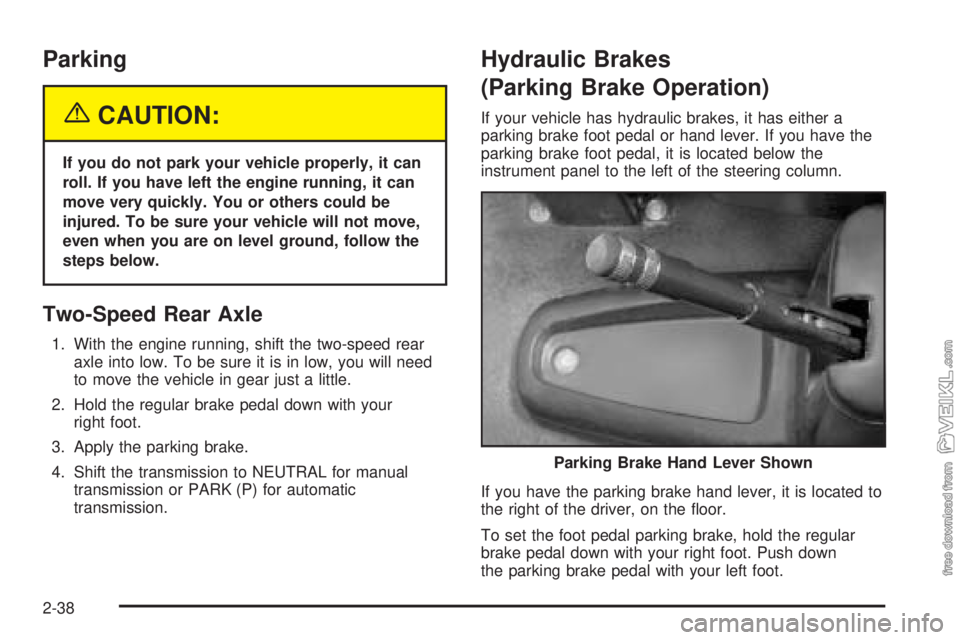
If you have the parking brake hand lever, it is located to
the right of the driver, on the floor.
To set the foot pedal parking brake, hold the regular
brake pedal down with your right foot. Push down
the parking brake pedal with your left foot.Parking Brake Hand Lever Shown
2-38
Page 105 of 374
To set the hand lever parking brake, hold the regular
brake pedal down with your right foot. Pull up on
the handle with your right hand, until it stops.
If the ignition is on when the parking brake is set,
the brake system warning light will come on.
To release the foot pedal parking brake, hold the
regular brake pedal down. Pull the brake release handle,
located just above the parking brake pedal, to release
the parking brake.
To release the hand lever parking brake, hold the
regular brake pedal down and push down on the handle
until it stops.
If the ignition is on when the parking brake is released,
the brake system warning light will go off.
Propshaft Brake Burnish Procedure
It is recommended that the propshaft-mounted parking
brake be burnished as part of the new vehicle break-in.
The parking brake will work best after it has been
burnished following these instructions:
Make 10 stops, using the parking brake hand lever or
foot pedal, from 20 mph (32 km/h) about 2 1/2 miles
(4 km) apart. Between stops, drive the vehicle at
20 mph (32 km/h) to allow the brake to cool.Notice:Driving with the parking brake on can
damage the transmission and brake system parts.
Verify that the parking brake is fully released and the
brake warning light is off before driving.
Rear Wheel Park Brake Burnish
Procedure
It is recommended that the rear wheel mounted
parking brake be burnished as part of the new vehicle
break-in. The parking brake will work best after it
has been burnished following these instructions:
Make one or two stops using the parking brake hand
lever or foot pedal from 55 mph (92 km/h) to a stop
with moderate apply. Each stop should occur within
1/4 of a mile.
Notice:Driving with the parking brake on can
overheat the brake system and cause premature
wear or damage to brake system parts. Verify that
the parking brake is fully released and the brake
warning light is off before driving.
2-39
Page 110 of 374
Running the Engine While Parked
It is better not to park with the engine running. But if you
ever have to, here are some things to know.
{CAUTION:
Idling the engine with the climate control
system off could allow dangerous exhaust into
your vehicle. See the earlier caution under
Engine Exhaust on page 2-43.
Also, idling in a closed-in place can let deadly
carbon monoxide (CO) into your vehicle even if
the climate control fan is at the highest setting.
One place this can happen is a garage.
Exhaust — with CO — can come in easily.
NEVER park in a garage with the engine
running.
Another closed-in place can be a blizzard.
SeeWinter Driving on page 4-26.
{CAUTION:
It can be dangerous to get out of your vehicle
if the automatic transmission shift lever is not
fully in PARK (P) with the parking brake rmly
set. Your vehicle can roll. Do not leave your
vehicle when the engine is running unless you
have to. If you have left the engine running,
the vehicle can move suddenly. You or others
could be injured. To be sure your vehicle will
not move, even when it is on fairly level
ground, always set the parking brake and
move the automatic transmission shift lever
to PARK (P), or the manual transmission
shift lever to NEUTRAL.
Follow the proper steps to be sure your vehicle
will not move.
2-44
Page 115 of 374
Instrument Panel Overview...............................3-4
Hazard Warning Flashers................................3-6
Other Warning Devices...................................3-6
Horn.............................................................3-6
Tilt Wheel.....................................................3-7
Turn Signal/Multifunction Lever.........................3-7
Turn and Lane-Change Signals........................3-8
Headlamp High/Low-Beam Changer..................3-8
Windshield Wipers..........................................3-9
Windshield Washer.......................................3-10
Cruise Control..............................................3-10
Exterior Lamps.............................................3-14
Headlamps on Reminder................................3-15
Daytime Running Lamps (DRL).......................3-15
Marker Lamps..............................................3-16
Instrument Panel Brightness...........................3-16
Dome Lamps...............................................3-16
Entry Lighting...............................................3-17
Reading Lamps............................................3-17
Instrument Panel Switchbank..........................3-18
Accessory Power Outlets...............................3-19
Ashtrays and Cigarette Lighter........................3-20
Climate Controls............................................3-20
Climate Control System.................................3-20
Outlet Adjustment.........................................3-23
Rear Heating System....................................3-24Warning Lights, Gages, and Indicators............3-24
Instrument Panel Cluster................................3-25
Speedometer and Odometer...........................3-26
Trip Odometer..............................................3-26
Tachometer.................................................3-26
Engine Speed Limiter....................................3-26
Safety Belt Reminder Light.............................3-27
Safety Belt Reminder Tone............................3-27
Airbag Readiness Light..................................3-27
Airbag Off Light............................................3-28
Charging System Light..................................3-30
Voltmeter Gage............................................3-30
Service Transmission Warning Light................3-31
Range Inhibit Warning Indicator......................3-31
Brake System Warning Light..........................3-31
Anti-Lock Brake System Warning Light.............3-34
Trailer Anti-Lock Brake System Warning Light.....3-34
Engine Coolant Temperature Gage..................3-35
Low Coolant Warning Light............................3-35
Wait to Start Indicator (Diesel Engine).............3-36
Malfunction Indicator Lamp.............................3-36
Oil Pressure Gage........................................3-37
Low Oil Level Light.......................................3-38
Change Engine Oil Light................................3-38
Engine Overspeed Warning Light....................3-39
Engine Shutdown Warning Light.....................3-39
Section 3 Instrument Panel
3-1
Page 116 of 374
Transmission Temperature Gage.....................3-39
Exhaust Brake Indicator Light.........................3-40
Differential Lock Indicator Light.......................3-40
Reduced Engine Power Light.........................3-41
Highbeam On Light.......................................3-41
Daytime Running Lamps (DRL) Indicator Light.....3-41
Low Washer Fluid Warning Light.....................3-42
Check Gages Warning Light...........................3-42
Fuel Gage...................................................3-42
Water in Fuel Warning Light...........................3-43
Air Filter Restriction Indicator..........................3-43
Air Pressure Gage........................................3-44
Hourmeter Gage...........................................3-44Audio System(s).............................................3-44
Setting the Time...........................................3-45
AM-FM Radio...............................................3-45
Radio with Cassette......................................3-48
Radio with CD..............................................3-53
Theft-Deterrent Feature (Non-RDS Radios).......3-57
Radio Reception...........................................3-57
Care of the Cassette Tape Player...................3-58
Care of Your CDs.........................................3-59
Care of the CD Player...................................3-59
Fixed Mast Antenna......................................3-59
Chime Level Adjustment................................3-59
Section 3 Instrument Panel
3-2
Page 125 of 374
With cruise control, you can maintain a speed of about
30 mph (48 km/h) or more without keeping your foot
on the accelerator. Cruise control does not work
at speeds below about 30 mph (48 km/h).
If you have an automatic transmission and you apply
your brakes, the cruise control will shut off.
If you have a manual transmission and you apply your
brakes or push the clutch pedal, the cruise control
will shut off.
{CAUTION:
Cruise control can be dangerous where you
cannot drive safely at a steady speed. So, do
not use your cruise control on winding roads
or in heavy traffic.
Cruise control can be dangerous on slippery
roads. On such roads, fast changes in tire
traction can cause needless wheel spinning,
and you could lose control. Do not use cruise
control on slippery roads.
Setting Cruise Control
{CAUTION:
If you leave your cruise control on when you
are not using cruise, you might hit a button
and go into cruise when you do not want to.
You could be startled and even lose control.
Keep the cruise control switch off until you
want to use cruise control.
1. Move the cruise control switch to on.
2. Get up to the speed you want.
3. Press in the set button at the end of the lever and
release it.
4. Take your foot off the accelerator pedal. The
accelerator pedal will not go down.
3-11
Page 127 of 374
Reducing Speed While Using Cruise
Control
Press in the button at the end of the lever until you
reach the lower speed you want, then release it.
To slow down in very small amounts, tap the button
briefly. Each time you do this, you’ll go 1 mph (1.6 km/h)
slower.
Passing Another Vehicle While Using
Cruise Control
Use the accelerator pedal to increase your speed.
When you take your foot off the pedal, your vehicle will
slow down to the cruise control speed you set earlier.
Using Cruise Control on Hills
How well your cruise control will work on hills depends
upon your speed, load and the steepness of the
hills. When going up steep hills, you may want to step
on the accelerator pedal to maintain your speed.
When going downhill, you may have to brake or shift to
a lower gear to keep your speed down. Of course,
applying the brake or clutch takes you out of cruise
control. Many drivers find this to be too much trouble
and don’t use cruise control on steep hills.
Ending Cruise Control
There are four different ways to turn off the cruise
control:
•Step lightly on the brake pedal (manual and
automatic transmissions).
•Press the clutch pedal to the floor (manual
transmissions).
•Move the cruise switch to off, or
•Shift the transmission to NEUTRAL (N).
Erasing Speed Memory
When you turn off the ignition, your cruise control set
speed memory is erased.
3-13
Page 130 of 374
Marker Lamps
If your vehicle has this feature, you can manually blink
the marker and clearance lamps.
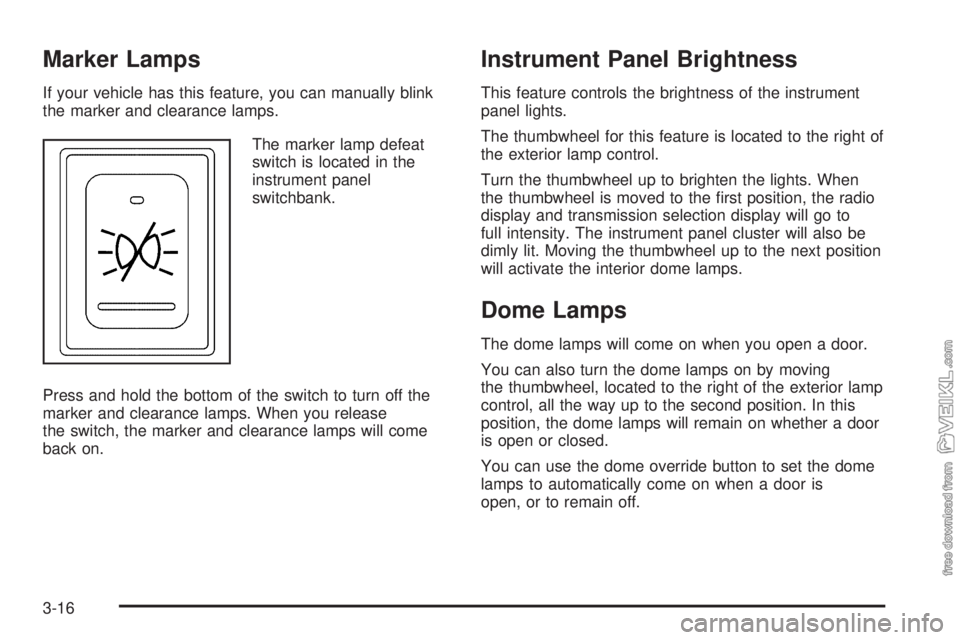
The marker lamp defeat
switch is located in the
instrument panel
switchbank.
Press and hold the bottom of the switch to turn off the
marker and clearance lamps. When you release
the switch, the marker and clearance lamps will come
back on.
Instrument Panel Brightness
This feature controls the brightness of the instrument
panel lights.
The thumbwheel for this feature is located to the right of
the exterior lamp control.
Turn the thumbwheel up to brighten the lights. When
the thumbwheel is moved to the first position, the radio
display and transmission selection display will go to
full intensity. The instrument panel cluster will also be
dimly lit. Moving the thumbwheel up to the next position
will activate the interior dome lamps.
Dome Lamps
The dome lamps will come on when you open a door.
You can also turn the dome lamps on by moving
the thumbwheel, located to the right of the exterior lamp
control, all the way up to the second position. In this
position, the dome lamps will remain on whether a door
is open or closed.
You can use the dome override button to set the dome
lamps to automatically come on when a door is
open, or to remain off.
3-16
Page 132 of 374
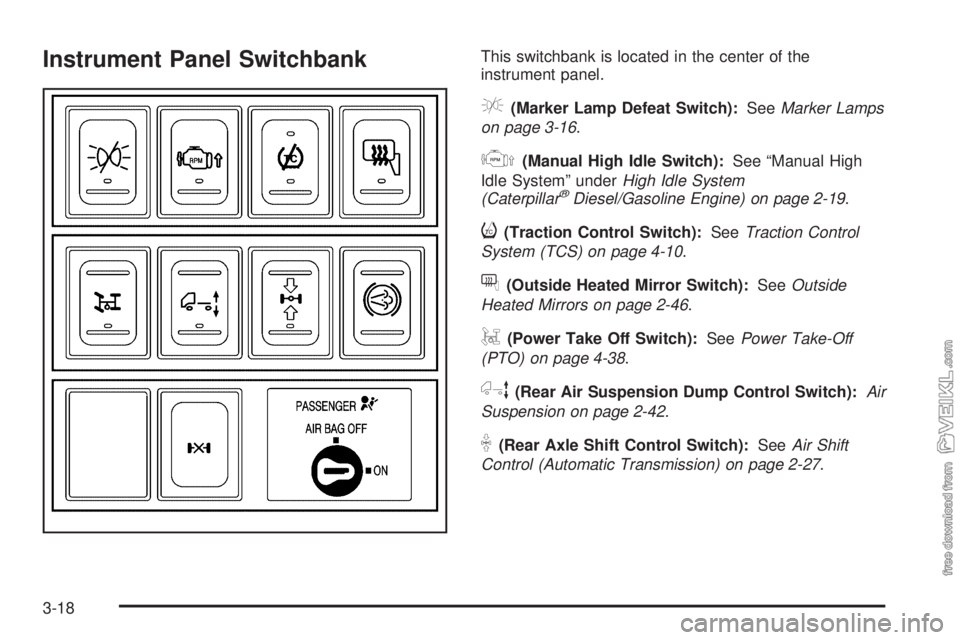
Instrument Panel SwitchbankThis switchbank is located in the center of the
instrument panel.
e(Marker Lamp Defeat Switch):SeeMarker Lamps
on page 3-16.
j(Manual High Idle Switch):See “Manual High
Idle System” underHigh Idle System
(Caterpillar
®Diesel/Gasoline Engine) on page 2-19.
i(Traction Control Switch):SeeTraction Control
System (TCS) on page 4-10.
f(Outside Heated Mirror Switch):SeeOutside
Heated Mirrors on page 2-46.
g(Power Take Off Switch):SeePower Take-Off
(PTO) on page 4-38.
h(Rear Air Suspension Dump Control Switch):Air
Suspension on page 2-42.
k(Rear Axle Shift Control Switch):SeeAir Shift
Control (Automatic Transmission) on page 2-27.
3-18
Page 145 of 374
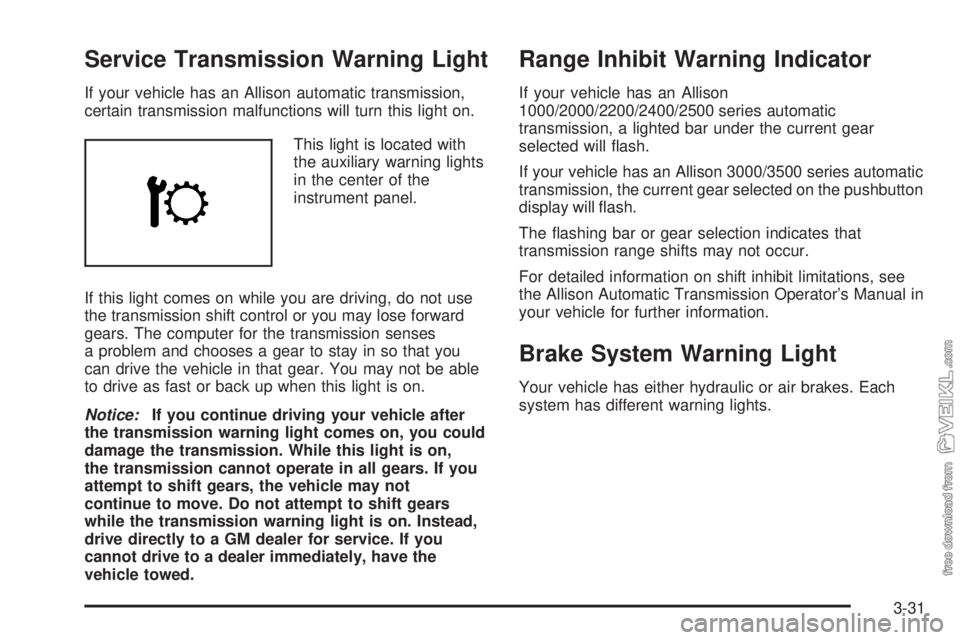
Service Transmission Warning Light
If your vehicle has an Allison automatic transmission,
certain transmission malfunctions will turn this light on.
This light is located with
the auxiliary warning lights
in the center of the
instrument panel.
If this light comes on while you are driving, do not use
the transmission shift control or you may lose forward
gears. The computer for the transmission senses
a problem and chooses a gear to stay in so that you
can drive the vehicle in that gear. You may not be able
to drive as fast or back up when this light is on.
Notice:If you continue driving your vehicle after
the transmission warning light comes on, you could
damage the transmission. While this light is on,
the transmission cannot operate in all gears. If you
attempt to shift gears, the vehicle may not
continue to move. Do not attempt to shift gears
while the transmission warning light is on. Instead,
drive directly to a GM dealer for service. If you
cannot drive to a dealer immediately, have the
vehicle towed.
Range Inhibit Warning Indicator
If your vehicle has an Allison
1000/2000/2200/2400/2500 series automatic
transmission, a lighted bar under the current gear
selected will flash.
If your vehicle has an Allison 3000/3500 series automatic
transmission, the current gear selected on the pushbutton
display will flash.
The flashing bar or gear selection indicates that
transmission range shifts may not occur.
For detailed information on shift inhibit limitations, see
the Allison Automatic Transmission Operator’s Manual in
your vehicle for further information.
Brake System Warning Light
Your vehicle has either hydraulic or air brakes. Each
system has different warning lights.
3-31