change time CHEVROLET KODIAK 2005 Owners Manual
[x] Cancel search | Manufacturer: CHEVROLET, Model Year: 2005, Model line: KODIAK, Model: CHEVROLET KODIAK 2005Pages: 374, PDF Size: 5.46 MB
Page 2 of 374
GENERAL MOTORS, GM, the GM Emblem,
CHEVROLET, and the CHEVROLET Emblem are
registered trademarks; and the name KODIAK is a
trademark of General Motors Corporation.
This manual includes the latest information at the time it
was printed. We reserve the right to make changes
after that time without further notice. For vehicles first
sold in Canada, substitute the name “General Motors of
Canada Limited” for GM Medium Duty Truck Division
when it appears in this manual.
Keep this manual in the vehicle, so it will be there if it
is needed while you are on the road. If the vehicle
is sold, leave this manual in the vehicle.
Canadian Owners
A French language copy of this manual can be obtained
from your dealer or from:
Helm, Incorporated
P.O. Box 07130
Detroit, MI 48207
How to Use This Manual
Many people read the owner manual from beginning to
end when they first receive their new vehicle. If this
is done, it can help you learn about the features
and controls for the vehicle. Pictures and words work
together in the owner manual to explain things.
Index
A good place to quickly locate information about the
vehicle is the Index in the back of the manual. It is
an alphabetical list of what is in the manual and
the page number where it can be found.
Litho in U.S.A.
Part No. 05KODIAK B First Edition
©2004 General Motors Corporation. All Rights Reserved.
ii
Page 36 of 374
Infants and Young Children
Everyone in a vehicle needs protection! This includes
infants and all other children. Neither the distance
traveled nor the age and size of the traveler changes
the need, for everyone, to use safety restraints. In fact,
the law in every state in the United States and in
every Canadian province says children up to some age
must be restrained while in a vehicle.
Every time infants and young children ride in vehicles,
they should have the protection provided by appropriate
restraints. Young children should not use the vehicle’s
adult safety belts alone, unless there is no other choice.
Instead, they need to use a child restraint.
{CAUTION:
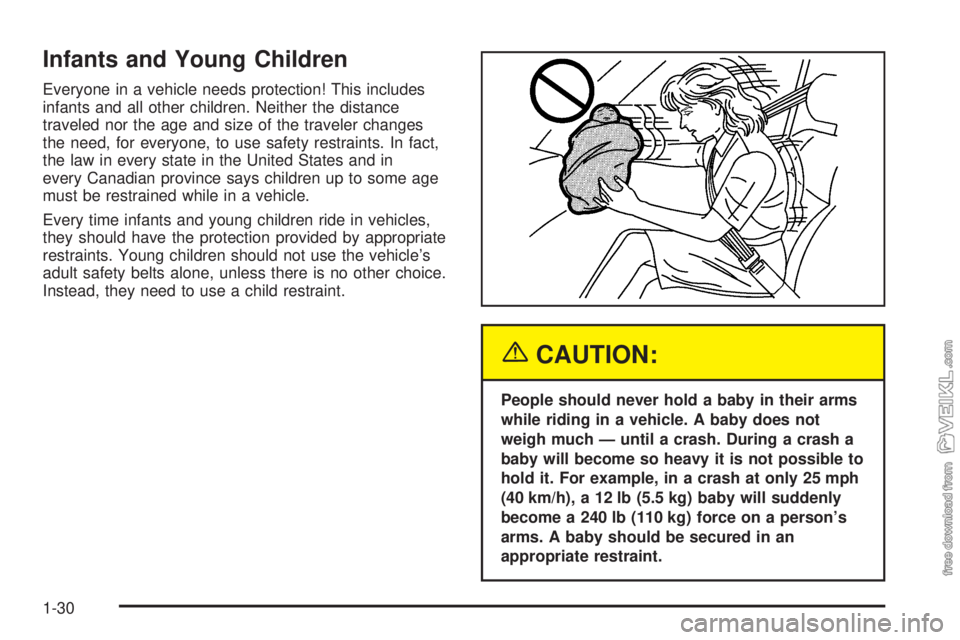
People should never hold a baby in their arms
while riding in a vehicle. A baby does not
weigh much — until a crash. During a crash a
baby will become so heavy it is not possible to
hold it. For example, in a crash at only 25 mph
(40 km/h), a 12 lb (5.5 kg) baby will suddenly
become a 240 lb (110 kg) force on a person’s
arms. A baby should be secured in an
appropriate restraint.
1-30
Page 71 of 374
Matching Transmitter(s) to Your Vehicle
Each remote keyless entry transmitter is coded to
prevent another transmitter from unlocking your vehicle.
If a transmitter is lost or stolen, a replacement can
be purchased through your dealer. Remember to bring
any remaining transmitters with you when you go to
your dealer. When the dealer matches the replacement
transmitter to your vehicle, any remaining transmitters
must also be matched. Once your dealer has coded the
new transmitter, the lost transmitter will not unlock
your vehicle. Each vehicle can have a maximum of
four transmitters matched to it.
Battery Replacement
Under normal use, the battery in your remote keyless
entry transmitter should last about two years.
You can tell the battery is weak if the transmitter won’t
work at the normal range in any location. If you have
to get close to your vehicle before the transmitter works,
it’s probably time to change the battery.Notice:When replacing the battery, use care not to
touch any of the circuitry. Static from your body
transferred to these surfaces may damage the
transmitter.
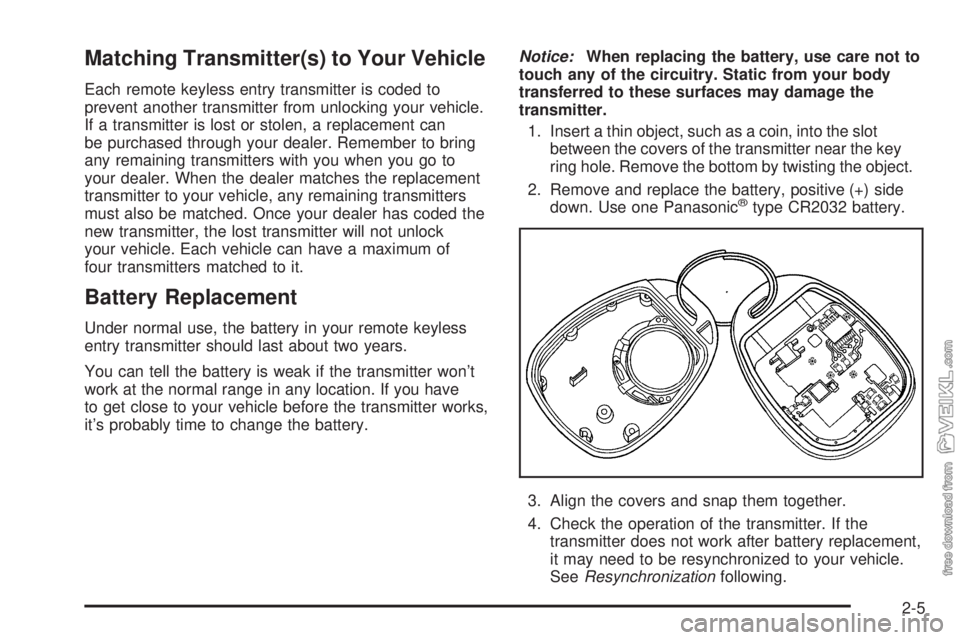
1. Insert a thin object, such as a coin, into the slot
between the covers of the transmitter near the key
ring hole. Remove the bottom by twisting the object.
2. Remove and replace the battery, positive (+) side
down. Use one Panasonic
®type CR2032 battery.
3. Align the covers and snap them together.
4. Check the operation of the transmitter. If the
transmitter does not work after battery replacement,
it may need to be resynchronized to your vehicle.
SeeResynchronizationfollowing.
2-5
Page 83 of 374
Cold Weather Starting
(Caterpillar®Diesel)
Because the diesel engine uses compression ignition,
it is harder to start in cold weather than a gasoline
engine. The air intake heater and use of the proper
engine oil, optional engine coolant heaters and optional
ether injection systems help cold weather starting.
See the Caterpillar
®Diesel Engine Operation &
Maintenance Manual for more information.
Restarting the Diesel Engine While
Moving (Automatic Transmission)
If you have to restart the engine while the vehicle is
moving, you will first have to shift to NEUTRAL (N).
This safety feature prevents starting the engine when
the transmission is in a drive gear for more information.
Stopping the Diesel Engine
1. Set the parking brake and shift to NEUTRAL (N)
or PARK (P).
2. Turn the ignition key to OFF.
If your vehicle has a two-speed axle, see
Two-Speed Rear Axle Electric Shift Control on
page 2-26.
If you have a Caterpillar
®diesel engine, see your
Caterpillar®Diesel Engine Operation & Maintenance
Manual for additional information.
Diesel Engine Warm-Up
Several factors affect how quickly your diesel engine
warms up. These can include outside temperature,
engine load, idle time and your vehicle’s option content.
Your vehicle may be equipped with some features
that can help the engine reach operating temperature
sooner. Some of these features are discussed below.
Also, remember that an automatic transmission
adds heat to the cooling system through the heat
exchanger in the radiator. Because of this, vehicles
equipped with automatic transmissions are often able to
retain engine coolant heat better than manual
transmission vehicles.
See your Caterpillar
®Operation & Maintenance manual
for additional diesel engine warm-up information.
2-17
Page 84 of 374
If Your Diesel Engine Will Not Start
If you have run out of fuel, seeRunning Out of Fuel on
page 5-15.
If you are not out of fuel, and your engine will not start,
do this:
Turn your ignition key to RUN. Immediately after the wait
to start light goes off, turn the ignition key to START.
If the light does not go off, wait a few seconds, then try
starting your engine again. And, see your dealer as
soon as you can for a starting system check.
If the light comes on and then goes off and you know
your batteries are charged, but your engine still will not
start, your vehicle needs service.
If the light does not come on when the engine is cold,
your vehicle needs service.
If your batteries do not have enough charge to start
your engine, seeBattery on page 5-55.
Be sure you have the right oil for your engine, and that
you have changed the oil at the proper times. If you
use the wrong oil, your engine may be harder to start.Be sure you are using the proper fuel for existing
weather conditions. SeeWhat Fuel to Use on page 5-8.
If the engine starts, runs a short time, then stops,
your vehicle needs service.
{CAUTION:
Do not use gasoline or starting aids, such as
ether, in the air intake. They could damage
your engine. There could also be a re, which
could cause serious personal injury.
Engine Alarm and Automatic
Shutdown
Your check gages warning light will come on if the
system senses high engine temperature or low engine
oil pressure. If high engine temperature or low engine oil
pressure is detected, you will also hear a tone alarm
at two beats per second. The alarm and the light
will remain on until the condition is fixed. If the engine
temperature or oil pressure condition worsens, the
tone alarm will go to five beats per second.
2-18
Page 115 of 374
Instrument Panel Overview...............................3-4
Hazard Warning Flashers................................3-6
Other Warning Devices...................................3-6
Horn.............................................................3-6
Tilt Wheel.....................................................3-7
Turn Signal/Multifunction Lever.........................3-7
Turn and Lane-Change Signals........................3-8
Headlamp High/Low-Beam Changer..................3-8
Windshield Wipers..........................................3-9
Windshield Washer.......................................3-10
Cruise Control..............................................3-10
Exterior Lamps.............................................3-14
Headlamps on Reminder................................3-15
Daytime Running Lamps (DRL).......................3-15
Marker Lamps..............................................3-16
Instrument Panel Brightness...........................3-16
Dome Lamps...............................................3-16
Entry Lighting...............................................3-17
Reading Lamps............................................3-17
Instrument Panel Switchbank..........................3-18
Accessory Power Outlets...............................3-19
Ashtrays and Cigarette Lighter........................3-20
Climate Controls............................................3-20
Climate Control System.................................3-20
Outlet Adjustment.........................................3-23
Rear Heating System....................................3-24Warning Lights, Gages, and Indicators............3-24
Instrument Panel Cluster................................3-25
Speedometer and Odometer...........................3-26
Trip Odometer..............................................3-26
Tachometer.................................................3-26
Engine Speed Limiter....................................3-26
Safety Belt Reminder Light.............................3-27
Safety Belt Reminder Tone............................3-27
Airbag Readiness Light..................................3-27
Airbag Off Light............................................3-28
Charging System Light..................................3-30
Voltmeter Gage............................................3-30
Service Transmission Warning Light................3-31
Range Inhibit Warning Indicator......................3-31
Brake System Warning Light..........................3-31
Anti-Lock Brake System Warning Light.............3-34
Trailer Anti-Lock Brake System Warning Light.....3-34
Engine Coolant Temperature Gage..................3-35
Low Coolant Warning Light............................3-35
Wait to Start Indicator (Diesel Engine).............3-36
Malfunction Indicator Lamp.............................3-36
Oil Pressure Gage........................................3-37
Low Oil Level Light.......................................3-38
Change Engine Oil Light................................3-38
Engine Overspeed Warning Light....................3-39
Engine Shutdown Warning Light.....................3-39
Section 3 Instrument Panel
3-1
Page 129 of 374
Headlamps on Reminder
If you have this system, a tone will sound when your
headlamps and/or parking lamps are turned on and your
ignition is in LOCK or ACCESSORY.
Daytime Running Lamps (DRL)
Daytime Running Lamps (DRL) can make it easier for
others to see the front of your vehicle during the
day. DRL can be helpful in many different driving
conditions, but they can be especially helpful in the short
periods after dawn and before sunset. Fully functional
daytime running lamps are required on all vehicles
first sold in Canada.
The DRL system will make your headlamps come on
at reduced brightness when the following conditions
are met:
•The ignition is on,
•the exterior lamp control is off, and
•the parking brake is released.When the DRL are on, only your headlamps will be on.
The taillamps, sidemarker and other lamps won’t be
on. Your instrument panel won’t be lit up either.
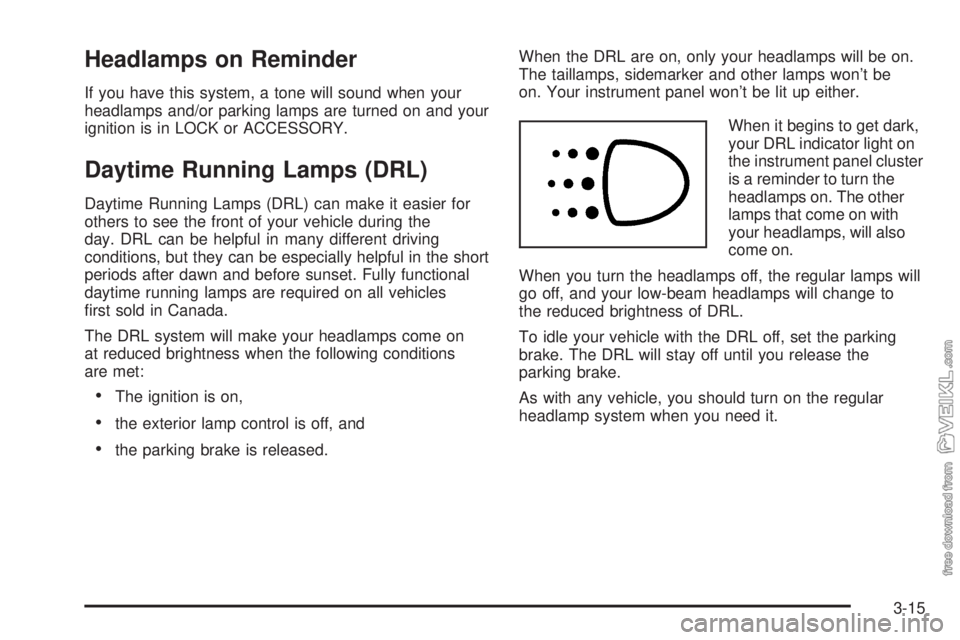
When it begins to get dark,
your DRL indicator light on
the instrument panel cluster
is a reminder to turn the
headlamps on. The other
lamps that come on with
your headlamps, will also
come on.
When you turn the headlamps off, the regular lamps will
go off, and your low-beam headlamps will change to
the reduced brightness of DRL.
To idle your vehicle with the DRL off, set the parking
brake. The DRL will stay off until you release the
parking brake.
As with any vehicle, you should turn on the regular
headlamp system when you need it.
3-15
Page 155 of 374
Reduced Engine Power Light
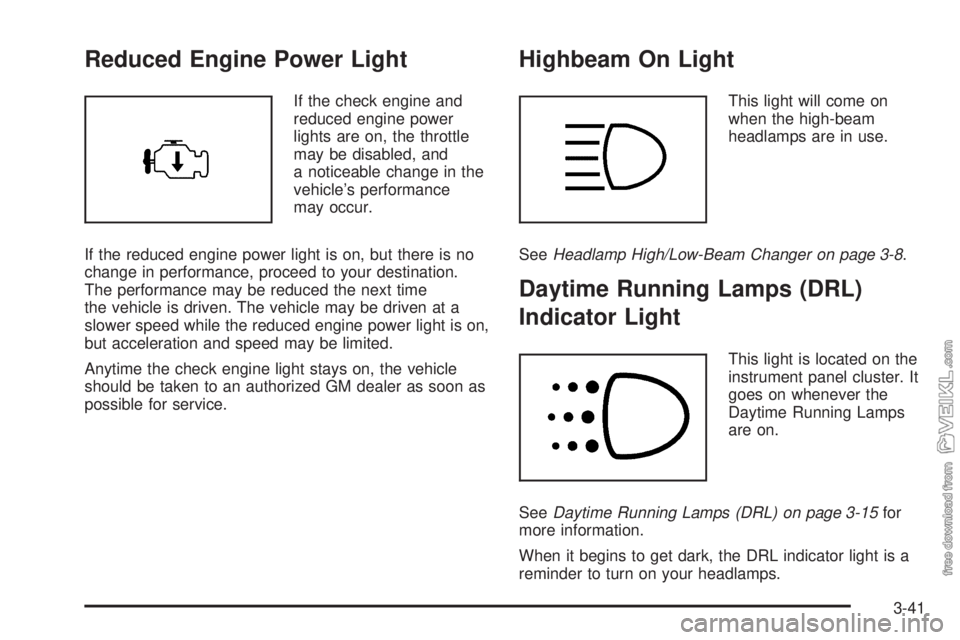
If the check engine and
reduced engine power
lights are on, the throttle
may be disabled, and
a noticeable change in the
vehicle’s performance
may occur.
If the reduced engine power light is on, but there is no
change in performance, proceed to your destination.
The performance may be reduced the next time
the vehicle is driven. The vehicle may be driven at a
slower speed while the reduced engine power light is on,
but acceleration and speed may be limited.
Anytime the check engine light stays on, the vehicle
should be taken to an authorized GM dealer as soon as
possible for service.
Highbeam On Light
This light will come on
when the high-beam
headlamps are in use.
SeeHeadlamp High/Low-Beam Changer on page 3-8.
Daytime Running Lamps (DRL)
Indicator Light
This light is located on the
instrument panel cluster. It
goes on whenever the
Daytime Running Lamps
are on.
SeeDaytime Running Lamps (DRL) on page 3-15for
more information.
When it begins to get dark, the DRL indicator light is a
reminder to turn on your headlamps.
3-41
Page 158 of 374
Air Pressure Gage
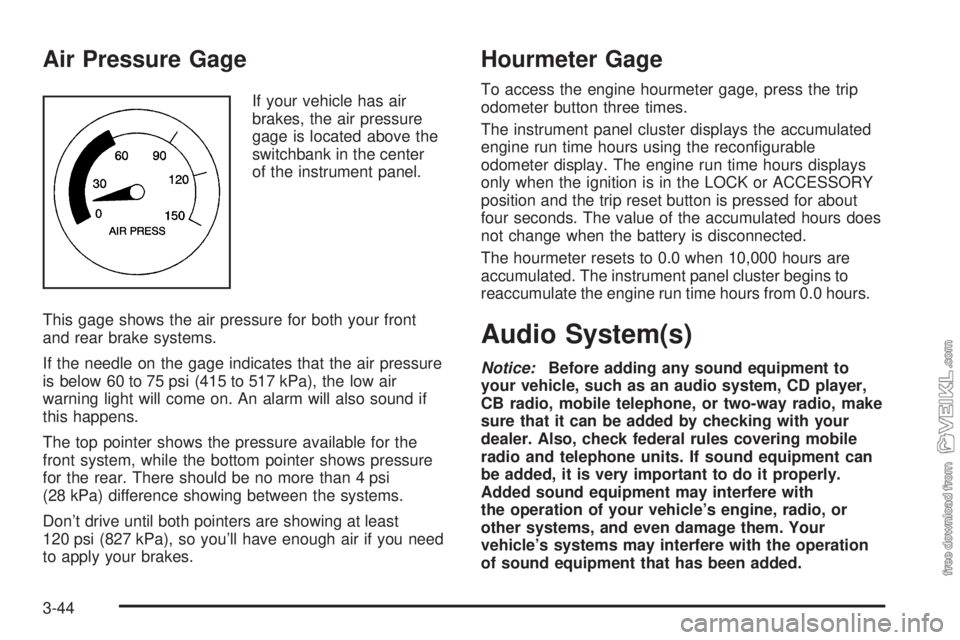
If your vehicle has air
brakes, the air pressure
gage is located above the
switchbank in the center
of the instrument panel.
This gage shows the air pressure for both your front
and rear brake systems.
If the needle on the gage indicates that the air pressure
is below 60 to 75 psi (415 to 517 kPa), the low air
warning light will come on. An alarm will also sound if
this happens.
The top pointer shows the pressure available for the
front system, while the bottom pointer shows pressure
for the rear. There should be no more than 4 psi
(28 kPa) difference showing between the systems.
Don’t drive until both pointers are showing at least
120 psi (827 kPa), so you’ll have enough air if you need
to apply your brakes.
Hourmeter Gage
To access the engine hourmeter gage, press the trip
odometer button three times.
The instrument panel cluster displays the accumulated
engine run time hours using the reconfigurable
odometer display. The engine run time hours displays
only when the ignition is in the LOCK or ACCESSORY
position and the trip reset button is pressed for about
four seconds. The value of the accumulated hours does
not change when the battery is disconnected.
The hourmeter resets to 0.0 when 10,000 hours are
accumulated. The instrument panel cluster begins to
reaccumulate the engine run time hours from 0.0 hours.
Audio System(s)
Notice:Before adding any sound equipment to
your vehicle, such as an audio system, CD player,
CB radio, mobile telephone, or two-way radio, make
sure that it can be added by checking with your
dealer. Also, check federal rules covering mobile
radio and telephone units. If sound equipment can
be added, it is very important to do it properly.
Added sound equipment may interfere with
the operation of your vehicle’s engine, radio, or
other systems, and even damage them. Your
vehicle’s systems may interfere with the operation
of sound equipment that has been added.
3-44
Page 163 of 374
Setting Preset Stations
Up to 18 stations (six FM1, six FM2, and six AM) can be
programmed on the six numbered pushbuttons, by
performing the following steps:
1. Turn the radio on.
2. Press AM FM to select FM1, FM2, or AM.
3. Tune in the desired station.
4. Press and hold one of the six numbered
pushbuttons until you hear a beep. Whenever that
numbered pushbutton is pressed, the station
that was set will return.
5. Repeat the steps for each pushbutton.
Setting the Tone (Bass/Treble)
AUDIO:To adjust bass and treble, press and release
AUDIO until BAS or TRE appears on the display.
Then press and hold the up or the down arrow to
increase or to decrease. If a station is weak or noisy,
decrease the treble.
To adjust bass or treble to the middle position, select
BAS or TRE. Then press and hold AUDIO for more than
two seconds until you hear a beep. B and a zero or
T and a zero will appear on the display.
To adjust both tone controls and both speaker controls
to the middle position, end out of audio by waiting
for the display to change to the clock display. Then
press and hold AUDIO for more than two seconds until
you hear a beep. CEN will appear on the display.
Adjusting the Speakers (Balance/Fade)
AUDIO:To adjust the balance between the right
and the left speakers, press and release AUDIO until
BAL appears on the display. Then press and hold the up
or the down arrow to move the sound toward the right
or the left speakers.
To adjust the fade between the front and the rear
speakers, press and release AUDIO until FAD appears
on the display. Then press and hold the up or the
down arrow to move the sound toward the front or the
rear speakers.
To adjust balance or fade to the middle position, select
BAL or FAD. Then press and hold AUDIO for more
than two seconds until you hear a beep. L (balance) and
a zero or F and a zero will appear on the display.
To adjust both tone controls and both speaker controls
to the middle position, end out of audio by waiting
for the display to change to the time display. Then press
and hold AUDIO for more than two seconds until you
hear a beep. CEN will appear on the display.
Fade may not be available if the vehicle is a regular
cab model.
3-49