service indicator CHEVROLET KODIAK 2006 Owners Manual
[x] Cancel search | Manufacturer: CHEVROLET, Model Year: 2006, Model line: KODIAK, Model: CHEVROLET KODIAK 2006Pages: 398, PDF Size: 5.72 MB
Page 1 of 398
Seats and Restraint Systems........................... 1-1
Front Seats
............................................... 1-2
Rear Seats
............................................... 1-8
Safety Belts
.............................................. 1-9
Child Restraints
.......................................1-28
Airbag System
.........................................1-50
Restraint System Check
............................1-62
Features and Controls..................................... 2-1
Keys
........................................................ 2-2
Doors and Locks
....................................... 2-6
Windows
.................................................. 2-8
Starting and Operating Your Vehicle
...........2-11
Mirrors
....................................................2-47
Storage Areas
.........................................2-49
Instrument Panel............................................. 3-1
Instrument Panel Overview
.......................... 3-4
Climate Controls
......................................3-20
Warning Lights, Gages, and Indicators
........3-25
Audio System(s)
.......................................3-48
Driving Your Vehicle....................................... 4-1
Your Driving, the Road, and Your Vehicle
..... 4-2
Towing
...................................................4-37Service and Appearance Care.......................... 5-1
Service
..................................................... 5-3
Fuel
......................................................... 5-6
Checking Things Under the Hood
...............5-22
Rear Axle
...............................................5-64
Four-Wheel Drive
.....................................5-65
Front Axle
...............................................5-66
Noise Control System
...............................5-67
Bulb Replacement
....................................5-68
Windshield Wiper Blade Replacement
.........5-69
Other Service Items
..................................5-70
Tires
......................................................5-74
Appearance Care
.....................................5-83
Vehicle Identification
.................................5-91
Electrical System
......................................5-92
Capacities and Specifications
.....................5-99
Normal Maintenance Replacement Parts
.....5-104
Maintenance Schedule..................................... 6-1
Maintenance Schedule
................................ 6-2
Customer Assistance and Information.............. 7-1
Customer Assistance and Information
........... 7-2
Reporting Safety Defects
...........................7-10
Index................................................................ 1
2006 Chevrolet Kodiak Owner ManualM
Page 86 of 398
Starting Your Engine
1. Turn your ignition key to RUN.
Observe the wait to start light. SeeWait to Start
Indicator (Diesel Engine) on page 3-37. This
light may not come on if the engine is hot.
If you have a Caterpillar
®diesel engine, see your
Caterpillar®Diesel Engine Operation & Maintenance
Manual for proper wait to start light operation.
2. As soon as the wait to start light goes off,
immediately turn the ignition key to START. When
the engine starts, let go of the key.
If your vehicle is equipped with a DURAMAX
®6600
engine, it has a fast warm-up glow plug system.
The wait to start light will illuminate for a much
shorter time than most diesel engines, due to the
rapid heating of the glow plug system.
Notice:Holding your key in START for longer than
15 seconds at a time will cause your battery to
be drained much sooner. And the excessive heat
can damage your starter motor.Notice:If the wait to start light stays on after
starting your vehicle, your vehicle may not run
properly. Have your vehicle serviced right away.
3. If the engine does not start after 15 seconds
of cranking, turn the ignition key to OFF. Wait
one minute for the starter to cool, then try the same
steps again.
If you are trying to start your engine after you have run
out of fuel, seeRunning Out of Fuel on page 5-17.
When your engine is cold, let it run for a few minutes
before you move your vehicle. This lets oil pressure
build up. Your engine will sound louder when it is cold.
Notice:If you are not in an idling vehicle and
the engine overheats, you would not be there to see
the overheated engine indication. This could
damage your vehicle. Do not let your engine run
when you are not in your vehicle.
2-16
Page 106 of 398
Locking Hubs
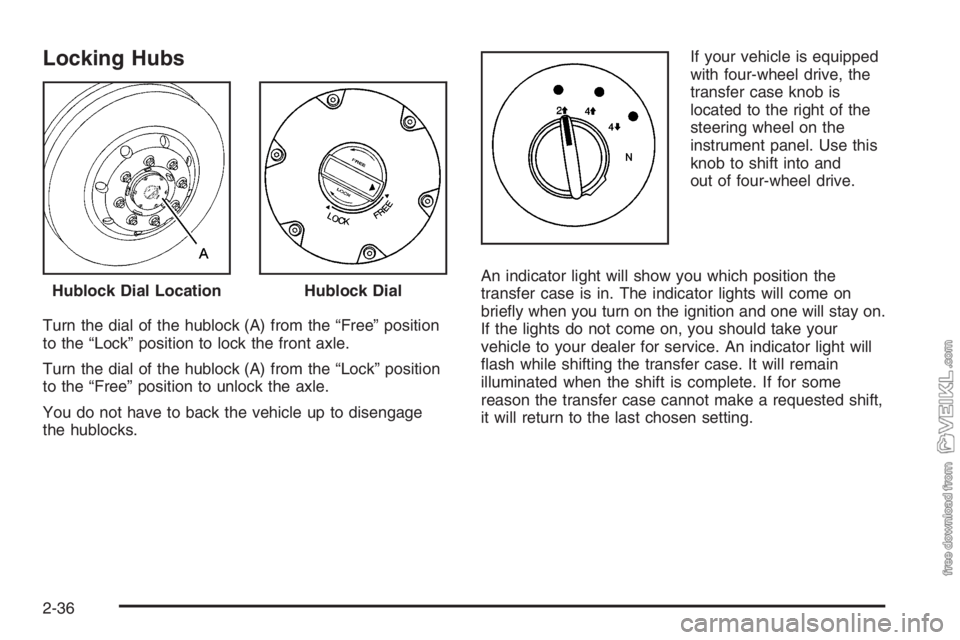
Turn the dial of the hublock (A) from the “Free” position
to the “Lock” position to lock the front axle.
Turn the dial of the hublock (A) from the “Lock” position
to the “Free” position to unlock the axle.
You do not have to back the vehicle up to disengage
the hublocks.If your vehicle is equipped
with four-wheel drive, the
transfer case knob is
located to the right of the
steering wheel on the
instrument panel. Use this
knob to shift into and
out of four-wheel drive.
An indicator light will show you which position the
transfer case is in. The indicator lights will come on
briefly when you turn on the ignition and one will stay on.
If the lights do not come on, you should take your
vehicle to your dealer for service. An indicator light will
flash while shifting the transfer case. It will remain
illuminated when the shift is complete. If for some
reason the transfer case cannot make a requested shift,
it will return to the last chosen setting. Hublock Dial Location
Hublock Dial
2-36
Page 121 of 398
Instrument Panel Overview...............................3-4
Hazard Warning Flashers................................3-6
Other Warning Devices...................................3-6
Horn .............................................................3-6
Tilt Wheel.....................................................3-7
Turn Signal/Multifunction Lever.........................3-7
Turn and Lane-Change Signals........................3-8
Headlamp High/Low-Beam Changer..................3-8
Windshield Wipers..........................................3-9
Windshield Washer.......................................3-10
Cruise Control..............................................3-10
Exterior Lamps.............................................3-14
Headlamps on Reminder................................3-15
Daytime Running Lamps (DRL).......................3-15
Marker Lamps..............................................3-16
Instrument Panel Brightness...........................3-16
Dome Lamps ...............................................3-16
Entry Lighting...............................................3-17
Reading Lamps............................................3-17
Instrument Panel Switchbank..........................3-18
Accessory Power Outlet(s).............................3-19
Ashtray(s) and Cigarette Lighter......................3-20Climate Controls............................................3-20
Climate Control System.................................3-20
Outlet Adjustment.........................................3-24
Rear Heating System....................................3-24
Warning Lights, Gages, and Indicators............3-25
Instrument Panel Cluster................................3-26
Speedometer and Odometer...........................3-27
Trip Odometer..............................................3-27
Tachometer.................................................3-27
Engine Speed Limiter....................................3-28
Safety Belt Reminder Light.............................3-28
Safety Belt Reminder Tone............................3-28
Airbag Readiness Light..................................3-29
Airbag Off Light............................................3-30
Charging System Light..................................3-31
Voltmeter Gage............................................3-32
Service Transmission Warning Light................3-32
Range Inhibit Warning Indicator......................3-33
Brake System Warning Light..........................3-33
Anti-Lock Brake System Warning Light.............3-35
Trailer Anti-Lock Brake System Warning Light . . .3-36
Engine Coolant Temperature Gage..................3-36
Section 3 Instrument Panel
3-1
Page 157 of 398
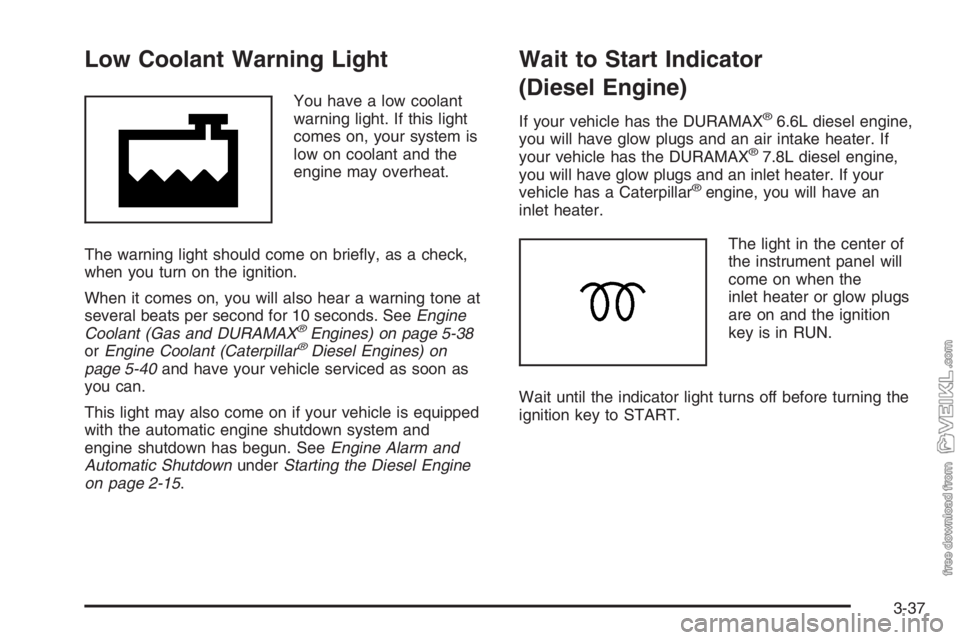
Low Coolant Warning Light
You have a low coolant
warning light. If this light
comes on, your system is
low on coolant and the
engine may overheat.
The warning light should come on briefly, as a check,
when you turn on the ignition.
When it comes on, you will also hear a warning tone at
several beats per second for 10 seconds. SeeEngine
Coolant (Gas and DURAMAX
®Engines) on page 5-38
orEngine Coolant (Caterpillar®Diesel Engines) on
page 5-40and have your vehicle serviced as soon as
you can.
This light may also come on if your vehicle is equipped
with the automatic engine shutdown system and
engine shutdown has begun. SeeEngine Alarm and
Automatic ShutdownunderStarting the Diesel Engine
on page 2-15.
Wait to Start Indicator
(Diesel Engine)
If your vehicle has the DURAMAX®6.6L diesel engine,
you will have glow plugs and an air intake heater. If
your vehicle has the DURAMAX
®7.8L diesel engine,
you will have glow plugs and an inlet heater. If your
vehicle has a Caterpillar
®engine, you will have an
inlet heater.
The light in the center of
the instrument panel will
come on when the
inlet heater or glow plugs
are on and the ignition
key is in RUN.
Wait until the indicator light turns off before turning the
ignition key to START.
3-37
Page 158 of 398
Malfunction Indicator Lamp
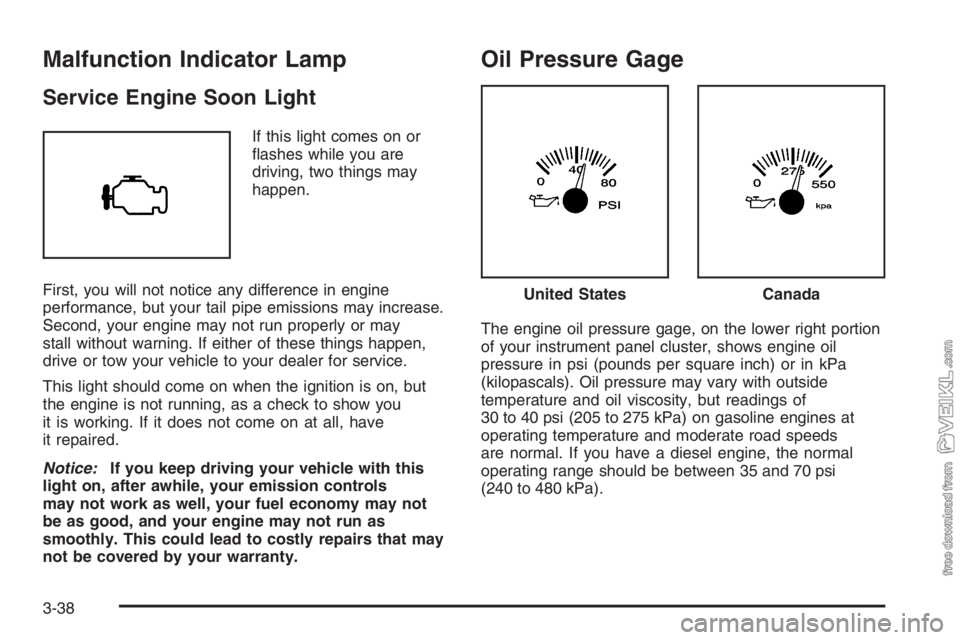
Service Engine Soon Light
If this light comes on or
flashes while you are
driving, two things may
happen.
First, you will not notice any difference in engine
performance, but your tail pipe emissions may increase.
Second, your engine may not run properly or may
stall without warning. If either of these things happen,
drive or tow your vehicle to your dealer for service.
This light should come on when the ignition is on, but
the engine is not running, as a check to show you
it is working. If it does not come on at all, have
it repaired.
Notice:If you keep driving your vehicle with this
light on, after awhile, your emission controls
may not work as well, your fuel economy may not
be as good, and your engine may not run as
smoothly. This could lead to costly repairs that may
not be covered by your warranty.
Oil Pressure Gage
The engine oil pressure gage, on the lower right portion
of your instrument panel cluster, shows engine oil
pressure in psi (pounds per square inch) or in kPa
(kilopascals). Oil pressure may vary with outside
temperature and oil viscosity, but readings of
30 to 40 psi (205 to 275 kPa) on gasoline engines at
operating temperature and moderate road speeds
are normal. If you have a diesel engine, the normal
operating range should be between 35 and 70 psi
(240 to 480 kPa).
United StatesCanada
3-38
Page 161 of 398

Transmission Temperature Gage
If you have an automatic
transmission and this
gage, it is located above
the switchbank in the
center of the instrument
panel.
When your ignition is on, the gage shows the
temperature of the transmission oil. A reading in the
warning zone, the red area beginning at 300°F (150°C),
means you must stop driving and check into the
cause. One possible cause is a low oil level in the
transmission.
Notice:If you drive your vehicle with the
transmission temperature gage above normal
operating range, you can damage the transmission.
This could lead to costly repairs that would not
be covered by your warranty. Do not drive your
vehicle while the transmission temperature gage
reading is above normal. See your dealer for service.
Exhaust Brake Indicator Light
If your vehicle is equipped
with an exhaust brake, you
will have this light,
located above the climate
controls in the center
of the instrument panel.
The exhaust brake indicator light will come on and stay
on whenever the diesel engine exhaust brake or
exhaust restrictor is active. For more information, see
Diesel Engine Exhaust Brake on page 2-27andExhaust
Restrictor (Engine Warm-Up) on page 2-22.
3-41
Page 162 of 398
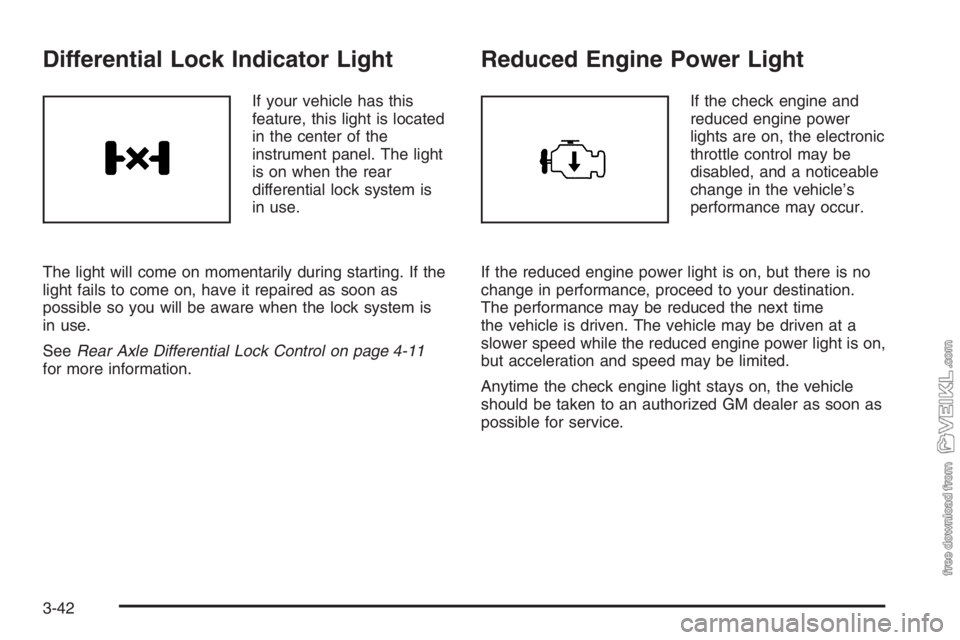
Differential Lock Indicator Light
If your vehicle has this
feature, this light is located
in the center of the
instrument panel. The light
is on when the rear
differential lock system is
in use.
The light will come on momentarily during starting. If the
light fails to come on, have it repaired as soon as
possible so you will be aware when the lock system is
in use.
SeeRear Axle Differential Lock Control on page 4-11
for more information.
Reduced Engine Power Light
If the check engine and
reduced engine power
lights are on, the electronic
throttle control may be
disabled, and a noticeable
change in the vehicle’s
performance may occur.
If the reduced engine power light is on, but there is no
change in performance, proceed to your destination.
The performance may be reduced the next time
the vehicle is driven. The vehicle may be driven at a
slower speed while the reduced engine power light is on,
but acceleration and speed may be limited.
Anytime the check engine light stays on, the vehicle
should be taken to an authorized GM dealer as soon as
possible for service.
3-42
Page 186 of 398
The cut tape detection feature of the cassette tape
player may identify the cleaning cassette as a damaged
tape. To prevent the cleaning cassette from being
ejected, use the following steps:
1. Turn the ignition on.
2. Turn the radio off.
3. Press and hold the TAPE button for two seconds
until the radio produces one beep. CAS will flash
on the display for five seconds.
4. Insert the scrubbing action cleaning cassette.
5. Eject the cleaning cassette after the manufacturer’s
recommended cleaning time.
After the cleaning cassette is ejected, the cut tape
detection feature will be active again.
A non-scrubbing action, wet-type cleaner which uses a
cassette with a fabric belt to clean the tape head
can be used. This type of cleaning cassette will not
eject on its own. A non-scrubbing action cleaner may not
clean as thoroughly as the scrubbing type cleaner.
The use of a non-scrubbing action, dry-type cleaning
cassette is not recommended.After the player is cleaned, press and hold the eject
button for three seconds to reset the CLN indicator. The
radio will display --- to show the indicator was reset.
Cassettes are subject to wear and the sound quality may
degrade over time. Always make sure the cassette
tape is in good condition before the tape player
is serviced.
Care of Your CDs
Handle CDs carefully. Store them in their original cases
or other protective cases and away from direct
sunlight and dust. The CD player scans the bottom
surface of the disc. If the surface of a CD is damaged,
such as cracked, broken, or scratched, the CD will
not play properly or not at all. If the surface of a CD is
soiled, take a soft, lint free cloth or dampen a clean, soft
cloth in a mild, neutral detergent solution mixed with
water, and clean it. Make sure the wiping process starts
from the center to the edge.
Do not touch the bottom side of a CD while handling it;
this could damage the surface. Pick up CDs by
grasping the outer edges or the edge of the hole and
the outer edge.
3-66
Page 235 of 398
Notice:Your vehicle was not designed for fuel that
contains methanol. Do not use fuel containing
methanol. It can corrode metal parts in your fuel
system and also damage the plastic and rubber
parts. That damage would not be covered under
your warranty.
Some gasolines that are not reformulated for low
emissions may contain an octane-enhancing additive
called methylcyclopentadienyl manganese tricarbonyl
(MMT); ask the attendant where you buy gasoline
whether the fuel contains MMT. General Motors
recommends against the use of such gasolines. Fuels
containing MMT can reduce the life of spark plugs
and the performance of the emission control system may
be affected. The malfunction indicator lamp may turn
on. If this occurs, return to your authorized GM dealer for
service.Diesel Engine Fuel
For the Caterpillar®diesel, see the Caterpillar®
Operation & Maintenance Manual for information
concerning fuel usage.
Notice:Diesel fuel or fuel additives not
recommended in this manual could damage your
fuel system and engine. Your warranty would
not cover this damage. And:
Diesel fuel that has been mixed with engine oil
or automatic transmission uid could damage
your engine and emission controls.
Aftermarket diesel fuel additives are not tested
by General Motors. Some additives, particularly
those which contain alcohol or water
emulsiers, may damage your fuel system. If
you believe that unique circumstances call for a
fuel additive to be used, consult your dealer
for advice.
If you ever run out of diesel fuel, it can be
difficult to restart your engine. To avoid
this, never let your tank get empty.
If gasoline is ever accidentally added to the fuel
tank, to avoid severe engine damage, do not run the
engine until the fuel tank can be drained.
If you run out of fuel,Running Out of Fuel on page 5-17
tells you how to restart your engine.
5-7