lock CHEVROLET KODIAK 2008 Service Manual
[x] Cancel search | Manufacturer: CHEVROLET, Model Year: 2008, Model line: KODIAK, Model: CHEVROLET KODIAK 2008Pages: 384, PDF Size: 5.4 MB
Page 160 of 384
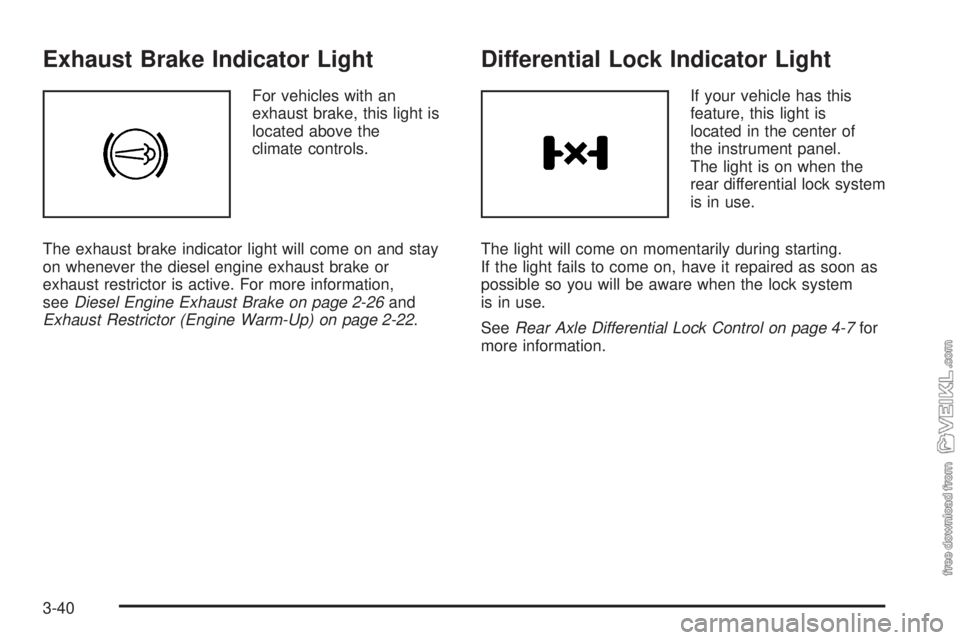
Exhaust Brake Indicator Light
For vehicles with an
exhaust brake, this light is
located above the
climate controls.
The exhaust brake indicator light will come on and stay
on whenever the diesel engine exhaust brake or
exhaust restrictor is active. For more information,
seeDiesel Engine Exhaust Brake on page 2-26and
Exhaust Restrictor (Engine Warm-Up) on page 2-22.
Differential Lock Indicator Light
If your vehicle has this
feature, this light is
located in the center of
the instrument panel.
The light is on when the
rear differential lock system
is in use.
The light will come on momentarily during starting.
If the light fails to come on, have it repaired as soon as
possible so you will be aware when the lock system
is in use.
SeeRear Axle Differential Lock Control on page 4-7for
more information.
3-40
Page 166 of 384
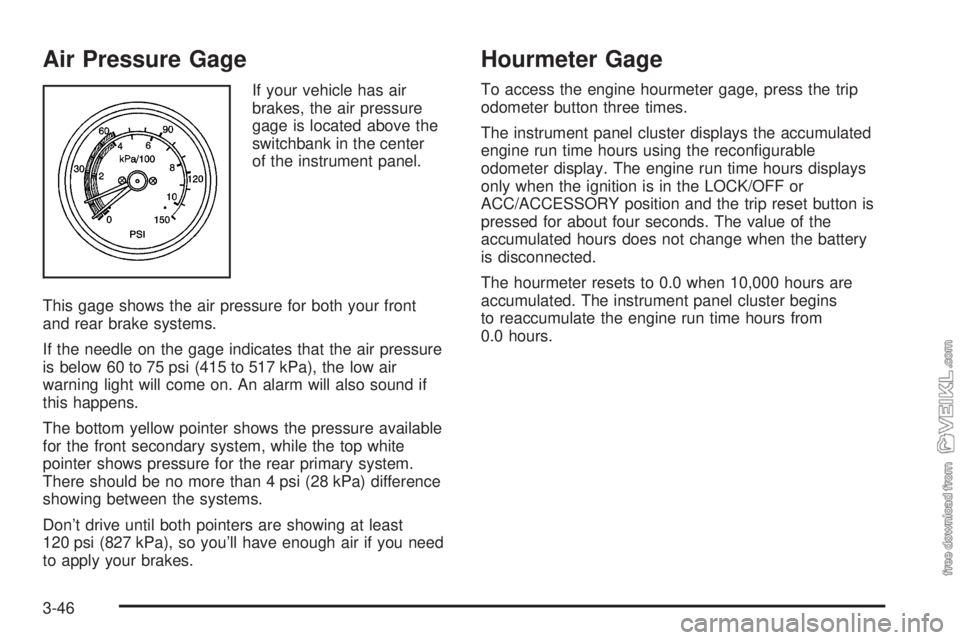
Air Pressure Gage
If your vehicle has air
brakes, the air pressure
gage is located above the
switchbank in the center
of the instrument panel.
This gage shows the air pressure for both your front
and rear brake systems.
If the needle on the gage indicates that the air pressure
is below 60 to 75 psi (415 to 517 kPa), the low air
warning light will come on. An alarm will also sound if
this happens.
The bottom yellow pointer shows the pressure available
for the front secondary system, while the top white
pointer shows pressure for the rear primary system.
There should be no more than 4 psi (28 kPa) difference
showing between the systems.
Don’t drive until both pointers are showing at least
120 psi (827 kPa), so you’ll have enough air if you need
to apply your brakes.
Hourmeter Gage
To access the engine hourmeter gage, press the trip
odometer button three times.
The instrument panel cluster displays the accumulated
engine run time hours using the reconfigurable
odometer display. The engine run time hours displays
only when the ignition is in the LOCK/OFF or
ACC/ACCESSORY position and the trip reset button is
pressed for about four seconds. The value of the
accumulated hours does not change when the battery
is disconnected.
The hourmeter resets to 0.0 when 10,000 hours are
accumulated. The instrument panel cluster begins
to reaccumulate the engine run time hours from
0.0 hours.
3-46
Page 168 of 384
Setting the Clock
Press and hold the HR (down) or MIN (up) arrow for
two seconds. Then press HR until the correct hour
displays. Press and hold MIN until the correct minute
displays. The time can be set with the ignition on or off.
Radio(s)
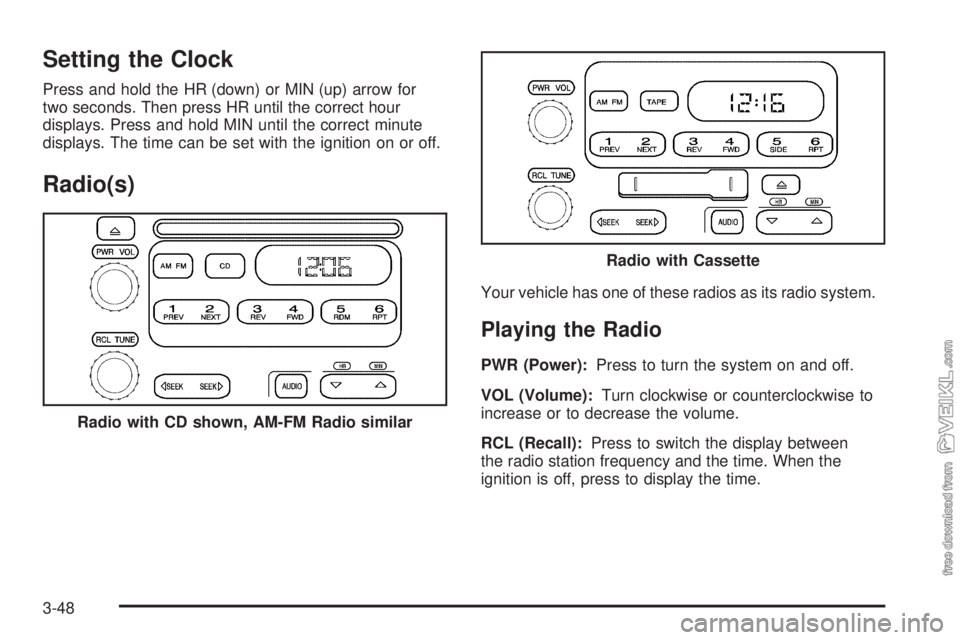
Your vehicle has one of these radios as its radio system.
Playing the Radio
PWR (Power):Press to turn the system on and off.
VOL (Volume):Turn clockwise or counterclockwise to
increase or to decrease the volume.
RCL (Recall):Press to switch the display between
the radio station frequency and the time. When the
ignition is off, press to display the time. Radio with CD shown, AM-FM Radio similar
Radio with Cassette
3-48
Page 171 of 384
Radio Messages
CAL (Calibration):The audio system has been
calibrated for your vehicle from the factory. If CAL
displays it means that the radio has not been configured
properly for your vehicle and must be returned to your
dealer/retailer for service.
LOC (Locked):This message displays when the
THEFTLOCK
®system has locked up. Take the vehicle
to your dealer/retailer for service.
If any error occurs repeatedly or cannot be corrected,
contact your dealer/retailer.
Playing a CD
Insert a CD partway into the slot, label side up.
The player pulls it in and the CD should begin playing.
CD displays. If you want to insert a CD with the
ignition off, first press the eject button or the RCL knob.
If you insert a CD with the radio off and the ignition
on, it starts to play.
If the ignition or radio is turned off, with a CD in the
player, it stays in the player. When the ignition or radio
is turned on, the CD starts playing where it stopped,
if it was the last selected audio source.As each new track starts to play, the track number
displays.
The CD player can play the smaller 3 inch (8 cm)
single CDs with an adapter ring. Full-size CDs and the
smaller CDs are loaded in the same manner.
Care of Your CDs
If playing a CD-R, the sound quality can be reduced
due to CD-R quality, the method of recording, the quality
of the music that has been recorded, and the way the
CD-R has been handled. Handle them carefully.
Store CD-R(s) in their original cases or other protective
cases and away from direct sunlight and dust.
The CD player scans the bottom surface of the disc.
If the surface of a CD is damaged, such as cracked,
broken, or scratched, the CD does not play properly
or not at all. Do not touch the bottom side of a CD while
handling it; this could damage the surface. Pick up
CDs by grasping the outer edges or the edge of the hole
and the outer edge.
If the surface of a CD is soiled, take a soft, lint free
cloth or dampen a clean, soft cloth in a mild, neutral
detergent solution mixed with water, and clean it.
Make sure the wiping process starts from the center
to the edge.
3-51
Page 177 of 384
After the player is cleaned, press and hold the eject
button for three seconds to reset the CLN indicator.
The radio will display --- to show the indicator was reset.
Cassettes are subject to wear and the sound quality
may degrade over time. Always make sure the cassette
tape is in good condition before the tape player is
serviced.
Cassette Tape Messages
ERR (Error):If the player detects a tight or broken
tape, this message displays and the player ejects the
tape. The radio goes back to playing the last station
selected.
CLN (Clean):If this message displays, the cassette
tape player needs to be cleaned. It still plays tapes, but
it should be cleaned as soon as possible to prevent
damage to the tapes and player. See “Care of the
Cassette Tape Player” later in this section.
If the cassette is not playing correctly, for any other
reason, try a known good cassette.
If any error occurs repeatedly or if an error cannot be
corrected, contact your dealer/retailer. If the radio
displays an error message, write it down and provide it
to your dealer/retailer when reporting the problem.
CD Adapter Kits
It is possible to use a portable CD player adapter kit
with the cassette tape player after deactivating the
tight/loose tape sensor feature on the tape player.
To deactivate this feature, use the following steps:
1. Turn the ignition on.
2. Turn the radio off.
3. Press and hold the TAPE button for two seconds
until one beep is produced. CAS flashes, indicating
that the TIGHT/LOOSE TAPE sensor feature is
no longer active.
4. Insert the adapter into the cassette slot.
The override feature remains active until the
Zbutton
is pressed.
Theft-Deterrent Feature
THEFTLOCK®is designed to discourage theft of your
vehicle’s radio. The feature works automatically by
learning a portion of the Vehicle Identification Number
(VIN). If the radio is moved to a different vehicle, it does
not operate and LOC, LOCK, or LOCKED could display.
With THEFTLOCK
®activated, the radio does not
operate if stolen.
3-57
Page 179 of 384
Your Driving, the Road, and Your Vehicle..........4-2
Defensive Driving...........................................4-2
Drunk Driving.................................................4-3
Control of a Vehicle........................................4-3
Braking.........................................................4-4
Hydraulic Brake Systems.................................4-4
Antilock Brake System (ABS)...........................4-5
Braking in Emergencies...................................4-5
Trailer Brake Hand Control Valve......................4-6
Rear Axle Differential Lock Control....................4-7
Traction Control System (TCS).........................4-8
Steering........................................................4-9
Off-Road Recovery.......................................4-11
Passing.......................................................4-11
Loss of Control.............................................4-12Driving at Night............................................4-13
Driving in Rain and on Wet Roads..................4-14
Highway Hypnosis........................................4-15
Hill and Mountain Roads................................4-15
Winter Driving..............................................4-16
If Your Vehicle is Stuck in Sand, Mud, Ice,
or Snow...................................................4-19
Rocking Your Vehicle to Get It Out.................4-20
Tow Hooks..................................................4-20
Loading Your Vehicle....................................4-21
Adding a Snow Plow or Similar Equipment.......4-23
Towing..........................................................4-24
Towing Your Vehicle.....................................4-24
Trailer Connections.......................................4-26
Section 4 Driving Your Vehicle
4-1
Page 183 of 384
Antilock Brake System (ABS)
Your vehicle has the Antilock Brake System (ABS), an
advanced electronic braking system that will help
prevent a braking skid.
When you start the engine and begin to drive away,
ABS will check itself. You might hear a momentary
motor or clicking noise while this test is going on. This
is normal.
If there is a problem with
ABS, this warning light will
stay on. SeeAnti-lock
Brake System (ABS)
Warning Light on
page 3-34.
Let us say the road is wet and you are driving safely.
Suddenly, an animal jumps out in front of you. You slam
on the brakes and continue braking. Here is what
happens with ABS:
A computer senses that wheels are slowing down. If
one of the wheels is about to stop rolling, the computer
will separately work the brakes at each wheel.ABS can change the brake pressure faster than any
driver could. The computer is programmed to make the
most of available tire and road conditions. This can
help you steer around the obstacle while braking hard.
As you brake, the computer keeps receiving updates
on wheel speed and controls braking pressure
accordingly.
Remember: ABS does not change the time you need
to get your foot up to the brake pedal or always
decrease stopping distance. If you get too close to
the vehicle in front of you, you will not have time to
apply the brakes if that vehicle suddenly slows or
stops. Always leave enough room up ahead to stop,
even though you have ABS.
Using ABS
Do not pump the brakes. Just hold the brake pedal
down firmly and let antilock work for you. You might feel
the brakes pulsate, or you might hear air exhausting
if your vehicle has air brakes, but this is normal.
Braking in Emergencies
With ABS, you can steer and brake at the same time.
In many emergencies, steering can help you more than
even the very best braking.
4-5
Page 185 of 384
Rear Axle Differential Lock Control
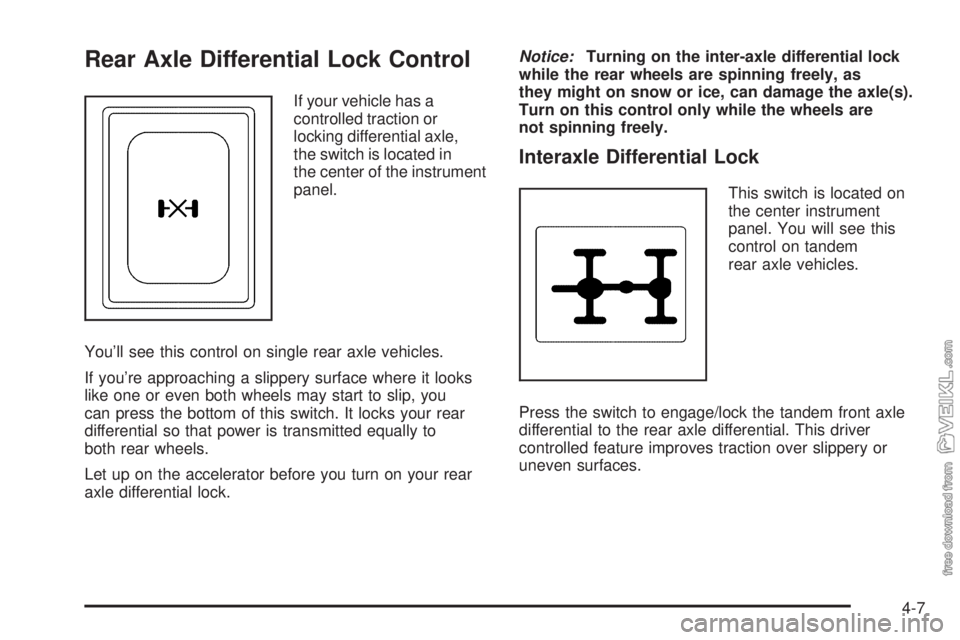
If your vehicle has a
controlled traction or
locking differential axle,
the switch is located in
the center of the instrument
panel.
You’ll see this control on single rear axle vehicles.
If you’re approaching a slippery surface where it looks
like one or even both wheels may start to slip, you
can press the bottom of this switch. It locks your rear
differential so that power is transmitted equally to
both rear wheels.
Let up on the accelerator before you turn on your rear
axle differential lock.Notice:Turning on the inter-axle differential lock
while the rear wheels are spinning freely, as
they might on snow or ice, can damage the axle(s).
Turn on this control only while the wheels are
not spinning freely.
Interaxle Differential Lock
This switch is located on
the center instrument
panel. You will see this
control on tandem
rear axle vehicles.
Press the switch to engage/lock the tandem front axle
differential to the rear axle differential. This driver
controlled feature improves traction over slippery or
uneven surfaces.
4-7
Page 186 of 384
Traction Control System (TCS)
Your vehicle may have a traction control system that
limits wheel spin. This is especially useful in slippery road
conditions. The system operates only if it senses that one
or both of the rear wheels are spinning or beginning to
lose traction. When this happens, the system applies the
brake(s) at the affected wheel(s).
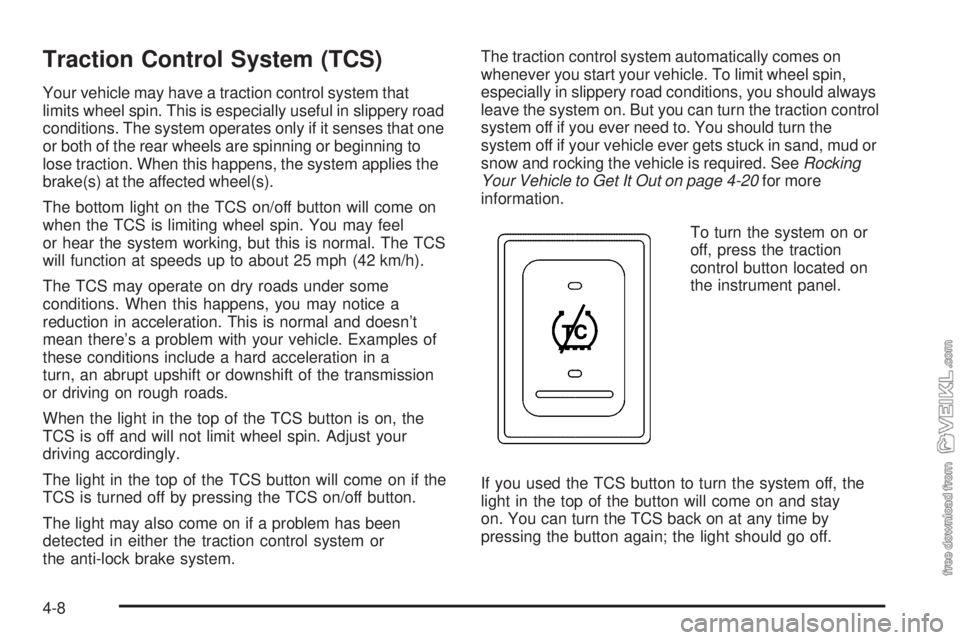
The bottom light on the TCS on/off button will come on
when the TCS is limiting wheel spin. You may feel
or hear the system working, but this is normal. The TCS
will function at speeds up to about 25 mph (42 km/h).
The TCS may operate on dry roads under some
conditions. When this happens, you may notice a
reduction in acceleration. This is normal and doesn’t
mean there’s a problem with your vehicle. Examples of
these conditions include a hard acceleration in a
turn, an abrupt upshift or downshift of the transmission
or driving on rough roads.
When the light in the top of the TCS button is on, the
TCS is off and will not limit wheel spin. Adjust your
driving accordingly.
The light in the top of the TCS button will come on if the
TCS is turned off by pressing the TCS on/off button.
The light may also come on if a problem has been
detected in either the traction control system or
the anti-lock brake system.The traction control system automatically comes on
whenever you start your vehicle. To limit wheel spin,
especially in slippery road conditions, you should always
leave the system on. But you can turn the traction control
system off if you ever need to. You should turn the
system off if your vehicle ever gets stuck in sand, mud or
snow and rocking the vehicle is required. SeeRocking
Your Vehicle to Get It Out on page 4-20for more
information.
To turn the system on or
off, press the traction
control button located on
the instrument panel.
If you used the TCS button to turn the system off, the
light in the top of the button will come on and stay
on. You can turn the TCS back on at any time by
pressing the button again; the light should go off.
4-8
Page 188 of 384
Steering in Emergencies
There are times when steering can be more effective
than braking. For example, you come over a hill and find
a truck stopped in your lane, or a car suddenly pulls
out from nowhere, or a child darts out from between
parked cars and stops right in front of you. You
can avoid these problems by braking — if you can stop
in time. But sometimes you cannot; there is not room.
That is the time for evasive action — steering around the
problem.
Your vehicle can perform very well in emergencies like
these. First apply the brakes. SeeBraking on
page 4-4. It is better to remove as much speed as you
can from a possible collision. Then steer around the
problem, to the left or right depending on the space
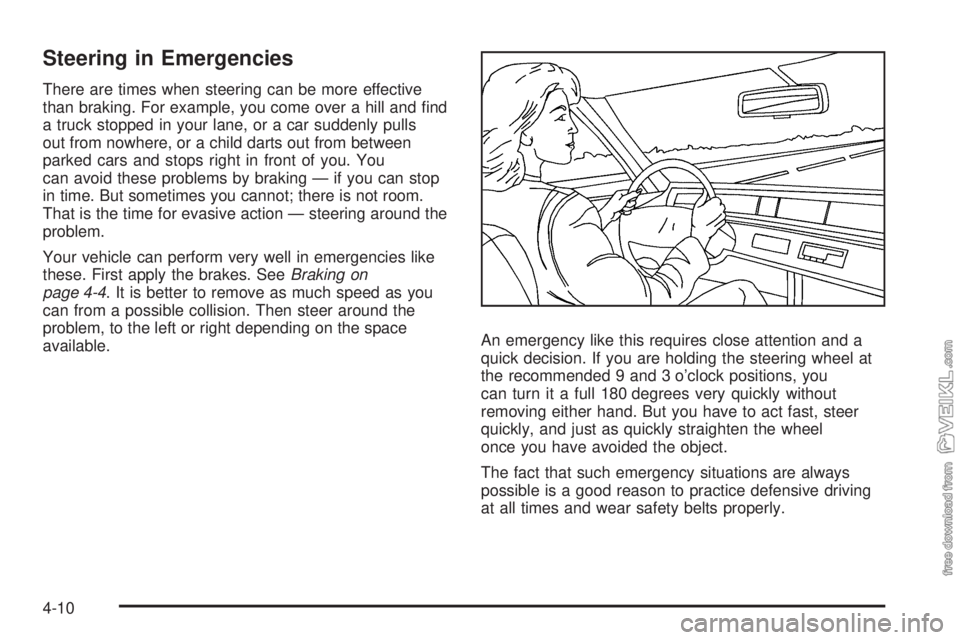
available.An emergency like this requires close attention and a
quick decision. If you are holding the steering wheel at
the recommended 9 and 3 o’clock positions, you
can turn it a full 180 degrees very quickly without
removing either hand. But you have to act fast, steer
quickly, and just as quickly straighten the wheel
once you have avoided the object.
The fact that such emergency situations are always
possible is a good reason to practice defensive driving
at all times and wear safety belts properly.
4-10