instrument panel CHEVROLET LOW CAB FORWARD 2017 User Guide
[x] Cancel search | Manufacturer: CHEVROLET, Model Year: 2017, Model line: LOW CAB FORWARD, Model: CHEVROLET LOW CAB FORWARD 2017Pages: 414, PDF Size: 7.97 MB
Page 81 of 414

Chevrolet Low Cab Forward Owner Manual (GMNA-Localizing-U.S.-
10716700) - 2017 - crc - 12/6/16
80 Instruments and Controls
Speedometer
The speedometer shows the
vehicle's speed in either kilometers
per hour (km/h) or miles per
hour (mph).
Odometer
The odometer shows how far the
vehicle has been driven, in either
kilometers or miles.
Each time the reset knob is pressed
with the engine control switch in the
ON position, the odometer/trip meter
shows ODO, TRIP A, and TRIP B in
this sequence. With the key
removed, the odometer and trip
meter continue to indicate for about
five minutes.
Odometer Check Switch
Press the Odometer Check switch
to display the odometer and trip
meter mileage after the key is
turned off. The fuel gauge will also
operate when this switch is pressed.
For diesel vehicles, the DIC and
some lights will illuminate on the
instrument panel.
Trip Odometer
The trip odometer shows how far
the vehicle has been driven since
the trip odometer was last reset.
Press the trip odometer reset stem
next to the odometer to switch
between the odometer and trip
odometer.To reset the trip odometer to zero,
press and hold the trip odometer
reset stem while TRIP A or TRIP B
is displayed. The engine control
switch should be in the ON position.
When the battery is disconnected,
TRIP A and TRIP B will be reset to
zero. The per trip fuel economy is
also reset by the TRIP B reset. See
Driver Information Center (DIC)
(Diesel Only)
093.
When you turn the engine control
switch to the ON position, the
odometer/trip odometer shows what
was displayed the last time the
engine control switch was turned to
LOCK or ACC.
To set the odometer to display each
time you turn the engine control
switch to the ON position, turn the
engine control switch to LOCK or
ACC while the odometer is
displayed. With the reset stem
pressed, turn the engine control
switch to the ON position and then
within three seconds, turn the
engine control switch back to the
Page 86 of 414
Chevrolet Low Cab Forward Owner Manual (GMNA-Localizing-U.S.-
10716700) - 2017 - crc - 12/6/16
Instruments and Controls 85
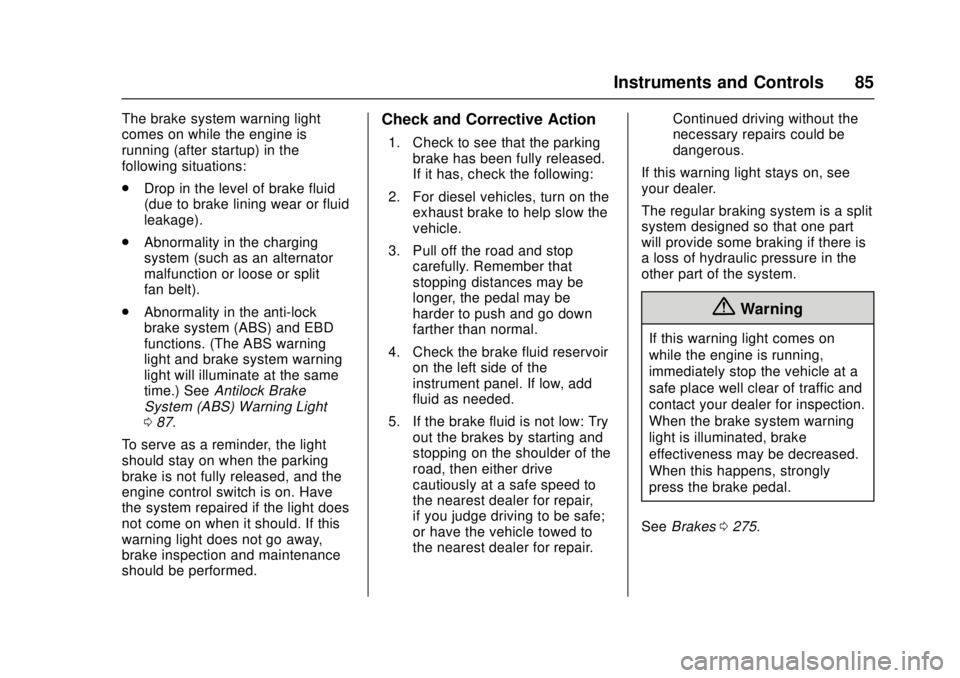
The brake system warning light
comes on while the engine is
running (after startup) in the
following situations:
.Drop in the level of brake fluid
(due to brake lining wear or fluid
leakage).
. Abnormality in the charging
system (such as an alternator
malfunction or loose or split
fan belt).
. Abnormality in the anti-lock
brake system (ABS) and EBD
functions. (The ABS warning
light and brake system warning
light will illuminate at the same
time.) See Antilock Brake
System (ABS) Warning Light
0 87.
To serve as a reminder, the light
should stay on when the parking
brake is not fully released, and the
engine control switch is on. Have
the system repaired if the light does
not come on when it should. If this
warning light does not go away,
brake inspection and maintenance
should be performed.Check and Corrective Action
1. Check to see that the parking brake has been fully released.
If it has, check the following:
2. For diesel vehicles, turn on the exhaust brake to help slow the
vehicle.
3. Pull off the road and stop carefully. Remember that
stopping distances may be
longer, the pedal may be
harder to push and go down
farther than normal.
4. Check the brake fluid reservoir on the left side of the
instrument panel. If low, add
fluid as needed.
5. If the brake fluid is not low: Try out the brakes by starting and
stopping on the shoulder of the
road, then either drive
cautiously at a safe speed to
the nearest dealer for repair,
if you judge driving to be safe;
or have the vehicle towed to
the nearest dealer for repair. Continued driving without the
necessary repairs could be
dangerous.
If this warning light stays on, see
your dealer.
The regular braking system is a split
system designed so that one part
will provide some braking if there is
a loss of hydraulic pressure in the
other part of the system.
{Warning
If this warning light comes on
while the engine is running,
immediately stop the vehicle at a
safe place well clear of traffic and
contact your dealer for inspection.
When the brake system warning
light is illuminated, brake
effectiveness may be decreased.
When this happens, strongly
press the brake pedal.
See Brakes 0275.
Page 96 of 414
Chevrolet Low Cab Forward Owner Manual (GMNA-Localizing-U.S.-
10716700) - 2017 - crc - 12/6/16
Instruments and Controls 95
decrease the year. While in the year
setting screen, press the DIC
selector once to switch to the month
setting screen. The month segment
will flash. Use the same method to
set the month. While in the month
setting screen, press the DIC
selector again to switch to the day
setting mode. Adjust the day using
the selector.
Press and hold the DIC selector to
complete the calendar setting.
When complete, the normal
calendar display will resume. Use
this same method to set the hour
and minute when in the clock setting
screen.
Dimmer
The brightness of the DIC can be
adjusted while the light control
switch is off. Select this screen and
turn the DIC selector clockwise or
counterclockwise to brighten or dim
the illumination. The brightness is
linked to the adjustment of the
instrument panel light level control
while the light control switch is on.
SeeInstrument Panel Illumination
Control 0106.Warning Lights and Messages
.
Engine Overheat Warning Light
. Low Coolant Warning Light
. Water Separator Warning Light
. Air Cleaner Light
. Low Fuel Warning Light
. Regeneration Warning Lights
. Exhaust System Warning Light
. Refill DEF Warning Light
. DIC Errors
. Maintenance Data
. Hour Meter
See Vehicle Messages (Diesel
Only) 097.
Maintenance Data Functions
Display/Not Display the
Maintenance Data Function
Maintenance Light: On the DIC, go
to the Maintenance Indicator Light.
Switch the display by pressing and
holding the DIC selector for more
than two seconds. Turn the DIC
selector clockwise or
counterclockwise to switch the display. Complete the resetting by
pressing and holding the DIC
selector for more than two seconds.
To cancel the setting procedure,
press the DIC selector once. The
display will go back to the previous
screen.
Resetting/Setting the Change
Interval (Odometer Reading)
Engine Oil and Filter Light :
On
the DIC, go to the engine oil and
filter light. Enter the resetting screen
by pressing and holding the DIC
selector for more than two seconds.
Complete the resetting by pressing
and holding the DIC selector for
more than two seconds.
Transmission and Differential
Gear Oil Light, Fuel Filter Light,
Power Steering Fluid Light, and
Tire Rotation Light : On the DIC,
go to the particular maintenance
item to reset/adjust. Enter the
setting change screen by pressing
and holding the DIC selector. Set
the change interval by turning the
DIC selector. (Transmission and
Differential Oil, Steering Fluid, and
Tire Rotation Only). Turn clockwise
Page 104 of 414
Chevrolet Low Cab Forward Owner Manual (GMNA-Localizing-U.S.-
10716700) - 2017 - crc - 12/6/16
Lighting 103
Lighting
Exterior Lighting
Exterior Lamp Controls . . . . . . . 103
Headlamp High/Low-BeamChanger . . . . . . . . . . . . . . . . . . . . 104
Flash-to-Pass . . . . . . . . . . . . . . . . 104
Hazard Warning Flashers . . . . . 105
Turn and Lane-Change Signals . . . . . . . . . . . . . . . . . . . . . . 105
Cornering Lamps . . . . . . . . . . . . . 106
Interior Lighting
Instrument Panel Illumination Control . . . . . . . . . . . . . . . . . . . . . . 106
Cargo Lamp . . . . . . . . . . . . . . . . . . 107
Dome Lamps . . . . . . . . . . . . . . . . . 107
Exterior Lighting
Exterior Lamp Controls
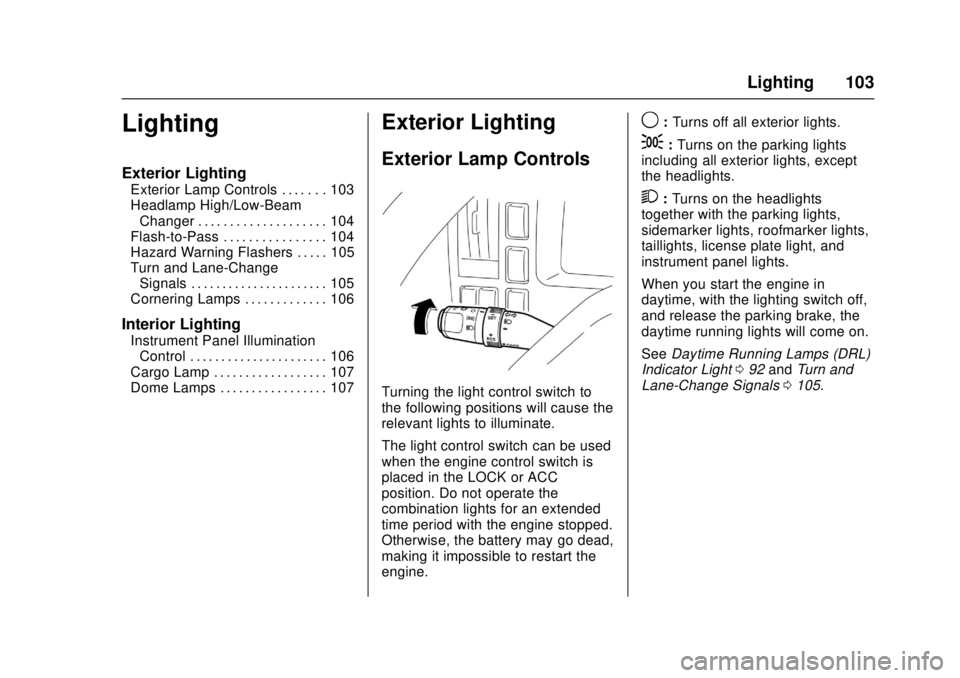
Turning the light control switch to
the following positions will cause the
relevant lights to illuminate.
The light control switch can be used
when the engine control switch is
placed in the LOCK or ACC
position. Do not operate the
combination lights for an extended
time period with the engine stopped.
Otherwise, the battery may go dead,
making it impossible to restart the
engine.
9: Turns off all exterior lights.
;:Turns on the parking lights
including all exterior lights, except
the headlights.
2: Turns on the headlights
together with the parking lights,
sidemarker lights, roofmarker lights,
taillights, license plate light, and
instrument panel lights.
When you start the engine in
daytime, with the lighting switch off,
and release the parking brake, the
daytime running lights will come on.
See Daytime Running Lamps (DRL)
Indicator Light 092 and Turn and
Lane-Change Signals 0105.
Page 105 of 414
Chevrolet Low Cab Forward Owner Manual (GMNA-Localizing-U.S.-
10716700) - 2017 - crc - 12/6/16
104 Lighting
Headlamp High/
Low-Beam Changer
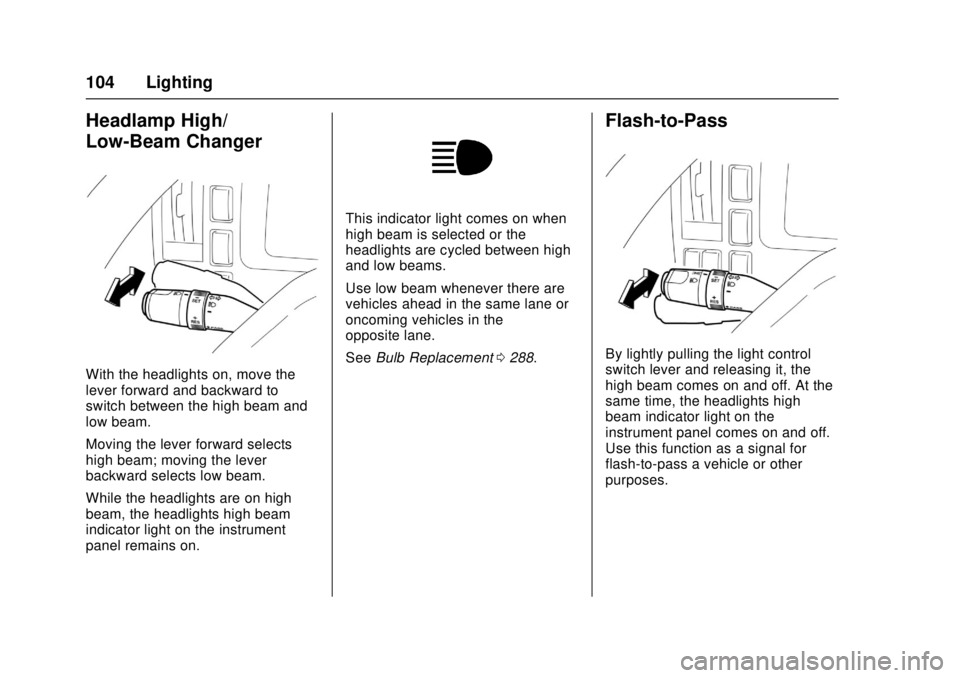
With the headlights on, move the
lever forward and backward to
switch between the high beam and
low beam.
Moving the lever forward selects
high beam; moving the lever
backward selects low beam.
While the headlights are on high
beam, the headlights high beam
indicator light on the instrument
panel remains on.
This indicator light comes on when
high beam is selected or the
headlights are cycled between high
and low beams.
Use low beam whenever there are
vehicles ahead in the same lane or
oncoming vehicles in the
opposite lane.
SeeBulb Replacement 0288.
Flash-to-Pass
By lightly pulling the light control
switch lever and releasing it, the
high beam comes on and off. At the
same time, the headlights high
beam indicator light on the
instrument panel comes on and off.
Use this function as a signal for
flash-to-pass a vehicle or other
purposes.
Page 107 of 414
Chevrolet Low Cab Forward Owner Manual (GMNA-Localizing-U.S.-
10716700) - 2017 - crc - 12/6/16
106 Lighting
lever is held up or down. The lever
moves back to neutral as soon as it
is released.
A green light on the instrument
panel is designed to flash to tell you
that the front and rear turn signal
lights are working. If the light stays
on, but does not flash, check for a
burned-out turn signal bulb. If the
green light does not come on when
you move the lever, check the fuse
and indicator bulb.
Either of these indicator lights
flashes when the turn signal switch
is operated with the engine control
switch in the ON position.
Cornering Lamps
The cornering light illuminates the
area to which the vehicle is turning.
With the headlights or marker lights
on, the cornering lights come on in
coordination with the turn signal
lights.
SeeExterior Lamp Controls 0103
and Bulb Replacement 0288.
Interior Lighting
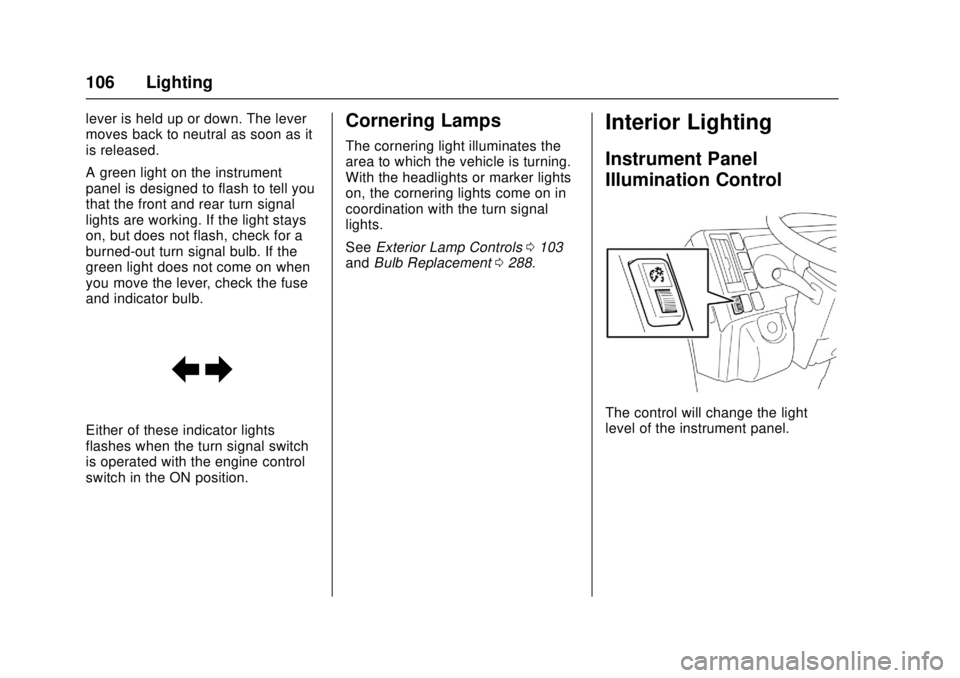
Instrument Panel
Illumination Control
The control will change the light
level of the instrument panel.
Page 132 of 414
Chevrolet Low Cab Forward Owner Manual (GMNA-Localizing-U.S.-
10716700) - 2017 - crc - 12/6/16
Climate Controls 131
The vehicle must not be used with
the filter removed or incorrectly
installed. Failure to observe this
precaution can lead to air
conditioning system damage as a
result of dust, dirt and the like
entering the system.
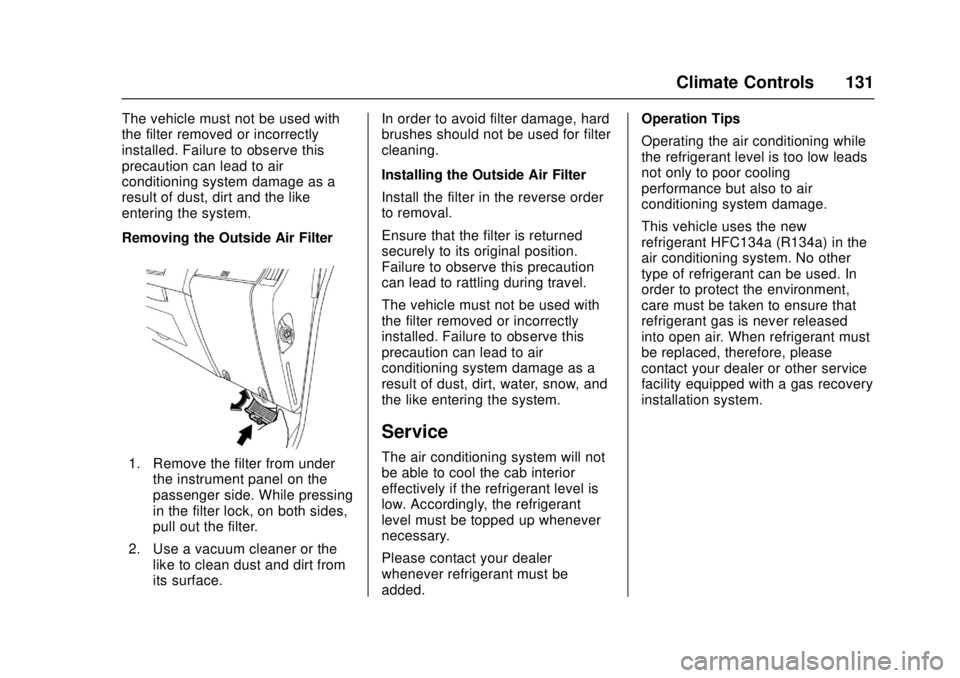
Removing the Outside Air Filter
1. Remove the filter from underthe instrument panel on the
passenger side. While pressing
in the filter lock, on both sides,
pull out the filter.
2. Use a vacuum cleaner or the like to clean dust and dirt from
its surface. In order to avoid filter damage, hard
brushes should not be used for filter
cleaning.
Installing the Outside Air Filter
Install the filter in the reverse order
to removal.
Ensure that the filter is returned
securely to its original position.
Failure to observe this precaution
can lead to rattling during travel.
The vehicle must not be used with
the filter removed or incorrectly
installed. Failure to observe this
precaution can lead to air
conditioning system damage as a
result of dust, dirt, water, snow, and
the like entering the system.
Service
The air conditioning system will not
be able to cool the cab interior
effectively if the refrigerant level is
low. Accordingly, the refrigerant
level must be topped up whenever
necessary.
Please contact your dealer
whenever refrigerant must be
added. Operation Tips
Operating the air conditioning while
the refrigerant level is too low leads
not only to poor cooling
performance but also to air
conditioning system damage.
This vehicle uses the new
refrigerant HFC134a (R134a) in the
air conditioning system. No other
type of refrigerant can be used. In
order to protect the environment,
care must be taken to ensure that
refrigerant gas is never released
into open air. When refrigerant must
be replaced, therefore, please
contact your dealer or other service
facility equipped with a gas recovery
installation system.
Page 222 of 414

Chevrolet Low Cab Forward Owner Manual (GMNA-Localizing-U.S.-
10716700) - 2017 - crc - 12/6/16
Driving and Operating 221
Parking Brake
Parking Brake Lever
{Warning
Although the parking brake
indicator light will come on if the
parking brake is engaged while
the engine control switch is in the
ON position, this does not mean
the parking brake is fully
engaged, so always make sure
the lever is fully pulled up.
Never drive the vehicle with the
parking brake set as this will
cause excessive wear, reduce
parking brake effectiveness and
increase fuel consumption.
Choose a flat place where
stopping and parking are
permitted and where the vehicle
will not obstruct traffic.
Remove all dirt from the vehicle's
light lenses and reflectors to
ensure that the vehicle can be
seen from other vehicles. You and
others could be seriously injured.Avoid parking for long periods with
cargo on the vehicle.
Operation of Parking Brake
The parking brake lever is located to
the right of the driver's seat.
To set the parking brake, completely
stop the vehicle. Then, without
pressing the release button (1), hold
the brake pedal down while pulling
the parking brake lever (2) all the
way up.
The parking brake indicator light in
the instrument panel will come on
when the lever is pulled up. Before
you leave the driver's seat, follow
the steps under
“Parking, or Leaving
Driver's Seat”. See Braking0137.
To release the parking brake, hold
the brake pedal down while pushing
the release button of the parking
brake lever and lower the lever. The
parking brake indicator light in the
instrument panel will go out.
The parking brake indicator light is
designed to remind you if the
parking brake is not released when
the engine control switch is on.
If you notice the parking brake lever
travel has increased over time, this
means the cable adjustment must
be checked by a qualified
technician. Adjustment may be
required due to parking brake shoe
wear. See Control of a Vehicle
0 133.
Page 273 of 414

Chevrolet Low Cab Forward Owner Manual (GMNA-Localizing-U.S.-
10716700) - 2017 - crc - 12/6/16
272 Vehicle Care
4. If no steam or engine coolantcan be seen or heard from the
engine compartment:
.Tilt the cab or open the
engine access cover.
‐If the engine coolant is
boiling, wait until it stops
before proceeding.
‐ Look at the see-through
reserve tank. The
engine coolant level
should be between the
"MAX" and "MIN" lines
on the reserve tank.
‐ If necessary, pour
engine coolant (See
Engine Coolant 0263
for the proper coolant
and water mixture) into
the reserve tank only,
not directly into the
radiator. Also, do not
check engine coolant
level at the radiator.
. Make sure the fan belts are
not broken, or off the
pulleys, and that the fan
turns when the engine is started. Make sure the fan
blade and pulleys are not
broken.
. Diesel engine only, check
the radiator hoses and
connections, heater hoses
and connections, radiator,
water pump, EGR cooler,
and SCR system and hoses
for leakage.
. Gasoline engine only, if the
engine coolant level in the
reserve tank is low, look for
leaks at the radiator hoses
and connections, heater
hoses and connections,
radiator, and water pump.
If the engine coolant level in
the reserve tank is at the
correct level but there is still
an indication on the
instrument panel of an
overheat condition:
You must let the engine
cool first. You may then add
engine coolant directly to
the radiator. See "Adding
Engine Coolant" under
Engine Coolant 0263. 5. Inspect to see if there is any
dirt, etc. attached to the front
surface of the radiator. Also,
inspect to see if there is
anything blocking the core.
If there is anything attached,
clean and remove it.
6. After the inspection, regardless of the vehicle condition, please
contact the nearest dealer.
Once the engine coolant
temperature gauge no longer
signals an overheat condition, you
can resume driving at a reduced
speed. Return to normal driving
after about 10 minutes if the gauge
pointer does not again show an
overheat condition.
When tap water only has been used
for engine coolant in an emergency,
change the engine coolant as soon
as possible.
Engine damage may be caused if
an overheating engine is suddenly
refilled with water. Instead, refill
slowly.
Page 276 of 414

Chevrolet Low Cab Forward Owner Manual (GMNA-Localizing-U.S.-
10716700) - 2017 - crc - 12/6/16
Vehicle Care 275
Use a high quality premixed solvent
available at most dealers or service
stations.
Avoid hard water when mixing
windshield washer solvents. Hard
water contaminants may plug
orifices in the washer system and
reduce performance.
Do not use radiator antifreeze in the
windshield washer; it could cause
cab paint damage.
In cold weather, warm the
windshield with the defrosters
before using the washer, to help
prevent icing that may block the
driver's vision.Refilling Windshield Washer
Fluid
1. The windshield washer fluidtank (1) is located under the
instrument panel on the
passenger side.
2. Open the cap (2) and fill the tank with windshield washer
fluid.
Upon factory shipment, new
vehicles contain only tap water in
the washer fluid tank. Adjust the
concentration of the fluid to suit your
own usage. Follow the instructions provided with
the windshield washer fluid
regarding the ratio for mixing with
tap water.
Poor quality products, engine
coolant, and soapy water must not
be used. Failure to observe this
precaution can result in nozzle
blockage or damage to painted
surfaces.
The washer should never be used
while the tank is empty. Operating
the washer with the tank empty can
result in motor damage.Brakes
For the most effective braking and
for maximum life from brake system
components, follow these
suggestions:
.
Keep any obstructions from
interfering with brake pedal
travel.
. Keep tires properly inflated.
Improperly inflated tires can
reduce the efficiency of the
brakes.