engine oil CHEVROLET LOW CAB FORWARD 2017 Owner's Manual
[x] Cancel search | Manufacturer: CHEVROLET, Model Year: 2017, Model line: LOW CAB FORWARD, Model: CHEVROLET LOW CAB FORWARD 2017Pages: 414, PDF Size: 7.97 MB
Page 8 of 414
Chevrolet Low Cab Forward Owner Manual (GMNA-Localizing-U.S.-
10716700) - 2017 - crc - 12/6/16
Introduction 7
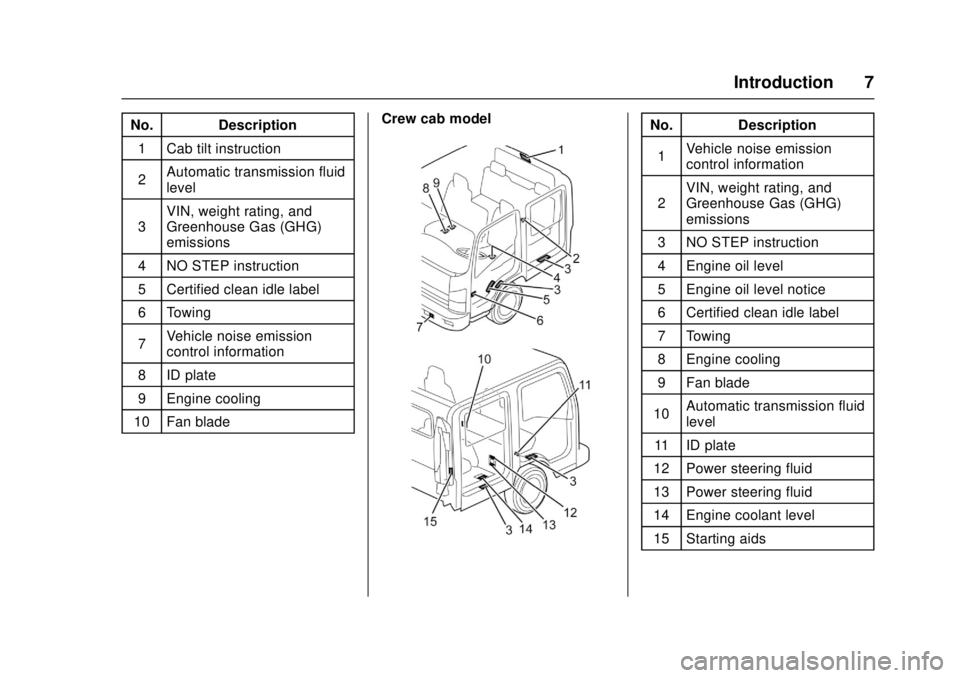
No. Description1 Cab tilt instruction
2 Automatic transmission fluid
level
3 VIN, weight rating, and
Greenhouse Gas (GHG)
emissions
4 NO STEP instruction
5 Certified clean idle label
6 Towing
7 Vehicle noise emission
control information
8 ID plate
9 Engine cooling
10 Fan blade Crew cab modelNo. Description
1 Vehicle noise emission
control information
2 VIN, weight rating, and
Greenhouse Gas (GHG)
emissions
3 NO STEP instruction
4 Engine oil level
5 Engine oil level notice
6 Certified clean idle label
7 Towing
8 Engine cooling
9 Fan blade
10 Automatic transmission fluid
level
11 ID plate
12 Power steering fluid
13 Power steering fluid
14 Engine coolant level
15 Starting aids
Page 17 of 414
Chevrolet Low Cab Forward Owner Manual (GMNA-Localizing-U.S.-
10716700) - 2017 - crc - 12/6/16
16 In Brief
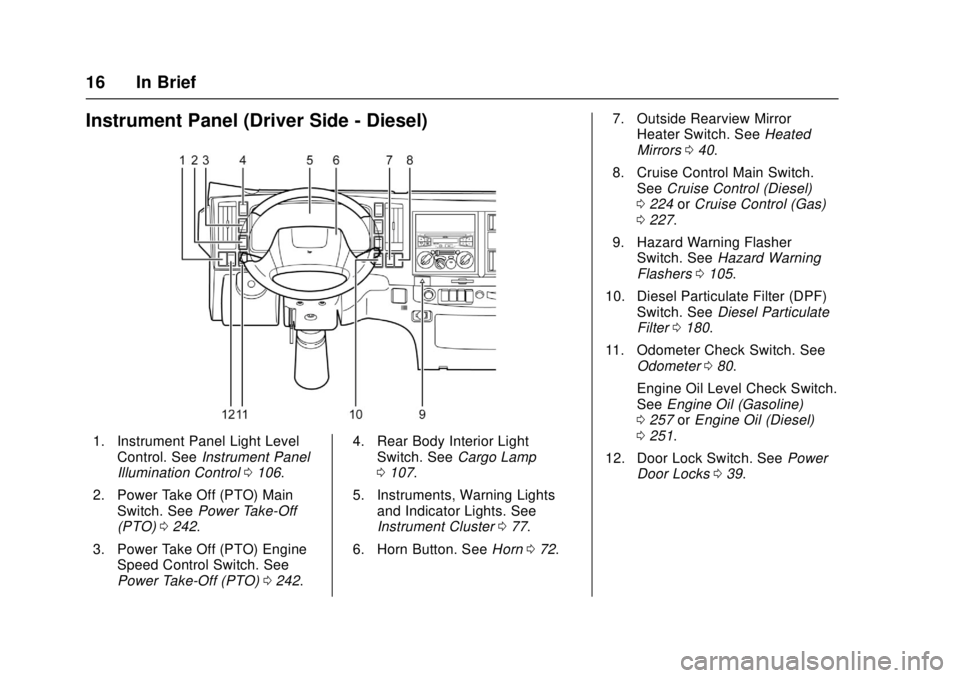
Instrument Panel (Driver Side - Diesel)
1. Instrument Panel Light LevelControl. See Instrument Panel
Illumination Control 0106.
2. Power Take Off (PTO) Main Switch. See Power Take-Off
(PTO) 0242.
3. Power Take Off (PTO) Engine Speed Control Switch. See
Power Take-Off (PTO) 0242. 4. Rear Body Interior Light
Switch. See Cargo Lamp
0 107.
5. Instruments, Warning Lights and Indicator Lights. See
Instrument Cluster 077.
6. Horn Button. See Horn072. 7. Outside Rearview Mirror
Heater Switch. See Heated
Mirrors 040.
8. Cruise Control Main Switch. See Cruise Control (Diesel)
0 224 orCruise Control (Gas)
0 227.
9. Hazard Warning Flasher Switch. See Hazard Warning
Flashers 0105.
10. Diesel Particulate Filter (DPF) Switch. See Diesel Particulate
Filter 0180.
11. Odometer Check Switch. See Odometer 080.
Engine Oil Level Check Switch.
See Engine Oil (Gasoline)
0 257 orEngine Oil (Diesel)
0 251.
12. Door Lock Switch. See Power
Door Locks 039.
Page 72 of 414
Chevrolet Low Cab Forward Owner Manual (GMNA-Localizing-U.S.-
10716700) - 2017 - crc - 12/6/16
Instruments and Controls 71
Instruments and
Controls
Controls
Steering Wheel Adjustment . . . . 72
Horn . . . . . . . . . . . . . . . . . . . . . . . . . . . 72
Windshield Wiper/Washer . . . . . . 73
Power Outlets . . . . . . . . . . . . . . . . . 74
Cigarette Lighter . . . . . . . . . . . . . . . 74
Ashtrays . . . . . . . . . . . . . . . . . . . . . . . 75
Warning Lights, Gauges, and
Indicators
Warning Lights, Gauges, andIndicators . . . . . . . . . . . . . . . . . . . . 76
Instrument Cluster . . . . . . . . . . . . . 77
Speedometer . . . . . . . . . . . . . . . . . . 80
Odometer . . . . . . . . . . . . . . . . . . . . . . 80
Trip Odometer . . . . . . . . . . . . . . . . . 80
Tachometer . . . . . . . . . . . . . . . . . . . . 81
Fuel Gauge . . . . . . . . . . . . . . . . . . . . 81
Engine Coolant Temperature Gauge . . . . . . . . . . . . . . . . . . . . . . . . 82
Diesel Exhaust Fluid (DEF) Gauge . . . . . . . . . . . . . . . . . . . . . . . . 83
Seat Belt Reminders . . . . . . . . . . . 83
Battery Warning Light . . . . . . . . . . 83
Malfunction Indicator Lamp (Check Engine Light) . . . . . . . . . 84 Service Vehicle Soon Light . . . . 84
Brake System Warning Light
(Parking Brake Light) . . . . . . . . . 84
Antilock Brake System (ABS) Warning Light . . . . . . . . . . . . . . . . 87
Exhaust Brake Light . . . . . . . . . . . 88
Service Transmission Warning Light . . . . . . . . . . . . . . . . . . . . . . . . . 88
Automatic Transmission Fluid Temperature Warning Light . . . 88
Overdrive Off Light (Diesel Only) . . . . . . . . . . . . . . . . . 89
Wait-to-Start Light . . . . . . . . . . . . . 89
Engine Oil Pressure Light . . . . . . 89
Engine Oil Level Indicator Light . . . . . . . . . . . . . . . . . . . . . . . . . 90
Diesel Exhaust Fluid (DEF) Warning Light . . . . . . . . . . . . . . . . 90
Engine Shutdown Warning Light . . . . . . . . . . . . . . . . . . . . . . . . . 91
Reduced Engine Power Light . . . . . . . . . . . . . . . . . . . . . . . . . 91
High-Beam On Light . . . . . . . . . . . 92
Daytime Running Lamps (DRL) Indicator Light . . . . . . . . . . . . . . . . 92
Cruise Control Light . . . . . . . . . . . 92
Information Displays
Driver Information Center (DIC) (Diesel Only) . . . . . . . . . . . . . . . . . 93
Vehicle Messages
Vehicle Messages(Diesel Only) . . . . . . . . . . . . . . . . . 97
Warning Buzzers . . . . . . . . . . . . . 101
Page 90 of 414
Chevrolet Low Cab Forward Owner Manual (GMNA-Localizing-U.S.-
10716700) - 2017 - crc - 12/6/16
Instruments and Controls 89
P (Park). With the engine idling, wait
until the light goes off. If the light
goes off, you can drive the vehicle
again. If the light does not go off,
have the automatic transmission
lubricating system checked by your
dealer.
Caution
Driving with the ATF warning light
constantly on can cause serious
mechanical damage to the
automatic transmission.
See Automatic Transmission 0204.
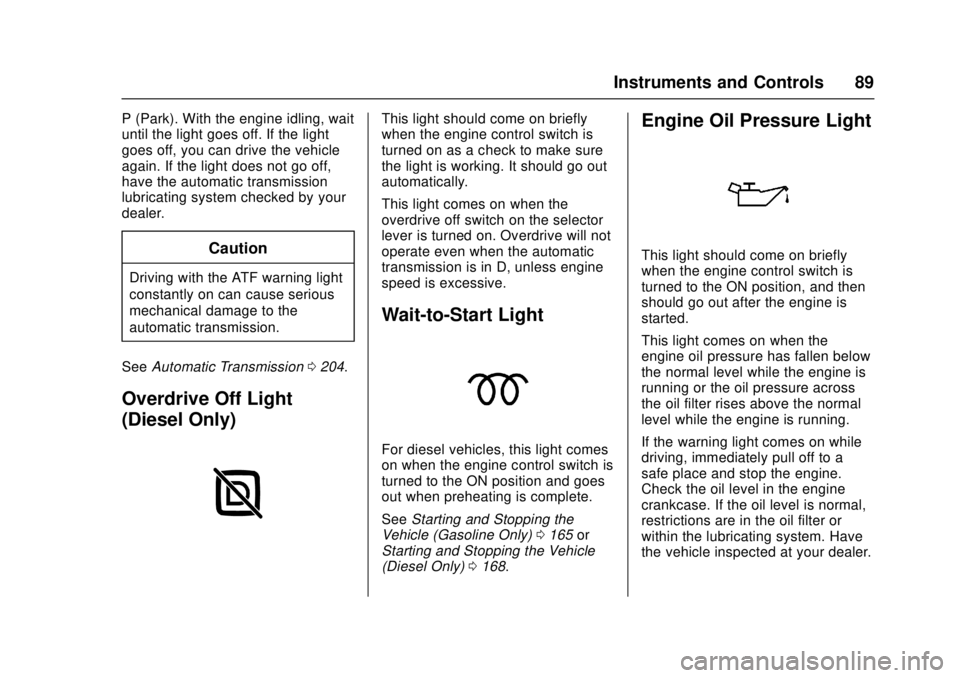
Overdrive Off Light
(Diesel Only)
This light should come on briefly
when the engine control switch is
turned on as a check to make sure
the light is working. It should go out
automatically.
This light comes on when the
overdrive off switch on the selector
lever is turned on. Overdrive will not
operate even when the automatic
transmission is in D, unless engine
speed is excessive.
Wait-to-Start Light
For diesel vehicles, this light comes
on when the engine control switch is
turned to the ON position and goes
out when preheating is complete.
See Starting and Stopping the
Vehicle (Gasoline Only) 0165 or
Starting and Stopping the Vehicle
(Diesel Only) 0168.
Engine Oil Pressure Light
This light should come on briefly
when the engine control switch is
turned to the ON position, and then
should go out after the engine is
started.
This light comes on when the
engine oil pressure has fallen below
the normal level while the engine is
running or the oil pressure across
the oil filter rises above the normal
level while the engine is running.
If the warning light comes on while
driving, immediately pull off to a
safe place and stop the engine.
Check the oil level in the engine
crankcase. If the oil level is normal,
restrictions are in the oil filter or
within the lubricating system. Have
the vehicle inspected at your dealer.
Page 91 of 414
Chevrolet Low Cab Forward Owner Manual (GMNA-Localizing-U.S.-
10716700) - 2017 - crc - 12/6/16
90 Instruments and Controls
Do not run the engine with this light
on. It could damage the engine.
When this light comes on while
driving, a warning tone also sounds.
The oil level varies while the engine
is running right after it has stopped
or if the vehicle is on uneven
ground. As a result, the red engine
oil pressure warning light may
light up.
When checking the oil level for
Diesel engines, press the engine oil
level check switch on level ground
while the engine is cool. The red
engine oil pressure warning light in
combination with the green engine
oil level indicator light can indicate if
the engine oil level is OK or low.
While driving, on vehicles with the
5.2L diesel engine, this light will
also activate the engine alarm and
automatic shutdown system.
For gasoline vehicles, when this
warning light comes on, and the oil
level is correct, the lubrication
system may be faulty. See your
dealer for service.See
Engine Oil Level Indicator Light
0 90 and Engine Oil (Gasoline)
0 257 orEngine Oil (Diesel) 0251.
Engine Oil Level Indicator
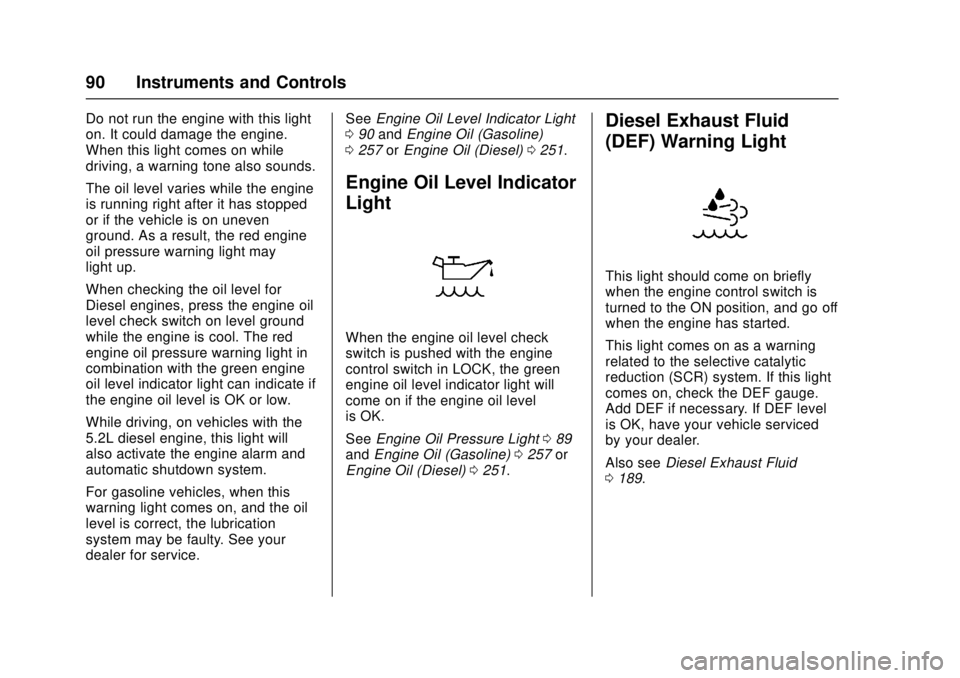
Light
When the engine oil level check
switch is pushed with the engine
control switch in LOCK, the green
engine oil level indicator light will
come on if the engine oil level
is OK.
See Engine Oil Pressure Light 089
and Engine Oil (Gasoline) 0257 or
Engine Oil (Diesel) 0251.
Diesel Exhaust Fluid
(DEF) Warning Light
This light should come on briefly
when the engine control switch is
turned to the ON position, and go off
when the engine has started.
This light comes on as a warning
related to the selective catalytic
reduction (SCR) system. If this light
comes on, check the DEF gauge.
Add DEF if necessary. If DEF level
is OK, have your vehicle serviced
by your dealer.
Also see Diesel Exhaust Fluid
0 189.
Page 93 of 414
Chevrolet Low Cab Forward Owner Manual (GMNA-Localizing-U.S.-
10716700) - 2017 - crc - 12/6/16
92 Instruments and Controls
After driving in the overheated
engine protection mode, allow the
engine to cool before attempting
any repair to avoid engine damage.
The engine oil will be severely
degraded. Repair the cause of
coolant loss and change the oil. See
Engine Overheating0269.
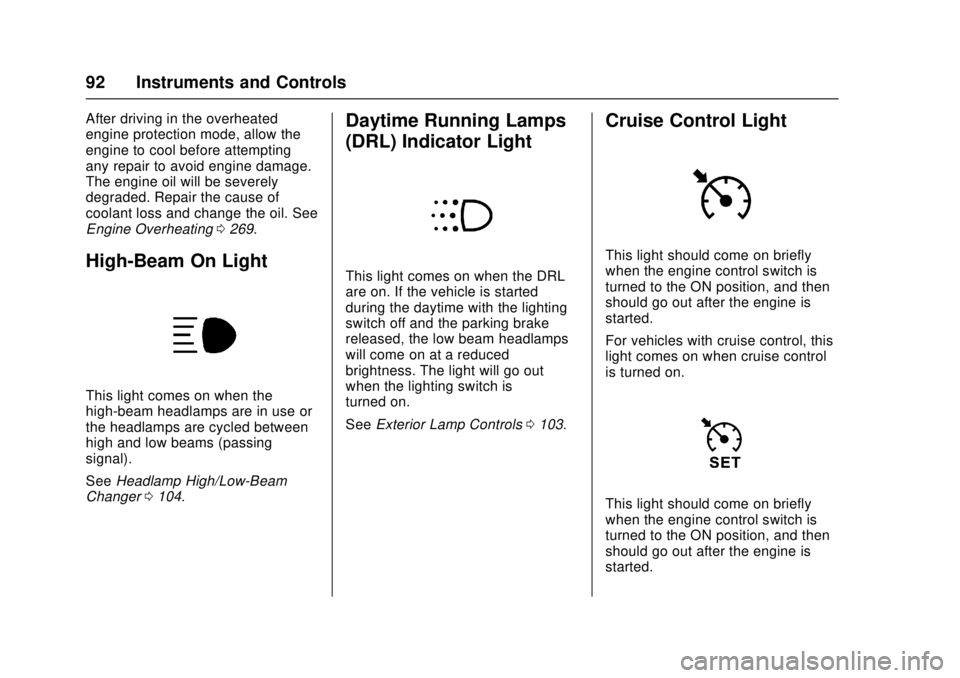
High-Beam On Light
This light comes on when the
high-beam headlamps are in use or
the headlamps are cycled between
high and low beams (passing
signal).
See Headlamp High/Low-Beam
Changer 0104.
Daytime Running Lamps
(DRL) Indicator Light
This light comes on when the DRL
are on. If the vehicle is started
during the daytime with the lighting
switch off and the parking brake
released, the low beam headlamps
will come on at a reduced
brightness. The light will go out
when the lighting switch is
turned on.
See Exterior Lamp Controls 0103.
Cruise Control Light
This light should come on briefly
when the engine control switch is
turned to the ON position, and then
should go out after the engine is
started.
For vehicles with cruise control, this
light comes on when cruise control
is turned on.
This light should come on briefly
when the engine control switch is
turned to the ON position, and then
should go out after the engine is
started.
Page 96 of 414
Chevrolet Low Cab Forward Owner Manual (GMNA-Localizing-U.S.-
10716700) - 2017 - crc - 12/6/16
Instruments and Controls 95
decrease the year. While in the year
setting screen, press the DIC
selector once to switch to the month
setting screen. The month segment
will flash. Use the same method to
set the month. While in the month
setting screen, press the DIC
selector again to switch to the day
setting mode. Adjust the day using
the selector.
Press and hold the DIC selector to
complete the calendar setting.
When complete, the normal
calendar display will resume. Use
this same method to set the hour
and minute when in the clock setting
screen.
Dimmer
The brightness of the DIC can be
adjusted while the light control
switch is off. Select this screen and
turn the DIC selector clockwise or
counterclockwise to brighten or dim
the illumination. The brightness is
linked to the adjustment of the
instrument panel light level control
while the light control switch is on.
SeeInstrument Panel Illumination
Control 0106.Warning Lights and Messages
.
Engine Overheat Warning Light
. Low Coolant Warning Light
. Water Separator Warning Light
. Air Cleaner Light
. Low Fuel Warning Light
. Regeneration Warning Lights
. Exhaust System Warning Light
. Refill DEF Warning Light
. DIC Errors
. Maintenance Data
. Hour Meter
See Vehicle Messages (Diesel
Only) 097.
Maintenance Data Functions
Display/Not Display the
Maintenance Data Function
Maintenance Light: On the DIC, go
to the Maintenance Indicator Light.
Switch the display by pressing and
holding the DIC selector for more
than two seconds. Turn the DIC
selector clockwise or
counterclockwise to switch the display. Complete the resetting by
pressing and holding the DIC
selector for more than two seconds.
To cancel the setting procedure,
press the DIC selector once. The
display will go back to the previous
screen.
Resetting/Setting the Change
Interval (Odometer Reading)
Engine Oil and Filter Light :
On
the DIC, go to the engine oil and
filter light. Enter the resetting screen
by pressing and holding the DIC
selector for more than two seconds.
Complete the resetting by pressing
and holding the DIC selector for
more than two seconds.
Transmission and Differential
Gear Oil Light, Fuel Filter Light,
Power Steering Fluid Light, and
Tire Rotation Light : On the DIC,
go to the particular maintenance
item to reset/adjust. Enter the
setting change screen by pressing
and holding the DIC selector. Set
the change interval by turning the
DIC selector. (Transmission and
Differential Oil, Steering Fluid, and
Tire Rotation Only). Turn clockwise
Page 97 of 414
Chevrolet Low Cab Forward Owner Manual (GMNA-Localizing-U.S.-
10716700) - 2017 - crc - 12/6/16
96 Instruments and Controls
to increase distance and
counterclockwise to decrease
distance. The distance increases
and decreases by 4,000 km
(2,500 mi) increments. Complete the
resetting by pressing and holding
the DIC selector.
Transmission and Differential Gear
Oil and Power Steering Fluid: Initial
value: 48,000 km (30,000 mi).
Adjustable minimum value:
32,000 km (20,000 mi). Adjustable
maximum value: 48,000 km
(30,000 mi).
Tire Rotation: Initial value: OFF.
Adjustable minimum value:
6,000 km (4,000 mi). Adjustable
maximum value: 62,000 km
(39,000 mi).
Starter Indicator Light :On the
DIC, go to the starter indicator light.
Enter the resetting screen by
pressing and holding the DIC
selector for more than ten seconds.
Complete the resetting by pressing
and holding the DIC selector for
more than ten seconds. If you want to cancel the setting
procedure, press the DIC selector
once. The display will go back to the
previous screen.
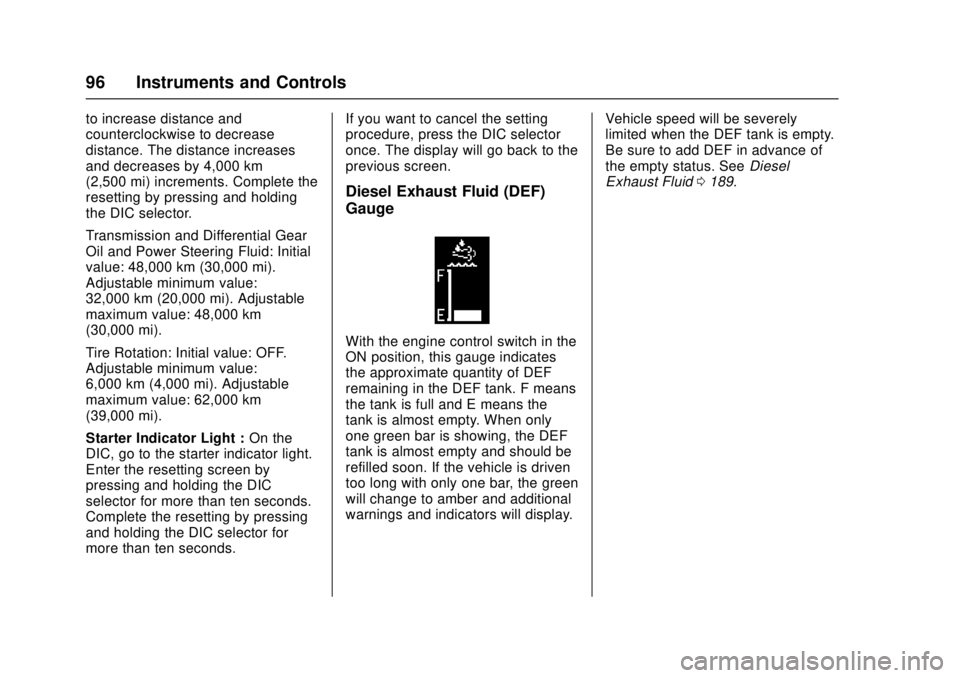
Diesel Exhaust Fluid (DEF)
Gauge
With the engine control switch in the
ON position, this gauge indicates
the approximate quantity of DEF
remaining in the DEF tank. F means
the tank is full and E means the
tank is almost empty. When only
one green bar is showing, the DEF
tank is almost empty and should be
refilled soon. If the vehicle is driven
too long with only one bar, the green
will change to amber and additional
warnings and indicators will display.
Vehicle speed will be severely
limited when the DEF tank is empty.
Be sure to add DEF in advance of
the empty status. See
Diesel
Exhaust Fluid 0189.
Page 101 of 414
Chevrolet Low Cab Forward Owner Manual (GMNA-Localizing-U.S.-
10716700) - 2017 - crc - 12/6/16
100 Instruments and Controls
result in a severe vehicle speed
limitation. SeeDiesel Exhaust Fluid
0 189.
When DIC ERROR is Displayed
ERROR
If the system has not yet been able
to access maintenance data,
ERROR is shown on the DIC.
If ERROR does not change
automatically to a distance or other
maintenance indication, have your
vehicle serviced at your dealer.
Maintenance Data Indicator
Lights
Maintenance data indicator lights
appear on the DIC when each
maintenance item is selected or
when the next change or service
interval of the item is near or has
been reached.
The distance or time shown is the
remaining or excess of them to /
from the change or service timing.
The positive distance or time shows
the remaining of that and the
negative distance or time shows the
excess of that. For the items listed below, the displayed color will
change from green to amber when
remaining distance is below
1 000 km (1,000 mi) and the screen
is selected.
These screens are also displayed
when the engine control switch
turns to the ON position after above
notification timing. The message
remains on the display until the DIC
selector is pressed once or the
vehicle is started.
The maintenance data function
indicates the distance remaining
before the next scheduled
maintenance. Scheduled
maintenance time is approaching
when the display turns from green
to amber. Have the vehicle checked
and serviced at your dealer as soon
as possible.
The vehicle needs to be maintained
more often if it is driven in severe
conditions.
MAINTENANCE ON or
MAINTENANCE OFF
This indicator displays and hides
maintenance items. When
MAINTENANCE ON is displayed,
maintenance items will be
displayed. When MAINTENANCE
OFF is displayed, maintenance
items will not be displayed.
When MAINTENANCE OFF is
displayed, there will be no display of
maintenance items such as rotation
intervals or replacement intervals
even when such intervals arrive.
ENG OIL & FILTER
When this message and light
display green, it shows the distance
remaining until the next engine oil
and filter change. When this
message displays amber, the next
change of engine oil and filter is
near or has been reached.
T/M & DIFF OIL
When this message and light
display green, it shows the distance
remaining until the next
transmission oil and differential oil
change. When this message
Page 102 of 414
Chevrolet Low Cab Forward Owner Manual (GMNA-Localizing-U.S.-
10716700) - 2017 - crc - 12/6/16
Instruments and Controls 101
displays amber, the next change of
transmission oil and differential oil is
near or has been reached.
FUEL FILTER
When this message and light
display green, it shows the distance
remaining until the next fuel filter
change. When this message
displays amber, the next change of
fuel filter is near or has been
reached.
STEERING OIL
When this message and light
display green, it shows the distance
remaining until the next power
steering fluid change. When this
message displays amber, the next
change of power steering fluid is
near or has been reached.
TIRE ROTATION
When this message and light show
green with OFF, it means the
vehicle has been shipped from the
factory with no tire rotation interval
set. When this message displays
green it has the distance until the
next tire rotation displayed. Whenthis message displays amber the
next tire rotation is near or has
already been reached.
STARTER
When this message and light is
green, it displays the number of
engine starts remaining until a
starter motor is replaced. When this
message and light is amber, it
displays when the time for a starter
motor replacement is near or has
already been reached.
For the starter indicator light, the
displayed color will change from
green to amber when remaining
time is below 0 times and the
screen is selected.
For resetting or setting maintenance
data intervals, see
Driver
Information Center (DIC) (Diesel
Only) 093.
Hour Meter
HOUR METER
This message and light indicate how
many hours the engine has been
run. The figure(s) on the left side of the decimal point indicate hours
while the figure on the right side
indicates 1/10 of an hour.
Warning Buzzers
A warning buzzer may not sound if
there is a problem with the buzzer
system. If this occurs, the system
needs to be inspected. See your
dealer.
All Vehicles
A warning buzzer sounds under the
following conditions:
.
Seat Belt— continuous beep.
See Seat Belt Reminders 083.
Gasoline Vehicles
A warning buzzer sounds under the
following conditions:
.
Brake booster —continuous
beep. See Brake System
Warning Light (Parking Brake
Light) 084.