ignition CHEVROLET MALIBU 2003 5.G User Guide
[x] Cancel search | Manufacturer: CHEVROLET, Model Year: 2003, Model line: MALIBU, Model: CHEVROLET MALIBU 2003 5.GPages: 326, PDF Size: 2.41 MB
Page 79 of 326

Ignition Positions
With the key in the ignition switch, you can turn it to four
different positions.
Notice:If your key seems stuck in OFF and you
can't turn it, be sure you are using the correct key;
if so, is it all the way in? Turn the key only with
your hand. Using a tool to force it could break the
key or the ignition switch. If none of this works, then
your vehicle needs service.A (OFF):This is the only position from which you can
remove the key. It also locks your ignition and transaxle.
A warning chime will sound if you open the driver's
door when the ignition is off and the key is in the ignition.
B (ACCESSORY):This position lets you use things
like the radio and windshield wipers when the engine is
not running. To use ACCESSORY, turn the key
clockwise to the ®rst position.
Use this position if your vehicle must be pushed or
towed, but never try to push-start your vehicle.
See
Recreational Vehicle Towing on page 4-28.
C (ON):This position unlocks the ignition. It is also the
position to where the key returns after you start the
engine and release the switch. The switch will stay in
this position when the engine is running. But even when
the engine is not running, you can use ON to operate
your electrical accessories, and to display some
instrument panel warning lights.
D (START):This position starts the engine. When the
engine starts, release the key. The ignition switch
will return to ON for normal driving.
2-17
Page 80 of 326

Retained Accessory Power (RAP)
Your vehicle is equipped with a Retained Accessory
Power (RAP) feature which will allow the radio to
continue to work up to 10 minutes after the ignition is
turned to OFF.
Your radio will work when the ignition key is in ON or
ACCESSORY. Once the key is turned from ON to OFF,
the radio will continue to work for up to 10 minutes or
until the driver's door is opened.
Starting Your Engine
Move your shift lever to PARK (P) or NEUTRAL (N).
Your engine won't start in any other position ± that's a
safety feature. To restart when you're already moving,
use NEUTRAL (N) only.
Notice:Don't try to shift to PARK (P) if your
vehicle is moving. If you do, you could damage the
transaxle. Shift to PARK (P) only when your
vehicle is stopped.
1. With your foot off the accelerator pedal, turn your
ignition key to START. When the engine starts, let
go of the key. The idle speed will go down as
your engine gets warm.
Notice:Holding your key in START for longer than
15 seconds at a time will cause your battery to be
drained much sooner. And the excessive heat can
damage your starter motor. Wait about 15 seconds
between each try to help avoid draining your battery
or damaging your starter.
2. If your engine won't start (or starts but then stops),
it could be ¯ooded with too much gasoline. Try
pushing your accelerator pedal all the way to the
¯oor and holding it there as you hold the key
in START for not more than 15 seconds at a time.
This clears the extra gasoline from the engine.
Notice:Your engine is designed to work with the
electronics in your vehicle. If you add electrical
parts or accessories, you could change the way the
engine operates. Before adding electrical equipment,
check with your dealer. If you don't, your engine
might not perform properly.
2-18
Page 82 of 326

Instead of trying to list everything here, we ask that you
contact your dealer in the area where you'll be parking
your vehicle. The dealer can give you the best advice for
that particular area.
Automatic Transaxle Operation
Your automatic transaxle
has a shift lever located on
the console between the
seats.
PARK (P):This position locks your front wheels.
It's the best position to use when you start your engine
because your vehicle can't move easily.
{CAUTION:
It is dangerous to get out of your vehicle if the
shift lever is not fully in PARK (P) with the
parking brake ®rmly set. Your vehicle can roll.
Do not leave your vehicle when the engine is
running unless you have to. If you have left the
engine running, the vehicle can move
suddenly. You or others could be injured. To
be sure your vehicle will not move, even when
you are on fairly level ground, always set your
parking brake and move the shift lever to
PARK (P). See ªShifting Into Park (P)º in the
Index. If you are pulling a trailer, see ªTowing
a Trailerº in the Index.
Ensure the shift lever is fully in PARK (P) before starting
the engine. Your vehicle has an automatic transaxle shift
lock control system. You have to apply your regular brake
before you can shift from PARK (P) when the ignition key
is in ON. If you cannot shift out of PARK (P), ease
pressure on the shift lever ± push the shift lever all the
way into PARK (P) ± as you maintain brake application.
2-20
Page 85 of 326
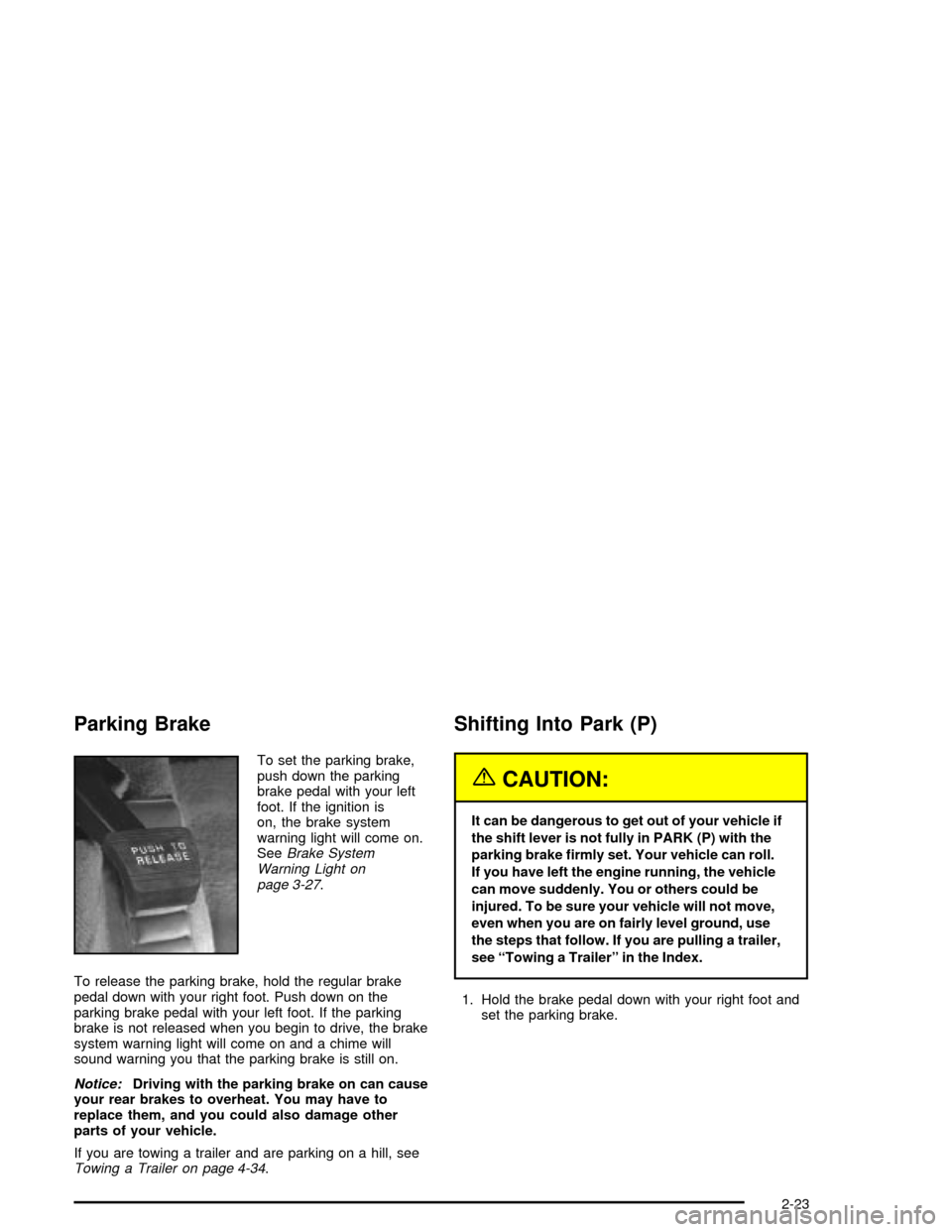
Parking Brake
To set the parking brake,
push down the parking
brake pedal with your left
foot. If the ignition is
on, the brake system
warning light will come on.
See
Brake System
Warning Light on
page 3-27
.
To release the parking brake, hold the regular brake
pedal down with your right foot. Push down on the
parking brake pedal with your left foot. If the parking
brake is not released when you begin to drive, the brake
system warning light will come on and a chime will
sound warning you that the parking brake is still on.
Notice:Driving with the parking brake on can cause
your rear brakes to overheat. You may have to
replace them, and you could also damage other
parts of your vehicle.
If you are towing a trailer and are parking on a hill, see
Towing a Trailer on page 4-34.
Shifting Into Park (P)
{CAUTION:
It can be dangerous to get out of your vehicle if
the shift lever is not fully in PARK (P) with the
parking brake ®rmly set. Your vehicle can roll.
If you have left the engine running, the vehicle
can move suddenly. You or others could be
injured. To be sure your vehicle will not move,
even when you are on fairly level ground, use
the steps that follow. If you are pulling a trailer,
see ªTowing a Trailerº in the Index.
1. Hold the brake pedal down with your right foot and
set the parking brake.
2-23
Page 86 of 326
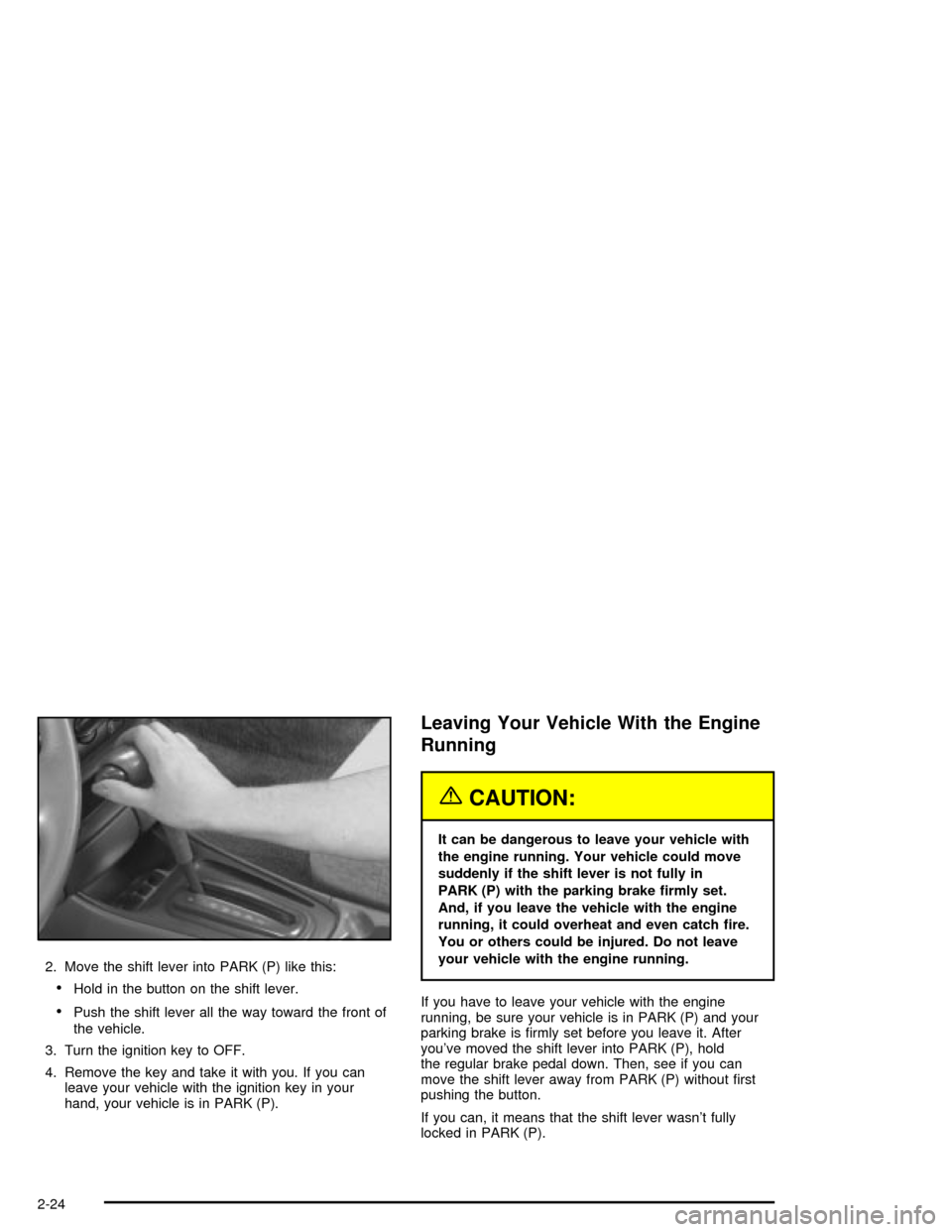
2. Move the shift lever into PARK (P) like this:
·Hold in the button on the shift lever.
·Push the shift lever all the way toward the front of
the vehicle.
3. Turn the ignition key to OFF.
4. Remove the key and take it with you. If you can
leave your vehicle with the ignition key in your
hand, your vehicle is in PARK (P).
Leaving Your Vehicle With the Engine
Running
{CAUTION:
It can be dangerous to leave your vehicle with
the engine running. Your vehicle could move
suddenly if the shift lever is not fully in
PARK (P) with the parking brake ®rmly set.
And, if you leave the vehicle with the engine
running, it could overheat and even catch ®re.
You or others could be injured. Do not leave
your vehicle with the engine running.
If you have to leave your vehicle with the engine
running, be sure your vehicle is in PARK (P) and your
parking brake is ®rmly set before you leave it. After
you've moved the shift lever into PARK (P), hold
the regular brake pedal down. Then, see if you can
move the shift lever away from PARK (P) without ®rst
pushing the button.
If you can, it means that the shift lever wasn't fully
locked in PARK (P).
2-24
Page 87 of 326

Torque Lock
If you are parking on a hill and you don't shift your
transaxle into PARK (P) properly, the weight of
the vehicle may put too much force on the parking pawl
in the transaxle. You may ®nd it difficult to pull the
shift lever out of PARK (P). This is called ªtorque lock.º
To prevent torque lock, set the parking brake and
then shift into PARK (P) properly before you leave the
driver's seat. To ®nd out how, see
Shifting Into Park (P)
on page 2-23.
When you are ready to drive, move the shift lever out of
PARK (P)
beforeyou release the parking brake.
If torque lock does occur, you may need to have another
vehicle push yours a little uphill to take some of the
pressure from the parking pawl in the transaxle, so you
can pull the shift lever out of PARK (P).
Shifting Out of Park (P)
Your vehicle has an automatic transaxle shift lock
control system. You have to apply your regular brake
before you can shift from PARK (P) when the ignition is
in ON. See
Automatic Transaxle Operation on
page 2-20.If you cannot shift out of PARK (P), ease pressure on
the shift lever and push the shift lever all the way
into PARK (P) as you maintain brake application. Then
move the shift lever into the gear you wish. Press
the shift lever button before moving the shift lever.
If you ever hold the brake pedal down but still can't shift
out of PARK (P), try this:
1. Turn the ignition key to ACCESSORY.
2. Apply and hold the regular brake until the end of
Step 5.
3. Shift to NEUTRAL (N).
4. Turn the ignition key to START, to start the vehicle.
5. Shift to the drive gear you want.
6. Have the vehicle ®xed as soon as you can.
2-25
Page 93 of 326
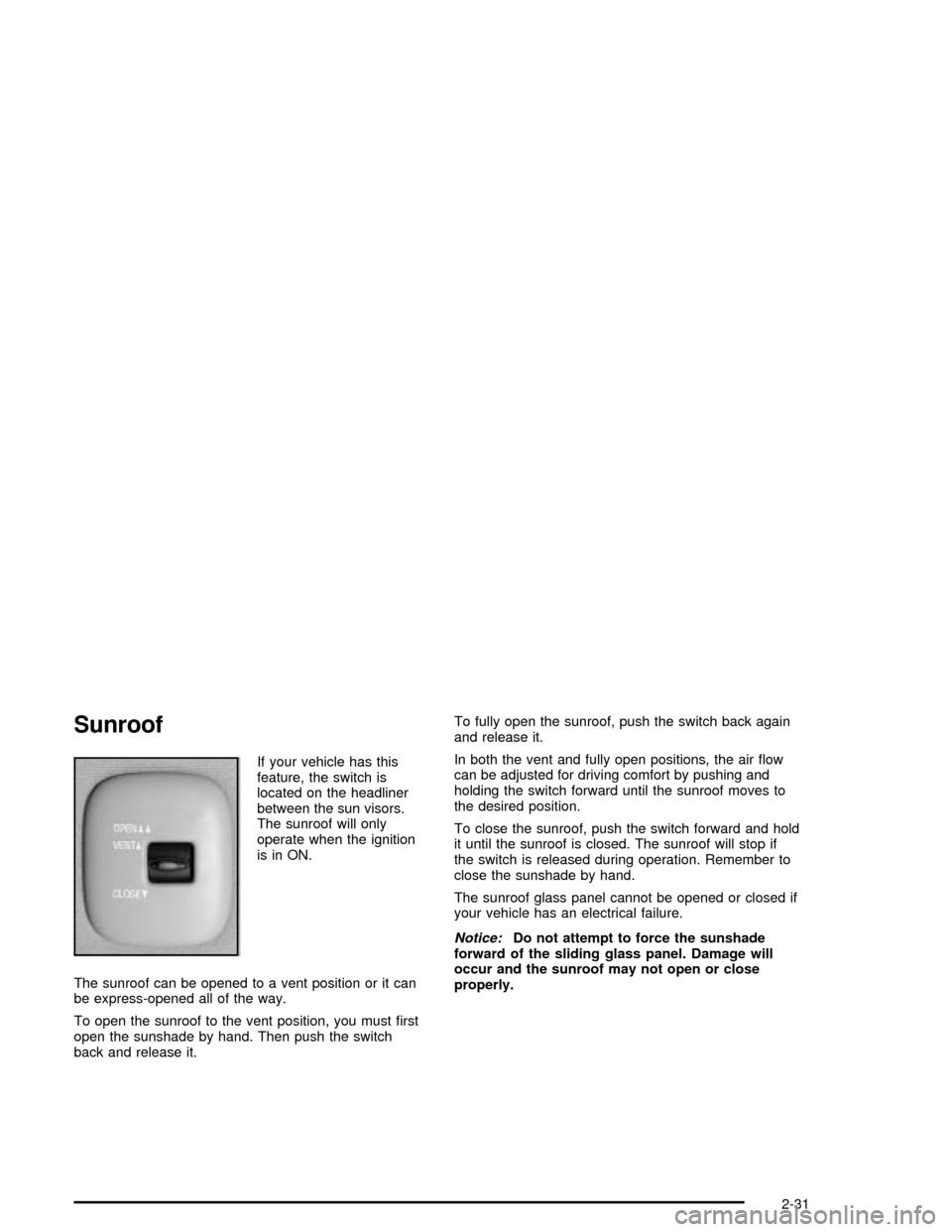
Sunroof
If your vehicle has this
feature, the switch is
located on the headliner
between the sun visors.
The sunroof will only
operate when the ignition
is in ON.
The sunroof can be opened to a vent position or it can
be express-opened all of the way.
To open the sunroof to the vent position, you must ®rst
open the sunshade by hand. Then push the switch
back and release it.To fully open the sunroof, push the switch back again
and release it.
In both the vent and fully open positions, the air ¯ow
can be adjusted for driving comfort by pushing and
holding the switch forward until the sunroof moves to
the desired position.
To close the sunroof, push the switch forward and hold
it until the sunroof is closed. The sunroof will stop if
the switch is released during operation. Remember to
close the sunshade by hand.
The sunroof glass panel cannot be opened or closed if
your vehicle has an electrical failure.
Notice:Do not attempt to force the sunshade
forward of the sliding glass panel. Damage will
occur and the sunroof may not open or close
properly.
2-31
Page 97 of 326

The main components of your instrument panel are the
following:
A. Side Window Defogger Vents. See ªDefogging and
Defrostingº in
Climate Control System on
page 3-17.
B. Vent Outlets. See
Outlet Adjustment on page 3-21.
C. Instrument Panel Brightness Thumbwheel. See
Interior Lamps on page 3-15.
D. Fog Lamp Button (If Equipped). See ªFog Lampsº in
Exterior Lamps on page 3-12.
E. Turn Signal/Multifunction Lever. See
Turn
Signal/Multifunction Lever on page 3-5.
F. Cruise Control Buttons (If Equipped). See ªCruise
Controlº in
Turn Signal/Multifunction Lever on
page 3-5.
G. Instrument Panel Cluster. See
Instrument Panel
Cluster on page 3-23.
H. Windshield Wiper/Washer Lever. See ªWindshield
Wipersº in
Turn Signal/Multifunction Lever on
page 3-5.
I. Ignition Switch. See
Ignition Positions on
page 2-17.J. Hazard Warning Flashers Button. See
Hazard
Warning Flashers on page 3-4.
K. Instrument Panel Fuse Blocks. See
Fuses and
Circuit Breakers on page 5-77.
L. Instrument Panel Cupholder. See
Cupholder(s) on
page 2-30.
M. Remote Trunk Release Button. See ªRemote Trunk
Releaseº in
Trunk on page 2-11.
N. Hood Release. See
Hood Release on page 5-10.
O. Tilt Wheel Lever. See
Tilt Wheel on page 3-5.
P. Parking Brake. See
Parking Brake on page 2-23.
Q. Horn. See
Horn on page 3-5.
R. Audio System. See
Audio System(s) on page 3-36.
S. Cigarette Lighter. See
Ashtrays and Cigarette
Lighter on page 3-17.
T. Ashtray. See
Ashtrays and Cigarette Lighter on
page 3-17.
U. Accessory Power Outlet. See
Accessory Power
Outlets on page 3-16.
V. Climate Control System. See
Climate Control
System on page 3-17.
3-3
Page 101 of 326

<(Parking Lamps):Turn the switch to this position to
turn on the parking lamps, together with the following:
·Sidemarker Lamps
·Taillamps
·License Plate Lamps
·Instrument Panel Lights
3(Headlamps):Turn the switch to this position to
turn on the headlamps, together with the previously
listed lamps and lights.
AUTO:Turn the exterior lamps control to AUTO to
provide for automatic operation of the headlamps,
taillamps and parking lamps. For more information see
ªAutomatic Headlamp Systemº later in this section.
Headlamp High/Low-Beam Changer
To change the headlamps from low beam to high beam,
push the turn signal/multifunction lever away from you.
When the high beams
are on, a light on the
instrument panel cluster
also will be on if the
ignition is in ON.
To change the headlamps from high beam to low beam,
pull the turn signal lever toward you.
Headlamps On Reminder
If you open the driver's door and turn off the ignition while
leaving the lamps on, you will hear a warning chime.
Flash-to-Pass Feature
This feature lets you use your high-beam headlamps to
signal a driver in front of you that you want to pass.
To use it, pull the turn signal/multifunction lever toward
you until the high-beam headlamps come on, then
release the lever to turn them off.
3-7
Page 105 of 326

Increasing Speed While Using Cruise
Control
There are two ways to go to a higher speed.
·Use the accelerator pedal to get to the higher
speed. Press the SET DECEL button, then release
the button and the accelerator pedal. You'll now
cruise at the higher speed.
·Press the ACCEL RESUME button. Hold it there until
you get up to the speed you want, and then release
the button. To increase your speed in very small
amounts, press the ACCEL RESUME button brie¯y
and then release it. Each time you do this, your
vehicle will go about 1 mph (1.6 km/h) faster.
The accelerate feature will only work after you turn on
the cruise control by pressing the SET DECEL button.
Reducing Speed While Using Cruise
Control
There are two ways to reduce your speed while using
cruise control:
·Press the SET DECEL button until you reach the
lower speed you want, then release it.
·To slow down in very small amounts, press the
SET DECEL button brie¯y. Each time you do
this, you'll go about 1 mph (1.6 km/h) slower.
Passing Another Vehicle While Using
Cruise Control
Use the accelerator pedal to increase your speed.
When you take your foot off the pedal, your vehicle will
slow down to the cruise control speed you set earlier.
Using Cruise Control on Hills
How well your cruise control will work on hills depends
upon your speed, load and the steepness of the
hills. When going up steep hills, you may have to step
on the accelerator pedal to maintain your speed.
When going downhill, you may have to brake or shift to
a lower gear to keep your speed down. Of course,
applying the brake takes you out of cruise control. Many
drivers ®nd this to be too much trouble and don't use
cruise control on steep hills.
Ending Cruise Control
There are two ways to turn off the cruise control:
·Step lightly on the brake pedal;
·Press OFF/ON.
Erasing Speed Memory
When you turn off the cruise control or the ignition, your
cruise control set speed memory is erased.
3-11