ESP CHEVROLET MALIBU 2004 5.G Owners Manual
[x] Cancel search | Manufacturer: CHEVROLET, Model Year: 2004, Model line: MALIBU, Model: CHEVROLET MALIBU 2004 5.GPages: 426, PDF Size: 3.98 MB
Page 20 of 426
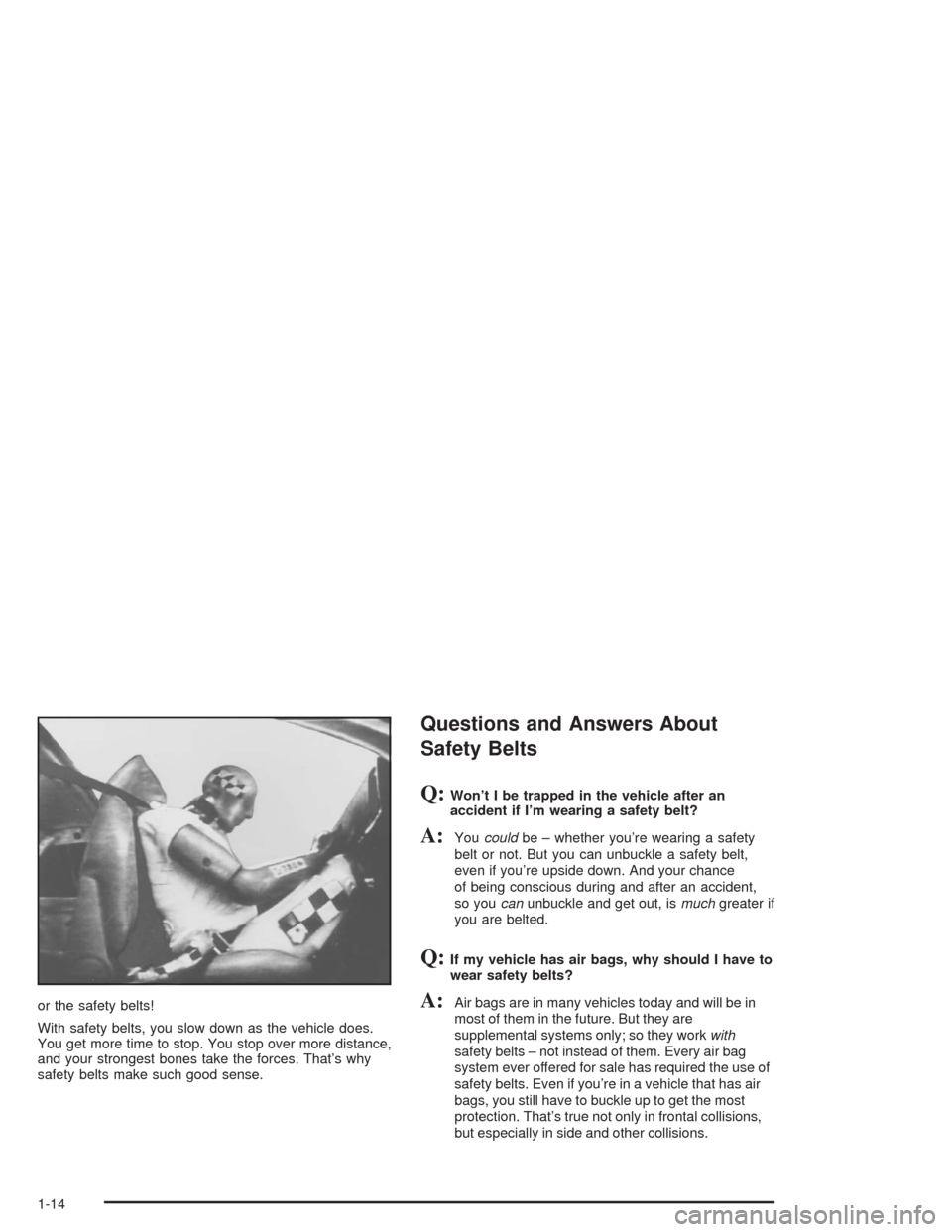
or the safety belts!
With safety belts, you slow down as the vehicle does.
You get more time to stop. You stop over more distance,
and your strongest bones take the forces. That’s why
safety belts make such good sense.
Questions and Answers About
Safety Belts
Q:Won’t I be trapped in the vehicle after an
accident if I’m wearing a safety belt?
A:Youcouldbe – whether you’re wearing a safety
belt or not. But you can unbuckle a safety belt,
even if you’re upside down. And your chance
of being conscious during and after an accident,
so youcanunbuckle and get out, ismuchgreater if
you are belted.
Q:If my vehicle has air bags, why should I have to
wear safety belts?
A:Air bags are in many vehicles today and will be in
most of them in the future. But they are
supplemental systems only; so they workwith
safety belts – not instead of them. Every air bag
system ever offered for sale has required the use of
safety belts. Even if you’re in a vehicle that has air
bags, you still have to buckle up to get the most
protection. That’s true not only in frontal collisions,
but especially in side and other collisions.
1-14
Page 78 of 426
When you enter the vehicle during a remote start, turn the
key to the on position to start the engine and drive.
If the vehicle is left running it will automatically shut off
after 10 minutes unless a time extension has been
done. To manually shut off a remote start, do any of the
following:
Aim the remote keyless entry transmitter at the
vehicle and press the remote start button until
the parking lamps turn off.
Turn on the hazards warning ashers.
Turn the ignition switch on and then off.
Doors and Locks
Door Locks
{CAUTION:
Unlocked doors can be dangerous.
Passengers — especially children — can
easily open the doors and fall out of a
moving vehicle. When a door is locked, the
handle will not open it. You increase the
chance of being thrown out of the vehicle
in a crash if the doors are not locked. So,
wear safety belts properly and lock the
doors whenever you drive.
Young children who get into unlocked
vehicles may be unable to get out. A child
can be overcome by extreme heat and can
suffer permanent injuries or even death
from heat stroke. Always lock your vehicle
whenever you leave it.
CAUTION: (Continued)
2-10
Page 84 of 426
Windows
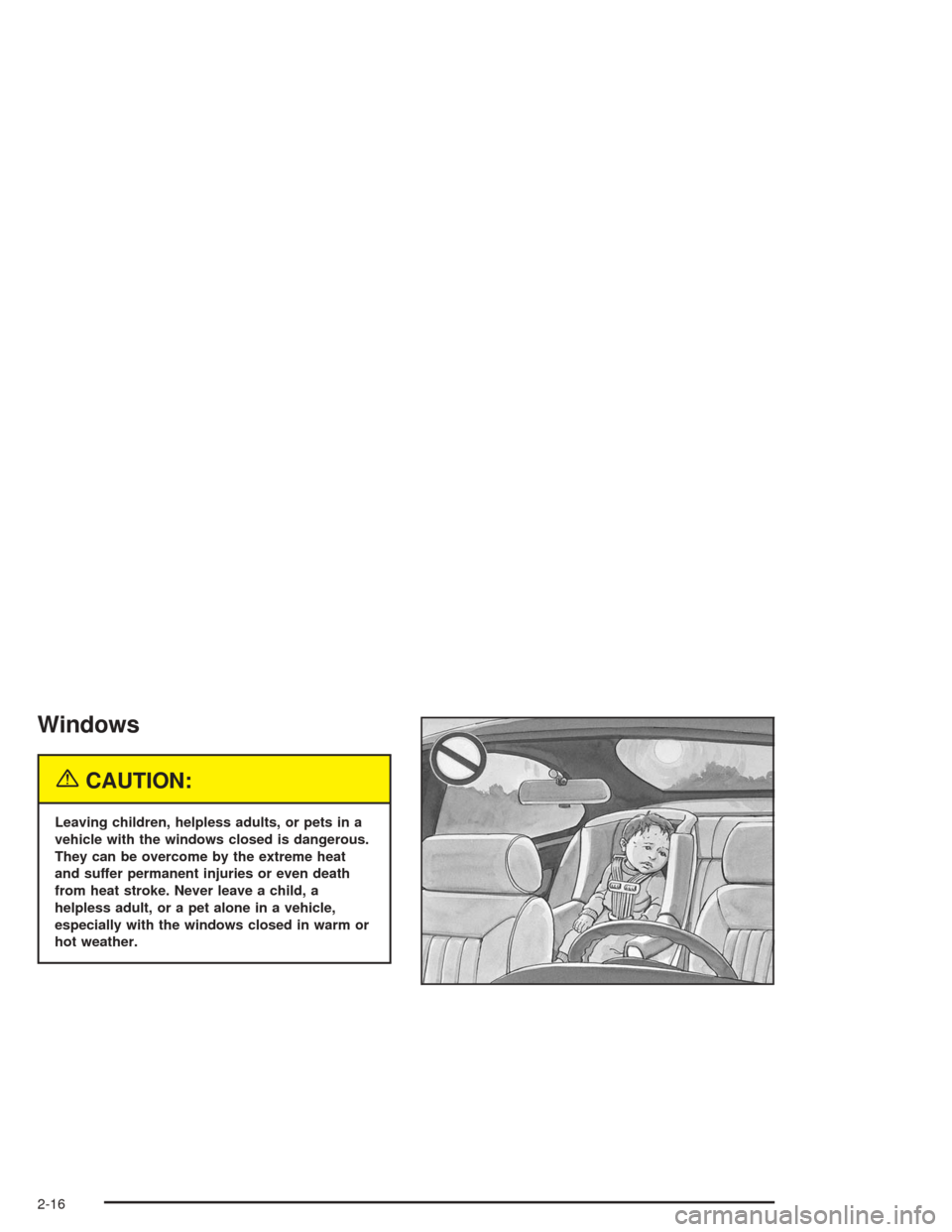
{CAUTION:
Leaving children, helpless adults, or pets in a
vehicle with the windows closed is dangerous.
They can be overcome by the extreme heat
and suffer permanent injuries or even death
from heat stroke. Never leave a child, a
helpless adult, or a pet alone in a vehicle,
especially with the windows closed in warm or
hot weather.
2-16
Page 86 of 426
Theft-Deterrent Systems
Vehicle theft is big business, especially in some cities.
Although your vehicle has a number of theft-deterrent
features, we know that nothing we put on it can make it
impossible to steal.
Content Theft-Deterrent
Your vehicle may have a
content theft-deterrent
alarm system.
Arming the System
With the ignition off, you can initiate arming of the
system by:
Pressing the remote keyless entry transmitter lock
button
Pressing the power door lock switch and the
driver’s door is open or
With the doors closed, turning the driver’s door key
lock cylinder toward the front of the vehicle.
The system will arm thirty seconds after all the doors
and the liftgate are closed.
If the lock button on the transmitter is pressed again
within ve seconds, the system will arm immediately.
The security light will turn on to indicate that arming has
been initiated. Once the system is armed, the security
light will ash once every three seconds and remain
ashing.
If the security light is ashing twice per second, this
means that a door or the liftgate is open.
If you don’t want to arm the system, lock the car with
the lock levers on the doors.
2-18
Page 133 of 426
Daytime Running Lamps (DRL)
Daytime Running Lamps (DRL) can make it easier for
others to see the front of your vehicle during the day. DRL
can be helpful in many different driving conditions, but
they can be especially helpful in the short periods after
dawn and before sunset. Fully functional daytime running
lamps are required on all vehicles rst sold in Canada.
The DRL system will make both front turn signal lamps
turn on when the following conditions are met:
The ignition is on.
The exterior lamp control is turned to AUTO.
In addition, Canadian vehicles DRL will also turn
on if you have turned on your parking lamps.
The light sensor detects daytime light.
The shift lever is not in PARK (P).
While the DRL system is on, the taillamps, sidemarker
lamps, and instrument panel lights will not be illuminated.
The DRL system will be off any time your vehicle is in
PARK (P). The DRL system on U.S. vehicles can
also be turned off by using the Off/On switch for one
ignition cycle.
As with any vehicle, you should turn on the regular
headlamp system when you need it.
Automatic Headlamp System
When it is dark enough outside, your automatic system
will turn on your headlamps at the normal brightness
along with other lamps such as the taillamps, sidemarker,
parking lamps, instrument panel lights, and interior
switch backlighting.
Your vehicle is equipped with a light sensor on the top of
the instrument panel that inputs to the ACC, so be sure it
is not covered which will cause the system to be on
whenever the ignition is on.
The system may also be on when driving through a
parking garage, heavy overcast weather or a tunnel.
This is normal.
There is a delay in the transition between the daytime
and nighttime operation of the automatic lamp control
system so that driving under bridges or bright overhead
street lights does not affect the system. The automatic
lamp control system will only be affected when the light
sensor sees a change in lighting lasting longer than
this delay.
If you start your vehicle in a dark garage, the automatic
lamp system will come on immediately. Once you leave
the garage, it will take about one minute for the automatic
lamp system to change to DRL if it is light outside.
3-17
Page 208 of 426
When a CD is inserted, the CD symbol will appear on
the display. If more than one CD has been loaded,
a number for each CD will be displayed and the currently
selected slot number will be underlined. If you select
an equalization setting for your CD, it will be activated
each time you play a CD.
As each new track starts to play, the track number will
appear on the display.
EJECT/
Z:To eject a single CD press this button.
The radio will display EJECTING CD # and the single
CD symbol will ash until the CD is ready to be removed.
When the CD is ready to be removed it will eject part way
from the radio and the display will change to a ashing
REMOVE CD # with the single CD symbol ashing until
the CD is removed. If the CD is not removed within
25 seconds the radio will pull it back in.
To eject multiple CDs, press and hold the eject button
until you hear a beep and EJECTING ALL CDS appears
on the display with the single CD symbol ashing.
The CD symbol will ash until a CD is ready to be
removed. When the CD is ready to be removed it will
eject part way from the radio and the display will change
to a ashing REMOVE CD # with the single CD symbol
ashing until the CD is removed. If the CD is not
removed within 25 seconds the radio will pull it back in.After the CD is removed the radio will repeat the previous
actions until all of the CDs have been removed or a CD
is pulled back in.
Playing a Specic Loaded CD
For every CD loaded, a number will appear on the radio
display. To play a specic CD, press the numbered
pushbutton that corresponds to the CD you want to play.
A small bar will appear under the CD number that is
playing, and the track number will appear.
If an error appears on the radio display, see
“CD Messages” later in this section.
s(Reverse):Press and hold this button to reverse
quickly within a track. You will hear sound at a reduced
volume. T#, the elapsed time, and REV will appear
on the display. Release the button to play the passage.
\(Fast Forward):Press and hold this button to
advance quickly within a track. You will hear sound at
a reduced volume. T#, the elapsed time, and FWD
will appear on the display. Release the button to play
the passage.
3-92
Page 232 of 426
1–6 (Preset Pushbuttons):Press this button to play
a station you have programmed on the radio preset
pushbuttons. Press this button again to go to the next
preset station.
If your vehicle has the Radio with Six-Disc CD and
multiple CDs are loaded, each press of this button will
take you to the next CD.
xuw(Volume):Press the up or the down arrow
to increase or to decrease volume.
>(Mute):Press this button to turn the sound off.
Press this button again to turn the sound on.
SRCE (Source):Press this button to toggle between
listening to the radio, a cassette tape, a CD, or a
remote device.
DVD Distortion
You may experience video distortion when operating
cellular phones, scanners, CB radios, Global Position
Systems (GPS)*, two-way radios, mobile fax, or
walkie talkies.
It may be necessary to turn off the DVD player when
operating one of these devices in or near the vehicle.
*Excludes the OnStar
®System.
Radio Reception
AM
The range for most AM stations is greater than for FM,
especially at night. The longer range, however, can
cause stations to interfere with each other. AM can pick
up noise from things like storms and power lines.
Try reducing the treble to reduce this noise.
FM Stereo
FM stereo will give you the best sound, but FM signals
will reach only about 10 to 40 miles (16 to 65 km).
Tall buildings or hills can interfere with FM signals,
causing the sound to come and go.
XM™ Satellite Radio Service
(48 Contiguous US States)
XM™ Satellite Radio gives you digital radio reception
from coast to coast. Just as with FM, tall buildings
or hills can interfere with satellite radio signals, causing
the sound to come and go. Your radio may display
NO SIGNAL to indicate interference.
3-116
Page 240 of 426
It is the amount of alcohol that counts. For example, if
the same person drank three double martinis (3 ounces
or 90 ml of liquor each) within an hour, the person’s
BAC would be close to 0.12 percent. A person
who consumes food just before or during drinking will
have a somewhat lower BAC level.
There is a gender difference, too. Women generally
have a lower relative percentage of body water
than men. Since alcohol is carried in body water, this
means that a woman generally will reach a higher BAC
level than a man of her same body weight will when
each has the same number of drinks.
The law in an increasing number of U.S. states, and
throughout Canada, sets the legal limit at 0.08 percent.
In some other countries, the limit is even lower. For
example, it is 0.05 percent in both France and Germany.
The BAC limit for all commercial drivers in the United
States is 0.04 percent.
The BAC will be over 0.10 percent after three to six
drinks (in one hour). Of course, as we have seen,
it depends on how much alcohol is in the drinks, and
how quickly the person drinks them.But the ability to drive is affected well below a BAC of
0.10 percent. Research shows that the driving skills
of many people are impaired at a BAC approaching
0.05 percent, and that the effects are worse at night. All
drivers are impaired at BAC levels above 0.05 percent.
Statistics show that the chance of being in a collision
increases sharply for drivers who have a BAC of
0.05 percent or above. A driver with a BAC level of
0.06 percent has doubled his or her chance of having a
collision. At a BAC level of 0.10 percent, the chance
of this driver having a collision is 12 times greater; at a
level of 0.15 percent, the chance is 25 times greater!
The body takes about an hour to rid itself of the alcohol in
one drink. No amount of coffee or number of cold
showers will speed that up. “I will be careful” is not the
right answer. What if there is an emergency, a need to
take sudden action, as when a child darts into the street?
A person with even a moderate BAC might not be able to
react quickly enough to avoid the collision.
There is something else about drinking and driving that
many people do not know. Medical research shows that
alcohol in a person’s system can make crash injuries
worse, especially injuries to the brain, spinal cord or
heart. This means that when anyone who has been
drinking — driver or passenger — is in a crash, that
person’s chance of being killed or permanently disabled
is higher than if the person had not been drinking.
4-4
Page 242 of 426
Braking
Braking action involvesperception timeand
reaction time.
First, you have to decide to push on the brake pedal.
That isperception time.Then you have to bring up your
foot and do it. That isreaction time.
Averagereaction timeis about 3/4 of a second. But that is
only an average. It might be less with one driver and as
long as two or three seconds or more with another. Age,
physical condition, alertness, coordination and eyesight
all play a part. So do alcohol, drugs and frustration. But
even in 3/4 of a second, a vehicle moving at 60 mph
(100 km/h) travels 66 feet (20 m). That could be a lot of
distance in an emergency, so keeping enough space
between your vehicle and others is important.
And, of course, actual stopping distances vary greatly
with the surface of the road (whether it is pavement
or gravel); the condition of the road (wet, dry, icy); tire
tread; the condition of your brakes; the weight of
the vehicle and the amount of brake force applied.Avoid needless heavy braking. Some people drive
in spurts−heavy acceleration followed by heavy
braking — rather than keeping pace with traffic. This is
a mistake. Your brakes may not have time to cool
between hard stops. Your brakes will wear out much
faster if you do a lot of heavy braking. If you keep pace
with the traffic and allow realistic following distances,
you will eliminate a lot of unnecessary braking.
That means better braking and longer brake life.
If your engine ever stops while you are driving, brake
normally but do not pump your brakes. If you do,
the pedal may get harder to push down. If your engine
stops, you will still have some power brake assist.
But you will use it when you brake. Once the power
assist is used up, it may take longer to stop and
the brake pedal will be harder to push.
4-6
Page 244 of 426
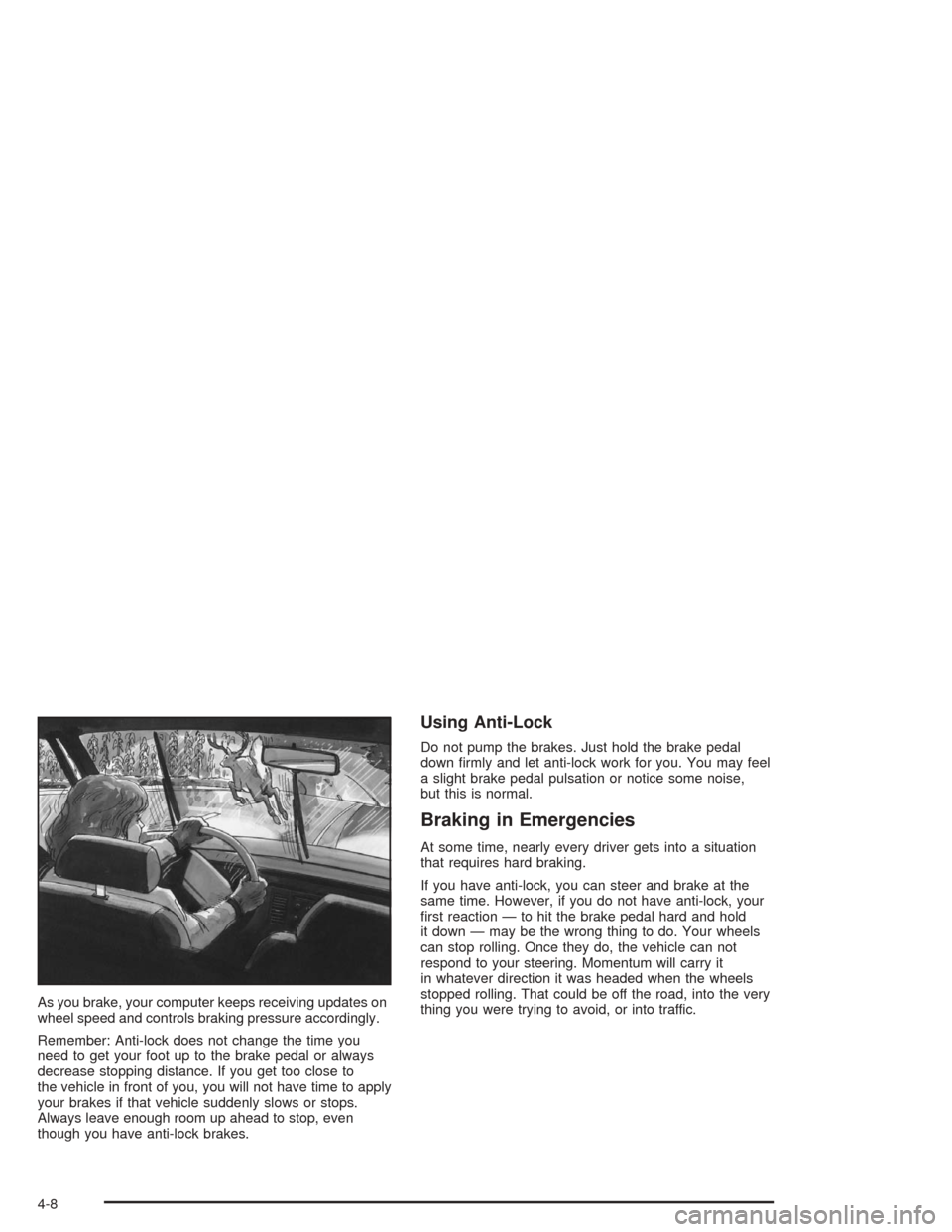
As you brake, your computer keeps receiving updates on
wheel speed and controls braking pressure accordingly.
Remember: Anti-lock does not change the time you
need to get your foot up to the brake pedal or always
decrease stopping distance. If you get too close to
the vehicle in front of you, you will not have time to apply
your brakes if that vehicle suddenly slows or stops.
Always leave enough room up ahead to stop, even
though you have anti-lock brakes.
Using Anti-Lock
Do not pump the brakes. Just hold the brake pedal
down rmly and let anti-lock work for you. You may feel
a slight brake pedal pulsation or notice some noise,
but this is normal.
Braking in Emergencies
At some time, nearly every driver gets into a situation
that requires hard braking.
If you have anti-lock, you can steer and brake at the
same time. However, if you do not have anti-lock, your
rst reaction — to hit the brake pedal hard and hold
it down — may be the wrong thing to do. Your wheels
can stop rolling. Once they do, the vehicle can not
respond to your steering. Momentum will carry it
in whatever direction it was headed when the wheels
stopped rolling. That could be off the road, into the very
thing you were trying to avoid, or into traffic.
4-8