ignition CHEVROLET MALIBU 2011 7.G User Guide
[x] Cancel search | Manufacturer: CHEVROLET, Model Year: 2011, Model line: MALIBU, Model: CHEVROLET MALIBU 2011 7.GPages: 382, PDF Size: 5.81 MB
Page 34 of 382
Black plate (6,1)Chevrolet Malibu Owner Manual - 2011
2-6 Keys, Doors and Windows
If it is the first remote start since the
vehicle has been driven, repeat the
previous steps, while the engine is
still running, to extend the engine
running time by 10 minutes from the
time you repeat the steps for remote
starting. The remote start running
time can be extended one time and
only after the first remote start.
After entering the vehicle during a
remote start, insert and turn the key
to ON/RUN to drive the vehicle.
The engine will shut off
automatically after 10 minutes,
unless a time extension has been
done or the vehicle's key is inserted
into the ignition switch and turned to
ON/RUN.To manually shut off a remote start,
do any of the following.
.Aim the RKE transmitter at the
vehicle and press and release
the remote start button.
.Turn on the hazard warning
flashers.
.Turn the ignition switch out of
LOCK/OFF position and then
back to LOCK/OFF.
The parking lamps turn off to
indicate the engine is off.
After the engine has been started
two times, or one time with a time
extension, the vehicle's ignition
must be turned to ON/RUN using
the key before the remote start
procedure can be used again. See
Ignition Positions
on page 9‑18for
information regarding the ignition
positions on your vehicle. The remote vehicle start feature will
not operate if any of the follow
occur:
.The vehicle's key is in the
ignition.
.The vehicle's hood is open.
.The hazard warning flashers
are on.
.The check engine light is on.
See
Malfunction Indicator Lamp
on page 5‑16.
.The engine coolant temperature
is too high.
.The oil pressure is low.
.Two remote vehicle starts,
or one start with a time
extension, have already been
provided for that ignition cycle.
Page 36 of 382
Black plate (8,1)Chevrolet Malibu Owner Manual - 2011
2-8 Keys, Doors and Windows
From the outside, turn the key in the
driver's door lock counterclockwise
to lock the door and clockwise to
unlock it or use the remote keyless
entry transmitter.
From the inside, move the manual
lock control on the door or use the
power door lock switch.
Power Door Locks
With power door locks, the switches
on the front doors can be used to
lock and unlock the vehicle.
K(Unlock):Press to unlock the
doors.
Q(Lock): Remove the key from
the ignition and press to lock the
doors.
Door Ajar Reminder
A chime will sound and the DOOR
AJAR message will display if one of
the doors is not fully closed. This
happens when the ignition is on and
the shift lever is moved out of
P (Park) or N (Neutral). See Door
Ajar Messages on page 5‑27.
Delayed Locking
This feature will delay the actual
locking of the doors and arming of
the theft-deterrent system for
five seconds when the power door
lock switch or remote keyless entry
transmitter is used to lock the
vehicle. If any door is open when locking the
vehicle, three chimes will sound
signaling that the delayed locking
feature is active. Five seconds after
the last door is closed, all of the
doors will lock. To cancel the delay
and lock the doors immediately,
press the lock button on the remote
keyless entry transmitter or the
power door lock switch a second
time. The theft deterrent system will
arm after 30 seconds.
Page 37 of 382
Black plate (9,1)Chevrolet Malibu Owner Manual - 2011
Keys, Doors and Windows 2-9
Automatic Door Locks
The vehicle is programmed to lock
all doors automatically when the
following are met:
.All doors are closed.
.The ignition is on.
.The vehicle is shifted out of
P (Park).
This feature cannot be disabled.
All doors will unlock when the
vehicle is shifted into P (Park).
The power door unlock function can
be programmed through prompts
displayed on the Driver Information
Center (DIC). See Vehicle
Personalization on page 5‑31.
Lockout Protection
If you press the power door lock
switch when the key is in the
ignition and any door is open, all the
doors will lock and then the driver's
door will unlock. Be sure to remove
the key from the ignition when
locking your vehicle.
If the remote keyless entry
transmitter is used to lock the doors
while the key is in the ignition, a
chime will sound three times. All
doors will then lock.
Safety Locks
The vehicle has rear door security
locks to prevent passengers from
opening the rear doors from the
inside.
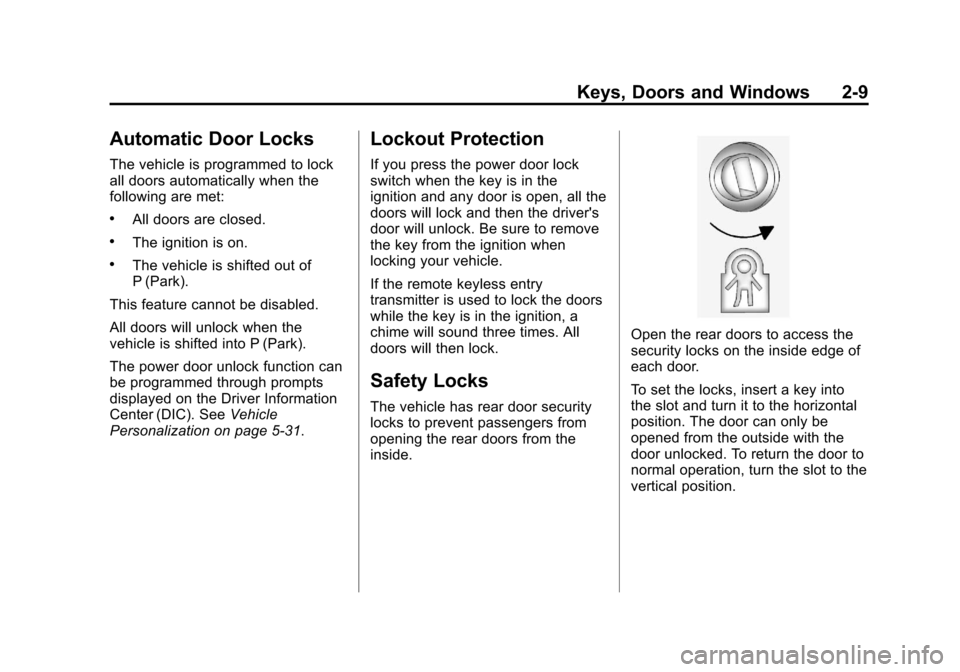
Open the rear doors to access the
security locks on the inside edge of
each door.
To set the locks, insert a key into
the slot and turn it to the horizontal
position. The door can only be
opened from the outside with the
door unlocked. To return the door to
normal operation, turn the slot to the
vertical position.
Page 38 of 382
Black plate (10,1)Chevrolet Malibu Owner Manual - 2011
2-10 Keys, Doors and Windows
Doors
Trunk
Press the trunk release button on
the Remote Keyless Entry (RKE)
transmitter for one second to open
the trunk from the outside.
{WARNING
Exhaust gases can enter the
vehicle if it is driven with the
liftgate, trunk/hatch open, or with
any objects that pass through the
seal between the body and the
trunk/hatch or liftgate. Engine
exhaust contains Carbon
Monoxide (CO) which cannot be
seen or smelled. It can cause
unconsciousness and even death.(Continued)
WARNING (Continued)
If the vehicle must be driven with
the liftgate, or trunk/hatch open:
.Close all of the windows.
.Fully open the air outlets on
or under the instrument
panel.
.Adjust the Climate Control
system to a setting that
brings in only outside air and
set the fan speed to the
highest setting. See Climate
Control System in the Index.
.If the vehicle is equipped with
a power liftgate, disable the
power liftgate function.
For more information about
carbon monoxide, see Engine
Exhaust on page 9‑24.
Remote Trunk Release
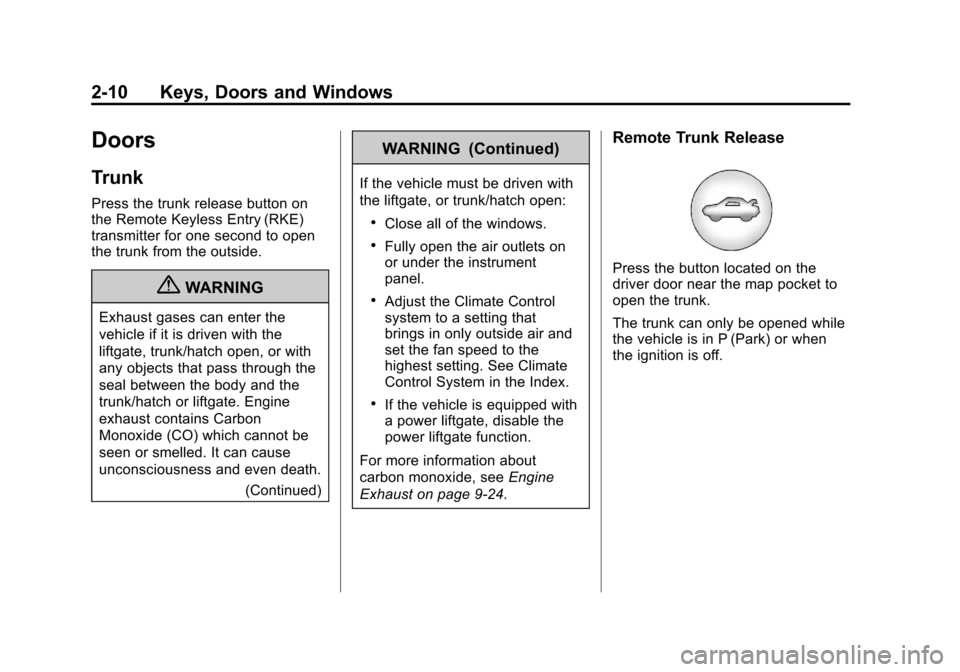
Press the button located on the
driver door near the map pocket to
open the trunk.
The trunk can only be opened while
the vehicle is in P (Park) or when
the ignition is off.
Page 40 of 382
Black plate (12,1)Chevrolet Malibu Owner Manual - 2011
2-12 Keys, Doors and Windows
Vehicle Security
This vehicle has theft-deterrent
features; however, they do not make
it impossible to steal.
Anti-Theft Alarm System
Your vehicle may have an anti-theft
alarm system.
Arming the System
With the ignition off, press the
Remote Keyless Entry (RKE)
transmitter lock button to arm the
system.
The system will arm 30 seconds
after all the doors are closed,
or 60 seconds with any door open.
If you press the lock button on the
transmitter a second time while all
the doors are closed, the system will
arm immediately. The system will
still arm in 60 seconds if a door is
open. When the open door is
closed, the system will arm.
The security light, located on the
instrument panel cluster, comes on
to indicate that arming has been
initiated. Once the system is armed,
the security light flashes once every
three seconds.
If the security light is flashing twice
per second, this means that a door
is open.
If the system is armed and the key
is used to unlock the vehicle, the
alarm will be activated.
If you do not want to arm the
system, lock the vehicle with the
manual lock knob on the doors or
with the inside power door lock
switches.
The alarm will sound and the
exterior lights will flash if any door
is opened while armed.
Disarming the System
To disarm the system:
.Press the RKE transmitter
unlock button.
.Turn the ignition to ON/RUN.
Once the system is disarmed, the
security light will stop flashing.
How the System Alarm is
Activated
To activate the system if it is armed:
.Open the driver's door or trunk.
A ten second pre-alarm chirp will
sound followed by a thirty
second full alarm of horn and
lights.
.Open any other door. A full
alarm of horn and lights will
immediately sound for thirty
seconds.
.Open the hood. If the vehicle
has the remote start feature, it
will activate the full alarm.
Page 41 of 382
Black plate (13,1)Chevrolet Malibu Owner Manual - 2011
Keys, Doors and Windows 2-13
When an alarm event has finished,
the system will re-arm itself
automatically.
How to Turn Off the System
Alarm
To turn off the system alarm:
.Press the lock button on the
RKE transmitter. The system will
then re-arm itself.
.Press the unlock button on the
RKE transmitter. This will also
disarm the system.
.Insert the key in the ignition and
turn it on. This will also disarm
the system.
How to Detect a Tamper
Condition
If three chirps are heard when the
unlock or lock button is pressed on
the RKE transmitter, it means that
the system alarm was previously
triggered.
Immobilizer
SeeRadio Frequency Statementon
page 13‑17for information
regarding Part 15 of the Federal
Communications Commission
(FCC) rules and Industry Canada
Standards RSS-210/220/310.
Immobilizer Operation
This vehicle has a passive
theft-deterrent system.
The system does not have to be
manually armed or disarmed.
The vehicle is automatically
immobilized when the key is
removed from the ignition.
The system is automatically
disarmed when the vehicle is
started with the correct key. The key
uses a transponder that matches
an immobilizer control unit in the
vehicle and automatically disarms the system. Only the correct key
starts the vehicle. The vehicle may
not start if the key is damaged.The security light, located in the
instrument panel cluster, comes on
if there is a problem with arming or
disarming the theft-deterrent
system.
When trying to start the vehicle, the
security light comes on briefly when
the ignition is turned on.
If the engine does not start and the
security light stays on there is a
problem with the system. Turn the
ignition off and try again.
Page 42 of 382
Black plate (14,1)Chevrolet Malibu Owner Manual - 2011
2-14 Keys, Doors and Windows
If the engine still does not start, and
the key appears to be undamaged
or the light continues to stay on, try
another ignition key. If the engine
does not start with the other key, the
vehicle needs service. If the vehicle
does start, the first key may be
damaged. See your dealer who can
service the theft-deterrent system
and have a new key made.
It is possible for the theft-deterrent
system decoder to learn the
transponder value of a new or
replacement key. Up to 10 keys
can be programmed for the vehicle.
The following procedure is for
programming additional keys only.
To program the new key:
1. Verify that the new key hasa
1stamped on it.
2. Insert the already programmed key in the ignition and start the
engine. If the engine will not
start, see your dealer for service. 3. After the engine has started,
turn the key to LOCK/OFF, and
remove the key.
4. Insert the key to be programmed and turn it to ON/RUN within
five seconds of the original key
being turned to LOCK/OFF in
Step 3.
The security light will turn off
once the key has been
programmed. It may not be
apparent that the security light
went on due to how quickly the
key is programmed.
5. Repeat Steps 1 through 4 if additional keys are to be
programmed.
Do not leave the key or device that
disarms or deactivates the theft
deterrent system in the vehicle.
Exterior Mirrors
Convex Mirrors
{WARNING
A convex mirror can make things,
like other vehicles, look farther
away than they really are. If you
cut too sharply into the right lane,
you could hit a vehicle on the
right. Check the inside mirror or
glance over your shoulder before
changing lanes.
The passenger side mirror is convex
shaped. A convex mirror's surface is
curved so more can be seen from
the driver seat.
Page 46 of 382
Black plate (18,1)Chevrolet Malibu Owner Manual - 2011
2-18 Keys, Doors and Windows
To program the driver window, follow
these steps:
1. With the ignition inACC/ACCESSORY, ON/RUN,
or when Retained Accessory
Power (RAP) is active, close
all doors.
2. Press and hold the power window switch until the window
is fully open.
3. Pull the power window switch up until the window is fully closed.
4. Continue holding the switch up for approximately two seconds
after the window is completely
closed.
The window is now reprogrammed.Express Window Anti-Pinch
Feature
If any object is in the path of the
window when the express‐up is
active, the window stops at the
obstruction and auto‐reverse to a
preset factory position. Weather
conditions such as severe icing
may also cause the window to
auto‐reverse. The window returns
to normal operation once the
obstruction or condition is removed.
Express Window Anti‐Pinch
Override
{WARNING
If express override is activated,
the window will not reverse
automatically. You or others could
be injured and the window could
be damaged. Before you use
express override, make sure that
all people and obstructions are
clear of the window path. In an emergency, the anti‐pinch
feature can be overridden in a
supervised mode. Hold the window
switch all the way up to the second
position. The window rises for as
long as the switch is held. Once the
switch is released, the express
mode is re‐activated.
In this mode, the window can still
close on an object in its path. Use
care when using the override mode.
Window Lockout
The driver power window controls
also include a lockout button.
o
(Window Lockout): Press the
lockout button to stop the rear
passengers from using their window
switches. The driver and front
passenger can still operate all the
windows with the lock on. When the
red part of the switch is visible, you
have returned to normal window
operation.
Page 47 of 382
Black plate (19,1)Chevrolet Malibu Owner Manual - 2011
Keys, Doors and Windows 2-19
Sun Visors
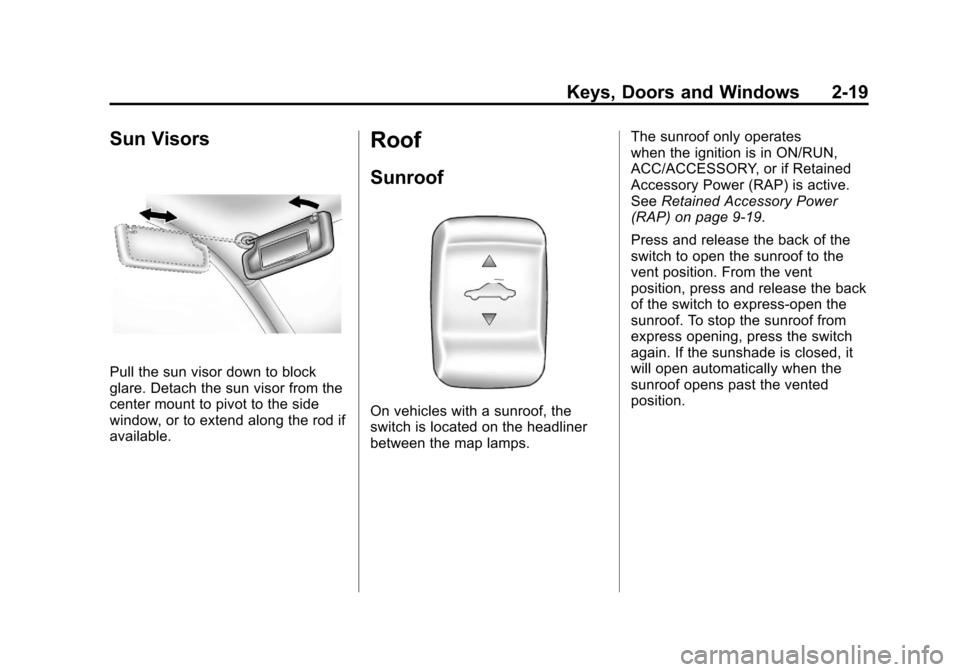
Pull the sun visor down to block
glare. Detach the sun visor from the
center mount to pivot to the side
window, or to extend along the rod if
available.
Roof
Sunroof
On vehicles with a sunroof, the
switch is located on the headliner
between the map lamps.The sunroof only operates
when the ignition is in ON/RUN,
ACC/ACCESSORY, or if Retained
Accessory Power (RAP) is active.
See
Retained Accessory Power
(RAP) on page 9‑19.
Press and release the back of the
switch to open the sunroof to the
vent position. From the vent
position, press and release the back
of the switch to express-open the
sunroof. To stop the sunroof from
express opening, press the switch
again. If the sunshade is closed, it
will open automatically when the
sunroof opens past the vented
position.
Page 55 of 382
Black plate (7,1)Chevrolet Malibu Owner Manual - 2011
Seats and Restraints 3-7
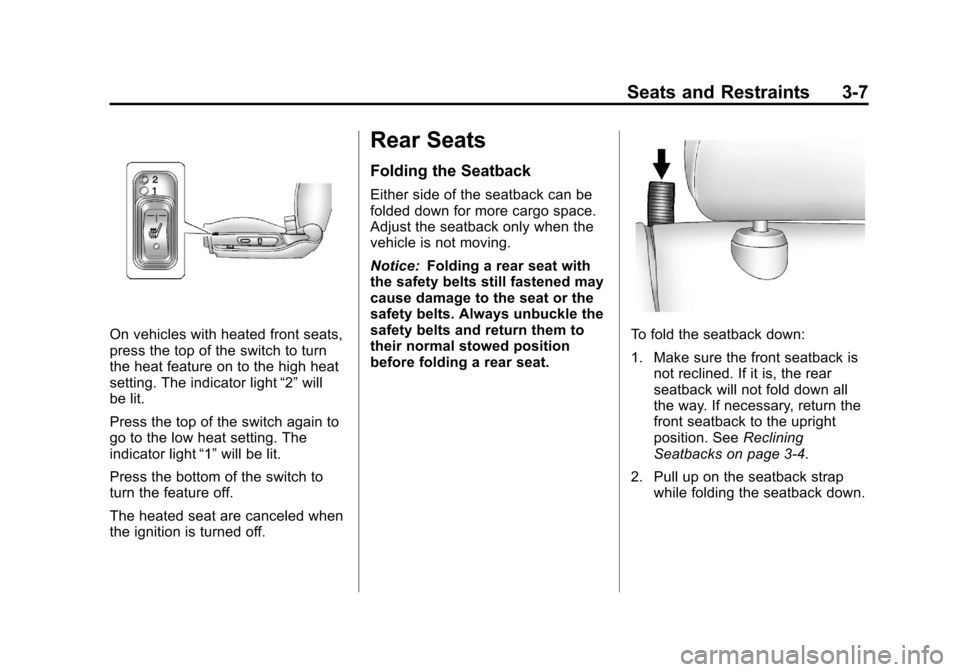
On vehicles with heated front seats,
press the top of the switch to turn
the heat feature on to the high heat
setting. The indicator light“2”will
be lit.
Press the top of the switch again to
go to the low heat setting. The
indicator light “1”will be lit.
Press the bottom of the switch to
turn the feature off.
The heated seat are canceled when
the ignition is turned off.
Rear Seats
Folding the Seatback
Either side of the seatback can be
folded down for more cargo space.
Adjust the seatback only when the
vehicle is not moving.
Notice: Folding a rear seat with
the safety belts still fastened may
cause damage to the seat or the
safety belts. Always unbuckle the
safety belts and return them to
their normal stowed position
before folding a rear seat.
To fold the seatback down:
1. Make sure the front seatback is not reclined. If it is, the rear
seatback will not fold down all
the way. If necessary, return the
front seatback to the upright
position. See Reclining
Seatbacks on page 3‑4.
2. Pull up on the seatback strap while folding the seatback down.