warning CHEVROLET MALIBU 2011 7.G User Guide
[x] Cancel search | Manufacturer: CHEVROLET, Model Year: 2011, Model line: MALIBU, Model: CHEVROLET MALIBU 2011 7.GPages: 382, PDF Size: 5.81 MB
Page 38 of 382
Black plate (10,1)Chevrolet Malibu Owner Manual - 2011
2-10 Keys, Doors and Windows
Doors
Trunk
Press the trunk release button on
the Remote Keyless Entry (RKE)
transmitter for one second to open
the trunk from the outside.
{WARNING
Exhaust gases can enter the
vehicle if it is driven with the
liftgate, trunk/hatch open, or with
any objects that pass through the
seal between the body and the
trunk/hatch or liftgate. Engine
exhaust contains Carbon
Monoxide (CO) which cannot be
seen or smelled. It can cause
unconsciousness and even death.(Continued)
WARNING (Continued)
If the vehicle must be driven with
the liftgate, or trunk/hatch open:
.Close all of the windows.
.Fully open the air outlets on
or under the instrument
panel.
.Adjust the Climate Control
system to a setting that
brings in only outside air and
set the fan speed to the
highest setting. See Climate
Control System in the Index.
.If the vehicle is equipped with
a power liftgate, disable the
power liftgate function.
For more information about
carbon monoxide, see Engine
Exhaust on page 9‑24.
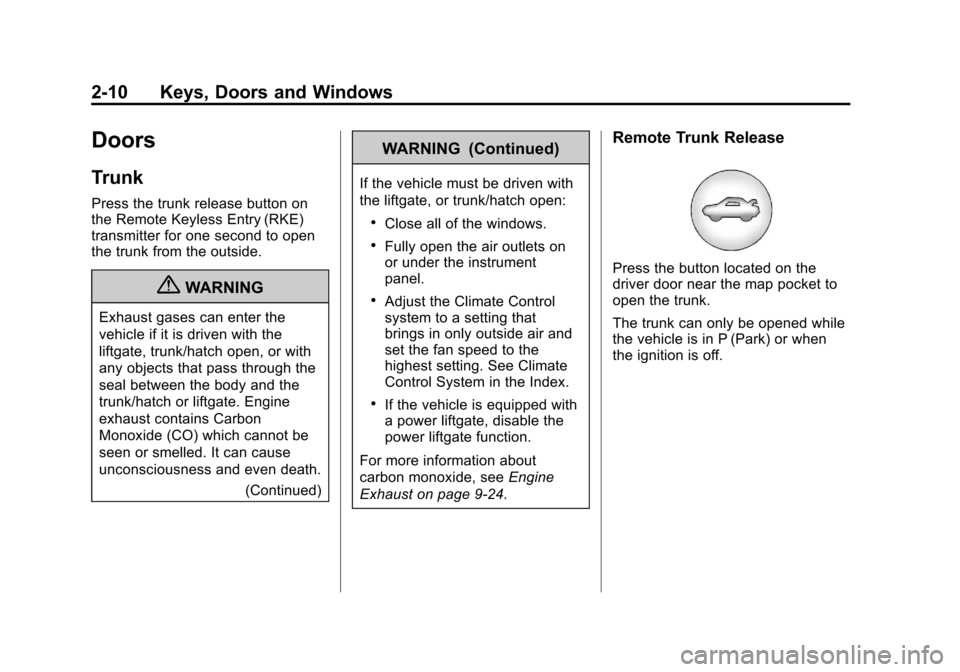
Remote Trunk Release
Press the button located on the
driver door near the map pocket to
open the trunk.
The trunk can only be opened while
the vehicle is in P (Park) or when
the ignition is off.
Page 42 of 382
Black plate (14,1)Chevrolet Malibu Owner Manual - 2011
2-14 Keys, Doors and Windows
If the engine still does not start, and
the key appears to be undamaged
or the light continues to stay on, try
another ignition key. If the engine
does not start with the other key, the
vehicle needs service. If the vehicle
does start, the first key may be
damaged. See your dealer who can
service the theft-deterrent system
and have a new key made.
It is possible for the theft-deterrent
system decoder to learn the
transponder value of a new or
replacement key. Up to 10 keys
can be programmed for the vehicle.
The following procedure is for
programming additional keys only.
To program the new key:
1. Verify that the new key hasa
1stamped on it.
2. Insert the already programmed key in the ignition and start the
engine. If the engine will not
start, see your dealer for service. 3. After the engine has started,
turn the key to LOCK/OFF, and
remove the key.
4. Insert the key to be programmed and turn it to ON/RUN within
five seconds of the original key
being turned to LOCK/OFF in
Step 3.
The security light will turn off
once the key has been
programmed. It may not be
apparent that the security light
went on due to how quickly the
key is programmed.
5. Repeat Steps 1 through 4 if additional keys are to be
programmed.
Do not leave the key or device that
disarms or deactivates the theft
deterrent system in the vehicle.
Exterior Mirrors
Convex Mirrors
{WARNING
A convex mirror can make things,
like other vehicles, look farther
away than they really are. If you
cut too sharply into the right lane,
you could hit a vehicle on the
right. Check the inside mirror or
glance over your shoulder before
changing lanes.
The passenger side mirror is convex
shaped. A convex mirror's surface is
curved so more can be seen from
the driver seat.
Page 44 of 382
Black plate (16,1)Chevrolet Malibu Owner Manual - 2011
2-16 Keys, Doors and Windows
Automatic Dimming
Rearview Mirror
The vehicle may have an automatic
dimming inside rearview mirror with
a compass display and OnStar
®
controls. See your dealer for more
information on the system and how
to subscribe to OnStar
®. See the
OnStar®owner's guide for more
information about the services
OnStar
®provides.
See Compass
on page 5‑5for
more information.
O(On/Off): Press to turn the
dimming feature on or off.
Automatic Dimming Mirror
Operation
Automatic dimming reduces the
glare of lights from behind the
vehicle. The dimming feature comes
on and the indicator light illuminates
each time the vehicle is started.
Cleaning the Mirror
Do not spray glass cleaner directly
on the mirror. Use a soft towel
dampened with water.
Windows
{WARNING
Leaving children, helpless adults,
or pets in a vehicle with the
windows closed is dangerous.
They can be overcome by
the extreme heat and suffer
permanent injuries or even death
from heat stroke. Never leave a
child, a helpless adult, or a pet
alone in a vehicle, especially with
the windows closed in warm or
hot weather.
Page 46 of 382
Black plate (18,1)Chevrolet Malibu Owner Manual - 2011
2-18 Keys, Doors and Windows
To program the driver window, follow
these steps:
1. With the ignition inACC/ACCESSORY, ON/RUN,
or when Retained Accessory
Power (RAP) is active, close
all doors.
2. Press and hold the power window switch until the window
is fully open.
3. Pull the power window switch up until the window is fully closed.
4. Continue holding the switch up for approximately two seconds
after the window is completely
closed.
The window is now reprogrammed.Express Window Anti-Pinch
Feature
If any object is in the path of the
window when the express‐up is
active, the window stops at the
obstruction and auto‐reverse to a
preset factory position. Weather
conditions such as severe icing
may also cause the window to
auto‐reverse. The window returns
to normal operation once the
obstruction or condition is removed.
Express Window Anti‐Pinch
Override
{WARNING
If express override is activated,
the window will not reverse
automatically. You or others could
be injured and the window could
be damaged. Before you use
express override, make sure that
all people and obstructions are
clear of the window path. In an emergency, the anti‐pinch
feature can be overridden in a
supervised mode. Hold the window
switch all the way up to the second
position. The window rises for as
long as the switch is held. Once the
switch is released, the express
mode is re‐activated.
In this mode, the window can still
close on an object in its path. Use
care when using the override mode.
Window Lockout
The driver power window controls
also include a lockout button.
o
(Window Lockout): Press the
lockout button to stop the rear
passengers from using their window
switches. The driver and front
passenger can still operate all the
windows with the lock on. When the
red part of the switch is visible, you
have returned to normal window
operation.
Page 50 of 382
Black plate (2,1)Chevrolet Malibu Owner Manual - 2011
3-2 Seats and Restraints
Head Restraints
The vehicle's front and rear seats
have adjustable head restraints in
the outboard seating positions.
{WARNING
With head restraints that are not
installed and adjusted properly,
there is a greater chance
that occupants will suffer a
neck/spinal injury in a crash.
Do not drive until the head
restraints for all occupants are
installed and adjusted properly.
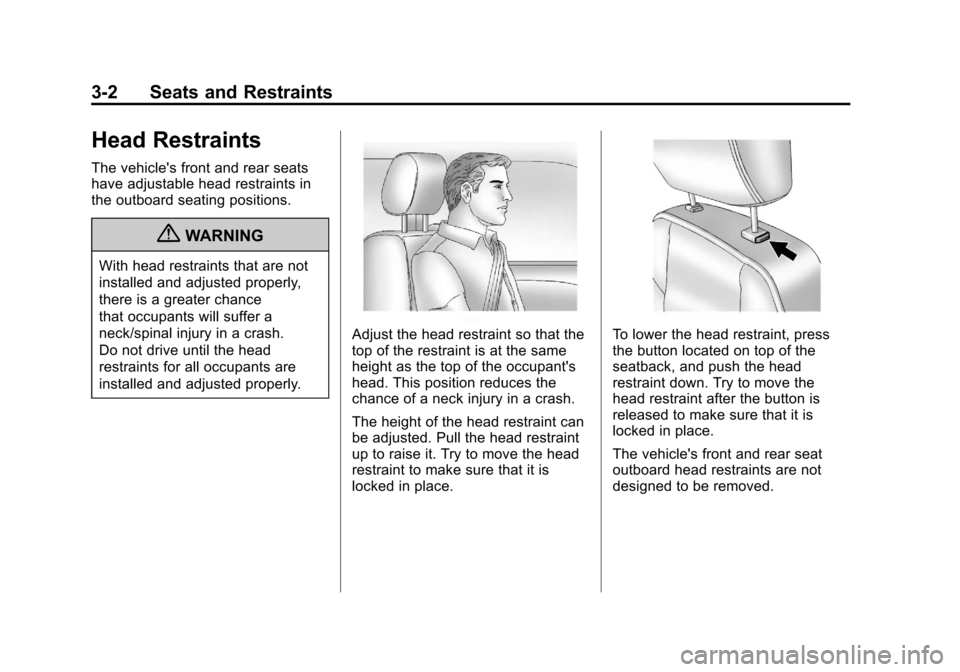
Adjust the head restraint so that the
top of the restraint is at the same
height as the top of the occupant's
head. This position reduces the
chance of a neck injury in a crash.
The height of the head restraint can
be adjusted. Pull the head restraint
up to raise it. Try to move the head
restraint to make sure that it is
locked in place.To lower the head restraint, press
the button located on top of the
seatback, and push the head
restraint down. Try to move the
head restraint after the button is
released to make sure that it is
locked in place.
The vehicle's front and rear seat
outboard head restraints are not
designed to be removed.
Page 51 of 382
Black plate (3,1)Chevrolet Malibu Owner Manual - 2011
Seats and Restraints 3-3
Front Seats
Seat Adjustment
{WARNING
You can lose control of the
vehicle if you try to adjust a
manual driver seat while the
vehicle is moving. The sudden
movement could startle and
confuse you, or make you push a
pedal when you do not want to.
Adjust the driver seat only when
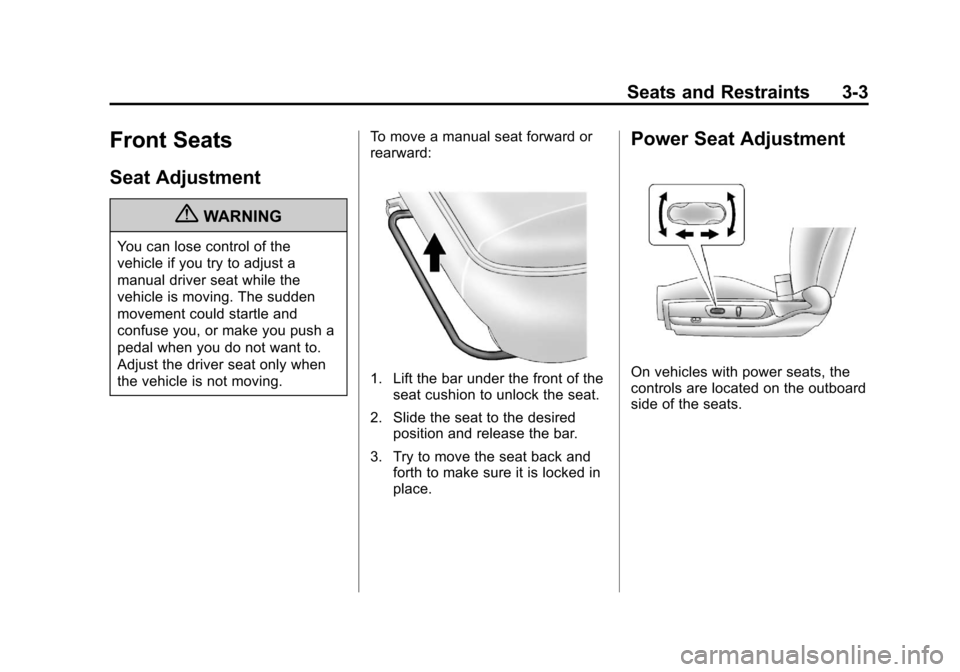
the vehicle is not moving.To move a manual seat forward or
rearward:
1. Lift the bar under the front of the
seat cushion to unlock the seat.
2. Slide the seat to the desired position and release the bar.
3. Try to move the seat back and forth to make sure it is locked in
place.
Power Seat Adjustment
On vehicles with power seats, the
controls are located on the outboard
side of the seats.
Page 52 of 382
Black plate (4,1)Chevrolet Malibu Owner Manual - 2011
3-4 Seats and Restraints
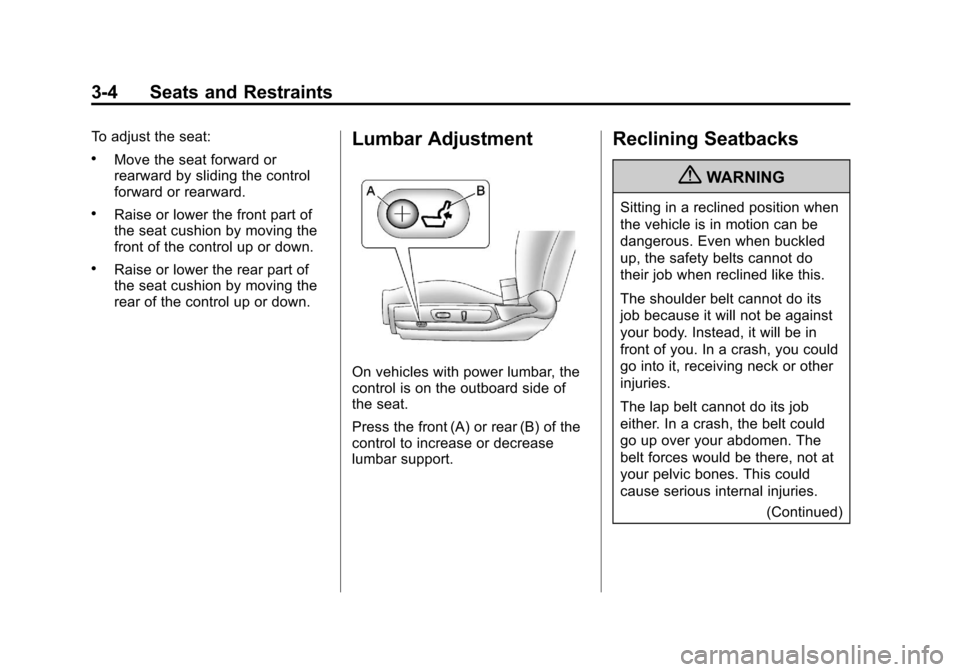
To adjust the seat:
.Move the seat forward or
rearward by sliding the control
forward or rearward.
.Raise or lower the front part of
the seat cushion by moving the
front of the control up or down.
.Raise or lower the rear part of
the seat cushion by moving the
rear of the control up or down.
Lumbar Adjustment
On vehicles with power lumbar, the
control is on the outboard side of
the seat.
Press the front (A) or rear (B) of the
control to increase or decrease
lumbar support.
Reclining Seatbacks
{WARNING
Sitting in a reclined position when
the vehicle is in motion can be
dangerous. Even when buckled
up, the safety belts cannot do
their job when reclined like this.
The shoulder belt cannot do its
job because it will not be against
your body. Instead, it will be in
front of you. In a crash, you could
go into it, receiving neck or other
injuries.
The lap belt cannot do its job
either. In a crash, the belt could
go up over your abdomen. The
belt forces would be there, not at
your pelvic bones. This could
cause serious internal injuries.(Continued)
Page 53 of 382
Black plate (5,1)Chevrolet Malibu Owner Manual - 2011
Seats and Restraints 3-5
WARNING (Continued)
For proper protection when the
vehicle is in motion, have the
seatback upright. Then sit well
back in the seat and wear the
safety belt properly.
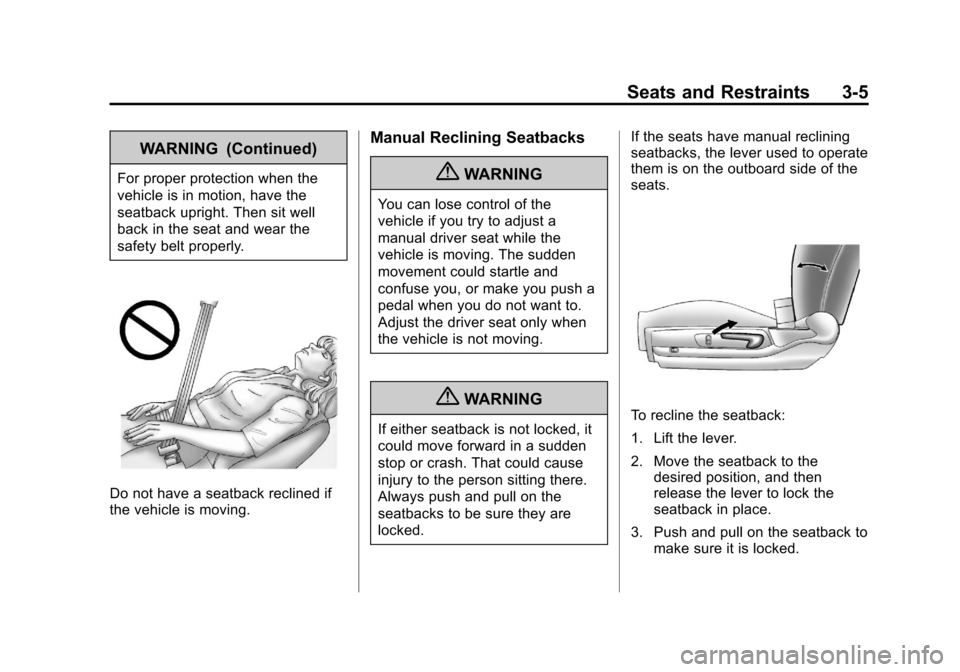
Do not have a seatback reclined if
the vehicle is moving.
Manual Reclining Seatbacks
{WARNING
You can lose control of the
vehicle if you try to adjust a
manual driver seat while the
vehicle is moving. The sudden
movement could startle and
confuse you, or make you push a
pedal when you do not want to.
Adjust the driver seat only when
the vehicle is not moving.
{WARNING
If either seatback is not locked, it
could move forward in a sudden
stop or crash. That could cause
injury to the person sitting there.
Always push and pull on the
seatbacks to be sure they are
locked.If the seats have manual reclining
seatbacks, the lever used to operate
them is on the outboard side of the
seats.To recline the seatback:
1. Lift the lever.
2. Move the seatback to the
desired position, and then
release the lever to lock the
seatback in place.
3. Push and pull on the seatback to make sure it is locked.
Page 54 of 382
Black plate (6,1)Chevrolet Malibu Owner Manual - 2011
3-6 Seats and Restraints
To return the seatback to the upright
position:
1. Lift the lever fully withoutapplying pressure to the
seatback, and the seatback will
return to the upright position.
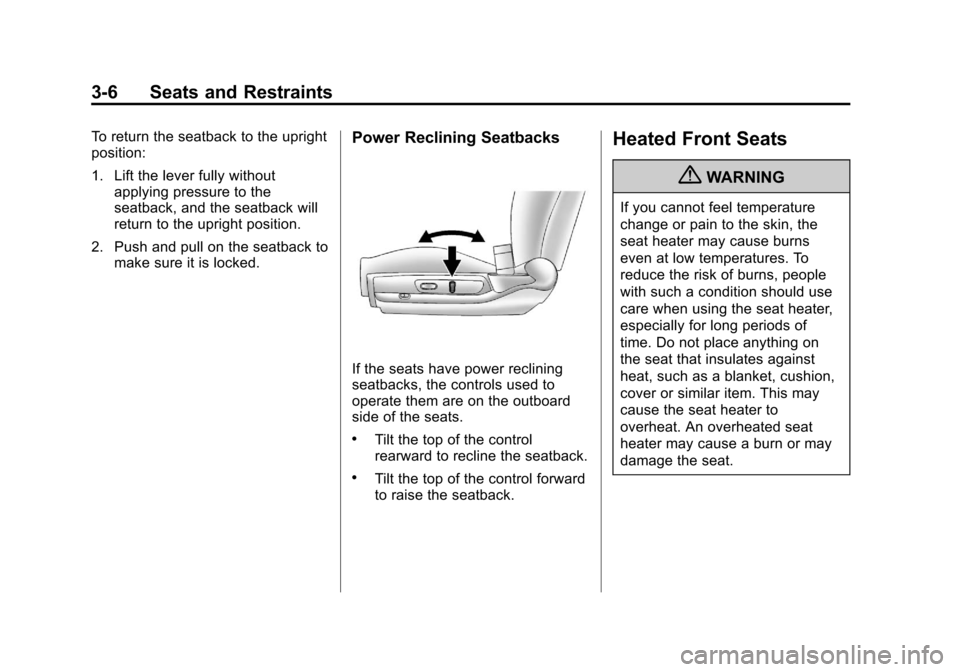
2. Push and pull on the seatback to make sure it is locked.Power Reclining Seatbacks
If the seats have power reclining
seatbacks, the controls used to
operate them are on the outboard
side of the seats.
.Tilt the top of the control
rearward to recline the seatback.
.Tilt the top of the control forward
to raise the seatback.
Heated Front Seats
{WARNING
If you cannot feel temperature
change or pain to the skin, the
seat heater may cause burns
even at low temperatures. To
reduce the risk of burns, people
with such a condition should use
care when using the seat heater,
especially for long periods of
time. Do not place anything on
the seat that insulates against
heat, such as a blanket, cushion,
cover or similar item. This may
cause the seat heater to
overheat. An overheated seat
heater may cause a burn or may
damage the seat.
Page 56 of 382
Black plate (8,1)Chevrolet Malibu Owner Manual - 2011
3-8 Seats and Restraints
Raising the Seatback
{WARNING
A safety belt that is improperly
routed, not properly attached,
or twisted will not provide the
protection needed in a crash. The
person wearing the belt could be
seriously injured. After raising the
rear seatback, always check to be
sure that the safety belts are
properly routed and attached, and
are not twisted.
{WARNING
If either seatback is not locked, it
could move forward in a sudden
stop or crash. That could cause
injury to the person sitting there.
Always push and pull on the
seatbacks to be sure they are
locked.To raise the seatback:
1. Push the seatback up and back
to lock it into place.
2. Push and pull the top of the seatback to be sure it is locked
into position.
3. Make sure that the safety belts are properly stowed over the
seatback in all three seating
positions.
When the seat is not in use, it
should be kept in the upright, locked
position.
Safety Belts
This section of the manual
describes how to use safety belts
properly. It also describes some
things not to do with safety belts.
{WARNING
Do not let anyone ride where a
safety belt cannot be worn
properly. In a crash, if you or your
passenger(s) are not wearing
safety belts, the injuries can be
much worse. You can hit things
inside the vehicle harder or be
ejected from the vehicle. You and
your passenger(s) can be
seriously injured or killed. In the
same crash, you might not be,
if you are buckled up. Always
fasten your safety belt, and check
that your passenger(s) are
restrained properly too.