phone CHEVROLET MALIBU 2012 7.G User Guide
[x] Cancel search | Manufacturer: CHEVROLET, Model Year: 2012, Model line: MALIBU, Model: CHEVROLET MALIBU 2012 7.GPages: 398, PDF Size: 6.06 MB
Page 177 of 398
Black plate (27,1)Chevrolet Malibu Owner Manual - 2012
Infotainment System 7-27
.Only one paired cell phone can
be connected to the Bluetooth
system at a time.
.If multiple paired cell phones are
within range of the system, the
system connects to the first
available paired cell phone in the
order that they were first paired
to the system. To link to a
different paired phone, see
“Connecting to a Different
Phone”later in this section.
Pairing a Phone
1. Press and hold
b/gfor
two seconds.
2. Say “Bluetooth.” This command
can be skipped.
3. Say “Pair.”The system responds
with instructions and a four‐digit
PIN number. The PIN number is
used in Step 5. 4. Start the pairing process on the
cell phone that you want to pair.
For help with this process, see
your cell phone manufacturers
user guide.
5. Locate the device named “Your
Vehicle” in the list on the cell
phone. Follow the instructions
on the cell phone to enter the
PIN that was provided in Step 3.
After the PIN is successfully
entered, the system prompts you
to provide a name for the paired
cell phone. This name will be
used to indicate which phones
are paired and connected to the
vehicle. The system responds
with “
successfully paired” after the
pairing process is complete.
6. Repeat Steps 1 through 5 to pair additional phones. Listing All Paired and Connected
Phones
The system can list all cell phones
paired to it. If a paired cell phone is
also connected to the vehicle, the
system responds with
“is connected”
after that phone name.
1. Press and hold
b/gfor
two seconds.
2. Say “Bluetooth.”
3. Say “List.”
Deleting a Paired Phone
If the phone name you want to
delete is unknown, see “Listing All
Paired and Connected Phones.”
1. Press and hold
b/gfor
two seconds.
2. Say “Bluetooth.”
3. Say “Delete.” The system asks
for which phone to delete.
4. Say the name of the phone you want to delete.
Page 178 of 398
Black plate (28,1)Chevrolet Malibu Owner Manual - 2012
7-28 Infotainment System
Connecting to a Different Phone
To connect to a different cell phone,
the Bluetooth system looks for the
next available cell phone in the
order in which all the available cell
phones were paired. Depending on
which cell phone you want to
connect to, you may have to use
this command several times.
1. Press and hold
b/gfor
two seconds.
2. Say “Bluetooth.”
3. Say “Change phone.”
.If another cell phone is
found, the response will be
“
connected.”
.If another cell phone is not
found, the original phone
remains connected.
Storing and Deleting Phone
Numbers
The system can store up to
30 phone numbers as name tags in
the Hands Free Directory that is
shared between the Bluetooth and
OnStar systems.
The following commands are used
delete and store phone numbers.
Store:This command will store a
phone number, or a group of
numbers as a name tag.
Digit Store: This command allows
a phone number to be stored as a
name tag by entering the digits one
at a time.
Delete: This command is used to
delete individual name tags.
Delete All Name Tags: This
command deletes all stored
name tags in the Hands Free
Calling Directory and the OnStar
Turn‐by‐Turn Destinations Directory. Using the
“Store”Command
1. Press and holdb/gfor
two seconds.
2. Say “Store.”
3. Say the phone number or group of numbers you want to store all
at once with no pauses, then
follow the directions given by the
system to save a name tag for
this number.
Using the “Digit Store” Command
If an unwanted number is
recognized by the system, say
“Clear” at any time to clear the last
number.
To hear all of the numbers
recognized by the system, say
“Verify” at any time.
1. Press and hold
b/gfor
two seconds.
2. Say “Digit Store.”
Page 179 of 398
Black plate (29,1)Chevrolet Malibu Owner Manual - 2012
Infotainment System 7-29
3. Say each digit, one at a time,that you want to store. After
each digit is entered, the system
repeats back the digit it heard
followed by a tone. After the last
digit has been entered, say
“Store,” and then follow the
directions given by the system to
save a name tag for this number.
Using the “Delete”Command
1. Press and hold
b/gfor
two seconds.
2. Say “Delete.”
3. Say the name tag you want to delete.
Using the “Delete All Name Tags”
Command
This command deletes all stored
name tags in the Hands‐Free
Calling Directory and the OnStar
Turn‐by‐Turn Destinations Directory,
if equipped. To delete all name tags:
1. Press and hold
b/gfor
two seconds.
2. Say “Delete all name tags.”
Listing Stored Numbers
The list command will list all the
stored numbers and name tags.
Using the “List”Command
1. Press and hold
b/gfor
two seconds.
2. Say “Directory.”
3. Say “Hands Free Calling.”
4. Say “List.”
Making a Call
Calls can be made using the
following commands.
Dial or Call: The dial or call
command can be used
interchangeably to dial a phone
number or a stored name tag. Digit Dial:
This command allows a
phone number to be dialed by
entering the digits one at a time.
Re‐dial : This command is used to
dial the last number used on the cell
phone.
Using the “Dial”or“Call”
Command
1. Press and hold
b/gfor
two seconds.
2. Say “Dial”or“Call.”
3. Say the entire number without pausing or say the name tag.
Once connected, the person called
will be heard through the audio
speakers.
Using the “Digit Dial” Command
The digit dial command allows a
phone number to be dialed by
entering the digits one at a time.
After each digit is entered, the
system repeats back the digit it
heard followed by a tone.
Page 180 of 398
Black plate (30,1)Chevrolet Malibu Owner Manual - 2012
7-30 Infotainment System
If an unwanted number is
recognized by the system, say
“Clear”at any time to clear the last
number.
To hear all of the numbers
recognized by the system, say
“Verify” at any time.
1. Press and hold
b/gfor
two seconds.
2. Say “Digit Dial.”
3. Say each digit, one at a time, that you want to dial. After each
digit is entered, the system
repeats back the digit it heard
followed by a tone. After the last
digit has been entered,
say “Dial.”
Once connected, the person called
will be heard through the audio
speakers. Using the
“Re‐dial”Command
1. Press and hold
b/gfor
two seconds.
2. After the tone, say “Re‐dial.”
Once connected, the person called
will be heard through the audio
speakers.
Receiving a Call
When an incoming call is received,
the audio system mutes and a ring
tone is heard in the vehicle.
.Pressb/gto answer the call.
.Pressx/cto ignore a call.
Call Waiting
Call waiting must be supported on
the cell phone and enabled by the
wireless service carrier.
.Pressb/gto answer an
incoming call when another call
is active. The original call is
placed on hold.
.Pressb/gagain to return to
the original call.
.To ignore the incoming call, no
action is required.
.Pressx/cto disconnect the
current call and switch to the call
on hold.
Three‐Way Calling
Three‐way calling must be
supported on the cell phone and
enabled by the wireless service
carrier.
1. While on a call, press
b/g.
2. Say “Three‐way call.”
3. Use the dial or call command to dial the number of the third party
to be called.
4. Once the call is connected, press
b/gto link all the callers
together.
Page 181 of 398
Black plate (31,1)Chevrolet Malibu Owner Manual - 2012
Infotainment System 7-31
Ending a Call
Pressx/cto end a call.
Muting a Call
During a call, all sounds from inside
the vehicle can be muted so that the
person on the other end of the call
cannot hear them.
To mute a call, press
b/g, and
then say “Mute Call.”
To cancel mute, press
b/g, and
then say “Un‐mute Call.”
Transferring a Call
Audio can be transferred between
the Bluetooth system and the cell
phone.
The cell phone must be paired and
connected with the Bluetooth
system before a call can be
transferred. The connection process
can take up to two minutes after the
ignition is turned to ON/RUN. Transferring Audio from the
Bluetooth System to a Cell Phone
To transfer a call with the audio in
the vehicle:
1. Press
b/g.
2. Say “Transfer Call.”
Transferring Audio to the
Bluetooth System from a Cell
Phone
During a call with the audio on the
cell phone, press
b/g. The audio
transfers to the vehicle. If the audio
does not transfer to the vehicle,
use the audio transfer feature on the
cell phone. See your cell phone
manufacturers user guide for more
information.
Voice Pass-Thru
Voice pass‐thru allows access to the
voice recognition commands on the
cell phone. See your cell phone
manufacturers user guide to see if
the cell phone supports this feature.
To access contacts stored in the
cell phone:
1. Press and hold
b/gfor
two seconds.
2. Say “Bluetooth.” This command
can be skipped.
3. Say “Voice.” The system
responds “OK, accessing
The cell phone's normal prompt
messages will go through its cycle
according to the phone's operating
instructions.
Page 182 of 398
Black plate (32,1)Chevrolet Malibu Owner Manual - 2012
7-32 Infotainment System
Dual Tone Multi-Frequency
(DTMF) Tones
The Bluetooth system can send
numbers and the numbers stored as
name tags during a call. You can
use this feature when calling a
menu driven phone system. Account
numbers can also be stored for use.
Sending a Number or Name Tag
During a Call
1. Press
b/g. The system
responds “Ready,”followed by
a tone.
2. Say “Dial.”
3. Say the number or name tag to send.
Clearing the System
Unless information is deleted out of
the in‐vehicle Bluetooth system, it
will be retained indefinitely. This
includes all saved name tags in the
phone book and phone pairing
information. For information on how
to delete this information, see the
previous sections on Deleting a
Paired Phone and Deleting
Name Tags.
Other Information
The Bluetooth®word mark and
logos are owned by the Bluetooth®
SIG, Inc. and any use of such marks
by General Motors is under license.
Other trademarks and trade names
are those of their respective owners.
See Radio Frequency Statement on
page 13‑22 for information
regarding Part 15 of the Federal
Communications Commission (FCC)
rules and Industry Canada
Standards RSS-GEN/210/220/310.
Page 194 of 398
Black plate (2,1)Chevrolet Malibu Owner Manual - 2012
9-2 Driving and Operating
Driving Information
Distracted Driving
Distraction comes in many forms
and can take your focus from the
task of driving. Exercise good
judgment and do not let other
activities divert your attention
away from the road. Many local
governments have enacted laws
regarding driver distraction.
Become familiar with the local laws
in your area.To avoid distracted driving, always
keep your eyes on the road, hands
on the wheel, and mind on the drive..Do not use a phone in
demanding driving situations.
Use a hands-free method to
place or receive necessary
phone calls.
.Watch the road. Do not read,
take notes, or look up
information on phones or other
electronic devices.
.Designate a front seat
passenger to handle potential
distractions.
.Become familiar with vehicle
features before driving, such as
programming favorite radio
stations and adjusting climate
control and seat settings.
Program all trip information into
any navigation device prior to
driving.
.Wait until the vehicle is parked
to retrieve items that have fallen
to the floor.
.Stop or park the vehicle to tend
to children.
.Keep pets in an appropriate
carrier or restraint.
.Avoid stressful conversations
while driving, whether with a
passenger or on a cell phone.
{WARNING
Taking your eyes off the road too
long or too often could cause a
crash resulting in injury or death.
Focus your attention on driving.
Refer to the Infotainment section
for more information on using that
system, including pairing and using
a cell phone.
Page 232 of 398
Black plate (40,1)Chevrolet Malibu Owner Manual - 2012
9-40 Driving and Operating
Filling the Tank
{WARNING
Fuel vapor burns violently and a
fuel fire can cause bad injuries.
To help avoid injuries to you and
others, read and follow all the
instructions on the fuel pump
island. Turn off the engine when
refueling. Do not smoke near fuel
or when refueling the vehicle.
Do not use cellular phones. Keep
sparks, flames, and smoking
materials away from fuel. Do not
leave the fuel pump unattended
when refueling the vehicle. This is
against the law in some places.
Do not re-enter the vehicle while
pumping fuel. Keep children away
from the fuel pump; never let
children pump fuel.
The fuel cap is behind the fuel door
on the vehicle's passenger side.
To open the fuel door, push the
rearward center edge in and release
and it will open.
Turn the tethered fuel cap
counterclockwise to remove. If the
vehicle has E85 fuel capability, the
fuel cap will be yellow and state
that E85 or gasoline can be used.
SeeFuel E85 (85% Ethanol) on
page 9‑39. While refueling, hang the
tethered fuel cap from the hook on
the fuel door. Reinstall the cap by
turning it clockwise until it clicks. If the cap is not properly installed,
the Malfunction Indicator Lamp
come on. See
Malfunction Indicator
Lamp on page 5‑16 for more
information.
{WARNING
Fuel can spray out on you if you
open the fuel cap too quickly.
If you spill fuel and then
something ignites it, you could be
badly burned. This spray can
happen if the tank is nearly full,
and is more likely in hot weather.
Open the fuel cap slowly and
wait for any hiss noise to stop.
Then unscrew the cap all the way.
Do not top off or overfill the tank and
wait a few seconds before removing
the nozzle. Clean fuel from painted
surfaces as soon as possible.
See Exterior Care on page 10‑90.
Page 233 of 398
Black plate (41,1)Chevrolet Malibu Owner Manual - 2012
Driving and Operating 9-41
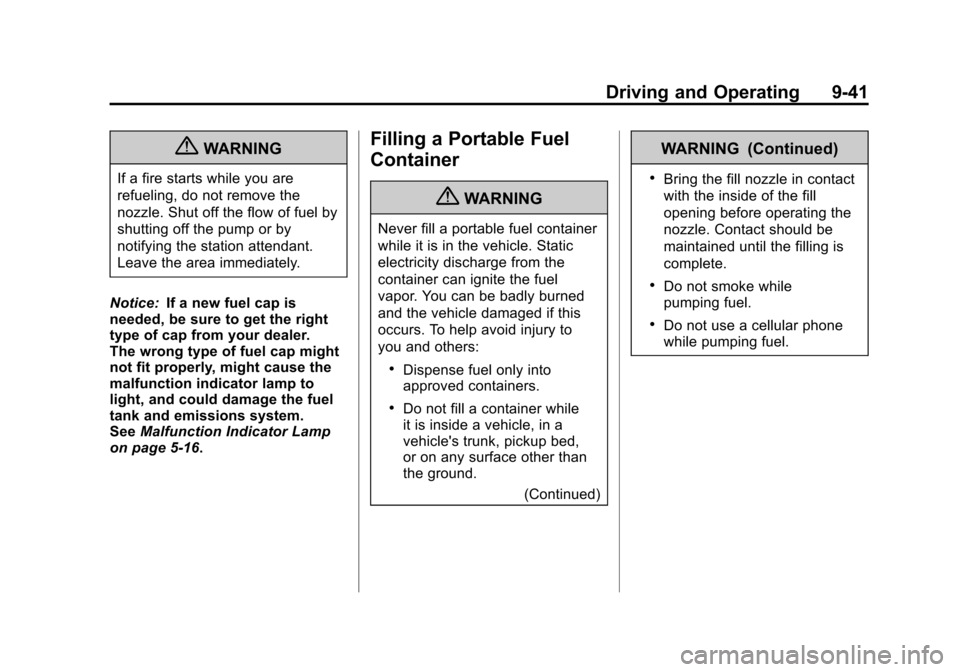
{WARNING
If a fire starts while you are
refueling, do not remove the
nozzle. Shut off the flow of fuel by
shutting off the pump or by
notifying the station attendant.
Leave the area immediately.
Notice: If a new fuel cap is
needed, be sure to get the right
type of cap from your dealer.
The wrong type of fuel cap might
not fit properly, might cause the
malfunction indicator lamp to
light, and could damage the fuel
tank and emissions system.
See Malfunction Indicator Lamp
on page 5‑16.
Filling a Portable Fuel
Container
{WARNING
Never fill a portable fuel container
while it is in the vehicle. Static
electricity discharge from the
container can ignite the fuel
vapor. You can be badly burned
and the vehicle damaged if this
occurs. To help avoid injury to
you and others:
.Dispense fuel only into
approved containers.
.Do not fill a container while
it is inside a vehicle, in a
vehicle's trunk, pickup bed,
or on any surface other than
the ground.
(Continued)
WARNING (Continued)
.Bring the fill nozzle in contact
with the inside of the fill
opening before operating the
nozzle. Contact should be
maintained until the filling is
complete.
.Do not smoke while
pumping fuel.
.Do not use a cellular phone
while pumping fuel.
Page 357 of 398
Black plate (1,1)Chevrolet Malibu Owner Manual - 2012
Customer Information 13-1
Customer
Information
Customer Information
Customer SatisfactionProcedure (U.S. and
Canada) . . . . . . . . . . . . . . . . . . . . 13-2
Customer Satisfaction Procedure (Mexico) . . . . . . . . 13-4
Customer Assistance Offices (U.S. and Canada) . . . . . . . . . 13-5
Customer Assistance Offices (Mexico) . . . . . . . . . . . . . . . . . . . . 13-5
Customer Assistance for Text Telephone (TTY) Users (U.S.
and Canada) . . . . . . . . . . . . . . . 13-6
Online Owner Center . . . . . . . . 13-6 GM Mobility Reimbursement
Program (U.S. and
Canada) . . . . . . . . . . . . . . . . . . . . 13-7
Roadside Assistance Program (U.S. and Canada) . . . . . . . . . 13-7
Roadside Assistance Program (Mexico) . . . . . . . . . 13-10
Scheduling Service Appointments (U.S. and
Canada) . . . . . . . . . . . . . . . . . . 13-13
Courtesy Transportation Program (U.S. and
Canada) . . . . . . . . . . . . . . . . . . 13-13
Collision Damage Repair (U.S. and Canada) . . . . . . . . 13-15
Service Publications Ordering Information . . . . . . 13-18
Reporting Safety Defects
Reporting Safety Defects tothe United States
Government . . . . . . . . . . . . . . . 13-19
Reporting Safety Defects to the Canadian
Government . . . . . . . . . . . . . . . 13-19
Reporting Safety Defects to General Motors . . . . . . . . . . . 13-20
Vehicle Data Recording and
Privacy
Vehicle Data Recording andPrivacy . . . . . . . . . . . . . . . . . . . . 13-20
Event Data Recorders . . . . . . 13-20
OnStar
®. . . . . . . . . . . . . . . . . . . . 13-21
Radio Frequency Identification (RFID) . . . . . . . 13-22
Radio Frequency Statement . . . . . . . . . . . . . . . . . 13-22