remote control CHEVROLET MALIBU 2013 8.G Owner's Manual
[x] Cancel search | Manufacturer: CHEVROLET, Model Year: 2013, Model line: MALIBU, Model: CHEVROLET MALIBU 2013 8.GPages: 436, PDF Size: 7.43 MB
Page 149 of 436
Black plate (41,1)Chevrolet Malibu Owner Manual - 2013 - CRC - 6/6/12
Instruments and Controls 5-41
When programming a garage door,
park outside of the garage. Park
directly in line with and facing the
garage door opener motor-head or
gate motor-head. Be sure that
people and objects are clear of the
garage door or gate being
programmed.
It is recommended that a new
battery be installed in the hand-held
transmitter for quicker and more
accurate transmission of the
radio-frequency signal.
Programming the Universal
Remote System
For questions or help programming
the Universal Remote system, call
1-800-355-3515 or go to
www.homelink.com.
Programming a garage door opener
involves time-sensitive actions, so
read the entire procedure before
starting. Otherwise, the device will
time out and the procedure will have
to be repeated.To program up to three devices:
1. Hold the end of the hand-held
transmitter about 3 to 8 cm
(1 to 3 in) away from the
Universal Remote system
buttons while keeping the
indicator light in view. The
hand-held transmitter was
supplied by the manufacturer
of the garage door opener
receiver (motor-head unit).
2. At the same time, press and hold both the hand-held
transmitter button and one of the
three Universal Remote system
buttons to be used to operate
the garage door. Do not release
the Universal Remote system
button or the hand-held
transmitter button until the
indicator light changes from a
slowly to a rapidly flashing light.
You now may release both
buttons. Some entry gates and garage
door openers may require
substitution of Step 2 with the
procedure noted in
“Gate
Operator and Canadian
Programming” later in this
section.
3. Press and hold for five seconds the newly trained Universal
Remote system button (the
button selected in Step 2) while
observing the indicator light and
garage door activation.
.If the indicator light stays on
continuously or the garage
door starts to move when
the Universal Remote
system button is pressed
and released, then the
programming is complete.
There is no need to
continue programming
Steps 4–6.
Page 150 of 436
Black plate (42,1)Chevrolet Malibu Owner Manual - 2013 - CRC - 6/6/12
5-42 Instruments and Controls
.If the Universal Remote
system indicator light blinks
rapidly for two seconds,
then turns to a constant
light and the garage door
does not move, continue
with programming
Steps 4–6.
It may be helpful to have
another person assist with
the remaining Steps 4–6.
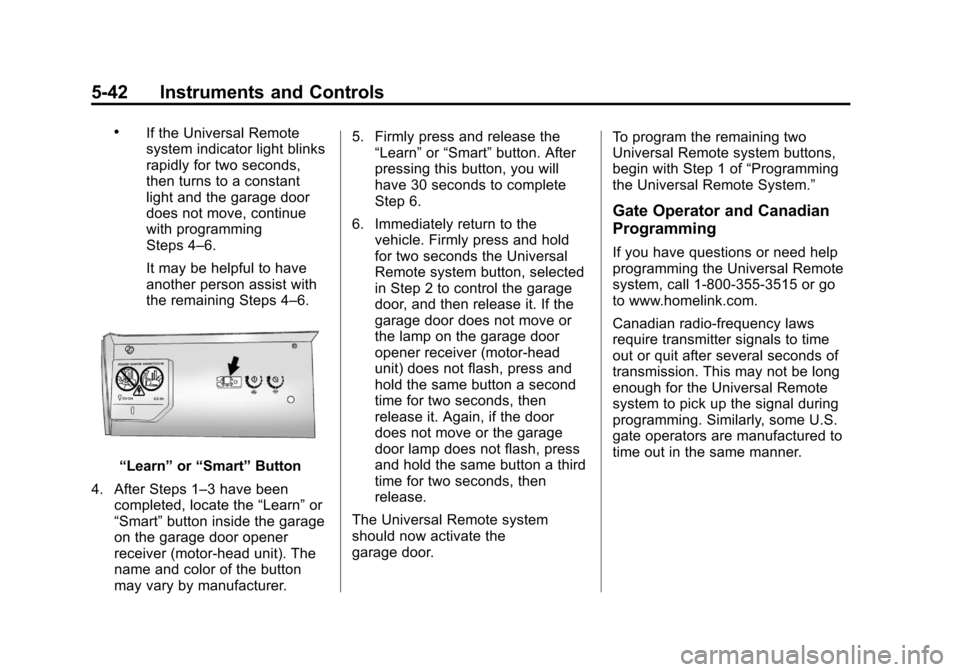
“Learn”or“Smart” Button
4. After Steps 1–3 have been completed, locate the “Learn”or
“Smart” button inside the garage
on the garage door opener
receiver (motor-head unit). The
name and color of the button
may vary by manufacturer. 5. Firmly press and release the
“Learn” or“Smart” button. After
pressing this button, you will
have 30 seconds to complete
Step 6.
6. Immediately return to the vehicle. Firmly press and hold
for two seconds the Universal
Remote system button, selected
in Step 2 to control the garage
door, and then release it. If the
garage door does not move or
the lamp on the garage door
opener receiver (motor-head
unit) does not flash, press and
hold the same button a second
time for two seconds, then
release it. Again, if the door
does not move or the garage
door lamp does not flash, press
and hold the same button a third
time for two seconds, then
release.
The Universal Remote system
should now activate the
garage door. To program the remaining two
Universal Remote system buttons,
begin with Step 1 of
“Programming
the Universal Remote System.”
Gate Operator and Canadian
Programming
If you have questions or need help
programming the Universal Remote
system, call 1-800-355-3515 or go
to www.homelink.com.
Canadian radio-frequency laws
require transmitter signals to time
out or quit after several seconds of
transmission. This may not be long
enough for the Universal Remote
system to pick up the signal during
programming. Similarly, some U.S.
gate operators are manufactured to
time out in the same manner.
Page 151 of 436
Black plate (43,1)Chevrolet Malibu Owner Manual - 2013 - CRC - 6/6/12
Instruments and Controls 5-43
If you live in Canada, or you are
having difficulty programming a gate
operator or garage door opener by
using the“Programming the
Universal Remote System”
procedures, regardless of where
you live, replace Step 2 under
“Programming the Universal Remote
System” with the following:
Continue to press and hold the
Universal Remote system button
while you press and release every
two seconds (cycle) the hand-held
transmitter button until the
frequency signal has been
successfully accepted by the
Universal Remote system. The
Universal Remote system indicator
light will flash slowly at first and then
rapidly. Proceed with Step 3 under
“Programming the Universal Remote
System” to complete.Universal Remote System
Operation
Using the Universal Remote
System
Press and hold the appropriate
Universal Remote system button for
at least half of a second. The
indicator light will come on while the
signal is being transmitted.
Erasing Universal Remote
System Buttons
All programmed buttons should be
erased when the vehicle is sold or
the lease ends.
To erase all programmed buttons on
the Universal Remote system
device:
1. Press and hold down the two
outside buttons until the
indicator light begins to flash.
This should take about
10 seconds.
2. Release both buttons.
Reprogramming a Single
Universal Remote System
Button
To reprogram any of the three
Universal Remote system buttons:
1. Press and hold the desired Universal Remote system
button. Do not release the
button.
2. The indicator light will begin to flash after 20 seconds. Without
releasing the button, proceed
with Step 1 under “Programming
the Universal Remote System.”
If you have questions or need help
programming the Universal Remote
system, call 1-800-355-3515 or go
to www.homelink.com. You may
also call the customer assistance
phone number under Customer
Assistance Offices (U.S. and
Canada) on page 13‑5 orCustomer
Assistance Offices (Mexico) on
page 13‑5.
Page 191 of 436
Black plate (31,1)Chevrolet Malibu Owner Manual - 2013 - CRC - 6/6/12
Infotainment System 7-31
Controlling a Bluetooth Device
Bluetooth devices that support
AVRCP (Audio/Video Remote
Control Profile) version 1.0 may be
able to be controlled by the
infotainment system.
Press and release
©or¨to skip
tracks.
Playing from a USB (Radio
with CD and Touchscreen)
A USB mass storage device or
Microsoft Transfer Protocal (MTP)
device can be connected to the
USB port.
The USB port is in the center
console.
The USB icon displays when the
USB device is connected.
USB MP3 Player and USB Drives
.The USB MP3 players and USB
drives connected must comply
with the USB Mass Storage
Class specification (USB MSC).
.Only USB MP3 players and USB
drives with a sector size of
512 bytes and a cluster size
smaller or equal to 32 kbytes in
the FAT32 file system are
supported.
.Hard disk drives are not
supported.
.The following restrictions apply
for the data stored on a USB
MP3 player or USB device:
‐ Maximum folder structure
depth: 11 levels.
‐ Maximum number of MP3/
WMA files that can be
displayed: 1,000.
.WMA with Digital Rights
Management (DRM) from online
music shops cannot be played.
WMA files can only be played
back safely if they were created
with Windows Media Player
version 8 or later.
‐Applicable playlist
extensions: .m3u, .pls. ‐
Playlist entries must be in the
form of relative paths.
‐ The system attribute for
folders/files that contain audio
data must not be set.
To play a USB device, do one of the
following:
.Connect the USB and it begins
to play.
.Press the Now Playing screen
button on the Home Page, then
press the SOURCE button on
the faceplate repeatedly to cycle
through all of the available audio
source screens, until the USB
source screen is selected.
While the USB source is active, use
the following to operate USB
function:
w j(Play/Pause): Press to start,
pause, or resume play of the current
media source.
Page 212 of 436
Black plate (6,1)Chevrolet Malibu Owner Manual - 2013 - CRC - 6/6/12
8-6 Climate Controls
h(Recirculation):Press to turn
on recirculation. An indicator light
comes on. Air is recirculated to
quickly cool the inside of the vehicle
or prevent outside air and odors
from entering.
Auto Defog: The climate control
system may have a sensor to
automatically detect high humidity
inside the vehicle. When high
humidity is detected, the climate
control system may adjust to
outside air supply and turn on the
air conditioner. The fan speed may
slightly increase to help prevent
fogging. If the climate control
system does not detect possible
window fogging, it returns to normal
operation. To turn Auto Defog off or
on, see “Climate and Air Quality”
under Vehicle Personalization on
page 5‑35.M/L(Heated Seats, If
Equipped): Press to turn the
heated seats on or off. See Heated
Front Seats on page 3‑8.
Rear Window Defogger
=(Rear Window Defogger):
Press to turn the rear window
defogger on or off.
The rear window defogger turns
off automatically after about
10 minutes. If turned on again, it
runs for about five minutes before
turning off. At higher speeds, the
rear window defogger may stay on
continuously.
For vehicles with heated outside
rearview mirrors, they turn on with
the rear window defogger and help
to clear fog or frost from the surface
of the mirror. See Heated Mirrors on
page 2‑16. Notice:
Using a razor blade or
sharp object to clear the inside
rear window can damage the rear
window antenna and/or the rear
window defogger. Repairs would
not be covered by the vehicle
warranty. Do not clear the inside
rear window with sharp objects.
Remote Start Climate Control
Operation (If Equipped): For
vehicles with the remote start
feature, the climate control system
may run when the vehicle is started
remotely. The system uses the
driver ’s previous settings to heat or
cool the inside of the vehicle. The
rear defog may come on during
remote start based on cold ambient
conditions. The rear defog indicator
light does not come on during a
remote start. The front heated seats
will turn on if it is cold outside. The
heated seat indicator lights do not
come on during a remote start.
Page 269 of 436
Black plate (3,1)Chevrolet Malibu Owner Manual - 2013 - CRC - 6/6/12
Vehicle Care 10-3
California Proposition
65 Warning
Most motor vehicles, including this
one, contain and/or emit chemicals
known to the State of California to
cause cancer and birth defects or
other reproductive harm. Engine
exhaust, many parts and systems,
many fluids, and some component
wear by-products contain and/or
emit these chemicals.
California Perchlorate
Materials Requirements
Certain types of automotive
applications, such as airbag
initiators, safety belt pretensioners,
and lithium batteries contained in
Remote Keyless Entry transmitters,
may contain perchlorate materials.
Special handling may be necessary.
For additional information, see
www.dtsc.ca.gov/hazardouswaste/
perchlorate.
Accessories and
Modifications
Adding non‐dealer accessories or
making modifications to the vehicle
can affect vehicle performance and
safety, including such things as
airbags, braking, stability, ride and
handling, emissions systems,
aerodynamics, durability, and
electronic systems like antilock
brakes, traction control, and stability
control. These accessories or
modifications could even cause
malfunction or damage not covered
by the vehicle warranty.
Page 418 of 436
Black plate (4,1)Chevrolet Malibu Owner Manual - 2013 - CRC - 6/6/12
14-4 OnStar
Connections
OnStar Hands-Free Calling allows
calls to be made and received from
the vehicle. The vehicle can also be
controlled from a cell phone through
the OnStar RemoteLink mobile app.
See www.onstar.com for
coverage maps.
Hands-Free Calling
1. Push=. System responds:
“OnStar ready.”
2. Say “Call.”System responds:
“Please say the name or number
to call.”
3. Say the entire number without pausing, including a “1”and the
area code. System responds:
“OK calling.”
Calling 911 Emergency
1. Press=. The system responds
“OnStar Ready,” followed by
a tone. 2. Say
“Call.”The system responds
“Please say the name or number
to call.”
3. Say “911”without pausing. The
system responds “911.”
4. Say “Call.”The system responds
“OK, dialing 911.”
Retrieve My Number
1. Push=. System responds:
“OnStar ready.”
2. Say “My number.” System
responds: “Your OnStar
Hands-Free Calling number is.”
End a Call
Push=. System responds: “Call
ended.”
Store a Name Tag for Speed
Dialing
1. Push=. System responds:
“OnStar ready.”
2. Say “Store.” System responds:
“Please say the number you
would like to store.” 3. Say the entire number without
pausing. System responds:
“Please say the name tag.”
4. Pick a name tag. System responds: “About to store
5. Say “Yes”or“No” to try again.
System responds: “OK, storing
Place a Call Using a Stored
Number
1. Push=. System responds:
“OnStar ready.”
2. Say “Call
responds: “OK, calling
Verify Minutes and Expiration
Push=and say “Minutes” then
“Verify” to check how many minutes
remain and their expiration date.
Page 420 of 436
Black plate (6,1)Chevrolet Malibu Owner Manual - 2013 - CRC - 6/6/12
14-6 OnStar
OnStar service cannot work unless
your vehicle is in a place where
OnStar has an agreement with a
wireless service provider for service
in that area, and the wireless
service provider has coverage,
network capacity, reception, and
technology compatible with OnStar
service. Service involving location
information about the vehicle cannot
work unless GPS signals are
available, unobstructed, and
compatible with the OnStar
hardware. OnStar service may not
work if the OnStar equipment is not
properly installed or it has not been
properly maintained. If equipment or
software is added, connected,
or modified, OnStar service may not
work. Other problems beyond the
control of OnStar may prevent
service such as hills, tall buildings,
tunnels, weather, electrical system
design and architecture of the
vehicle, damage to the vehicle in a
crash, or wireless phone network
congestion or jamming.See
Radio Frequency Statement on
page 13‑21 for information
regarding Part 15 of the Federal
Communications Commission (FCC)
rules and Industry Canada
Standards RSS-GEN/210/220/310.
Services for People with
Disabilities
Advisors provide services to help
subscribers with physical disabilities
and medical conditions.
Push
|for help with:
.Locating a gas station with an
attendant to pump gas.
.Finding a hotel, restaurant, etc.,
that meets accessibility needs.
.Providing directions to the
closest hospital or pharmacy in
urgent situations.
TTY Users
OnStar has the ability to
communicate to the deaf,
hard-of-hearing, or speech-impaired
customers while in the vehicle. The available dealer-installed TTY
system can provide in-vehicle
access to all of the OnStar services,
except Virtual Advisor and OnStar
Turn-by-Turn Navigation.
OnStar.com
The website provides access to
account information, manages the
OnStar subscription, and allows
viewing of videos of each service.
Get subscription plan pricing and
sign up for OnStar Vehicle
Diagnostics. Click on the
“My
Account” tab on the home page.
OnStar Personal Identification
Number (PIN)
A PIN is needed to access some of
the OnStar services, like Remote
Door Unlock and Stolen Vehicle
Assistance. You will be prompted to
change the PIN the first time when
speaking with an Advisor. To
change the OnStar PIN, call OnStar
and provide the Advisor with the
current number.
Page 430 of 436

Black plate (6,1)Chevrolet Malibu Owner Manual - 2013 - CRC - 6/6/12
i-6 INDEX
High-Beam On Light . . . . . . . . . . . 5-23
High-Speed Operation . . . . . . . . 10-53
Highway Hypnosis . . . . . . . . . . . . . . 9-6
Hill and Mountain Roads . . . . . . . . 9-7
Hill Start Assist (HSA) . . . . . . . . . 9-31
Hood . . . . . . . . . . . . . . . . . . . . . . . . . . 10-5
Horn . . . . . . . . . . . . . . . . . . . . . . . . . . . . 5-3
How to Wear Safety BeltsProperly . . . . . . . . . . . . . . . . . . . . . . 3-12
I
Ignition Positions . . . . . . . . 9-14, 9-16
Ignition Transmission LockCheck . . . . . . . . . . . . . . . . . . . . . . . 10-26
Immobilizer . . . . . . . . . . . . . . . . . . . . 2-13
Infants and Young Children, Restraints . . . . . . . . . . . . . . . . . . . . 3-34
Infotainment . . . . . . . . . . . . . . . . . . . . 7-1
Infotainment System . . . . . . . . . . 13-21
Instrument Cluster . . . . . . . . . . . . . . 5-8
Instrument Panel
Storage Area . . . . . . . . . . . . . . . . . . 4-1
Instrument Panel Overview . . . . . 1-2
Introduction . . . . . . . . . . . . . . . . . . . . . . . iii
J
Jump Starting . . . . . . . . . .10-90, 10-92
K
Key and Lock Messages . . . . . . . 5-31
Keyless Entry
Remote (RKE) System . . . . . . . . 2-3
Keys . . . . . . . . . . . . . . . . . . . . . . . . . . . . 2-2
L
Labeling, Tire Sidewall . . . . . . . . 10-46
Lamps Courtesy . . . . . . . . . . . . . . . . . . . . . . . 6-5
Daytime Running (DRL) . . . . . . . 6-2
Dome . . . . . . . . . . . . . . . . . . . . . . . . . . 6-5
Exterior Controls . . . . . . . . . . . . . . . 6-1
Exterior Lamps OffReminder . . . . . . . . . . . . . . . . . . . . 6-2
License Plate . . . . . . . . . . . . . . . 10-35
Malfunction Indicator . . . . . . . . . 5-14
Messages . . . . . . . . . . . . . . . . . . . . 5-31
On Reminder . . . . . . . . . . . . . . . . . 5-23
Reading . . . . . . . . . . . . . . . . . . . . . . . 6-6 Lane Departure Warning . . . . . . . 9-43
Lane Departure Warning
Light . . . . . . . . . . . . . . . . . . . . . . . . . 5-18
Lap-Shoulder Belt . . . . . . . . . . . . . 3-13
LATCH System Replacing Parts after aCrash . . . . . . . . . . . . . . . . . . . . . . . 3-47
LATCH, Lower Anchors and Tethers for Children . . . . . . . . . . 3-40
LED Lighting . . . . . . . . . . . . . . . . . . 10-29
Lighting Entry . . . . . . . . . . . . . . . . . . . . . . . . . . 6-6
Exit . . . . . . . . . . . . . . . . . . . . . . . . . . . . 6-7
Illumination Control . . . . . . . . . . . . 6-5
LED . . . . . . . . . . . . . . . . . . . . . . . . 10-29
Lights
Airbag Readiness . . . . . . . . . . . . . 5-12
Antilock Brake System(ABS) Warning . . . . . . . . . . . . . . 5-18
Brake System Warning . . . . . . . 5-17
Charging System . . . . . . . . . . . . . 5-14
Cruise Control . . . . . . . . . . . . . . . . 5-23
Door Ajar . . . . . . . . . . . . . . . . . . . . . 5-24
Electric Parking Brake . . . . . . . . 5-17
Engine Coolant Temperature Warning . . . . . . . 5-20
Page 433 of 436

Black plate (9,1)Chevrolet Malibu Owner Manual - 2013 - CRC - 6/6/12
INDEX i-9
ProgramCourtesy Transportation . . . . 13-13
Proposition 65 Warning, California . . . . . . . . . . . . . . . . . . . . . 10-3
R
Radio FrequencyIdentification (RFID) . . . . . . . . 13-21
Statement . . . . . . . . . . . . . . . . . . 13-21
Radios AM-FM Radio . . . . . . . . . . . . . . . . . 7-14
Reception . . . . . . . . . . . . . . . . . . . . 7-20
Satellite . . . . . . . . . . . . . . . . . . . . . . . 7-19
Reading Lamps . . . . . . . . . . . . . . . . . 6-6
Rear Seat Armrest . . . . . . . . . . . . . 3-10
Rear Seats . . . . . . . . . . . . . . . . . . . . . 3-9
Rear Vision Camera (RVC) . . . . 9-40
Rearview Mirrors . . . . . . . . . . . . . . 2-16 Automatic Dimming . . . . . . . . . . . 2-16
Reclining Seatbacks . . . . . . . . . . . . 3-4
Recommended Fuel . . . . . . . . . . . . . . . . . . . . . . . . . . 9-45
Recommended Fluids and
Lubricants . . . . . . . . . . . . . . . . . . . 11-12
Records Maintenance . . . . . . . . . . . . . . . . .11-15 Recreational Vehicle
Towing . . . . . . . . . . . . . . . . . . . . . . 10-95
Reimbursement Program, GM Mobility . . . . . . . . . . . . . . . . . . 13-7
Remote Keyless Entry (RKE) System . . . . . . . . . . . . . . . . . . . . . . . . 2-3
Remote Vehicle Start . . . . . . . . . . . 2-7
Replacement Bulbs . . . . . . . . . . . 10-36
Replacement Parts
Airbags . . . . . . . . . . . . . . . . . . . . . . . 3-31
Maintenance . . . . . . . . . . . . . . . . .11-14
Replacing Airbag System . . . . . . 3-31
Replacing LATCH System Parts after a Crash . . . . . . . . . . . 3-47
Replacing Safety Belt System Parts after a Crash . . . 3-18
Reporting Safety Defects Canadian Government . . . . . . 13-19
General Motors . . . . . . . . . . . . . 13-19
U.S. Government . . . . . . . . . . . 13-18
Restraints
Where to Put . . . . . . . . . . . . . . . . . 3-38
Retained Accessory Power (RAP) . . . . . . . . . . . . . . . . . 9-22
Reverse Tilt Mirrors . . . . . . . . . . . . 2-16 Ride Control Systems
Messages . . . . . . . . . . . . . . . . . . . . 5-32
Roads Driving, Wet . . . . . . . . . . . . . . . . . . . 9-5
Roadside Assistance Program . . . . . . . . . . . . . . . 13-7, 13-11
Roof
Sunroof . . . . . . . . . . . . . . . . . . . . . . . 2-19
Rotation, Tires . . . . . . . . . . . . . . . . 10-59
Routing, Engine Drive Belt . . . . . 12-4
Running the Vehicle While Parked . . . . . . . . . . . . . . . . . . . . . . . 9-25
S
Safety Belts . . . . . . . . . . . . . . . . . . . 3-11Care . . . . . . . . . . . . . . . . . . . . . . . . . . 3-18
Extender . . . . . . . . . . . . . . . . . . . . . . 3-17
How to Wear Safety BeltsProperly . . . . . . . . . . . . . . . . . . . . . 3-12
Lap-Shoulder Belt . . . . . . . . . . . . 3-13
Reminders . . . . . . . . . . . . . . . . . . . . 5-12
Replacing after a Crash . . . . . . 3-18
Use During Pregnancy . . . . . . . . 3-17