sensor CHEVROLET MALIBU 2017 9.G User Guide
[x] Cancel search | Manufacturer: CHEVROLET, Model Year: 2017, Model line: MALIBU, Model: CHEVROLET MALIBU 2017 9.GPages: 419, PDF Size: 7.81 MB
Page 150 of 419
Chevrolet Malibu Owner Manual (GMNA-Localizing-U.S./Canada/Mexico-10122664) - 2017 - crc - 5/23/16
Instruments and Controls 149
Climate and Air Quality
Select and the following maydisplay:
.Auto Fan Speed
.Air Quality Sensor
.Auto Defog
.Auto Rear Defog
Auto Fan Speed
This adjusts the blower level duringautomatic operation.
Select Low, Medium, or High.
Air Quality Sensor
This automatically selectsrecirculate when certain gases aredetected.
Select Off, Low Sensitivity, or HighSensitivity.
Auto Defog
This allows the climate controlsystem to prevent fog on the insideof the windows. See“Auto Defog”inDual Automatic Climate ControlSystem0208.
Select Off or On.
Auto Rear Defog
This allows the rear windowdefogger to turn on automaticallywhen the interior temperature is coldand the outside temperature isabout 7 °C (44 °F) and below. See“Rear Window Defogger”inDualAutomatic Climate ControlSystem0208.
Select Off or On.
Comfort and Convenience
Select and the following maydisplay:
.Auto Memory Recall
.Easy Exit Options
.Chime Volume
.Reverse Tilt Mirror
.Extended Hill Start Assist
Auto Memory Recall
This feature automatically recallsthe current driver’spreviouslystored1or2positionswhentheignitionischanged from OFF to ON/RUN/START or ACCESSORY. SeeMemory Seats059.
Select Off or On.
Easy Exit Options
This feature automatically recallsthe current driver’spreviouslystoredExit button position when exiting thevehicle. SeeMemory Seats059.
Select Off or On.
Chime Volume
Select to set the chime volumelevel.
Reverse Tilt Mirror
When on, both the driver andpassenger, driver, or passengermirrors will tilt downward when thevehicle is shifted to R (Reverse) toimprove visibility of the ground nearthe rear wheels. They will return totheir previous driving position whenthe vehicle is shifted out ofR(Reverse)ortheignitionisturnedto OFF.
Select Off, On - Driver andPassenger, On - Driver, or On -Passenger.
Page 165 of 419
Chevrolet Malibu Owner Manual (GMNA-Localizing-U.S./Canada/Mexico-10122664) - 2017 - crc - 5/23/16
164 Lighting
IntelliBeam®System
If equipped, this system turns thevehicle's high-beam headlamps onand off according to surroundingtraffic conditions.
The system turns the high-beamheadlamps on when it is darkenough and there is no other trafficpresent.
This lightbcomes on in the
instrument cluster when theIntelliBeam system is enabled.
Turning On and EnablingIntelliBeam
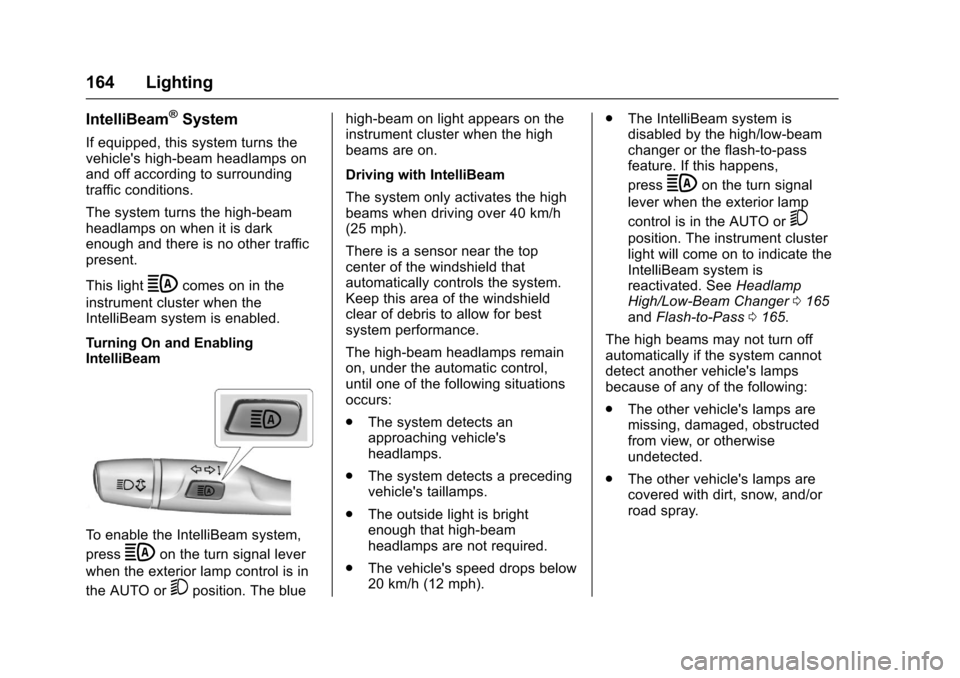
To e n a b l e t h e I n t e l l i B e a m s y s t e m ,
pressbon the turn signal lever
when the exterior lamp control is in
the AUTO or5position. The blue
high-beam on light appears on theinstrument cluster when the highbeams are on.
Driving with IntelliBeam
The system only activates the highbeams when driving over 40 km/h(25 mph).
There is a sensor near the topcenter of the windshield thatautomatically controls the system.Keep this area of the windshieldclear of debris to allow for bestsystem performance.
The high-beam headlamps remainon, under the automatic control,until one of the following situationsoccurs:
.The system detects anapproaching vehicle'sheadlamps.
.The system detects a precedingvehicle's taillamps.
.The outside light is brightenough that high-beamheadlamps are not required.
.The vehicle's speed drops below20 km/h (12 mph).
.The IntelliBeam system isdisabled by the high/low-beamchanger or the flash-to-passfeature. If this happens,
pressbon the turn signal
lever when the exterior lamp
control is in the AUTO or5
position. The instrument clusterlight will come on to indicate theIntelliBeam system isreactivated. SeeHeadlampHigh/Low-Beam Changer0165andFlash-to-Pass0165.
The high beams may not turn offautomatically if the system cannotdetect another vehicle's lampsbecause of any of the following:
.The other vehicle's lamps aremissing, damaged, obstructedfrom view, or otherwiseundetected.
.The other vehicle's lamps arecovered with dirt, snow, and/orroad spray.
Page 166 of 419
Chevrolet Malibu Owner Manual (GMNA-Localizing-U.S./Canada/Mexico-10122664) - 2017 - crc - 5/23/16
Lighting 165
.The other vehicle's lamps cannotbe detected due to denseexhaust, smoke, fog, snow, roadspray, mist, or other airborneobstructions.
.The vehicle's windshield is dirty,cracked, or obstructed bysomething that blocks the viewof the light sensor.
.The vehicle is loaded such thatthe front end points upward,causing the light sensor to aimhigh and not detect headlampsand taillamps.
.Driving on winding or hilly roads.
The IntelliBeam system may need tobe disabled if any of the aboveconditions exist.
Exterior Lamps Off
Reminder
Awarningchimesoundsifthedriverdoor is opened while the ignition isoff and the exterior lamps are on.
Headlamp High/
Low-Beam Changer
3:Push the turn signal lever awayfrom you and release, to turn thehigh beams on. To return to lowbeams, push the lever again or pullit toward you and release.
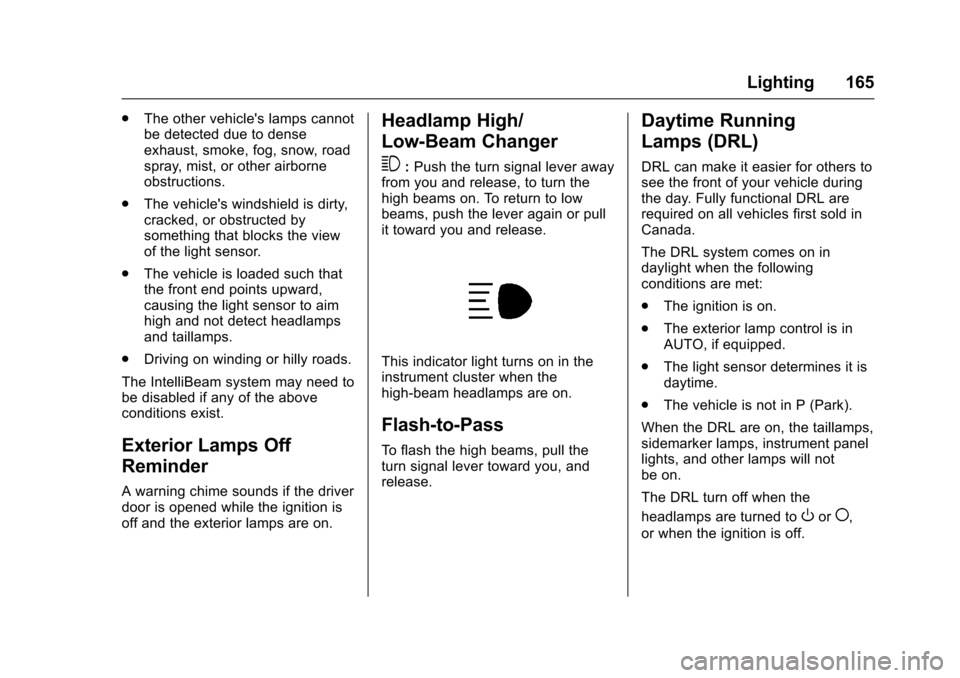
This indicator light turns on in theinstrument cluster when thehigh-beam headlamps are on.
Flash-to-Pass
To f l a s h t h e h i g h b e a m s , p u l l t h eturn signal lever toward you, andrelease.
Daytime Running
Lamps (DRL)
DRL can make it easier for others tosee the front of your vehicle duringthe day. Fully functional DRL arerequired on all vehicles first sold inCanada.
The DRL system comes on indaylight when the followingconditions are met:
.The ignition is on.
.The exterior lamp control is inAUTO, if equipped.
.The light sensor determines it isdaytime.
.The vehicle is not in P (Park).
When the DRL are on, the taillamps,sidemarker lamps, instrument panellights, and other lamps will notbe on.
The DRL turn off when the
headlamps are turned toOor(,
or when the ignition is off.
Page 167 of 419
Chevrolet Malibu Owner Manual (GMNA-Localizing-U.S./Canada/Mexico-10122664) - 2017 - crc - 5/23/16
166 Lighting
Automatic Headlamp
System
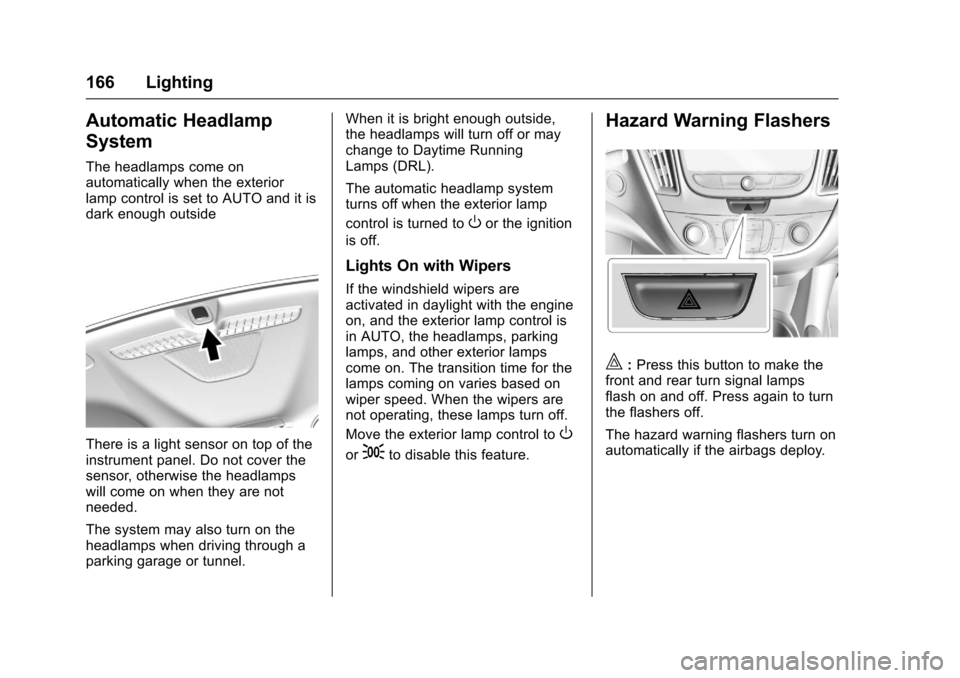
The headlamps come onautomatically when the exteriorlamp control is set to AUTO and it isdark enough outside
There is a light sensor on top of theinstrument panel. Do not cover thesensor, otherwise the headlampswill come on when they are notneeded.
The system may also turn on theheadlamps when driving through aparking garage or tunnel.
When it is bright enough outside,the headlamps will turn off or maychange to Daytime RunningLamps (DRL).
The automatic headlamp systemturns off when the exterior lamp
control is turned toOor the ignition
is off.
Lights On with Wipers
If the windshield wipers areactivated in daylight with the engineon, and the exterior lamp control isin AUTO, the headlamps, parkinglamps, and other exterior lampscome on. The transition time for thelamps coming on varies based onwiper speed. When the wipers arenot operating, these lamps turn off.
Move the exterior lamp control toO
or;to disable this feature.
Hazard Warning Flashers
|:Press this button to make thefront and rear turn signal lampsflash on and off. Press again to turnthe flashers off.
The hazard warning flashers turn onautomatically if the airbags deploy.
Page 207 of 419
Chevrolet Malibu Owner Manual (GMNA-Localizing-U.S./Canada/Mexico-10122664) - 2017 - crc - 5/23/16
206 Climate Controls
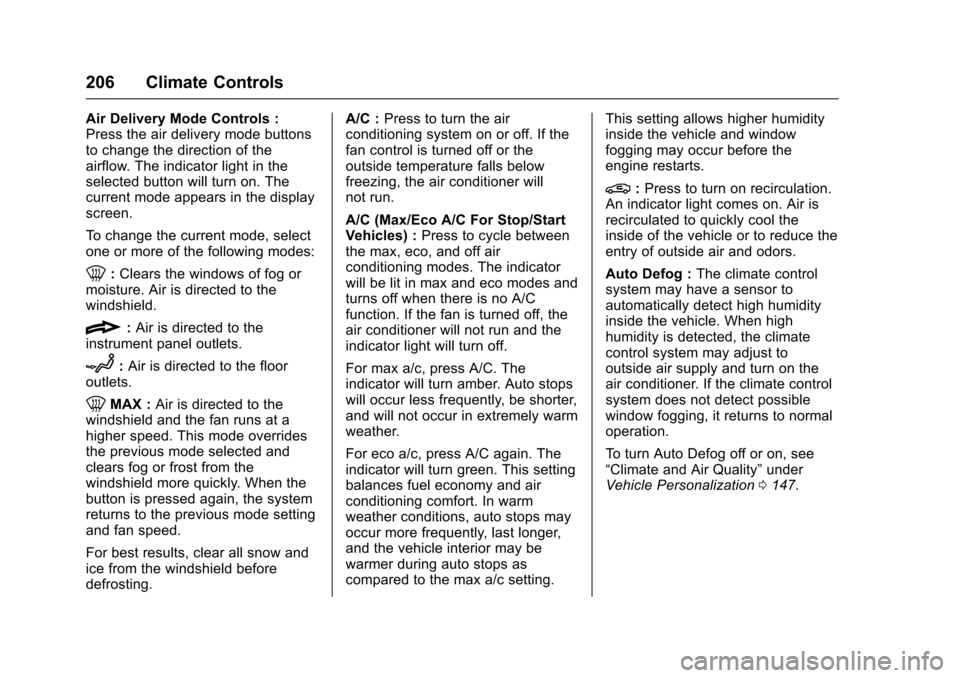
Air Delivery Mode Controls :Press the air delivery mode buttonsto change the direction of theairflow. The indicator light in theselected button will turn on. Thecurrent mode appears in the displayscreen.
To c h a n g e t h e c u r r e n t m o d e , s e l e c tone or more of the following modes:
0:Clears the windows of fog ormoisture. Air is directed to thewindshield.
{:Air is directed to theinstrument panel outlets.
z:Air is directed to the flooroutlets.
0MAX :Air is directed to thewindshield and the fan runs at ahigher speed. This mode overridesthe previous mode selected andclears fog or frost from thewindshield more quickly. When thebutton is pressed again, the systemreturns to the previous mode settingand fan speed.
For best results, clear all snow andice from the windshield beforedefrosting.
A/C :Press to turn the airconditioning system on or off. If thefan control is turned off or theoutside temperature falls belowfreezing, the air conditioner willnot run.
A/C (Max/Eco A/C For Stop/StartVehicles) :Press to cycle betweenthe max, eco, and off airconditioning modes. The indicatorwill be lit in max and eco modes andturns off when there is no A/Cfunction. If the fan is turned off, theair conditioner will not run and theindicator light will turn off.
For max a/c, press A/C. Theindicator will turn amber. Auto stopswill occur less frequently, be shorter,and will not occur in extremely warmweather.
For eco a/c, press A/C again. Theindicator will turn green. This settingbalances fuel economy and airconditioning comfort. In warmweather conditions, auto stops mayoccur more frequently, last longer,and the vehicle interior may bewarmer during auto stops ascompared to the max a/c setting.
This setting allows higher humidityinside the vehicle and windowfogging may occur before theengine restarts.
@:Press to turn on recirculation.An indicator light comes on. Air isrecirculated to quickly cool theinside of the vehicle or to reduce theentry of outside air and odors.
Auto Defog :The climate controlsystem may have a sensor toautomatically detect high humidityinside the vehicle. When highhumidity is detected, the climatecontrol system may adjust tooutside air supply and turn on theair conditioner. If the climate controlsystem does not detect possiblewindow fogging, it returns to normaloperation.
To t u r n A u t o D e f o g o f f o r o n , s e e“Climate and Air Quality”underVehicle Personalization0147.
Page 211 of 419
Chevrolet Malibu Owner Manual (GMNA-Localizing-U.S./Canada/Mexico-10122664) - 2017 - crc - 5/23/16
210 Climate Controls
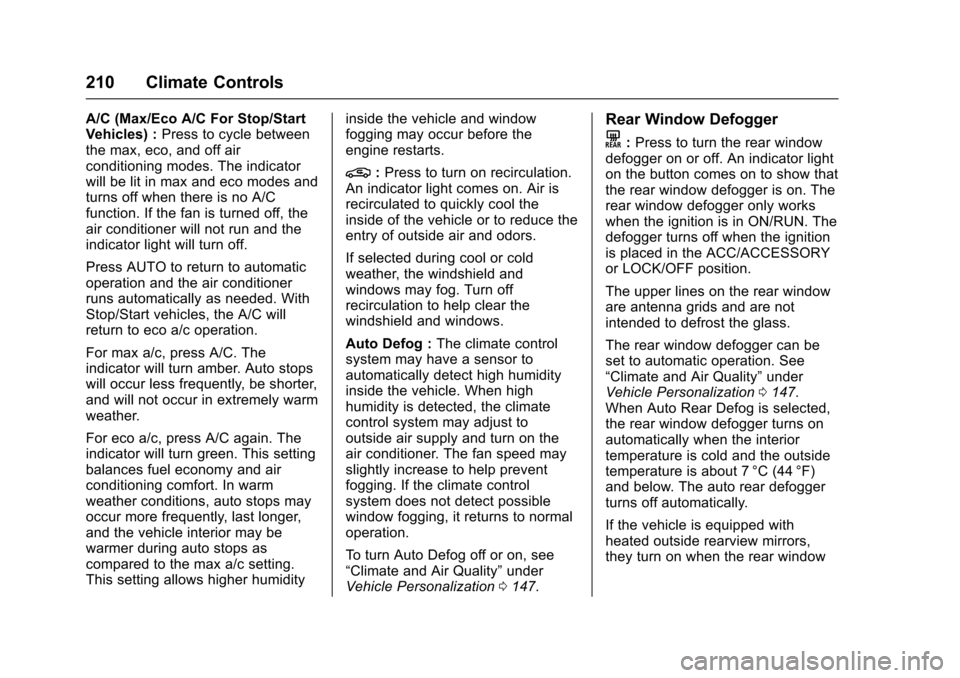
A/C (Max/Eco A/C For Stop/StartVehicles) :Press to cycle betweenthe max, eco, and off airconditioning modes. The indicatorwill be lit in max and eco modes andturns off when there is no A/Cfunction. If the fan is turned off, theair conditioner will not run and theindicator light will turn off.
Press AUTO to return to automaticoperation and the air conditionerruns automatically as needed. WithStop/Start vehicles, the A/C willreturn to eco a/c operation.
For max a/c, press A/C. Theindicator will turn amber. Auto stopswill occur less frequently, be shorter,and will not occur in extremely warmweather.
For eco a/c, press A/C again. Theindicator will turn green. This settingbalances fuel economy and airconditioning comfort. In warmweather conditions, auto stops mayoccur more frequently, last longer,and the vehicle interior may bewarmer during auto stops ascompared to the max a/c setting.This setting allows higher humidity
inside the vehicle and windowfogging may occur before theengine restarts.
@:Press to turn on recirculation.An indicator light comes on. Air isrecirculated to quickly cool theinside of the vehicle or to reduce theentry of outside air and odors.
If selected during cool or coldweather, the windshield andwindows may fog. Turn offrecirculation to help clear thewindshield and windows.
Auto Defog :The climate controlsystem may have a sensor toautomatically detect high humidityinside the vehicle. When highhumidity is detected, the climatecontrol system may adjust tooutside air supply and turn on theair conditioner. The fan speed mayslightly increase to help preventfogging. If the climate controlsystem does not detect possiblewindow fogging, it returns to normaloperation.
To t u r n A u t o D e f o g o f f o r o n , s e e“Climate and Air Quality”underVehicle Personalization0147.
Rear Window Defogger
K:Press to turn the rear windowdefogger on or off. An indicator lighton the button comes on to show thatthe rear window defogger is on. Therear window defogger only workswhen the ignition is in ON/RUN. Thedefogger turns off when the ignitionis placed in the ACC/ACCESSORYor LOCK/OFF position.
The upper lines on the rear windoware antenna grids and are notintended to defrost the glass.
The rear window defogger can beset to automatic operation. See“Climate and Air Quality”underVehicle Personalization0147.When Auto Rear Defog is selected,the rear window defogger turns onautomatically when the interiortemperature is cold and the outsidetemperature is about 7 °C (44 °F)and below. The auto rear defoggerturns off automatically.
If the vehicle is equipped withheated outside rearview mirrors,they turn on when the rear window
Page 212 of 419
Chevrolet Malibu Owner Manual (GMNA-Localizing-U.S./Canada/Mexico-10122664) - 2017 - crc - 5/23/16
Climate Controls 211
defogger button is on and help toclear fog or frost from the surface ofthe mirror. SeeHeated Mirrors049.
Caution
Do not try to clear frost or other
material from the inside of the
front windshield and rear window
with a razor blade or anything
else that is sharp. This may
damage the rear window
defogger grid and affect the
radio's ability to pick up stations
clearly. The repairs would not be
covered by the vehicle warranty.
Driver and Passenger Heated andVentilated Seats :If equipped,
pressLorMto heat the driver or
passenger seat.
If equipped, press{orCto
ventilate the driver or passengerseat. SeeHeated and VentilatedFront Seats060.
Remote Start Climate ControlOperation :If equipped with remotestart, the climate control systemmay run when the vehicle is startedremotely. The system will use thedefrost setting if it is cold outside orturn on using the coldest settings ifit is hot outside. The rear defog maycome on during remote start basedon cold ambient conditions. Therear defog indicator light does notcome on during a remote start. Thefront heated seats will turn on if it iscold outside. The heated seatindicator lights do not come onduring a remote start.
Sensor
The solar sensor, on top of theinstrument panel near thewindshield, monitors the solar heat.
The climate control system uses thesensor information to adjust thetemperature, fan speed,recirculation, and air delivery modefor best comfort.
Do not cover the sensor; otherwisethe automatic climate control systemmay not work properly.
Air Vents
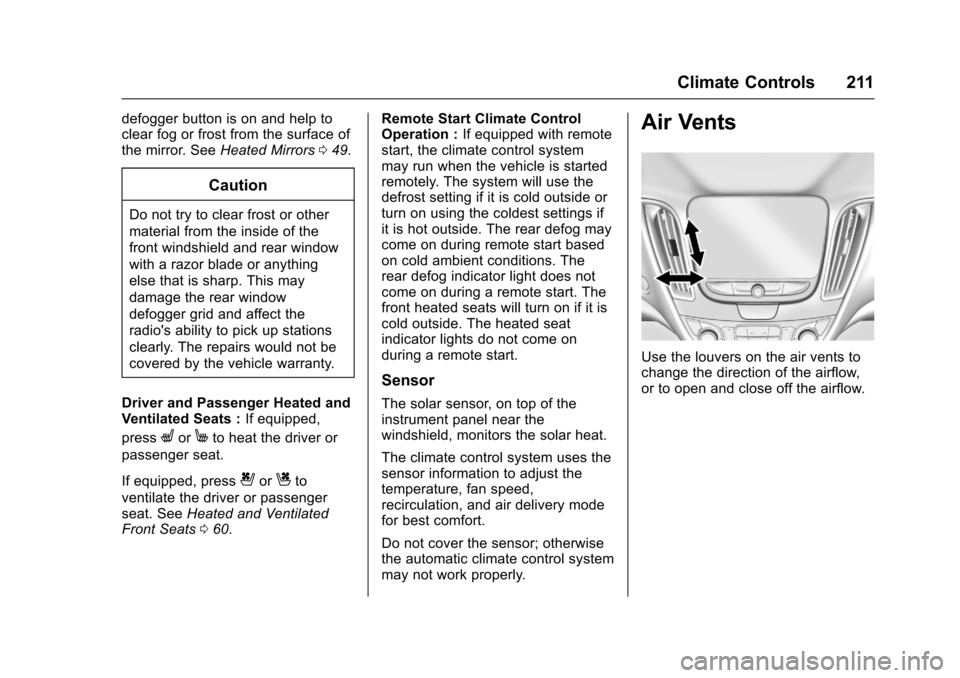
Use the louvers on the air vents tochange the direction of the airflow,or to open and close off the airflow.
Page 246 of 419
Chevrolet Malibu Owner Manual (GMNA-Localizing-U.S./Canada/Mexico-10122664) - 2017 - crc - 5/23/16
Driving and Operating 245
The speedometer reading can bedisplayed in either English or metricunits. SeeDriver Information Center(DIC) (Base Level)0131orDriverInformation Center (DIC) (Uplevel)0134.Theincrementvalueuseddepends on the units displayed.
Passing Another Vehicle WhileUsing Cruise Control
Use the accelerator pedal toincrease the vehicle speed. Whenyou take your foot off the pedal, thevehicle will slow down to theprevious set cruise speed. Whilepressing the accelerator pedal orshortly following the release tooverride cruise control, brieflypressing -SET will result in cruisecontrol set to the current vehiclespeed.
Using Cruise Control on Hills
How well the cruise control workson hills depends upon the vehiclespeed, load, and the steepness ofthe hills. When going up steep hills,you might have to step on theaccelerator pedal to maintain the
vehicle speed. When goingdownhill, you might have to brake orshift to a lower gear to keep yourspeed down. If the brake pedal isapplied, cruise control willdisengage.
Ending Cruise Control
There are four ways to end cruisecontrol:
.Step lightly on the brake pedal.
.Press*.
.Shift the transmission toN(Neutral).
.Press5to turn cruise control
system off completely.
Erasing Speed Memory
The cruise control set speed is
erased from memory if5is pressed
or if the vehicle is turned off.
Adaptive Cruise Control
If equipped with Adaptive CruiseControl (ACC), it allows you toselect the cruise control set speedand following gap. Read this entiresection before using this system.The following gap is the followingtime between your vehicle and avehicle detected directly ahead inyour path moving in the samedirection. If no vehicle is detected inyour path, ACC works like regularcruise control. ACC uses cameraand radar sensors. SeeRadioFrequency Statement0393.
If a vehicle is detected in your path,ACC can apply acceleration orlimited, moderate braking tomaintain the selected following gap.To d i s e n g a g e A C C , a p p l y t h e b r a k e .If ACC is controlling your vehiclespeed when the Traction ControlSystem (TCS) or StabiliTrak systemactivates, the ACC mayautomatically disengage. SeeTr a c t i o n C o n t r o l / E l e c t r o n i c S t a b i l i t yControl0241.Whenroad
Page 247 of 419
Chevrolet Malibu Owner Manual (GMNA-Localizing-U.S./Canada/Mexico-10122664) - 2017 - crc - 5/23/16
246 Driving and Operating
conditions allow ACC to be safelyused, the ACC can be turnedback on.
ACC will not engage if the TCS orStabiliTrak system is disabled.
{Warning
ACC has limited braking ability
and may not have time to slow
the vehicle down enough to avoid
acollisionwithanothervehicle
you are following. This can occur
when vehicles suddenly slow or
stop ahead, or enter your lane.
Also see“Alerting the Driver”in
this section. Complete attention is
always required while driving and
you should be ready to take
action and apply the brakes. See
Defensive Driving0216.
{Warning
ACC will not detect or brake for
children, pedestrians, animals,
or other objects.
Do not use ACC when:
.On winding and hilly roadsor when the sensors areblocked by snow, ice, or dirt.The system may not detectavehicleahead.Keeptheentire front of the vehicleclean.
.Visibility is low, such as infog, rain, or snowconditions. ACCperformance is limited underthese conditions.
.On slippery roads wherefast changes in tire tractioncan cause excessivewheel slip.
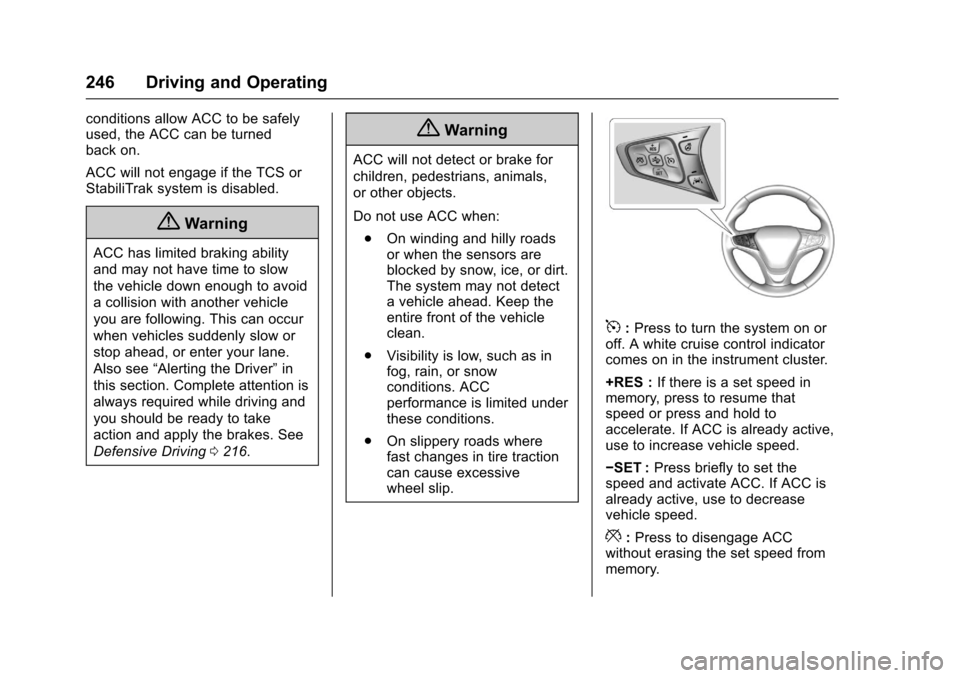
5:Press to turn the system on oroff. A white cruise control indicatorcomes on in the instrument cluster.
+RES :If there is a set speed inmemory, press to resume thatspeed or press and hold toaccelerate. If ACC is already active,use to increase vehicle speed.
✓SET :Press briefly to set thespeed and activate ACC. If ACC isalready active, use to decreasevehicle speed.
*:Press to disengage ACCwithout erasing the set speed frommemory.
Page 250 of 419
Chevrolet Malibu Owner Manual (GMNA-Localizing-U.S./Canada/Mexico-10122664) - 2017 - crc - 5/23/16
Driving and Operating 249
Approaching and Following aVehicle
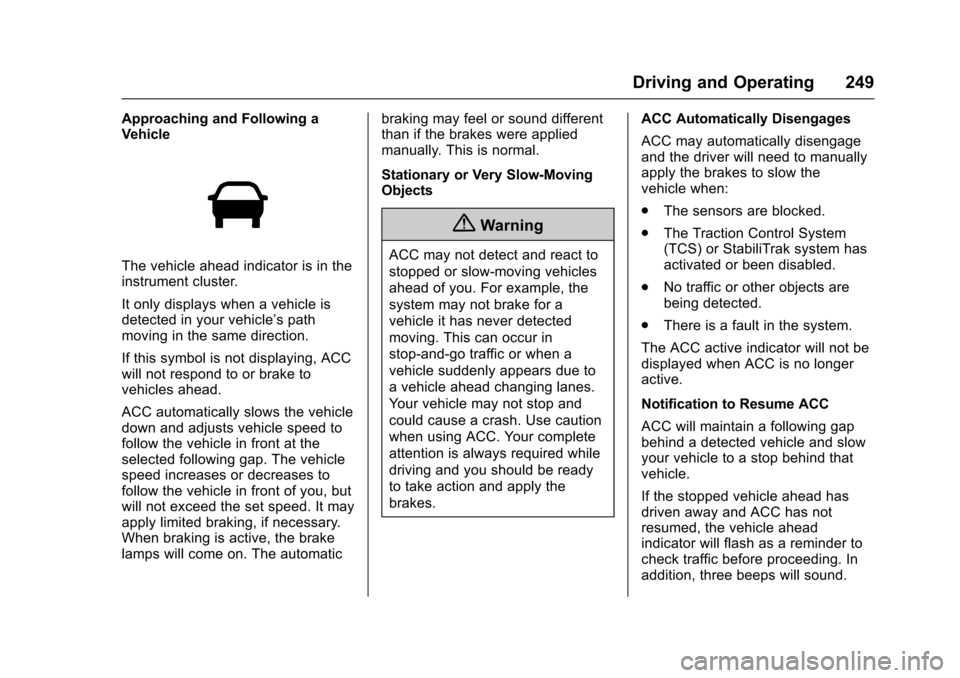
The vehicle ahead indicator is in theinstrument cluster.
It only displays when a vehicle isdetected in your vehicle’spathmoving in the same direction.
If this symbol is not displaying, ACCwill not respond to or brake tovehicles ahead.
ACC automatically slows the vehicledown and adjusts vehicle speed tofollow the vehicle in front at theselected following gap. The vehiclespeed increases or decreases tofollow the vehicle in front of you, butwill not exceed the set speed. It mayapply limited braking, if necessary.When braking is active, the brakelamps will come on. The automatic
braking may feel or sound differentthan if the brakes were appliedmanually. This is normal.
Stationary or Very Slow-MovingObjects
{Warning
ACC may not detect and react to
stopped or slow-moving vehicles
ahead of you. For example, the
system may not brake for a
vehicle it has never detected
moving. This can occur in
stop-and-go traffic or when a
vehicle suddenly appears due to
avehicleaheadchanginglanes.
Yo u r v e h i c l e m a y n o t s t o p a n d
could cause a crash. Use caution
when using ACC. Your complete
attention is always required while
driving and you should be ready
to take action and apply the
brakes.
ACC Automatically Disengages
ACC may automatically disengageand the driver will need to manuallyapply the brakes to slow thevehicle when:
.The sensors are blocked.
.The Traction Control System(TCS) or StabiliTrak system hasactivated or been disabled.
.No traffic or other objects arebeing detected.
.There is a fault in the system.
The ACC active indicator will not bedisplayed when ACC is no longeractive.
Notification to Resume ACC
ACC will maintain a following gapbehind a detected vehicle and slowyour vehicle to a stop behind thatvehicle.
If the stopped vehicle ahead hasdriven away and ACC has notresumed, the vehicle aheadindicator will flash as a reminder tocheck traffic before proceeding. Inaddition, three beeps will sound.