service indicator CHEVROLET MALIBU 2017 9.G User Guide
[x] Cancel search | Manufacturer: CHEVROLET, Model Year: 2017, Model line: MALIBU, Model: CHEVROLET MALIBU 2017 9.GPages: 419, PDF Size: 7.81 MB
Page 128 of 419
Chevrolet Malibu Owner Manual (GMNA-Localizing-U.S./Canada/Mexico-10122664) - 2017 - crc - 5/23/16
Instruments and Controls 127
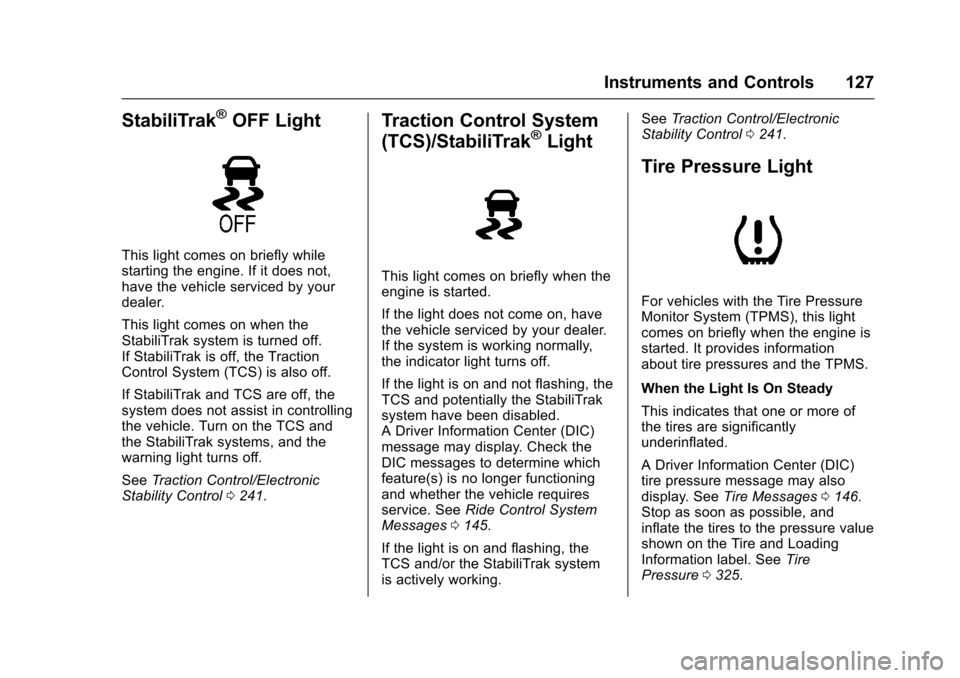
StabiliTrak®OFF Light
This light comes on briefly whilestarting the engine. If it does not,have the vehicle serviced by yourdealer.
This light comes on when theStabiliTrak system is turned off.If StabiliTrak is off, the TractionControl System (TCS) is also off.
If StabiliTrak and TCS are off, thesystem does not assist in controllingthe vehicle. Turn on the TCS andthe StabiliTrak systems, and thewarning light turns off.
SeeTr a c t i o n C o n t r o l / E l e c t r o n i cStability Control0241.
Traction Control System
(TCS)/StabiliTrak®Light
This light comes on briefly when theengine is started.
If the light does not come on, havethe vehicle serviced by your dealer.If the system is working normally,the indicator light turns off.
If the light is on and not flashing, theTCS and potentially the StabiliTraksystem have been disabled.ADriverInformationCenter(DIC)message may display. Check theDIC messages to determine whichfeature(s) is no longer functioningand whether the vehicle requiresservice. SeeRide Control SystemMessages0145.
If the light is on and flashing, theTCS and/or the StabiliTrak systemis actively working.
SeeTr a c t i o n C o n t r o l / E l e c t r o n i cStability Control0241.
Tire Pressure Light
For vehicles with the Tire PressureMonitor System (TPMS), this lightcomes on briefly when the engine isstarted. It provides informationabout tire pressures and the TPMS.
When the Light Is On Steady
This indicates that one or more ofthe tires are significantlyunderinflated.
ADriverInformationCenter(DIC)tire pressure message may alsodisplay. SeeTire Messages0146.Stop as soon as possible, andinflate the tires to the pressure valueshown on the Tire and LoadingInformation label. SeeTirePressure0325.
Page 130 of 419
Chevrolet Malibu Owner Manual (GMNA-Localizing-U.S./Canada/Mexico-10122664) - 2017 - crc - 5/23/16
Instruments and Controls 129
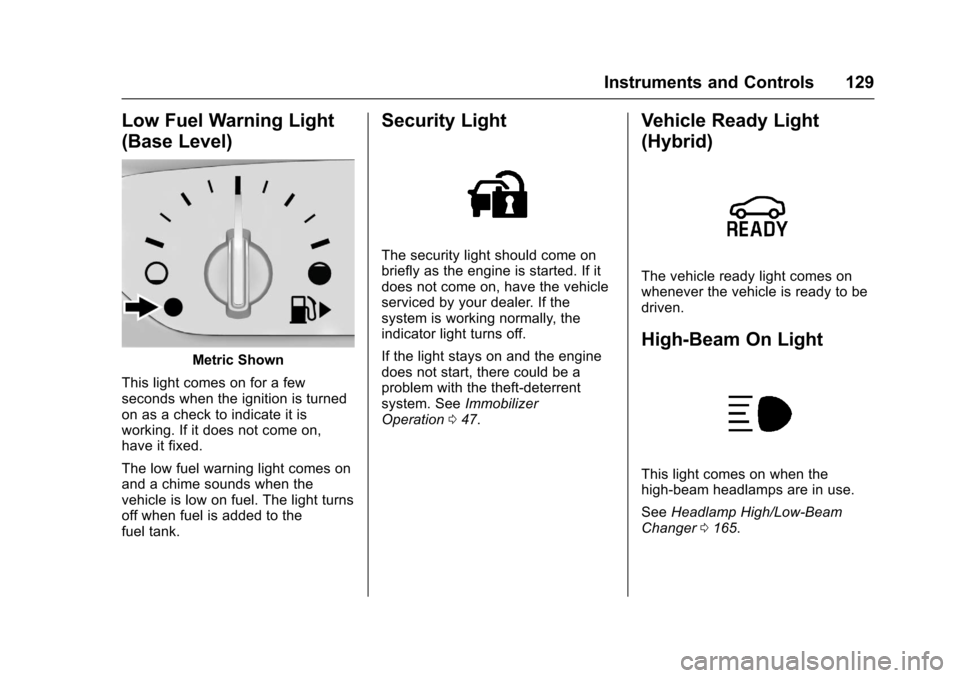
Low Fuel Warning Light
(Base Level)
Metric Shown
This light comes on for a fewseconds when the ignition is turnedon as a check to indicate it isworking. If it does not come on,have it fixed.
The low fuel warning light comes onand a chime sounds when thevehicle is low on fuel. The light turnsoff when fuel is added to thefuel tank.
Security Light
The security light should come onbriefly as the engine is started. If itdoes not come on, have the vehicleserviced by your dealer. If thesystem is working normally, theindicator light turns off.
If the light stays on and the enginedoes not start, there could be aproblem with the theft-deterrentsystem. SeeImmobilizerOperation047.
Vehicle Ready Light
(Hybrid)
The vehicle ready light comes onwhenever the vehicle is ready to bedriven.
High-Beam On Light
This light comes on when thehigh-beam headlamps are in use.
SeeHeadlamp High/Low-BeamChanger0165.
Page 146 of 419
Chevrolet Malibu Owner Manual (GMNA-Localizing-U.S./Canada/Mexico-10122664) - 2017 - crc - 5/23/16
Instruments and Controls 145
stays on when the malfunctionindicator lamp is on, the vehicleshould be taken to your dealer forservice as soon as possible.
Ride Control System
Messages
SERVICE TRACTION
CONTROL
This message displays when thereis a problem with the TractionControl System (TCS). When thismessage is displayed, the systemwill not limit wheel spin. Adjust yourdriving accordingly. See your dealerfor service.
SERVICE STABILITRAK
This message displays if there is aproblem with the StabiliTrak system.If this message appears, try to resetthe system. Stop; turn off the enginefor at least 15 seconds; then startthe engine again. If this messagestill comes on, it means there is aproblem. See your dealer forservice. The vehicle is safe to drive;
however, you do not have thebenefit of StabiliTrak, so reduceyour speed and drive accordingly.
Airbag System Messages
SERVICE AIRBAG
This message displays if there is aproblem with the airbag system. Seeyour dealer for service.
Security Messages
THEFT ATTEMPTED
This message displays if the vehicledetects a tamper condition.
Service Vehicle Messages
SERVICE AC SYSTEM
This message displays if there is aproblem with the air conditioningsystem. Take the vehicle to yourdealer for service.
SERVICE KEYLESS START
SYSTEM
This message is displayed if there isaproblemwiththepushbuttonstartsystem. Take the vehicle to yourdealer for service.
SERVICE VEHICLE SOON
This message displays if there is aproblem with the vehicle. Take thevehicle to your dealer for service.
Steering System
Messages
SERVICE POWER STEERING
This message displays and a chimemay sound when there may be aproblem with the power steeringsystem. If this message displaysand a reduction in steeringperformance or loss of powersteering assistance is noticed, seeyour dealer.
Page 228 of 419
Chevrolet Malibu Owner Manual (GMNA-Localizing-U.S./Canada/Mexico-10122664) - 2017 - crc - 5/23/16
Driving and Operating 227
With the ignition off, pressing thebutton one time without the brakepedal applied will place the ignitionsystem in ACC/ACCESSORY.
The ignition will switch from ACC/ACCESSORY to OFF afterfive minutes to prevent batteryrun down.
ON/RUN/START (Green IndicatorLight) :This mode is for driving andstarting. With the ignition off, andthe brake pedal applied, pressingthe button once will place theignition system in ON/RUN/START.Once engine cranking begins,release the button. Engine crankingwill continue until the engine starts.SeeStarting the Engine0227.Theignition will then remain in ON/RUN.
Service Only Mode
This power mode is available forservice and diagnostics, and toverify the proper operation of themalfunction indicator lamp as maybe required for emission inspectionpurposes. With the vehicle off, andthe brake pedal not applied,pressing and holding the button formore than five seconds will place
the vehicle in Service Only Mode.The instruments and audio systemswill operate as they do in ON/RUN,but the vehicle will not be able to bedriven. The engine will not start inService Only Mode. Press thebutton again to turn the vehicle off.
Starting the Engine
Move the shift lever to P (Park) orN(Neutral). The engine will not startin any other position. To restart theengine when the vehicle is alreadymoving, use N (Neutral) only.
For hybrid vehicles, the engine willonly start if required for cabinwarming or high voltage batterycharging. The vehicle ready light willbe illuminated when the vehicle isready to be driven.
Caution
Do not try to shift to P (Park) if the
vehicle is moving. If you do, you
could damage the transmission.
Shift to P (Park) only when the
vehicle is stopped.
Caution
If you add electrical parts or
accessories, you could change
the way the engine operates. Any
resulting damage would not be
covered by the vehicle warranty.
SeeAdd-On Electrical
Equipment0277.
Starting Procedure
1. With the Keyless Accesssystem, the RKE transmittermust be in the vehicle. PressENGINE START/STOP with thebrake pedal applied. When theengine begins cranking, let goof the button.
The idle speed will go down asthe engine gets warm. Do notrace the engine immediatelyafter starting it.
Page 252 of 419
Chevrolet Malibu Owner Manual (GMNA-Localizing-U.S./Canada/Mexico-10122664) - 2017 - crc - 5/23/16
Driving and Operating 251
{Warning
On curves, ACC may respond to
avehicleinanotherlane,ormay
not have time to react to a vehicle
in your lane. You could crash into
avehicleaheadofyou,orlose
control of your vehicle. Give extra
attention in curves and be ready
to use the brakes if necessary.
Select an appropriate speed while
driving in curves.
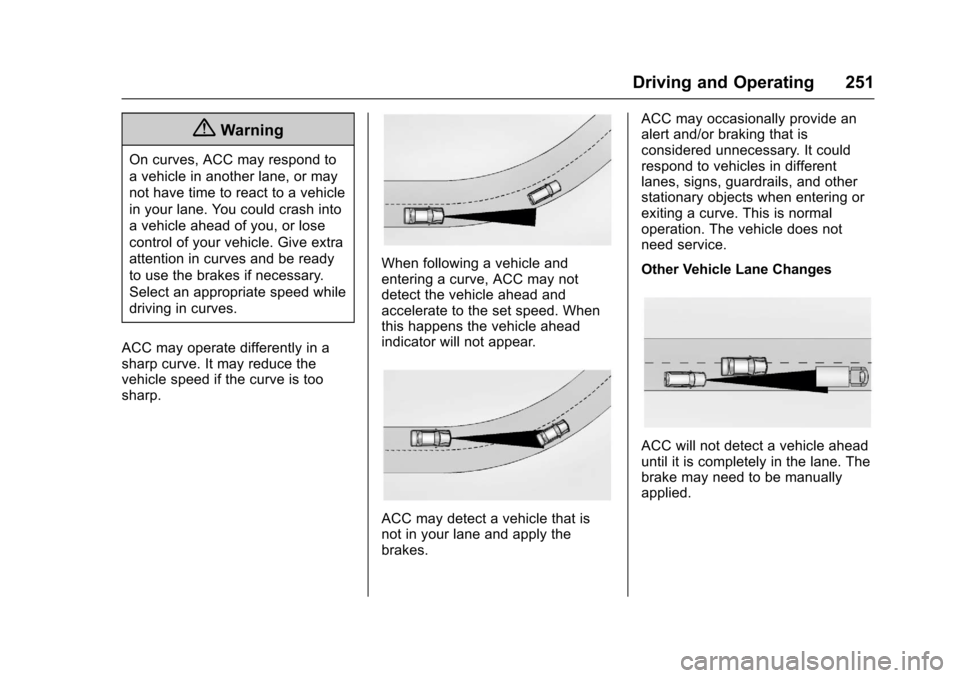
ACC may operate differently in asharp curve. It may reduce thevehicle speed if the curve is toosharp.
When following a vehicle andentering a curve, ACC may notdetect the vehicle ahead andaccelerate to the set speed. Whenthis happens the vehicle aheadindicator will not appear.
ACC may detect a vehicle that isnot in your lane and apply thebrakes.
ACC may occasionally provide analert and/or braking that isconsidered unnecessary. It couldrespond to vehicles in differentlanes, signs, guardrails, and otherstationary objects when entering orexiting a curve. This is normaloperation. The vehicle does notneed service.
Other Vehicle Lane Changes
ACC will not detect a vehicle aheaduntil it is completely in the lane. Thebrake may need to be manuallyapplied.
Page 261 of 419
Chevrolet Malibu Owner Manual (GMNA-Localizing-U.S./Canada/Mexico-10122664) - 2017 - crc - 5/23/16
260 Driving and Operating
vehicles, or shadows. These alertsare normal operation and thevehicle does not need service.
Cleaning the System
If the FCA system does not seem tooperate properly, cleaning theoutside of the windshield in front ofthe camera sensor may correct theissue
Forward Automatic
Braking (FAB)
If the vehicle has Forward CollisionAlert (FCA), it also has FAB, whichincludes Intelligent BrakeAssist (IBA). When the systemdetects a vehicle ahead in your paththat is traveling in the samedirection that you may be about tocrash into, it can provide a boost tobraking or automatically brake thevehicle. This can help avoid orlessen the severity of crashes whendriving in a forward gear. Dependingon the situation, the vehicle mayautomatically brake moderately orhard. This forward automaticbraking can only occur if a vehicle is
detected. This is shown by the FCAvehicle ahead indicator being lit.SeeForward Collision Alert (FCA)System0258.
The system works when driving in aforward gear between 8 km/h(5 mph) and 80 km/h (50 mph),or on vehicles with Adaptive CruiseControl (ACC), above 4 km/h(2 mph). It can detect vehicles up toapproximately 60 m (197 ft).
{Warning
FA B i s a n e m e r g e n c y c r a s h
preparation feature and is not
designed to avoid crashes. Do
not rely on FAB to brake the
vehicle. FAB will not brake
outside of its operating speed
range and only responds to
detected vehicles.
FA B m a y n o t :
.Detect a vehicle ahead onwinding or hilly roads.
(Continued)
Warning (Continued)
.Detect all vehicles,especially vehicles with atrailer, tractors, muddyvehicles, etc.
.Detect a vehicle whenweather limits visibility, suchas in fog, rain, or snow.
.Detect a vehicle ahead if itis partially blocked bypedestrians or other objects.
Complete attention is always
required while driving, and you
should be ready to take action
and apply the brakes and/or steer
the vehicle to avoid crashes.
FA B m a y s l o w t h e v e h i c l e t o acomplete stop to try to avoid apotential crash. If this happens, FABmay engage the Electric ParkingBrake (EPB) to hold the vehicle at astop. Release the EPB or firmlypress the accelerator pedal.
Page 278 of 419
Chevrolet Malibu Owner Manual (GMNA-Localizing-U.S./Canada/Mexico-10122664) - 2017 - crc - 5/23/16
Driving and Operating 277
carbon monoxide (CO) from theexhaust can get into the vehicle.SeeEngine Exhaust0232.
Safety Chains
Always attach chains between thevehicle and the trailer. Cross thesafety chains under the tongue ofthe trailer to help prevent the tonguefrom contacting the road if itbecomes separated from the hitch.Leave enough slack so the rig canturn. Never allow safety chains todrag on the ground.
Trailer Brakes
Does the trailer have its ownbrakes? Be sure to read and followthe instructions for the trailer brakesso they are installed, adjusted, andmaintained properly.
Because the vehicle has antilockbrakes, do not tap into the vehicle'sbrake system. If this is done, bothbrake systems will not work well orat all.
Conversions and
Add-Ons
Add-On Electrical
Equipment
{Warning
The Data Link Connector (DLC) is
used for vehicle service and
Emission Inspection/Maintenance
testing. SeeMalfunction Indicator
Lamp (Check Engine Light)
0122.Adeviceconnectedtothe
DLC—such as an aftermarket
fleet or driver-behavior tracking
device—may interfere with
vehicle systems. This could affect
vehicle operation and cause a
crash. Such devices may also
access information stored in the
vehicle’ssystems.
Caution
Some electrical equipment can
damage the vehicle or cause
components to not work and
would not be covered by the
vehicle warranty. Always check
with your dealer before adding
electrical equipment.
Add-on equipment can drain thevehicle's 12-volt battery, even if thevehicle is not operating.
The vehicle has an airbag system.Before attempting to add anythingelectrical to the vehicle, seeServicing the Airbag-EquippedVehicle081andAdding Equipmentto the Airbag-EquippedVehicle081.
Page 300 of 419
Chevrolet Malibu Owner Manual (GMNA-Localizing-U.S./Canada/Mexico-10122664) - 2017 - crc - 5/23/16
Vehicle Care 299
Washer Fluid
What to Use
When windshield washer fluid isneeded, be sure to read themanufacturer's instructions beforeuse. If operating the vehicle in anarea where the temperature may fallbelow freezing, use a fluid that hassufficient protection againstfreezing.
Adding Washer Fluid
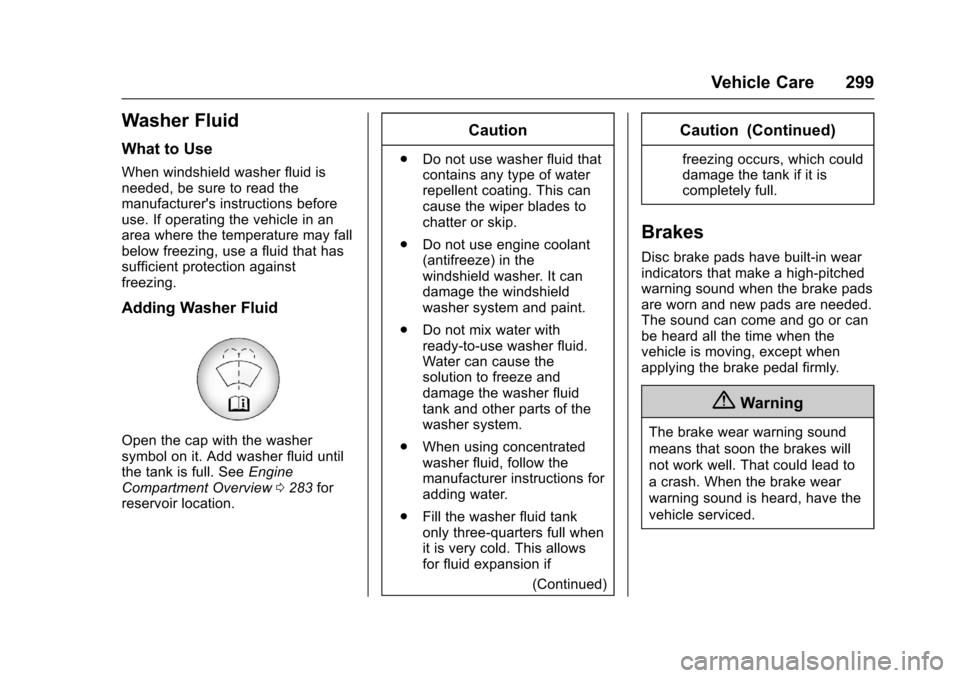
Open the cap with the washersymbol on it. Add washer fluid untilthe tank is full. SeeEngineCompartment Overview0283forreservoir location.
Caution
.Do not use washer fluid thatcontains any type of waterrepellent coating. This cancause the wiper blades tochatter or skip.
.Do not use engine coolant(antifreeze) in thewindshield washer. It candamage the windshieldwasher system and paint.
.Do not mix water withready-to-use washer fluid.Water can cause thesolution to freeze anddamage the washer fluidtank and other parts of thewasher system.
.When using concentratedwasher fluid, follow themanufacturer instructions foradding water.
.Fill the washer fluid tankonly three-quarters full whenit is very cold. This allowsfor fluid expansion if
(Continued)
Caution (Continued)
freezing occurs, which coulddamage the tank if it iscompletely full.
Brakes
Disc brake pads have built-in wearindicators that make a high-pitchedwarning sound when the brake padsare worn and new pads are needed.The sound can come and go or canbe heard all the time when thevehicle is moving, except whenapplying the brake pedal firmly.
{Warning
The brake wear warning sound
means that soon the brakes will
not work well. That could lead to
acrash.Whenthebrakewear
warning sound is heard, have the
vehicle serviced.
Page 377 of 419
Chevrolet Malibu Owner Manual (GMNA-Localizing-U.S./Canada/Mexico-10122664) - 2017 - crc - 5/23/16
376 Service and Maintenance
of leaking, blown seals,or damage, and can advisewhen service is needed.
Tires
Tires need to be properly inflated,rotated, and balanced. Maintainingthe tires can save money and fuel,and can reduce the risk of tirefailure.
.Signs that the tires need to bereplaced include three or morevisible treadwear indicators; cordor fabric showing through therubber; cracks or cuts in thetread or sidewall; or a bulge orsplit in the tire.
.Trained dealer technicians caninspect and recommend the righttires. Your dealer can alsoprovide tire/wheel balancingservices to ensure smoothvehicle operation at all speeds.Yo u r d e a l e r s e l l s a n d s e r v i c e sname brand tires.
Vehicle Care
To h e l p k e e p t h e v e h i c l e l o o k i n g l i k enew, vehicle care products areavailable from your dealer. For
information on how to clean andprotect the vehicle’sinteriorandexterior, seeInterior Care0363andExterior Care0358.
Wheel Alignment
Wheel alignment is critical forensuring that the tires deliveroptimal wear and performance.
.Signs that the alignment mayneed to be adjusted includepulling, improper vehiclehandling, or unusual tire wear.
.Yo u r d e a l e r h a s t h e r e q u i r e dequipment to ensure properwheel alignment.
Windshield
For safety, appearance, and thebest viewing, keep the windshieldclean and clear.
.Signs of damage includescratches, cracks, and chips.
.Trained dealer technicians caninspect the windshield andrecommend proper replacementif needed.
Wiper Blades
Wiper blades need to be cleanedand kept in good condition toprovide a clear view.
.Signs of wear include streaking,skipping across the windshield,and worn or split rubber.
.Trained dealer technicians cancheck the wiper blades andreplace them when needed.
Page 410 of 419

Chevrolet Malibu Owner Manual (GMNA-Localizing-U.S./Canada/Mexico-10122664) - 2017 - crc - 5/23/16
Index 409
Cargo
Tie-Downs . . . . . . . . . . . . . . . . . . . . 102
Caution, Danger, and Warning . . . . 2
Center Console Storage . . . . . . . . 102
Chains, Tire . . . . . . . . . . . . . . . . . . . . 337
Charging
Wireless . . . . . . . . . . . . . . . . . . . . . . 109
Charging System Light . . . . . . . . . 122
Check
Malfunction Indicator
Engine Light . . . . . . . . . . . . . . . . 122
Child Restraints
Infants and Young Children . . . . . 85
Lower Anchors and Tethers
for Children . . . . . . . . . . . . . . . . . . . 90
Older Children . . . . . . . . . . . . . . . . . . 83
Securing . . . . . . . . . . . . . . . . . . . . 96, 98
Systems . . . . . . . . . . . . . . . . . . . . . . . . 87
Cleaning
Exterior Care . . . . . . . . . . . . . . . . . 358
Interior Care . . . . . . . . . . . . . . . . . . 363
Climate Control Systems . . . . . . . 205
Air Conditioning . . . . . . . . . . . . . . 205
Dual Automatic . . . . . . . . . . . . . . . 208
Heating . . . . . . . . . . . . . . . . . . . . . . . 205
Clock . . . . . . . . . . . . . . . . . . . . . . . . . . . 107
Cluster, Instrument . . . . . . . . 112, 114
Collision Damage Repair . . . . . . . 390
Compact Spare Tire . . . . . . . . . . . . 351
Compartments
Storage . . . . . . . . . . . . . . . . . . . . . . . 101
Compass . . . . . . . . . . . . . . . . . . . . . . . 106
Messages . . . . . . . . . . . . . . . . . . . . 139
Compressor Kit, Tire Sealant . . . 339
Connections
OnStar®...................... 399
Control
Traction and Electronic
Stability . . . . . . . . . . . . . . . . . . . . . 241
Control of a Vehicle . . . . . . . . . . . . . 216
Convenience Net . . . . . . . . . . . . . . . 102
Convex Mirrors . . . . . . . . . . . . . . . . . . 48
Coolant
Engine . . . . . . . . . . . . . . . . . . . . . . . . 295
Engine Temperature Gauge . . .119
Cooling . . . . . . . . . . . . . . . . . . . . 205, 208
Cooling System . . . . . . . . . . . . 293, 294
Engine Messages . . . . . . . . . . . . 140
Courtesy Lamps . . . . . . . . . . . . . . . . 168
Courtesy Transportation
Program . . . . . . . . . . . . . . . . . . . . . . . 389
Cruise Control . . . . . . . . . . . . . . . . . . 243
Light . . . . . . . . . . . . . . . . . . . . . . . . . . 130
Messages . . . . . . . . . . . . . . . . . . . . 139
Cruise Control, Adaptive . . . . . . . . 245
Cupholders . . . . . . . . . . . . . . . . . . . . . 101
Customer Assistance . . . . . . . . . . . 386
Offices . . . . . . . . . . . . . . . . . . . . . . . . 385
Te x t Te l e p h o n e ( T T Y )
Users . . . . . . . . . . . . . . . . . . . . . . . 386
Customer Information
Service Publications
Ordering Information . . . . . . . . 392
Customer Satisfaction
Procedure . . . . . . . . . . . . . . . . . . . . . 383
D
Damage Repair, Collision . . . . . . . 390
Danger, Warning, and Caution . . . . 2
Data Collection
Infotainment System . . . . . . . . . . 396
OnStar . . . . . . . . . . . . . . . . . . . . . . . 395
Data Recorders, Event . . . . . . . . . 395
Daytime Running
Lamps (DRL) . . . . . . . . . . . . . . . . . . 165
Defensive Driving . . . . . . . . . . . . . . . 216
Delayed Locking . . . . . . . . . . . . . . . . . 42
Diagnostics
OnStar®...................... 401
Distracted Driving . . . . . . . . . . . . . . . 215
Dome Lamps . . . . . . . . . . . . . . . . . . . 168
Door
Ajar Light . . . . . . . . . . . . . . . . . . . . . 130
Ajar Messages . . . . . . . . . . . . . . . 140
Delayed Locking . . . . . . . . . . . . . . . . 42