light CHEVROLET MALIBU 2018 User Guide
[x] Cancel search | Manufacturer: CHEVROLET, Model Year: 2018, Model line: MALIBU, Model: CHEVROLET MALIBU 2018Pages: 413, PDF Size: 5.92 MB
Page 29 of 413
Chevrolet Malibu Owner Manual (GMNA-Localizing-U.S./Canada/Mexico-
11348460) - 2018 - crc - 5/3/17
28 In Brief
.To turn off both TCS and
StabiliTrak, press and hold
gon
the center console, until
iand
gilluminate in the instrument
cluster.
. Press and release
gagain to
turn on both systems.
See Traction Control/Electronic
Stability Control 0231.
Tire Pressure Monitor
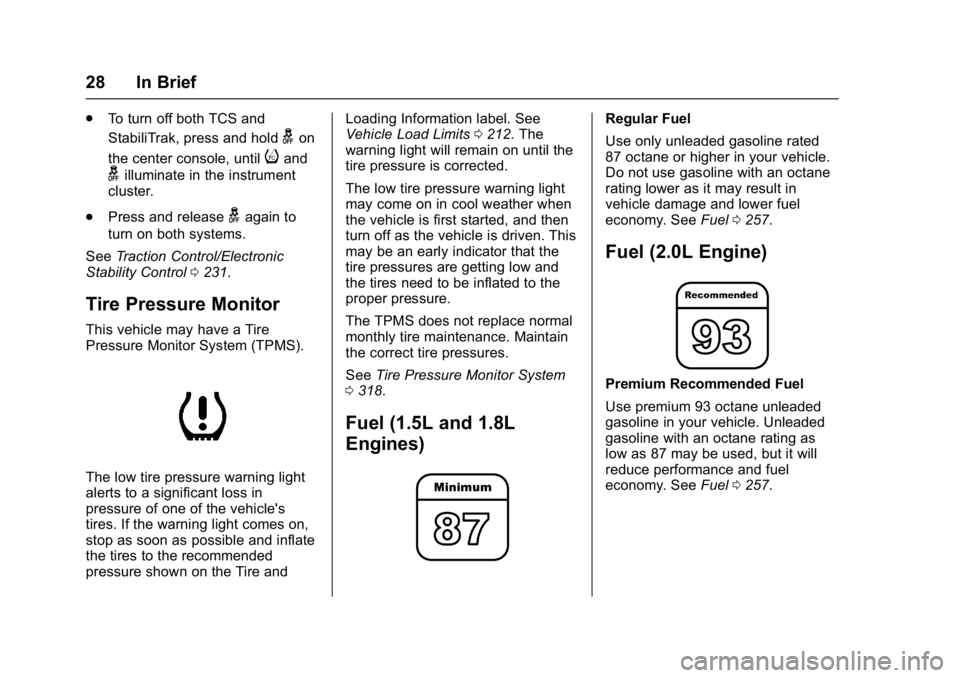
This vehicle may have a Tire
Pressure Monitor System (TPMS).
The low tire pressure warning light
alerts to a significant loss in
pressure of one of the vehicle's
tires. If the warning light comes on,
stop as soon as possible and inflate
the tires to the recommended
pressure shown on the Tire and Loading Information label. See
Vehicle Load Limits
0212. The
warning light will remain on until the
tire pressure is corrected.
The low tire pressure warning light
may come on in cool weather when
the vehicle is first started, and then
turn off as the vehicle is driven. This
may be an early indicator that the
tire pressures are getting low and
the tires need to be inflated to the
proper pressure.
The TPMS does not replace normal
monthly tire maintenance. Maintain
the correct tire pressures.
See Tire Pressure Monitor System
0 318.
Fuel (1.5L and 1.8L
Engines)
Regular Fuel
Use only unleaded gasoline rated
87 octane or higher in your vehicle.
Do not use gasoline with an octane
rating lower as it may result in
vehicle damage and lower fuel
economy. See Fuel0257.
Fuel (2.0L Engine)
Premium Recommended Fuel
Use premium 93 octane unleaded
gasoline in your vehicle. Unleaded
gasoline with an octane rating as
low as 87 may be used, but it will
reduce performance and fuel
economy. See Fuel0257.
Page 40 of 413
Chevrolet Malibu Owner Manual (GMNA-Localizing-U.S./Canada/Mexico-
11348460) - 2018 - crc - 5/3/17
Keys, Doors, and Windows 39
conditions. The rear defog indicator
light does not come on during a
remote start.
If the vehicle has heated seats, they
may come on during a remote start.
SeeHeated and Ventilated Front
Seats 061.
Laws in some local communities
may restrict the use of remote
starters. For example, some laws
require a person using remote start
to have the vehicle in view. Check
local regulations for any
requirements.
Other conditions can affect the
performance of the transmitter. See
Remote Keyless Entry (RKE)
System 032.
Do not use remote start if the
vehicle is low on fuel.
Starting the Engine Using Remote
Start
To start the engine using the remote
start feature:
1. Press and release
Q. 2. Immediately after completing
Step 1, press and hold
/for at
least four seconds or until the
turn signal lamps flash. The
turn signal lamps flashing
confirms the request to remote
start the vehicle has been
received.
When the engine starts, the parking
lamps will turn on and remain on as
long as the engine is running. The
doors will be locked and the climate
control system may come on.
The engine will continue to run for
10 minutes. After 30 seconds,
repeat the steps if a 10-minute
extension is desired. Remote start
can be extended only once.
Start the vehicle before driving.
Extending Engine Run Time
The engine run time can be
extended by another 10 minutes,
if during the first 10 minutes
Steps 1 and 2 are repeated while
the engine is still running. An
extension can be requested
30 seconds after starting. When the
remote start is extended, the second 10-minute period is added
on to the first 10 minutes for a total
of 20 minutes.
The remote start can only be
extended once.
A maximum of two remote starts,
or a single start with an extension,
is allowed between ignition cycles.
The vehicle's ignition must be
turned on and then back off before
the remote start procedure can be
used again.
Canceling a Remote Start
To cancel a remote start, do one of
the following:
.
Aim the RKE transmitter at the
vehicle and press and hold
/
until the parking lamps turn off.
. Turn on the hazard warning
flashers.
. Turn the vehicle on and then off.
Page 43 of 413
Chevrolet Malibu Owner Manual (GMNA-Localizing-U.S./Canada/Mexico-
11348460) - 2018 - crc - 5/3/17
42 Keys, Doors, and Windows
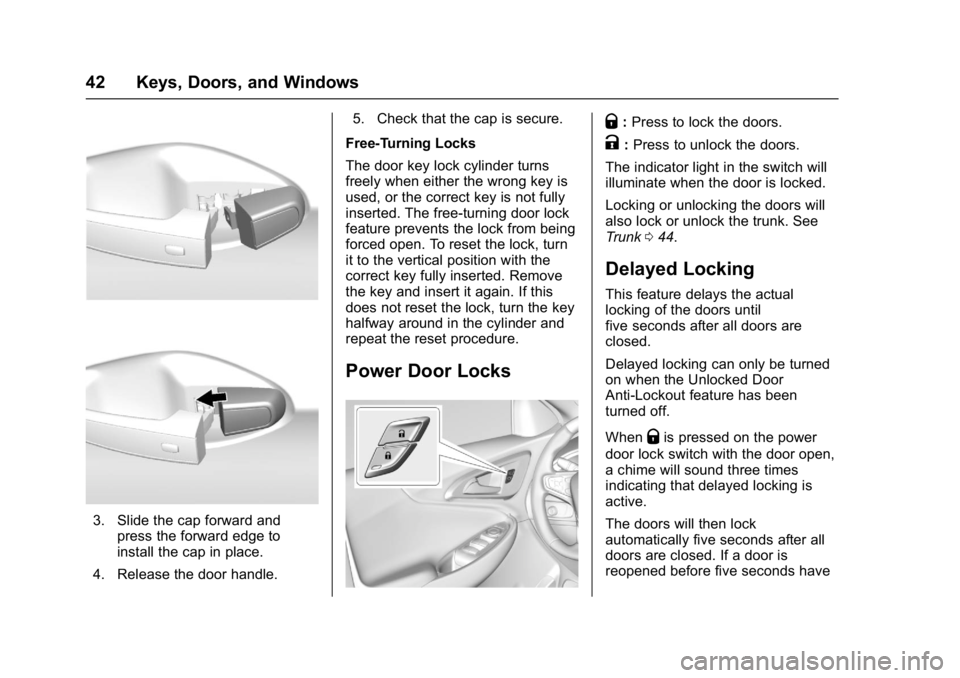
3. Slide the cap forward andpress the forward edge to
install the cap in place.
4. Release the door handle. 5. Check that the cap is secure.
Free-Turning Locks
The door key lock cylinder turns
freely when either the wrong key is
used, or the correct key is not fully
inserted. The free-turning door lock
feature prevents the lock from being
forced open. To reset the lock, turn
it to the vertical position with the
correct key fully inserted. Remove
the key and insert it again. If this
does not reset the lock, turn the key
halfway around in the cylinder and
repeat the reset procedure.
Power Door Locks
Q: Press to lock the doors.
K:Press to unlock the doors.
The indicator light in the switch will
illuminate when the door is locked.
Locking or unlocking the doors will
also lock or unlock the trunk. See
Trunk 044.
Delayed Locking
This feature delays the actual
locking of the doors until
five seconds after all doors are
closed.
Delayed locking can only be turned
on when the Unlocked Door
Anti-Lockout feature has been
turned off.
When
Qis pressed on the power
door lock switch with the door open,
a chime will sound three times
indicating that delayed locking is
active.
The doors will then lock
automatically five seconds after all
doors are closed. If a door is
reopened before five seconds have
Page 46 of 413
Chevrolet Malibu Owner Manual (GMNA-Localizing-U.S./Canada/Mexico-
11348460) - 2018 - crc - 5/3/17
Keys, Doors, and Windows 45
Warning (Continued)
highest setting. See
“Climate Control Systems”
in the Index.
. If the vehicle is equipped
with a power liftgate, disable
the power liftgate function.
For more information about
carbon monoxide, see Engine
Exhaust 0223.
Trunk Release
To open the trunk the vehicle must
be off or the shift lever must be in
P (Park).
.
Press
Xtwice quickly on the
RKE transmitter.
. Press the touch pad on the rear
of the trunk after unlocking all
doors.
If equipped with Keyless Access,
the trunk may be opened while the
vehicle is locked by pressing the
touch pad on the rear of the trunk
while the RKE transmitter is within
1 m (3 ft) of the rear of the vehicle.
See Remote Keyless Entry (RKE)
System Operation 032.
Emergency Trunk Release
Handle
Caution
Do not use the emergency trunk
release handle as a tie-down or
anchor point when securing items
in the trunk as it could damage
the handle.
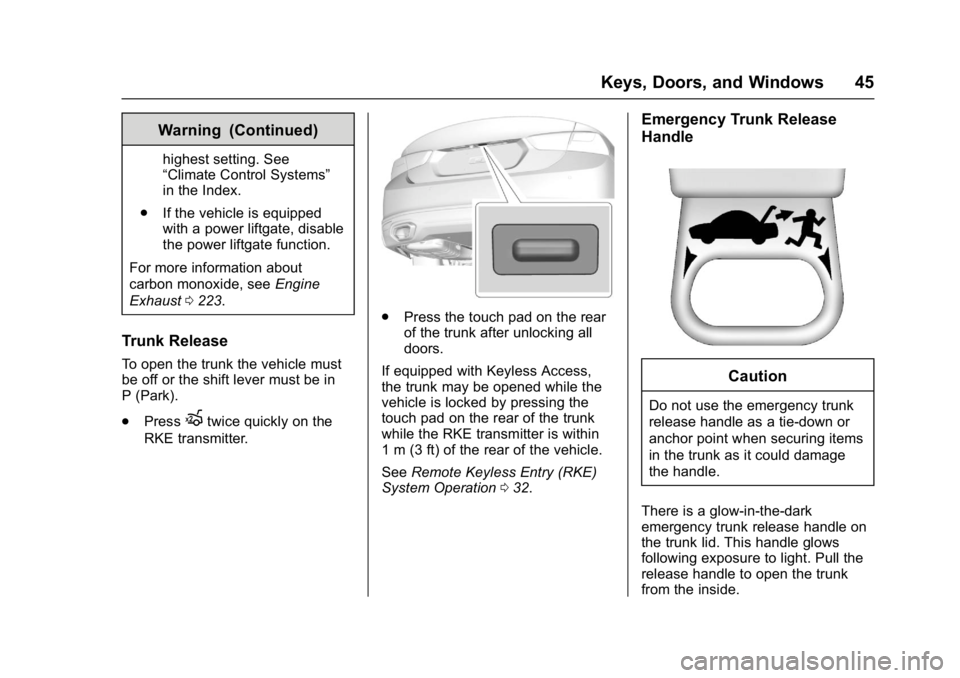
There is a glow-in-the-dark
emergency trunk release handle on
the trunk lid. This handle glows
following exposure to light. Pull the
release handle to open the trunk
from the inside.
Page 47 of 413
Chevrolet Malibu Owner Manual (GMNA-Localizing-U.S./Canada/Mexico-
11348460) - 2018 - crc - 5/3/17
46 Keys, Doors, and Windows
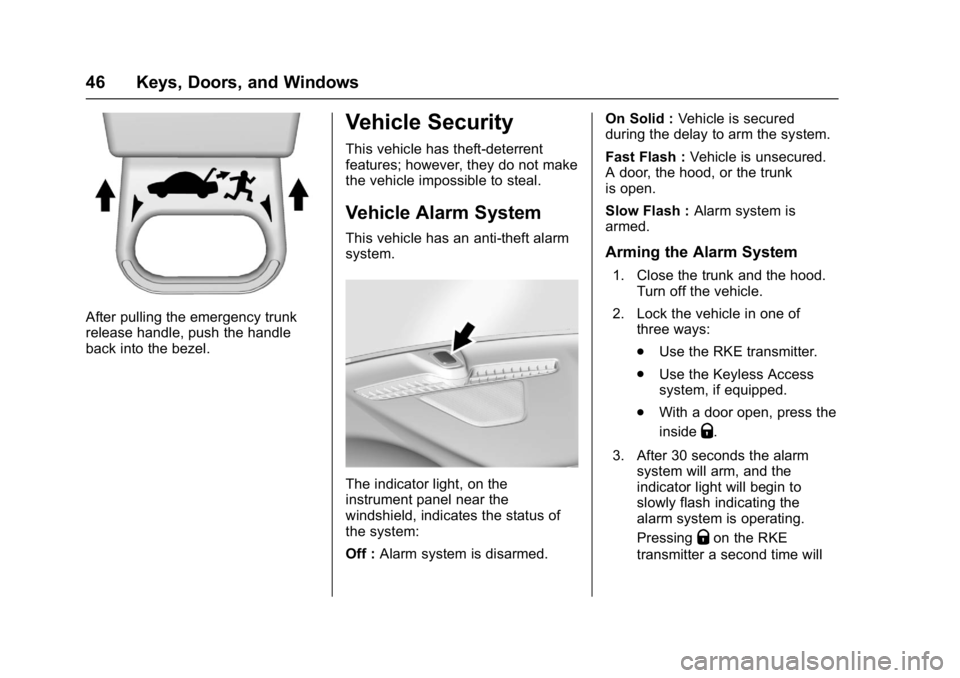
After pulling the emergency trunk
release handle, push the handle
back into the bezel.
Vehicle Security
This vehicle has theft-deterrent
features; however, they do not make
the vehicle impossible to steal.
Vehicle Alarm System
This vehicle has an anti-theft alarm
system.
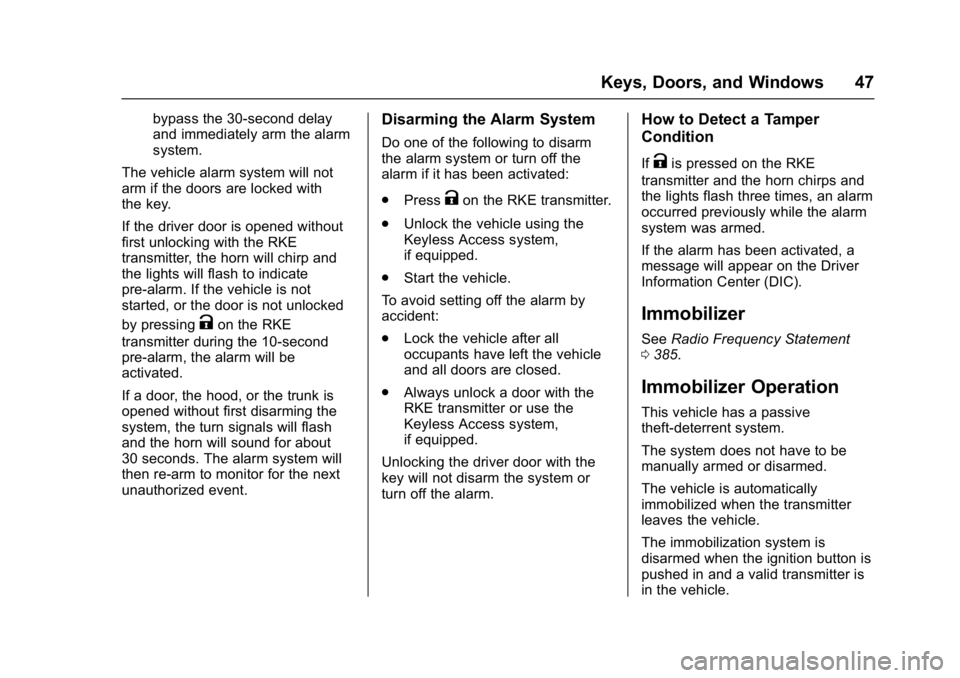
The indicator light, on the
instrument panel near the
windshield, indicates the status of
the system:
Off :Alarm system is disarmed. On Solid :
Vehicle is secured
during the delay to arm the system.
Fast Flash : Vehicle is unsecured.
A door, the hood, or the trunk
is open.
Slow Flash : Alarm system is
armed.
Arming the Alarm System
1. Close the trunk and the hood. Turn off the vehicle.
2. Lock the vehicle in one of three ways:
.Use the RKE transmitter.
. Use the Keyless Access
system, if equipped.
. With a door open, press the
inside
Q.
3. After 30 seconds the alarm system will arm, and the
indicator light will begin to
slowly flash indicating the
alarm system is operating.
Pressing
Qon the RKE
transmitter a second time will
Page 48 of 413
Chevrolet Malibu Owner Manual (GMNA-Localizing-U.S./Canada/Mexico-
11348460) - 2018 - crc - 5/3/17
Keys, Doors, and Windows 47
bypass the 30-second delay
and immediately arm the alarm
system.
The vehicle alarm system will not
arm if the doors are locked with
the key.
If the driver door is opened without
first unlocking with the RKE
transmitter, the horn will chirp and
the lights will flash to indicate
pre-alarm. If the vehicle is not
started, or the door is not unlocked
by pressing
Kon the RKE
transmitter during the 10-second
pre-alarm, the alarm will be
activated.
If a door, the hood, or the trunk is
opened without first disarming the
system, the turn signals will flash
and the horn will sound for about
30 seconds. The alarm system will
then re-arm to monitor for the next
unauthorized event.
Disarming the Alarm System
Do one of the following to disarm
the alarm system or turn off the
alarm if it has been activated:
. Press
Kon the RKE transmitter.
. Unlock the vehicle using the
Keyless Access system,
if equipped.
. Start the vehicle.
To avoid setting off the alarm by
accident:
. Lock the vehicle after all
occupants have left the vehicle
and all doors are closed.
. Always unlock a door with the
RKE transmitter or use the
Keyless Access system,
if equipped.
Unlocking the driver door with the
key will not disarm the system or
turn off the alarm.
How to Detect a Tamper
Condition
IfKis pressed on the RKE
transmitter and the horn chirps and
the lights flash three times, an alarm
occurred previously while the alarm
system was armed.
If the alarm has been activated, a
message will appear on the Driver
Information Center (DIC).
Immobilizer
See Radio Frequency Statement
0 385.
Immobilizer Operation
This vehicle has a passive
theft-deterrent system.
The system does not have to be
manually armed or disarmed.
The vehicle is automatically
immobilized when the transmitter
leaves the vehicle.
The immobilization system is
disarmed when the ignition button is
pushed in and a valid transmitter is
in the vehicle.
Page 49 of 413
Chevrolet Malibu Owner Manual (GMNA-Localizing-U.S./Canada/Mexico-
11348460) - 2018 - crc - 5/3/17
48 Keys, Doors, and Windows
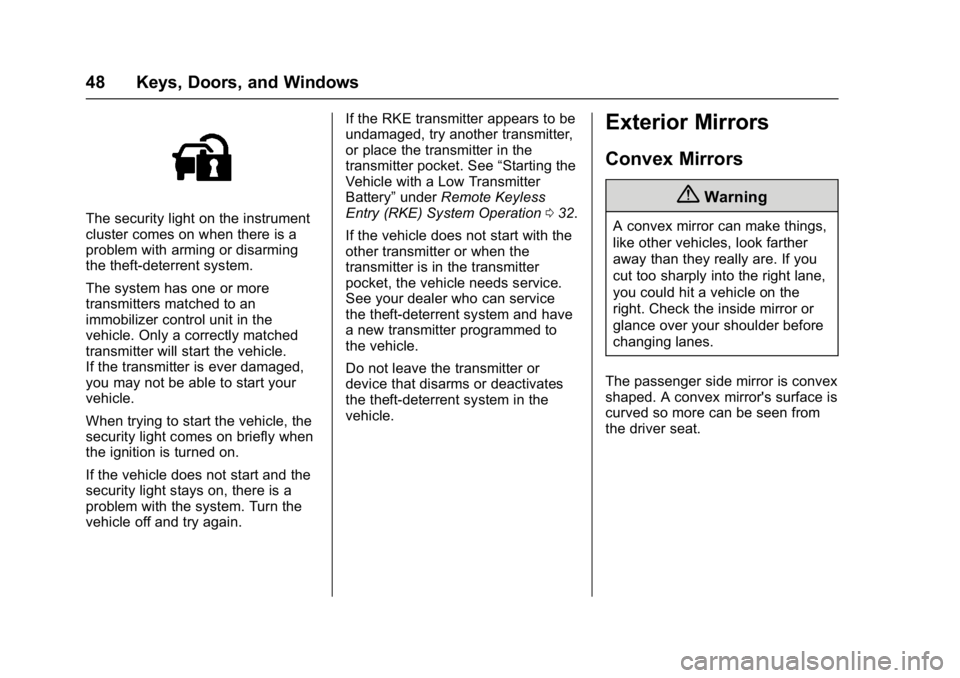
The security light on the instrument
cluster comes on when there is a
problem with arming or disarming
the theft-deterrent system.
The system has one or more
transmitters matched to an
immobilizer control unit in the
vehicle. Only a correctly matched
transmitter will start the vehicle.
If the transmitter is ever damaged,
you may not be able to start your
vehicle.
When trying to start the vehicle, the
security light comes on briefly when
the ignition is turned on.
If the vehicle does not start and the
security light stays on, there is a
problem with the system. Turn the
vehicle off and try again.If the RKE transmitter appears to be
undamaged, try another transmitter,
or place the transmitter in the
transmitter pocket. See
“Starting the
Vehicle with a Low Transmitter
Battery” underRemote Keyless
Entry (RKE) System Operation 032.
If the vehicle does not start with the
other transmitter or when the
transmitter is in the transmitter
pocket, the vehicle needs service.
See your dealer who can service
the theft-deterrent system and have
a new transmitter programmed to
the vehicle.
Do not leave the transmitter or
device that disarms or deactivates
the theft-deterrent system in the
vehicle.
Exterior Mirrors
Convex Mirrors
{Warning
A convex mirror can make things,
like other vehicles, look farther
away than they really are. If you
cut too sharply into the right lane,
you could hit a vehicle on the
right. Check the inside mirror or
glance over your shoulder before
changing lanes.
The passenger side mirror is convex
shaped. A convex mirror's surface is
curved so more can be seen from
the driver seat.
Page 52 of 413
Chevrolet Malibu Owner Manual (GMNA-Localizing-U.S./Canada/Mexico-
11348460) - 2018 - crc - 5/3/17
Keys, Doors, and Windows 51
Power windows work when the
vehicle is on, in ACC/ACCESSORY,
or when Retained Accessory Power
(RAP) is active. SeeRetained
Accessory Power (RAP) 0221.
Using the window switch, press to
open or pull to close the window.
The windows may be temporarily
disabled if they are used repeatedly
within a short time.
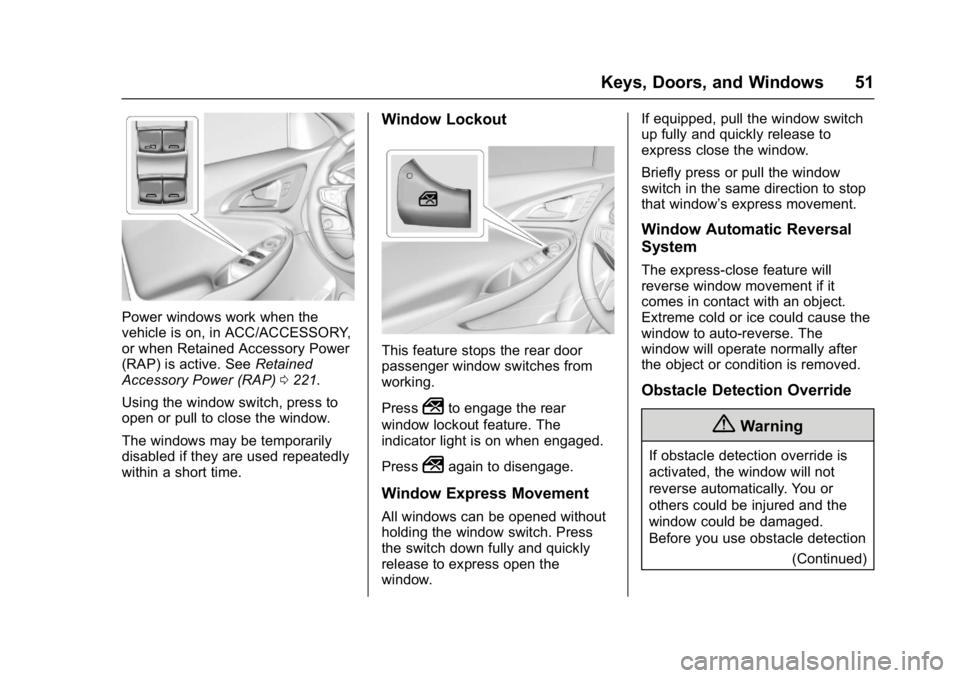
Window Lockout
This feature stops the rear door
passenger window switches from
working.
Press
2to engage the rear
window lockout feature. The
indicator light is on when engaged.
Press
2again to disengage.
Window Express Movement
All windows can be opened without
holding the window switch. Press
the switch down fully and quickly
release to express open the
window. If equipped, pull the window switch
up fully and quickly release to
express close the window.
Briefly press or pull the window
switch in the same direction to stop
that window’s express movement.
Window Automatic Reversal
System
The express-close feature will
reverse window movement if it
comes in contact with an object.
Extreme cold or ice could cause the
window to auto-reverse. The
window will operate normally after
the object or condition is removed.
Obstacle Detection Override
{Warning
If obstacle detection override is
activated, the window will not
reverse automatically. You or
others could be injured and the
window could be damaged.
Before you use obstacle detection
(Continued)
Page 63 of 413
Chevrolet Malibu Owner Manual (GMNA-Localizing-U.S./Canada/Mexico-
11348460) - 2018 - crc - 5/3/17
62 Seats and Restraints
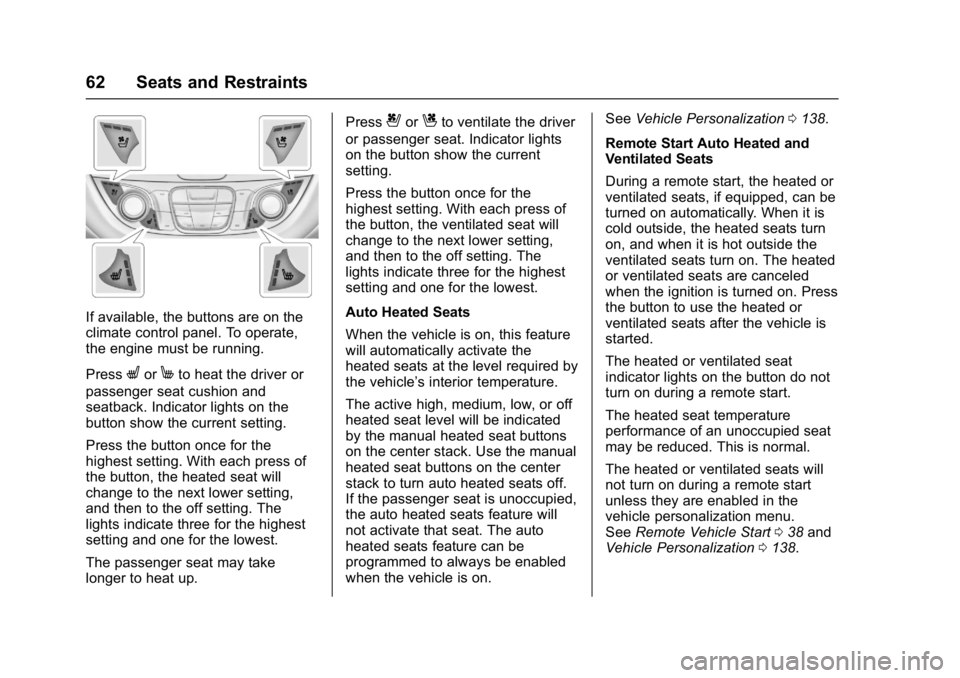
If available, the buttons are on the
climate control panel. To operate,
the engine must be running.
Press
LorMto heat the driver or
passenger seat cushion and
seatback. Indicator lights on the
button show the current setting.
Press the button once for the
highest setting. With each press of
the button, the heated seat will
change to the next lower setting,
and then to the off setting. The
lights indicate three for the highest
setting and one for the lowest.
The passenger seat may take
longer to heat up. Press
{orCto ventilate the driver
or passenger seat. Indicator lights
on the button show the current
setting.
Press the button once for the
highest setting. With each press of
the button, the ventilated seat will
change to the next lower setting,
and then to the off setting. The
lights indicate three for the highest
setting and one for the lowest.
Auto Heated Seats
When the vehicle is on, this feature
will automatically activate the
heated seats at the level required by
the vehicle’ s interior temperature.
The active high, medium, low, or off
heated seat level will be indicated
by the manual heated seat buttons
on the center stack. Use the manual
heated seat buttons on the center
stack to turn auto heated seats off.
If the passenger seat is unoccupied,
the auto heated seats feature will
not activate that seat. The auto
heated seats feature can be
programmed to always be enabled
when the vehicle is on. See
Vehicle Personalization 0138.
Remote Start Auto Heated and
Ventilated Seats
During a remote start, the heated or
ventilated seats, if equipped, can be
turned on automatically. When it is
cold outside, the heated seats turn
on, and when it is hot outside the
ventilated seats turn on. The heated
or ventilated seats are canceled
when the ignition is turned on. Press
the button to use the heated or
ventilated seats after the vehicle is
started.
The heated or ventilated seat
indicator lights on the button do not
turn on during a remote start.
The heated seat temperature
performance of an unoccupied seat
may be reduced. This is normal.
The heated or ventilated seats will
not turn on during a remote start
unless they are enabled in the
vehicle personalization menu.
See Remote Vehicle Start 038 and
Vehicle Personalization 0138.
Page 67 of 413
Chevrolet Malibu Owner Manual (GMNA-Localizing-U.S./Canada/Mexico-
11348460) - 2018 - crc - 5/3/17
66 Seats and Restraints
Warning (Continued)
passengers to ride in any area of
the vehicle that is not equipped
with seats and seat belts.
Always wear a seat belt, and
check that all passenger(s) are
restrained properly too.
This vehicle has indicators as a
reminder to buckle the seat belts.
See Seat Belt Reminders 0120.
Seat Belt Assurance System
This vehicle may have the Seat Belt
Assurance System, which prevents
the vehicle from shifting out of
P (Park). A message displays in the
Driver Information Center (DIC)
indicating the shift lever is locked
when the brake pedal is applied and
the seat belts for either the driver or
front outboard passenger are not
buckled. The vehicle will not shift
out of P (Park). Buckle the seat
belts to unlock the shift lever. If the
front passenger seat is unoccupied,
only the driver seat belt must be
buckled to unlock the shift lever. This system may not allow the
vehicle to shift out of P (Park) if an
object
—such as a briefcase,
handbag, grocery bag, laptop,
or other electronic device —is on
the front outboard passenger seat.
If this happens, remove the object
from the seat or buckle the
seat belt.
If the driver or front outboard
passenger unbuckles their seat belt
while driving, the seat belt reminder
chime and light(s) will come on. See
Seat Belt Reminders 0120.
The Seat Belt Assurance System
will time out 30 seconds after the
brake pedal is initially pressed.
A message displays in the DIC
indicating the shift lever is unlocked
allowing the vehicle to be shifted out
of P (Park). See “Seat Belts”and
“Child Restraints” in the Index for
information about the importance of
proper restraint use.
This system may not function
properly if the airbag readiness light
is on. See Airbag Readiness Light
0 120.
Why Seat Belts Work
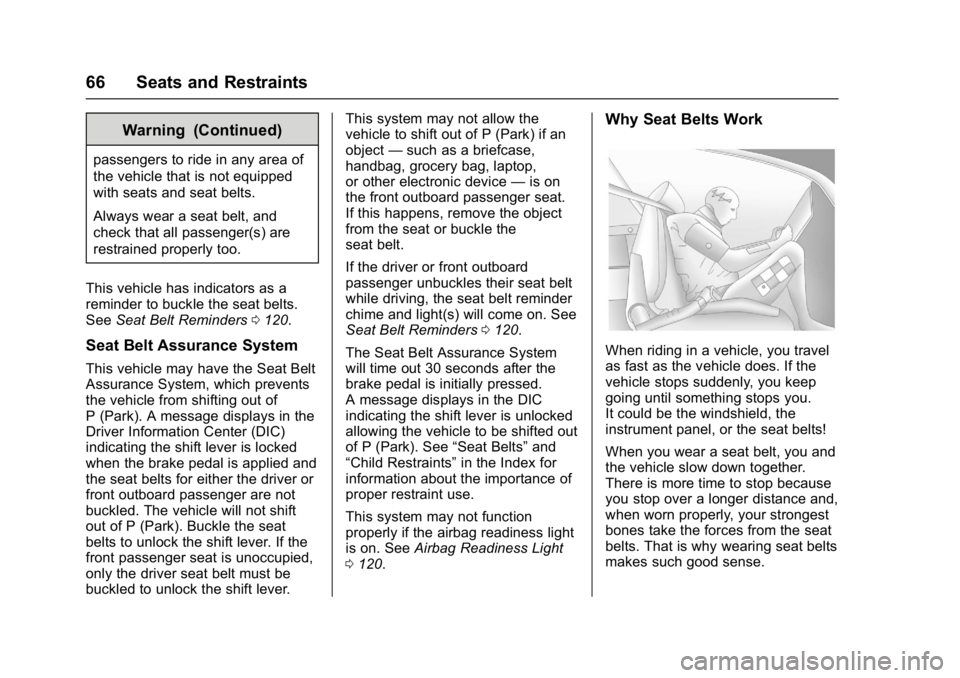
When riding in a vehicle, you travel
as fast as the vehicle does. If the
vehicle stops suddenly, you keep
going until something stops you.
It could be the windshield, the
instrument panel, or the seat belts!
When you wear a seat belt, you and
the vehicle slow down together.
There is more time to stop because
you stop over a longer distance and,
when worn properly, your strongest
bones take the forces from the seat
belts. That is why wearing seat belts
makes such good sense.