transmission CHEVROLET MALIBU 2018 Owner's Manual
[x] Cancel search | Manufacturer: CHEVROLET, Model Year: 2018, Model line: MALIBU, Model: CHEVROLET MALIBU 2018Pages: 413, PDF Size: 5.92 MB
Page 6 of 413
Chevrolet Malibu Owner Manual (GMNA-Localizing-U.S./Canada/Mexico-
11348460) - 2018 - crc - 5/3/17
In Brief 5
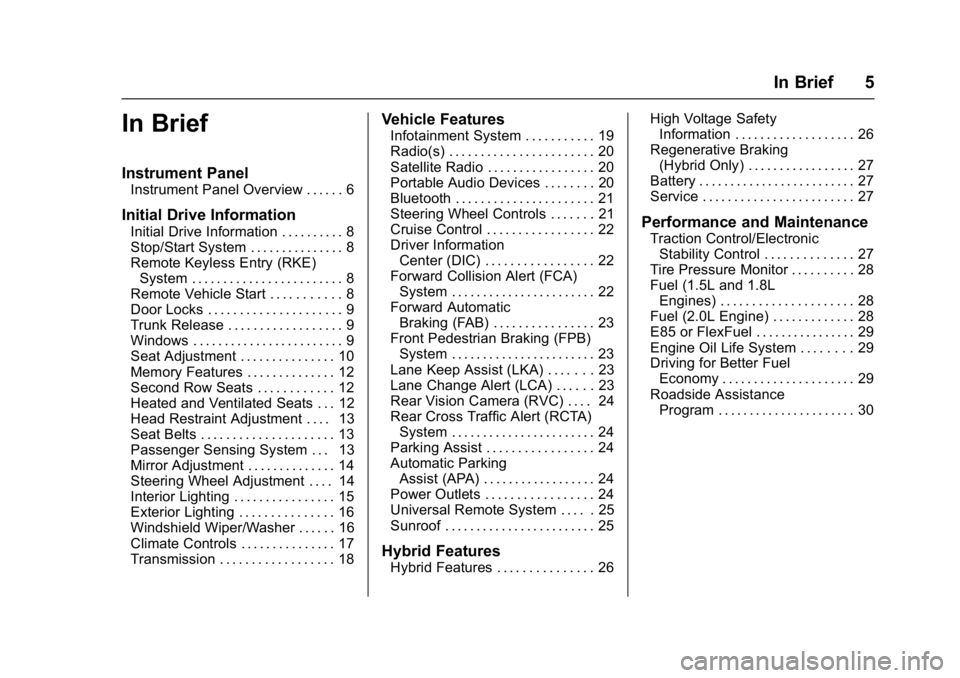
In Brief
Instrument Panel
Instrument Panel Overview . . . . . . 6
Initial Drive Information
Initial Drive Information . . . . . . . . . . 8
Stop/Start System . . . . . . . . . . . . . . . 8
Remote Keyless Entry (RKE)System . . . . . . . . . . . . . . . . . . . . . . . . 8
Remote Vehicle Start . . . . . . . . . . . 8
Door Locks . . . . . . . . . . . . . . . . . . . . . 9
Trunk Release . . . . . . . . . . . . . . . . . . 9
Windows . . . . . . . . . . . . . . . . . . . . . . . . 9
Seat Adjustment . . . . . . . . . . . . . . . 10
Memory Features . . . . . . . . . . . . . . 12
Second Row Seats . . . . . . . . . . . . 12
Heated and Ventilated Seats . . . 12
Head Restraint Adjustment . . . . 13
Seat Belts . . . . . . . . . . . . . . . . . . . . . 13
Passenger Sensing System . . . 13
Mirror Adjustment . . . . . . . . . . . . . . 14
Steering Wheel Adjustment . . . . 14
Interior Lighting . . . . . . . . . . . . . . . . 15
Exterior Lighting . . . . . . . . . . . . . . . 16
Windshield Wiper/Washer . . . . . . 16
Climate Controls . . . . . . . . . . . . . . . 17
Transmission . . . . . . . . . . . . . . . . . . 18
Vehicle Features
Infotainment System . . . . . . . . . . . 19
Radio(s) . . . . . . . . . . . . . . . . . . . . . . . 20
Satellite Radio . . . . . . . . . . . . . . . . . 20
Portable Audio Devices . . . . . . . . 20
Bluetooth . . . . . . . . . . . . . . . . . . . . . . 21
Steering Wheel Controls . . . . . . . 21
Cruise Control . . . . . . . . . . . . . . . . . 22
Driver Information Center (DIC) . . . . . . . . . . . . . . . . . 22
Forward Collision Alert (FCA) System . . . . . . . . . . . . . . . . . . . . . . . 22
Forward Automatic Braking (FAB) . . . . . . . . . . . . . . . . 23
Front Pedestrian Braking (FPB) System . . . . . . . . . . . . . . . . . . . . . . . 23
Lane Keep Assist (LKA) . . . . . . . 23
Lane Change Alert (LCA) . . . . . . 23
Rear Vision Camera (RVC) . . . . 24
Rear Cross Traffic Alert (RCTA) System . . . . . . . . . . . . . . . . . . . . . . . 24
Parking Assist . . . . . . . . . . . . . . . . . 24
Automatic Parking Assist (APA) . . . . . . . . . . . . . . . . . . 24
Power Outlets . . . . . . . . . . . . . . . . . 24
Universal Remote System . . . . . 25
Sunroof . . . . . . . . . . . . . . . . . . . . . . . . 25
Hybrid Features
Hybrid Features . . . . . . . . . . . . . . . 26 High Voltage Safety
Information . . . . . . . . . . . . . . . . . . . 26
Regenerative Braking (Hybrid Only) . . . . . . . . . . . . . . . . . 27
Battery . . . . . . . . . . . . . . . . . . . . . . . . . 27
Service . . . . . . . . . . . . . . . . . . . . . . . . 27
Performance and Maintenance
Traction Control/Electronic
Stability Control . . . . . . . . . . . . . . 27
Tire Pressure Monitor . . . . . . . . . . 28
Fuel (1.5L and 1.8L Engines) . . . . . . . . . . . . . . . . . . . . . 28
Fuel (2.0L Engine) . . . . . . . . . . . . . 28
E85 or FlexFuel . . . . . . . . . . . . . . . . 29
Engine Oil Life System . . . . . . . . 29
Driving for Better Fuel Economy . . . . . . . . . . . . . . . . . . . . . 29
Roadside Assistance Program . . . . . . . . . . . . . . . . . . . . . . 30
Page 8 of 413

Chevrolet Malibu Owner Manual (GMNA-Localizing-U.S./Canada/Mexico-
11348460) - 2018 - crc - 5/3/17
In Brief 7
1.Air Vents 0203.
2. Turn Signal Lever. See Turn
and Lane-Change Signals
0 158.
IntelliBeam System Button
(If Equipped). See Exterior
Lamp Controls 0154.
3. Instrument Cluster (Base
Level) 0112 orInstrument
Cluster (Uplevel) 0114.
Driver Information Center (DIC)
(Uplevel) 0134 orDriver
Information Center (DIC) (Base
Level) 0131.
4. Windshield Wiper/Washer
0106.
5. Light Sensor. See Automatic
Headlamp System 0157.
6. Infotainment 0162.
7. Climate Control Systems
0196.
Dual Automatic Climate Control
System 0199 (If Equipped).
8. Hazard Warning Flashers
0157.
9. Power Outlets 0109. 10.
Traction Control/Electronic
Stability Control 0231.
Assistance Systems for
Parking or Backing 0243
(If Equipped).
11. Shift Lever. See Automatic
Transmission 0224.
12. Electric Parking Brake 0228.
13. USB Port 0176.
14. ENGINE START/STOP Button. SeeIgnition Positions 0216.
15. Steering Wheel Controls 0105.
Driver Information Center
Buttons.
See Driver Information Center
(DIC) (Uplevel) 0134 orDriver
Information Center (DIC) (Base
Level) 0131.
16. Horn 0106.
17. Steering Wheel Adjustment
0105.
18. Cruise Control 0233.
Adaptive Cruise Control 0235
(If Equipped). Heated Steering Wheel
0106
(If Equipped).
Forward Collision Alert (FCA)
System 0247 (If Equipped).
Lane Keep Assist (LKA) 0255
(If Equipped).
19. Hood Release. See Hood
0 271.
20. Data Link Connector (Out of View). See Malfunction
Indicator Lamp (Check Engine
Light) 0122.
21. Exterior Lamp Controls 0154.
22. Instrument Panel Illumination
Control 0158.
Page 19 of 413
Chevrolet Malibu Owner Manual (GMNA-Localizing-U.S./Canada/Mexico-
11348460) - 2018 - crc - 5/3/17
18 In Brief
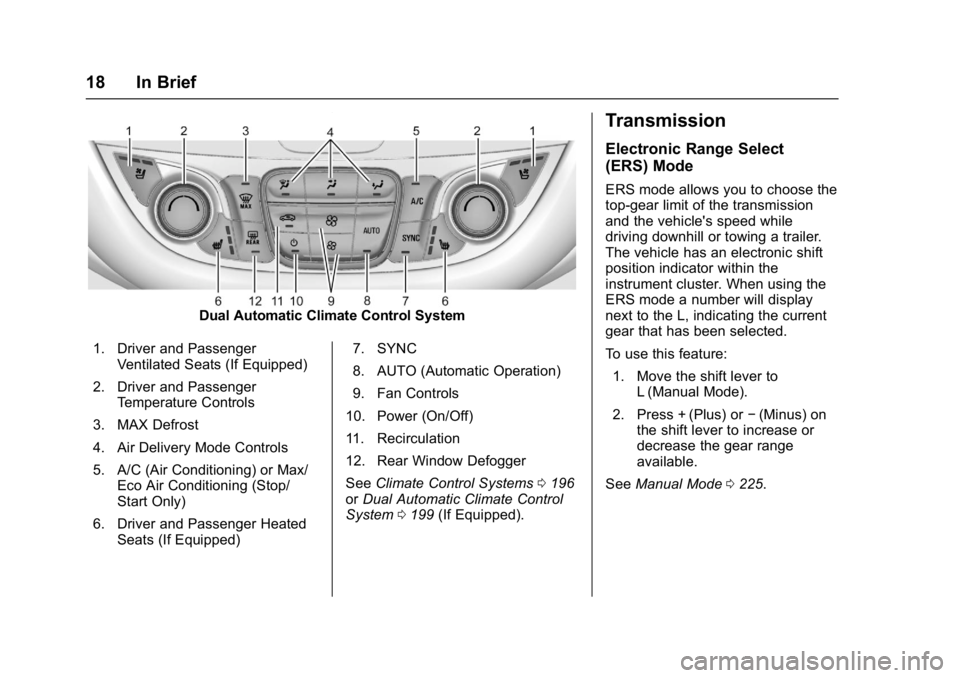
Dual Automatic Climate Control System
1. Driver and Passenger Ventilated Seats (If Equipped)
2. Driver and Passenger Temperature Controls
3. MAX Defrost
4. Air Delivery Mode Controls
5. A/C (Air Conditioning) or Max/ Eco Air Conditioning (Stop/
Start Only)
6. Driver and Passenger Heated Seats (If Equipped) 7. SYNC
8. AUTO (Automatic Operation)
9. Fan Controls
10. Power (On/Off)
11. Recirculation
12. Rear Window Defogger
See Climate Control Systems 0196
or Dual Automatic Climate Control
System 0199 (If Equipped).
Transmission
Electronic Range Select
(ERS) Mode
ERS mode allows you to choose the
top-gear limit of the transmission
and the vehicle's speed while
driving downhill or towing a trailer.
The vehicle has an electronic shift
position indicator within the
instrument cluster. When using the
ERS mode a number will display
next to the L, indicating the current
gear that has been selected.
To use this feature:
1. Move the shift lever to L (Manual Mode).
2. Press + (Plus) or −(Minus) on
the shift lever to increase or
decrease the gear range
available.
See Manual Mode 0225.
Page 20 of 413
Chevrolet Malibu Owner Manual (GMNA-Localizing-U.S./Canada/Mexico-
11348460) - 2018 - crc - 5/3/17
In Brief 19
Hybrid Low Mode
When descending steep grades or
in stop-and-go traffic, L (Low)
provides the ability to slow the
vehicle with regenerative braking
when lifting off the accelerator
pedal. L2 provides moderate
braking and L1 provides maximum
braking below 80 km/h (50 mph).
When the battery reaches full
charge the engine may run to
maintain braking.
To use this feature:1. Move the shift lever to L (Low). The transmission will enter L2.
2. Press + (Plus) or −(Minus) on
the shift lever to shift between
L2 and L1.
See Manual Mode 0225.
Vehicle Features
Infotainment System
Base radio information is included in
this manual. See the infotainment
manual for information on other
available infotainment systems.
Read the following pages to
become familiar with the features.
{Warning
Taking your eyes off the road for
too long or too often while using
any infotainment feature can
cause a crash. You or others
could be injured or killed. Do not
give extended attention to
infotainment tasks while driving.
Limit your glances at the vehicle
displays and focus your attention
on driving. Use voice commands
whenever possible.
The infotainment system has built-in
features intended to help avoid
distraction by disabling some
functions when driving. These functions may gray out when they
are unavailable. Many infotainment
features are also available through
the instrument cluster and steering
wheel controls.
Before driving:
.
Become familiar with the
operation, center stack controls,
and infotainment display
controls.
. Set up the audio by presetting
favorite stations, setting the
tone, and adjusting the
speakers.
. Set up phone numbers in
advance so they can be called
easily by pressing a single
control or by using a single voice
command if equipped with
Bluetooth phone capability.
See Defensive Driving 0207.
To play the infotainment system with
the ignition off, see Retained
Accessory Power (RAP) 0221.
Page 27 of 413
Chevrolet Malibu Owner Manual (GMNA-Localizing-U.S./Canada/Mexico-
11348460) - 2018 - crc - 5/3/17
26 In Brief
Hybrid Features
Hybrid Vehicle Operation
The hybrid vehicle combines
gasoline and electric propulsion to
drive the vehicle. The gas engine
will automatically start to provide
power. It will shut off to save fuel.
The engine may remain
running when:
.There is aggressive acceleration
or climbing hills.
. Vehicle speed is greater than
88 km/h (55 mph).
. The high voltage battery is
charging.
. The heater is being used.
The engine and transmission work
together to provide the required
power at the highest efficiency. This
may result in higher engine speeds.
See Driving for Better Fuel
Economy 029.
High Voltage Safety
Information
{Warning
Exposure to high voltage can
cause shock, burns, and even
death. The high voltage
components in the vehicle can
only be serviced by technicians
with special training.
High voltage components are
identified by labels. Do not
remove, open, take apart,
or modify these components.
High voltage cable or wiring has
orange covering or labels. Do not
probe, tamper with, cut, or modify
high voltage cable or wiring.
This vehicle has a high voltage
battery and a standard 12-volt
battery.
If the vehicle is in a crash, the
sensing system may shut down the
high voltage system. When this
occurs, the high voltage battery is
disconnected and the vehicle will not start. The SERVICE VEHICLE
SOON message in the Driver
Information Center (DIC) will be
displayed. Before the vehicle can be
operated again, it must be serviced
at your dealer.
{Warning
Damage to the high voltage
battery or high voltage system
can create a risk of electric shock,
overheating, or fire.
If the vehicle is damaged from a
moderate to severe crash, flood,
fire, or other event, the vehicle
should be inspected as soon as
possible. Until the vehicle has
been inspected, store it outside at
least 15 m (50 ft) from any
structure or anything that can
burn. Ventilate the vehicle by
opening a window or a door.
Contact Customer Assistance as
soon as possible to determine
whether an inspection is needed.
See
Customer Assistance Offices
0 377.
Page 44 of 413
Chevrolet Malibu Owner Manual (GMNA-Localizing-U.S./Canada/Mexico-
11348460) - 2018 - crc - 5/3/17
Keys, Doors, and Windows 43
elapsed, the five-second timer will
reset once all the doors are closed
again.
Press
Qon the door lock switch
again, or press
Qon the RKE
transmitter, to override this feature
and lock the doors immediately.
Delayed locking can be
programmed. See Vehicle
Personalization 0138.
Automatic Door Locks
The doors will lock automatically
when all doors are closed, the
ignition is on, and the vehicle is
shifted out of P (Park).
If a vehicle door is unlocked, and
then opened and closed, the doors
will lock either when your foot is
removed from the brake or the
vehicle speed becomes faster than
13 km/h (8 mph).
To unlock the doors:
.
Press
Kon the power door lock
switch. .
Shift the transmission into
P (Park).
Automatic door locking cannot be
disabled. Automatic door unlocking
can be programmed. See Vehicle
Personalization 0138.
Lockout Protection
If the ignition is on or in ACC/
ACCESSORY and the power door
lock switch is pressed with the
driver door open, all the doors will
lock and only the driver door will
unlock.
If the vehicle is off and locking is
requested while a door is open,
when all doors are closed the
vehicle will check for RKE
transmitters inside. If an RKE
transmitter is detected and the
number of RKE transmitters inside
has not reduced, the driver door will
unlock and the horn will chirp three
times. Lockout Protection can be manually
overridden with the driver door open
by pressing and holding
Qon the
power door lock switch.
Unlocked Door Anti-Lockout
If Unlocked Door Anti-Lockout has
been turned on and the vehicle is
off, the driver door is open, and
locking is requested, all the doors
will lock and the driver door will
remain unlocked. Push the lock
button on the door or the RKE
transmitter a second time to lock the
driver door. The Unlocked Door
Anti-Lockout feature can be turned
on or off. See Vehicle
Personalization 0138.
Page 61 of 413
Chevrolet Malibu Owner Manual (GMNA-Localizing-U.S./Canada/Mexico-
11348460) - 2018 - crc - 5/3/17
60 Seats and Restraints
2. Start the vehicle with the initialkey or RKE transmitter. The
DIC should display the other
driver number not shown in
step 1.
Saving Memory Positions
Read these instructions completely
before saving memory positions.
To save preferred driving positions
1 and 2: 1. Turn the ignition on or to ACC/ ACCESSORY.
A DIC welcome message may
be displayed indicating number
1 or 2 for memory recalls.
2. Adjust all available memory features to the desired driving
position.
3. Press and release SET; a beep will sound.
4. Immediately press and hold the 1 or 2 memory button matching
the above DIC welcome
message until two beeps
sound. If too much time passes
between releasing SET and
pressing 1, the memory
position will not be saved and
two beeps will not sound.
Repeat Steps 3 and 4.
1 or 2 corresponds to the driver
number. See
“Identifying Driver
Number” in this section.
5. Repeat Steps 1–4 for a second driver using 1 or 2.
To save the position for
Band
easy exit features, repeat Steps 1–4
using
B. This stores the position
for getting out of the vehicle.
Save preferred memory feature
positions to both 1 and 2 if you are
the only driver.
Manually Recalling Memory
Positions
Press and hold 1, 2, or
Bto recall
the previously stored memory
positions.
To stop manual recall movement,
release 1, 2, or
B. Recall can also
be stopped by pressing a power seat, SET, or power mirror control,
if memory equipped. The driver or
passenger side mirror must be
selected.
Auto Memory Recall
The vehicle identifies the number of
the current driver
’s RKE transmitter
(1–8). See Remote Keyless Entry
(RKE) System Operation 032. If the
RKE transmitter is 1 or 2, and Auto
Memory Recall is programmed on in
vehicle personalization, the
positions saved to the same
memory button number 1 or 2 are
automatically recalled when the
ignition is turned on, or turned from
off to ACC/ACCESSORY. RKE
transmitters 3–8 will not provide
automatic memory recalls.
To turn Auto Memory Recall on or
off, see "Vehicle Personalization
Settings" previously in this section
and Vehicle Personalization 0138.
The transmission must be in
P (Park) to initiate Auto Memory
Recall. Auto Memory Recall will
complete if the vehicle is shifted out
of P (Park) prior to reaching the
stored memory position.
Page 118 of 413
Chevrolet Malibu Owner Manual (GMNA-Localizing-U.S./Canada/Mexico-
11348460) - 2018 - crc - 5/3/17
Instruments and Controls 117
Info Pages :Presspwhile Info
Pages is displayed to enter the Info
Pages menu and select the items to
be displayed in the Info app.
See Driver Information Center (DIC)
(Uplevel) 0134 orDriver Information
Center (DIC) (Base Level) 0131.
Speed Warning : The Speed
Warning display allows the driver to
set a speed that they do not want to
exceed. To set the Speed Warning,
press
pwhen Speed Warning is
displayed. Press
worxto adjust
the value. Press
Vto set the speed.
Once the speed is set, this feature
can be turned off by pressing
V
while viewing this page. If the
selected speed limit is exceeded, a
pop-up warning is displayed with a
chime.
Speedometer
The speedometer shows the
vehicle's speed in either kilometers
per hour (km/h) or miles per
hour (mph).
Odometer
The odometer shows how far the
vehicle has been driven, in either
kilometers or miles.
Trip Odometer
The trip odometer shows how far
the vehicle has been driven since
the trip odometer was last reset.
The trip odometer is accessed and
reset through the Driver Information
Center (DIC).
See Driver Information Center (DIC)
(Uplevel) 0134 orDriver Information
Center (DIC) (Base Level) 0131.
Tachometer (Non-Hybrid)
The tachometer displays the engine
speed in revolutions per
minute (rpm).
For vehicles with the stop/start
system, when the ignition is on, the
tachometer indicates the vehicle
status. When pointing to AUTO
STOP, the engine is off but the
vehicle is on and can move. The engine could auto start at any time.
When the indicator points to OFF,
the vehicle is off.
When the engine is on, the
tachometer will indicate the engine’s
revolutions per minute (rpm). The
tachometer may vary by several
hundred rpm’s, during Auto Stop
mode, when the engine is shutting
off and restarting.
A slight bump may be felt when the
transmission is determining the
most fuel efficient operating range.
Caution
If the engine is operated with the
rpm’s in the warning area at the
high end of the tachometer, the
vehicle could be damaged, and
the damage would not be covered
by the vehicle warranty. Do not
operate the engine with the rpm’s
in the warning area.
Page 123 of 413
Chevrolet Malibu Owner Manual (GMNA-Localizing-U.S./Canada/Mexico-
11348460) - 2018 - crc - 5/3/17
122 Instruments and Controls
Charging System Light
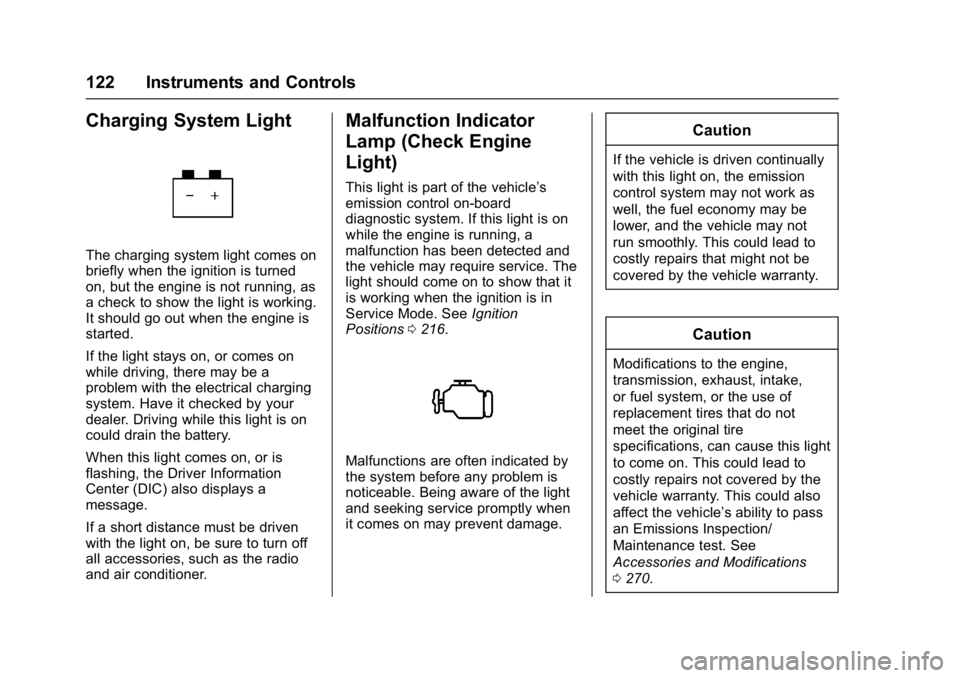
The charging system light comes on
briefly when the ignition is turned
on, but the engine is not running, as
a check to show the light is working.
It should go out when the engine is
started.
If the light stays on, or comes on
while driving, there may be a
problem with the electrical charging
system. Have it checked by your
dealer. Driving while this light is on
could drain the battery.
When this light comes on, or is
flashing, the Driver Information
Center (DIC) also displays a
message.
If a short distance must be driven
with the light on, be sure to turn off
all accessories, such as the radio
and air conditioner.
Malfunction Indicator
Lamp (Check Engine
Light)
This light is part of the vehicle’s
emission control on-board
diagnostic system. If this light is on
while the engine is running, a
malfunction has been detected and
the vehicle may require service. The
light should come on to show that it
is working when the ignition is in
Service Mode. SeeIgnition
Positions 0216.
Malfunctions are often indicated by
the system before any problem is
noticeable. Being aware of the light
and seeking service promptly when
it comes on may prevent damage.
Caution
If the vehicle is driven continually
with this light on, the emission
control system may not work as
well, the fuel economy may be
lower, and the vehicle may not
run smoothly. This could lead to
costly repairs that might not be
covered by the vehicle warranty.
Caution
Modifications to the engine,
transmission, exhaust, intake,
or fuel system, or the use of
replacement tires that do not
meet the original tire
specifications, can cause this light
to come on. This could lead to
costly repairs not covered by the
vehicle warranty. This could also
affect the vehicle’s ability to pass
an Emissions Inspection/
Maintenance test. See
Accessories and Modifications
0270.
Page 139 of 413
Chevrolet Malibu Owner Manual (GMNA-Localizing-U.S./Canada/Mexico-
11348460) - 2018 - crc - 5/3/17
138 Instruments and Controls
.Brakes
. Ride Control Systems
. Driver Assistance Systems
. Cruise Control
. Lighting and Bulb Replacement
. Wiper/Washer Systems
. Doors and Windows
. Seat Belts
. Airbag Systems
. Engine and Transmission
. Tire Pressure
. Battery
Engine Power Messages
ENGINE/PROPULSION POWER
IS REDUCED
This message displays when the
vehicle's propulsion power is
reduced. Reduced propulsion power
can affect the vehicle's ability to
accelerate. If this message is on,
but there is no observed reduction
in performance, proceed to your
destination. The performance may be reduced the next time the vehicle
is driven. The vehicle may be driven
while this message is on, but
maximum acceleration and speed
may be reduced. Anytime this
message stays on, or displays
repeatedly, the vehicle should be
taken to your dealer for service as
soon as possible.
Vehicle Speed Messages
SPEED LIMITED TO
XXX KM/H (MPH)
This message shows that the
vehicle speed has been limited to
the speed displayed. The limited
speed is a protection for various
propulsion and vehicle systems,
such as lubrication, thermal,
suspension, Teen Driver if
equipped, or tires.
Vehicle
Personalization
Personalization Menu (Radio
without Touchscreen)
The audio system controls are used
to access the personalization
menus for customizing vehicle
features.
The following are all possible
personalization features. Depending
on the vehicle, some may not be
available.
MENU :
Turn to scroll through the
menus or setup items. Press to
enter the menus and select the
menu items.
BACK : Press to exit or return to
the previous screen or menu.
To access a menu:
1. Press MENU.
2. Turn MENU to the desired menu.
3. Press MENU to select.
Menus and functions may vary
depending on vehicle options.