remove CHEVROLET MONTE CARLO 1996 5.G User Guide
[x] Cancel search | Manufacturer: CHEVROLET, Model Year: 1996, Model line: MONTE CARLO, Model: CHEVROLET MONTE CARLO 1996 5.GPages: 340, PDF Size: 17.79 MB
Page 77 of 340
Downloaded from www.Manualslib.com manuals search engine Console Shift
1. Hold the brake pedal down with your right foot and
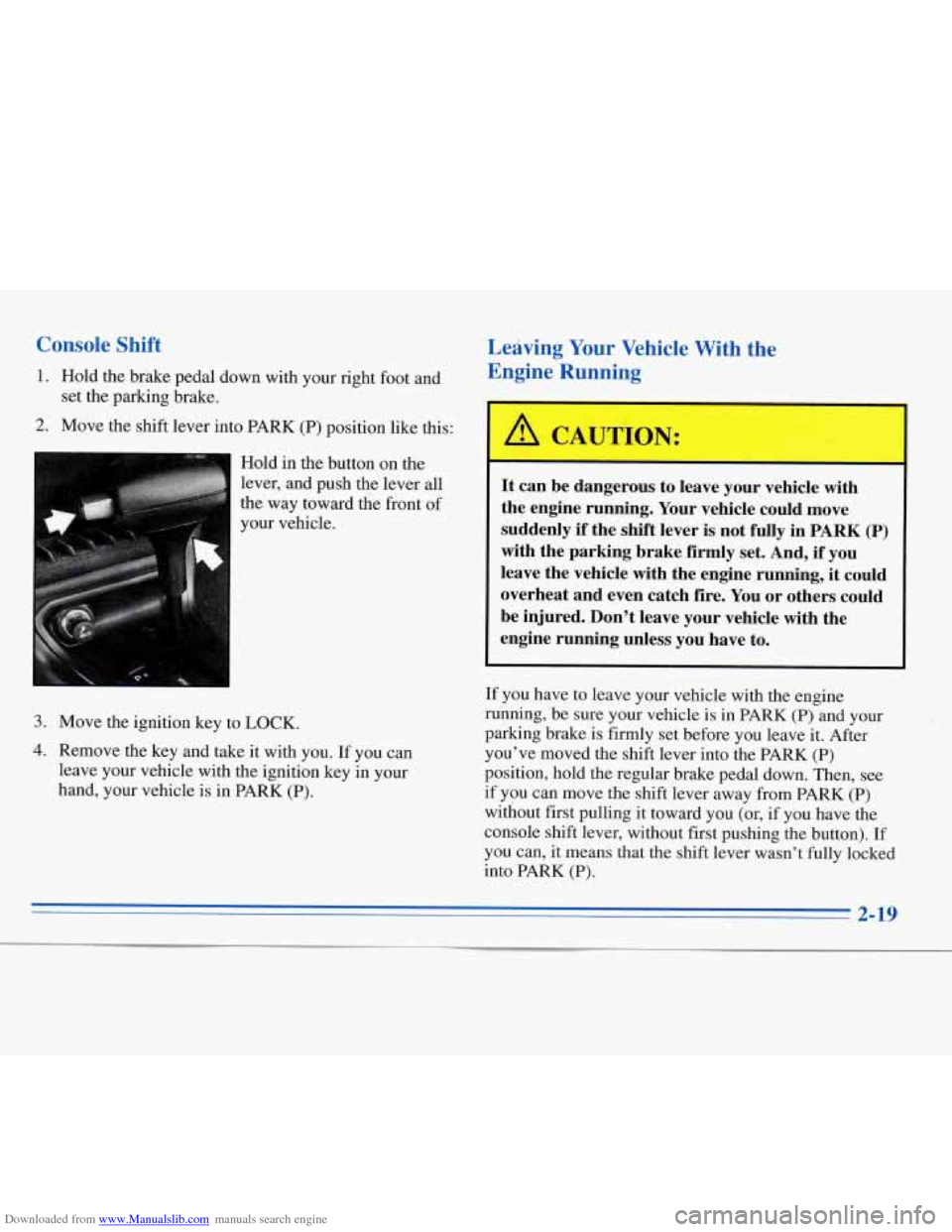
2. Move the shift lever into PARK (P) position like this:
set the parking brake.
Hold in the button on the
lever, and push the lever all
the way toward the front of
your vehicle.
3. Move the ignition key to LOCK.
I , 4. Remove the key and take it with you. If you can
leave your vehicle with the ignition key in your
hand, your vehicle is in PARK (P).
Leaving Your Vehicle With the
Engine Running
It can be dangerous to leave your vehicle with
the engine running. Your vehicle could move
suddenly
if the shift lever is not fully in PARK (P)
with the parking brake firmly set. And, if you
leave the vehicle with the engine running, it could
overheat and even catch fire.
You or others could
be injured. Don’t leave your vehicle with the
engine running unless you have to.
If you have to leave your vehicle with the engine
running, be sure your vehicle is in
PARK (P) and your
parking brake is firmly set before you leave it. After
you’ve moved the shift lever into the PARK
(P)
position, hold the regular brake pedal down. Then, see
if you can move the shift lever away from PARK
(P)
without first pulling it toward you (or, if you have the
console shift lever, without first pushing the button). If
you can,
it means that the shift lever wasn’t fully locked
into PARK
(P).
2-19
Page 93 of 340
Downloaded from www.Manualslib.com manuals search engine Door Storage Compartments
Each of the doors has a storage compartment.
Center Console
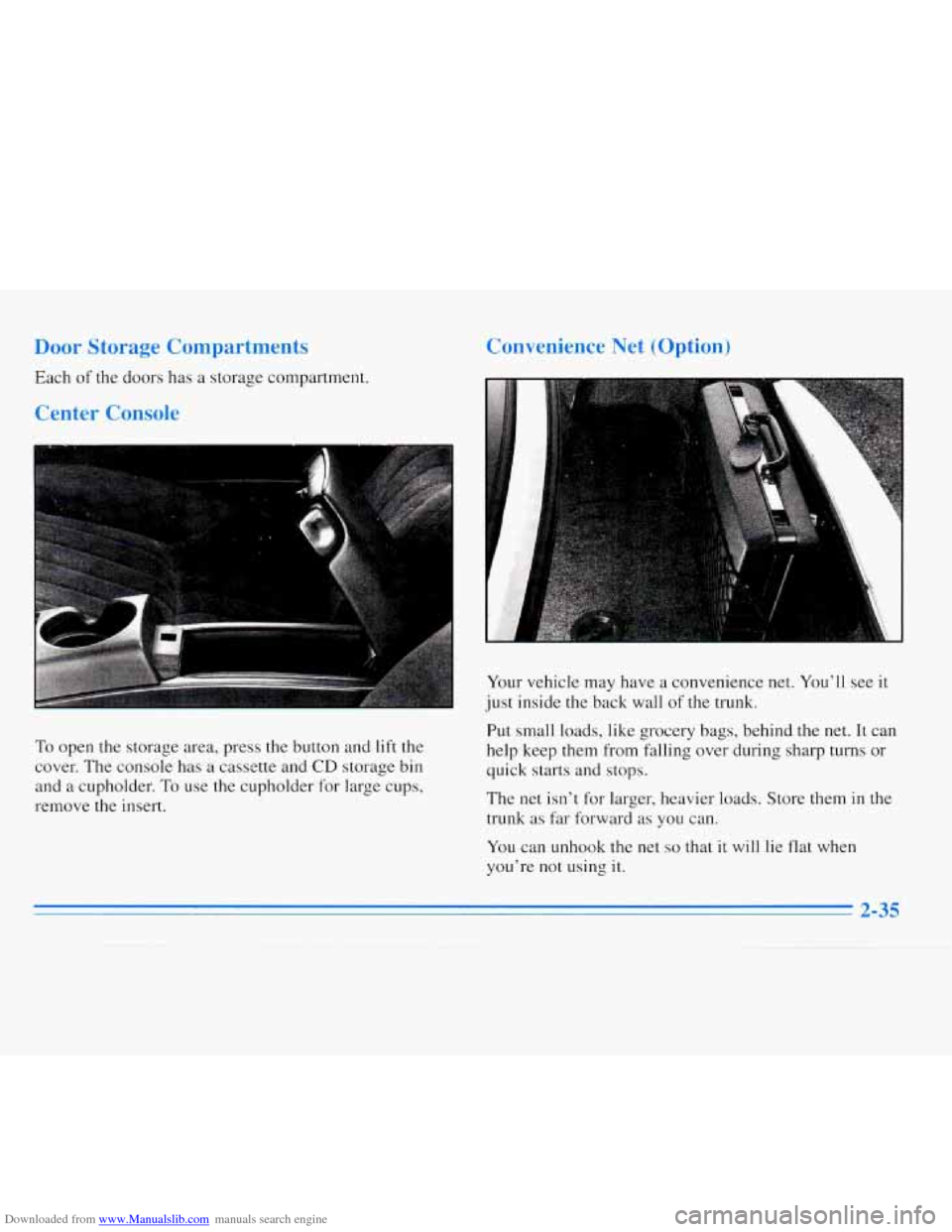
To open the storage area, press the button and lift the
cover. The console has a cassette and
CD storage bin
and a cupholder. To use the cupholder for large cups,
remove the insert.
Convenience Net (Option)
ii, ’
Your vehicle may have a convenience net. You’ll see it
just inside the back wall
of the trunk.
Put small loads, like grocery bags, behind the net. It can
help keep them from falling over during sharp turns or
quick starts and stops.
The net isn’t for larger, heavier loads. Store theln
in the
trunk as far forward as
you can.
You can unhook the net so that it will lie flat when
you’re not using it.
Page 94 of 340
Downloaded from www.Manualslib.com manuals search engine Ashtrays and Lighter
The center front ashtray may be on the instrument panel
or
on the console. To iemove the instrument panel
ashtray, open it, push down on the locking tab and pull
out the ashtray.
For the console ashtray, open the lid and lift out
the
ashtray’using the snuffer.
Your vehicle may have a rear ashtray.
To remove the
rear ashtray, open it, push down on the snuffer and pull
the ashtray out.
NOTICE:
Don’t put papers and other things that burn into
your ashtrays.
If you do, cigarettes or other
smoking materials could set them on fire,
causing damage.
To use the lighter, just push it in all the way and let go.
When it’s ready, it will pop back by itself.
NOTICE:
Don’t hold a cigarette lighter in with your hand
while it is heating.
If you do, it won’t be able to
back away
from the heating element when it’s
ready. That can make
it overheat, damaging the
lighter and the heating element.
2-36
Page 116 of 340
Downloaded from www.Manualslib.com manuals search engine 0
0
0
0
ilation Ti-
For mild outside temperatures when little heating or
cooling is needed, use
VENT to direct outside air
through your vehicle.
Keep the hood and front air inlet free of ice, snow or
any other obstruction, such
as leaves. The heater and
defroster will work far better, reducing the chance of
fogging the inside of your windows.
When you enter
a vehicle in cold weather, set the
mode to FLOOR and the fan to the highest speed for
a few moments before driving off. This helps clear
the intake ducts of snow and moisture and reduces
the chance of fogging the inside
of your windows.
Keep the air path under the front seats clear of objects.
This helps
air to circulate throughout your vehicle.
Defogging and Defrosting
Your system has two settings for clearing the front and
side windows.
To defrost the windows quickly, use
DEFROST with
the temperature knob(s) all the way in
the red area. To warm passengers while keeping the
windows clean, use DEFOG.
Rear Window Defogger
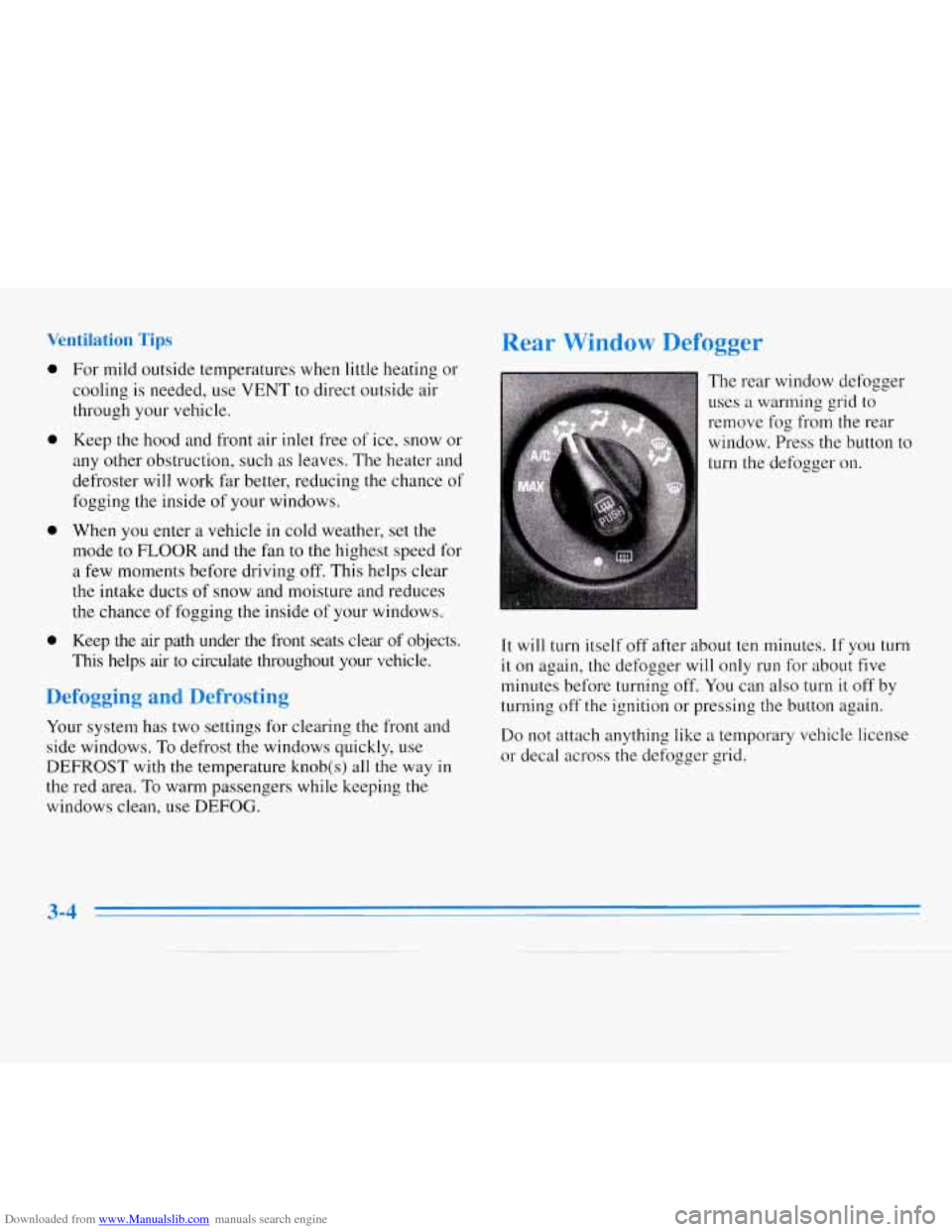
The rear window defogger
uses a warming grid to
remove fog
from the rear
window. Press the button to
turn the defogger on.
I
It will turn itself off after about ten minutes. If you turn
it on again, the defogger will only run for about five
minutes before turning off. You can also turn
it off by
turning
off the ignition or pressing the button again.
Do not attach anything like a temporary vehicle license
or decal across the defogger grid.
3-4
Page 121 of 340
Downloaded from www.Manualslib.com manuals search engine 1 g a Ca! tte Ta
Your tape player is built to work best with tapes that are
30 to 45 minutes long on each side. Tapes longer than
that are
so thin they may not work well in this player.
The longer side
with the tape visible goes in first. If you
hear nothing or hear just
a garbled sound, it may not
be in squarely. Press EJECT to remove the tape and
start over.
While the tape is playing, use the
VOLUME, FADE,
BAL, TREB and BASS controls just as you do for the
radio. Other controls may have different functions when
a tape
is inserted. The display will show an arrow to
show which side of the tape is playing.
Note that cassette tape adapter kits for portable compact
disc players will not work
in your cassette player. The
adapter cassette will be ejected.
FWD: Press and release the SEEK forward arrow and
the tape will rapidly advance until you press this button
again lightly.
REV: Press and release the SEEK reverse arrow and the
tape
will reverse rapidly until you press and release this
button again.
RECALL: Press this knob to hear the other side of a
tape that is playing.
EJECT Press this button to remove the tape. The radio
will play.
CLN: This message may appear on the display. If it
does, your cassette tape player needs to be cleaned. It
will still play tapes, but you should clean it as soon as
possible to prevent damage to your tapes and player.
See “Care of Your Cassette Tape Player” in the Index.
After you clean
the player, press and hold EJECT for
five seconds to reset the CLN indicator. The radio
will
display --- to show the indicator was reset.
Page 125 of 340
Downloaded from www.Manualslib.com manuals search engine NEXT (3): Press this button or the SEEK forward arrow
to search for the
next selection on the tape. Your tape
must have at least three seconds of silence between each
selection for NEXT or SEEK to work. The tape
direction arrow blinks during NEXT or SEEK operation.
The sound is muted during NEXT or SEEK operation.
REV (4): Press this button to reverse the tape rapidly.
Press it again to return to playing speed. The radio will
play the last-selected station while the tape reverses.
00 (5): Press this button to reduce background noise.
Note that the double-D symbol will appear on the display.
Dolby@ Noise Reduction is manufactured under
a
license from Dolby Laboratories Licensing Corporation.
Dolby and the double-D symbol are trademarks of
Dolby Laboratories Licensing Corporation.
FWD (6): Press this button to advance quickly to
another part of
the tape. Press the button again to return
to playing speed. The radio will play the last-selected
station while the tape advances.
AM-FM: Press this button to play the radio when a tape
is
in the player.
TAPE AUX: Press this button to change to the tape
function when the radio is on. The tape symbol with an
arrow will appear on the display when the tape is active.
If your system is equipped with
a remote playback
device, pressing this button
a second time will allow the
remote device to play.
EJECT Press this button to remove the tape. The
radio will play. EJECT may be activated with either the
ignition or radio off. Cassettes may be loaded with the
radio off
if this button is pressed first.
CLN: This message may appear on the display. If it
does, your cassette tape player needs to be cleaned. It
will still play tapes, but you should clean
it as soon as
possible to prevent damage to your tapes and player.
See “Care of Your Cassette Tape Player” in the Index.
After you clean the player, press and hold
EJECT for
five seconds to reset the
CLN indicator. The radio will
display
--- to show the indicator was reset.
Page 129 of 340
Downloaded from www.Manualslib.com manuals search engine RDM (2): Press this button to hear the tracks in random
rather than sequential
(1, 2, 3. . .) order. RANDOM will
show on
the display. Press RDM again to return to
sequential order. RANDOM is
set to OFF when the disc
is ejected.
NEXT (3): Press this button or the SEEK arrow
pointing to the right to go to the next track.
If you hold
the button or press
it more than once, the player will
continue moving forward through the disc. The sound
will be muted while seeking.
REV (4): Press and hold this button to return to a
passage quickly. Release
it to play the passage. You can
use the counter reading on
the display to locate a
passage more easily.
(5): Press this button to reduce background noise,
if the vehicle is equipped with a remote cassette. The
double-D symbol will appear on the display. Dolby does
not affect compact
disc operations.
Dolby Noise Reduction is manufactured under a license
from Dolby Laboratories Licensing Corporation. Dolby
and the double-D symbol are trademarks
of Dolby
Laboratories Licensing Corporation.
FWD (6): Press and hold this button to advance quickly
within
a track. Release it to resume playing. You can
use the counter reading on
the display to locate a
passage easily.
AM-FM: Press this button to play the radio when a
disc is in the player. The CD disc symbol will remain on
the display.
CD AUX: Press this button to change to the disc
function when the radio is
011. The CD disc symbol will
appear on the display when the disc is
in the player,
whether
it is active or not. If equipped with a remote
cassette, press this button
a second time to activate it.
EJECT Press this button to remove the disc. The radio
will play. The disc will start at the first track when you
reinsert
it.
If the ignition is off, you may still press this button to
eject the disc.
If you turn off the ignition or radio with a disc in the
player,
it will stay in the player. When you turn on the
ignition or system, the disc will start playing where it
was stopped. If you press EJECT but don't remove the
disc, the player will pull the disc back
in to protect it
after about one minute.
3-17
Page 130 of 340
Downloaded from www.Manualslib.com manuals search engine Theft-Deterrent Feature
THEFTLOCK" is designed to discourage theft of your
radio. It works by using a'secret code to disable all radio
functions whenever battery power is removed.
The THEFTLOCK feature for the radio may be used or
ignored. If ignored, the system plays normally and the
radio is not protected by the feature.
If THEFTLOCK is
activated, your radio will not operate
if stolen.
When THEFTLOCK is activated, the radio will display
LOC to indicate a locked condition anytime battery
power is removed. If your battery loses power for any
reason, you must unlock the radio with the secret code
before it will operate.
Activating the Theft-Deterrent Feature
The instructions which follow explain how to enter your
secret code to activate the THEFTLOCK system.
It is
recommended that you read through all nine steps
before starting the procedure.
NOTE: If you allow more than
15 seconds to elapse
between any steps, the radio automatically reverts to
time and you must start the procedure over at Step
4.
1. Write down any three or four-digit number from
000 to 1999 and keep it in a safe place separate from
the vehicle.
2. Turn the ignition to the ACC or RUN position.
3. Turn the radio off.
4. Press the 1 and 4 buttons together. Hold them down
until --- shows on the display. Next you will use the
secret code number which you have written down,
5. Press MN and 000 will appear on the display.
6. Press MN again to make the last two digits agree
with your code.
7. Press HR to make the first one or two digits agree
with your code.
8. Press AM-FM after you have confirmed that the
code matches the secret code you have written down.
The display will show REP to let you know that you
need to repeat Steps
5 through 7 to confirm your
secret code.
9. Press AM-FM and this time the display will show
SEC to let you know that your radio is secure. The
indicator by the volume control will begin flashing
when the ignition is turned
off.
3-18
Page 145 of 340
Downloaded from www.Manualslib.com manuals search engine The traction you can get in a curve depends on the
condition of your tires and the road surface, the angle at
which the curve is banked, and your speed. While you’re
in
a curve, speed is the one factor you can control. Try
to adjust your speed
so you can “drive” through the
curve. Maintain
a reasonable, steady speed. Wait to
accelerate until you are out of the curve, and then
accelerate gently into
the straightaway.
Suppose you’re steering through a sharp curve. Then
you
suddenly accelerate. Both control systems -- steering and
acceleration
-- have to do their work where the tires meet
the road. Adding the sudden acceleration can demand too
much of those places. You can lose control.
What should you do if this ever happens? Ease up on the
accelerator pedal, steer the vehicle the way you want it
to go, and slow down.
Speed limit signs near curves warn that you should
adjust your speed. Of course, the posted speeds are
based on good weather and road conditions. Under less
favorable conditions you’ll want to go slower.
If you need to reduce your speed as
you approach a
curve, do it before you enter the curve, while your front
wheels are straight ahead.
ril in E enc:
There are times when steering can be more effective
than braking. For example, you come over a hill and
find a truck stopped
in your lane, or a car suddenly pulls
out from nowhere, or a child darts out from between
parked cars and stops right
in front of you. You can
avoid these problems by braking
-- if you can stop in
time. But sometimes
you can’t; there isn’t room.
That’s
the time for evasive action -- steering around
the problem.
Your Chevrolet can perform very well
in emergencies
like these. First apply your brakes. (See “Braking in
Emergencies” earlier in this section.) It is better to
remove
as much speed as you can from a possible
collision. Then steer around the problem,
to the left
or right depending on the space available.
Page 167 of 340
Downloaded from www.Manualslib.com manuals search engine If you’re using a weight-carrying hitch, the trailer
tongue (A) should weigh 10% of
the total loaded trailer
weight
(B). If you have a weight-distributing hitch, the
trailer tongue
(A) should weigh 12% of the total loaded
trailer weight
(B).
After you’ve loaded your trailer, weigh the trailer and
then the tongue, separately, to see
if the weights are
proper.
If they aren’t, you may be able to get them right
simply by moving some items around
in the trailer.
Total Weight on Your Vehicle’s Tires
Be sure your vehicle’s tires are inflated to the
recommended pressure for cold tires. You’ll find these
numbers on the Certification label at the rear edge of the
driver’s door Tire-Loading Information label (found
inside the trunk lid) or see “Loading Your Vehicle”
in the Index. Then be sure you don’t go over the
GVW limit for your vehicle, including the weight of
the trailer tongue.
Hitches
It’s important to have the correct hitch equipment.
Crosswinds, large trucks going by and rough roads are
a
few reasons why you’ll need the right hitch. Here are
some rules to follow:
0
a
Will you have to make any holes in the body of your
vehicle when you install a trailer hitch? If you do,
then be sure to seal the holes later when you remove
the hitch. If you don’t seal them, deadly carbon
monoxide (CO) from your exhaust can get into your
vehicle (see “Carbon Monoxide”
in the Index). Dirt
and water
can, too.
The bumpers on your vehicle are not intended for
hitches.
Do not attach rental hitches or other
bumper-type hitches to them. Use only a
frame-mounted hitch that does not attach to
the bumper.
Safety Chains
You should always attach chains between your vehicle
and your trailer. Cross the safety chains under the tongue
of the trailer so that the tongue will not drop to the road
if it becomes separated from the hitch. Instructions
about safety chains may be provided by the hitch
manufacturer or by the trailer manufacturer. Follow the
manufacturer’s recommendation for attaching safety
chains and do not attach them to the bumper. Always
leave just enough slack
so you can turn with your rig.
And, never allow safety chains to drag on the ground.