display CHEVROLET MONTE CARLO 2003 6.G User Guide
[x] Cancel search | Manufacturer: CHEVROLET, Model Year: 2003, Model line: MONTE CARLO, Model: CHEVROLET MONTE CARLO 2003 6.GPages: 394, PDF Size: 2.73 MB
Page 113 of 394

CHIRP (Horn Chirp Timer)
This feature allows you to choose between short or long
horn chirp sounds when the remote keyless entry
transmitter is used.
Programmable Modes
Mode 1:SHORT
Mode 2:LONG
Your vehicle was originally programmed to Mode 1.
The mode may have been changed since then.
To determine the current mode, or to change the mode,
do the following:
1. Scroll, using the SEEK PSCAN up or down arrows,
until CHIRP appears on the display.
2. Press the 1 PREV or 2 NEXT button to enter the
submenu. The current selection will have an
asterisk (*) next to it. If you do not wish to change
the current mode, you can either exit the
programming mode by following the directions later
in this section or program the next feature
available on your vehicle.
3. Scroll, using the 1 PREV or 2 NEXT buttons,
through the modes to change the current mode.4. With your preference displayed, press the TUNE
DISP button to select. A chime will be heard to
verify the new setting. The new selection will
be displayed with an asterisk (*) for one second.
The mode you selected is now set. You can either exit
the programming mode by following the instructions
later in this section or program the next feature available
on your vehicle.
ORIG. SET (Return to the Original
Settings)
This feature allows you to return all customization
feature settings back to their original factory settings.
To reset do the following:
1. Scroll, using the SEEK PSCAN up or down arrows,
until ORIG. SET appears on the display.
2. Press the 1 PREV or 2 NEXT button to enter the
submenu. SET ALL will appear.
3. With your preference displayed, press the TUNE
DISP button to select. A chime will be heard to
verify the new setting. The new selection will
be displayed with an asterisk (*) for one second.
The original factory settings are now reset. You can
either exit the programming mode by following the
instructions later in this section or program the next
feature available on your vehicle.
2-49
Page 114 of 394

FOB PROG (Remote Keyless Entry
Transmitter Programming)
This feature allows you to match the remote keyless
entry transmitter to your vehicle. To match the
transmitter do the following:
1. Scroll, using the SEEK PSCAN up or down arrows,
until FOB PROG appears on the display.
2. Press the 1 PREV or 2 NEXT button to enter the
submenu. BEGIN will be displayed.
3. Press the TUNE DISP button to start programming.
When the message PUSH FOB ¯ashes, press and
hold the LOCK and UNLOCK buttons on the
®rst transmitter at the same time for 15 seconds.
A chime will be heard to verify the transmitter
is learned.
4. Repeat Step 3 for each additional transmitter.
The transmitter is programmed now. You can either exit
the programming mode by following the instructions
later in this section or program the next feature available
on your vehicle.
EXIT (Exit Feature
Customization Mode)
This feature allows you to exit the vehicle customization
programming. To exit do the following:
·Scroll until EXIT appears on the display.
·Press the TUNE DISP button to exit programming.
A chime will be heard to verify the exit.
2-50
Page 133 of 394

Parade Dimming
The instrument panel has an added feature called
parade dimming. This feature prohibits the dimming of
your instrument panel displays during the daylight
while the headlamps are on so that you'll still be able to
see the displays.
Reading Lamps
The reading lamps are located on the rearview mirror.
These lamps and the interior courtesy lamps come
on when any door is opened. Press the button to turn
them on and off while the doors are closed.
Dome Lamp
The dome lamp will come on when you open a door.
You can also turn this lamp on by turning the exterior
lamp control clockwise to DOME.
Battery Rundown Protection
Your vehicle has a feature to help prevent you from
draining the battery in case you accidentally leave on the
interior courtesy lamps, reading/map lamps, visor
vanity lamps, trunk lamp or glove box lamps. If you leave
any of these lamps on, they will automatically turn off
after 10 minutes, if the ignition is off. The lamps
won't come back on again until you do the following:
·Turn the ignition on or
·turn the exterior lamps control off, then on again.
If your vehicle has less than 15 miles (25 km) on
the odometer, the battery saver will turn off the lamps
after only three minutes.
Battery rundown protection will also work if the
headlamps are left on. After having been left on for
10 minutes, the headlamps and the parking lamps will
¯ash three times. They will remain on for one more
minute before turning off automatically.
3-19
Page 147 of 394

Speedometer and Odometer
Your speedometer lets you see your speed in both
miles per hour (mph) and kilometers per hour (km/h).
Your odometer shows how far your vehicle has
been driven in either miles (used in the United States)
or in kilometers (used in Canada).
Your vehicle has a tamper-resistant odometer. If you
see ERROR, you'll know someone has probably
tampered with it and the numbers may not be accurate.
You may wonder what happens if your vehicle needs
a new odometer installed. If the new one can be set to
the mileage total of the old odometer, then that will
be done. But if it can't, then it will be set at zero and a
label must be put on the driver's door to show the
old mileage reading when the new odometer was
installed.
Trip Odometer
Your trip odometer tells how far you have driven since
you last reset it.
Your trip/select reset switch will go back and forth
between the odometer and the trip odometer if the
button is pressed and released within 1.5 seconds. If the
button is pressed and held for longer than 1.5 seconds
while in the trip odometer mode, it will be reset tozero. If the button is pressed and held for longer than
1.5 seconds while in the odometer mode, it will have
no effect.
Your trip odometer will work no matter what position
your key is in, and even if the key isn't in.
Tachometer
The tachometer displays
the engine speed in
thousands of revolutions
per minute (rpm).
Notice:Do not operate the engine with the
tachometer in the shaded warning area, or engine
damage may occur.The 3800 V6 Engine
Shown
3-33
Page 156 of 394
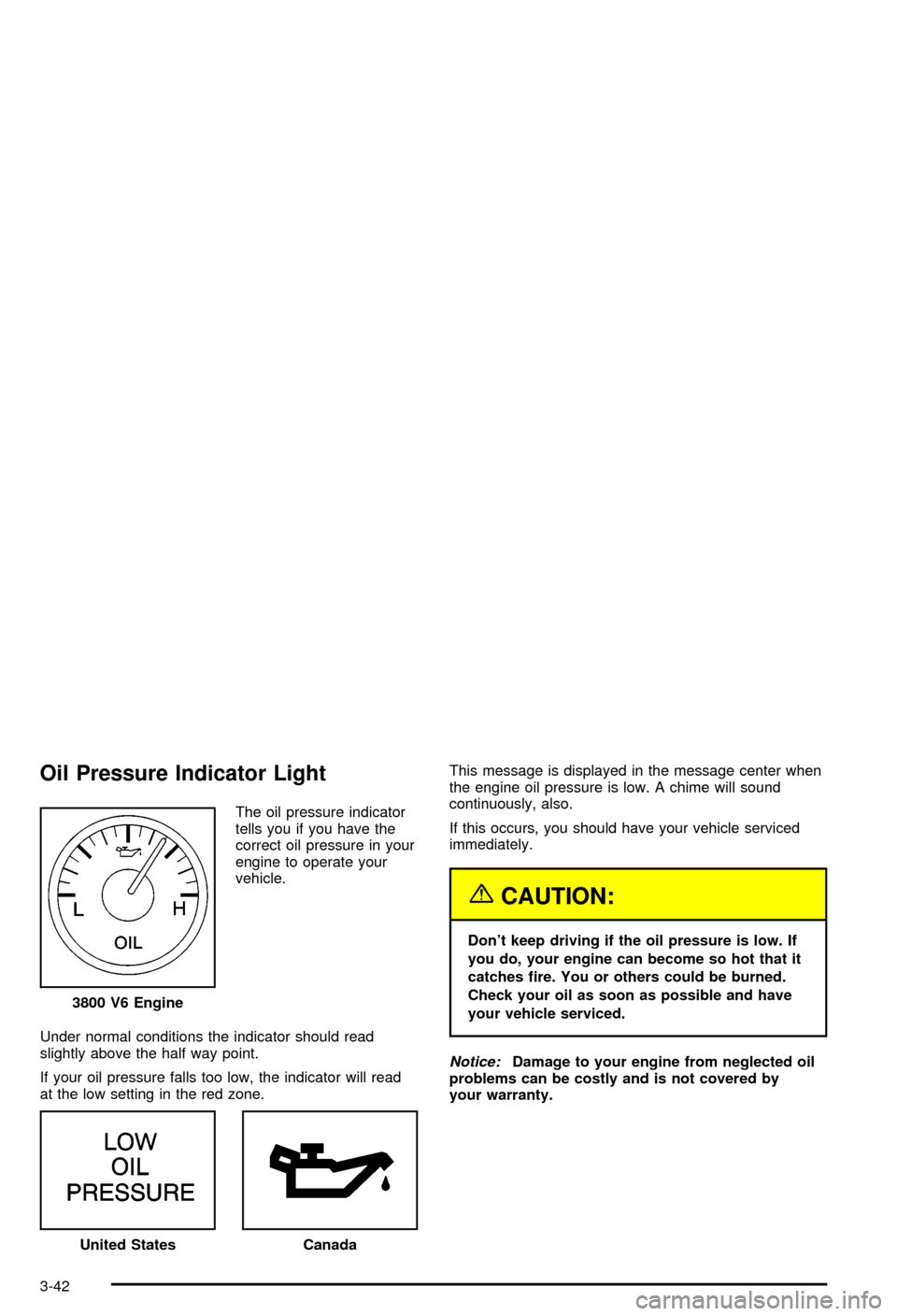
Oil Pressure Indicator Light
The oil pressure indicator
tells you if you have the
correct oil pressure in your
engine to operate your
vehicle.
Under normal conditions the indicator should read
slightly above the half way point.
If your oil pressure falls too low, the indicator will read
at the low setting in the red zone.This message is displayed in the message center when
the engine oil pressure is low. A chime will sound
continuously, also.
If this occurs, you should have your vehicle serviced
immediately.
{CAUTION:
Don't keep driving if the oil pressure is low. If
you do, your engine can become so hot that it
catches ®re. You or others could be burned.
Check your oil as soon as possible and have
your vehicle serviced.
Notice:Damage to your engine from neglected oil
problems can be costly and is not covered by
your warranty. 3800 V6 Engine
United StatesCanada
3-42
Page 158 of 394

Here are three situations you may experience with your
fuel gage. None of these indicate a problem with the
fuel gage.
·At the gas station, the fuel pump shuts off before
the gage reads full.
·It takes a little more or less fuel to ®ll up than the
fuel gage indicated. For example, the gage may
have indicated the tank was half full, but it actually
took a little more or less than half the tank's
capacity to ®ll the tank.
·The gage goes back to empty when you turn off the
ignition.
·The gage pointer may move while cornering,
braking or accelerating.
Message Center
The message center is located below the tachometer
gage on the instrument panel cluster. It gives you
important safety and maintenance facts.
Service Traction System Warning
Message
If your vehicle is equipped with the traction control
system and this message appears when you are driving,
there is a problem with your traction control system
and your vehicle is in need of service.
When this message is displayed, the system will not
limit wheel spin. The message will stay on for
60 seconds. Four chimes will also be heard. Adjust your
driving accordingly.
When the ignition is turned off, this message will be
displayed again for three seconds to remind you
that your traction control system is not working properly.
Be sure to have your vehicle serviced right away.United States
Canada
3-44
Page 159 of 394
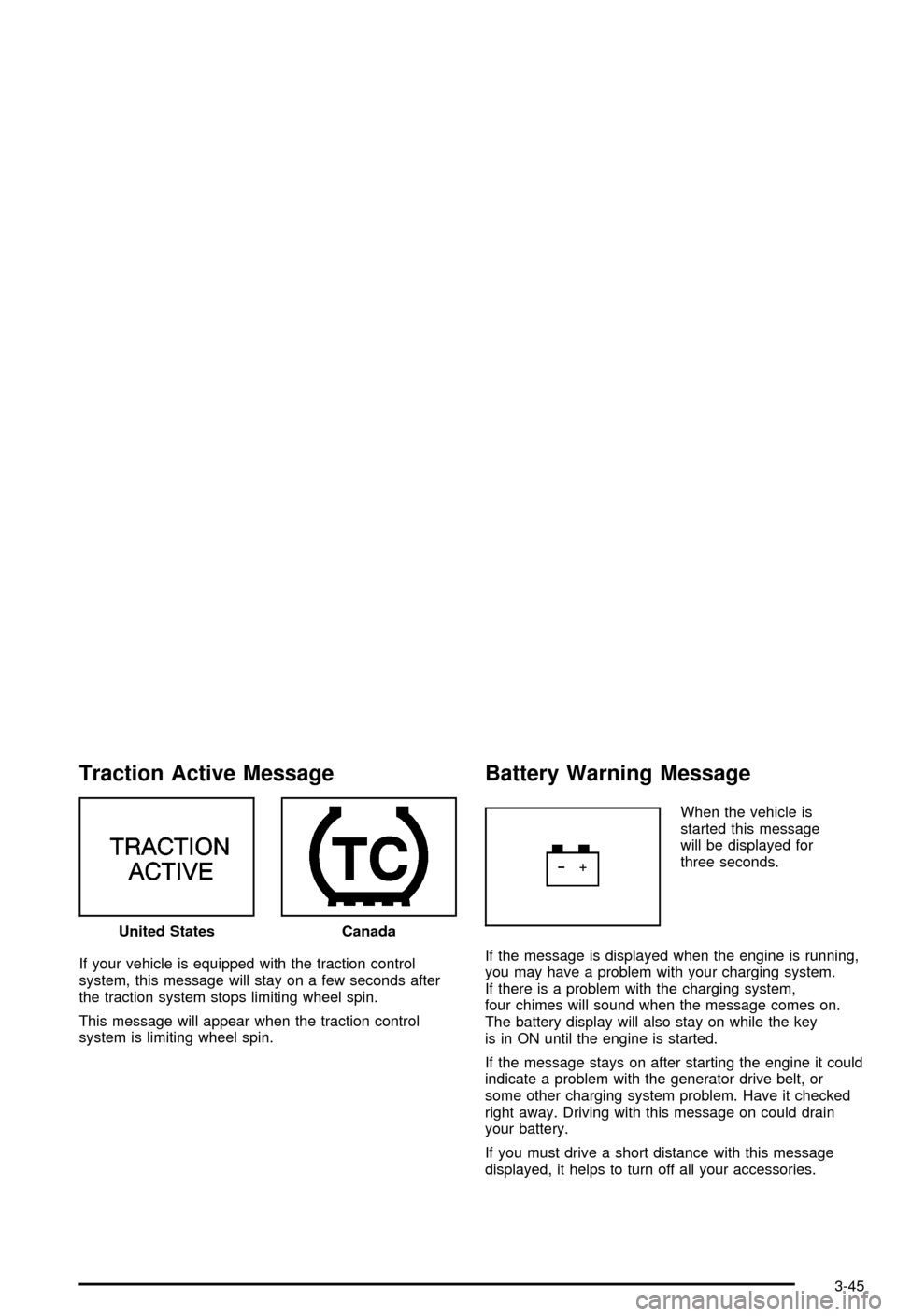
Traction Active Message
If your vehicle is equipped with the traction control
system, this message will stay on a few seconds after
the traction system stops limiting wheel spin.
This message will appear when the traction control
system is limiting wheel spin.
Battery Warning Message
When the vehicle is
started this message
will be displayed for
three seconds.
If the message is displayed when the engine is running,
you may have a problem with your charging system.
If there is a problem with the charging system,
four chimes will sound when the message comes on.
The battery display will also stay on while the key
is in ON until the engine is started.
If the message stays on after starting the engine it could
indicate a problem with the generator drive belt, or
some other charging system problem. Have it checked
right away. Driving with this message on could drain
your battery.
If you must drive a short distance with this message
displayed, it helps to turn off all your accessories. United States
Canada
3-45
Page 160 of 394
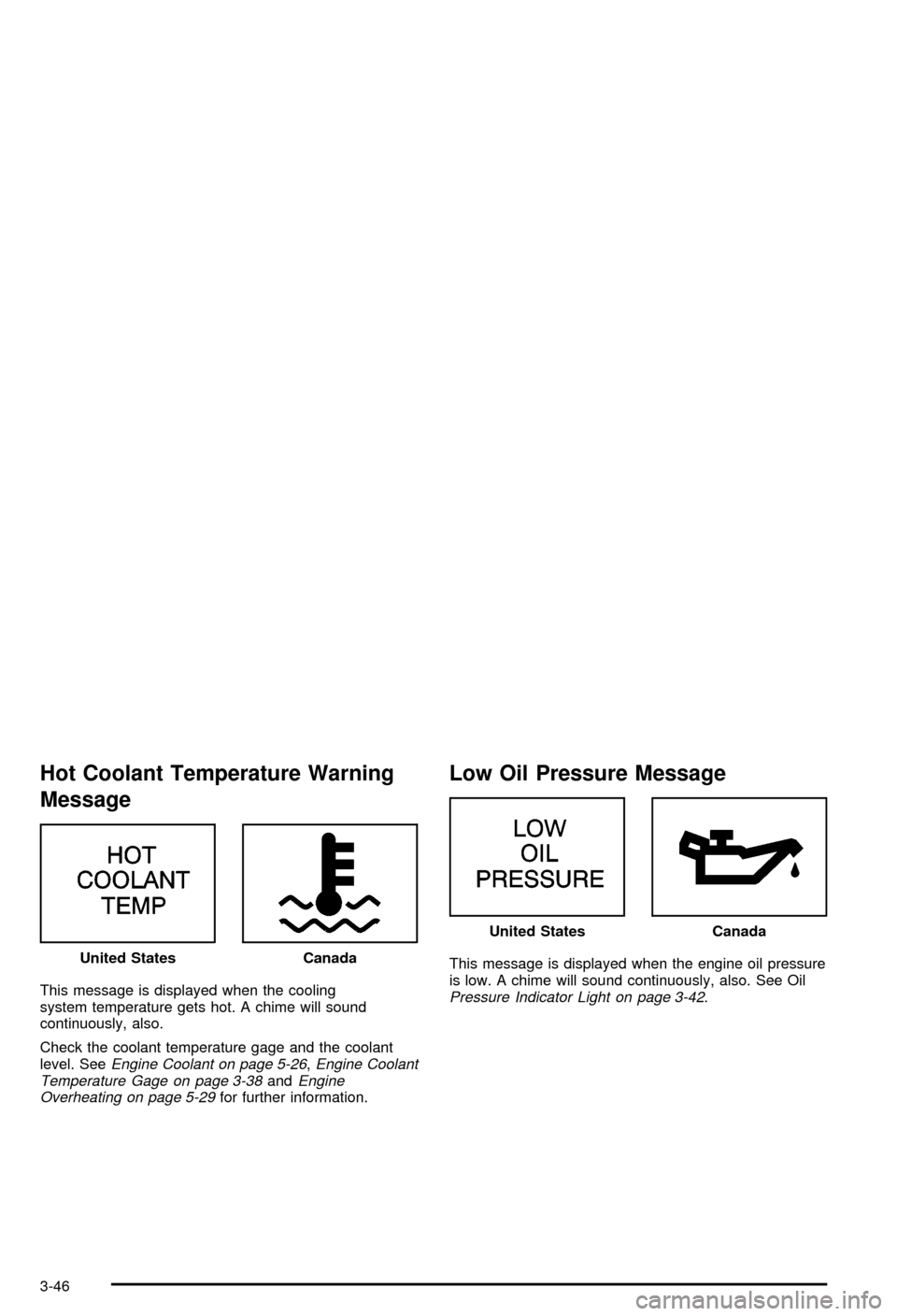
Hot Coolant Temperature Warning
Message
This message is displayed when the cooling
system temperature gets hot. A chime will sound
continuously, also.
Check the coolant temperature gage and the coolant
level. See
Engine Coolant on page 5-26,Engine Coolant
Temperature Gage on page 3-38andEngine
Overheating on page 5-29for further information.
Low Oil Pressure Message
This message is displayed when the engine oil pressure
is low. A chime will sound continuously, also. See Oil
Pressure Indicator Light on page 3-42. United States
Canada
United StatesCanada
3-46
Page 161 of 394
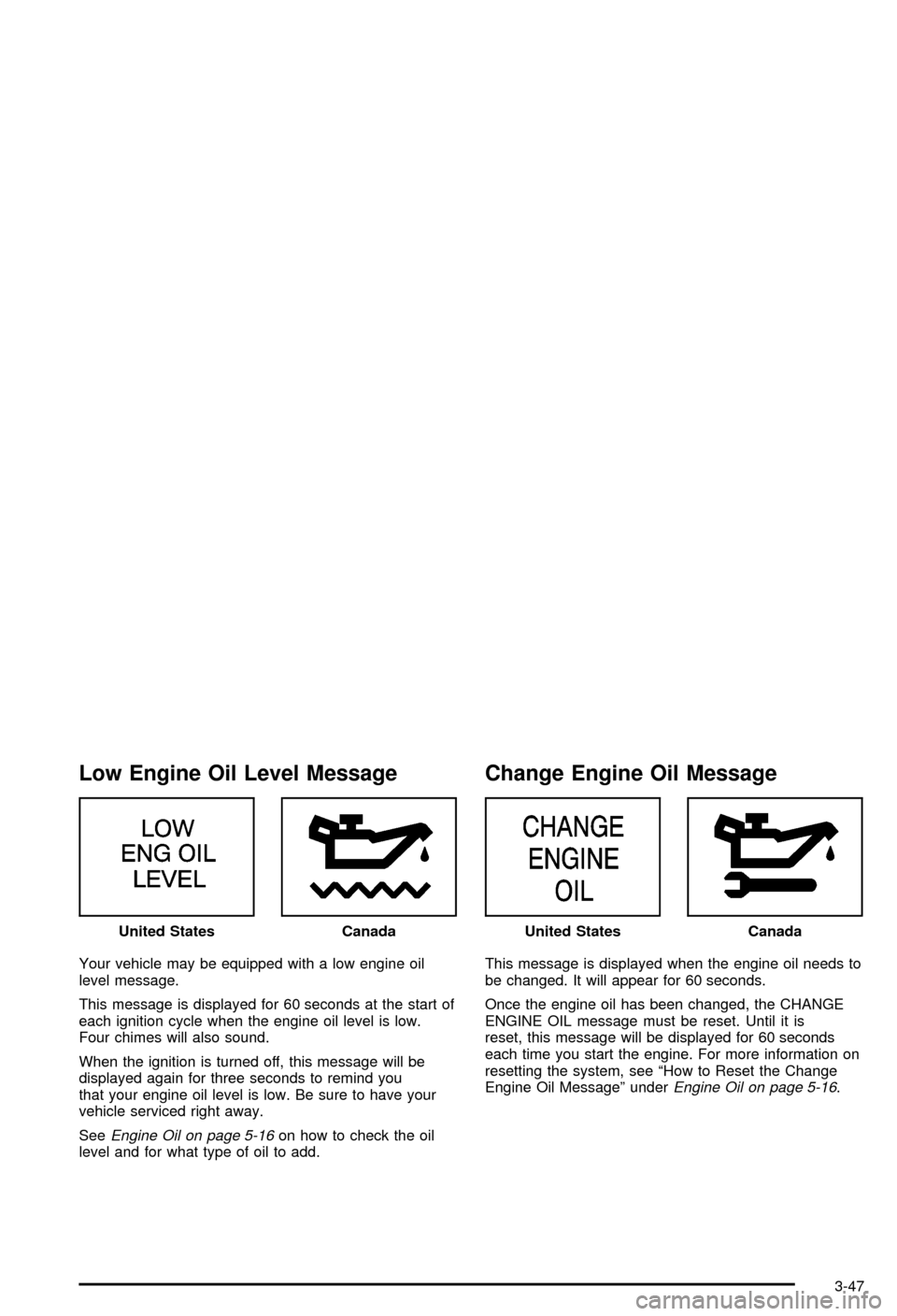
Low Engine Oil Level Message
Your vehicle may be equipped with a low engine oil
level message.
This message is displayed for 60 seconds at the start of
each ignition cycle when the engine oil level is low.
Four chimes will also sound.
When the ignition is turned off, this message will be
displayed again for three seconds to remind you
that your engine oil level is low. Be sure to have your
vehicle serviced right away.
See
Engine Oil on page 5-16on how to check the oil
level and for what type of oil to add.
Change Engine Oil Message
This message is displayed when the engine oil needs to
be changed. It will appear for 60 seconds.
Once the engine oil has been changed, the CHANGE
ENGINE OIL message must be reset. Until it is
reset, this message will be displayed for 60 seconds
each time you start the engine. For more information on
resetting the system, see ªHow to Reset the Change
Engine Oil Messageº under
Engine Oil on page 5-16. United States
CanadaUnited StatesCanada
3-47
Page 162 of 394

Low Tire Message
Your vehicle may be equipped with the tire pressure
system which monitors the in¯ation pressure of the tires.
After the system has ªlearnedº the tire pressure with
properly in¯ated tires, the LOW TIRE PRESSURE
message will be displayed and four warning chimes will
sound if the tire pressure in one tire becomes 12 psi
(83 kPa) lower than the other three tires.
When you have checked the tire pressures, be sure to
reset the tire in¯ation monitor. See ªTire Pressure
Monitor Systemº under
Tires on page 5-59.
Door Ajar Warning Message
This message will appear if one of the doors is not
completely closed and the ignition is in ON.
If you are in a forward or reverse gear position you will
also hear four chimes. United States
CanadaUnited StatesCanada
3-48