trip computer CHEVROLET MONTE CARLO 2004 Owners Manual
[x] Cancel search | Manufacturer: CHEVROLET, Model Year: 2004, Model line: MONTE CARLO, Model: CHEVROLET MONTE CARLO 2004Pages: 416, PDF Size: 4.56 MB
Page 1 of 416
Seats and Restraint Systems........................... 1-1
Front Seats
............................................... 1-2
Rear Seats
............................................... 1-8
Safety Belts
.............................................1-10
Child Restraints
.......................................1-29
Air Bag Systems
......................................1-48
Restraint System Check
............................1-57
Features and Controls..................................... 2-1
Keys
........................................................ 2-2
Doors and Locks
....................................... 2-8
Windows
.................................................2-13
Theft-Deterrent Systems
............................2-15
Starting and Operating Your Vehicle
...........2-17
Mirrors
....................................................2-31
OnStar
®System
......................................2-34
HomeLink®Transmitter
.............................2-36
Storage Areas
.........................................2-40
Sunroof
..................................................2-41
Vehicle Personalization
.............................2-42
Instrument Panel............................................. 3-1
Instrument Panel Overview
.......................... 3-4
Climate Controls
......................................3-21
Warning Lights, Gages and Indicators
.........3-28
Message Center
.......................................3-44Driver Information Center (DIC)
..................3-52
Trip Computer
.........................................3-54
Audio System(s)
.......................................3-55
Driving Your Vehicle....................................... 4-1
Your Driving, the Road, and Your Vehicle
..... 4-2
Towing
...................................................4-31
Service and Appearance Care.......................... 5-1
Service
..................................................... 5-3
Fuel
......................................................... 5-4
Checking Things Under
the Hood
.............................................5-10
Headlamp Aiming
.....................................5-60
Bulb Replacement
....................................5-60
Windshield Wiper Blade Replacement
.........5-64
Tires
......................................................5-65
Appearance Care
.....................................5-94
Vehicle Identication
...............................5-102
Electrical System
....................................5-103
Capacities and Specications
...................5-110
Maintenance Schedule..................................... 6-1
Maintenance Schedule
................................ 6-2
Customer Assistance and Information.............. 7-1
Customer Assistance and Information
........... 7-2
Reporting Safety Defects
...........................7-12
Index................................................................ 1
2004 Chevrolet Monte Carlo Owner ManualM
Page 116 of 416
Driver Information Center (DIC).......................3-51
Trip Computer................................................3-53
Audio System(s).............................................3-54
Setting the Time...........................................3-54
Radio with Cassette......................................3-55
Radio with CD..............................................3-66
Radio with Cassette and CD..........................3-77
Theft-Deterrent Feature..................................3-90
Audio Steering Wheel Controls.......................3-91Understanding Radio Reception......................3-92
Care of Your Cassette Tape Player.................3-92
Care of Your CDs.........................................3-93
Care of Your CD Player................................3-94
Backglass Antenna.......................................3-94
XM™ Satellite Radio Antenna System
(48 Contiguous US States).........................3-95
Vehicle Customization Settings.......................3-95
Chime Level Adjustment................................3-95
Section 3 Instrument Panel
3-2
Page 166 of 416
Driver Information Center (DIC)
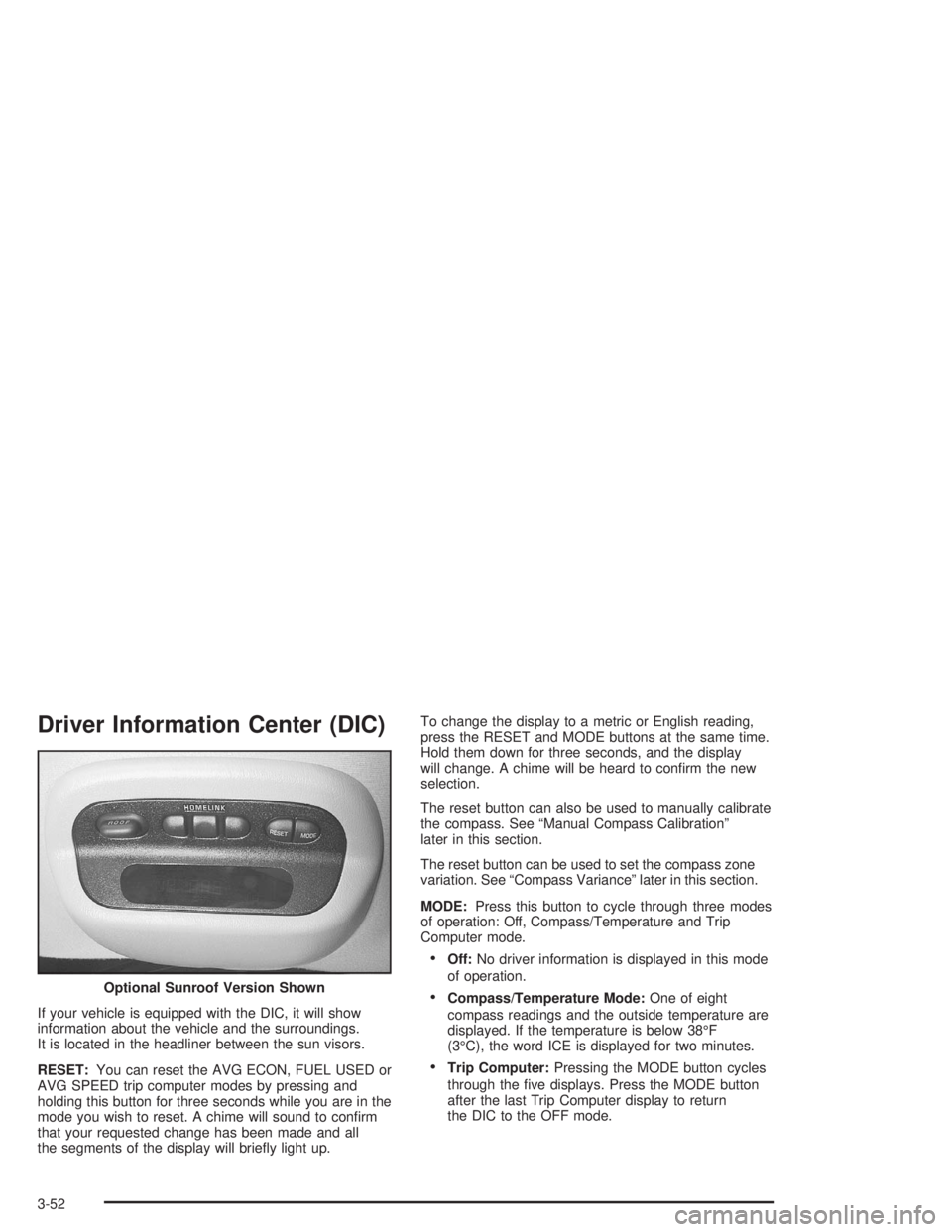
If your vehicle is equipped with the DIC, it will show
information about the vehicle and the surroundings.
It is located in the headliner between the sun visors.
RESET:You can reset the AVG ECON, FUEL USED or
AVG SPEED trip computer modes by pressing and
holding this button for three seconds while you are in the
mode you wish to reset. A chime will sound to conrm
that your requested change has been made and all
the segments of the display will briey light up.To change the display to a metric or English reading,
press the RESET and MODE buttons at the same time.
Hold them down for three seconds, and the display
will change. A chime will be heard to conrm the new
selection.
The reset button can also be used to manually calibrate
the compass. See “Manual Compass Calibration”
later in this section.
The reset button can be used to set the compass zone
variation. See “Compass Variance” later in this section.
MODE:Press this button to cycle through three modes
of operation: Off, Compass/Temperature and Trip
Computer mode.
Off:No driver information is displayed in this mode
of operation.
Compass/Temperature Mode:One of eight
compass readings and the outside temperature are
displayed. If the temperature is below 38°F
(3°C), the word ICE is displayed for two minutes.
Trip Computer:Pressing the MODE button cycles
through the ve displays. Press the MODE button
after the last Trip Computer display to return
the DIC to the OFF mode. Optional Sunroof Version Shown
3-52
Page 168 of 416
Manual Compass Calibration
If the compass appears erratic and the calibration
symbol does not appear, you must manually put the
compass into the calibration mode.
Turn the ignition on and cycle the DIC to the
Compass/Temperature mode. Press the RESET button
for at least 10 seconds until the calibration symbol
appears and all segments of the compass display are
illuminated. A chime will sound to conrm that the
calibration mode is active. Release the button and
complete two or three 360° turns in an area free from
large metal objects. The calibration symbol will turn
off and the compass reading will be displayed. A chime
will sound to verify that the calibration is complete.
Error Displays
An error of the speed sensor or fuel sender will
cause -E- to be displayed.
In the absence of vehicle communications,
adash--isdisplayed.
If one of these error messages appear, see your dealer.
Trip Computer
There are ve trip computer displays which may be
stepped through by pushing the MODE button.
The information will appear in the following order:
AVG ECON (Average Fuel Economy):This shows
the average fuel economy since the last reset.
INST ECON (Instantaneous Fuel Economy):
This shows fuel economy for the most recent second
of driving.
RANGE (Trip Range):This shows the estimated
distance that can be traveled with the remaining fuel.
The fuel economy used to calculate range is based
on the last few hours of driving. When in a low
fuel condition, LO is displayed.
FUEL USED (Trip Fuel Used):This shows the
accumulated fuel used since the last reset.
AVG SPEED (Average Speed):This shows the
average speed since the last reset.
Resetting the Trip Computer
Press and hold the RESET button for at least three
seconds. The reset is acknowledged with all segments
of the display lit briey and a chime. A reset can
only be done in AVG ECON, FUEL USED and AVG
SPEED displays. Each setting must be reset individually.
3-54
Page 412 of 416
Reporting Safety Defects
Canadian Government..................................7-12
General Motors...........................................7-12
United States Government............................7-12
Reprogramming a Single HomeLink
®Button.......2-39
Resetting Defaults...........................................2-39
Resetting the Trip Computer.............................3-54
Restraint System Check
Checking Your Restraint Systems...................1-57
Replacing Restraint System Parts After
a Crash..................................................1-58
Restraint Systems
Checking....................................................1-57
Replacing Parts...........................................1-58
Resynchronization............................................. 2-7
Retained Accessory Power (RAP)......................2-18
Right Front Passenger Position, Safety Belts......1-23
Roadside
Assistance Program....................................... 7-6
Rocking Your Vehicle To Get It Out...................4-31
Routing, Engine Drive Belt...............................6-14
Running Your Engine While You Are Parked.......2-30
S
Safety Belt
Reminder Light............................................3-33
Safety Belts
Care of......................................................5-97
Driver Position............................................1-16
How to Wear Safety Belts Properly................1-15
Questions and Answers About Safety Belts.....1-15
Rear Safety Belt Comfort Guides for Children
and Small Adults......................................1-26
Rear Seat Passengers.................................1-23
Right Front Passenger Position......................1-23
Safety Belt Extender....................................1-28
Safety Belt Use During Pregnancy.................1-22
Safety Belts Are for Everyone.......................1-10
Safety Chains.................................................4-41
Safety Warnings and Symbols.............................. iii
Scheduled Maintenance..................................... 6-4
Seatback Latches............................................. 1-6
12
Page 415 of 416
Trip Computer................................................3-54
Trip Odometer................................................3-32
TRNKJAMB (Trunk Jamb)................................2-48
Trunk............................................................2-10
Trunk Ajar Warning Message............................3-48
Trunk Assist Handle........................................2-11
Trunk Lock....................................................2-11
Turn and Lane-Change Signals.......................... 3-8
Turn Signal/Multifunction Lever........................... 3-7
Turn Signals When Towing a Trailer..................4-43
U
Underhood Fuse Block (Lower).......................5-109
Underhood Fuse Block (Upper).......................5-108
Understanding Radio Reception........................3-93
Uniform Tire Quality Grading............................5-77
United States – Customer Assistance.................. 7-5
Used Replacement Wheels..............................5-80
Using Cleaner on Fabric..................................5-95
Using HomeLink
®...........................................2-38
V
Vehicle
Control........................................................ 4-6
Customization Settings.................................3-96
Damage Warnings........................................... iv
Loading......................................................4-33
Service Soon Message.................................3-51
Symbols......................................................... iv
Vehicle Data Collection and Event Data Records....7-10
Vehicle Identication
Number (VIN)............................................5-102
Service Parts Identication Label..................5-102
Vehicle Personalization....................................2-42
Vehicle Storage..............................................5-53
Visor Vanity Mirrors.........................................2-14
Visors...........................................................2-14
Voltmeter Gage..............................................3-35
15