door CHEVROLET OPTRA 2004 1.G Owner's Manual
[x] Cancel search | Manufacturer: CHEVROLET, Model Year: 2004, Model line: OPTRA, Model: CHEVROLET OPTRA 2004 1.GPages: 346, PDF Size: 2.38 MB
Page 85 of 346
To avoid activating the alarm by accident, use one of
the following methods:
•Unlock the driver’s or passenger’s door using
the key.
•Press the unlock button on the remote keyless
entry transmitter.
Unlocking a door any other way will activate the alarm
when a door or the trunk or liftgate is opened.
If you do not want to arm the theft-deterrent system,
lock the vehicle using the key or the manual door locks.
Disarming the System
To disarm the system, use one of the following methods:
•Unlock the driver’s or passenger’s door using
the key.
•Press the unlock button on the transmitter.
- The LED on the transmitter will flash once.
- All of the doors will unlock.
- The hazard warning lamps will flash twice.
- The theft-deterrent mode will deactivate.
If the door is not opened or if the engine is not started
within 30 seconds after disarming the system with
the transmitter, all of the doors will automatically lock
and the theft-deterrent mode will reactivate.
How the System Alarm is Activated
If a door or the trunk or liftgate is opened without using
the key or the remote keyless entry transmitter, the
horn will sound and the lamps will flash for up to
30 seconds.
How to Turn Off the System Alarm
If the system alarm is active, it can be deactivated using
one of the following methods:
•Press the lock or unlock button on the remote
keyless entry transmitter.
•Unlock the driver’s or passenger’s front door using
the key.
Otherwise, the alarm will automatically stop after
30 seconds. The system will then lock the doors and
reactivate the theft-deterrent system.
How to Detect a Tamper Condition
If the hazard warning lamps flash once when you press
the lock or unlock buttons on the remote keyless
entry transmitter, that means the theft-deterrent system
alarm was triggered while you were away.
2-17
Page 103 of 346
Mirrors
Manual Rearview Mirror
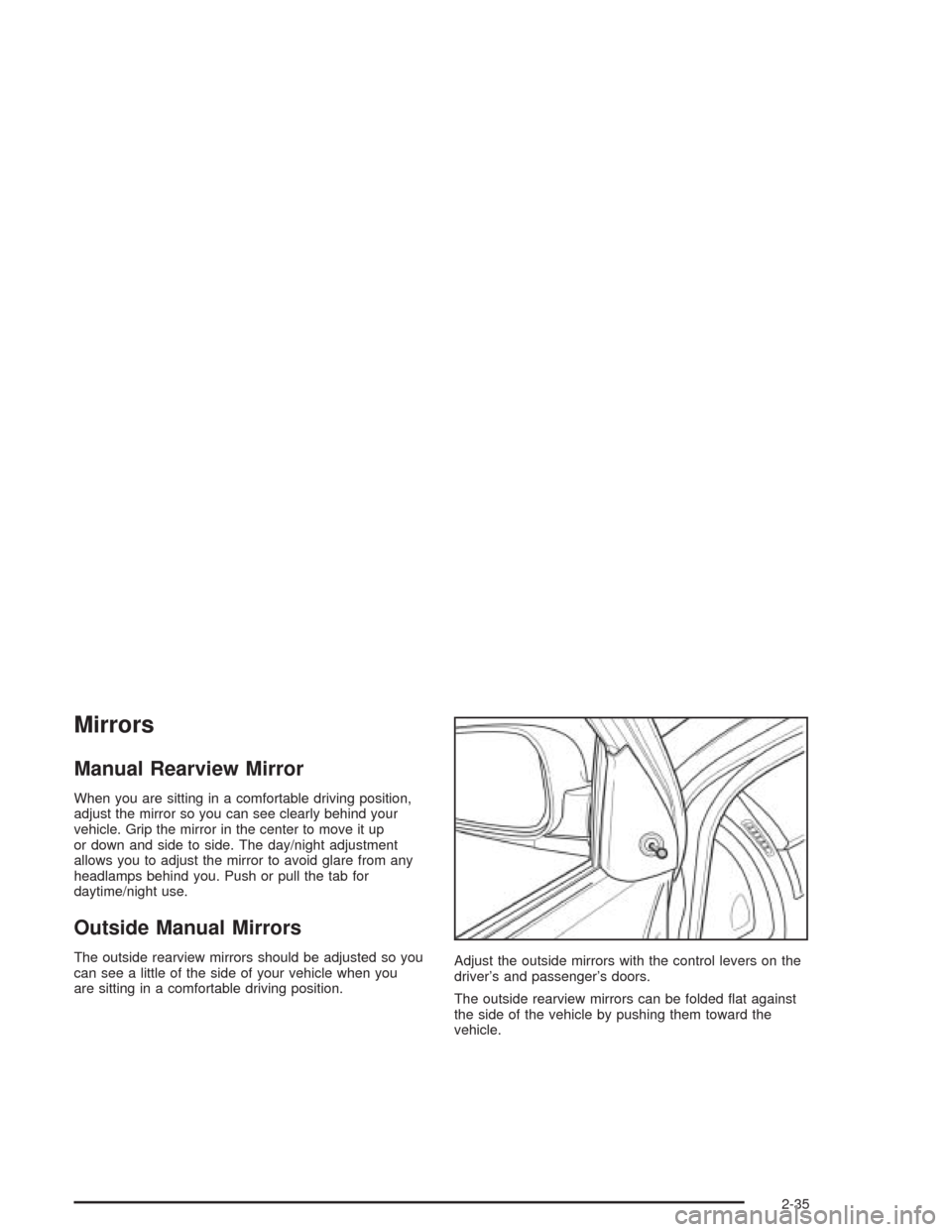
When you are sitting in a comfortable driving position,
adjust the mirror so you can see clearly behind your
vehicle. Grip the mirror in the center to move it up
or down and side to side. The day/night adjustment
allows you to adjust the mirror to avoid glare from any
headlamps behind you. Push or pull the tab for
daytime/night use.
Outside Manual Mirrors
The outside rearview mirrors should be adjusted so you
can see a little of the side of your vehicle when you
are sitting in a comfortable driving position.Adjust the outside mirrors with the control levers on the
driver’s and passenger’s doors.
The outside rearview mirrors can be folded flat against
the side of the vehicle by pushing them toward the
vehicle.
2-35
Page 104 of 346
Outside Power Mirrors
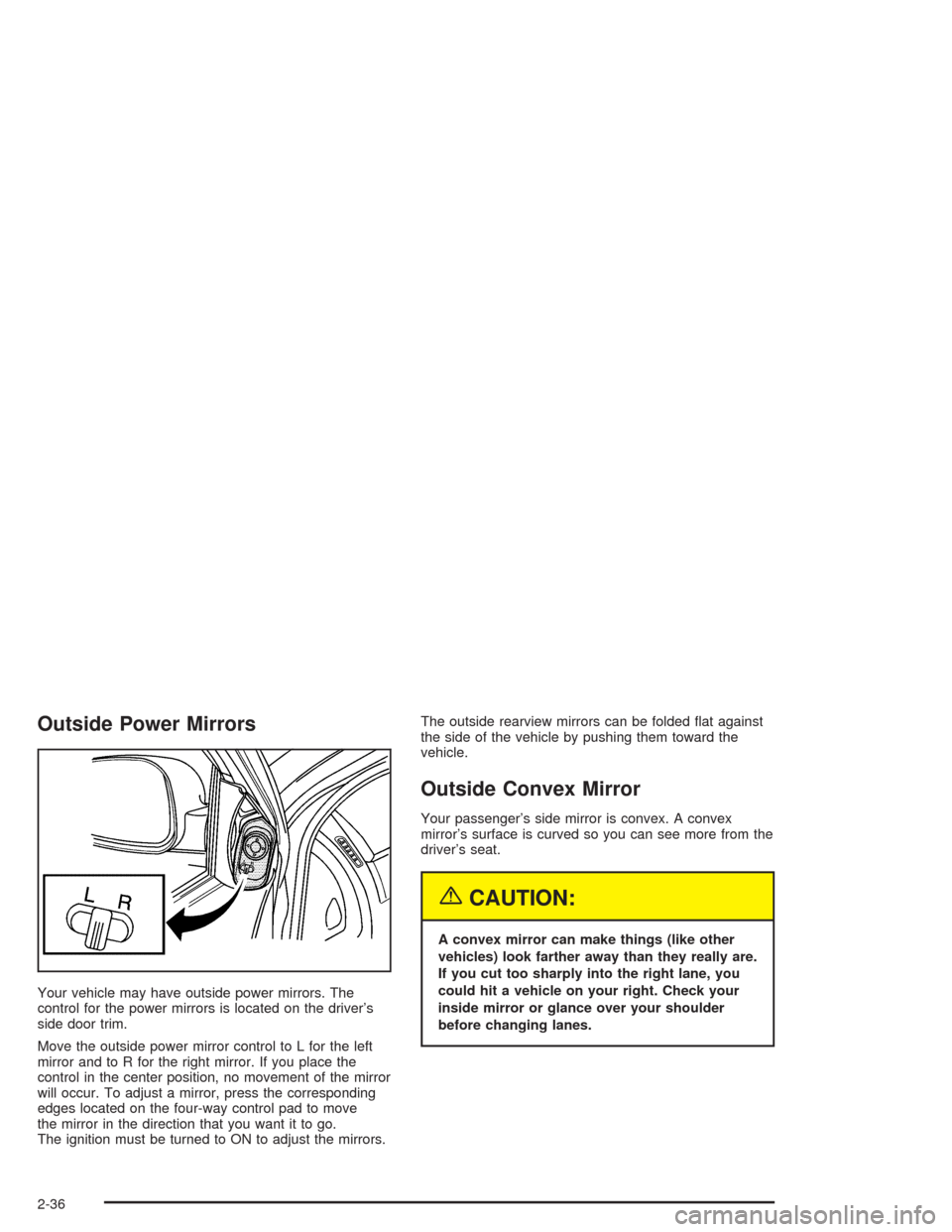
Your vehicle may have outside power mirrors. The
control for the power mirrors is located on the driver’s
side door trim.
Move the outside power mirror control to L for the left
mirror and to R for the right mirror. If you place the
control in the center position, no movement of the mirror
will occur. To adjust a mirror, press the corresponding
edges located on the four-way control pad to move
the mirror in the direction that you want it to go.
The ignition must be turned to ON to adjust the mirrors.The outside rearview mirrors can be folded flat against
the side of the vehicle by pushing them toward the
vehicle.
Outside Convex Mirror
Your passenger’s side mirror is convex. A convex
mirror’s surface is curved so you can see more from the
driver’s seat.
{CAUTION:
A convex mirror can make things (like other
vehicles) look farther away than they really are.
If you cut too sharply into the right lane, you
could hit a vehicle on your right. Check your
inside mirror or glance over your shoulder
before changing lanes.
2-36
Page 106 of 346
Sunglasses Storage Compartment
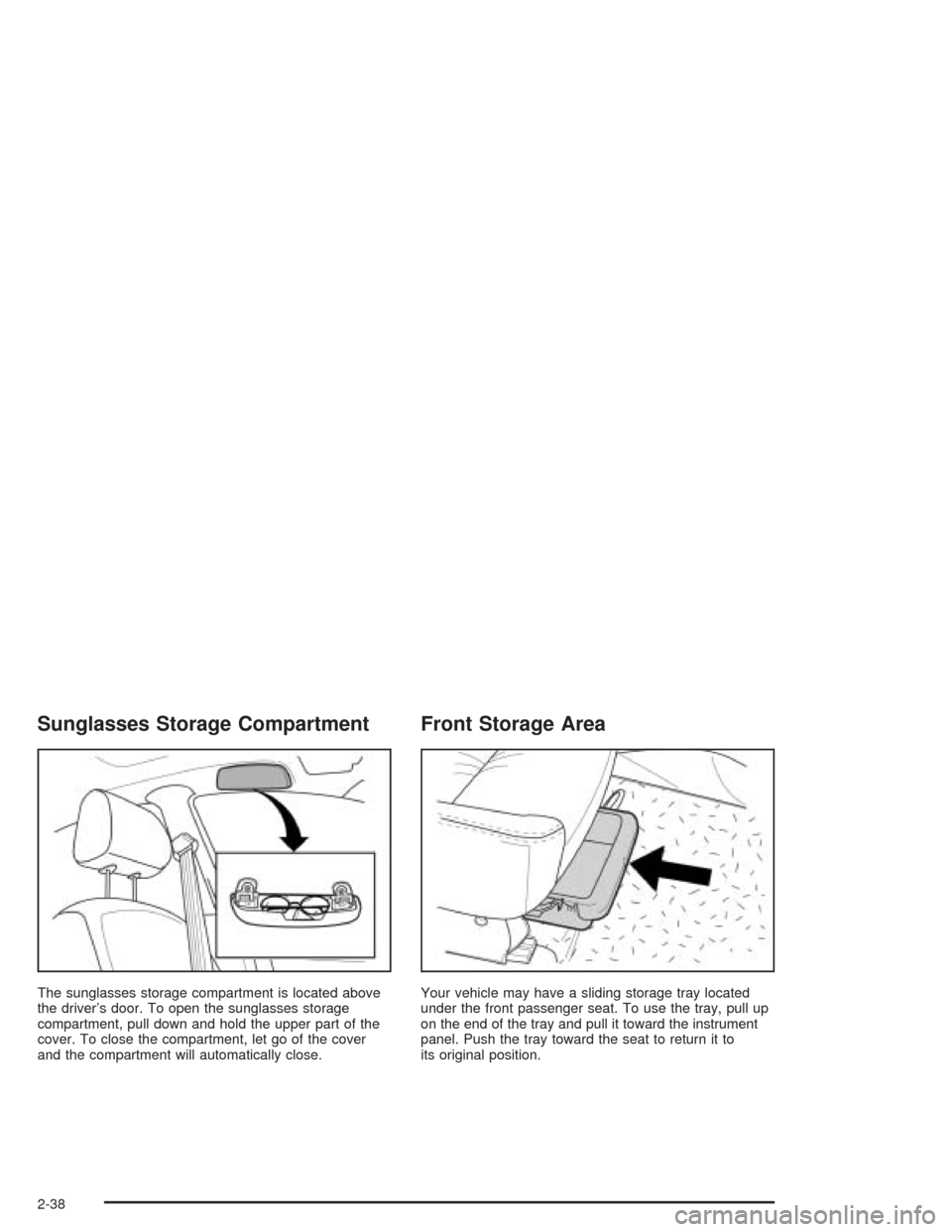
The sunglasses storage compartment is located above
the driver’s door. To open the sunglasses storage
compartment, pull down and hold the upper part of the
cover. To close the compartment, let go of the cover
and the compartment will automatically close.
Front Storage Area
Your vehicle may have a sliding storage tray located
under the front passenger seat. To use the tray, pull up
on the end of the tray and pull it toward the instrument
panel. Push the tray toward the seat to return it to
its original position.
2-38
Page 109 of 346
Instrument Panel Overview...............................3-2
Hazard Warning Flashers................................3-4
Other Warning Devices...................................3-5
Horn.............................................................3-5
Tilt Wheel.....................................................3-5
Turn Signal/Multifunction Lever.........................3-6
Windshield Wiper Lever...................................3-8
Cruise Control................................................3-9
Exterior Lamps.............................................3-12
Interior Lamps..............................................3-14
Accessory Power Outlets...............................3-16
Ashtrays and Cigarette Lighter........................3-17
Clock..........................................................3-18
Climate Controls............................................3-19
Climate Control System.................................3-19
Outlet Adjustment.........................................3-22
Passenger Compartment Air Filter...................3-23
Warning Lights, Gages, and Indicators............3-24
Instrument Panel Cluster................................3-26
Speedometer and Odometer...........................3-27
Tachometer.................................................3-27
Safety Belt Reminder Light.............................3-28
Safety Belt Reminder Tone............................3-28
Air Bag Readiness Light................................3-28Charging System Light..................................3-29
Brake System Warning Light..........................3-30
Anti-Lock Brake System Warning Light.............3-31
Speed Sensitive Power Steering (SSPS)
Warning Light...........................................3-31
Hold Mode Light...........................................3-32
Engine Coolant Temperature Gage..................3-32
Malfunction Indicator Lamp.............................3-33
Oil Pressure Light.........................................3-36
Fog Lamp Light............................................3-37
Cruise Control Light......................................3-37
Highbeam On Light.......................................3-38
Daytime Running Lamps Indicator Light...........3-38
Door Ajar Light.............................................3-38
Fuel Gage...................................................3-39
Low Fuel Warning Light.................................3-39
Audio System(s).............................................3-40
Radio with CD (Base Level)...........................3-40
Radio with CD (MP3)....................................3-44
Theft-Deterrent Feature..................................3-51
Radio Reception...........................................3-51
Care of Your CDs.........................................3-52
Care of Your CD Player................................3-52
Backglass Antenna.......................................3-52
Section 3 Instrument Panel
3-1
Page 121 of 346
;(Parking Lamps):Turn the band to this position to
turn on the parking lamps, together with the previously
listed lamps and lights.
OFF:Turn the band to this position to turn all lamps off
except the Daytime Running Lamps (DRL).
Lamps On Reminder
If you open the driver’s door with the ignition turned to
LOCK or ACC while leaving the lamps on, you will
hear a warning chime.
Daytime Running Lamps (DRL)
Daytime Running Lamps (DRL) can make it easier for
others to see the front of your vehicle during the
day. DRL can be helpful in many different driving
conditions, but they can be especially helpful in the short
periods after dawn and before sunset.
The DRL system will make your low-beam headlamps
come on in daylight when the following conditions
are met:
•The ignition is on.
•The exterior lamp band is in OFF or in the parking
lamp position.
•The parking brake is released.An indicator light will come on when the DRL are on. See
Daytime Running Lamps Indicator Light on page 3-38.
When the DRL system is on, the taillamps, sidemarker
lamps, parking lamps and instrument panel lights will
not be illuminated unless you have turned the exterior
lamps control to the parking lamp or headlamp position.
The DRL system will turn off when one of the following
conditions are met:
•The ignition is off.
•The parking brakes are on.
•The high-beam headlamps are on.
•The low-beam headlamps are on.
•The flash-to-pass feature is used.
As with any vehicle, you should turn on the regular
headlamp system when you need it.
3-13
Page 123 of 346
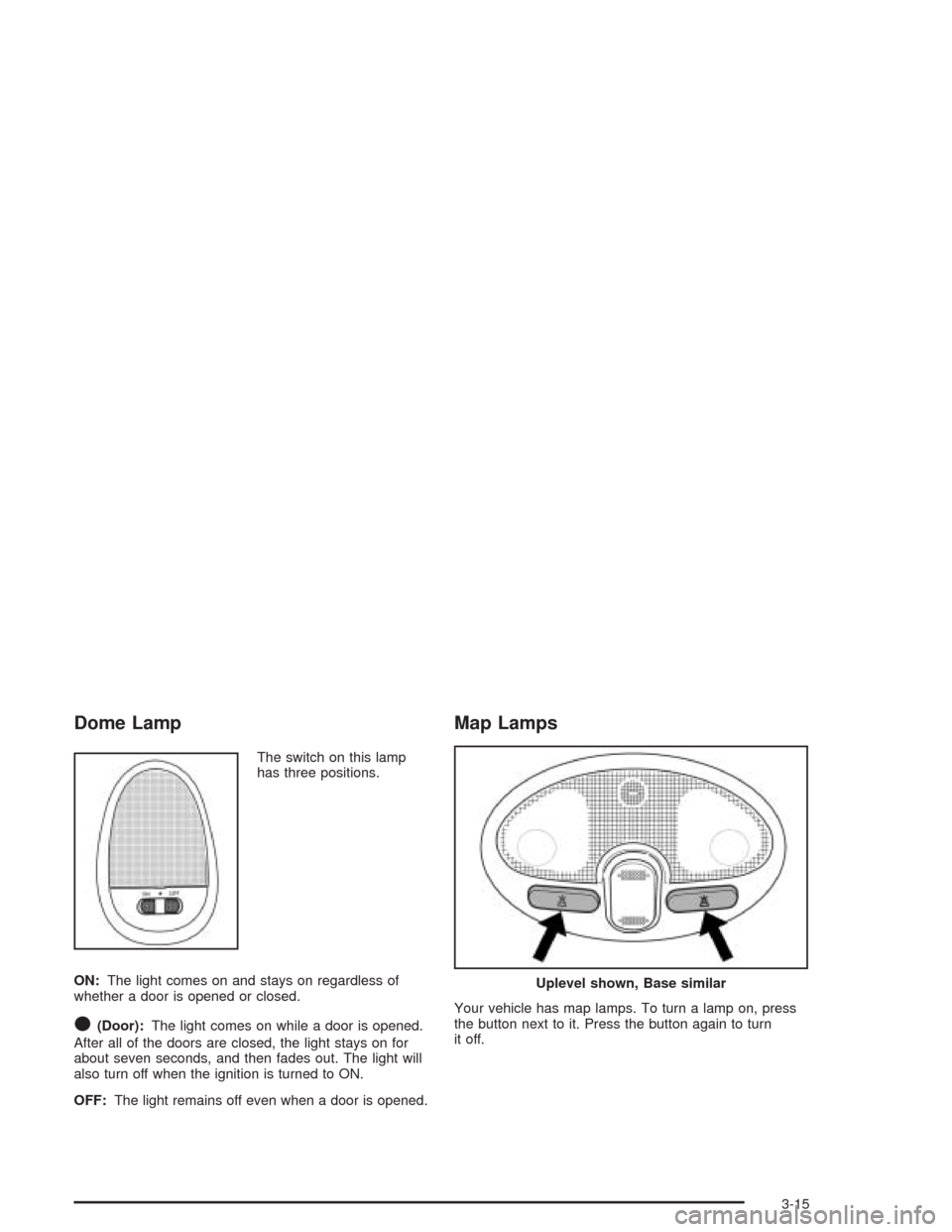
Dome Lamp
The switch on this lamp
has three positions.
ON:The light comes on and stays on regardless of
whether a door is opened or closed.
O(Door):The light comes on while a door is opened.
After all of the doors are closed, the light stays on for
about seven seconds, and then fades out. The light will
also turn off when the ignition is turned to ON.
OFF:The light remains off even when a door is opened.
Map Lamps
Your vehicle has map lamps. To turn a lamp on, press
the button next to it. Press the button again to turn
it off.
Uplevel shown, Base similar
3-15
Page 146 of 346
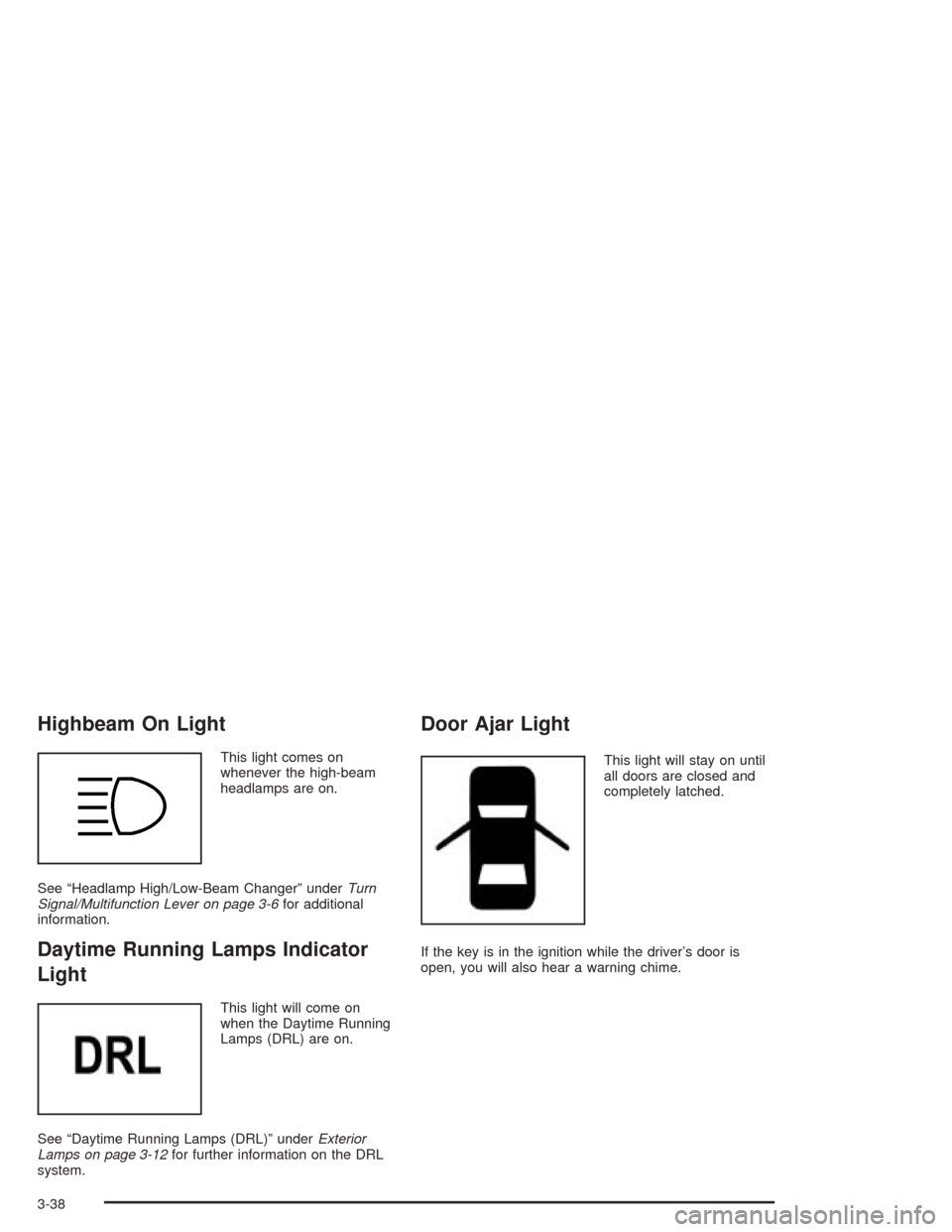
Highbeam On Light
This light comes on
whenever the high-beam
headlamps are on.
See “Headlamp High/Low-Beam Changer” underTurn
Signal/Multifunction Lever on page 3-6for additional
information.
Daytime Running Lamps Indicator
Light
This light will come on
when the Daytime Running
Lamps (DRL) are on.
See “Daytime Running Lamps (DRL)” underExterior
Lamps on page 3-12for further information on the DRL
system.
Door Ajar Light
This light will stay on until
all doors are closed and
completely latched.
If the key is in the ignition while the driver’s door is
open, you will also hear a warning chime.
3-38
Page 193 of 346
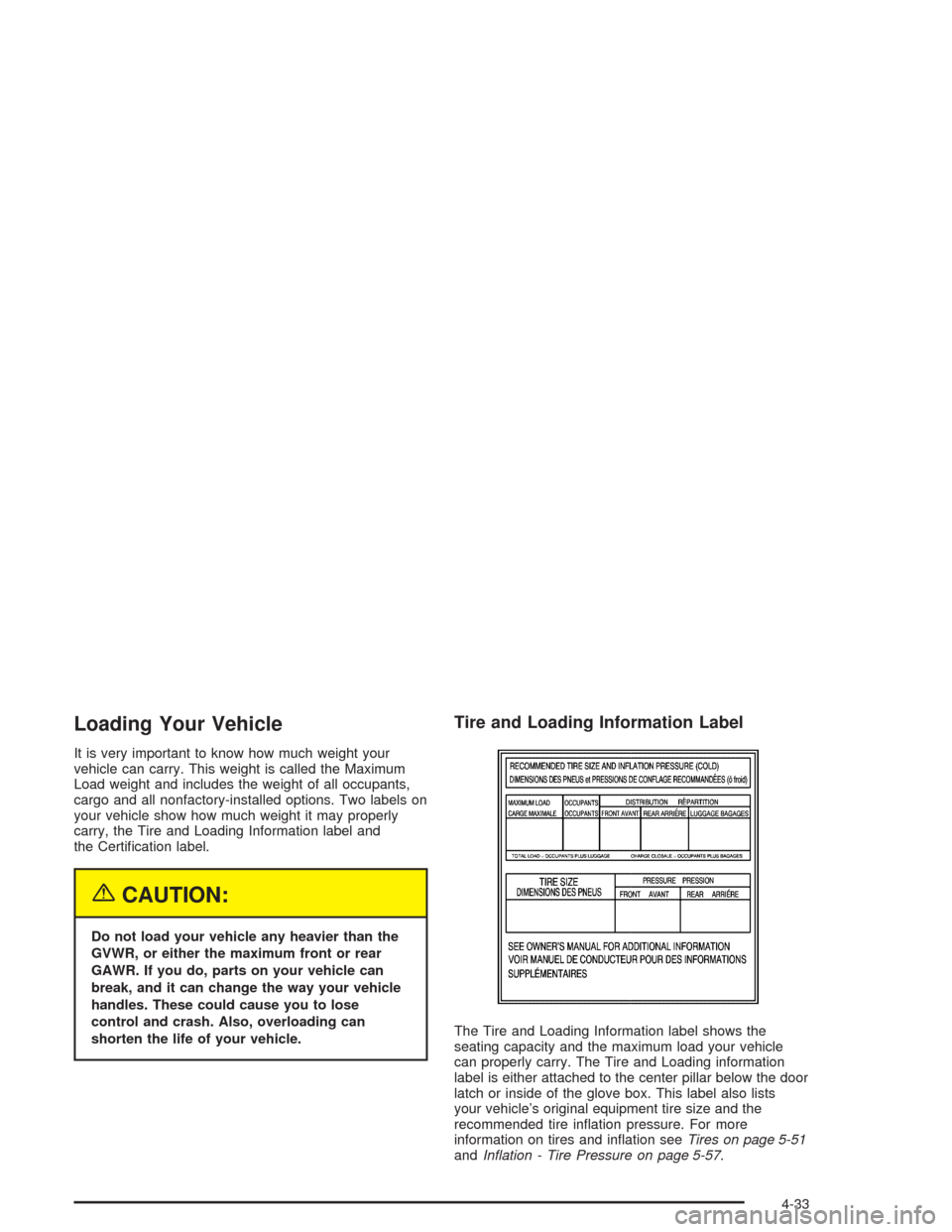
Loading Your Vehicle
It is very important to know how much weight your
vehicle can carry. This weight is called the Maximum
Load weight and includes the weight of all occupants,
cargo and all nonfactory-installed options. Two labels on
your vehicle show how much weight it may properly
carry, the Tire and Loading Information label and
the Certification label.
{CAUTION:
Do not load your vehicle any heavier than the
GVWR, or either the maximum front or rear
GAWR. If you do, parts on your vehicle can
break, and it can change the way your vehicle
handles. These could cause you to lose
control and crash. Also, overloading can
shorten the life of your vehicle.
Tire and Loading Information Label
The Tire and Loading Information label shows the
seating capacity and the maximum load your vehicle
can properly carry. The Tire and Loading information
label is either attached to the center pillar below the door
latch or inside of the glove box. This label also lists
your vehicle’s original equipment tire size and the
recommended tire inflation pressure. For more
information on tires and inflation seeTires on page 5-51
andInflation - Tire Pressure on page 5-57.
4-33
Page 196 of 346
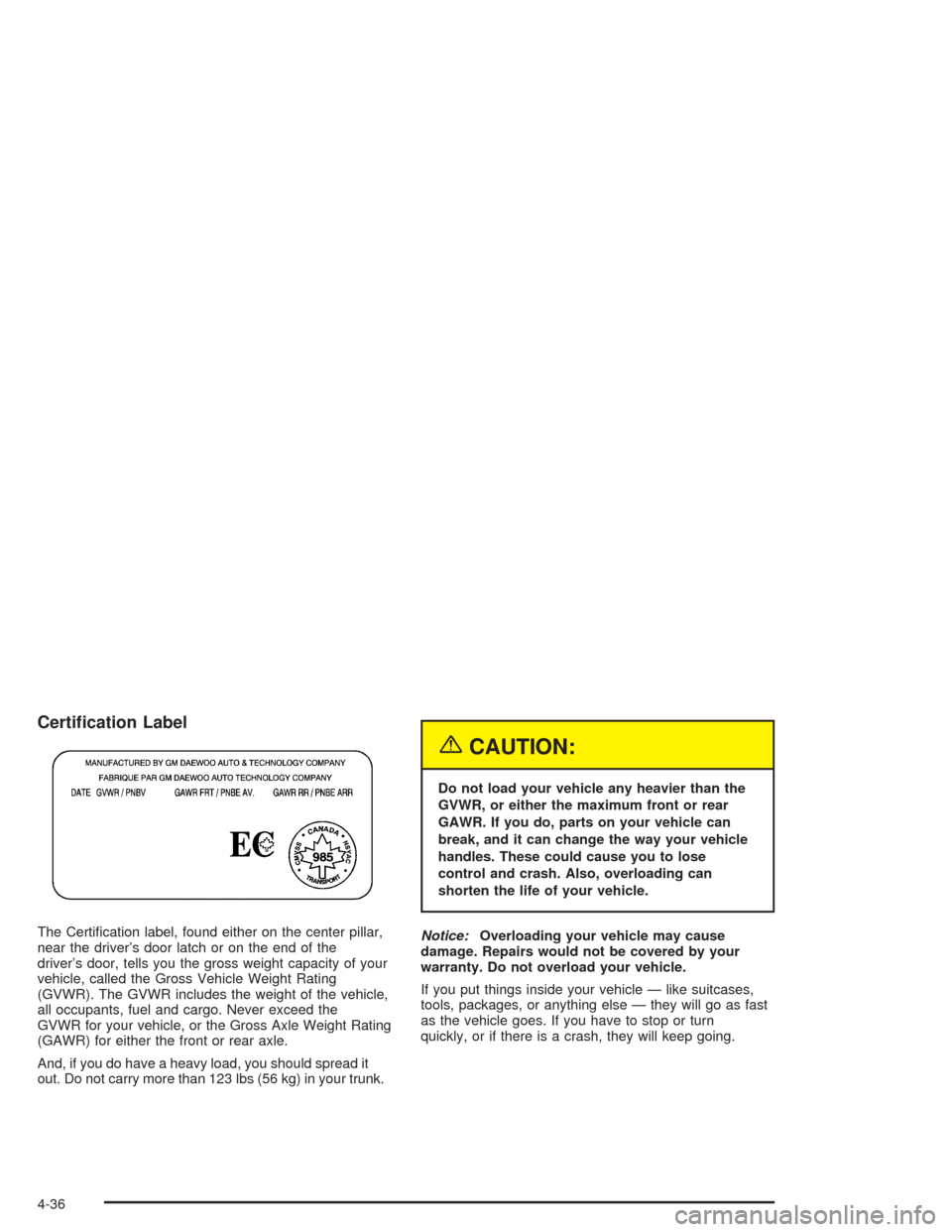
Certication Label
The Certification label, found either on the center pillar,
near the driver’s door latch or on the end of the
driver’s door, tells you the gross weight capacity of your
vehicle, called the Gross Vehicle Weight Rating
(GVWR). The GVWR includes the weight of the vehicle,
all occupants, fuel and cargo. Never exceed the
GVWR for your vehicle, or the Gross Axle Weight Rating
(GAWR) for either the front or rear axle.
And, if you do have a heavy load, you should spread it
out. Do not carry more than 123 lbs (56 kg) in your trunk.
{CAUTION:
Do not load your vehicle any heavier than the
GVWR, or either the maximum front or rear
GAWR. If you do, parts on your vehicle can
break, and it can change the way your vehicle
handles. These could cause you to lose
control and crash. Also, overloading can
shorten the life of your vehicle.
Notice:Overloading your vehicle may cause
damage. Repairs would not be covered by your
warranty. Do not overload your vehicle.
If you put things inside your vehicle — like suitcases,
tools, packages, or anything else — they will go as fast
as the vehicle goes. If you have to stop or turn
quickly, or if there is a crash, they will keep going.
4-36