IGN CHEVROLET OPTRA 5 2005 1.G Service Manual
[x] Cancel search | Manufacturer: CHEVROLET, Model Year: 2005, Model line: OPTRA 5, Model: CHEVROLET OPTRA 5 2005 1.GPages: 336, PDF Size: 2.21 MB
Page 100 of 336
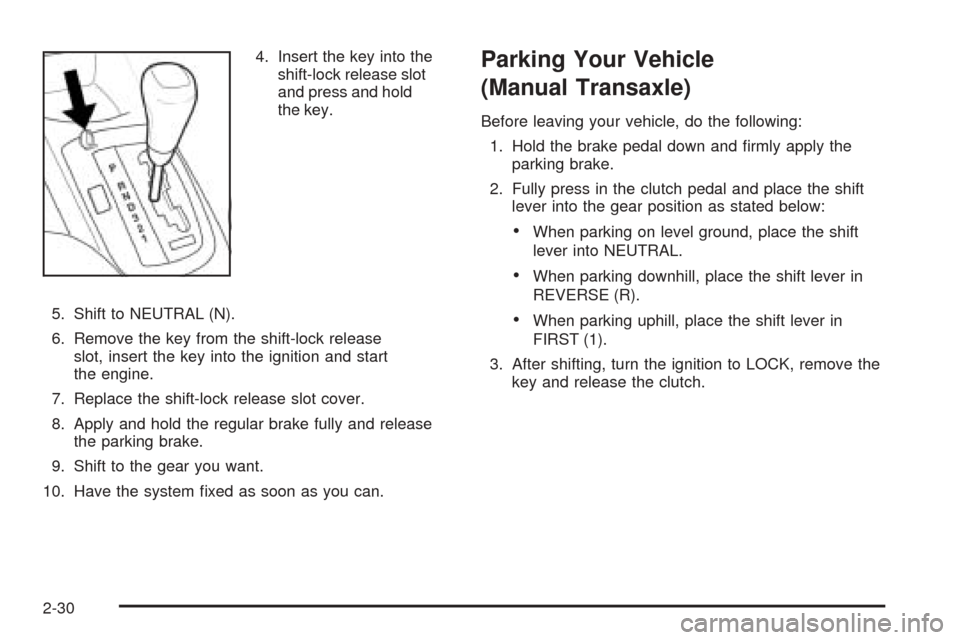
4. Insert the key into the
shift-lock release slot
and press and hold
the key.
5. Shift to NEUTRAL (N).
6. Remove the key from the shift-lock release
slot, insert the key into the ignition and start
the engine.
7. Replace the shift-lock release slot cover.
8. Apply and hold the regular brake fully and release
the parking brake.
9. Shift to the gear you want.
10. Have the system fixed as soon as you can.Parking Your Vehicle
(Manual Transaxle)
Before leaving your vehicle, do the following:
1. Hold the brake pedal down and firmly apply the
parking brake.
2. Fully press in the clutch pedal and place the shift
lever into the gear position as stated below:
•When parking on level ground, place the shift
lever into NEUTRAL.
•When parking downhill, place the shift lever in
REVERSE (R).
•When parking uphill, place the shift lever in
FIRST (1).
3. After shifting, turn the ignition to LOCK, remove the
key and release the clutch.
2-30
Page 101 of 336
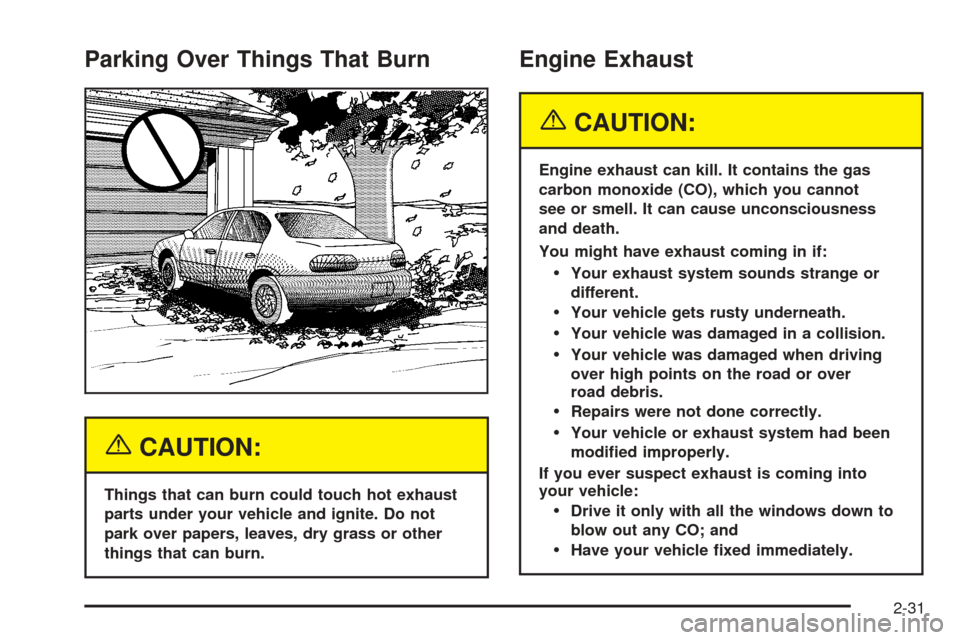
Parking Over Things That Burn
{CAUTION:
Things that can burn could touch hot exhaust
parts under your vehicle and ignite. Do not
park over papers, leaves, dry grass or other
things that can burn.
Engine Exhaust
{CAUTION:
Engine exhaust can kill. It contains the gas
carbon monoxide (CO), which you cannot
see or smell. It can cause unconsciousness
and death.
You might have exhaust coming in if:
Your exhaust system sounds strange or
different.
Your vehicle gets rusty underneath.
Your vehicle was damaged in a collision.
Your vehicle was damaged when driving
over high points on the road or over
road debris.
Repairs were not done correctly.
Your vehicle or exhaust system had been
modied improperly.
If you ever suspect exhaust is coming into
your vehicle:
Drive it only with all the windows down to
blow out any CO; and
Have your vehicle xed immediately.
2-31
Page 104 of 336
Outside Power Mirrors
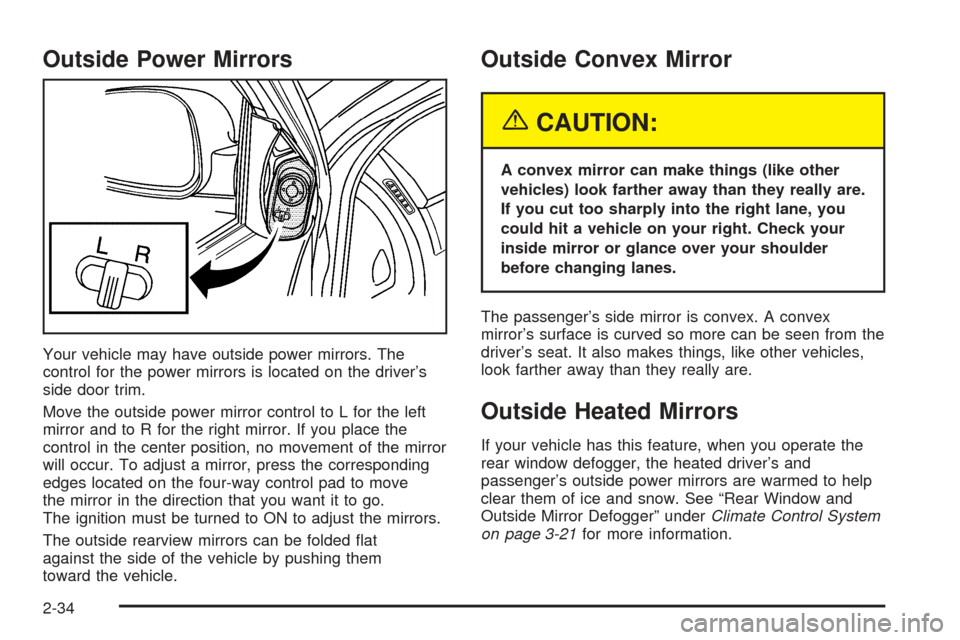
Your vehicle may have outside power mirrors. The
control for the power mirrors is located on the driver’s
side door trim.
Move the outside power mirror control to L for the left
mirror and to R for the right mirror. If you place the
control in the center position, no movement of the mirror
will occur. To adjust a mirror, press the corresponding
edges located on the four-way control pad to move
the mirror in the direction that you want it to go.
The ignition must be turned to ON to adjust the mirrors.
The outside rearview mirrors can be folded flat
against the side of the vehicle by pushing them
toward the vehicle.
Outside Convex Mirror
{CAUTION:
A convex mirror can make things (like other
vehicles) look farther away than they really are.
If you cut too sharply into the right lane, you
could hit a vehicle on your right. Check your
inside mirror or glance over your shoulder
before changing lanes.
The passenger’s side mirror is convex. A convex
mirror’s surface is curved so more can be seen from the
driver’s seat. It also makes things, like other vehicles,
look farther away than they really are.
Outside Heated Mirrors
If your vehicle has this feature, when you operate the
rear window defogger, the heated driver’s and
passenger’s outside power mirrors are warmed to help
clear them of ice and snow. See “Rear Window and
Outside Mirror Defogger” underClimate Control System
on page 3-21for more information.
2-34
Page 108 of 336
Sunroof
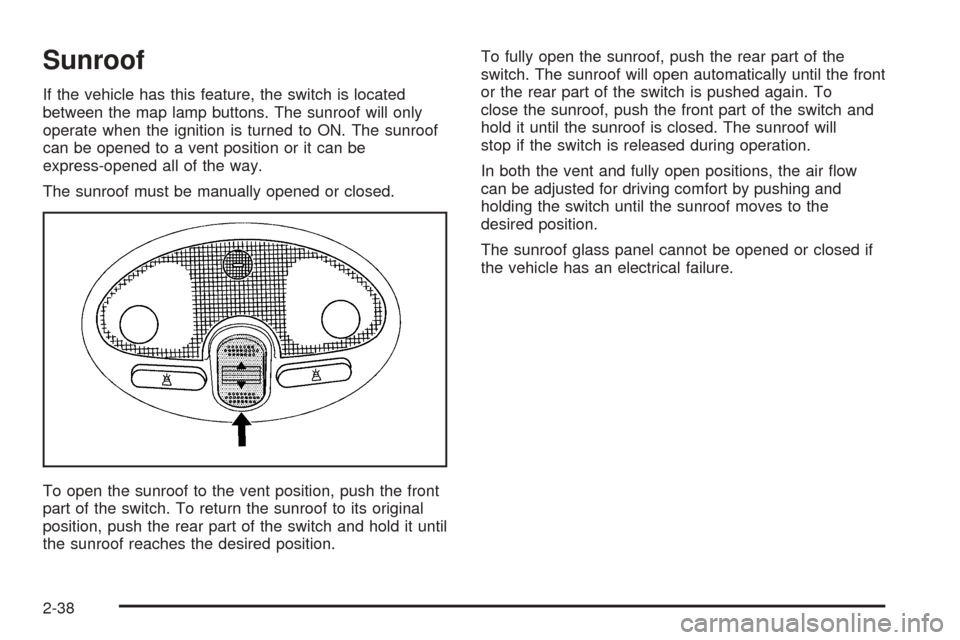
If the vehicle has this feature, the switch is located
between the map lamp buttons. The sunroof will only
operate when the ignition is turned to ON. The sunroof
can be opened to a vent position or it can be
express-opened all of the way.
The sunroof must be manually opened or closed.
To open the sunroof to the vent position, push the front
part of the switch. To return the sunroof to its original
position, push the rear part of the switch and hold it until
the sunroof reaches the desired position.To fully open the sunroof, push the rear part of the
switch. The sunroof will open automatically until the front
or the rear part of the switch is pushed again. To
close the sunroof, push the front part of the switch and
hold it until the sunroof is closed. The sunroof will
stop if the switch is released during operation.
In both the vent and fully open positions, the air flow
can be adjusted for driving comfort by pushing and
holding the switch until the sunroof moves to the
desired position.
The sunroof glass panel cannot be opened or closed if
the vehicle has an electrical failure.
2-38
Page 109 of 336
Instrument Panel Overview...............................3-4
Hazard Warning Flashers................................3-8
Other Warning Devices...................................3-8
Horn.............................................................3-8
Tilt Wheel.....................................................3-9
Turn Signal/Multifunction Lever.........................3-9
Turn and Lane-Change Signals.......................3-10
Headlamp High/Low-Beam Changer.................3-10
Flash-to-Pass...............................................3-10
Windshield Wipers........................................3-11
Windshield Washer.......................................3-12
Cruise Control..............................................3-12
Exterior Lamps.............................................3-15
Headlamps on Reminder................................3-15
Daytime Running Lamps (DRL).......................3-15
Fog Lamps..................................................3-16
Instrument Panel Brightness...........................3-17
Dome Lamp.................................................3-17
Map Lamps.................................................3-18
Accessory Power Outlets...............................3-18
Ashtrays and Cigarette Lighter........................3-19
Clock..........................................................3-20
Climate Controls............................................3-21
Climate Control System.................................3-21
Outlet Adjustment.........................................3-24
Passenger Compartment Air Filter...................3-24Warning Lights, Gages, and Indicators............3-26
Instrument Panel Cluster................................3-26
Speedometer and Odometer...........................3-28
Trip Odometer..............................................3-28
Tachometer.................................................3-28
Safety Belt Reminder Light.............................3-29
Safety Belt Reminder Tone............................3-29
Airbag Readiness Light..................................3-29
Passenger Airbag Status Indicator...................3-30
Charging System Light..................................3-32
Brake System Warning Light..........................3-32
Anti-Lock Brake System Warning Light.............3-33
Speed Sensitive Power Steering (SSPS)
Warning Light...........................................3-34
Traction Control System (TCS)
Warning Light...........................................3-34
Hold Mode Light...........................................3-35
Engine Coolant Temperature Gage..................3-35
Malfunction Indicator Lamp.............................3-36
Oil Pressure Light.........................................3-38
Fog Lamp Light............................................3-39
Cruise Control Light......................................3-39
Highbeam On Light.......................................3-40
Daytime Running Lamps (DRL)
Indicator Light...........................................3-40
Section 3 Instrument Panel
3-1
Page 116 of 336
Hazard Warning Flashers
Your hazard warning flashers let you warn others. They
also let police know you have a problem. Your front
and rear turn signal lamps will flash on and off.
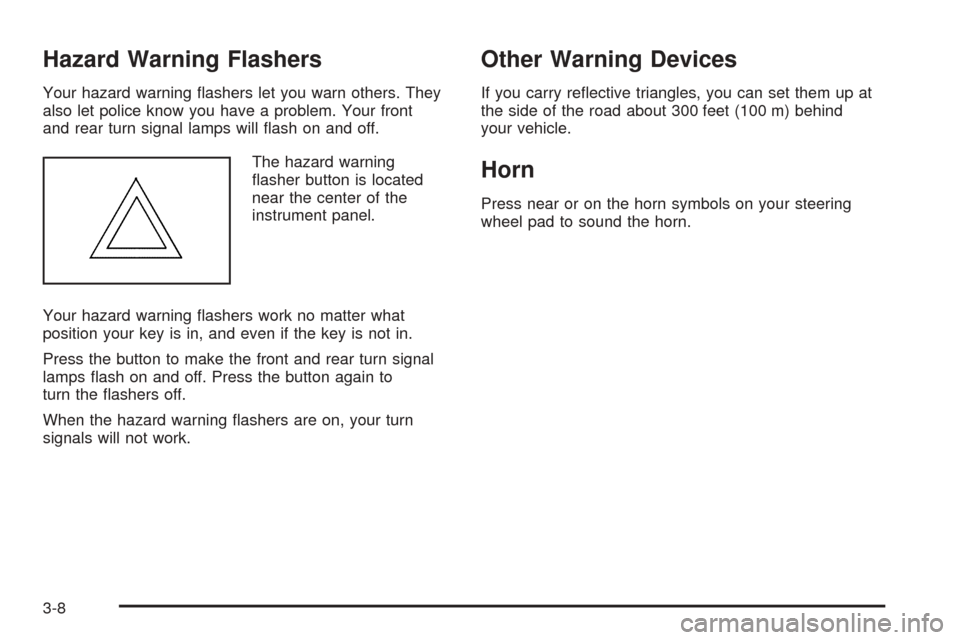
The hazard warning
flasher button is located
near the center of the
instrument panel.
Your hazard warning flashers work no matter what
position your key is in, and even if the key is not in.
Press the button to make the front and rear turn signal
lamps flash on and off. Press the button again to
turn the flashers off.
When the hazard warning flashers are on, your turn
signals will not work.
Other Warning Devices
If you carry reflective triangles, you can set them up at
the side of the road about 300 feet (100 m) behind
your vehicle.
Horn
Press near or on the horn symbols on your steering
wheel pad to sound the horn.
3-8
Page 117 of 336
Tilt Wheel
Your vehicle has a tilt wheel which allows you to adjust
the steering wheel before you drive. You can raise it
to the highest level to give your legs more room when
you exit and enter the vehicle.
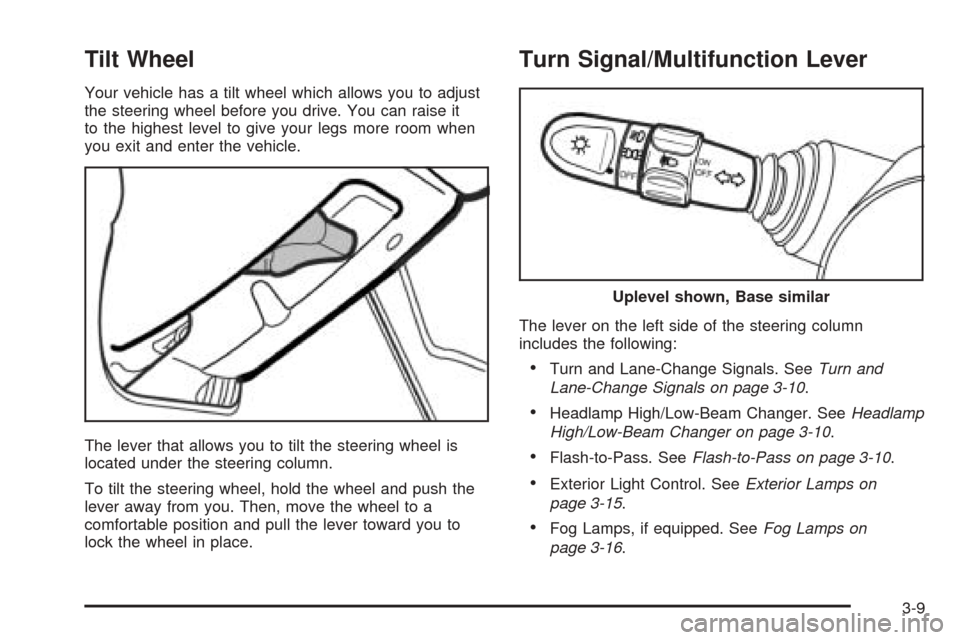
The lever that allows you to tilt the steering wheel is
located under the steering column.
To tilt the steering wheel, hold the wheel and push the
lever away from you. Then, move the wheel to a
comfortable position and pull the lever toward you to
lock the wheel in place.
Turn Signal/Multifunction Lever
The lever on the left side of the steering column
includes the following:
•Turn and Lane-Change Signals. SeeTurn and
Lane-Change Signals on page 3-10.
•Headlamp High/Low-Beam Changer. SeeHeadlamp
High/Low-Beam Changer on page 3-10.
•Flash-to-Pass. SeeFlash-to-Pass on page 3-10.
•Exterior Light Control. SeeExterior Lamps on
page 3-15.
•Fog Lamps, if equipped. SeeFog Lamps on
page 3-16.
Uplevel shown, Base similar
3-9
Page 118 of 336
Turn and Lane-Change Signals
The turn signal has two upward (for right) and
two downward (for left) positions. These positions
allow you to signal a turn or a lane change.
To signal a turn, move the lever all the way up or down.
When the turn is finished, the lever will return
automatically.
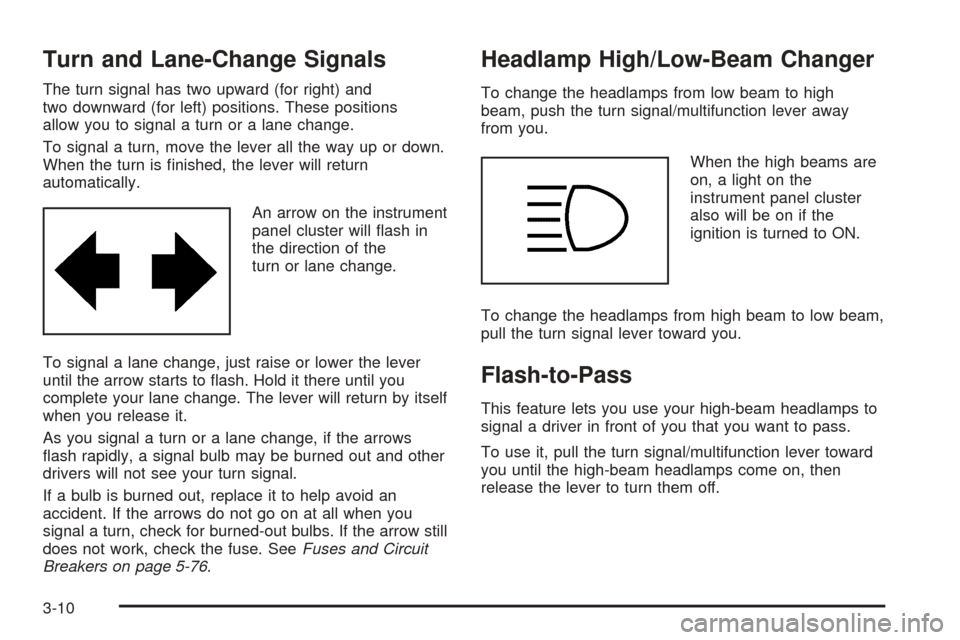
An arrow on the instrument
panel cluster will flash in
the direction of the
turn or lane change.
To signal a lane change, just raise or lower the lever
until the arrow starts to flash. Hold it there until you
complete your lane change. The lever will return by itself
when you release it.
As you signal a turn or a lane change, if the arrows
flash rapidly, a signal bulb may be burned out and other
drivers will not see your turn signal.
If a bulb is burned out, replace it to help avoid an
accident. If the arrows do not go on at all when you
signal a turn, check for burned-out bulbs. If the arrow still
does not work, check the fuse. SeeFuses and Circuit
Breakers on page 5-76.
Headlamp High/Low-Beam Changer
To change the headlamps from low beam to high
beam, push the turn signal/multifunction lever away
from you.
When the high beams are
on, a light on the
instrument panel cluster
also will be on if the
ignition is turned to ON.
To change the headlamps from high beam to low beam,
pull the turn signal lever toward you.
Flash-to-Pass
This feature lets you use your high-beam headlamps to
signal a driver in front of you that you want to pass.
To use it, pull the turn signal/multifunction lever toward
you until the high-beam headlamps come on, then
release the lever to turn them off.
3-10
Page 119 of 336
Windshield Wipers
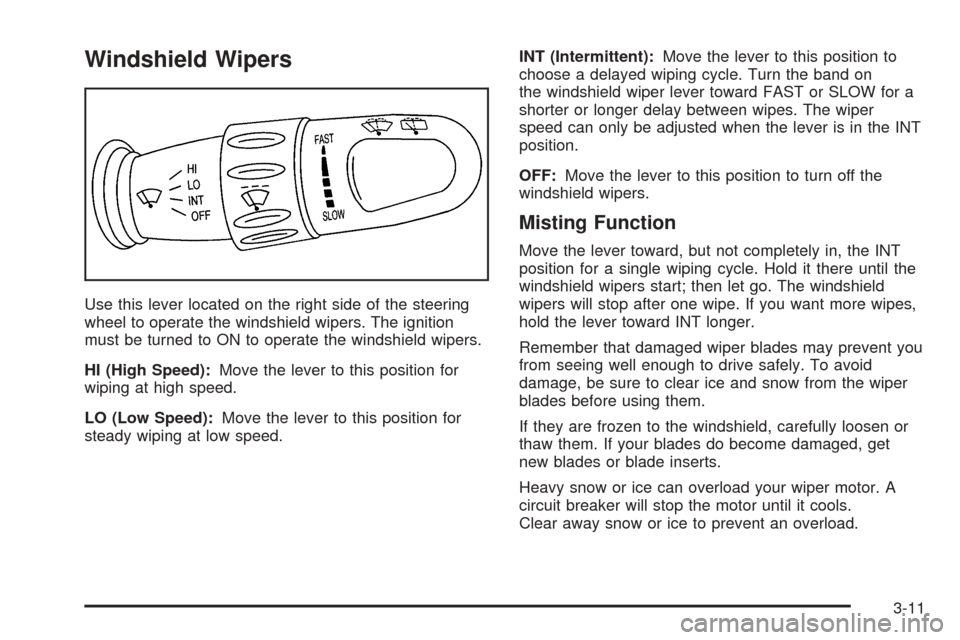
Use this lever located on the right side of the steering
wheel to operate the windshield wipers. The ignition
must be turned to ON to operate the windshield wipers.
HI (High Speed):Move the lever to this position for
wiping at high speed.
LO (Low Speed):Move the lever to this position for
steady wiping at low speed.INT (Intermittent):Move the lever to this position to
choose a delayed wiping cycle. Turn the band on
the windshield wiper lever toward FAST or SLOW for a
shorter or longer delay between wipes. The wiper
speed can only be adjusted when the lever is in the INT
position.
OFF:Move the lever to this position to turn off the
windshield wipers.
Misting Function
Move the lever toward, but not completely in, the INT
position for a single wiping cycle. Hold it there until the
windshield wipers start; then let go. The windshield
wipers will stop after one wipe. If you want more wipes,
hold the lever toward INT longer.
Remember that damaged wiper blades may prevent you
from seeing well enough to drive safely. To avoid
damage, be sure to clear ice and snow from the wiper
blades before using them.
If they are frozen to the windshield, carefully loosen or
thaw them. If your blades do become damaged, get
new blades or blade inserts.
Heavy snow or ice can overload your wiper motor. A
circuit breaker will stop the motor until it cools.
Clear away snow or ice to prevent an overload.
3-11
Page 120 of 336
Windshield Washer
To wash your windshield, pull the windshield
wiper/washer lever toward you with the ignition
turned to ON.
{CAUTION:
In freezing weather, do not use your washer
until the windshield is warmed. Otherwise the
washer uid can form ice on the windshield,
blocking your vision.
When you release the lever, the washers will stop, but
the wipers will continue to wipe for about two or
three cycles and will either stop or will resume at the
speed you were using before.
Rear Window Washer/Wiper
Your vehicle may have a rear window washer/wiper.
Operate the rear window washer/wiper system by
pushing the windshield wiper/washer lever away from
you. The wiper operates continuously when the lever is
in the first position. Washer fluid sprays onto the rear
window and the wiper operates continuously when
the lever is pushed to the second position.
Cruise Control
If your vehicle has cruise control, you can maintain a
speed of about 24 mph (39 km/h) or more without
keeping your foot on the accelerator. This can really
help on long trips. Cruise control does not work at
speeds below 24 mph (39 km/h).
When you apply your brakes, or the clutch pedal
if you have a manual transaxle, the cruise control
turns off.
{CAUTION:
Cruise control can be dangerous where you
cannot drive safely at a steady speed. So, do
not use your cruise control on winding roads
or in heavy traffic.
Cruise control can be dangerous on slippery
roads. On such roads, fast changes in tire
traction can cause needless wheel spinning,
and you could lose control. Do not use cruise
control on slippery roads.
3-12