ECO mode CHEVROLET OPTRA 5 2006 1.G User Guide
[x] Cancel search | Manufacturer: CHEVROLET, Model Year: 2006, Model line: OPTRA 5, Model: CHEVROLET OPTRA 5 2006 1.GPages: 370, PDF Size: 2.32 MB
Page 183 of 370
CD Messages
CHECK CD:If this message appears on the display
and/or the CD comes out, it could be for one of the
following reasons:
•It is very hot. When the temperature returns to
normal, the CD should play.
•You are driving on a very rough road. When the
road becomes smoother, the CD should play.
•The CD is dirty, scratched, wet, or upside down.
•The air is very humid. If so, wait about an hour and
try again.
•The format of the CD may not be compatible. See
“MP3 Format” earlier in this section.
•There may have been a problem while burning
the CD.
•The label may be caught in the CD player.
If the CD is not playing correctly, for any other reason,
try a known good CD.
If any error occurs repeatedly or if an error cannot be
corrected, contact your dealer. If the radio displays
an error message, write it down and provide it to your
dealer when reporting the problem.
Audio Steering Wheel Controls
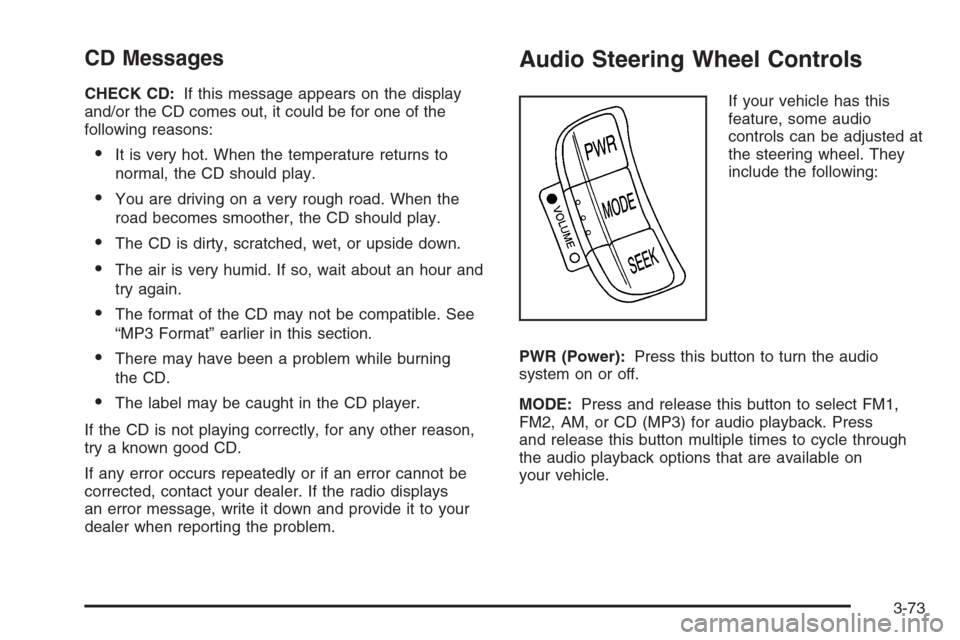
If your vehicle has this
feature, some audio
controls can be adjusted at
the steering wheel. They
include the following:
PWR (Power):Press this button to turn the audio
system on or off.
MODE:Press and release this button to select FM1,
FM2, AM, or CD (MP3) for audio playback. Press
and release this button multiple times to cycle through
the audio playback options that are available on
your vehicle.
3-73
Page 215 of 370
Tire and Loading Information Label
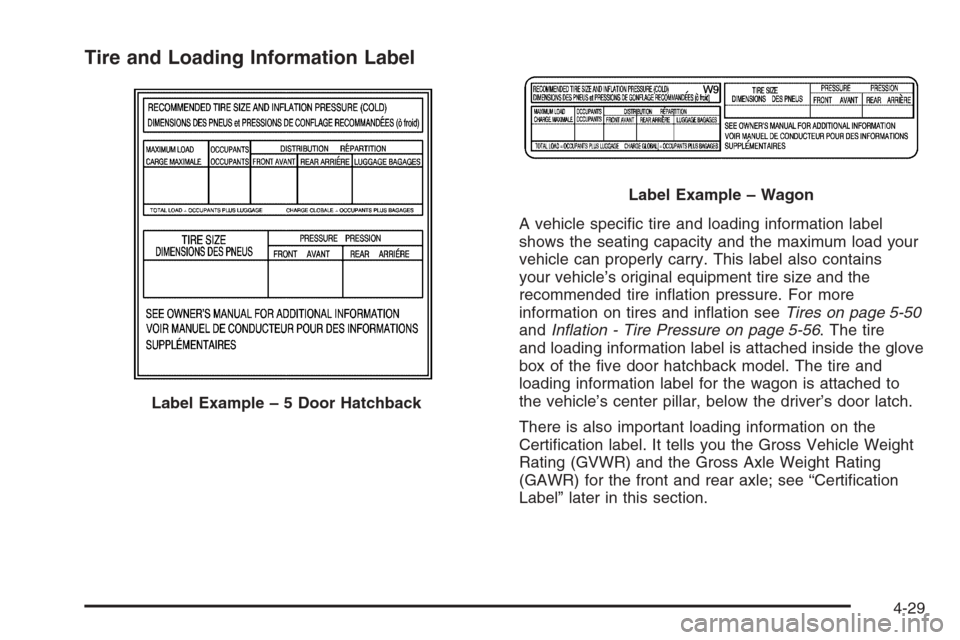
A vehicle specific tire and loading information label
shows the seating capacity and the maximum load your
vehicle can properly carry. This label also contains
your vehicle’s original equipment tire size and the
recommended tire inflation pressure. For more
information on tires and inflation seeTires on page 5-50
andInflation - Tire Pressure on page 5-56. The tire
and loading information label is attached inside the glove
box of the five door hatchback model. The tire and
loading information label for the wagon is attached to
the vehicle’s center pillar, below the driver’s door latch.
There is also important loading information on the
Certification label. It tells you the Gross Vehicle Weight
Rating (GVWR) and the Gross Axle Weight Rating
(GAWR) for the front and rear axle; see “Certification
Label” later in this section. Label Example–5DoorHatchback
Label Example – Wagon
4-29
Page 277 of 370
Occupant Distribution:Designated seating positions.
Outward Facing Sidewall:The side of an asymmetrical
tire that has a particular side that faces outward when
mounted on a vehicle. The side of the tire that contains a
whitewall, bears white lettering, or bears manufacturer,
brand, and/or model name molding that is higher or
deeper than the same moldings on the other sidewall of
the tire.
Passenger (P-Metric) Tire:A tire used on passenger
cars and some light duty trucks and multipurpose
vehicles.
Recommended Ination Pressure:Vehicle
manufacturer’s recommended tire inflation pressure and
shown on the tire placard. SeeInflation - Tire Pressure on
page 5-56andLoading Your Vehicle on page 4-28.
Radial Ply Tire:A pneumatic tire in which the ply cords
that extend to the beads are laid at 90 degrees to the
centerline of the tread.
Rim:A metal support for a tire and upon which the tire
beads are seated.
Sidewall:The portion of a tire between the tread and
the bead.
Speed Rating:An alphanumeric code assigned to a tire
indicating the maximum speed at which a tire can
operate.
Traction:The friction between the tire and the road
surface. The amount of grip provided.Tread:The portion of a tire that comes into contact
with the road.
Treadwear Indicators:Narrow bands, sometimes
called wear bars, that show across the tread of a tire
when only 1/16 inch (1.6 mm) of tread remains.
SeeWhen It Is Time for New Tires on page 5-58.
UTQGS (Uniform Tire Quality Grading Standards):
A tire information system that provides consumers
with ratings for a tire’s traction, temperature, and
treadwear. Ratings are determined by tire manufacturers
using government testing procedures. The ratings are
molded into the sidewall of the tire. SeeUniform
Tire Quality Grading on page 5-60.
Vehicle Capacity Weight:The number of designated
seating positions multiplied by 150 lbs (68 kg) plus the
rated cargo load. SeeLoading Your Vehicle on
page 4-28.
Vehicle Maximum Load on the Tire:Load on an
individual tire due to curb weight, accessory weight,
occupant weight, and cargo weight.
Vehicle Placard:A label permanently attached to a
vehicle showing the vehicle’s capacity weight and the
original equipment tire size and recommended inflation
pressure. See “Tire and Loading Information Label” under
Loading Your Vehicle on page 4-28.
5-55
Page 290 of 370
Hatchback Models
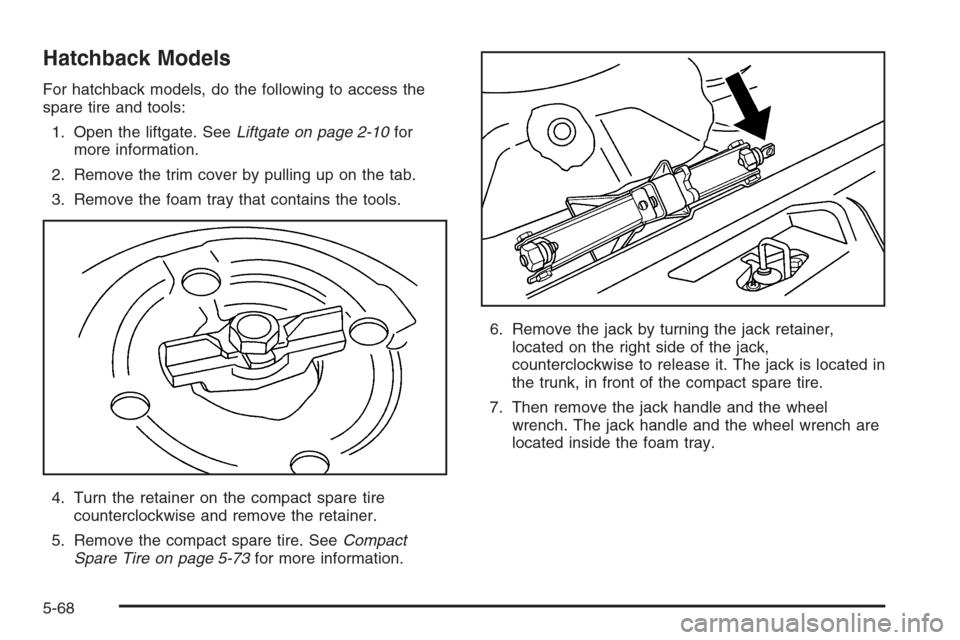
For hatchback models, do the following to access the
spare tire and tools:
1. Open the liftgate. SeeLiftgate on page 2-10for
more information.
2. Remove the trim cover by pulling up on the tab.
3. Remove the foam tray that contains the tools.
4. Turn the retainer on the compact spare tire
counterclockwise and remove the retainer.
5. Remove the compact spare tire. SeeCompact
Spare Tire on page 5-73for more information.6. Remove the jack by turning the jack retainer,
located on the right side of the jack,
counterclockwise to release it. The jack is located in
the trunk, in front of the compact spare tire.
7. Then remove the jack handle and the wheel
wrench. The jack handle and the wheel wrench are
located inside the foam tray.
5-68
Page 349 of 370
Additional Program Information
Courtesy Transportation is available during the
Bumper-to-Bumper warranty coverage period, but it is
not part of the New Vehicle Limited Warranty. A
separate booklet entitledWarranty and Owner
Assistance Informationfurnished with each new vehicle
provides detailed warranty coverage information.
Courtesy Transportation is available only at participating
dealers and all program options, such as shuttle
service, may not be available at every dealer. Please
contact your dealer for specific information about
availability. All Courtesy Transportation arrangements
will be administered by appropriate dealer personnel.
Canadian Vehicles:For warranty repairs during
the Complete Vehicle Coverage period of the General
Motors of Canada New Vehicle Limited Warranty,
alternative transportation may be available under the
Courtesy Transportation Program. Please consult
your dealer for details.
General Motors reserves the right to unilaterally modify,
change or discontinue Courtesy Transportation at
any time and to resolve all questions of claim eligibility
pursuant to the terms and conditions described
herein at its sole discretion.
Vehicle Data Collection and Event
Data Recorders
Your vehicle, like other modern motor vehicles, has a
number of sophisticated computer systems that monitor
and control several aspects of the vehicle’s performance.
Your vehicle uses on-board vehicle computers to monitor
emission control components to optimize fuel economy,
to monitor conditions for airbag deployment and, if so
equipped, to provide anti-lock braking and to help the
driver control the vehicle in difficult driving situations.
Some information may be stored during regular
operations to facilitate repair of detected malfunctions;
other information is stored only in a crash event by
computer systems, such as those commonly called event
data recorders (EDR).
In a crash event, computer systems, such as the Airbag
Sensing and Diagnostic Module (SDM) in your vehicle
may record information about the condition of the vehicle
and how it was operated, such as data related to
engine speed, brake application, throttle position, vehicle
speed, safety belt usage, airbag readiness, airbag
performance, and the severity of a collision. This
information has been used to improve vehicle crash
performance and may be used to improve crash
performance of future vehicles and driving safety. Unlike
the data recorders on many airplanes, these on-board
systems do not record sounds, such as conversation of
vehicle occupants.
7-9