steering CHEVROLET OPTRA 5 2006 1.G User Guide
[x] Cancel search | Manufacturer: CHEVROLET, Model Year: 2006, Model line: OPTRA 5, Model: CHEVROLET OPTRA 5 2006 1.GPages: 370, PDF Size: 2.32 MB
Page 119 of 370
Tilt Wheel
Your vehicle has a tilt wheel which allows you to adjust
the steering wheel before you drive. You can raise it
to the highest level to give your legs more room when
you exit and enter the vehicle.
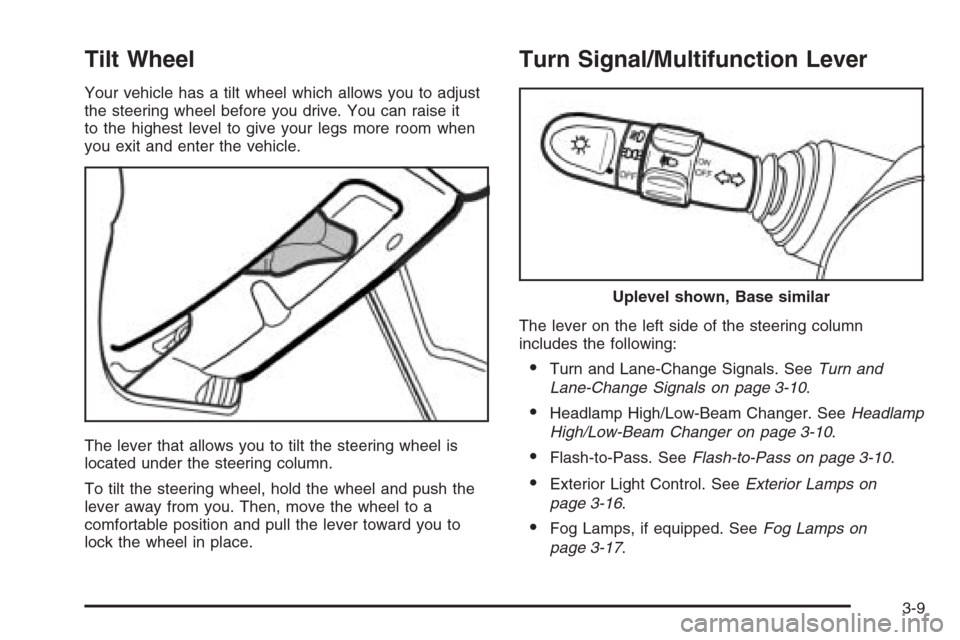
The lever that allows you to tilt the steering wheel is
located under the steering column.
To tilt the steering wheel, hold the wheel and push the
lever away from you. Then, move the wheel to a
comfortable position and pull the lever toward you to
lock the wheel in place.
Turn Signal/Multifunction Lever
The lever on the left side of the steering column
includes the following:
•Turn and Lane-Change Signals. SeeTurn and
Lane-Change Signals on page 3-10.
•Headlamp High/Low-Beam Changer. SeeHeadlamp
High/Low-Beam Changer on page 3-10.
•Flash-to-Pass. SeeFlash-to-Pass on page 3-10.
•Exterior Light Control. SeeExterior Lamps on
page 3-16.
•Fog Lamps, if equipped. SeeFog Lamps on
page 3-17.
Uplevel shown, Base similar
3-9
Page 121 of 370
Windshield Wipers
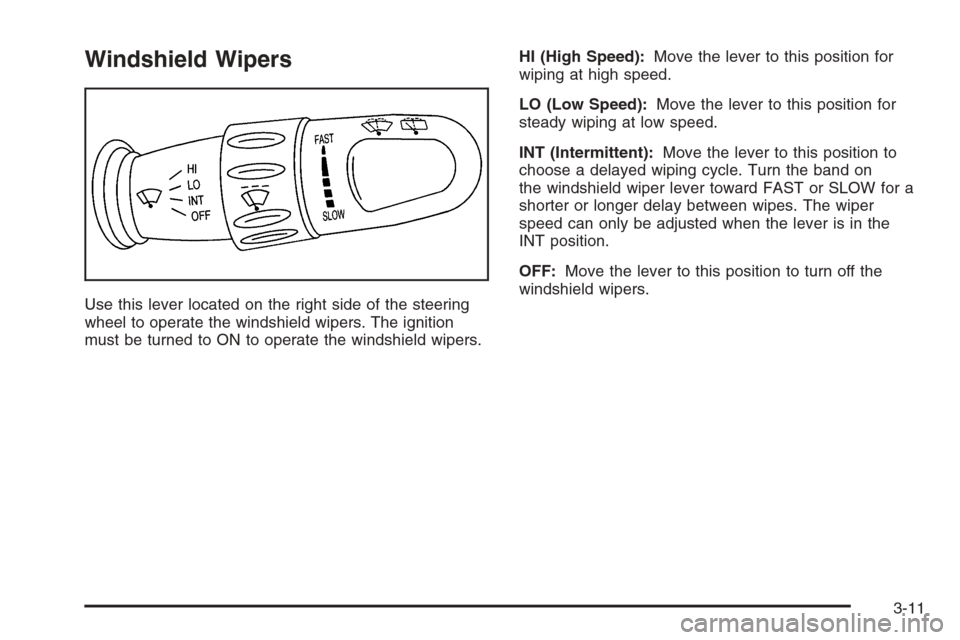
Use this lever located on the right side of the steering
wheel to operate the windshield wipers. The ignition
must be turned to ON to operate the windshield wipers.HI (High Speed):Move the lever to this position for
wiping at high speed.
LO (Low Speed):Move the lever to this position for
steady wiping at low speed.
INT (Intermittent):Move the lever to this position to
choose a delayed wiping cycle. Turn the band on
the windshield wiper lever toward FAST or SLOW for a
shorter or longer delay between wipes. The wiper
speed can only be adjusted when the lever is in the
INT position.
OFF:Move the lever to this position to turn off the
windshield wipers.
3-11
Page 124 of 370
Setting Cruise Control
{CAUTION:
If you leave your cruise control on when you
are not using cruise, you might hit a button
and go into cruise when you do not want to.
You could be startled and even lose control.
Keep the cruise control switch off until you
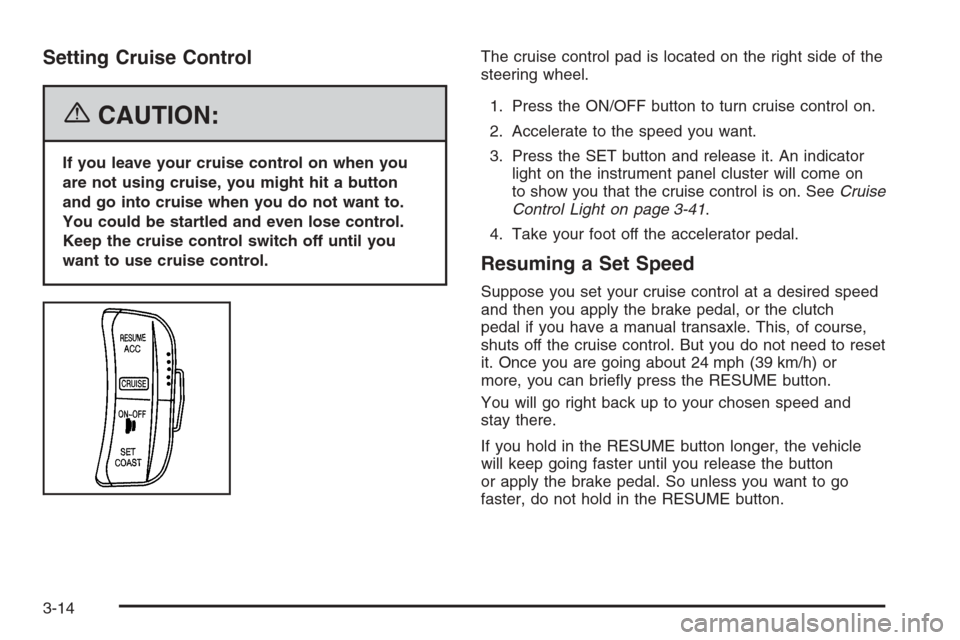
want to use cruise control.The cruise control pad is located on the right side of the
steering wheel.
1. Press the ON/OFF button to turn cruise control on.
2. Accelerate to the speed you want.
3. Press the SET button and release it. An indicator
light on the instrument panel cluster will come on
to show you that the cruise control is on. SeeCruise
Control Light on page 3-41.
4. Take your foot off the accelerator pedal.
Resuming a Set Speed
Suppose you set your cruise control at a desired speed
and then you apply the brake pedal, or the clutch
pedal if you have a manual transaxle. This, of course,
shuts off the cruise control. But you do not need to reset
it. Once you are going about 24 mph (39 km/h) or
more, you can briefly press the RESUME button.
You will go right back up to your chosen speed and
stay there.
If you hold in the RESUME button longer, the vehicle
will keep going faster until you release the button
or apply the brake pedal. So unless you want to go
faster, do not hold in the RESUME button.
3-14
Page 126 of 370
Exterior Lamps
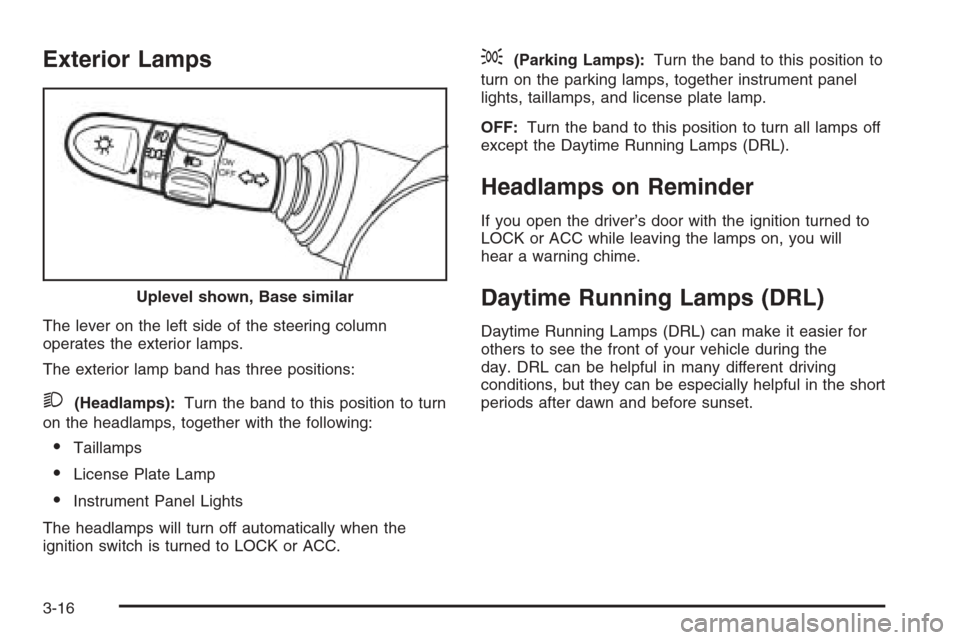
The lever on the left side of the steering column
operates the exterior lamps.
The exterior lamp band has three positions:
2(Headlamps):Turn the band to this position to turn
on the headlamps, together with the following:
•Taillamps
•License Plate Lamp
•Instrument Panel Lights
The headlamps will turn off automatically when the
ignition switch is turned to LOCK or ACC.
;(Parking Lamps):Turn the band to this position to
turn on the parking lamps, together instrument panel
lights, taillamps, and license plate lamp.
OFF:Turn the band to this position to turn all lamps off
except the Daytime Running Lamps (DRL).
Headlamps on Reminder
If you open the driver’s door with the ignition turned to
LOCK or ACC while leaving the lamps on, you will
hear a warning chime.
Daytime Running Lamps (DRL)
Daytime Running Lamps (DRL) can make it easier for
others to see the front of your vehicle during the
day. DRL can be helpful in many different driving
conditions, but they can be especially helpful in the short
periods after dawn and before sunset. Uplevel shown, Base similar
3-16
Page 128 of 370
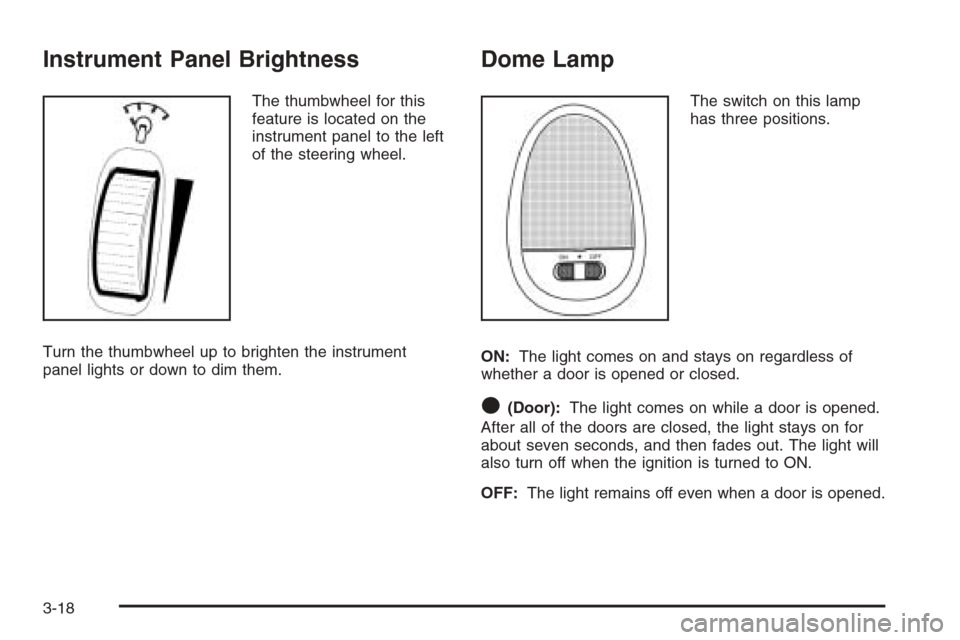
Instrument Panel Brightness
The thumbwheel for this
feature is located on the
instrument panel to the left
of the steering wheel.
Turn the thumbwheel up to brighten the instrument
panel lights or down to dim them.
Dome Lamp
The switch on this lamp
has three positions.
ON:The light comes on and stays on regardless of
whether a door is opened or closed.
O(Door):The light comes on while a door is opened.
After all of the doors are closed, the light stays on for
about seven seconds, and then fades out. The light will
also turn off when the ignition is turned to ON.
OFF:The light remains off even when a door is opened.
3-18
Page 145 of 370
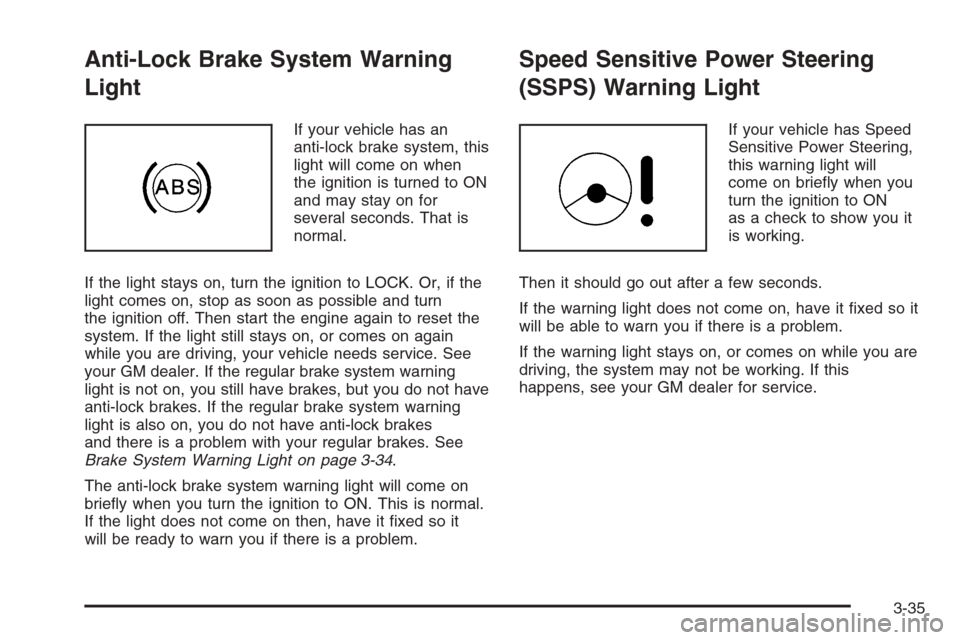
Anti-Lock Brake System Warning
Light
If your vehicle has an
anti-lock brake system, this
light will come on when
the ignition is turned to ON
and may stay on for
several seconds. That is
normal.
If the light stays on, turn the ignition to LOCK. Or, if the
light comes on, stop as soon as possible and turn
the ignition off. Then start the engine again to reset the
system. If the light still stays on, or comes on again
while you are driving, your vehicle needs service. See
your GM dealer. If the regular brake system warning
light is not on, you still have brakes, but you do not have
anti-lock brakes. If the regular brake system warning
light is also on, you do not have anti-lock brakes
and there is a problem with your regular brakes. See
Brake System Warning Light on page 3-34.
The anti-lock brake system warning light will come on
briefly when you turn the ignition to ON. This is normal.
If the light does not come on then, have it fixed so it
will be ready to warn you if there is a problem.
Speed Sensitive Power Steering
(SSPS) Warning Light
If your vehicle has Speed
Sensitive Power Steering,
this warning light will
come on briefly when you
turn the ignition to ON
as a check to show you it
is working.
Then it should go out after a few seconds.
If the warning light does not come on, have it fixed so it
will be able to warn you if there is a problem.
If the warning light stays on, or comes on while you are
driving, the system may not be working. If this
happens, see your GM dealer for service.
3-35
Page 154 of 370
Audio System(s)
Determine which radio your vehicle has and then read
the pages following to familiarize yourself with its
features.
Driving without distraction is a necessity for a safer
driving experience. SeeDefensive Driving on page 4-2.
By taking a few moments to read this manual and
get familiar with your vehicle’s audio system, you can
use it with less effort, as well as take advantage of
its features. While your vehicle is parked, set up your
audio system by presetting your favorite radio stations,
setting the tone and adjusting the speakers. Then,
when driving conditions permit, you can tune to your
favorite stations using the presets and steering
wheel controls (if equipped).{CAUTION:
This system provides you with a far greater
access to audio stations and song listings.
Giving extended attention to entertainment
tasks while driving can cause a crash and you
or others can be injured or killed. Always keep
your eyes on the road and your mind on the
drive — avoid engaging in extended searching
while driving.
Keeping your mind on the drive is important for safe
driving. For more information, seeDefensive Driving on
page 4-2.
3-44
Page 155 of 370
Here are some ways in which you can help avoid
distraction while driving.
While your vehicle is parked:
•Familiarize yourself with all of its controls.
•Familiarize yourself with its operation.
•Set up your audio system by presetting your
favorite radio stations, setting the tone, and
adjusting the speakers. Then, when driving
conditions permit, you can tune to your favorite
radio stations using the presets and steering wheel
controls (if equipped).
Notice:Before adding any sound equipment to
your vehicle, such as an audio system, CD player,
CB radio, mobile telephone, or two-way radio, make
sure that it can be added by checking with your
dealer. Also, check federal rules covering mobile
radio and telephone units. If sound equipment can
be added, it is very important to do it properly.
Added sound equipment may interfere with
the operation of your vehicle’s engine, radio, or
other systems, and even damage them. Your
vehicle’s systems may interfere with the operation
of sound equipment that has been added.
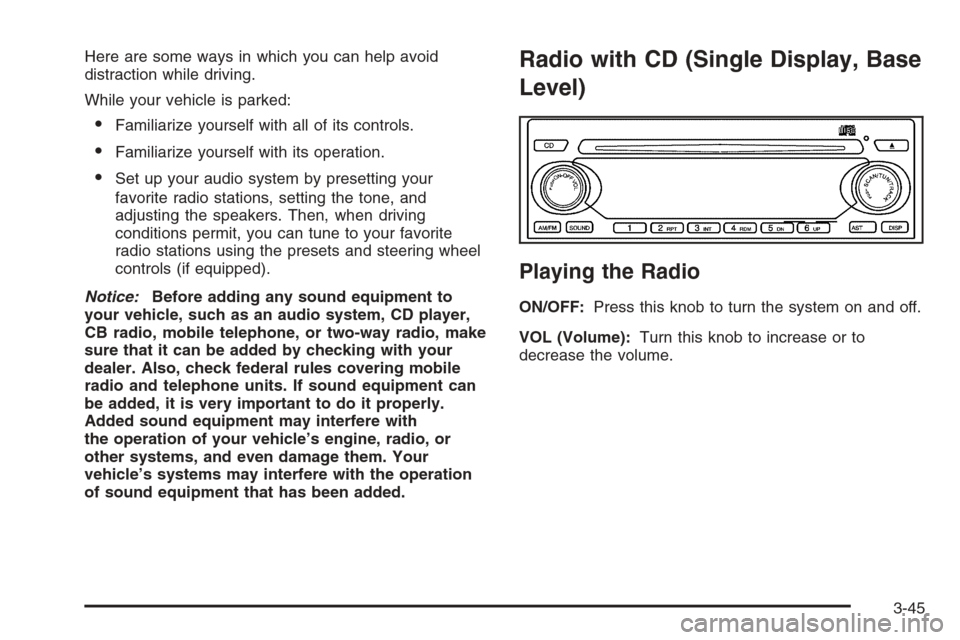
Radio with CD (Single Display, Base
Level)
Playing the Radio
ON/OFF:Press this knob to turn the system on and off.
VOL (Volume):Turn this knob to increase or to
decrease the volume.
3-45
Page 183 of 370
CD Messages
CHECK CD:If this message appears on the display
and/or the CD comes out, it could be for one of the
following reasons:
•It is very hot. When the temperature returns to
normal, the CD should play.
•You are driving on a very rough road. When the
road becomes smoother, the CD should play.
•The CD is dirty, scratched, wet, or upside down.
•The air is very humid. If so, wait about an hour and
try again.
•The format of the CD may not be compatible. See
“MP3 Format” earlier in this section.
•There may have been a problem while burning
the CD.
•The label may be caught in the CD player.
If the CD is not playing correctly, for any other reason,
try a known good CD.
If any error occurs repeatedly or if an error cannot be
corrected, contact your dealer. If the radio displays
an error message, write it down and provide it to your
dealer when reporting the problem.
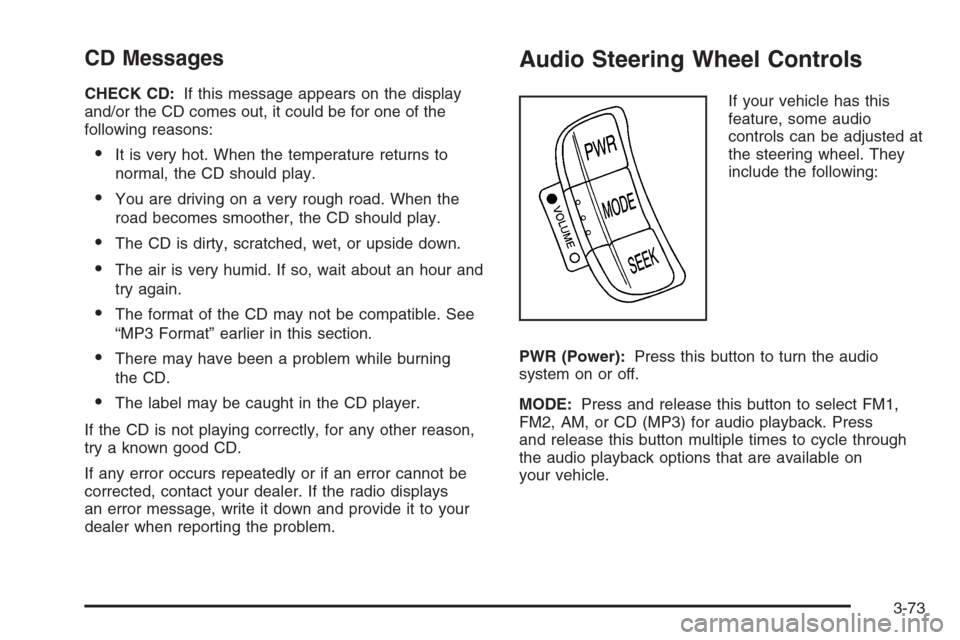
Audio Steering Wheel Controls
If your vehicle has this
feature, some audio
controls can be adjusted at
the steering wheel. They
include the following:
PWR (Power):Press this button to turn the audio
system on or off.
MODE:Press and release this button to select FM1,
FM2, AM, or CD (MP3) for audio playback. Press
and release this button multiple times to cycle through
the audio playback options that are available on
your vehicle.
3-73
Page 187 of 370
Your Driving, the Road, and Your Vehicle..........4-2
Defensive Driving...........................................4-2
Drunken Driving.............................................4-3
Control of a Vehicle........................................4-5
Braking.........................................................4-6
Anti-Lock Brake System (ABS).........................4-7
Braking in Emergencies...................................4-8
Traction Control System (TCS).........................4-9
Steering......................................................4-10
Off-Road Recovery.......................................4-12
Passing.......................................................4-12
Loss of Control.............................................4-13
Driving at Night............................................4-15
Driving in Rain and on Wet Roads..................4-16City Driving..................................................4-18
Freeway Driving...........................................4-19
Before Leaving on a Long Trip.......................4-20
Highway Hypnosis........................................4-21
Hill and Mountain Roads................................4-21
Winter Driving..............................................4-23
If Your Vehicle is Stuck in Sand, Mud,
Ice or Snow..............................................4-27
Rocking Your Vehicle to Get It Out.................4-28
Loading Your Vehicle....................................4-28
Towing..........................................................4-33
Towing Your Vehicle.....................................4-33
Recreational Vehicle Towing...........................4-34
Towing a Trailer...........................................4-35
Section 4 Driving Your Vehicle
4-1