steering wheel CHEVROLET OPTRA 5 2007 1.G User Guide
[x] Cancel search | Manufacturer: CHEVROLET, Model Year: 2007, Model line: OPTRA 5, Model: CHEVROLET OPTRA 5 2007 1.GPages: 422, PDF Size: 2.39 MB
Page 139 of 422
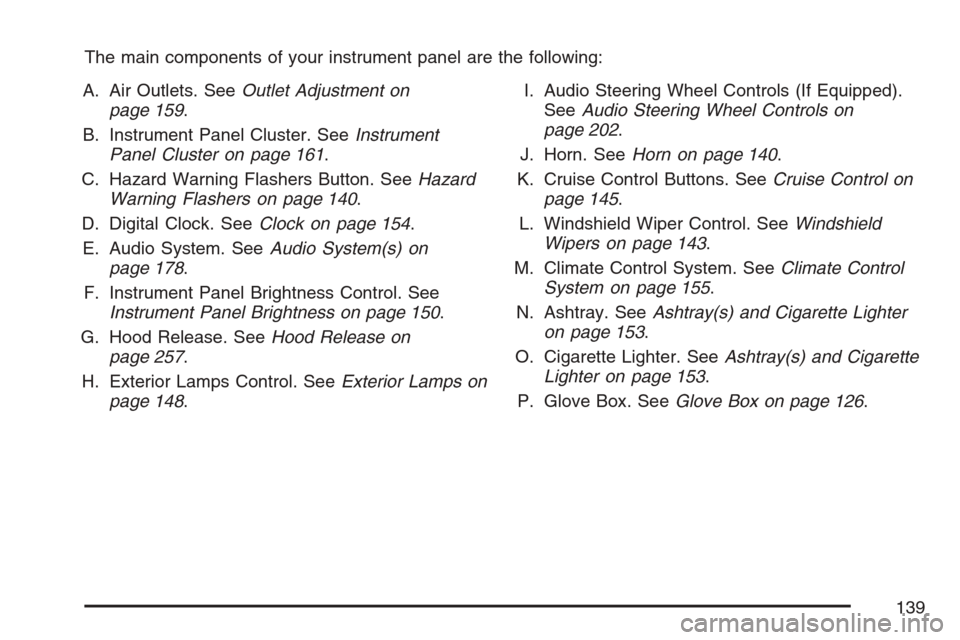
The main components of your instrument panel are the following:
A. Air Outlets. SeeOutlet Adjustment on
page 159.
B. Instrument Panel Cluster. SeeInstrument
Panel Cluster on page 161.
C. Hazard Warning Flashers Button. SeeHazard
Warning Flashers on page 140.
D. Digital Clock. SeeClock on page 154.
E. Audio System. SeeAudio System(s) on
page 178.
F. Instrument Panel Brightness Control. See
Instrument Panel Brightness on page 150.
G. Hood Release. SeeHood Release on
page 257.
H. Exterior Lamps Control. SeeExterior Lamps on
page 148.I. Audio Steering Wheel Controls (If Equipped).
SeeAudio Steering Wheel Controls on
page 202.
J. Horn. SeeHorn on page 140.
K. Cruise Control Buttons. SeeCruise Control on
page 145.
L. Windshield Wiper Control. SeeWindshield
Wipers on page 143.
M. Climate Control System. SeeClimate Control
System on page 155.
N. Ashtray. SeeAshtray(s) and Cigarette Lighter
on page 153.
O. Cigarette Lighter. SeeAshtray(s) and Cigarette
Lighter on page 153.
P. Glove Box. SeeGlove Box on page 126.
139
Page 140 of 422
Hazard Warning Flashers
The hazard warning flashers let you warn the
police and others that you have a problem.
The front and rear turn signal lamps will flash
on and off.
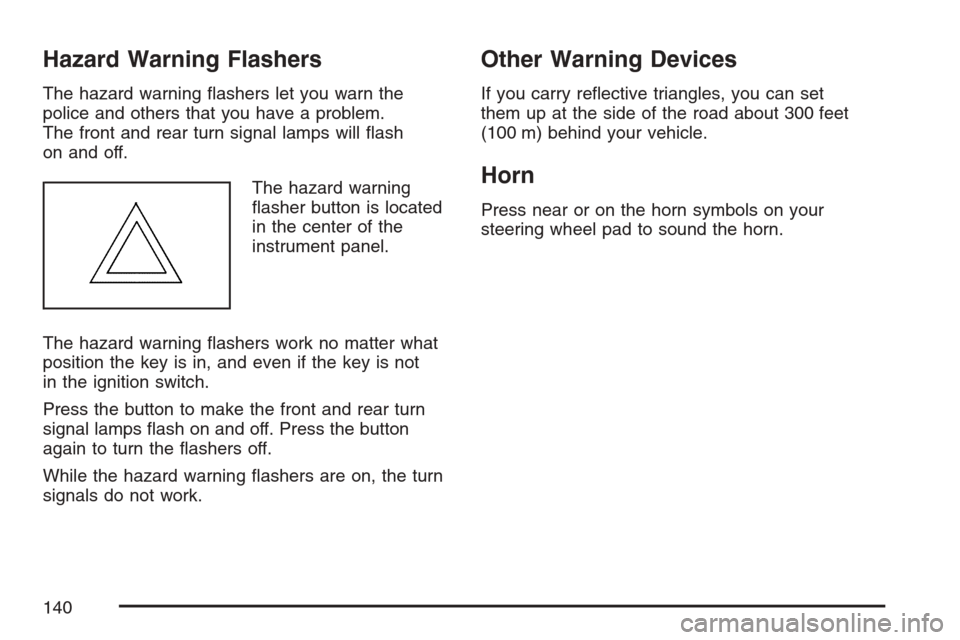
The hazard warning
flasher button is located
in the center of the
instrument panel.
The hazard warning flashers work no matter what
position the key is in, and even if the key is not
in the ignition switch.
Press the button to make the front and rear turn
signal lamps flash on and off. Press the button
again to turn the flashers off.
While the hazard warning flashers are on, the turn
signals do not work.
Other Warning Devices
If you carry reflective triangles, you can set
them up at the side of the road about 300 feet
(100 m) behind your vehicle.
Horn
Press near or on the horn symbols on your
steering wheel pad to sound the horn.
140
Page 141 of 422
Tilt Wheel
Your vehicle has a tilt wheel which lets you adjust
the steering wheel before you drive.
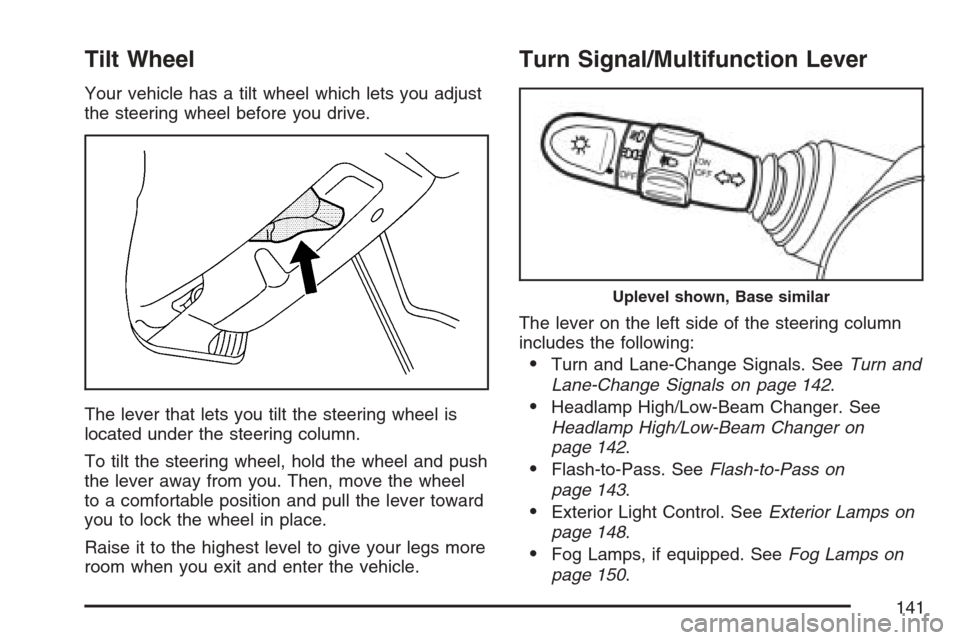
The lever that lets you tilt the steering wheel is
located under the steering column.
To tilt the steering wheel, hold the wheel and push
the lever away from you. Then, move the wheel
to a comfortable position and pull the lever toward
you to lock the wheel in place.
Raise it to the highest level to give your legs more
room when you exit and enter the vehicle.
Turn Signal/Multifunction Lever
The lever on the left side of the steering column
includes the following:
•Turn and Lane-Change Signals. SeeTurn and
Lane-Change Signals on page 142.
•Headlamp High/Low-Beam Changer. See
Headlamp High/Low-Beam Changer on
page 142.
•Flash-to-Pass. SeeFlash-to-Pass on
page 143.
•Exterior Light Control. SeeExterior Lamps on
page 148.
•Fog Lamps, if equipped. SeeFog Lamps on
page 150.
Uplevel shown, Base similar
141
Page 143 of 422
Flash-to-Pass
This feature lets you use your high-beam
headlamps to signal a driver in front of you that
you want to pass.
To use it, pull the turn signal/multifunction lever
toward you until the high-beam headlamps
come on, then release the lever to turn them off.
Windshield Wipers
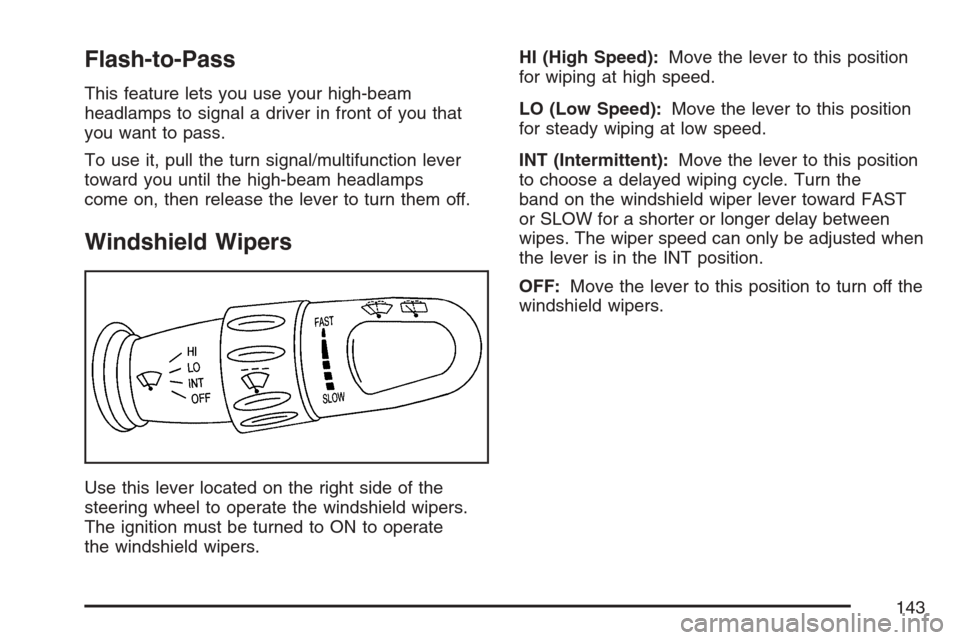
Use this lever located on the right side of the
steering wheel to operate the windshield wipers.
The ignition must be turned to ON to operate
the windshield wipers.HI (High Speed):Move the lever to this position
for wiping at high speed.
LO (Low Speed):Move the lever to this position
for steady wiping at low speed.
INT (Intermittent):Move the lever to this position
to choose a delayed wiping cycle. Turn the
band on the windshield wiper lever toward FAST
or SLOW for a shorter or longer delay between
wipes. The wiper speed can only be adjusted when
the lever is in the INT position.
OFF:Move the lever to this position to turn off the
windshield wipers.
143
Page 146 of 422
Setting Cruise Control
{CAUTION:
If you leave your cruise control on when
you are not using cruise, you might hit a
button and go into cruise when you do not
want to. You could be startled and even
lose control. Keep the cruise control switch
off until you want to use cruise control.
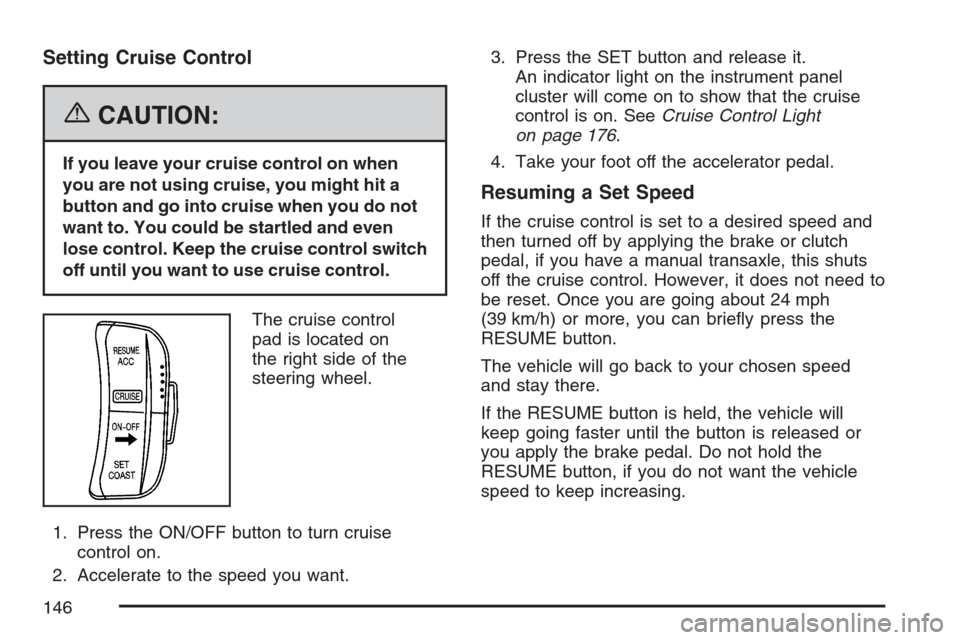
The cruise control
pad is located on
the right side of the
steering wheel.
1. Press the ON/OFF button to turn cruise
control on.
2. Accelerate to the speed you want.3. Press the SET button and release it.
An indicator light on the instrument panel
cluster will come on to show that the cruise
control is on. SeeCruise Control Light
on page 176.
4. Take your foot off the accelerator pedal.
Resuming a Set Speed
If the cruise control is set to a desired speed and
then turned off by applying the brake or clutch
pedal, if you have a manual transaxle, this shuts
off the cruise control. However, it does not need to
be reset. Once you are going about 24 mph
(39 km/h) or more, you can briefly press the
RESUME button.
The vehicle will go back to your chosen speed
and stay there.
If the RESUME button is held, the vehicle will
keep going faster until the button is released or
you apply the brake pedal. Do not hold the
RESUME button, if you do not want the vehicle
speed to keep increasing.
146
Page 150 of 422
Fog Lamps
If your vehicle has fog lamps, use them for better
visibility in foggy or misty conditions.
The band for the front fog lamps is located in the
middle of the turn signal/multifunction lever.
While using the fog lamps, the ignition must be on
as well as the parking lamps or low-beam
headlamps.
Turn the band to ON to turn the fog lamps on. An
indicator light will come on while the fog lamps
are on. SeeFog Lamp Light on page 176.
Turn the band to OFF to turn the fog lamps off.
The fog lamps will also turn off while the
high-beam headlamps are turned on. When the
high-beam headlamps are turned off, the fog lamps
will turn on again.
Instrument Panel Brightness
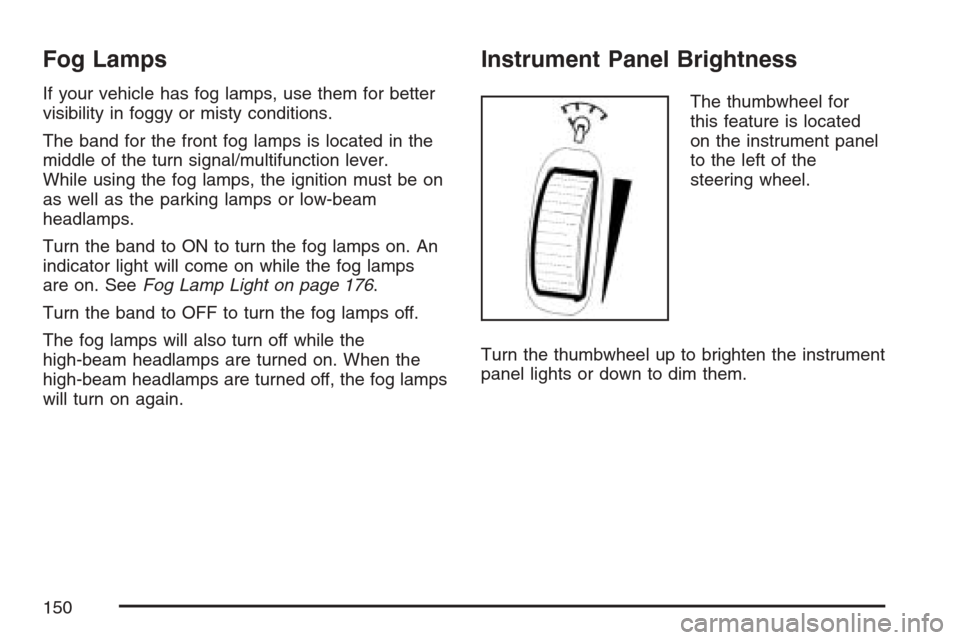
The thumbwheel for
this feature is located
on the instrument panel
to the left of the
steering wheel.
Turn the thumbwheel up to brighten the instrument
panel lights or down to dim them.
150
Page 178 of 422
Here are four things that some owners ask about.
None of these show a problem with your fuel gage:
•At the service station, the gas pump shuts off
before the gage reads full.
•It takes a little more or less fuel to fill up than
the gage indicated. For example, the gage may
have indicated the tank was half full, but it
actually took a little more or less than half the
tank’s capacity to fill the tank.
•The indicator moves a little when you turn a
corner or speed up.
•The gage goes back to empty when you turn off
the ignition.
Low Fuel Warning Light
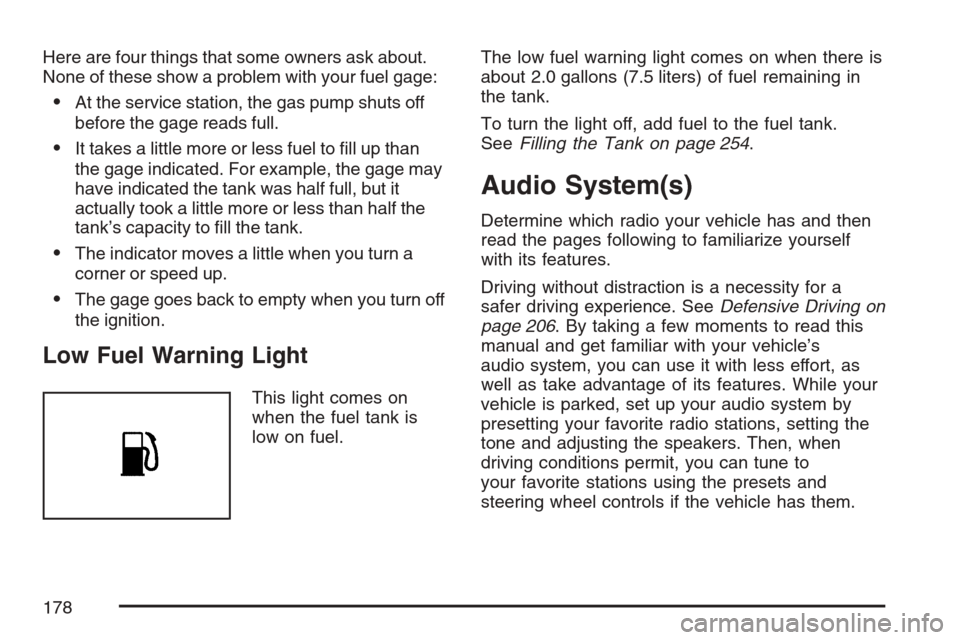
This light comes on
when the fuel tank is
low on fuel.The low fuel warning light comes on when there is
about 2.0 gallons (7.5 liters) of fuel remaining in
the tank.
To turn the light off, add fuel to the fuel tank.
SeeFilling the Tank on page 254.
Audio System(s)
Determine which radio your vehicle has and then
read the pages following to familiarize yourself
with its features.
Driving without distraction is a necessity for a
safer driving experience. SeeDefensive Driving on
page 206. By taking a few moments to read this
manual and get familiar with your vehicle’s
audio system, you can use it with less effort, as
well as take advantage of its features. While your
vehicle is parked, set up your audio system by
presetting your favorite radio stations, setting the
tone and adjusting the speakers. Then, when
driving conditions permit, you can tune to
your favorite stations using the presets and
steering wheel controls if the vehicle has them.
178
Page 179 of 422
{CAUTION:
This system provides you with a far greater
access to audio stations and song listings.
Giving extended attention to entertainment
tasks while driving can cause a crash and
you or others can be injured or killed.
Always keep your eyes on the road and
your mind on the drive — avoid engaging
in extended searching while driving.
Keeping your mind on the drive is important for
safe driving. Here are some ways in which you can
help avoid distraction while driving.
While your vehicle is parked:
•Familiarize yourself with all of its controls.
•Familiarize yourself with its operation.
•Set up your audio system by presetting your
favorite radio stations, setting the tone, and
adjusting the speakers. Then, when driving
conditions permit, you can tune to your favorite
radio stations using the presets and steering
wheel controls if the vehicle has them.
Notice:Before adding any sound equipment
to your vehicle, such as an audio system,
CD player, CB radio, mobile telephone,
or two-way radio, make sure that it can be
added by checking with your dealer. Also,
check federal rules covering mobile radio and
telephone units. If sound equipment can be
added, it is very important to do it properly.
Added sound equipment can interfere with the
operation of your vehicle’s engine, radio, or
other systems, and even damage them.
Your vehicle’s systems can interfere with the
operation of sound equipment that has
been added.
179
Page 202 of 422
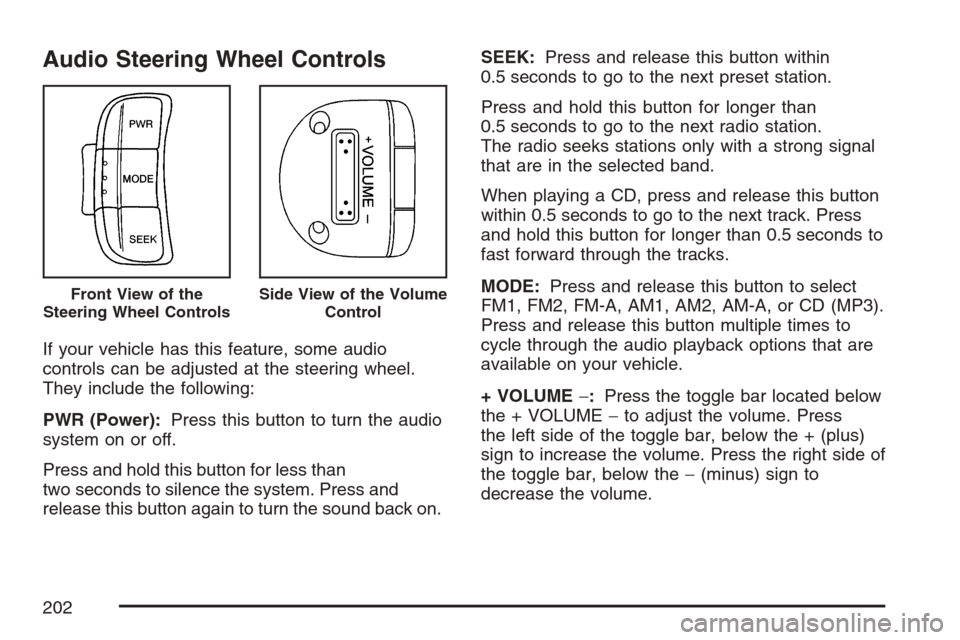
Audio Steering Wheel Controls
If your vehicle has this feature, some audio
controls can be adjusted at the steering wheel.
They include the following:
PWR (Power):Press this button to turn the audio
system on or off.
Press and hold this button for less than
two seconds to silence the system. Press and
release this button again to turn the sound back on.SEEK:Press and release this button within
0.5 seconds to go to the next preset station.
Press and hold this button for longer than
0.5 seconds to go to the next radio station.
The radio seeks stations only with a strong signal
that are in the selected band.
When playing a CD, press and release this button
within 0.5 seconds to go to the next track. Press
and hold this button for longer than 0.5 seconds to
fast forward through the tracks.
MODE:Press and release this button to select
FM1, FM2, FM-A, AM1, AM2, AM-A, or CD (MP3).
Press and release this button multiple times to
cycle through the audio playback options that are
available on your vehicle.
+ VOLUME−:Press the toggle bar located below
the + VOLUME−to adjust the volume. Press
the left side of the toggle bar, below the + (plus)
sign to increase the volume. Press the right side of
the toggle bar, below the−(minus) sign to
decrease the volume.
Front View of the
Steering Wheel ControlsSide View of the Volume
Control
202
Page 213 of 422
Remember: ABS does not change the time you
need to get your foot up to the brake pedal
or always decrease stopping distance. If you get
too close to the vehicle in front of you, you will not
have time to apply your brakes if that vehicle
suddenly slows or stops. Always leave enough
room up ahead to stop, even though you
have ABS.
Using ABS
Do not pump the brakes. Just hold the brake
pedal down firmly and let anti-lock work for you.
You may feel a slight brake pedal pulsation
or notice some noise, but this is normal.
Braking in Emergencies
At some time, nearly every driver gets into a
situation that requires hard braking.
If you have ABS, you can steer and brake at the
same time. However, if you do not have ABS, your
first reaction — to hit the brake pedal hard and
hold it down — may be the wrong thing to do.Your wheels can stop rolling. Once they do, the
vehicle cannot respond to your steering.
Momentum will carry it in whatever direction it was
headed when the wheels stopped rolling. That
could be off the road, into the very thing you were
trying to avoid, or into traffic.
If you do not have ABS, use a “squeeze” braking
technique. This will give you maximum braking
while maintaining steering control. You can do this
by pushing on the brake pedal with steadily
increasing pressure.
In an emergency, you will probably want to
squeeze the brakes hard without locking the
wheels. If you hear or feel the wheels sliding,
ease off the brake pedal. This will help you
retain steering control. If you do have ABS, it is
different. SeeAnti-Lock Brake System (ABS)
on page 211.
In many emergencies, steering can help you more
than even the very best braking.
213