lock CHEVROLET OPTRA 5 2007 1.G Workshop Manual
[x] Cancel search | Manufacturer: CHEVROLET, Model Year: 2007, Model line: OPTRA 5, Model: CHEVROLET OPTRA 5 2007 1.GPages: 422, PDF Size: 2.39 MB
Page 149 of 422
;(Parking Lamps):Turn the band to this
position to turn on the parking lamps, together
instrument panel lights, taillamps, and license
plate lamp.
OFF:Turn the band to this position to turn
all lamps off except the Daytime Running
Lamps (DRL).
Headlamps on Reminder
If you open the driver’s door with the ignition
turned to LOCK or ACC while leaving the lamps
on, you will hear a warning chime.
Daytime Running Lamps (DRL)
Daytime Running Lamps (DRL) can make it easier
for others to see the front of your vehicle during the
day. DRL can be helpful in many different driving
conditions, but they can be especially helpful in the
short periods after dawn and before sunset.The DRL system will make your low-beam
headlamps come on in daylight when the following
conditions are met:
•The ignition is on.
•The exterior lamp band is in OFF or in the
parking lamp position.
•The parking brake is released.
An indicator light will come on when the DRL are
on. SeeDaytime Running Lamps (DRL)
Indicator Light on page 176.
When the DRL system is on, the taillamps,
sidemarker lamps, parking lamps and instrument
panel lights will not be illuminated unless you
have turned the exterior lamps control to
the parking lamp or headlamp position.
The DRL system will turn off when one of the
following conditions are met:
•The ignition is off.
•The parking brakes are on.
•The high-beam headlamps are on.
•The low-beam headlamps are on.
•The flash-to-pass feature is used.
As with any vehicle, you should turn on the
regular headlamp system when you need it.
149
Page 154 of 422
Clock
Your vehicle has a digital clock. If you have the
wagon, the clock is located in the center of the
instrument panel below the air outlets. If you have a
hatchback, the clock is located in the center of the
instrument panel above the air outlets. When the
ignition is turned to ACC or ON, the time is
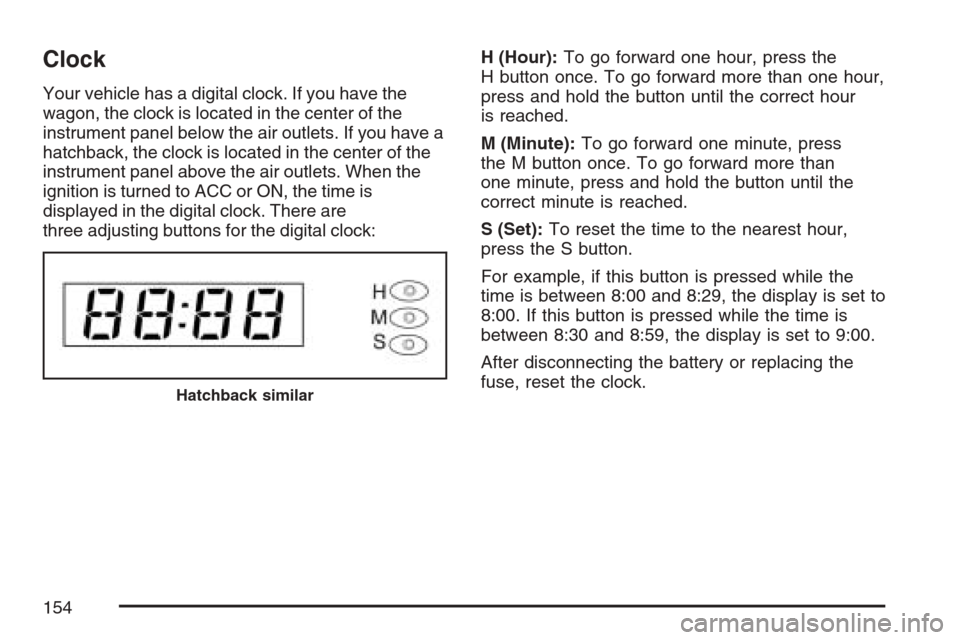
displayed in the digital clock. There are
three adjusting buttons for the digital clock:H (Hour):To go forward one hour, press the
H button once. To go forward more than one hour,
press and hold the button until the correct hour
is reached.
M (Minute):To go forward one minute, press
the M button once. To go forward more than
one minute, press and hold the button until the
correct minute is reached.
S (Set):To reset the time to the nearest hour,
press the S button.
For example, if this button is pressed while the
time is between 8:00 and 8:29, the display is set to
8:00. If this button is pressed while the time is
between 8:30 and 8:59, the display is set to 9:00.
After disconnecting the battery or replacing the
fuse, reset the clock.
Hatchback similar
154
Page 155 of 422
Climate Controls
Climate Control System
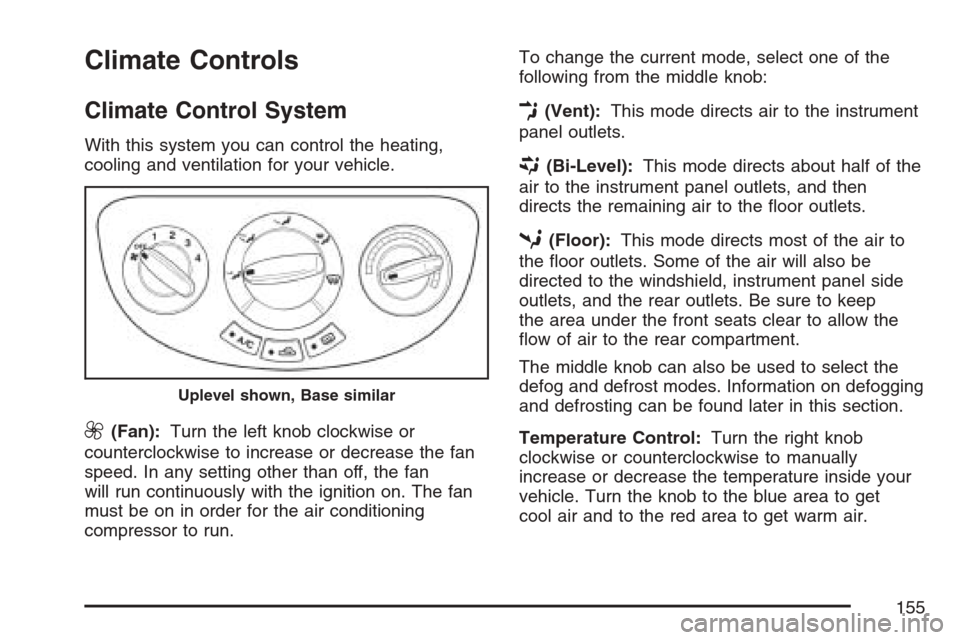
With this system you can control the heating,
cooling and ventilation for your vehicle.
9(Fan):Turn the left knob clockwise or
counterclockwise to increase or decrease the fan
speed. In any setting other than off, the fan
will run continuously with the ignition on. The fan
must be on in order for the air conditioning
compressor to run.To change the current mode, select one of the
following from the middle knob:
E(Vent):This mode directs air to the instrument
panel outlets.
((Bi-Level):This mode directs about half of the
air to the instrument panel outlets, and then
directs the remaining air to the floor outlets.
5(Floor):This mode directs most of the air to
the floor outlets. Some of the air will also be
directed to the windshield, instrument panel side
outlets, and the rear outlets. Be sure to keep
the area under the front seats clear to allow the
flow of air to the rear compartment.
The middle knob can also be used to select the
defog and defrost modes. Information on defogging
and defrosting can be found later in this section.
Temperature Control:Turn the right knob
clockwise or counterclockwise to manually
increase or decrease the temperature inside your
vehicle. Turn the knob to the blue area to get
cool air and to the red area to get warm air.
Uplevel shown, Base similar
155
Page 157 of 422
Defogging and Defrosting
Fog on the inside of windows is a result of high
humidity or moisture condensing on the cool
window glass. This can be minimized if the climate
control system is used properly. There are
two modes to clear fog or frost from your
windshield. Use the defog mode to clear the
windows of fog or moisture and warm the
passengers. Use the defrost mode to remove fog
or frost from the windshield more quickly.
Select one of these available modes from the
right knob.
É(Defog):This mode directs most of the air to
the windshield and the floor outlets. A small
amount of air is also directed to the outboard
outlets for the side windows and to the instrument
panel side outlets.When you select this mode, the system runs the
air-conditioning compressor. To defog the windows
faster, turn the temperature control knob
clockwise to the warmest setting.
0(Defrost):This mode directs most of the air to
the windshield and the outboard outlets for the
side windows. A small amount of air is also
directed to the instrument panel side outlets.
When you select this mode, the system runs the
air-conditioning compressor. To defrost the
windows faster, turn the temperature control knob
clockwise to the warmest setting.
Do not drive the vehicle until all windows are clear.
157
Page 159 of 422
The rear window defogger will turn off about
10 minutes after the button is pressed. The
defogger can also be turned off by pressing the
button again or by turning off the engine. See
“Front Heated Windshield” earlier in this section
for more information on this button.
Notice:Do not use anything sharp on the
inside of the rear window. If you do, you could
cut or damage the warming grid, and the
repairs would not be covered by your warranty.
Do not attach a temporary vehicle license,
tape, a decal or anything similar to the
defogger grid.
Outlet Adjustment
Use the lever located in the center of each outlet
to change the direction of the airflow. Use the
thumbwheel located below the outlets to turn them
on and off.
Operation Tips
•
Clear away any ice, snow or leaves from the
air inlets at the base of the windshield that
may block the flow of air into your vehicle.
•Use of non-GM approved hood deflectors may
adversely affect the performance of the system.
•Keep the path under the front seats clear of
objects to help circulate the air inside of your
vehicle more effectively.
Passenger Compartment Air Filter
Your vehicle may have a passenger compartment
air filter. It is located on the passenger side
under the glove box.
The filter traps most of the pollen from air entering
the module. Like the engine’s air cleaner/filter, it
may need to be changed periodically.
159
Page 165 of 422
If the airbag readiness light stays on after you
start the vehicle or comes on when you are driving,
your airbag system may not work properly.
Have your vehicle serviced right away.
{CAUTION:
If the airbag readiness light stays on after
you start your vehicle, it means the airbag
system may not be working properly.
The airbags in your vehicle may not
inate in a crash, or they could even
inate without a crash. To help avoid
injury to yourself or others, have your
vehicle serviced right away if the airbag
readiness light stays on after you start
your vehicle.
The airbag readiness light should flash for a few
seconds when you turn the ignition to ON.
If the light does not come on then, have it fixed so
it will be ready to warn you if there is a problem.
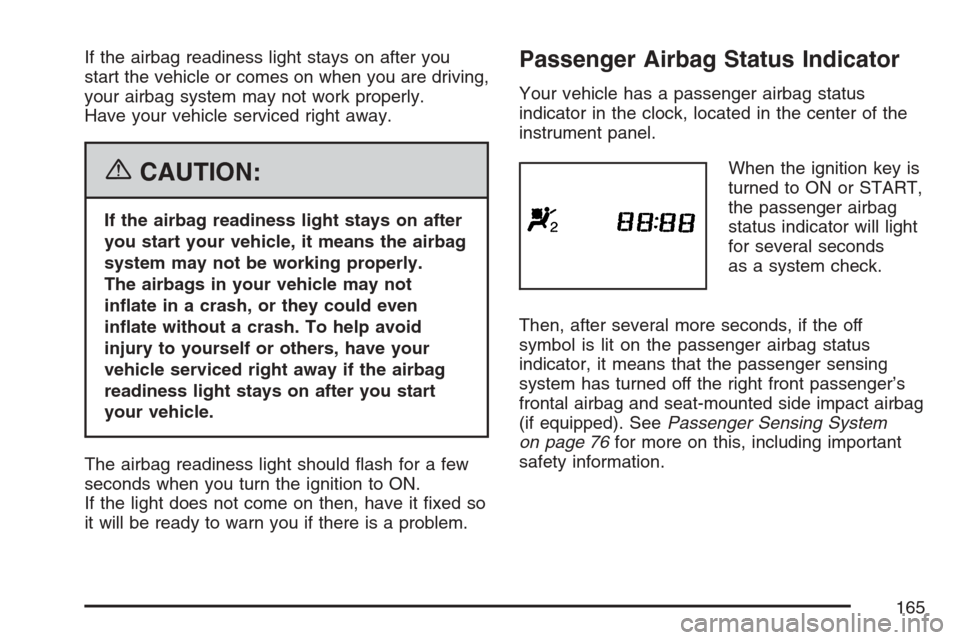
Passenger Airbag Status Indicator
Your vehicle has a passenger airbag status
indicator in the clock, located in the center of the
instrument panel.
When the ignition key is
turned to ON or START,
the passenger airbag
status indicator will light
for several seconds
as a system check.
Then, after several more seconds, if the off
symbol is lit on the passenger airbag status
indicator, it means that the passenger sensing
system has turned off the right front passenger’s
frontal airbag and seat-mounted side impact airbag
(if equipped). SeePassenger Sensing System
on page 76for more on this, including important
safety information.
165
Page 169 of 422
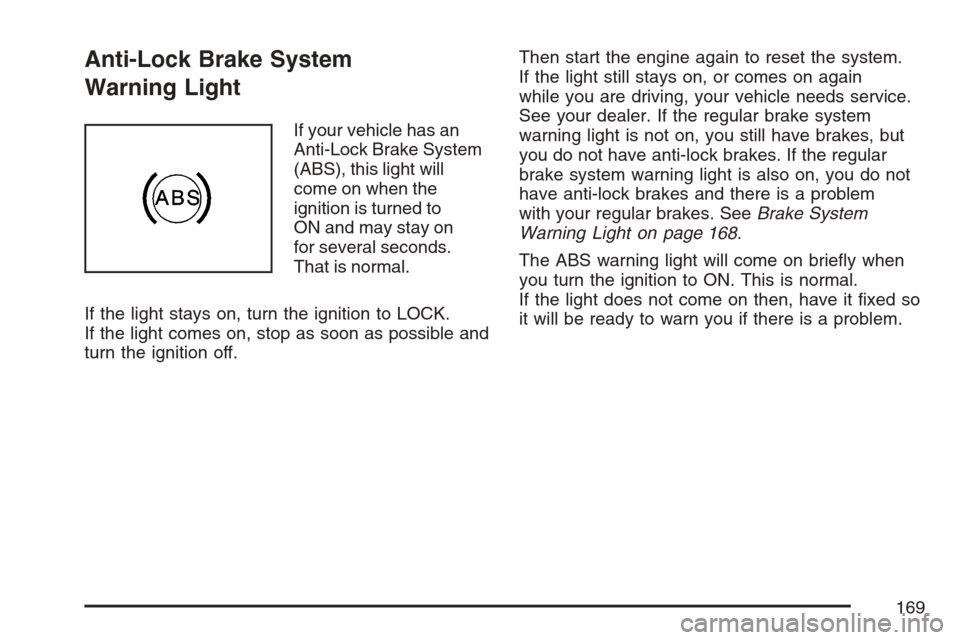
Anti-Lock Brake System
Warning Light
If your vehicle has an
Anti-Lock Brake System
(ABS), this light will
come on when the
ignition is turned to
ON and may stay on
for several seconds.
That is normal.
If the light stays on, turn the ignition to LOCK.
If the light comes on, stop as soon as possible and
turn the ignition off.Then start the engine again to reset the system.
If the light still stays on, or comes on again
while you are driving, your vehicle needs service.
See your dealer. If the regular brake system
warning light is not on, you still have brakes, but
you do not have anti-lock brakes. If the regular
brake system warning light is also on, you do not
have anti-lock brakes and there is a problem
with your regular brakes. SeeBrake System
Warning Light on page 168.
The ABS warning light will come on briefly when
you turn the ignition to ON. This is normal.
If the light does not come on then, have it fixed so
it will be ready to warn you if there is a problem.
169
Page 180 of 422
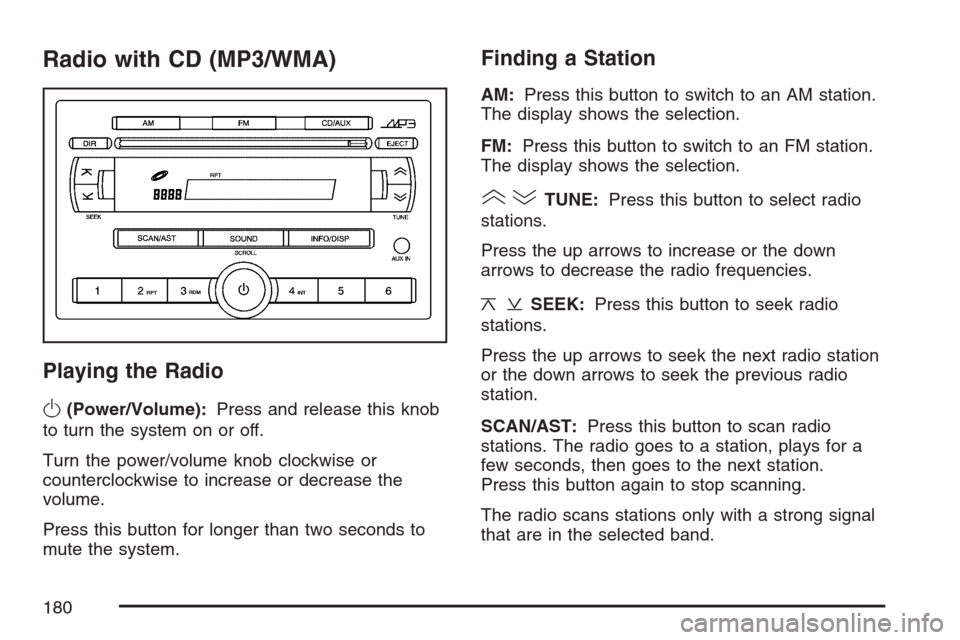
Radio with CD (MP3/WMA)
Playing the Radio
O
(Power/Volume):Press and release this knob
to turn the system on or off.
Turn the power/volume knob clockwise or
counterclockwise to increase or decrease the
volume.
Press this button for longer than two seconds to
mute the system.
Finding a Station
AM:Press this button to switch to an AM station.
The display shows the selection.
FM:Press this button to switch to an FM station.
The display shows the selection.
()TUNE:Press this button to select radio
stations.
Press the up arrows to increase or the down
arrows to decrease the radio frequencies.
¦¥SEEK:Press this button to seek radio
stations.
Press the up arrows to seek the next radio station
or the down arrows to seek the previous radio
station.
SCAN/AST:Press this button to scan radio
stations. The radio goes to a station, plays for a
few seconds, then goes to the next station.
Press this button again to stop scanning.
The radio scans stations only with a strong signal
that are in the selected band.
180
Page 186 of 422
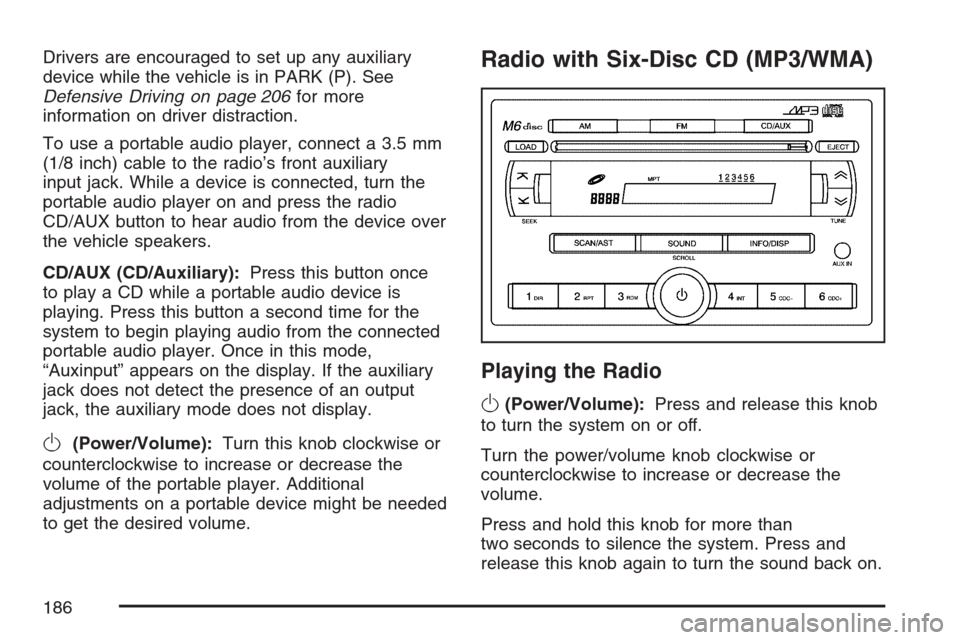
Drivers are encouraged to set up any auxiliary
device while the vehicle is in PARK (P). See
Defensive Driving on page 206for more
information on driver distraction.
To use a portable audio player, connect a 3.5 mm
(1/8 inch) cable to the radio’s front auxiliary
input jack. While a device is connected, turn the
portable audio player on and press the radio
CD/AUX button to hear audio from the device over
the vehicle speakers.
CD/AUX (CD/Auxiliary):Press this button once
to play a CD while a portable audio device is
playing. Press this button a second time for the
system to begin playing audio from the connected
portable audio player. Once in this mode,
“Auxinput” appears on the display. If the auxiliary
jack does not detect the presence of an output
jack, the auxiliary mode does not display.
O(Power/Volume):Turn this knob clockwise or
counterclockwise to increase or decrease the
volume of the portable player. Additional
adjustments on a portable device might be needed
to get the desired volume.
Radio with Six-Disc CD (MP3/WMA)
Playing the Radio
O
(Power/Volume):Press and release this knob
to turn the system on or off.
Turn the power/volume knob clockwise or
counterclockwise to increase or decrease the
volume.
Press and hold this knob for more than
two seconds to silence the system. Press and
release this knob again to turn the sound back on.
186
Page 193 of 422
Using the Auxiliary Input Jack
AUX IN (Auxiliary Input):The radio system has
an auxiliary input jack located on the lower
right side of the faceplate. This is not an audio
output. Do not plug the headphone set into
the front auxiliary input jack. An external audio
device such as an iPod, laptop computer,
MP3 player, CD changer, or XM™ receiver, etc.
can be connected to the auxiliary input jack for use
as another source for audio listening.
The auxiliary input jack also accepts cell phone
connectors. Plug the cell phone connector into the
auxiliary input jack to hear a person speck on a
cell phone during a conversation through the
vehicle sound system.
Drivers are encouraged to set up any auxiliary
device while the vehicle is in PARK (P). See
Defensive Driving on page 206for more
information on driver distraction.To use a portable audio player, connect a 3.5 mm
(1/8 inch) cable to the radio’s front auxiliary
input jack. While a device is connected, turn the
portable audio player on and press the radio
CD/AUX button to hear audio from the device over
the vehicle speakers.
O(Power/Volume):Turn this knob clockwise or
counterclockwise to increase or decrease the
volume of the portable player. Additional
adjustments on a portable device might be needed
to get the desired volume.
CD/AUX (CD/Auxiliary):Press this button once
to play a CD while a portable audio device is
playing. Press this button a second time for the
system to begin playing audio from the connected
portable audio player. Once in this mode,
“Auxinput” appears on the display. If the auxiliary
jack does not detect the presence of an output
jack, the auxiliary mode does not display.
193