lock CHEVROLET ORLANDO 2012 1.G User Guide
[x] Cancel search | Manufacturer: CHEVROLET, Model Year: 2012, Model line: ORLANDO, Model: CHEVROLET ORLANDO 2012 1.GPages: 378, PDF Size: 6.68 MB
Page 21 of 378
Black plate (15,1)Chevrolet Orlando Owner Manual - 2012
In Brief 1-15
SeeManual Mode on page 9‑24.
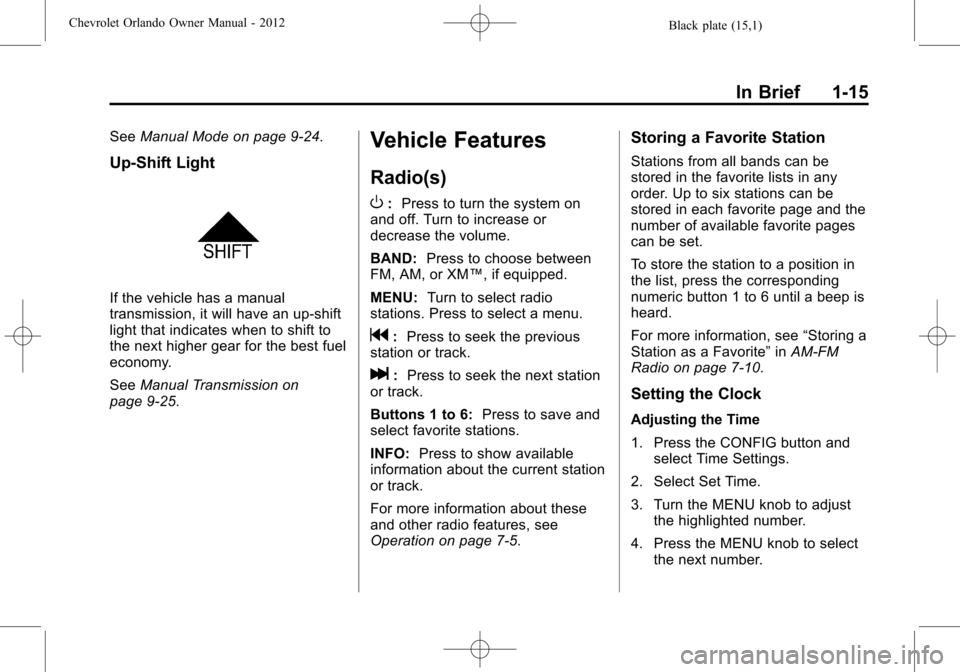
Up‐Shift Light
If the vehicle has a manual
transmission, it will have an up-shift
light that indicates when to shift to
the next higher gear for the best fuel
economy.
SeeManual Transmission on
page 9‑25.
Vehicle Features
Radio(s)
O
: Press to turn the system on
and off. Turn to increase or
decrease the volume.
BAND: Press to choose between
FM, AM, or XM™, if equipped.
MENU: Turn to select radio
stations. Press to select a menu.
g: Press to seek the previous
station or track.
l: Press to seek the next station
or track.
Buttons 1 to 6: Press to save and
select favorite stations.
INFO: Press to show available
information about the current station
or track.
For more information about these
and other radio features, see
Operation on page 7‑5.
Storing a Favorite Station
Stations from all bands can be
stored in the favorite lists in any
order. Up to six stations can be
stored in each favorite page and the
number of available favorite pages
can be set.
To store the station to a position in
the list, press the corresponding
numeric button 1 to 6 until a beep is
heard.
For more information, see “Storing a
Station as a Favorite” inAM-FM
Radio on page 7‑10.
Setting the Clock
Adjusting the Time
1. Press the CONFIG button and select Time Settings.
2. Select Set Time.
3. Turn the MENU knob to adjust the highlighted number.
4. Press the MENU knob to select the next number.
Page 22 of 378
Black plate (16,1)Chevrolet Orlando Owner Manual - 2012
1-16 In Brief
5. To save the time and return tothe Time Settings menu, press
the BACK button at any time or
press the MENU knob after
adjusting the minutes.
Setting the 12/24 Hour Format
1. Press the CONFIG button and select Time Settings.
2. Highlight 12/24 Hour Format.
3. Press the MENU knob to select the 12 hour or 24 hour display
format.
For more information, see Clock on
page 5‑5.
Satellite Radio
Vehicles with an XM™ satellite radio
tuner and a valid XM satellite radio
subscription can receive XM
programming.
XM Satellite Radio Service
XM is a satellite radio service based
in the 48 contiguous United States
and 10 Canadian provinces. XM
satellite radio has a wide variety of programming and commercial-free
music, coast to coast, and in
digital-quality sound. A fee is
required to receive the XM service.
For more information refer to:
.www.xmradio.com or call
1-800-929-2100 (U.S.).
.www.xmradio.ca or call
1-877-438-9677 (Canada).
For more information, see Satellite
Radio on page 7‑12.
Portable Audio Devices
Some vehicles have a 3.5 mm
(1/8 in) auxiliary input and a USB
port located in the center console.
External devices such as iPods®,
laptop computers, MP3 players, CD
changers, and USB drives may be
connected, depending on the audio
system.
For more information, see Auxiliary
Devices on page 7‑18.
Bluetooth®
The Bluetooth system allows users
with a Bluetooth-enabled cell phone
to make and receive hands-free
calls using the vehicle audio system
and controls.
The Bluetooth-enabled cell phone
must be paired with the in-vehicle
Bluetooth system before it can be
used in the vehicle. Not all phones
will support all functions.
See Bluetooth (Voice Recognition)
on page 7‑26 orBluetooth
(Infotainment Controls) on
page 7‑23 orBluetooth (Overview)
on page 7‑21.
Page 27 of 378
Black plate (21,1)Chevrolet Orlando Owner Manual - 2012
In Brief 1-21
Engine Oil Life System
The engine oil life system calculates
engine oil life based on vehicle use
and displays the CHANGE ENGINE
OIL SOON DIC message or
Code 82 DIC message when it is
time to change the engine oil and
filter. The oil life system should be
reset to 100% only following an oil
change.
Resetting the Oil Life System
1. Turn the ignition to ON/RUN withthe engine off.
2. Press the DIC MENU button on the turn signal lever to enter the
Vehicle Information Menu. Use
the thumbwheel to scroll through
the menu items until you reach
REMAINING OIL LIFE.
3. Press the SET/CLR button to reset the oil life at 100%.
4. Turn the ignition to LOCK/OFF.
See Engine Oil Life System on
page 10‑9.
Driving for Better Fuel
Economy
Driving habits can affect fuel
mileage. Here are some driving
tips to get the best fuel economy
possible.
.Avoid fast starts and accelerate
smoothly.
.Brake gradually and avoid
abrupt stops.
.Avoid idling the engine for long
periods of time.
.When road and weather
conditions are appropriate,
use cruise control.
.Always follow posted speed
limits or drive more slowly when
conditions require.
.Keep vehicle tires properly
inflated.
.Combine several trips into a
single trip.
.Replace the vehicle's tires with
the same TPC Spec number
molded into the tire's sidewall
near the size.
.Follow recommended scheduled
maintenance.
Roadside Assistance
Program
U.S.: 1-800-243-8872
TTY Users: 1-888-889-2438
Canada: 1-800-268-6800
As the owner of a new Chevrolet,
you are automatically enrolled in the
Roadside Assistance program.
See Roadside Assistance Program
on page 13‑5 for more information.
Roadside Assistance and OnStar
If you have an active OnStar
subscription, press the
Qbutton
and the current GPS location will be
sent to an OnStar advisor who will
assess your problem, contact
Page 29 of 378
Black plate (1,1)Chevrolet Orlando Owner Manual - 2012
Keys, Doors, and Windows 2-1
Keys, Doors, and
Windows
Keys and Locks
Keys . . . . . . . . . . . . . . . . . . . . . . . . . . 2-2
Remote Keyless Entry (RKE)System . . . . . . . . . . . . . . . . . . . . . . 2-3
Remote Keyless Entry (RKE) System Operation . . . . . . . . . . . 2-3
Remote Vehicle Start . . . . . . . . . 2-5
Door Locks . . . . . . . . . . . . . . . . . . . 2-6
Power Door Locks . . . . . . . . . . . . 2-7
Automatic Door Locks . . . . . . . . . 2-7
Safety Locks . . . . . . . . . . . . . . . . . . 2-8
Doors
Liftgate . . . . . . . . . . . . . . . . . . . . . . . . 2-8
Vehicle Security
Vehicle Security . . . . . . . . . . . . . . . 2-9
Vehicle Alarm System . . . . . . . . . 2-9
Immobilizer . . . . . . . . . . . . . . . . . . 2-10
Immobilizer Operation . . . . . . . 2-10
Exterior Mirrors
Convex Mirrors . . . . . . . . . . . . . . 2-11
Manual Mirrors . . . . . . . . . . . . . . . 2-11
Power Mirrors . . . . . . . . . . . . . . . . 2-11
Folding Mirrors . . . . . . . . . . . . . . . 2-12
Heated Mirrors . . . . . . . . . . . . . . . 2-12
Interior Mirrors
Manual Rearview Mirror . . . . . . 2-12
Automatic Dimming Rearview Mirror . . . . . . . . . . . . . . . . . . . . . . . 2-12
Child-View Mirror . . . . . . . . . . . . 2-13
Windows
Windows . . . . . . . . . . . . . . . . . . . . . 2-14
Power Windows . . . . . . . . . . . . . 2-14
Sun Visors . . . . . . . . . . . . . . . . . . . 2-17
Roof
Sunroof . . . . . . . . . . . . . . . . . . . . . . 2-17
Page 30 of 378
Black plate (2,1)Chevrolet Orlando Owner Manual - 2012
2-2 Keys, Doors, and Windows
Keys and Locks
Keys
{WARNING
Leaving children in a vehicle with
the ignition key is dangerous for
many reasons. Children or others
could be badly injured or even
killed. They could operate the
power windows or other controls
or even make the vehicle move.
The windows will function with the
keys in the ignition and children
could be seriously injured or killed
if caught in the path of a closing
window. Do not leave the keys in
a vehicle with children.
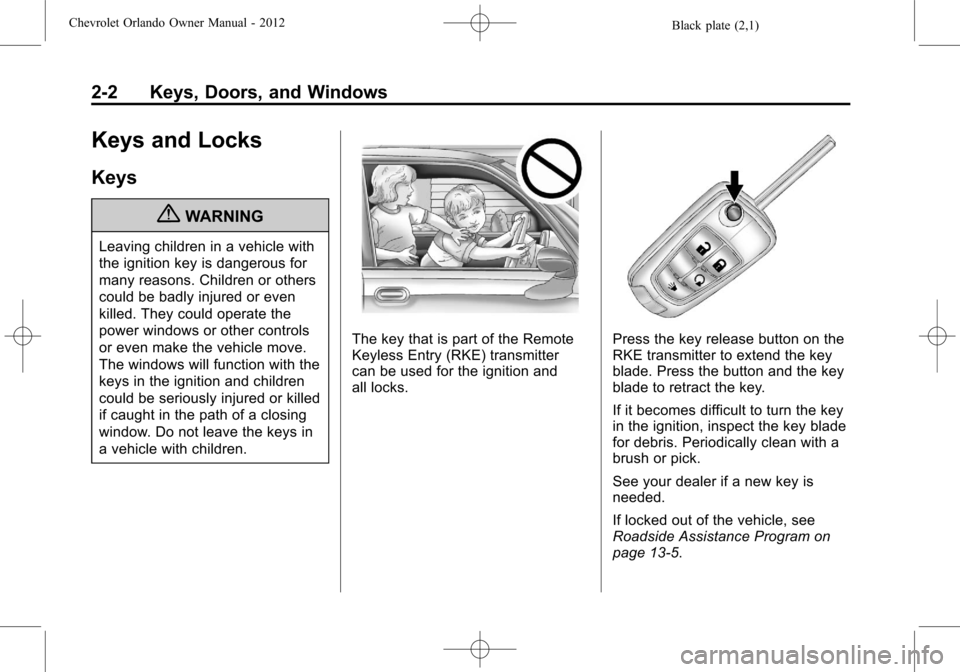
The key that is part of the Remote
Keyless Entry (RKE) transmitter
can be used for the ignition and
all locks.Press the key release button on the
RKE transmitter to extend the key
blade. Press the button and the key
blade to retract the key.
If it becomes difficult to turn the key
in the ignition, inspect the key blade
for debris. Periodically clean with a
brush or pick.
See your dealer if a new key is
needed.
If locked out of the vehicle, see
Roadside Assistance Program on
page 13‑5.
Page 31 of 378
Black plate (3,1)Chevrolet Orlando Owner Manual - 2012
Keys, Doors, and Windows 2-3
With an active OnStar subscription,
an OnStar Advisor may remotely
unlock the vehicle. SeeOnStar
Overview on page 14‑1.
Remote Keyless Entry
(RKE) System
See Radio Frequency Statement on
page 13‑15 for information
regarding Part 15 of the Federal
Communications Commission (FCC)
rules and Industry Canada
Standards RSS-GEN/210/220/310. If there is a decrease in the RKE
operating range:
.Check the distance. The
transmitter may be too far from
the vehicle.
.Check the location. Other
vehicles or objects may be
blocking the signal.
.Check the transmitter's battery.
See
“Battery Replacement” later
in this section.
.If the transmitter is still not
working correctly, see your
dealer or a qualified technician
for service.
Remote Keyless Entry
(RKE) System Operation
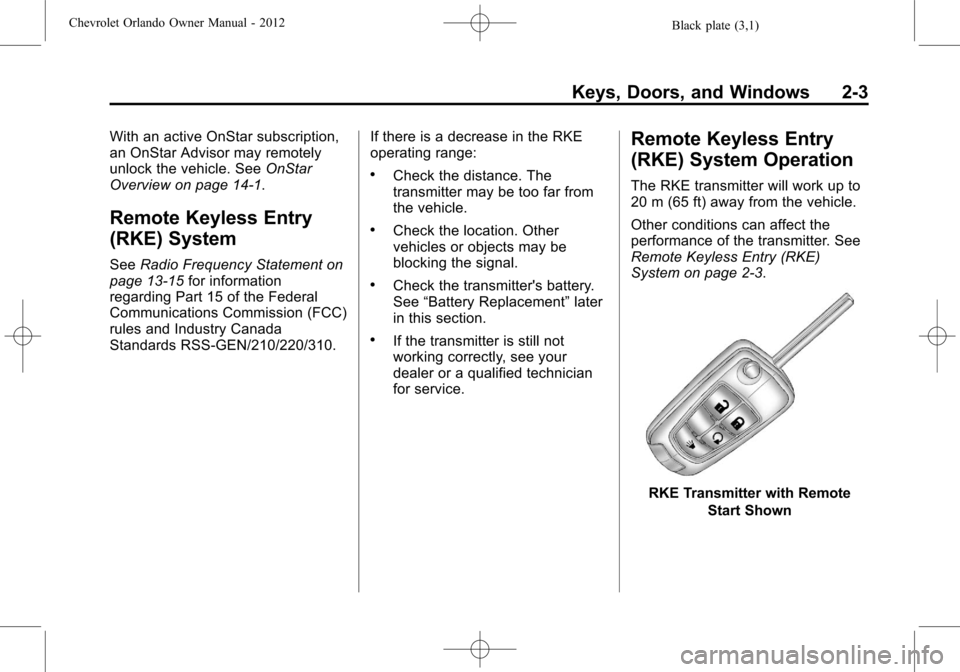
The RKE transmitter will work up to
20 m (65 ft) away from the vehicle.
Other conditions can affect the
performance of the transmitter. See
Remote Keyless Entry (RKE)
System on page 2‑3.
RKE Transmitter with Remote
Start Shown
Page 32 of 378
Black plate (4,1)Chevrolet Orlando Owner Manual - 2012
2-4 Keys, Doors, and Windows
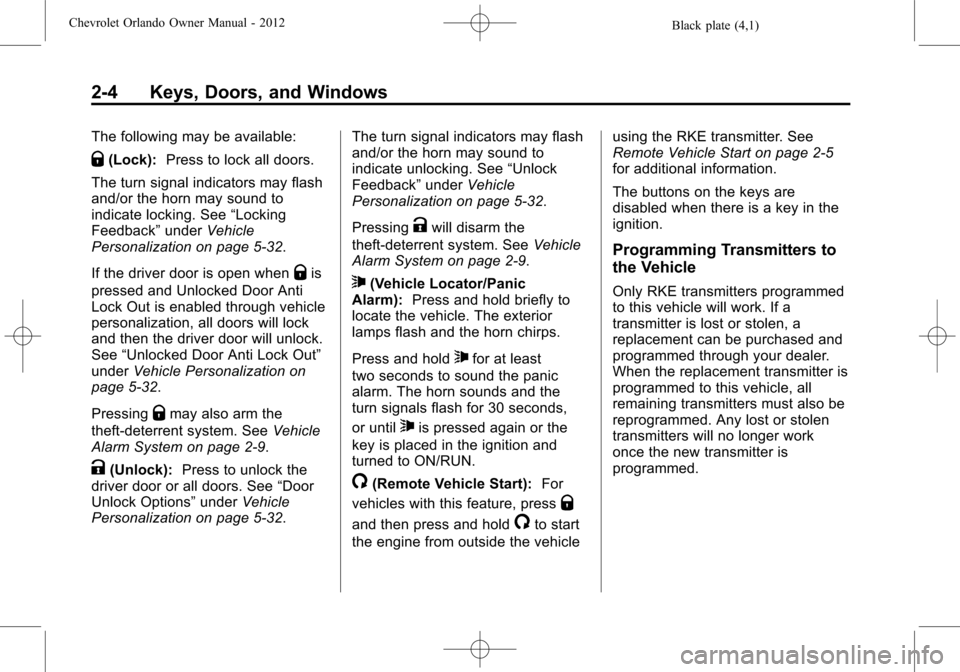
The following may be available:
Q(Lock):Press to lock all doors.
The turn signal indicators may flash
and/or the horn may sound to
indicate locking. See “Locking
Feedback” underVehicle
Personalization on page 5‑32.
If the driver door is open when
Qis
pressed and Unlocked Door Anti
Lock Out is enabled through vehicle
personalization, all doors will lock
and then the driver door will unlock.
See “Unlocked Door Anti Lock Out”
under Vehicle Personalization on
page 5‑32.
Pressing
Qmay also arm the
theft-deterrent system. See Vehicle
Alarm System on page 2‑9.
K(Unlock): Press to unlock the
driver door or all doors. See “Door
Unlock Options” underVehicle
Personalization on page 5‑32. The turn signal indicators may flash
and/or the horn may sound to
indicate unlocking. See
“Unlock
Feedback” underVehicle
Personalization on page 5‑32.
Pressing
Kwill disarm the
theft-deterrent system. See Vehicle
Alarm System on page 2‑9.
7(Vehicle Locator/Panic
Alarm): Press and hold briefly to
locate the vehicle. The exterior
lamps flash and the horn chirps.
Press and hold
7for at least
two seconds to sound the panic
alarm. The horn sounds and the
turn signals flash for 30 seconds,
or until
7is pressed again or the
key is placed in the ignition and
turned to ON/RUN.
/(Remote Vehicle Start): For
vehicles with this feature, press
Q
and then press and hold/to start
the engine from outside the vehicle using the RKE transmitter. See
Remote Vehicle Start on page 2‑5
for additional information.
The buttons on the keys are
disabled when there is a key in the
ignition.
Programming Transmitters to
the Vehicle
Only RKE transmitters programmed
to this vehicle will work. If a
transmitter is lost or stolen, a
replacement can be purchased and
programmed through your dealer.
When the replacement transmitter is
programmed to this vehicle, all
remaining transmitters must also be
reprogrammed. Any lost or stolen
transmitters will no longer work
once the new transmitter is
programmed.
Page 33 of 378
Black plate (5,1)Chevrolet Orlando Owner Manual - 2012
Keys, Doors, and Windows 2-5
Battery Replacement
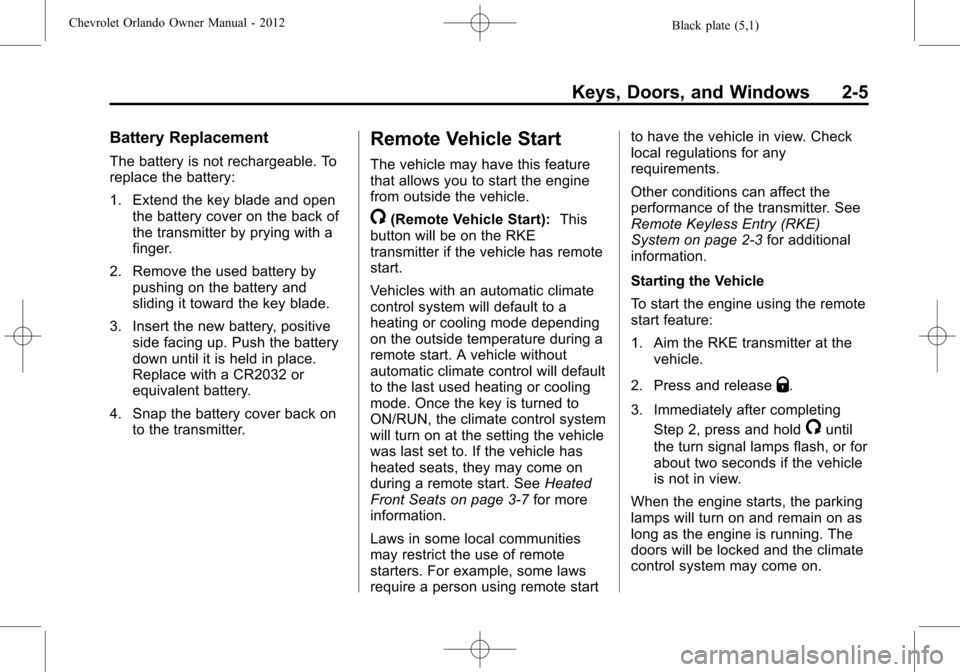
The battery is not rechargeable. To
replace the battery:
1. Extend the key blade and openthe battery cover on the back of
the transmitter by prying with a
finger.
2. Remove the used battery by pushing on the battery and
sliding it toward the key blade.
3. Insert the new battery, positive side facing up. Push the battery
down until it is held in place.
Replace with a CR2032 or
equivalent battery.
4. Snap the battery cover back on to the transmitter.
Remote Vehicle Start
The vehicle may have this feature
that allows you to start the engine
from outside the vehicle.
/(Remote Vehicle Start): This
button will be on the RKE
transmitter if the vehicle has remote
start.
Vehicles with an automatic climate
control system will default to a
heating or cooling mode depending
on the outside temperature during a
remote start. A vehicle without
automatic climate control will default
to the last used heating or cooling
mode. Once the key is turned to
ON/RUN, the climate control system
will turn on at the setting the vehicle
was last set to. If the vehicle has
heated seats, they may come on
during a remote start. See Heated
Front Seats on page 3‑7 for more
information.
Laws in some local communities
may restrict the use of remote
starters. For example, some laws
require a person using remote start to have the vehicle in view. Check
local regulations for any
requirements.
Other conditions can affect the
performance of the transmitter. See
Remote Keyless Entry (RKE)
System on page 2‑3
for additional
information.
Starting the Vehicle
To start the engine using the remote
start feature:
1. Aim the RKE transmitter at the vehicle.
2. Press and release
Q.
3. Immediately after completing Step 2, press and hold
/until
the turn signal lamps flash, or for
about two seconds if the vehicle
is not in view.
When the engine starts, the parking
lamps will turn on and remain on as
long as the engine is running. The
doors will be locked and the climate
control system may come on.
Page 34 of 378
Black plate (6,1)Chevrolet Orlando Owner Manual - 2012
2-6 Keys, Doors, and Windows
The engine will continue to run for
10 minutes. Repeat the steps for a
10-minute time extension. Remote
start can be extended only once.
Start the vehicle before driving.
Extending Engine Run Time
For a 10-minute extension, repeat
Steps 1–3 while the engine is still
running. The remote start can be
extended once.
When the remote start is extended,
the second 10 minutes will start
immediately.
For example, if the engine has been
running for five minutes, and
10 minutes are added, the engine
will run for a total of 15 minutes.
A maximum of two remote starts,
or a single start with an extension,
is allowed between ignition cycles.
The vehicle's ignition must be
turned on and then back off before
the remote start procedure can be
used again.Canceling a Remote Start
To cancel a remote start, do one of
the following:
.Aim the RKE transmitter at the
vehicle and press and hold
/
until the parking lamps turn off.
.Turn on the hazard warning
flashers.
.Turn the vehicle on and then off.
Conditions in Which Remote Start
Will Not Work
The remote vehicle start feature will
not operate if:
.The key is in the ignition (key
access) or if the key is in the
vehicle (keyless access).
.The hood is not closed.
.The hazard warning flashers
are on.
.The malfunction indicator lamp
is on.
.The engine coolant temperature
is too high.
.The oil pressure is low.
.Two remote vehicle starts, or a
single remote start with an
extension, have already
been used.
.The vehicle is not in P (Park).
Door Locks
{WARNING
Unlocked doors can be
dangerous.
.Passengers, especially
children, can easily open the
doors and fall out of a moving
vehicle. The chance of being
thrown out of the vehicle in a
crash is increased if the
doors are not locked. So, all
passengers should wear
safety belts properly and the
doors should be locked
whenever the vehicle is
driven. (Continued)
Page 35 of 378
Black plate (7,1)Chevrolet Orlando Owner Manual - 2012
Keys, Doors, and Windows 2-7
WARNING (Continued)
.Young children who get into
unlocked vehicles may be
unable to get out. A child can
be overcome by extreme heat
and can suffer permanent
injuries or even death from
heat stroke. Always lock the
vehicle whenever leaving it.
.Outsiders can easily enter
through an unlocked door
when slowing or stopping the
vehicle. Lock the doors to
help prevent this from
happening.
To lock or unlock a door from
outside the vehicle, use the Remote
Keyless Entry (RKE) transmitter.
From inside the vehicle, use the
power door lock switch.
The doors can also be unlocked
from the inside by pulling the door
handle. Pulling the door handle
again unlatches the door.
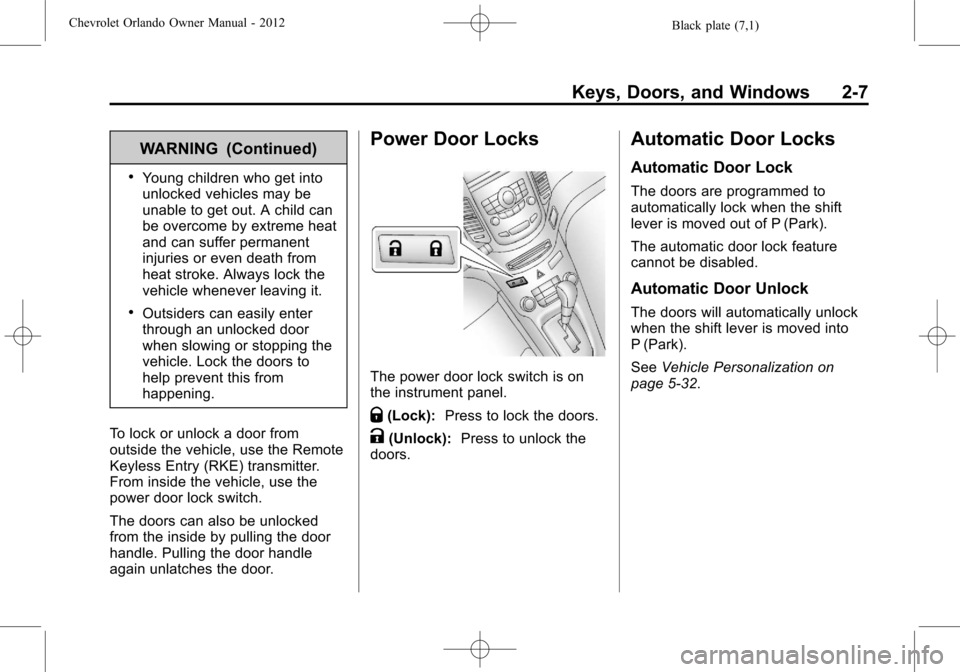
Power Door Locks
The power door lock switch is on
the instrument panel.
Q(Lock): Press to lock the doors.
K(Unlock): Press to unlock the
doors.
Automatic Door Locks
Automatic Door Lock
The doors are programmed to
automatically lock when the shift
lever is moved out of P (Park).
The automatic door lock feature
cannot be disabled.
Automatic Door Unlock
The doors will automatically unlock
when the shift lever is moved into
P (Park).
See Vehicle Personalization on
page 5‑32.