lock CHEVROLET ORLANDO 2012 1.G Owner's Manual
[x] Cancel search | Manufacturer: CHEVROLET, Model Year: 2012, Model line: ORLANDO, Model: CHEVROLET ORLANDO 2012 1.GPages: 378, PDF Size: 6.68 MB
Page 36 of 378
Black plate (8,1)Chevrolet Orlando Owner Manual - 2012
2-8 Keys, Doors, and Windows
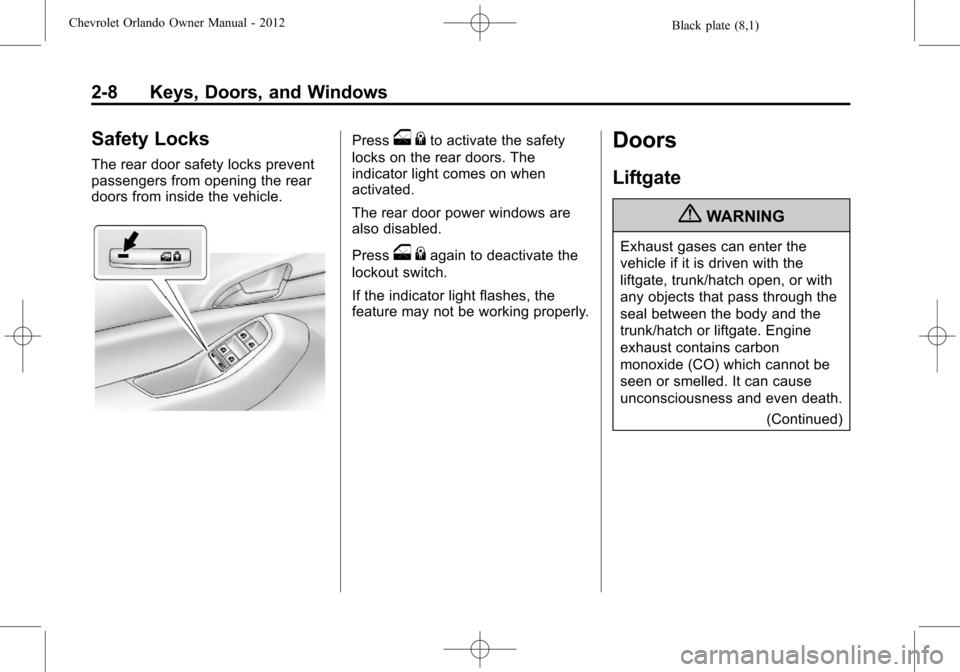
Safety Locks
The rear door safety locks prevent
passengers from opening the rear
doors from inside the vehicle.
Presso{to activate the safety
locks on the rear doors. The
indicator light comes on when
activated.
The rear door power windows are
also disabled.
Press
o {again to deactivate the
lockout switch.
If the indicator light flashes, the
feature may not be working properly.
Doors
Liftgate
{WARNING
Exhaust gases can enter the
vehicle if it is driven with the
liftgate, trunk/hatch open, or with
any objects that pass through the
seal between the body and the
trunk/hatch or liftgate. Engine
exhaust contains carbon
monoxide (CO) which cannot be
seen or smelled. It can cause
unconsciousness and even death.
(Continued)
Page 37 of 378
Black plate (9,1)Chevrolet Orlando Owner Manual - 2012
Keys, Doors, and Windows 2-9
WARNING (Continued)
If the vehicle must be driven with
the liftgate, or trunk/hatch open:
.Close all of the windows.
.Fully open the air outlets on
or under the instrument
panel.
.Adjust the Climate Control
system to a setting that
brings in only outside air and
set the fan speed to the
highest setting. See Climate
Control System in the Index.
For more information about
carbon monoxide, see Engine
Exhaust on page 9‑21. Notice:
If you open the liftgate
without checking for overhead
obstructions such as a garage
door, you could damage the
liftgate or the liftgate glass.
Always check to make sure the
area above and behind the liftgate
is clear before opening it.
Unlock the vehicle before opening
the liftgate.
Press the touch pad located in the
handle of the liftgate, above the
license plate, and lift up to open.
Do not press the touch pad while
closing the liftgate. This will cause
the liftgate to be unlatched.
Always close the liftgate before
driving.
Vehicle Security
This vehicle has theft-deterrent
features; however, they do not
make it impossible to steal.
Vehicle Alarm System
This vehicle has a theft alarm
system.
Arming the System
To arm the system, use the power
door lock switch or the RKE
transmitter to lock the vehicle while
exiting with the vehicle turned off.
The alarm arms after about
30 seconds after all the doors have
been closed.
Press
Qagain and the system arms
immediately.
The security light, located in the
center of the instrument panel, will
flash slowly.
Page 42 of 378
Black plate (14,1)Chevrolet Orlando Owner Manual - 2012
2-14 Keys, Doors, and Windows
Windows
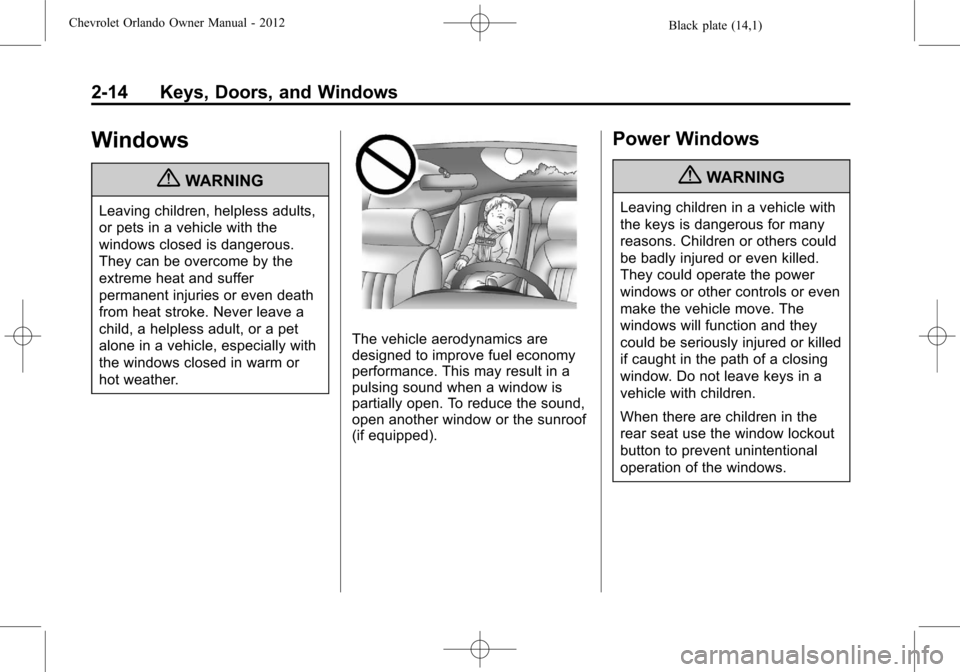
{WARNING
Leaving children, helpless adults,
or pets in a vehicle with the
windows closed is dangerous.
They can be overcome by the
extreme heat and suffer
permanent injuries or even death
from heat stroke. Never leave a
child, a helpless adult, or a pet
alone in a vehicle, especially with
the windows closed in warm or
hot weather.
The vehicle aerodynamics are
designed to improve fuel economy
performance. This may result in a
pulsing sound when a window is
partially open. To reduce the sound,
open another window or the sunroof
(if equipped).
Power Windows
{WARNING
Leaving children in a vehicle with
the keys is dangerous for many
reasons. Children or others could
be badly injured or even killed.
They could operate the power
windows or other controls or even
make the vehicle move. The
windows will function and they
could be seriously injured or killed
if caught in the path of a closing
window. Do not leave keys in a
vehicle with children.
When there are children in the
rear seat use the window lockout
button to prevent unintentional
operation of the windows.
Page 44 of 378
Black plate (16,1)Chevrolet Orlando Owner Manual - 2012
2-16 Keys, Doors, and Windows
To program each front window:
1. With the ignition in ACC/ACCESSORY or ON/RUN,
or when Retained Accessory
Power (RAP) is active, close
all doors.
2. Press and hold the power window switch until the window
is fully open.
3. Pull the power window switch up until the window is fully closed.
4. Continue holding the switch up for approximately two seconds
after the window is completely
closed.
The window is now reprogrammed.
Repeat the process for the other
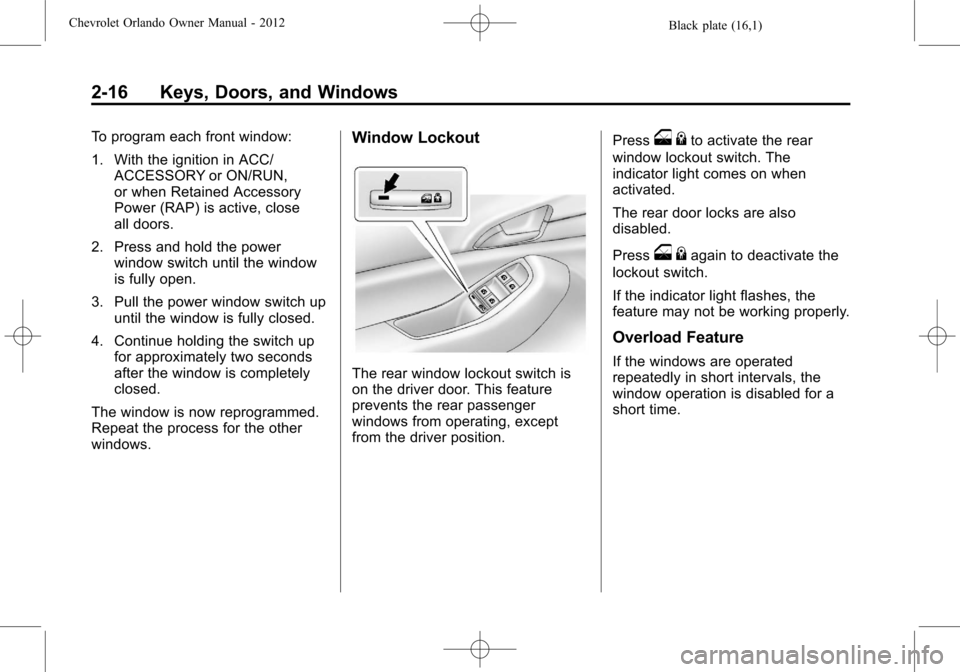
windows.Window Lockout
The rear window lockout switch is
on the driver door. This feature
prevents the rear passenger
windows from operating, except
from the driver position. Press
o
{to activate the rear
window lockout switch. The
indicator light comes on when
activated.
The rear door locks are also
disabled.
Press
o {again to deactivate the
lockout switch.
If the indicator light flashes, the
feature may not be working properly.
Overload Feature
If the windows are operated
repeatedly in short intervals, the
window operation is disabled for a
short time.
Page 45 of 378
Black plate (17,1)Chevrolet Orlando Owner Manual - 2012
Keys, Doors, and Windows 2-17
Sun Visors
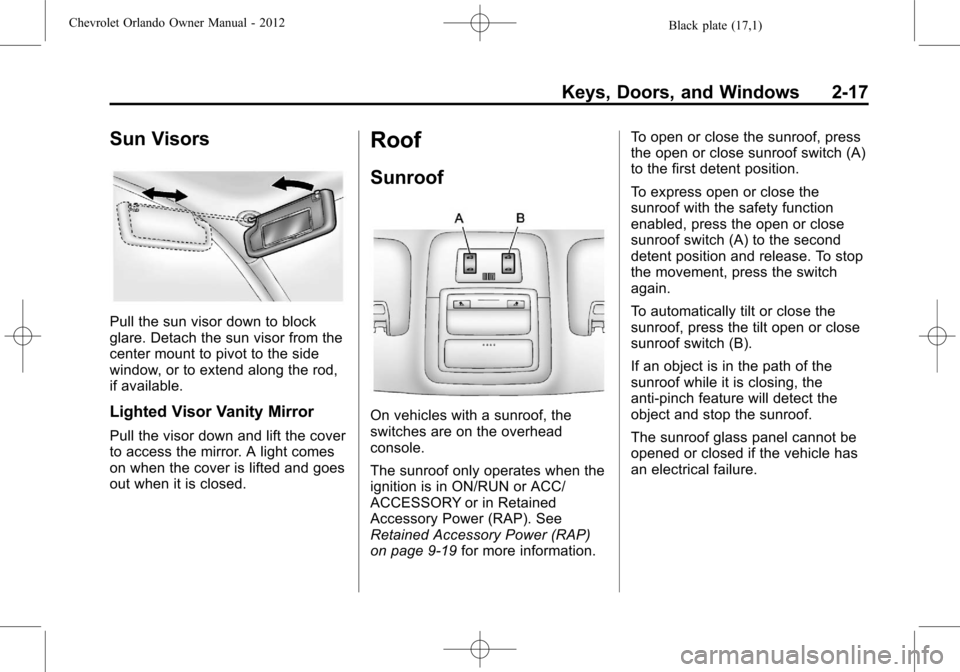
Pull the sun visor down to block
glare. Detach the sun visor from the
center mount to pivot to the side
window, or to extend along the rod,
if available.
Lighted Visor Vanity Mirror
Pull the visor down and lift the cover
to access the mirror. A light comes
on when the cover is lifted and goes
out when it is closed.
Roof
Sunroof
On vehicles with a sunroof, the
switches are on the overhead
console.
The sunroof only operates when the
ignition is in ON/RUN or ACC/
ACCESSORY or in Retained
Accessory Power (RAP). See
Retained Accessory Power (RAP)
on page 9‑19for more information. To open or close the sunroof, press
the open or close sunroof switch (A)
to the first detent position.
To express open or close the
sunroof with the safety function
enabled, press the open or close
sunroof switch (A) to the second
detent position and release. To stop
the movement, press the switch
again.
To automatically tilt or close the
sunroof, press the tilt open or close
sunroof switch (B).
If an object is in the path of the
sunroof while it is closing, the
anti-pinch feature will detect the
object and stop the sunroof.
The sunroof glass panel cannot be
opened or closed if the vehicle has
an electrical failure.
Page 48 of 378
Black plate (2,1)Chevrolet Orlando Owner Manual - 2012
3-2 Seats and Restraints
Head Restraints
{WARNING
With head restraints that are not
installed and adjusted properly,
there is a greater chance that
occupants will suffer a neck/
spinal injury in a crash. Do not
drive until the head restraints for
all occupants are installed and
adjusted properly.Front Seats
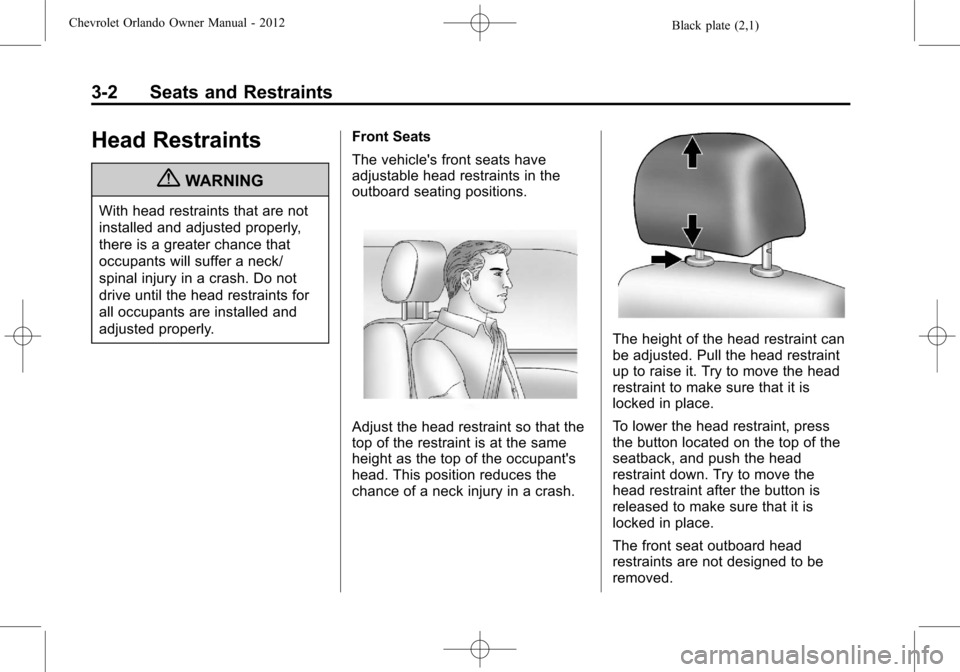
The vehicle's front seats have
adjustable head restraints in the
outboard seating positions.
Adjust the head restraint so that the
top of the restraint is at the same
height as the top of the occupant's
head. This position reduces the
chance of a neck injury in a crash.
The height of the head restraint can
be adjusted. Pull the head restraint
up to raise it. Try to move the head
restraint to make sure that it is
locked in place.
To lower the head restraint, press
the button located on the top of the
seatback, and push the head
restraint down. Try to move the
head restraint after the button is
released to make sure that it is
locked in place.
The front seat outboard head
restraints are not designed to be
removed.
Page 49 of 378
Black plate (3,1)Chevrolet Orlando Owner Manual - 2012
Seats and Restraints 3-3
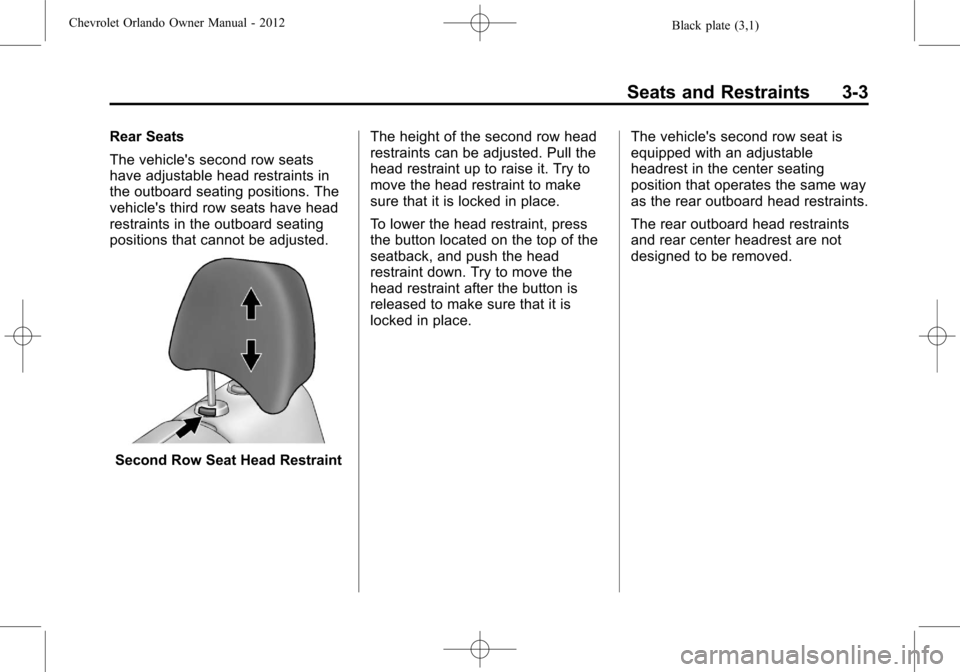
Rear Seats
The vehicle's second row seats
have adjustable head restraints in
the outboard seating positions. The
vehicle's third row seats have head
restraints in the outboard seating
positions that cannot be adjusted.
Second Row Seat Head RestraintThe height of the second row head
restraints can be adjusted. Pull the
head restraint up to raise it. Try to
move the head restraint to make
sure that it is locked in place.
To lower the head restraint, press
the button located on the top of the
seatback, and push the head
restraint down. Try to move the
head restraint after the button is
released to make sure that it is
locked in place.
The vehicle's second row seat is
equipped with an adjustable
headrest in the center seating
position that operates the same way
as the rear outboard head restraints.
The rear outboard head restraints
and rear center headrest are not
designed to be removed.
Page 50 of 378
Black plate (4,1)Chevrolet Orlando Owner Manual - 2012
3-4 Seats and Restraints
Front Seats
Seat Adjustment
Seat Position
{WARNING
You can lose control of the
vehicle if you try to adjust a
manual driver seat while the
vehicle is moving. The sudden
movement could startle and
confuse you, or make you push a
pedal when you do not want to.
Adjust the driver seat only when
the vehicle is not moving.
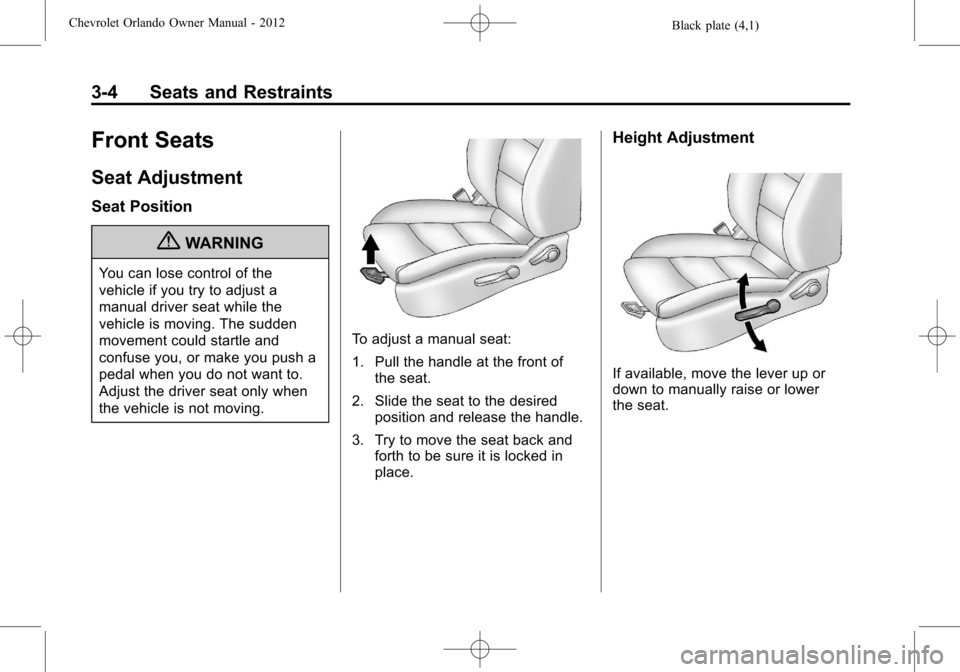
To adjust a manual seat:
1. Pull the handle at the front ofthe seat.
2. Slide the seat to the desired position and release the handle.
3. Try to move the seat back and forth to be sure it is locked in
place.
Height Adjustment
If available, move the lever up or
down to manually raise or lower
the seat.
Page 52 of 378
Black plate (6,1)Chevrolet Orlando Owner Manual - 2012
3-6 Seats and Restraints
2. Move the seatback to thedesired position, then release
the lever to lock the seatback in
place.
Do not lean against the seatback
while adjusting it.
3. Push and pull on the seatback to make sure it is locked.
{WARNING
If either seatback is not locked, it
could move forward in a sudden
stop or crash. That could cause
injury to the person sitting there.
Always push and pull on the
seatbacks to be sure they are
locked.
To return the seatback to an upright
position:
1. Lift the lever fully without applying pressure to the
seatback, and the seatback
returns to the upright position. 2. Push and pull on the seatback to
make sure it is locked.
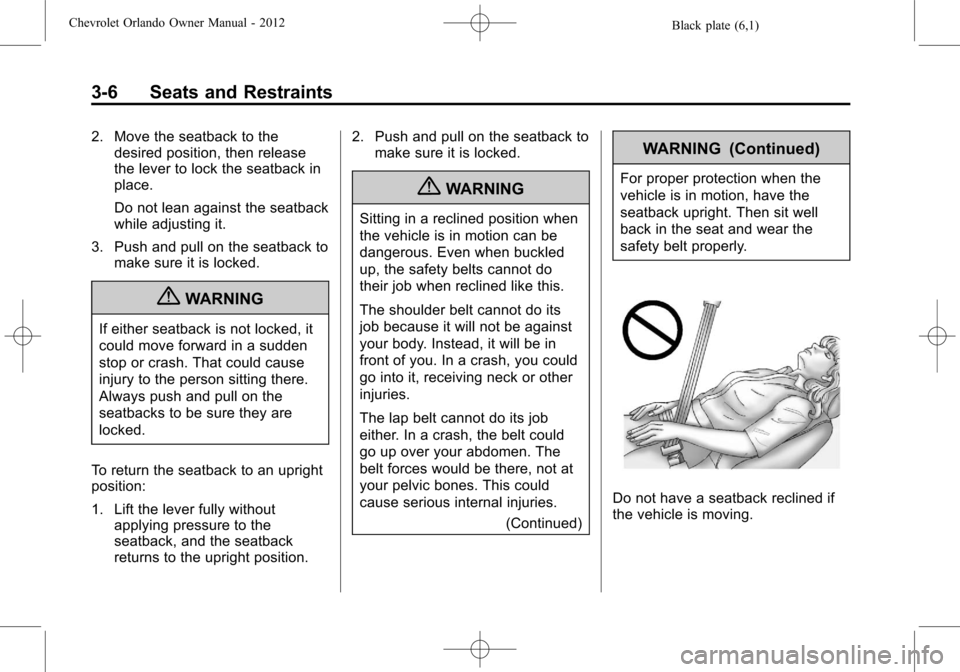
{WARNING
Sitting in a reclined position when
the vehicle is in motion can be
dangerous. Even when buckled
up, the safety belts cannot do
their job when reclined like this.
The shoulder belt cannot do its
job because it will not be against
your body. Instead, it will be in
front of you. In a crash, you could
go into it, receiving neck or other
injuries.
The lap belt cannot do its job
either. In a crash, the belt could
go up over your abdomen. The
belt forces would be there, not at
your pelvic bones. This could
cause serious internal injuries.
(Continued)
WARNING (Continued)
For proper protection when the
vehicle is in motion, have the
seatback upright. Then sit well
back in the seat and wear the
safety belt properly.
Do not have a seatback reclined if
the vehicle is moving.
Page 54 of 378
Black plate (8,1)Chevrolet Orlando Owner Manual - 2012
3-8 Seats and Restraints
The passenger seat may take
longer to heat up.
Remote Start Heated Seats
When it is cold outside, the heated
seats can be programmed to turn
on automatically during a remote
vehicle start. The heated seats will
be canceled when the ignition is
turned on. Press the heated seat
button to use the heated seats after
the vehicle is started.
The heated seat button lights will
not turn on during a remote start.
The temperature of an unoccupied
seat may be reduced.
To program the heated seat feature
to enabled, seeVehicle
Personalization on page 5‑32 for
more information.
Rear Seats
Second Row Seats
Adjusting the Seatbacks
{WARNING
If either seatback is not locked, it
could move forward in a sudden
stop or crash. That could cause
injury to the person sitting there.
Always push and pull on the
seatbacks to be sure they are
locked.
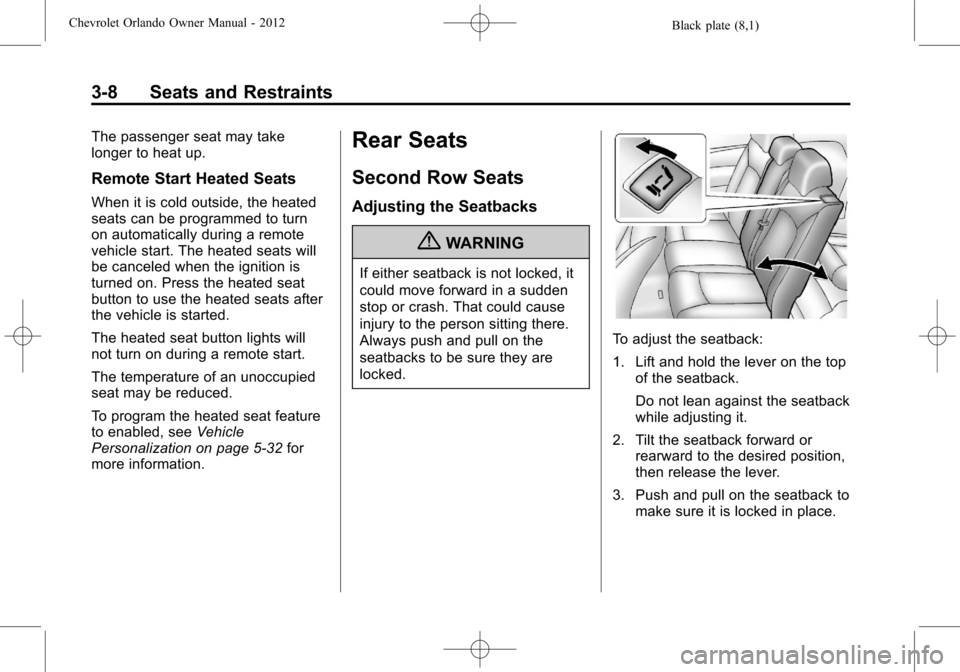
To adjust the seatback:
1. Lift and hold the lever on the top of the seatback.
Do not lean against the seatback
while adjusting it.
2. Tilt the seatback forward or rearward to the desired position,
then release the lever.
3. Push and pull on the seatback to make sure it is locked in place.