tow CHEVROLET ORLANDO 2012 1.G Owner's Manual
[x] Cancel search | Manufacturer: CHEVROLET, Model Year: 2012, Model line: ORLANDO, Model: CHEVROLET ORLANDO 2012 1.GPages: 378, PDF Size: 6.68 MB
Page 108 of 378
Black plate (4,1)Chevrolet Orlando Owner Manual - 2012
5-4 Instruments and Controls
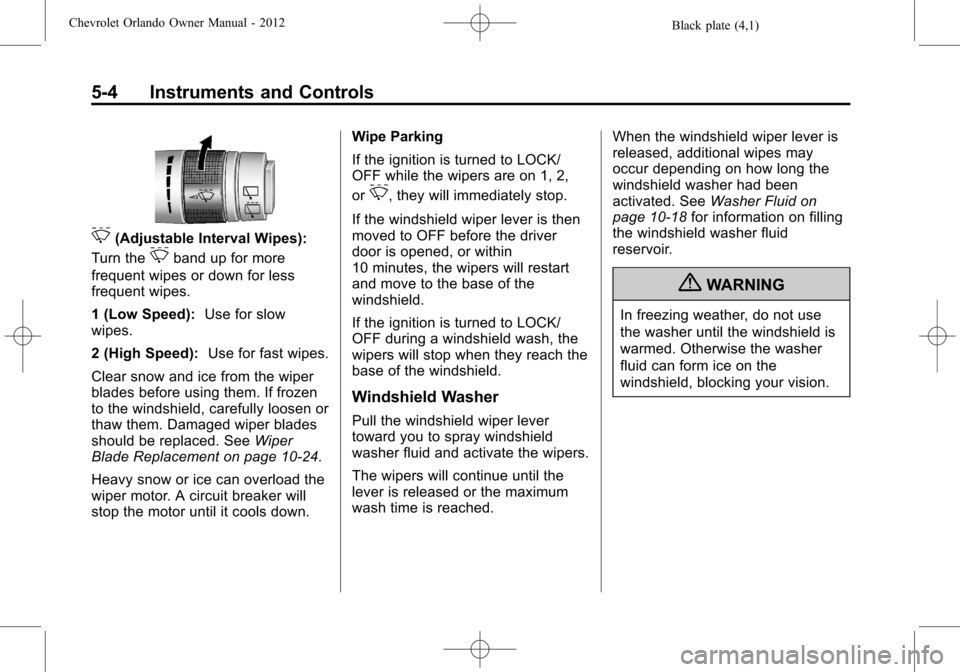
3(Adjustable Interval Wipes):
Turn the
3band up for more
frequent wipes or down for less
frequent wipes.
1 (Low Speed): Use for slow
wipes.
2 (High Speed): Use for fast wipes.
Clear snow and ice from the wiper
blades before using them. If frozen
to the windshield, carefully loosen or
thaw them. Damaged wiper blades
should be replaced. See Wiper
Blade Replacement on page 10‑24.
Heavy snow or ice can overload the
wiper motor. A circuit breaker will
stop the motor until it cools down. Wipe Parking
If the ignition is turned to LOCK/
OFF while the wipers are on 1, 2,
or
3, they will immediately stop.
If the windshield wiper lever is then
moved to OFF before the driver
door is opened, or within
10 minutes, the wipers will restart
and move to the base of the
windshield.
If the ignition is turned to LOCK/
OFF during a windshield wash, the
wipers will stop when they reach the
base of the windshield.
Windshield Washer
Pull the windshield wiper lever
toward you to spray windshield
washer fluid and activate the wipers.
The wipers will continue until the
lever is released or the maximum
wash time is reached. When the windshield wiper lever is
released, additional wipes may
occur depending on how long the
windshield washer had been
activated. See
Washer Fluid on
page 10‑18 for information on filling
the windshield washer fluid
reservoir.
{WARNING
In freezing weather, do not use
the washer until the windshield is
warmed. Otherwise the washer
fluid can form ice on the
windshield, blocking your vision.
Page 118 of 378
Black plate (14,1)Chevrolet Orlando Owner Manual - 2012
5-14 Instruments and Controls
could damage the emission control
system on the vehicle. Diagnosis
and service might be required.
To prevent more serious damage to
the vehicle:
.Reduce vehicle speed.
.Avoid hard accelerations.
.Avoid steep uphill grades.
.If towing a trailer, reduce the
amount of cargo being hauled as
soon as it is possible.
If the light continues to flash, stop
and park the vehicle. Turn the
vehicle off, wait at least 10 seconds,
and restart the engine. If the light is
still flashing, follow the previous
steps and see your dealer for
service as soon as possible.
Light On Steady: An emission
control system malfunction has
been detected on the vehicle.
Diagnosis and service might be
required. The following may correct an
emission system malfunction:
.Check that the fuel cap is fully
installed. See
Filling the Tank on
page 9‑38. The diagnostic
system can determine if the
fuel cap has been left off or
improperly installed. A loose or
missing fuel cap allows fuel to
evaporate into the atmosphere.
A few driving trips with the cap
properly installed should turn the
light off.
.Check that good quality fuel is
used. Poor fuel quality causes
the engine not to run as
efficiently as designed and may
cause stalling after start-up,
stalling when the vehicle is
changed into gear, misfiring,
hesitation on acceleration,
or stumbling on acceleration.
These conditions might go away
once the engine is warmed up. If one or more of these conditions
occurs, change the fuel brand used.
It will require at least one full tank of
the proper fuel to turn the light off.
See
Recommended Fuel on
page 9‑37.
If none of the above have made the
light turn off, your dealer can check
the vehicle. The dealer has the
proper test equipment and
diagnostic tools to fix any
mechanical or electrical problems
that might have developed.Emissions Inspection and
Maintenance Programs
Some local governments may have
programs to inspect the on-vehicle
emission control equipment. For the
inspection, the emission system test
equipment is connected to the
vehicle’s Data Link
Connector (DLC).
Page 120 of 378
Black plate (16,1)Chevrolet Orlando Owner Manual - 2012
5-16 Instruments and Controls
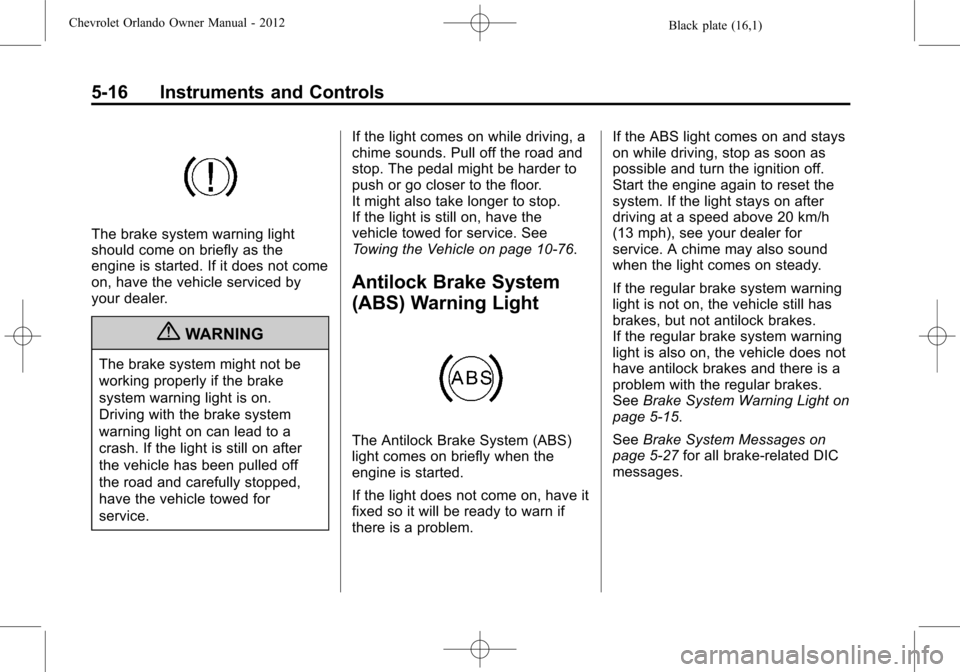
The brake system warning light
should come on briefly as the
engine is started. If it does not come
on, have the vehicle serviced by
your dealer.
{WARNING
The brake system might not be
working properly if the brake
system warning light is on.
Driving with the brake system
warning light on can lead to a
crash. If the light is still on after
the vehicle has been pulled off
the road and carefully stopped,
have the vehicle towed for
service.If the light comes on while driving, a
chime sounds. Pull off the road and
stop. The pedal might be harder to
push or go closer to the floor.
It might also take longer to stop.
If the light is still on, have the
vehicle towed for service. See
Towing the Vehicle on page 10‑76.
Antilock Brake System
(ABS) Warning Light
The Antilock Brake System (ABS)
light comes on briefly when the
engine is started.
If the light does not come on, have it
fixed so it will be ready to warn if
there is a problem. If the ABS light comes on and stays
on while driving, stop as soon as
possible and turn the ignition off.
Start the engine again to reset the
system. If the light stays on after
driving at a speed above 20 km/h
(13 mph), see your dealer for
service. A chime may also sound
when the light comes on steady.
If the regular brake system warning
light is not on, the vehicle still has
brakes, but not antilock brakes.
If the regular brake system warning
light is also on, the vehicle does not
have antilock brakes and there is a
problem with the regular brakes.
See
Brake System Warning Light on
page 5‑15.
See Brake System Messages on
page 5‑27 for all brake‐related DIC
messages.
Page 142 of 378
Black plate (2,1)Chevrolet Orlando Owner Manual - 2012
6-2 Lighting
5(Headlamps):Turns the
headlamps on together with the
lamps listed below. A warning chime
sounds if the driver door is opened
when the ignition switch is off and
the headlamps are on.
.Parking Lamps
.Taillamps
.License Plate Lamps
.Instrument Panel Lights
.Sidemarker Lamps
#(Front Fog Lamps): For
vehicles with fog lamps, press to
turn the lamps on or off.
See Front Fog Lamps on page 6‑4.
When the lights are on,
;will be
lit. See Lamps On Reminder on
page 5‑21.
Headlamp High/
Low-Beam Changer
3(Headlamp High/Low‐Beam
Changer): Push the turn signal/
lane change lever away from you to
turn the high beams on.
Push the lever again or pull the
lever toward you to return to low
beams.
This indicator light turns on in the
instrument panel cluster when the
high‐beam headlamps are on.
Flash-to-Pass
To flash the high beams, pull the
turn signal/lane change lever all the
way toward you. Then release it.
Daytime Running
Lamps (DRL)
Daytime Running Lamps (DRL) can
make it easier for others to see the
front of your vehicle during the day.
Fully functional daytime running
lamps are required on all vehicles
first sold in Canada.
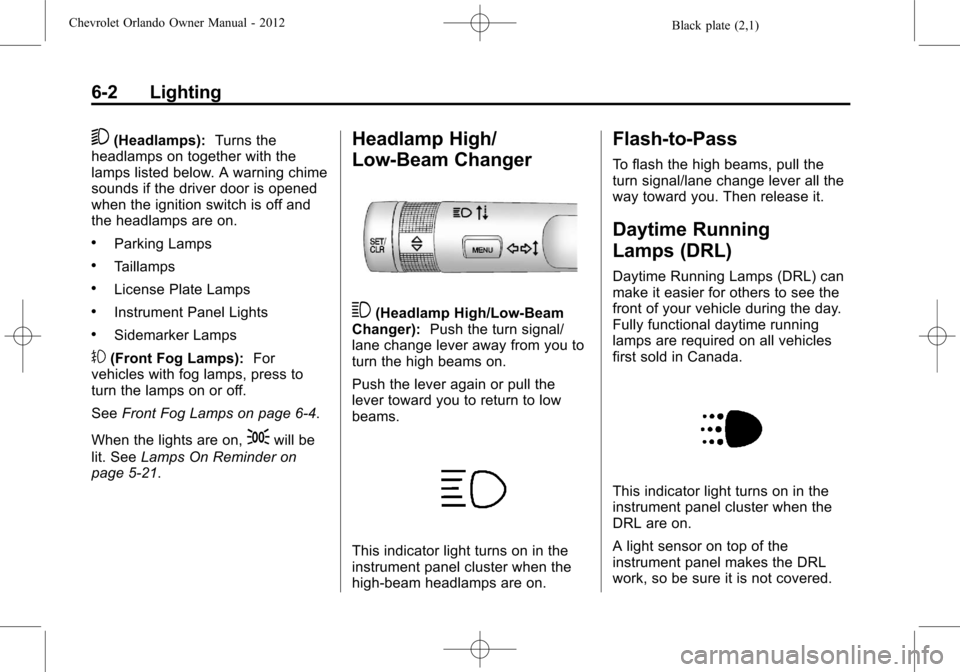
This indicator light turns on in the
instrument panel cluster when the
DRL are on.
A light sensor on top of the
instrument panel makes the DRL
work, so be sure it is not covered.
Page 189 of 378
Black plate (1,1)Chevrolet Orlando Owner Manual - 2012
Driving and Operating 9-1
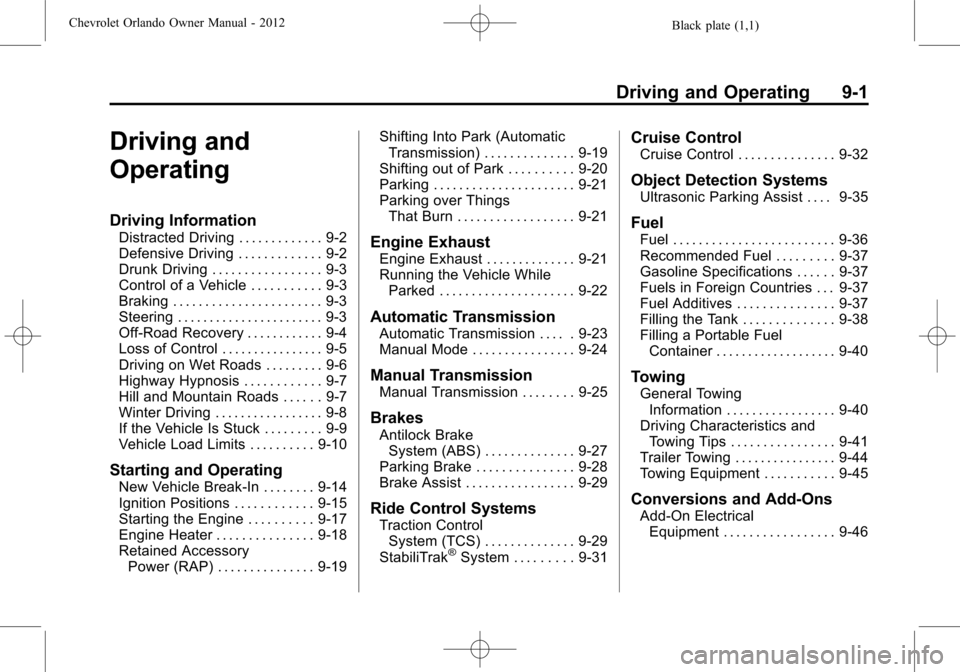
Driving and
Operating
Driving Information
Distracted Driving . . . . . . . . . . . . . 9-2
Defensive Driving . . . . . . . . . . . . . 9-2
Drunk Driving . . . . . . . . . . . . . . . . . 9-3
Control of a Vehicle . . . . . . . . . . . 9-3
Braking . . . . . . . . . . . . . . . . . . . . . . . 9-3
Steering . . . . . . . . . . . . . . . . . . . . . . . 9-3
Off-Road Recovery . . . . . . . . . . . . 9-4
Loss of Control . . . . . . . . . . . . . . . . 9-5
Driving on Wet Roads . . . . . . . . . 9-6
Highway Hypnosis . . . . . . . . . . . . 9-7
Hill and Mountain Roads . . . . . . 9-7
Winter Driving . . . . . . . . . . . . . . . . . 9-8
If the Vehicle Is Stuck . . . . . . . . . 9-9
Vehicle Load Limits . . . . . . . . . . 9-10
Starting and Operating
New Vehicle Break-In . . . . . . . . 9-14
Ignition Positions . . . . . . . . . . . . 9-15
Starting the Engine . . . . . . . . . . 9-17
Engine Heater . . . . . . . . . . . . . . . 9-18
Retained AccessoryPower (RAP) . . . . . . . . . . . . . . . 9-19 Shifting Into Park (Automatic
Transmission) . . . . . . . . . . . . . . 9-19
Shifting out of Park . . . . . . . . . . 9-20
Parking . . . . . . . . . . . . . . . . . . . . . . 9-21
Parking over Things That Burn . . . . . . . . . . . . . . . . . . 9-21
Engine Exhaust
Engine Exhaust . . . . . . . . . . . . . . 9-21
Running the Vehicle WhileParked . . . . . . . . . . . . . . . . . . . . . 9-22
Automatic Transmission
Automatic Transmission . . . . . 9-23
Manual Mode . . . . . . . . . . . . . . . . 9-24
Manual Transmission
Manual Transmission . . . . . . . . 9-25
Brakes
Antilock BrakeSystem (ABS) . . . . . . . . . . . . . . 9-27
Parking Brake . . . . . . . . . . . . . . . 9-28
Brake Assist . . . . . . . . . . . . . . . . . 9-29
Ride Control Systems
Traction Control System (TCS) . . . . . . . . . . . . . . 9-29
StabiliTrak
®System . . . . . . . . . 9-31
Cruise Control
Cruise Control . . . . . . . . . . . . . . . 9-32
Object Detection Systems
Ultrasonic Parking Assist . . . . 9-35
Fuel
Fuel . . . . . . . . . . . . . . . . . . . . . . . . . 9-36
Recommended Fuel . . . . . . . . . 9-37
Gasoline Specifications . . . . . . 9-37
Fuels in Foreign Countries . . . 9-37
Fuel Additives . . . . . . . . . . . . . . . 9-37
Filling the Tank . . . . . . . . . . . . . . 9-38
Filling a Portable Fuel Container . . . . . . . . . . . . . . . . . . . 9-40
Towing
General TowingInformation . . . . . . . . . . . . . . . . . 9-40
Driving Characteristics and Towing Tips . . . . . . . . . . . . . . . . 9-41
Trailer Towing . . . . . . . . . . . . . . . . 9-44
Towing Equipment . . . . . . . . . . . 9-45
Conversions and Add-Ons
Add-On Electrical Equipment . . . . . . . . . . . . . . . . . 9-46
Page 198 of 378
Black plate (10,1)Chevrolet Orlando Owner Manual - 2012
9-10 Driving and Operating
For information about using tire
chains on the vehicle, seeTire
Chains on page 10‑56.
Rocking the Vehicle to Get
It Out
Turn the steering wheel left and
right to clear the area around the
front wheels. Turn off any traction or
stability system. Shift back and forth
between R (Reverse) and a forward
gear, spinning the wheels as little as
possible. To prevent transmission
wear, wait until the wheels stop
spinning before shifting gears.
Release the accelerator pedal while
shifting, and press lightly on the
accelerator pedal when the
transmission is in gear. Slowly
spinning the wheels in the forward
and reverse directions causes a
rocking motion that could free the
vehicle. If that does not get the
vehicle out after a few tries, it might
need to be towed out. If the vehicle
does need to be towed out, see
Towing the Vehicle on page 10‑76.
Vehicle Load Limits
It is very important to know how
much weight the vehicle can
carry. This weight is called the
vehicle capacity weight and
includes the weight of all
occupants, cargo, and all
nonfactory‐installed options.
Two labels on the vehicle show
how much weight it may
properly carry, the Tire and
Loading Information label and
the Certification label.
{WARNING
Do not load the vehicle any
heavier than the Gross
Vehicle Weight Rating
(GVWR), or either the
maximum front or rear Gross
Axle Weight Rating (GAWR).
This can cause systems to
break and change the way the
(Continued)
WARNING (Continued)
vehicle handles. This could
cause loss of control and a
crash. Overloading can also
shorten the life of the vehicle.
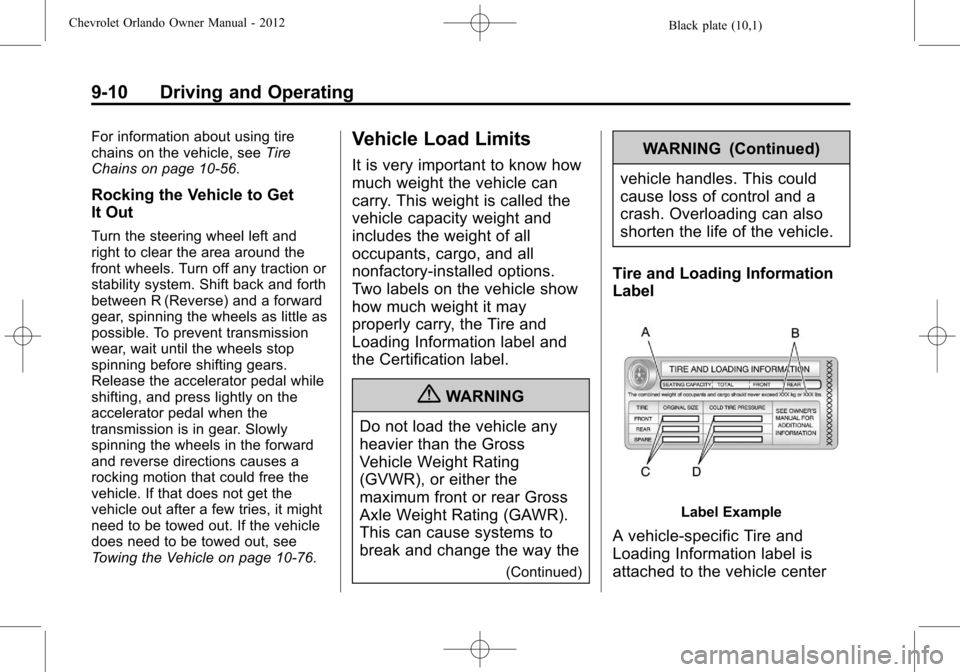
Tire and Loading Information
Label
Label Example
A vehicle-specific Tire and
Loading Information label is
attached to the vehicle center
Page 199 of 378
Black plate (11,1)Chevrolet Orlando Owner Manual - 2012
Driving and Operating 9-11
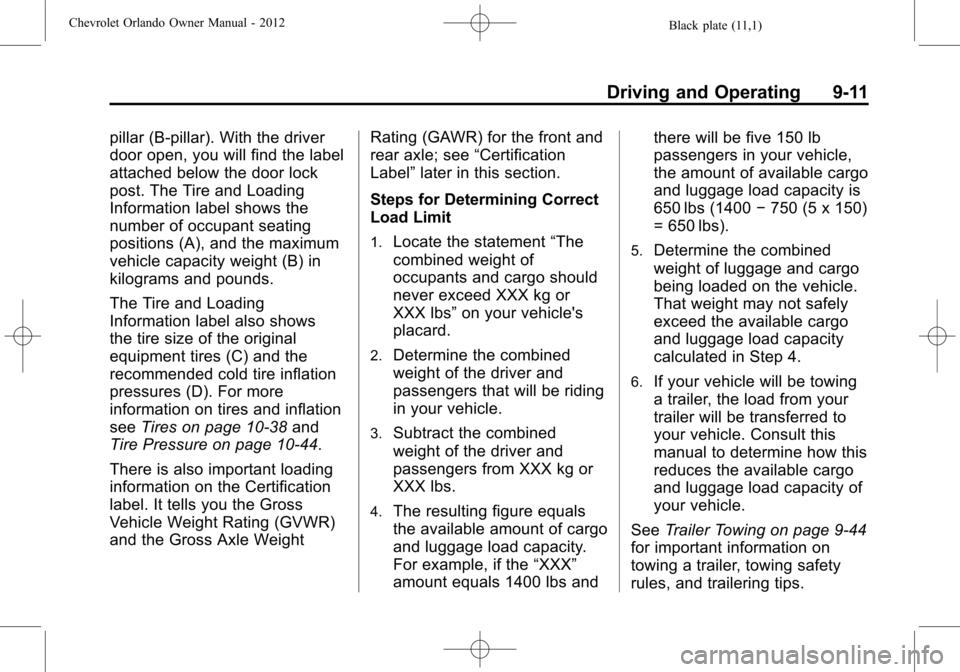
pillar (B-pillar). With the driver
door open, you will find the label
attached below the door lock
post. The Tire and Loading
Information label shows the
number of occupant seating
positions (A), and the maximum
vehicle capacity weight (B) in
kilograms and pounds.
The Tire and Loading
Information label also shows
the tire size of the original
equipment tires (C) and the
recommended cold tire inflation
pressures (D). For more
information on tires and inflation
seeTires on page 10‑38 and
Tire Pressure on page 10‑44.
There is also important loading
information on the Certification
label. It tells you the Gross
Vehicle Weight Rating (GVWR)
and the Gross Axle Weight Rating (GAWR) for the front and
rear axle; see
“Certification
Label” later in this section.
Steps for Determining Correct
Load Limit
1.Locate the statement “The
combined weight of
occupants and cargo should
never exceed XXX kg or
XXX lbs” on your vehicle's
placard.
2.Determine the combined
weight of the driver and
passengers that will be riding
in your vehicle.
3.Subtract the combined
weight of the driver and
passengers from XXX kg or
XXX lbs.
4.The resulting figure equals
the available amount of cargo
and luggage load capacity.
For example, if the “XXX”
amount equals 1400 lbs and there will be five 150 lb
passengers in your vehicle,
the amount of available cargo
and luggage load capacity is
650 lbs (1400
−750 (5 x 150)
= 650 lbs).
5.Determine the combined
weight of luggage and cargo
being loaded on the vehicle.
That weight may not safely
exceed the available cargo
and luggage load capacity
calculated in Step 4.
6.If your vehicle will be towing
a trailer, the load from your
trailer will be transferred to
your vehicle. Consult this
manual to determine how this
reduces the available cargo
and luggage load capacity of
your vehicle.
See Trailer Towing on page 9‑44
for important information on
towing a trailer, towing safety
rules, and trailering tips.
Page 203 of 378
Black plate (15,1)Chevrolet Orlando Owner Manual - 2012
Driving and Operating 9-15
above 110 km/h (68 mph)
should be limited to
five minutes per use.
.Avoid making hard stops for
the first 322 km (200 mi) or
so. During this time the new
brake linings are not yet
broken in. Hard stops with
new linings can mean
premature wear and earlier
replacement. Follow this
breaking-in guideline every
time you get new brake
linings.
.Do not tow a trailer during
break-in. SeeDriving
Characteristics and Towing
Tips on page 9‑41 for the
trailer towing capabilities of
your vehicle and more
information.
Following break‐in, engine speed
and load can be gradually
increased.
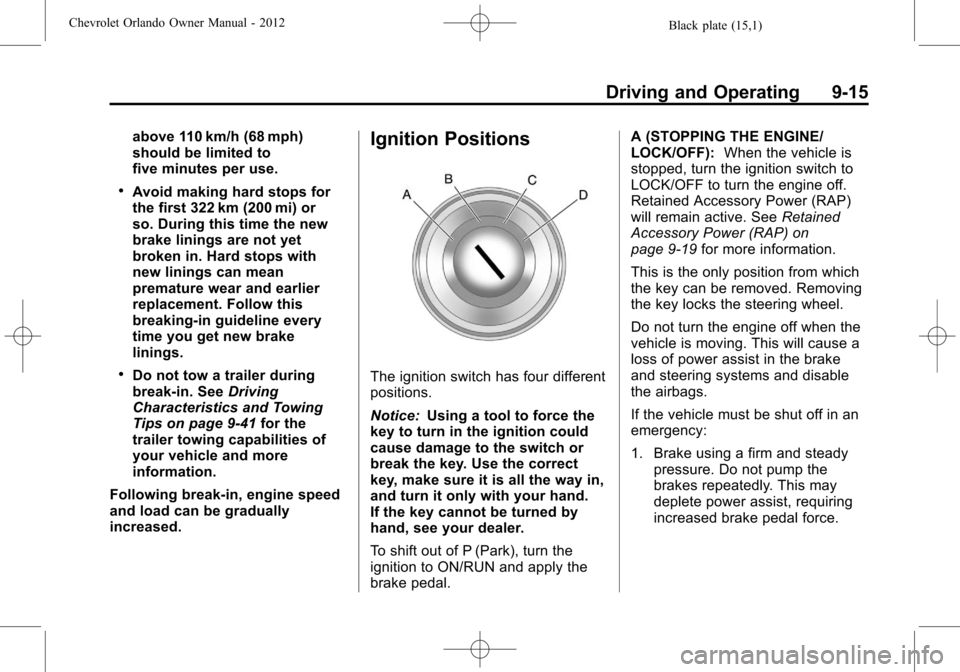
Ignition Positions
The ignition switch has four different
positions.
Notice: Using a tool to force the
key to turn in the ignition could
cause damage to the switch or
break the key. Use the correct
key, make sure it is all the way in,
and turn it only with your hand.
If the key cannot be turned by
hand, see your dealer.
To shift out of P (Park), turn the
ignition to ON/RUN and apply the
brake pedal. A (STOPPING THE ENGINE/
LOCK/OFF):
When the vehicle is
stopped, turn the ignition switch to
LOCK/OFF to turn the engine off.
Retained Accessory Power (RAP)
will remain active. See Retained
Accessory Power (RAP) on
page 9‑19 for more information.
This is the only position from which
the key can be removed. Removing
the key locks the steering wheel.
Do not turn the engine off when the
vehicle is moving. This will cause a
loss of power assist in the brake
and steering systems and disable
the airbags.
If the vehicle must be shut off in an
emergency:
1. Brake using a firm and steady pressure. Do not pump the
brakes repeatedly. This may
deplete power assist, requiring
increased brake pedal force.
Page 205 of 378
Black plate (17,1)Chevrolet Orlando Owner Manual - 2012
Driving and Operating 9-17
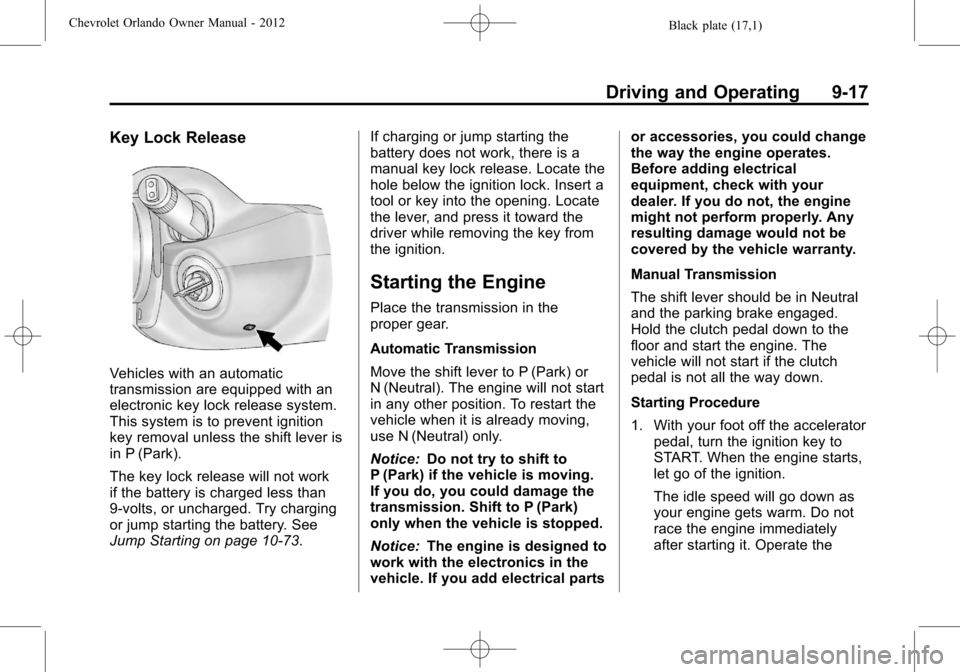
Key Lock Release
Vehicles with an automatic
transmission are equipped with an
electronic key lock release system.
This system is to prevent ignition
key removal unless the shift lever is
in P (Park).
The key lock release will not work
if the battery is charged less than
9‐volts, or uncharged. Try charging
or jump starting the battery. See
Jump Starting on page 10‑73.If charging or jump starting the
battery does not work, there is a
manual key lock release. Locate the
hole below the ignition lock. Insert a
tool or key into the opening. Locate
the lever, and press it toward the
driver while removing the key from
the ignition.
Starting the Engine
Place the transmission in the
proper gear.
Automatic Transmission
Move the shift lever to P (Park) or
N (Neutral). The engine will not start
in any other position. To restart the
vehicle when it is already moving,
use N (Neutral) only.
Notice:
Do not try to shift to
P (Park) if the vehicle is moving.
If you do, you could damage the
transmission. Shift to P (Park)
only when the vehicle is stopped.
Notice: The engine is designed to
work with the electronics in the
vehicle. If you add electrical parts or accessories, you could change
the way the engine operates.
Before adding electrical
equipment, check with your
dealer. If you do not, the engine
might not perform properly. Any
resulting damage would not be
covered by the vehicle warranty.
Manual Transmission
The shift lever should be in Neutral
and the parking brake engaged.
Hold the clutch pedal down to the
floor and start the engine. The
vehicle will not start if the clutch
pedal is not all the way down.
Starting Procedure
1. With your foot off the accelerator
pedal, turn the ignition key to
START. When the engine starts,
let go of the ignition.
The idle speed will go down as
your engine gets warm. Do not
race the engine immediately
after starting it. Operate the
Page 207 of 378
Black plate (19,1)Chevrolet Orlando Owner Manual - 2012
Driving and Operating 9-19
{WARNING
Plugging the cord into an
ungrounded outlet could cause an
electrical shock. Also, the wrong
kind of extension cord could
overheat and cause a fire. You
could be seriously injured. Plug
the cord into a properly grounded
three-prong 110-volt AC outlet.
If the cord will not reach, use a
heavy-duty three-prong extension
cord rated for at least 15 amps.
4. Before starting the engine, be sure to unplug and store the
cord as it was before to keep it
away from moving engine parts.
If you do not it could be
damaged.
The length of time the heater should
remain plugged in depends on
several factors. Ask a dealer in the
area where you will be parking the
vehicle for the best advice on this.
Retained Accessory
Power (RAP)
These vehicle accessories may be
used for up to 10 minutes after the
engine is turned off:
.Audio System
.Power Windows
.Sunroof
The power windows and sunroof
will continue to work for up to
10 minutes or until any door is
opened. The radio will work when
the key is in ON/RUN or ACC/
ACCESSORY. Once the key is
turned from ON/RUN to LOCK/OFF,
the radio will continue to work for
10 minutes, or until the driver door is
opened.
Shifting Into Park
(Automatic Transmission)
{WARNING
It can be dangerous to get out of
the vehicle if the shift lever is not
fully in P (Park) with the parking
brake firmly set. The vehicle can
roll. If you have left the engine
running, the vehicle can move
suddenly. You or others could be
injured. To be sure the vehicle will
not move, even when you are on
fairly level ground, use the steps
that follow. If you are pulling a
trailer, see Driving Characteristics
and Towing Tips on page 9‑41.
Use this procedure to shift into
P (Park):
1. Hold the brake pedal down and set the parking brake.
See Parking Brake on page 9‑28
for more information.